Creator Economy API Landing Page Template
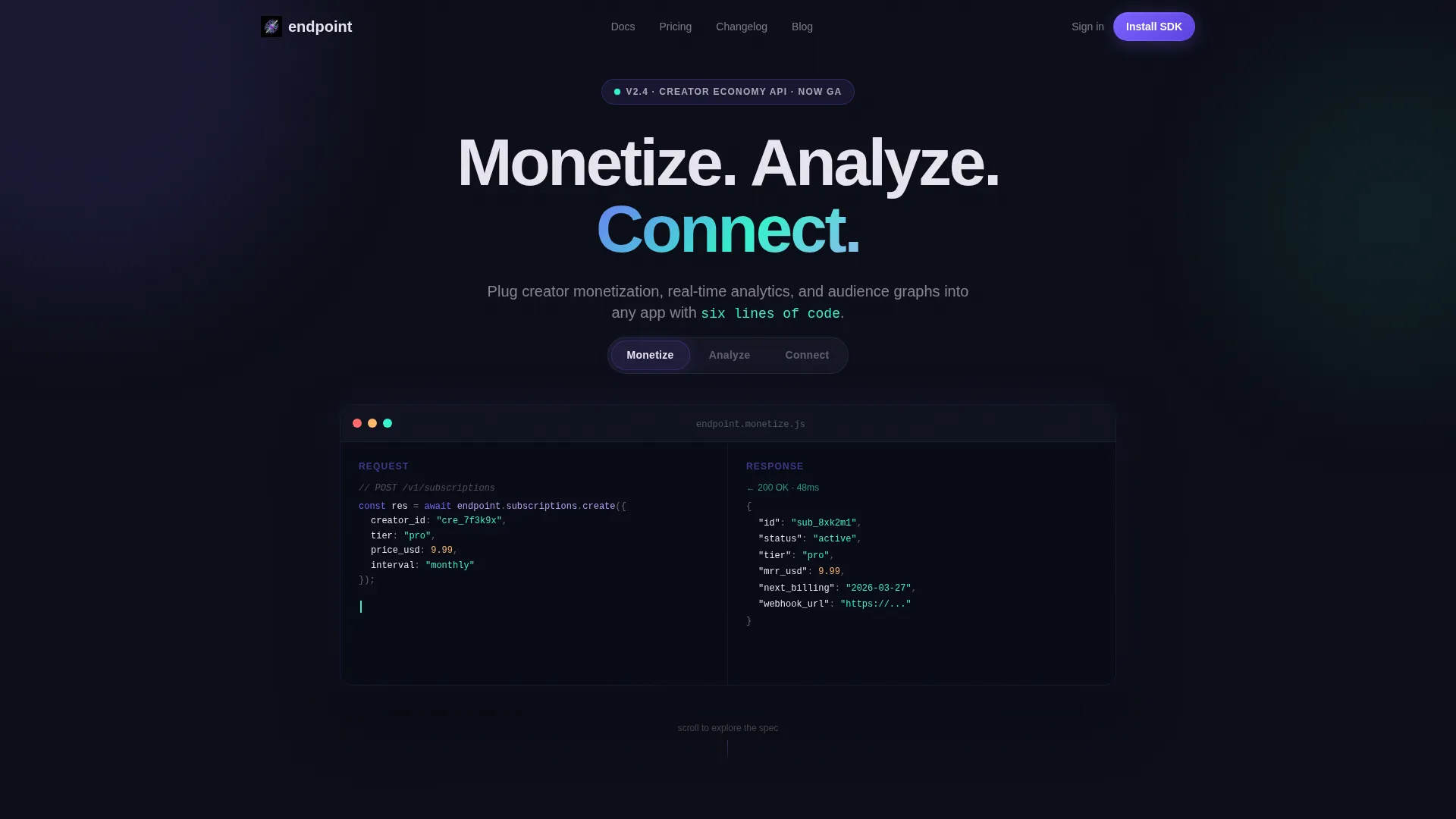
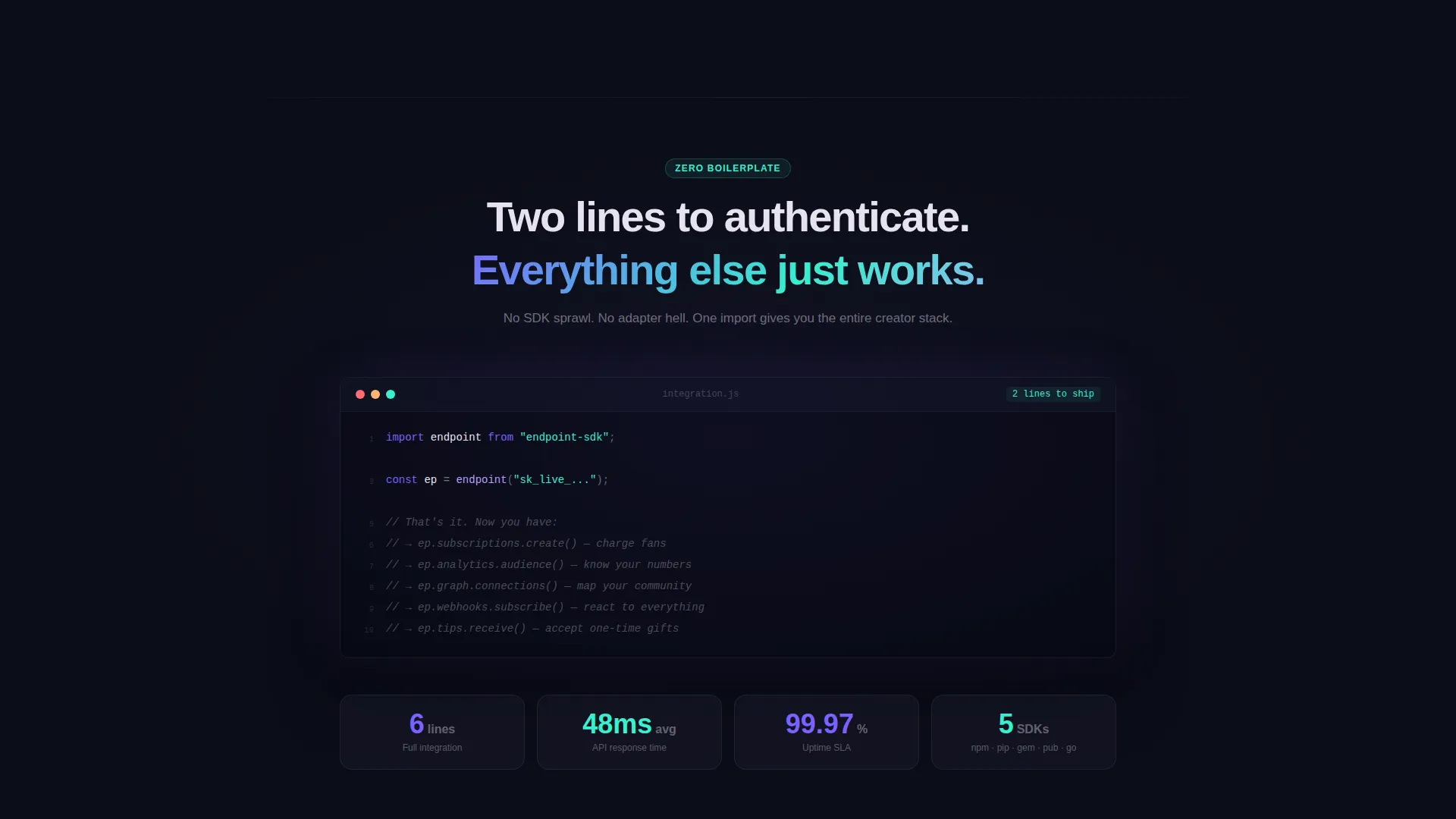
Endpoint is a creator economy API landing page template built for developers and technical founders. It uses a scroll-reveal layout, a Feature Tab Switcher header, and animated code previews to showcase monetization, analytics, and audience graph capabilities. The dynamic motion design and iridescent color system make the page feel like a live running process, credible, compelling, and built to earn the SDK install.
by Rocket studio
Quick summary
Endpoint is a single-page, scroll-reveal landing page template for a creator economy API platform. It opens with a Feature Tab Switcher showing live code snippets and animated output previews. As visitors scroll, each API capability reveals itself progressively, authentication flows, rate limit meters, webhook event feeds, until the page earns the SDK install at the bottom.
Who this template is for
This template is built for technical builders who need to communicate API value fast. It speaks to people who ship at odd hours and make decisions based on real code output, not marketing copy.
- Indie developers building creator monetization or analytics tools
- Startup technical leads integrating subscription tiers or tipping layers before a funding milestone
- No-code builders connecting creator storefronts to automation tools through webhook events
What problem this template solves
Most API landing pages either look like raw documentation or feel like generic SaaS brochures. Neither earns trust from a developer who needs to evaluate an integration in minutes. This template closes that gap by making the API's output the hero of the page.
- Developers leave pages that show features without proof, this template shows real animated response previews and copy-pasteable code blocks
- CTOs evaluating integrations need to see capability coverage quickly, the spec-sheet scroll layout reveals each capability one at a time, like turning pages in a technical brief
- Builders need a clear, low-friction path to start, the primary call to action delivers a one-line install command across multiple package managers
What you get with this template
You get a fully designed, motion-driven landing page built around a creator economy API use case. Every section is structured to move a technical visitor from curiosity to commitment through animated proof points and clean code presentation.
- A Feature Tab Switcher header with three tabs, Monetize, Analyze, Connect, each showing a live-formatted code snippet and an animated output preview
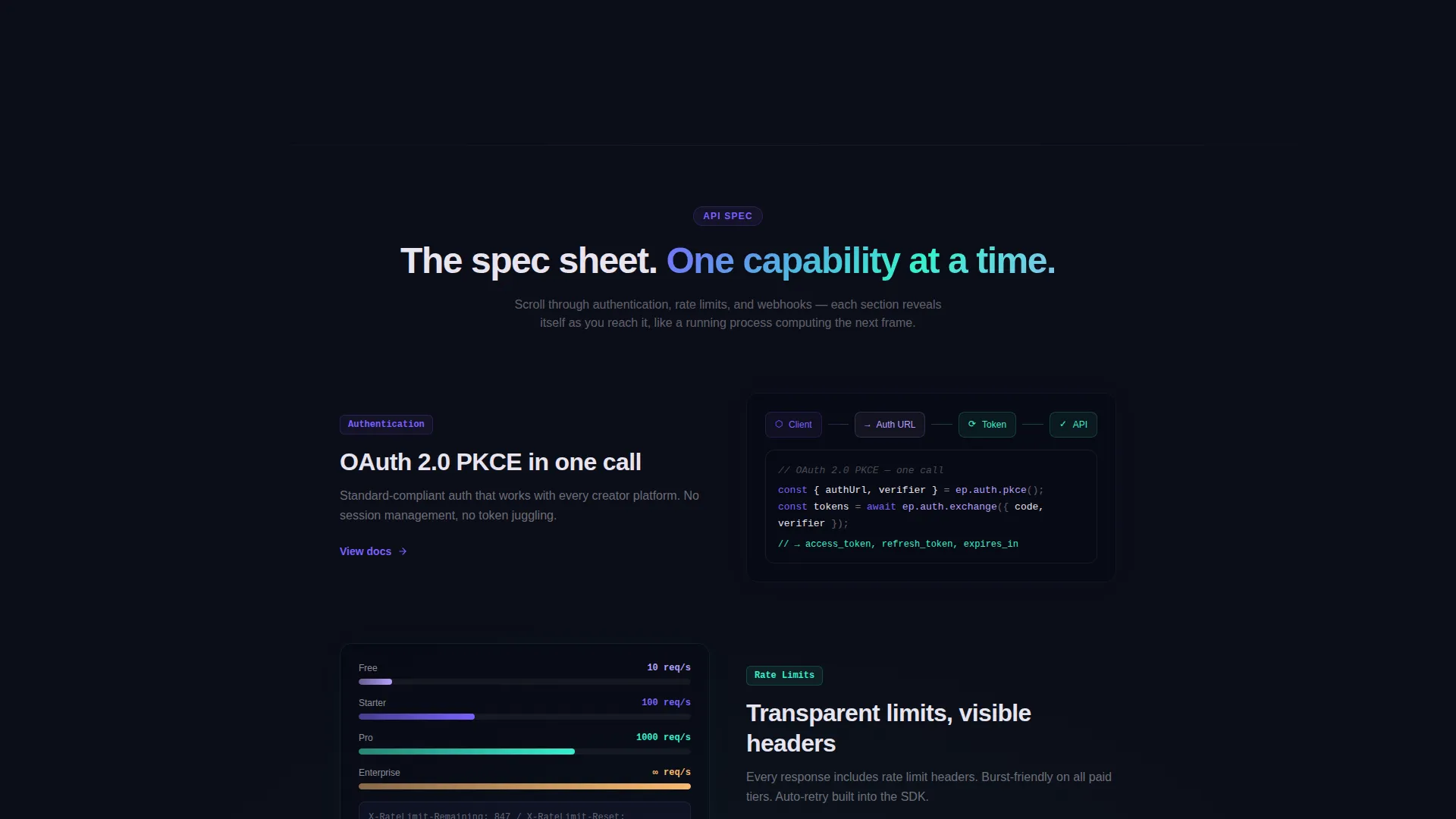
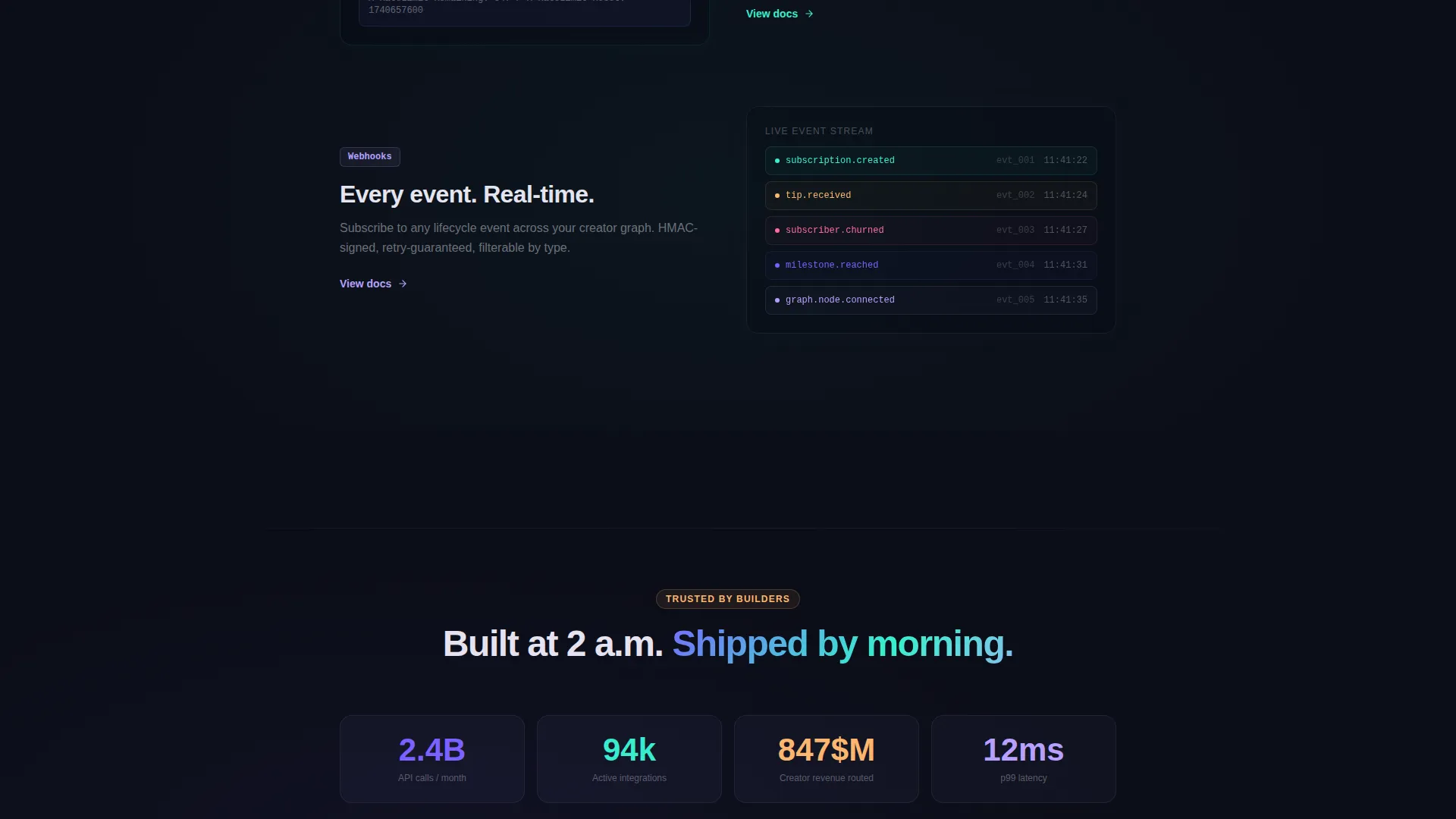
- A progressive scroll layout where authentication flows, rate limit meters, and webhook event feeds animate into view section by section
- A conversion-focused footer block with platform-specific SDK install commands for npm, pip, and brew, each copyable on click
Feature list
This template includes the following built-in design and layout capabilities.
Three-Tab Feature Switcher Header
The header features three tabs labeled Monetize, Analyze, and Connect. Each tab reveals a formatted code snippet on the left and an animated output preview on the right. The Monetize tab shows a POST request building a subscription tier. The Analyze tab renders an audience graph drawing from returned JSON. The Connect tab shows a social graph node map expanding outward from a single creator ID. Tab transitions use a liquid morph effect, elements dissolve and reform rather than cut.
Scroll-Reveal Spec Sheet Layout
The page is structured as a progressive spec sheet. Each section enters with directional motion, sliding, scaling, or fading, so the layout feels like a running process rather than a static document. API capabilities appear one at a time as the visitor scrolls.
Animated API Capability Sections
Dedicated scroll sections cover authentication with an OAuth flow animation, rate limits rendered as a filling visual meter, and webhook events cascading as a live notification feed. Each section is designed to demonstrate a single capability clearly before moving to the next.
SDK Install Call-to-Action Block
The primary conversion block offers platform toggles for npm, pip, and brew. Each toggle displays the one-line install command for that package manager. Clicking any command copies it to the clipboard. A secondary link directs visitors to the full API reference documentation.
Dynamic Motion Design System
Every section entry uses velocity-based motion, elements arrive with directional intent rather than simple fade transitions. The result is a page that always feels like it is computing the next frame, reinforcing the live, technical character of the product.
Copy-Pasteable Code Blocks
Every code snippet in the template is formatted for readability and designed to be copied directly. The page earns the install by letting visitors interact with real-looking output before the call to action appears.
Page sections overview
| Section | Purpose |
|---|---|
| Feature Tab Switcher | Introduce API capabilities with live code and animated previews across three tabs |
| Authentication Flow | Animate the OAuth process into view as the visitor scrolls past the auth section |
| Rate Limit Meter | Visualize rate limit thresholds as a filling progress meter |
| Webhook Event Feed | Cascade webhook events like a live notification stream |
| SDK Install Block | Deliver platform-specific install commands with one-click copy and a docs link |
Design & branding system
The visual identity uses an AI Iridescent color system built around a void black base. Colors are chosen to feel synthetic and alive, each hue shifts in meaning depending on what surrounds it, like light refracting through a prism onto a matte black surface.
- Void black (#0B0D17) as the primary background, holographic violet (#7B61FF) for primary actions and syntax highlights, shimmer teal (#36F1CD) for success states and response previews, and soft pearl (#E8E4F0) for body text
- The Dynamic Motion theme drives every visual transition, liquid morphs between tabs, directional entry animations per scroll section, and velocity-based element arrivals
- The overall aesthetic reads like cracking open a terminal in a dark room, precise, technical, and visually commanding without being decorative for its own sake
Mobile & speed optimization
The template is designed with a scroll-reveal structure that adapts naturally to smaller viewports. Motion-driven sections are sequenced vertically, which maps cleanly to mobile reading behavior.
- Progressive reveal animations are section-scoped, so each capability block loads and enters independently without depending on a full-page render
- The SDK install block with platform toggles and clipboard copy is touch-friendly by design, making the primary conversion action accessible on any device
How this template helps you convert
The page is engineered to reduce the gap between seeing and believing. By the time a visitor reaches the SDK install block, the template has already shown them working output multiple times.
- The Feature Tab Switcher at the top lets visitors self-select into the capability that matters most to them, Monetize, Analyze, or Connect, and immediately see a realistic code response, building confidence before a single word of marketing copy is read
- The scroll-reveal spec sheet maintains momentum by revealing one capability at a time, preventing cognitive overload and keeping the visitor in an active, exploratory mode rather than a passive reading mode
- The SDK install block closes the loop with a low-friction action: a single copied command and a path to full documentation, meeting developers exactly where they are in their evaluation
Other information about this template
This template sits in the Startup and Launch category under the Creator Economy Startup subcategory. It is designed specifically for the Creator Economy API Documentation niche and carries a high intersection match between its layout style and its target use case.
- The template style is Scroll Reveal (Progressive), the theme is Dynamic Motion, and the creative direction follows a Spec Sheet structure, all matched to the App Download conversion goal
- The header concept is a Feature Tab Switcher, a layout pattern well suited to API platforms that need to communicate multiple capability tracks without overwhelming a first-time visitor
- This template is built to work as a standalone landing page, it is not a multi-page site or a full documentation portal, though the secondary call to action links out to a full reference
Theme
Dynamic Motion
Creative direction
Spec Sheet
Color system
AI Iridescent
Style
Scroll Reveal (Progressive)
Direction
App Download
Page Sections
Three-tab Feature Switcher Header
Scroll-reveal Spec Sheet Layout
Animated API Capability Sections
SDK Install Conversion Block
Dynamic Motion Design System
Copy-pasteable Code Blocks
Related questions
What is this template designed to promote?
Do I need to know how to code to customize this template?
What are the three Feature Tab Switcher tabs used for?
Can I change the package manager options in the SDK install block?
Is this a full documentation site or a single landing page?