Immersive Podcast Community Landing Page Template
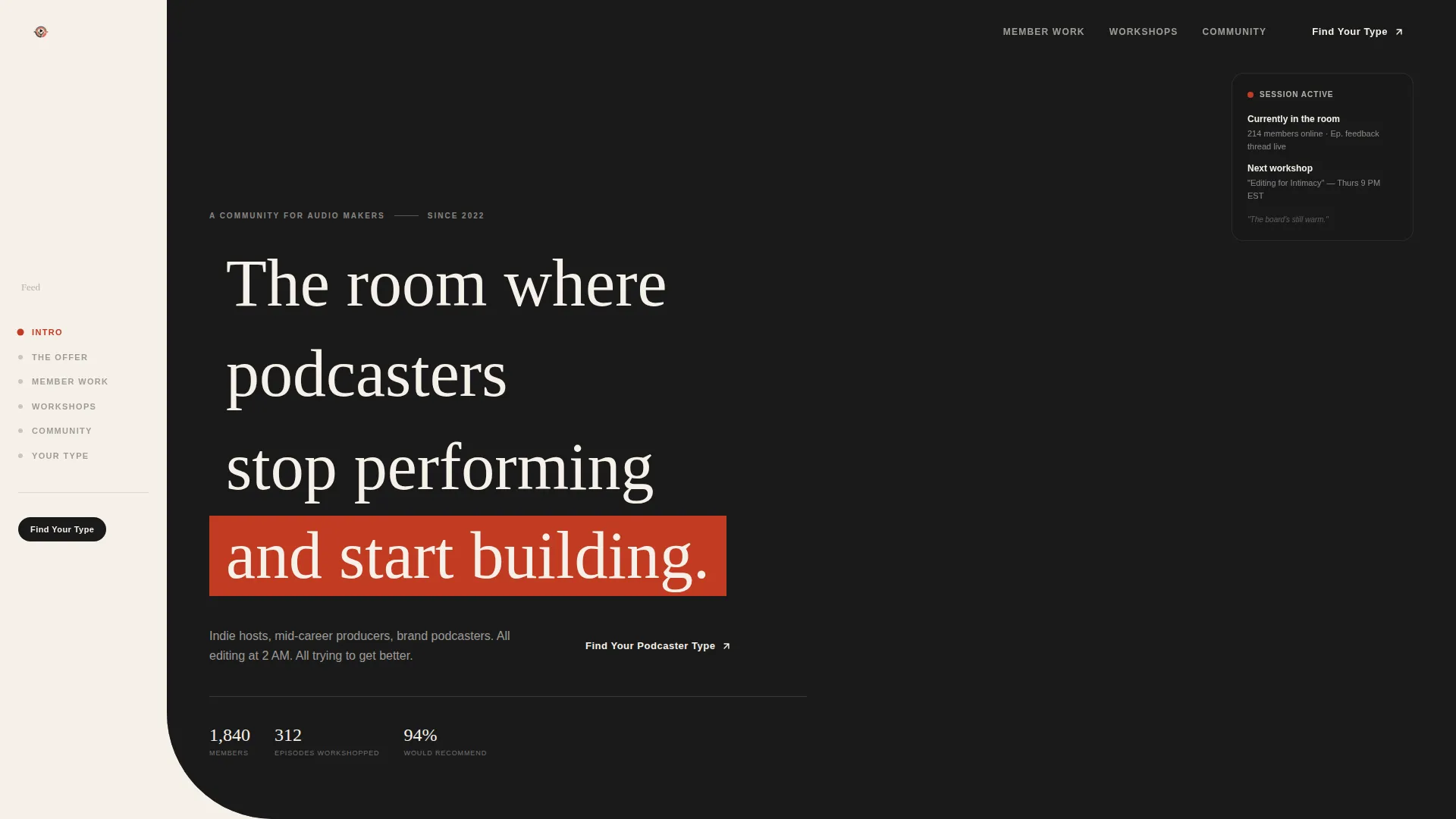
Feed is a hub-and-spoke landing page template built for podcast-about-podcasting online communities. It combines a full-bleed studio photo header, a gallery-walk scroll experience, and a five-question interactive quiz that maps each visitor to one of four community tracks before they ever see a join button. Editorial Ink and Paper styling makes every section feel like a curated listening room.
by Rocket studio
Quick summary
Feed is a single-page, anchor-nav landing page template for a podcast community built around the craft of podcasting itself. A cinematic studio header sets the tone, a gallery-walk scroll moves visitors through member work, workshop replays, and community threads, and a five-question quiz closes the loop by giving every visitor a named creative identity before they commit.
Who this template is for
This template is designed for founders and creators launching a membership or community platform aimed at audio professionals. It fits best when the offer is niche, the audience is passionate, and the conversion strategy depends on self-recognition rather than a hard sell.
- Indie podcast hosts who edit solo and want a community that speaks their language
- Mid-career producers and brand podcast managers shopping for a creative home
- Community builders who need a landing page that qualifies visitors before onboarding them
What problem this template solves
Generic community landing pages struggle to convert experienced creators. They list features, show testimonials, and ask for a signup. That flow works for broad audiences but falls flat with opinionated audio professionals who already know what bad community looks like.
- Visitors leave without feeling understood, so conversion drops before the call to action
- There is no mechanism to segment members by creative stage before they join
- The page has no way to earn trust from someone who has seen every podcast course already
What you get with this template
You get a complete, production-ready landing page with six distinct content sections connected by a fixed anchor navigation system. Every section is styled to the Atelier Studio aesthetic, and the interactive quiz module is fully built into the page flow.
- A full-bleed hero with cinematic text overlay and a floating status card
- A gallery-walk scroll experience covering member audio, workshops, and live community threads
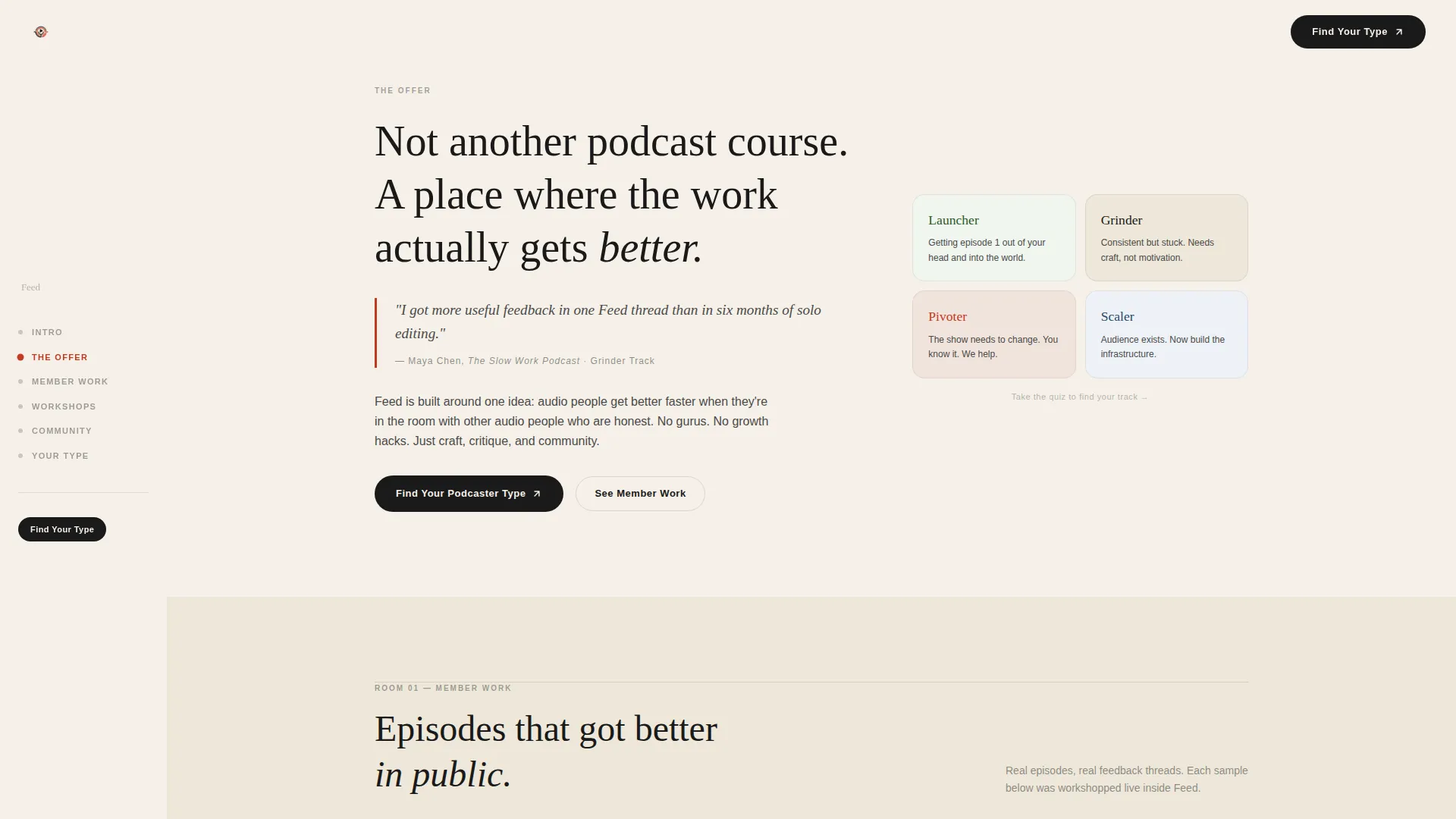
- A five-question quiz module that maps results to four named community tracks with tailored onboarding paths
Feature list
This template is built around high-interactivity components and a strong editorial visual system. Each feature below is present in the template as described in the source brief.
Fixed Anchor Navigation
A left-rail anchor nav sits fixed on the page throughout the entire scroll. It acts as a gallery map, and an editorial red dot marks the active section in real time, so visitors always know where they are.
Five-Question Community Quiz
The quiz is the primary conversion engine. It asks about publishing frequency, biggest frustration, years in audio, show format, and the one thing the host would change tomorrow. Results assign the visitor to one of four tracks: Launcher, Grinder, Pivoter, or Scaler, each with its own onboarding path.
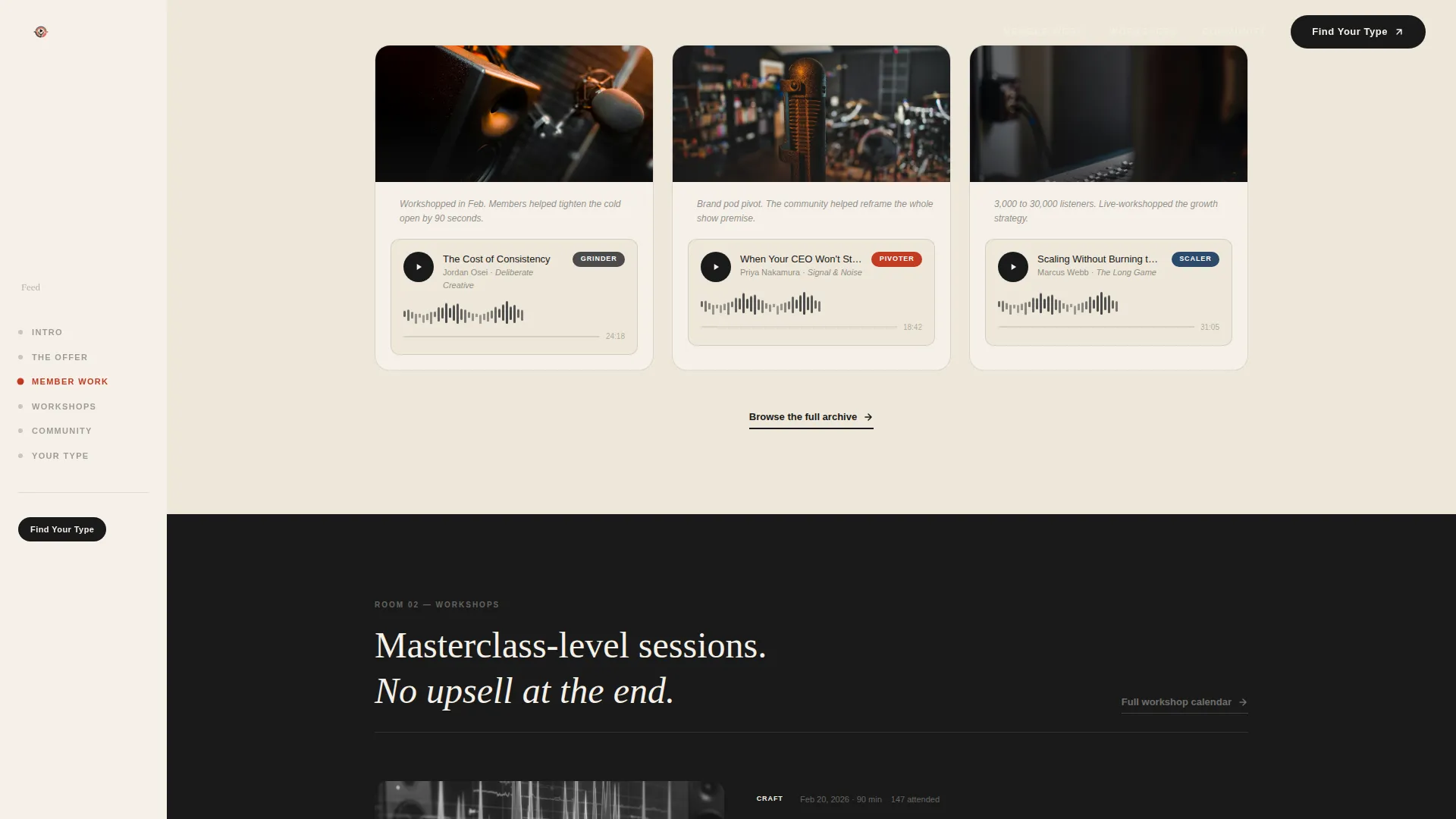
Embedded Waveform Audio Players
The member work section includes embedded audio players with waveforms rendered in pencil graphite on warm parchment. Visitors can sample real member output without leaving the page.
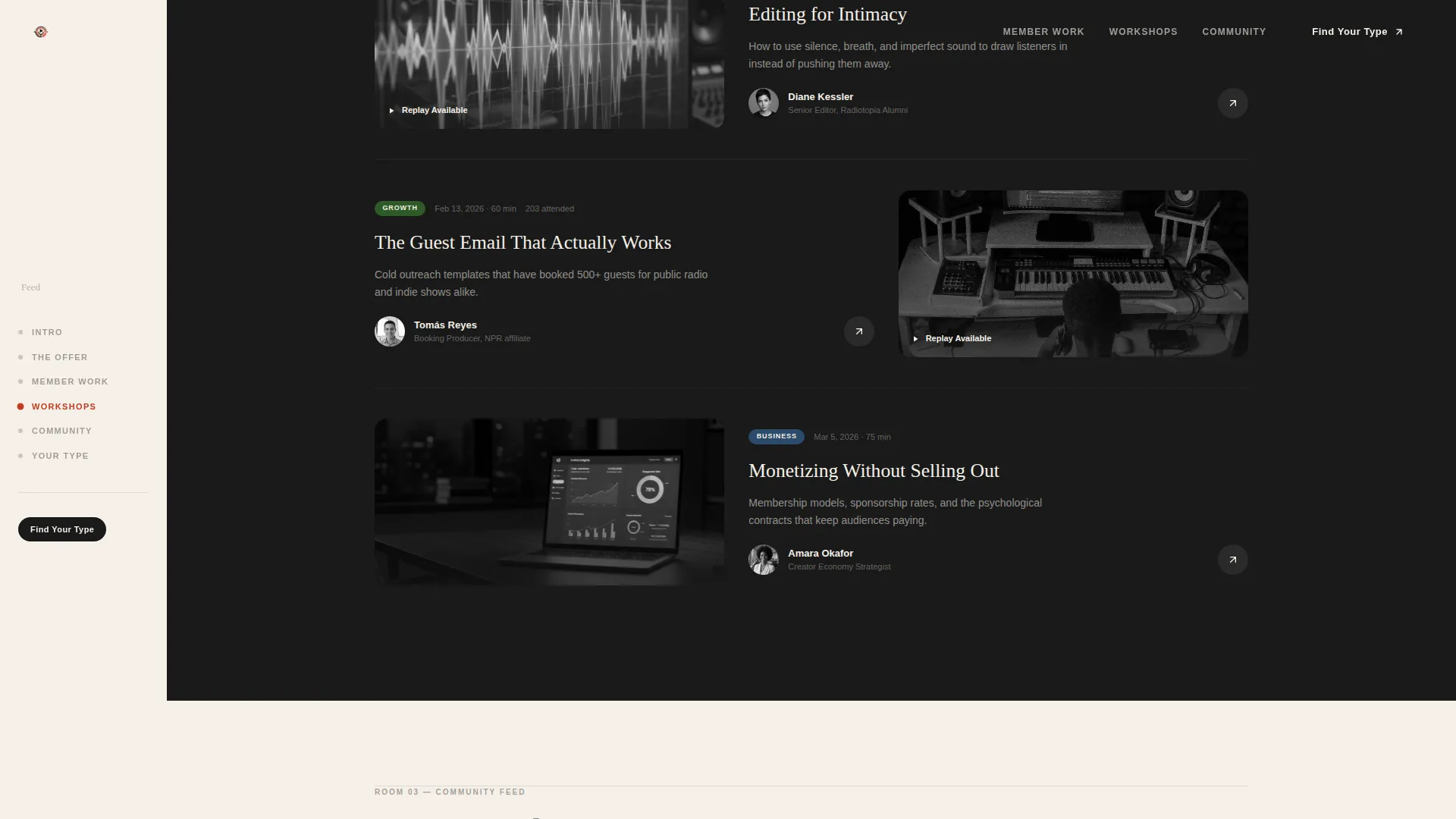
Gallery-Framed Workshop Replays
Workshop sessions are presented like curated gallery exhibits, complete with instructor portraits and session descriptions. The framing signals that this is a body of work, not a course catalog.
Live Community Feed Section
A dedicated spoke shows real community threads, real feedback exchanges, and genuine member vulnerability. This section functions as live social proof built directly into the page structure.
GSAP Scroll Reveal Animations
The template uses GSAP-powered scroll reveals throughout, including waveform SVG animations and quiz state transitions. Intersection Observer triggers keep the motion purposeful and tied to reading pace.
Page sections overview
| Section | Purpose |
|---|---|
| Hero Header | Full-bleed studio photo with serif text overlay and floating on-air card |
| Quiz Invitation | First subtle call-to-action placed immediately after the hero in editorial layout |
| Member Work | Embedded audio players with graphite-on-parchment waveform visuals |
| Workshop Replays | Gallery-framed instructor portraits paired with session descriptions |
| Community Feed | Live member threads showing real feedback and conversation |
| Quiz Module | Full five-question interactive assessment leading to four community tracks |
| Footer | Horizontal flow footer layout for final navigation and links |
Design & branding system
The visual identity follows an Atelier Studio theme built on the Ink and Paper color system. The palette is disciplined and tactile, referencing typeset zines and editorial print culture rather than typical software product aesthetics.
- Deep manuscript black (#1A1A1A), warm parchment (#F5F0E8), and pencil graphite (#4A4A4A) form the base palette
- Editorial red (#C23B22) is reserved for anchor nav highlights, active states, and pull-quotes only
- Typography pairs Fraunces serif headlines with DM Sans for body text and interface elements
Mobile & speed optimization
The template is designed desktop-first, reflecting the reality that studio producers and serious podcast editors work primarily on large screens. Responsive mobile layouts are included so the experience holds across devices.
- CSS smooth scroll handles section transitions without JavaScript overhead
- Intersection Observer drives scroll reveals, keeping animation triggers lightweight
- The quiz module includes state transition animations that are scoped to avoid layout shift on smaller viewports
How this template helps you convert
The conversion strategy is built around self-recognition. Visitors are diagnosed before they are ever asked to join, which reduces resistance and increases the feeling that this community was made specifically for them.
- The quiz invitation appears immediately after the hero, creating a low-pressure first touchpoint that frames the community as a place that understands the visitor before asking for anything
- The quiz module later in the scroll delivers a named result, Launcher, Grinder, Pivoter, or Scaler, turning a casual browser into someone who now has a reason to join their specific track
- The gallery-walk sections build trust between the two quiz moments by showing real member audio, real workshop sessions, and real community threads rather than marketing copy
Other information about this template
This template is categorized under Blog and Editorial and is specifically built for the podcast-about-podcasting content niche. It is a strong fit for community builders working in the audio creator space who need a page that combines editorial restraint with high interactivity.
- The template style is Hub and Spoke with Anchor Navigation, making it easy to expand spokes as the community grows
- The header concept uses a Full-Bleed Photo with an overhead still-life composition, no people visible, creating intimacy through objects rather than faces
- The creative direction is Gallery Walk, meaning each spoke is treated as a curated room rather than a standard content block
- The footer uses a Horizontal Flow layout pattern suited to community and editorial platform pages
Theme
Atelier Studio
Creative direction
Gallery Walk
Color system
Ink & Paper
Style
Hub & Spoke (Anchor Nav)
Direction
Quiz/Assessment
Page Sections
Fixed Left-rail Anchor Navigation
Five-question Community Quiz Module
Embedded Waveform Audio Players
Gallery-walk Scroll Experience
GSAP Scroll Reveals and Waveform Animations
Full-bleed Studio Photo Header
Related questions
Can I change the quiz questions or community track names?
Is this template only useful for podcast communities?
How does the anchor navigation work on mobile?
What does the quiz result actually show the visitor?
Does the template include real member content or placeholder content?



