Endangered Species Conservation Blog Landing Page
Field is a single-column editorial landing page built for wildlife and conservation journalism. It brings endangered species stories to life through full-length dispatches, a broadsheet-inspired design, and a Day-in-the-Life narrative scroll. The page is ready to convert curious visitors into loyal subscribers using a clean subscribe form, a species watchlist PDF gate, and a recent dispatches grid.
by Rocket studio
Quick summary
Field is a conservation blog landing page that feels like unfolding a broadsheet on a camp table at dawn. It displays long-form wildlife dispatches from researchers and rangers, covering endangered species across the world. The page earns the reader's trust by sharing two full stories before asking for anything, then converts that trust into email subscribers and PDF downloads.
Who this template is for
This landing page is built for anyone who wants to share serious wildlife and conservation stories with an engaged audience. It suits creators who care about the natural world and want their work to look as credible as it reads.
- Ecology students and educators building a public-facing conservation resource or class reading hub
- Wildlife photographers, field biologists, and rangers who want to share dispatches and grow an audience of like-minded animals and nature enthusiasts
- Armchair conservationists and conservation NGO professionals looking to present educational content that inspires action and donations
What problem this template solves
Most conservation blogs lose visitors before the story lands. The page loads with cluttered navigation, teaser paywalls cut the story short, and the design competes with the content. Animals that need urgent attention get buried beneath generic layouts and scattered calls to action.
- Readers never experience the full quality of a wildlife dispatch before being asked to subscribe, so they leave without converting
- The website looks generic, failing to reflect the credibility of researchers and field teams whose work it covers
- Conservation efforts go unrecognized because the page cannot hold a visitor's attention long enough to share why endangered species matter
What you get with this template
You get a single-column flow landing page designed around immersive editorial storytelling. Every section is set to serve one primary goal: turn a curious visitor into a committed reader. The page is pre-built, formatted for long-form content, and ready to adapt to any wildlife or conservation story.
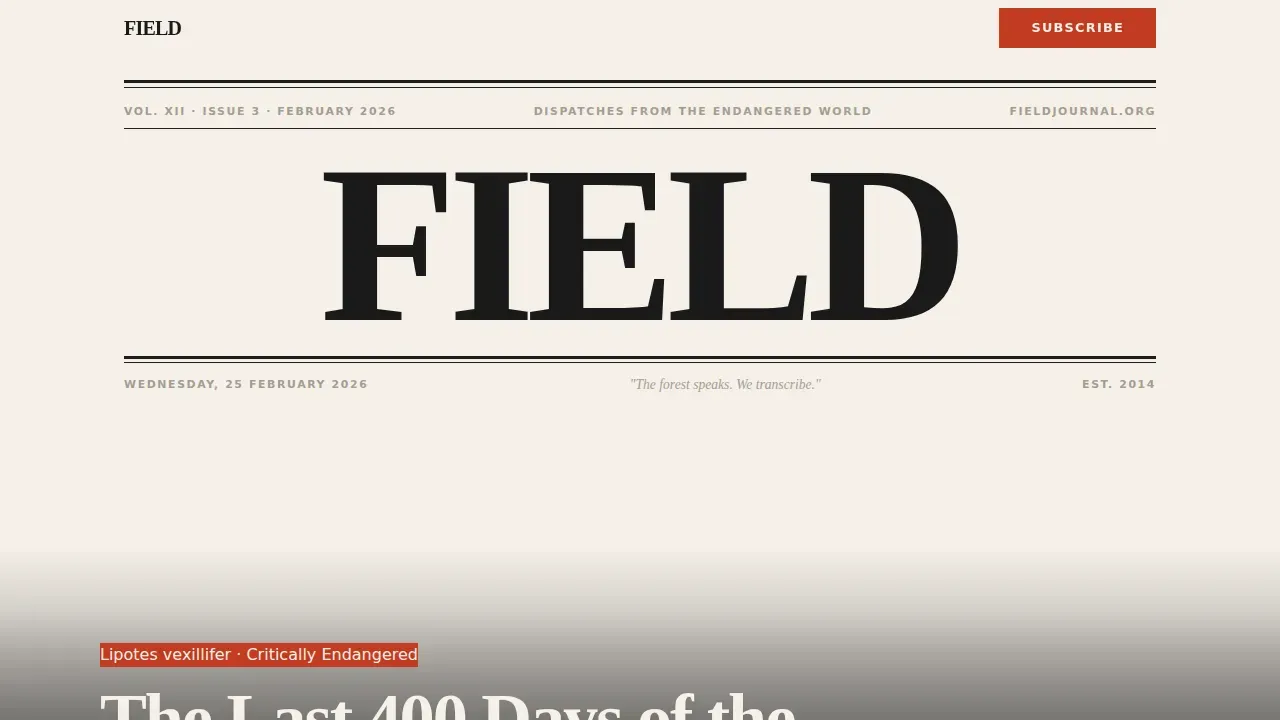
- A full newspaper-style masthead header with a bold cover headline and a full-bleed black-and-white hero photograph
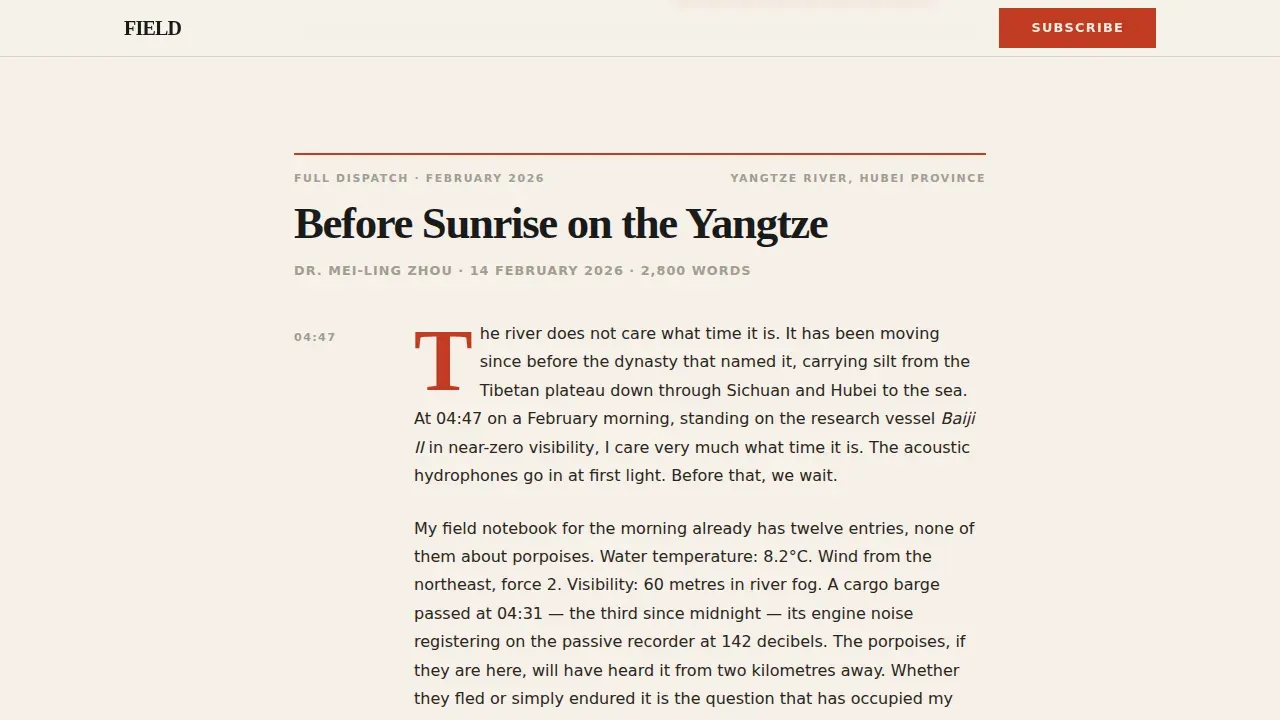
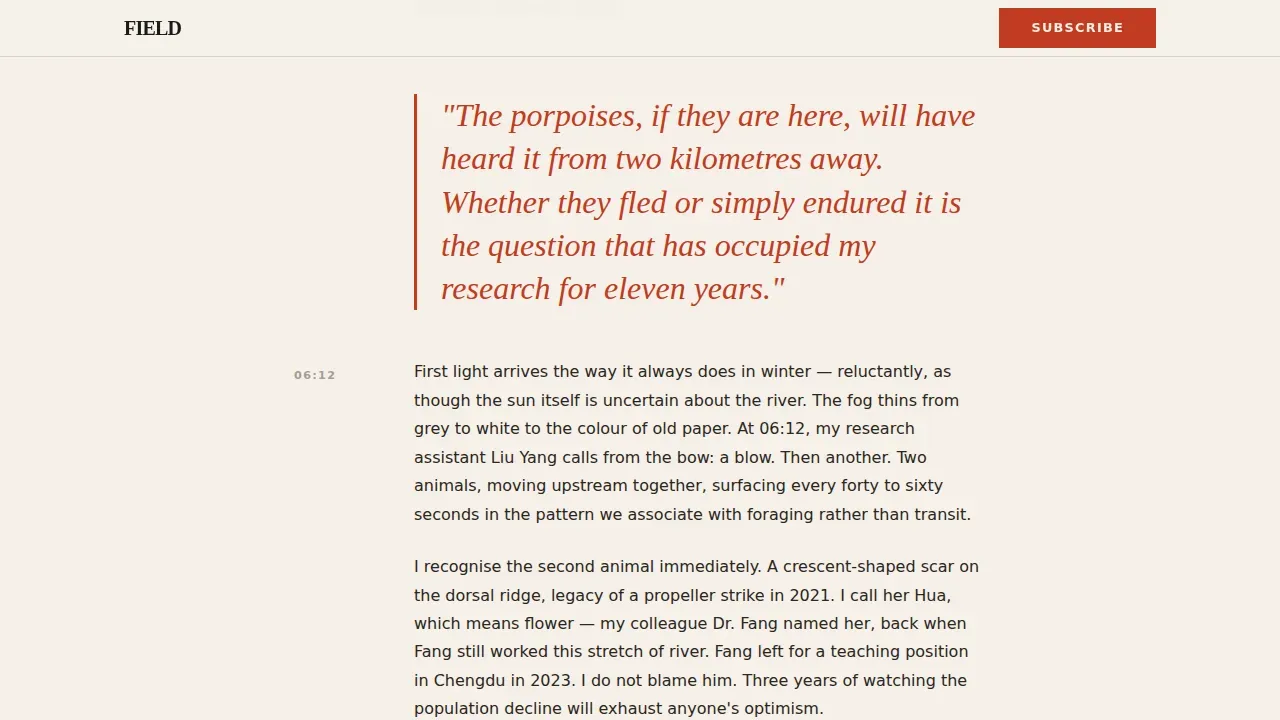
- Two complete story dispatches with timestamp navigation in the margin, pull quotes in oversized italic serif, and inline subscribe calls to action
- A Species Watchlist PDF gate, a recent dispatches bento grid, and a footer following a horizontal flow pattern
Feature list
This page packs in every element a wildlife conservation journal needs to engage visitors and share stories with the world.
Newspaper Masthead Header
The header section sets the tone immediately. The blog name spans the full column width in a large serif typeface. A thin rule separates the title from a dateline, and a full-bleed black-and-white hero photograph fills the page below it. A bold cover headline sits beneath the image in magazine cover-line style, introducing the lead species story before the reader scrolls.
Day-in-the-Life Dispatch Layout
Each story section follows a single conservation narrative from before sunrise to after dark. Timestamps appear in the left margin, field photographs are placed like editorial spreads, and block quotes from researchers are pulled out in oversized italic serif text. The pace shifts naturally, with action sequences during tagging operations and quieter stretches of observation, creating a scroll that feels like turning pages in a magazine. Horizontal rules and new datelines hand off each story to the next.
Inline Subscribe Call to Action
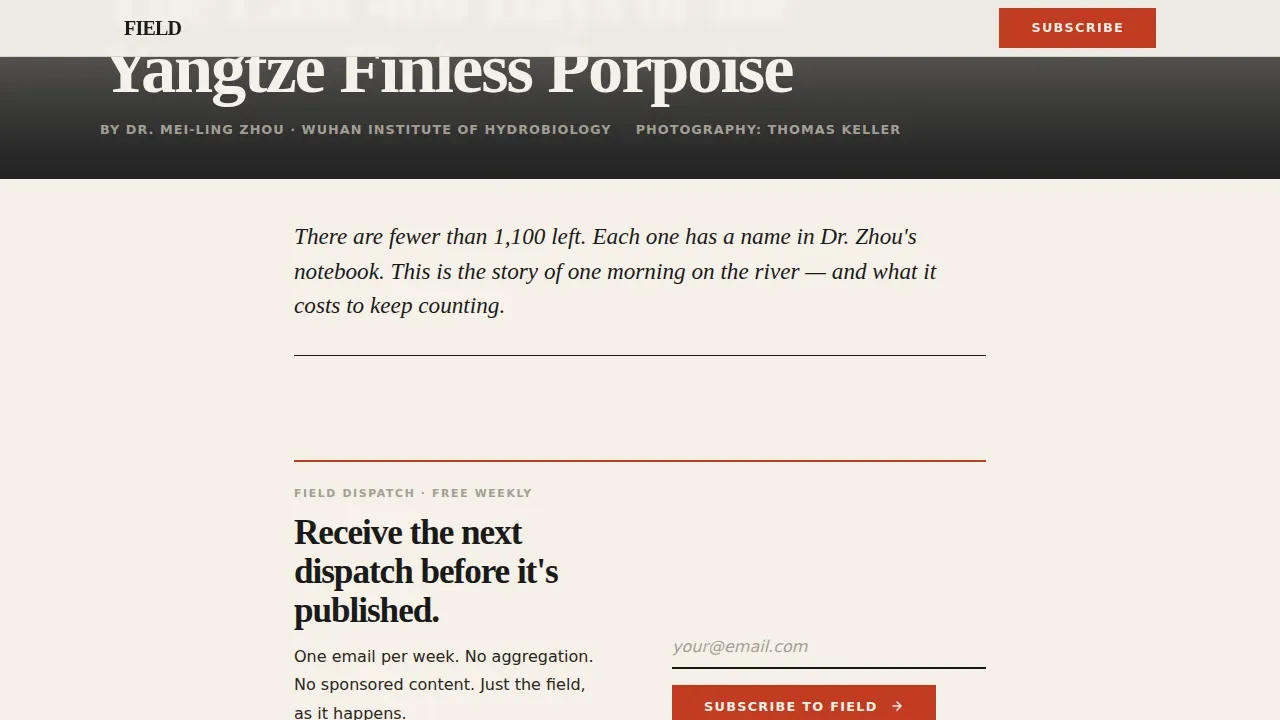
A subscribe prompt appears first beneath the hero story. It repeats after every third article preview throughout the page. The call to action is a single email input paired with a send arrow, keeping the ask minimal and the conversion path clear. This plan means visitors are never more than a few scrolls away from the subscribe option.
Species Watchlist PDF Gate
The PDF gate section lets the page capture a first name and email in exchange for a downloadable species watchlist. A credibility statement accompanies the form to reinforce the value of the resource. This section gives visitors a tangible reason to share their details and helps the conservation team grow a qualified list of animals-focused subscribers.
Recent Dispatches Bento Grid
The dispatches grid presents four recent or upcoming stories in an asymmetric bento layout. Each card includes an editorial thumbnail and a headline. The grid helps visitors explore the depth of the archive, find topics that interest them, and stay on the page longer. This section also serves as a natural link hub to further content.
Editorial Pull Quote System
Pull quotes from field researchers appear throughout the dispatch sections. They are set in accordion-style blocks using oversized italic serif type and accented in editorial red. This system lets the page display the voice of real conservation scientists, reinforcing the credibility of each story and making the information feel sourced and trustworthy.
Page sections overview
| Section | Purpose |
|---|---|
| Masthead & Hero | Introduce the journal and lead species story with a full-bleed editorial header |
| Story Dispatch One | Present the first full conservation narrative with timestamps and pull quotes |
| Inline Subscribe Form | Capture email after the first story while engagement is highest |
| Story Dispatch Two | Continue the editorial flow with a second full-length species dispatch |
| Second Subscribe Prompt | Repeat the subscribe call to action after the second story |
| Species Watchlist Gate | Offer a downloadable PDF in exchange for a first name and email |
| Recent Dispatches Grid | Display four recent stories in an asymmetric editorial bento layout |
| Page Footer | Close with a horizontal flow footer pattern and navigation links |
Design & branding system
The visual identity follows an Editorial Magazine theme built on an Ink & Paper color system. Every design decision reflects the feel of a well-thumbed field journal, with warm paper tones, graphite-gray accents, and red-ink annotations that guide the eye without distracting from the story.
- Color palette: warm uncoated stock background (#F5F0E8), deep typeset black (#1A1A1A) for body text, marginal pencil gray (#A39E93) for muted labels, and editorial red (#C23B22) reserved for pull quotes, drop caps, and the subscribe button
- Typography: Fraunces for all serif headlines and display type, paired with DM Sans for body text and interface elements, creating a clear hierarchy that keeps long-form animals and wildlife stories easy to read
- Scroll animations include subtle parallax on the hero photograph, ink-draw rule animations between sections, and scroll reveals that set the pacing of each story beat
Mobile & speed optimization
The page is designed desktop-first to honor the broadsheet metaphor, but it stacks cleanly on mobile devices without losing the editorial character. Students, wildlife photographers, and conservation groups who access the page from mobile devices get the same typographic quality and story structure as desktop visitors.
- The single-column flow layout adapts naturally to smaller screens, ensuring that timestamps, pull quotes, and inline forms remain readable and functional on all mobile devices
- Server components handle all static content, keeping JavaScript minimal and ensuring the page can perform well across varying connection speeds anywhere in the world
- Images are placed as editorial spreads within the content flow, so the page does not require heavy media loading at the top level before the reader can access the first story
How this template helps you convert
This page is built around one primary conversion goal: turning engaged wildlife readers into email subscribers. Every design and content decision supports that goal without distracting visitors from the story.
- The first two dispatches are published in full with no paywall fade or teaser truncation, so visitors experience the quality of the wildlife journalism before they are ever asked to subscribe. This approach builds the trust that makes the subscribe call to action feel like a natural next step rather than an interruption.
- The inline subscribe form appears at the exact moment engagement peaks, right after the first complete story. The form repeats after every third article preview, ensuring that visitors who scroll further are always near a conversion point without the page feeling pushy or cluttered.
- The Species Watchlist PDF gate adds a second, low-friction conversion path. Visitors who are learning about endangered animals and want a tangible conservation resource are invited to share a first name and email, giving the page a way to save leads who are not yet ready for a subscription commitment.
Other information about this template
This field endangered species conservation blog landing page template is well suited to educators, science communicators, and conservation NGO teams who want a credible, story-first web presence. It supports a wide range of wildlife topics and can adapt to conservation efforts focused on any region of the globe.
- Educational resources about endangered species help students understand the threats these animals face. The template gives educators a ready structure to build lesson plans around, incorporating discussions, case studies, and creative problem-solving content alongside each dispatch
- Maps and geographic context are natural additions to this layout. Tools like ArcGIS Living Atlas contain data on endangered species that can be added to maps, and the formatted pop-ups in mapping tools can provide habitat information that pairs well with each story section
- Infographic tools like Kapwing offer over 234 free customizable animal infographic templates, and the designs can be dropped into the template's editorial spreads to add visual variety and educational content for students and general audiences
- ArcGIS StoryMaps allows users to create interactive stories about endangered species, and web app embeds can be linked from the dispatches grid to give audiences an interactive layer of conservation data without requiring Map Viewer experience
- The page supports sharing across social media platforms, allowing conservation groups and individual researchers to link directly to a story section and drive traffic back to the subscribe form
- Including educational facts about endangered animals on the website raises public awareness. The review process before launch should include checking that all species information is sourced from reputable, fact-based references to ensure trust and accuracy
Theme
Editorial Magazine
Creative direction
Day-in-the-Life
Color system
Ink & Paper
Style
Single Column Flow
Direction
Content/Resource
Page Sections
Newspaper Masthead & Hero Header
Day-in-the-life Dispatch Sections
Inline Subscribe Call to Action
Species Watchlist PDF Gate
Recent Dispatches Bento Grid
Editorial Pull Quote & Typography System
Related questions
Can I publish full-length wildlife stories without a paywall structure?
Is this template suitable for ecology students and educators?
How does the Species Watchlist PDF gate work?
Can the page adapt to different conservation topics and regions?
Does the page work well on mobile devices?



