Editorial Home Repair Blog Landing Page Template
Fixable is an editorial landing page template built for home repair blogs. It pairs a half-page editorial photo split with magazine-weight serif typography, scroll-triggered data sections, and a categorized how-to grid. The layout earns reader trust through real-looking data and byline credibility before guiding visitors into the full article library.
by Rocket studio
Quick summary
Fixable is a single-page editorial landing page template for home repair and how-to blogs. It combines a print-magazine visual style with a click-through layout designed to move first-time homeowners and weekend DIYers from the hero section straight into your article library. Every section builds credibility before asking for the click.
Who this template is for
This template is built for content creators and publishers running home services how-to blogs. It suits anyone who wants their repair guides to look as authoritative as they read.
- First-time homeowners publishing practical DIY tutorials for new property owners
- Weekend warriors and renters running informal fix-it blogs or home improvement content sites
- Home services content teams who want an editorial-grade landing page without starting from scratch
What problem this template solves
Most blog landing pages feel like category archives. They list posts without context and give visitors no reason to stay. Fixable solves the trust gap between a first-time visitor and a loyal reader.
- Readers arrive skeptical; the editorial data section and sourced cost statistics establish authority immediately
- Without a clear content hierarchy, visitors skim and leave; the magazine department grid gives them a structured path by topic
- Generic blog layouts bury your best content; Fixable surfaces your highest-traffic guide with a dedicated primary call to action
What you get with this template
You get a fully structured single-page editorial layout with every section pre-built and ready to populate with your own content, photos, and data.
- A half-page hero split with an editorial photograph placeholder and a magazine serif headline block
- Scroll-triggered editorial findings section, four-category how-to department grid, pull-quote cost stat block, and a featured guides thumbnail grid
- Two placed primary calls to action linking to your top tutorial, plus a secondary anchor link to the categorized grid
Feature list
This template is built around a set of purposeful design and layout features. Each one comes directly from the editorial print magazine concept described in the brief.
Half-Page Editorial Hero Split
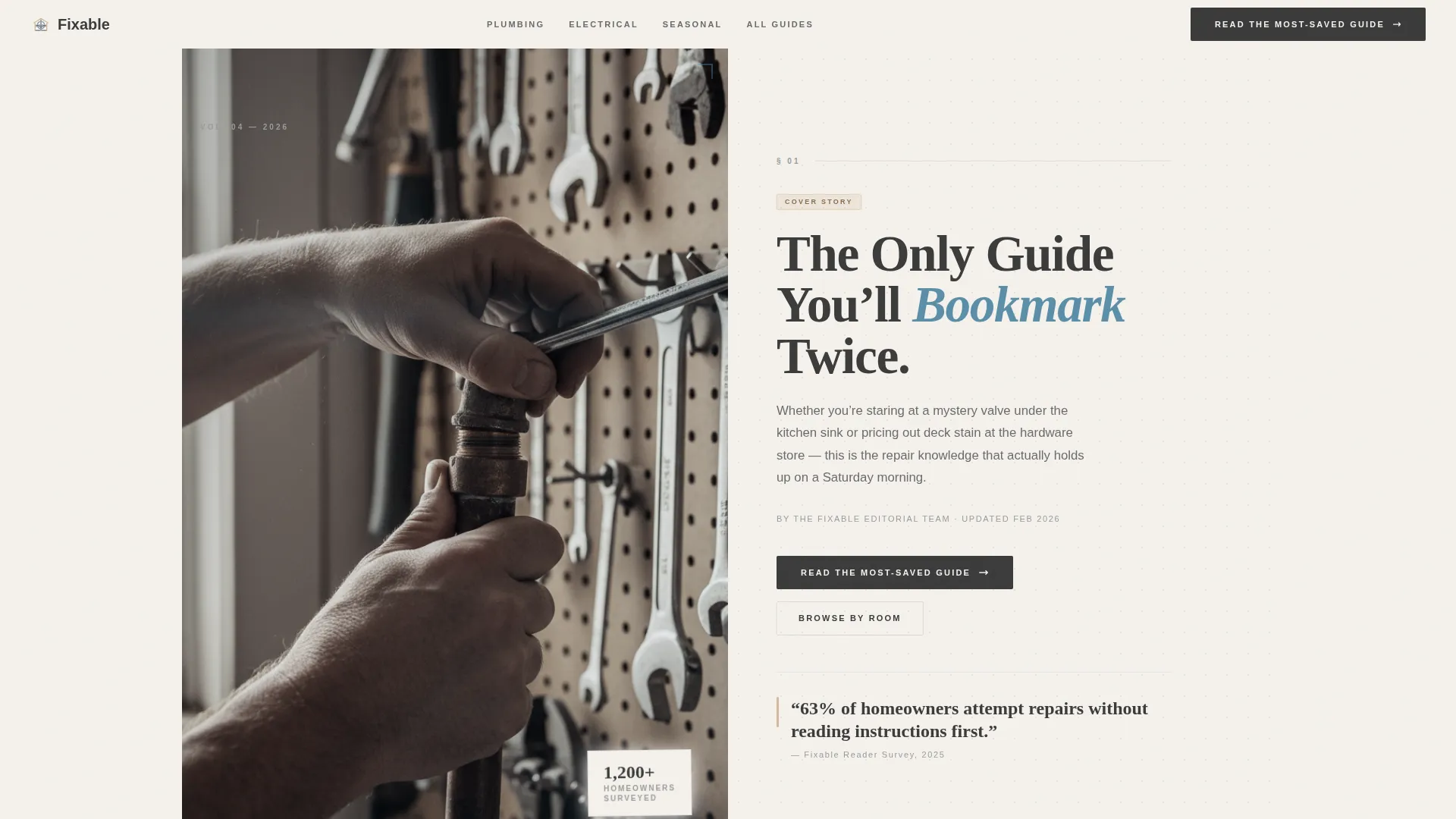
The hero divides into two equal columns. The left holds a tightly cropped, naturally lit photograph of hands working on a plumbing fitting. The right carries a Fraunces serif headline, a deck sentence, and a byline-style editorial credit. The layout feels like the cover of a print quarterly.
Scroll-Triggered GSAP Reveals
Sections animate into view using GSAP ScrollTrigger. Cards stagger in on scroll, the hero photograph uses a subtle parallax effect, and thin ruled lines draw across the page between sections to mimic print pagination. The motion feels deliberate, not decorative.
Editorial Findings Data Section
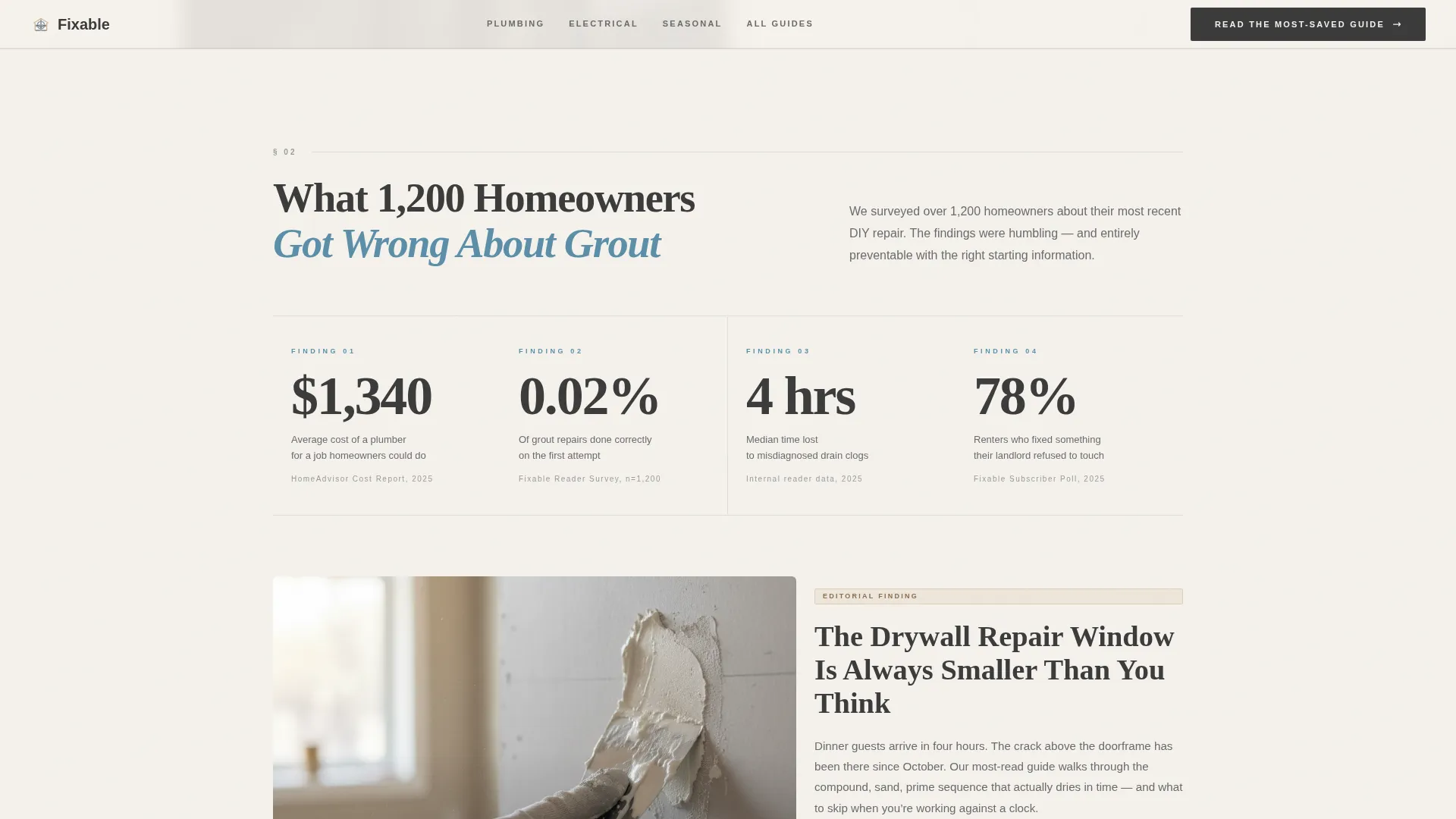
This section frames repair statistics as editorial findings. It includes a headline pattern referencing real reader data, a sourced pull-stat on average repair costs, and a layout that reads like a feature article rather than a generic blog widget.
Categorized How-To Department Grid
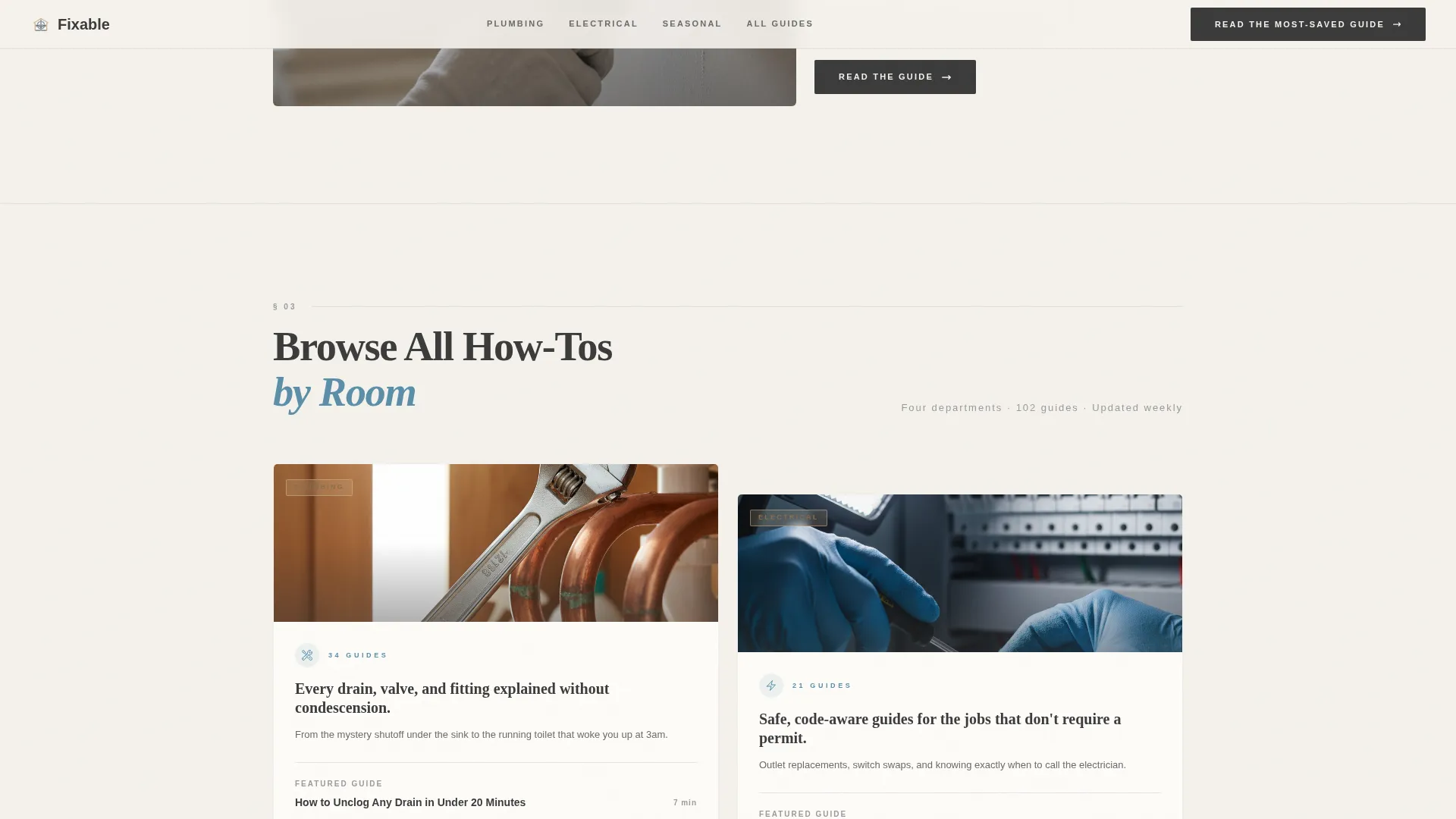
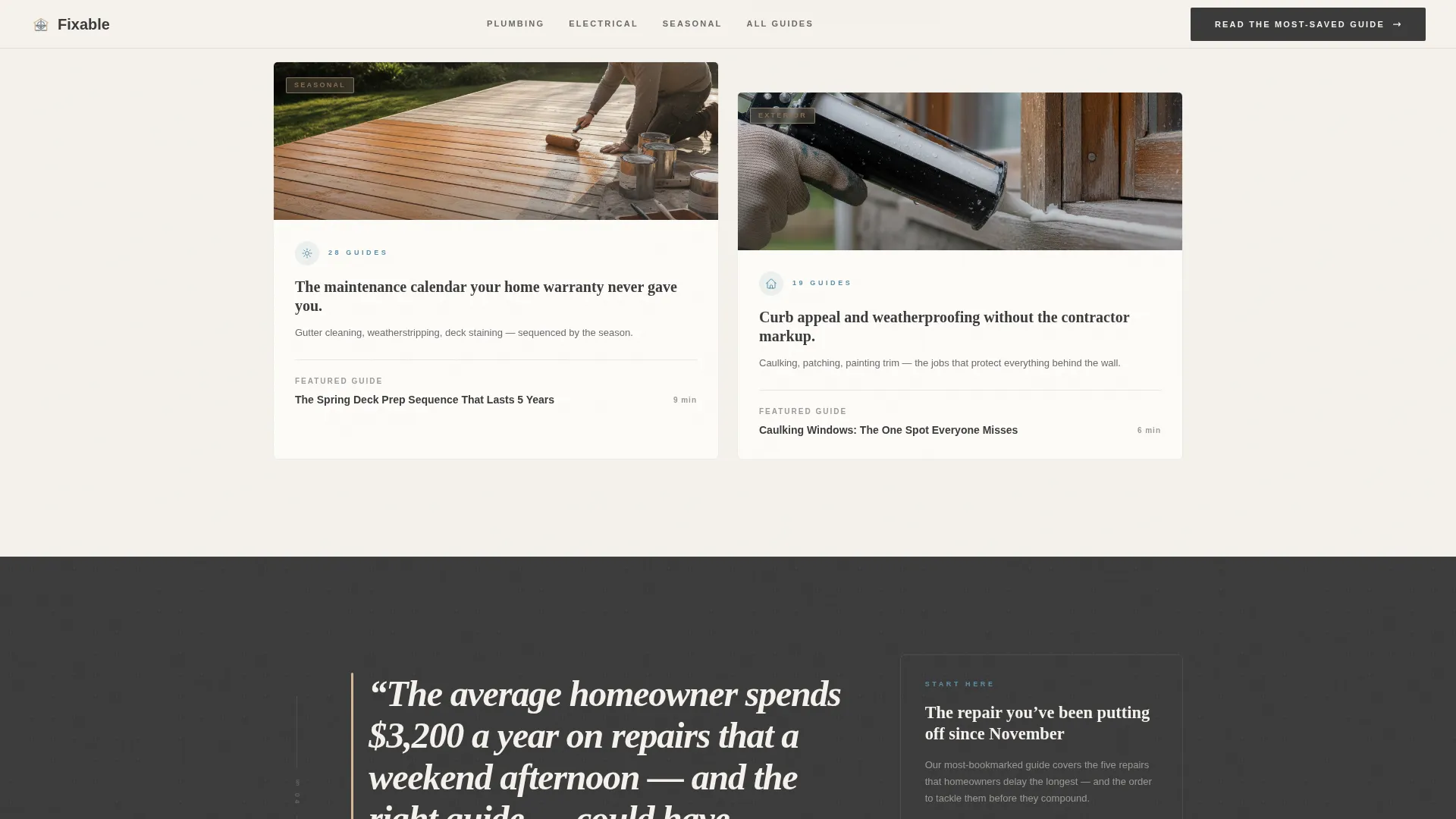
Four departments, Plumbing, Electrical, Seasonal, and Exterior, are presented as magazine sections. Each department shows a thumbnail grid with estimated read times per article. The grid functions as the content anchor for the secondary call to action.
Pull-Quote Cost Stat Block
A full-width typographic pull-quote highlights a key repair cost figure. The block uses the warm sawdust tan accent color and is followed immediately by the second primary call to action. The visual weight slows the reader and reinforces the editorial credibility earned earlier in the page.
FAQ-Style Accordion Component
An interactive accordion lets readers expand common how-to questions without leaving the page. It uses hover states consistent with the painter's tape blue accent and reinforces the blog's role as a trusted first stop before any repair job begins.
Page sections overview
| Section | Purpose |
|---|---|
| Hero Photo Split | Establish editorial credibility with paired photography and serif headline |
| Editorial Findings Block | Present sourced repair data as an authoritative industry-style finding |
| How-To Department Grid | Organize guides by trade category with thumbnails and read times |
| Cost Pull-Quote | Anchor the repair cost stat and deliver the second primary call to action |
| Featured Guides Grid | Surface highest-traffic tutorials in a scannable thumbnail layout |
| Footer Row | Provide single-row navigation and secondary site links |
Design & branding system
The template uses a Cloud Canvas color system drawn from the textures of a freshly primed room on a Saturday morning. Typography pairs Fraunces serif headlines with DM Sans body and label text.
- Soft ceiling white (#F4F1EC) as the page background, pencil graphite (#3B3B3B) for all body and headline text
- Painter's tape blue (#5B8FA8) for interactive accents and hover states, warm sawdust tan (#D4B896) reserved for pull-quotes and category tags
- Fraunces serif at generous leading for all editorial headlines, DM Sans in clean weights for body copy, labels, and read-time stamps
Mobile & speed optimization
The template is built desktop-first with a fully responsive layout that adapts cleanly to tablet and mobile viewports. The editorial grid collapses gracefully without losing the magazine feel.
- Staggered card animations and scroll-linked ruled lines are handled client-side while static content uses server components for faster initial load
- The half-page hero split stacks vertically on smaller screens, keeping the photograph and headline equally prominent at any viewport width
How this template helps you convert
Fixable earns the click before it asks for it. The layout sequences trust signals deliberately so visitors arrive at each call to action already confident in the content behind it.
- The editorial hero and data section establish authority in the first scroll, so readers trust the guides before they open one
- The department grid gives readers a structured browse path by topic, reducing the friction of not knowing where to start
- Two placed primary calls to action and one secondary anchor link work together to move readers into the article library from multiple entry points in the page
Other information about this template
Fixable is categorized under Blog and Editorial templates with a Home Services Blog and Media subcategory. It is a strong fit for anyone building a home services how-to blog on a modern front-end stack.
- The template style is Editorial Magazine, using the Industry Report creative direction to frame content as authoritative findings rather than casual posts
- The header concept is Half-Page Photo and Text, and the landing page direction is Click-Through, meaning every design decision is oriented toward moving readers deeper into the content
- Animation is set at a medium intensity level using GSAP ScrollTrigger; all interactive behaviors including hover states and the accordion are included in the template as built components
- Typography, color values, and section numbering are all pre-configured to match the print-magazine aesthetic described in the brief
Theme
Editorial Magazine
Creative direction
Industry Report
Color system
Cloud Canvas
Style
Editorial/Magazine
Direction
Click-Through
Page Sections
Half-page Editorial Hero Split
GSAP Scrolltrigger Animations
Editorial Findings Data Section
How-to Department Grid
Pull-quote Cost Stat Block
Faq-style Accordion Component
Related questions
What kind of blog is this template designed for?
Can I replace the headline text and photography?
How many calls to action does this template include?
Does the template include blog posts or article content?
Are the scroll animations included in the template files?



