Crowdfunding Campaign Cost Calculator Website Template
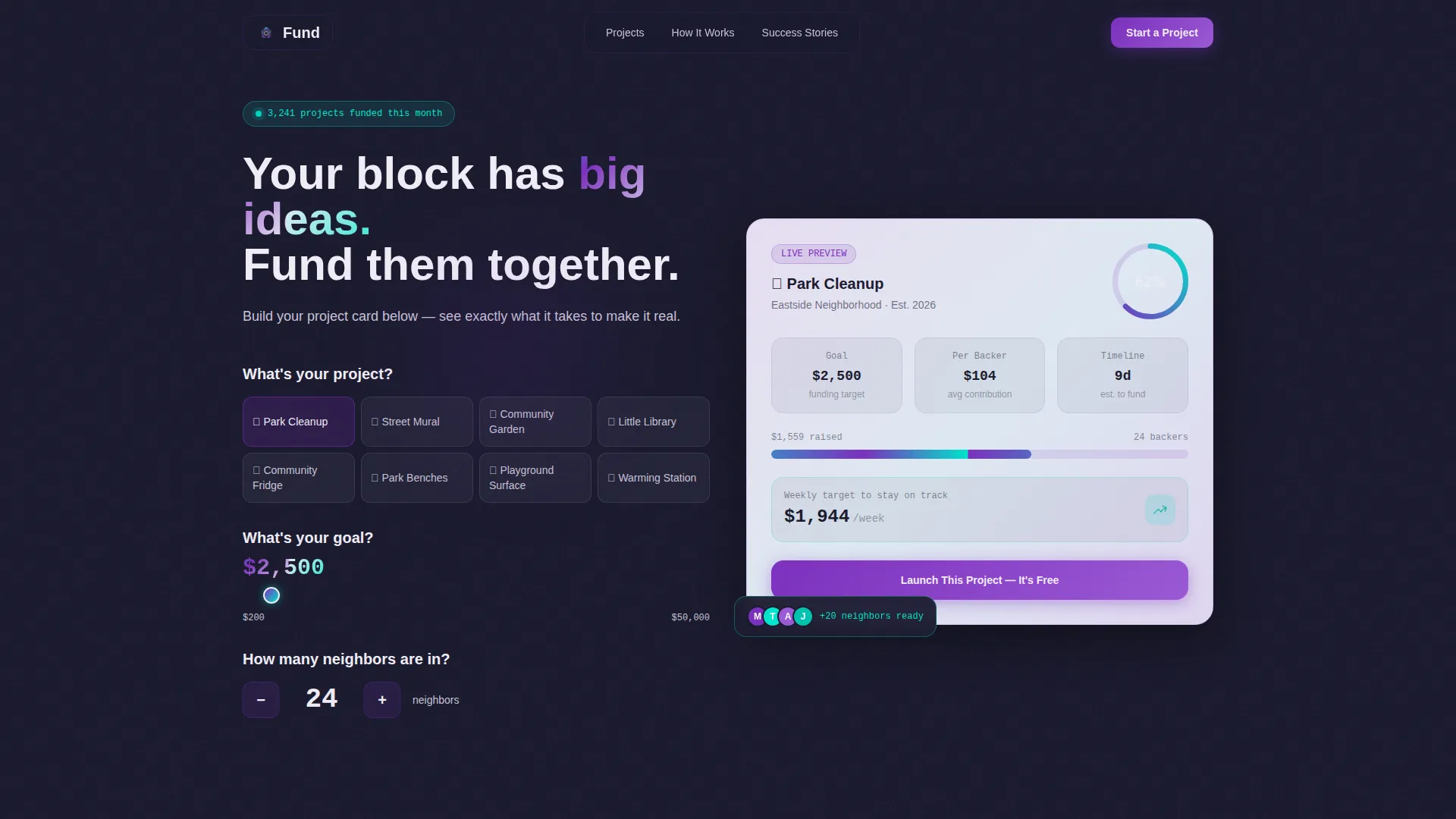
Fund is a modular card-grid landing page template built for community crowdfunding campaigns. It opens with an interactive project estimator, flows into a live masonry grid of fundable project cards, and closes with a clear app download call to action. The Dashboard Pro theme and AI Iridescent color system make contribution data feel alive and urgent.
by Rocket studio
Quick summary
Fund is a single-page community crowdfunding landing page template. It leads with a calculator-style estimator, moves into a filterable live mosaic of project cards, and drives toward a free app download. The Dashboard Pro theme pairs deep graphite and iridescent accents to make real-time funding data feel both human and compelling.
Who this template is for
This template is built for organizers who need to rally neighbors around fundable local projects. It suits anyone launching or promoting a community-funded project platform where real contribution momentum needs to be visible at a glance.
- Block association leaders tracking sidewalk repair or park improvement goals
- PTA treasurers and mutual-aid organizers rallying contributors before a deadline
- Startup founders and indie developers launching a neighborhood crowdfunding app
What problem this template solves
Most crowdfunding landing pages feel flat. They list a goal, show a progress bar, and hope visitors care. Community-funded projects need something more tactile. People want to see their idea rendered as a real, fundable thing before they commit.
- Visitors arrive with no context and leave before they feel invested
- Generic campaign pages fail to show urgency across multiple simultaneous local projects
- Getting people from "curious" to "downloading the app" requires a felt sense of ownership
What you get with this template
You get a fully structured, single-page landing page with three distinct functional zones. Each zone is designed to move a visitor from curiosity to commitment using interactive components and a sharp visual hierarchy.
- An interactive estimator header that builds a live project card as the visitor fills in three inputs
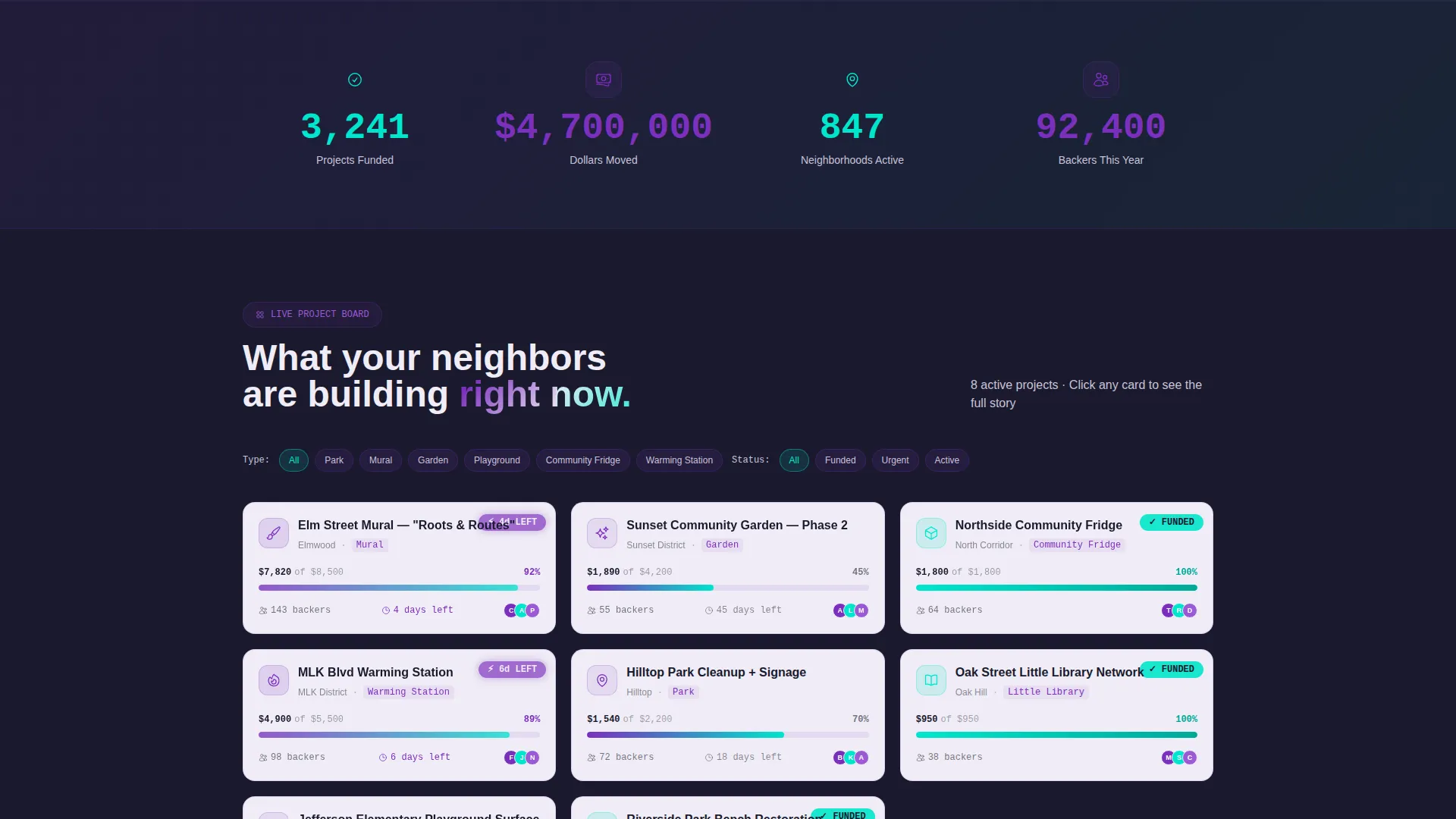
- A filterable masonry grid of community project cards with expandable detail views
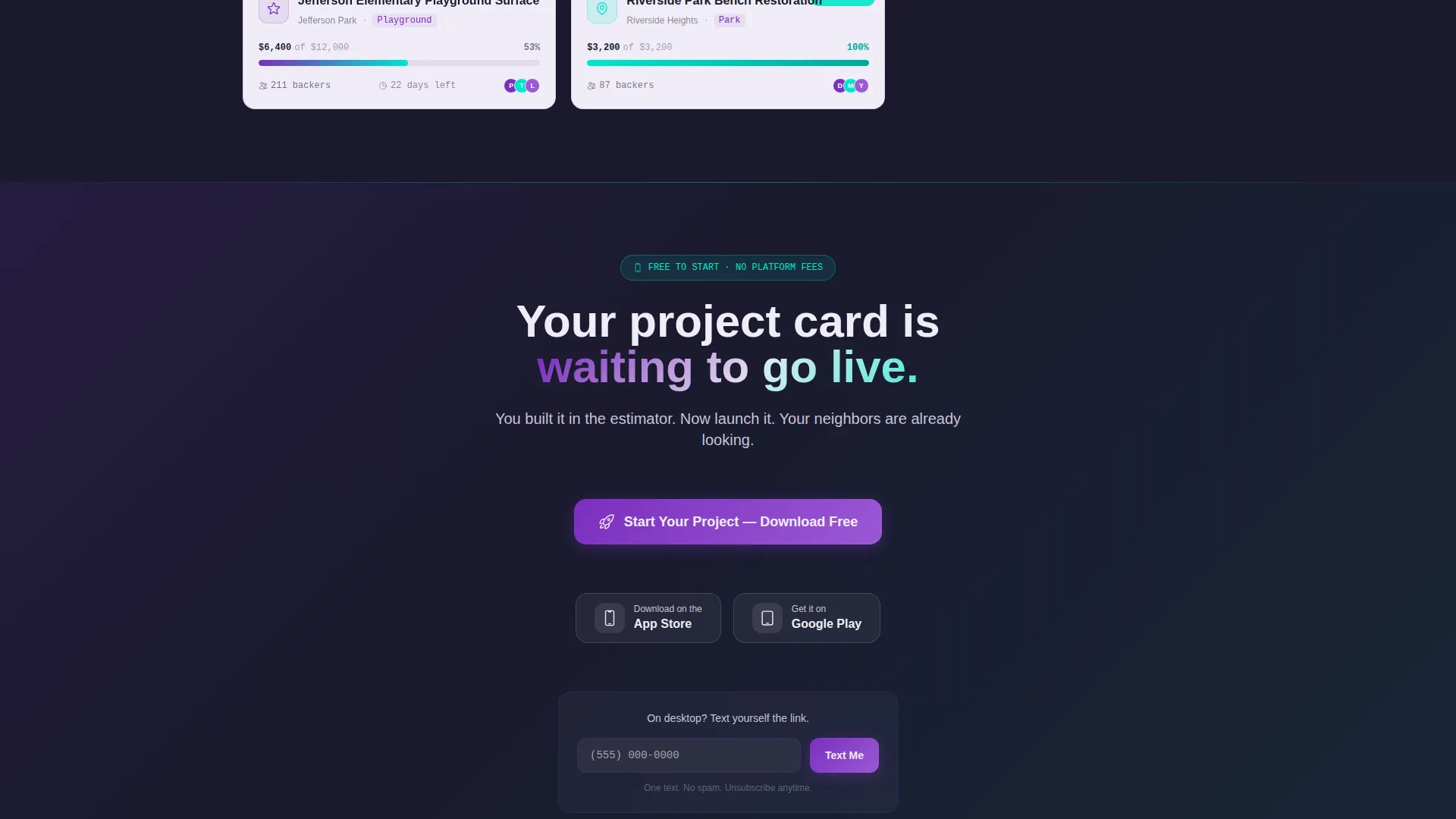
- A sticky app download call to action with App Store and Google Play badge support, plus a "Text Me the Link" mobile handoff field
Feature list
This template's components work together as a cohesive conversion system. Each piece below is drawn directly from the design brief.
Interactive Project Estimator Header
Visitors answer three inputs in large, friendly type: project type via dropdown, funding goal via a draggable dollar slider from $200 to $50,000, and backer count via a number stepper. As they interact, an animated dashboard card assembles on the right in real time, showing projected funding timeline, average contribution per backer, and a simulated progress ring. The visitor builds their own project card before scrolling a single pixel.
Live Masonry Project Grid
Below the estimator, a mosaic grid displays real project cards in a masonry layout. Each card shows a category icon, funding percentage, days remaining, and backer count. Visitors can filter by neighborhood, project type, or funding stage, and the grid reflows smoothly with each selection.
Expandable Project Card Detail
Any card in the grid can be clicked to expand. The expanded view reveals a project photo, the organizer's story, and a full contribution breakdown. This moves a visitor from passive browser to an engaged, informed potential backer.
Floating App Download Call to Action
After the estimator interaction, a floating button reading "Start Your Project - Download Free" appears and stays pinned as the visitor scrolls. It is paired with App Store and Google Play badges for direct download routing.
Text Me the Link Mobile Handoff
A secondary conversion path sits alongside the primary download button. Visitors enter a single phone number and receive the app download link directly as a text message. This removes friction for mobile-first visitors who want to act immediately.
Modular Card Grid Layout
The entire page is built on a modular card system. Cards use pearl white surfaces lifted against deep graphite backgrounds, making each funding data point easy to scan. The grid structure means the layout adapts cleanly to different content volumes.
Page sections overview
| Section | Purpose |
|---|---|
| Estimator Header | Lets visitors build and preview their own project card interactively |
| Project Card Grid | Displays live community projects in a filterable masonry layout |
| Card Detail Expand | Reveals organizer story, photo, and contribution breakdown on click |
| Floating Download call to action | Keeps the primary app download action visible throughout the scroll |
| Text Link Handoff | Provides a frictionless phone-number field for mobile app delivery |
Design & branding system
The visual identity follows a Dashboard Pro theme built on an AI Iridescent color system. The palette is designed to feel like a rain-slicked city street at night reflecting neon: technological but warm, data-rich but human.
- Deep graphite (#1A1A2E) anchors every background; pearl white (#F0EDF6) lifts modular card surfaces for clear contrast
- Shifting violet (#7B2FBE) marks active funding progress bars and interactive states; holographic teal (#00E5CC) fires on milestone moments and confirmation pulses
- Subtle iridescent gradients shimmer across card borders on hover, reinforcing the sense that contribution data is alive and in motion
Mobile & speed optimization
The template is structured for smooth performance across screen sizes. The modular card grid and floating call-to-action button are both designed with mobile visitors in mind.
- The floating download button and "Text Me the Link" field are positioned for easy thumb access on small screens
- The masonry grid reflows responsively so project cards remain scannable on any viewport width
- The estimator inputs, including the dollar slider and number stepper, are sized for comfortable touch interaction
How this template helps you convert
Every design decision in this template is built to move a visitor from observer to participant. The conversion path is deliberate and sequential.
- The estimator creates personal investment before any scroll happens. Visitors see their own project idea rendered as a living, fundable card, making the app feel immediately useful rather than abstract.
- The masonry grid escalates urgency by ordering projects from funded success stories at the top to "almost there" projects with pulsing teal urgency bars at the bottom, pulling visitors from spectator to contributor.
- By the time the visitor reaches the floating download button, they have already built a project, browsed real campaigns, and felt the momentum of community funding in motion. The call to action arrives at exactly the right moment.
Other information about this template
This template is categorized under Startup & Launch for crowdfunding campaign use cases, with a specific focus on the community-funded project niche. It is a strong fit for founders and organizers who need a visually convincing, interaction-led landing page to support an app launch.
- Template style: Card Grid (Modular), designed for content-dense community project listings
- Header concept: Calculator/Estimator, a proven approach for helping visitors feel ownership before committing
- Creative direction: Interactive Explorer, using a live filterable grid to keep engagement high through the scroll
- The landing page direction targets app downloads as the primary conversion goal, supported by a secondary SMS handoff path

Theme
Dashboard Pro
Creative direction
Interactive Explorer
Color system
AI Iridescent
Style
Card Grid (Modular)
Direction
App Download
Page Sections
Interactive Project Estimator
Filterable Masonry Project Grid
Expandable Card Detail View
Floating App Download Button
SMS Mobile Handoff Field
AI Iridescent Visual System
Related questions
Can I customize the project categories in the estimator dropdown?
Does this template support multiple projects at once?
What is the primary conversion goal of this landing page?
Is this landing page template suitable for mobile visitors?
Who is this template best suited for?