SaaS Community Forum Landing Page Template
Gather is a warm artisan landing page template built for SaaS community forums. It uses a 60/40 asymmetric grid, a Gallery Walk scroll rhythm, and a Cloud Canvas color palette to let conversation quality do the selling. Featured thread excerpts, a full-width pull quote, and a frictionless email capture bar turn curious visitors into engaged community members.
by Rocket studio
Quick summary
Gather is a single-page landing page template designed for SaaS community forums. It leads with a letterpressed giant headline, previews real thread content in a 60/40 asymmetric bento grid, and closes with a low-friction email capture bar. The Warm Artisan visual identity makes the page feel tactile and unhurried, letting the quality of the conversation earn every signup.
Who this template is for
This template is built for anyone launching or growing a community around SaaS practice. It works especially well when your audience values honest, practitioner-level conversation over polished marketing content.
- Solo founders and indie builders who want a home for raw, unfiltered SaaS discussion
- Growth leads, product managers, and developer advocates at Series A and Series B startups who need a space to share real playbooks
- Community builders who want to prove conversation quality before asking visitors to sign up
What problem this template solves
Most community landing pages ask for a commitment before showing what the community is actually about. Visitors hit a signup wall, see no proof of value, and leave. Gather flips that sequence entirely.
- It puts real thread excerpts front and center so visitors read before they register
- It removes password friction on first touch by using a magic link flow, lowering the barrier to entry
- It signals credibility through author role, company stage, and reply counts rather than generic testimonials
What you get with this template
Gather delivers a fully structured, single-page layout that guides visitors from curiosity to conversion using content alone. Every section is purposefully sequenced to build trust at each scroll step.
- A hero section with a live activity ticker showing real-time forum pulse
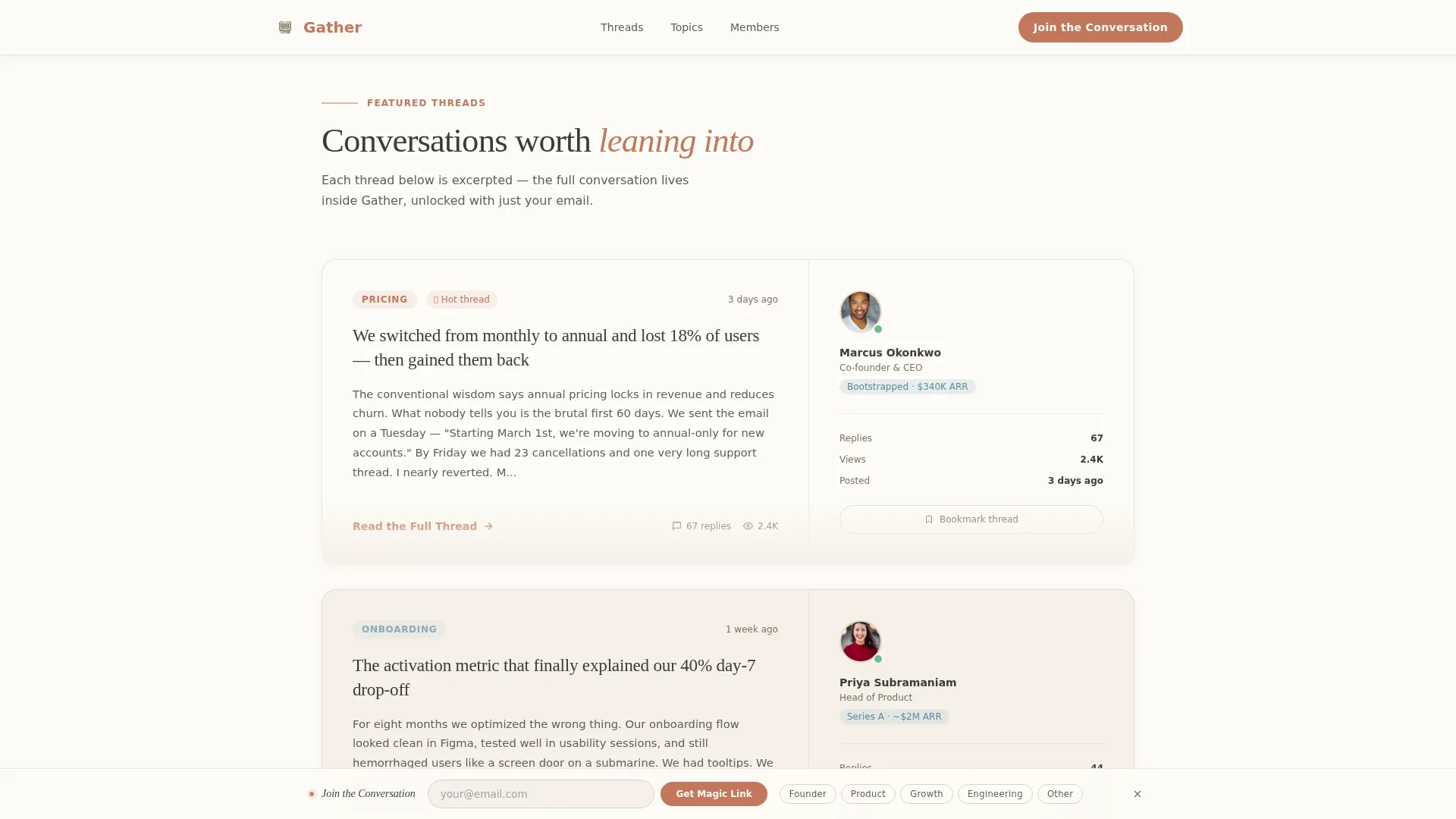
- A 60/40 asymmetric bento grid featuring three thread excerpts with companion author cards
- A full-width Curator's Pick pull quote section, a Community Signals bento, and a persistent sticky Join the Conversation bar
Feature list
This template includes a focused set of interactive and layout features drawn directly from the source brief.
Giant Headline Hero with Live Ticker
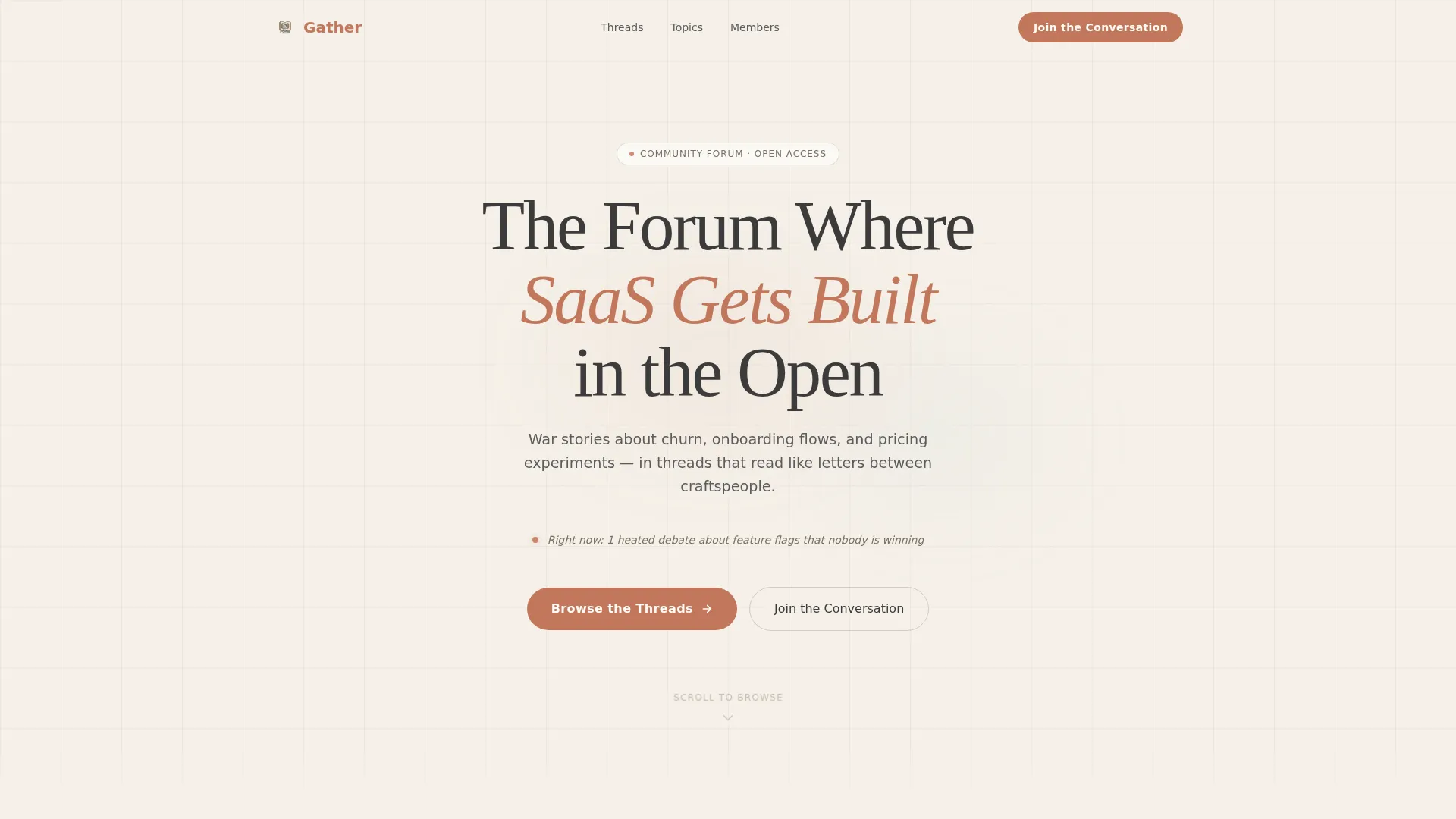
The hero opens with a large, slightly irregular serif headline set against a parchment background. A single line of live activity runs beneath it, showing active thread counts by topic in real time, so the page feels alive the moment a visitor lands.
60/40 Asymmetric Thread Grid
Three featured thread excerpts sit in the wider 60-column panel, cut mid-insight to create a natural pull toward reading more. The narrower 40-column panel holds the author's avatar, role, company stage, and reply count for immediate credibility at a glance.
Curator's Pick Full-Width Quote Break
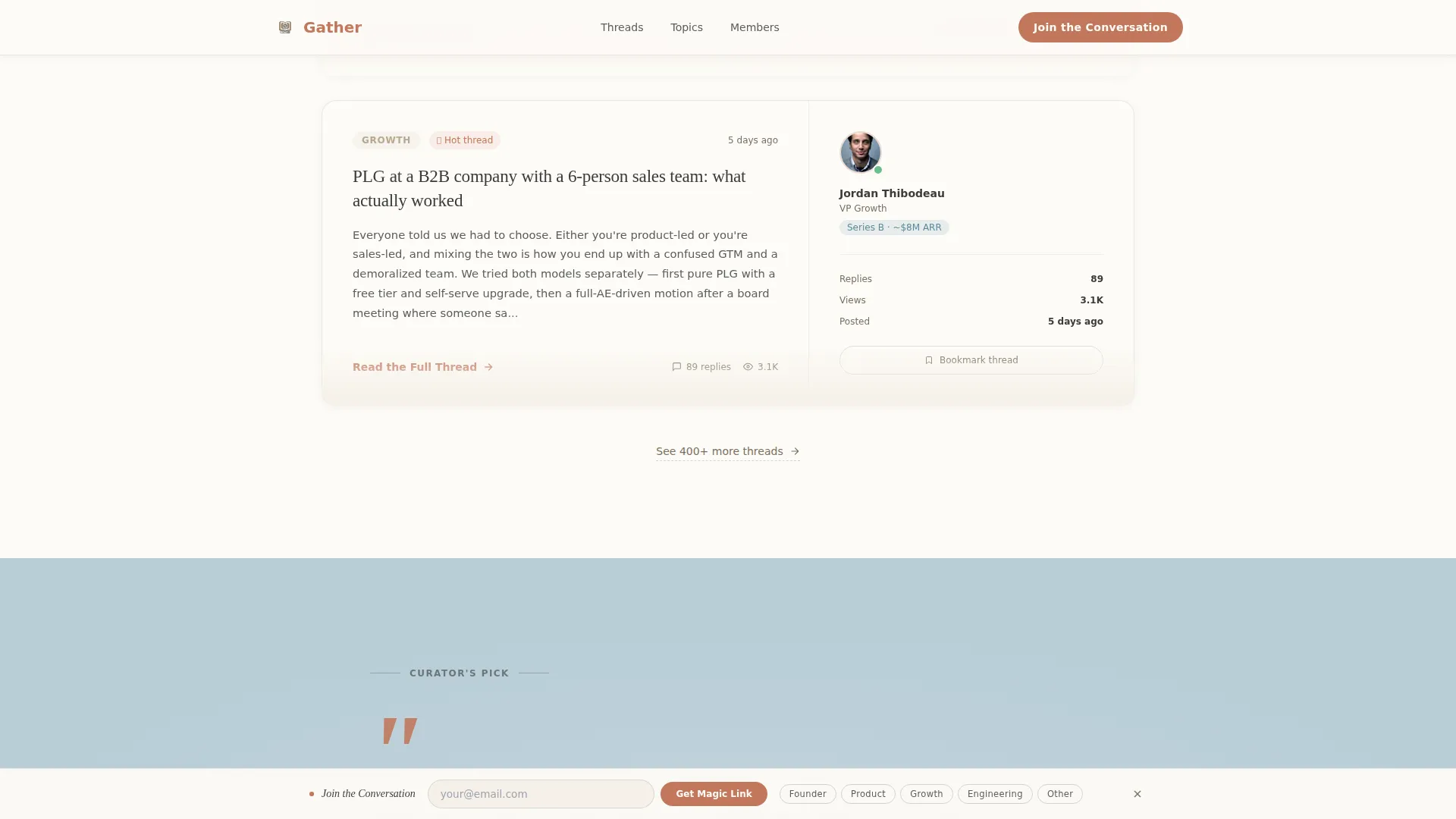
Midway through the page, the grid breaks entirely for a full-width pull quote from a beloved community thread. Clay-colored quotation marks anchor the moment visually and shift the rhythm from browsing to pausing.
Gallery Walk Scroll Rhythm
Each section shifts slightly in background tone, moving from parchment to sky wash to warm white as the visitor scrolls. This Gallery Walk creative direction creates a sense of moving through curated rooms, keeping engagement high without relying on imagery.
Persistent Join the Conversation Bar
A gentle sticky bottom bar holds a single email field and a one-tap role selector covering founder, product, growth, engineering, and other. No password is required on first touch; the forum sends a magic link instead.
FAQ-Style Thread Expand and Role Selector Toggle
Thread sections support FAQ-style expand behavior so visitors can open excerpts inline. The role selector uses a toggle pattern that keeps the join bar compact and unobtrusive while personalizing the onboarding path.
Page sections overview
| Section | Purpose |
|---|---|
| Hero Headline | Anchor the page with a letterpressed giant headline and live activity ticker |
| Featured Threads Grid | Show three real thread excerpts in a 60/40 asymmetric bento layout with author cards |
| Curator's Pick Quote | Break the grid with a full-width pull quote and oversized clay quotation marks |
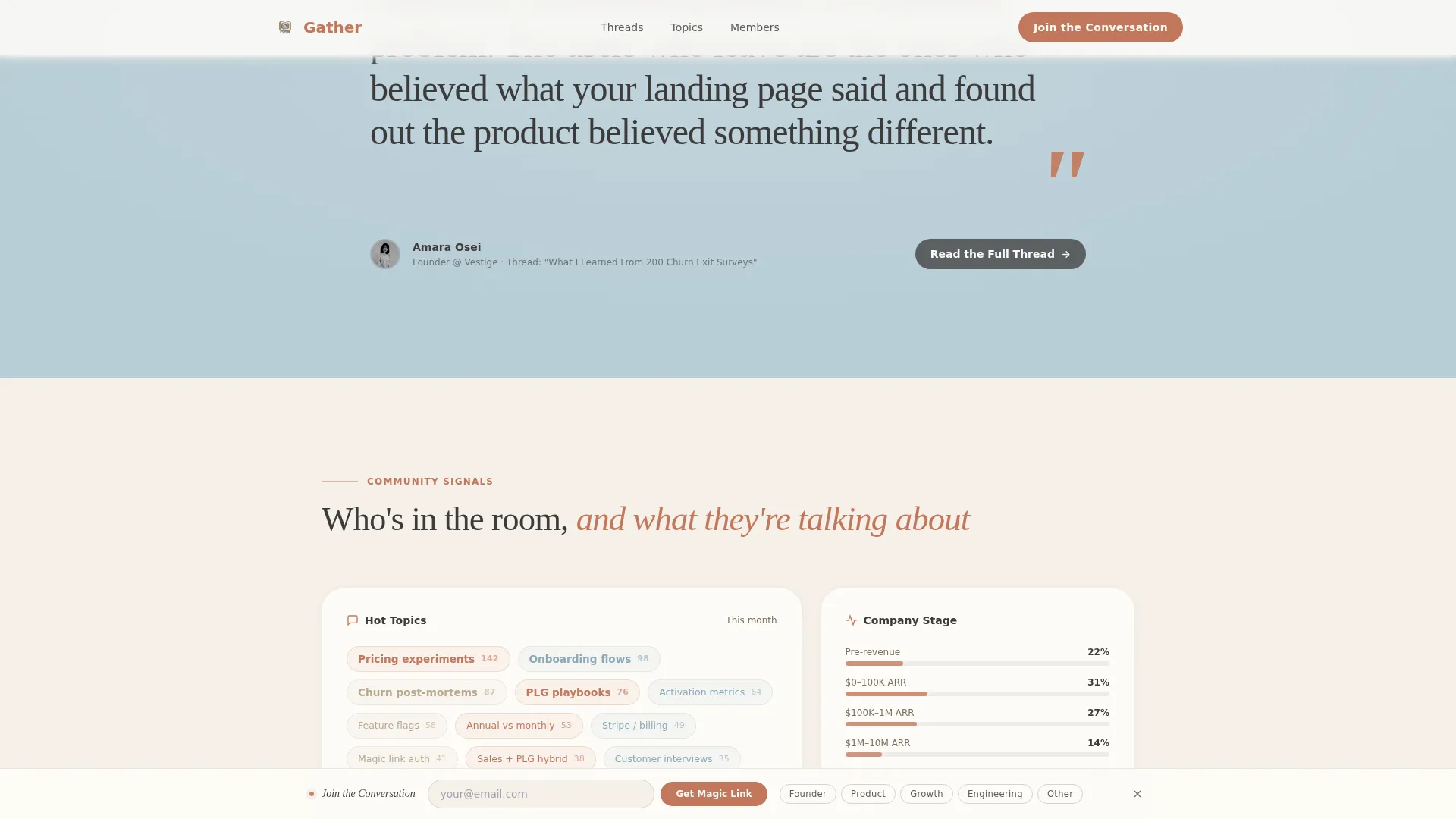
| Community Signals Bento | Display member types, topic clusters, and community stage breakdown at a glance |
| Join Conversation Bar | Capture email and role via a persistent sticky bar with magic link signup |
Design & branding system
The Warm Artisan theme uses a Cloud Canvas color palette that feels like a Moleskine notebook beside a pour-over coffee on a reclaimed-wood desk. Every color choice is intentional and restrained.
- Soft parchment (#F5F0E8) and barely-there warm white (#FDFBF7) alternate as section backgrounds, while kiln-fired clay (#C2785C) handles every interactive element and hover state
- Pencil-sketch charcoal (#3B3B3B) carries all body text with quiet confidence, and muted sky wash (#B8CDD6) appears on tags and category badges
- Typography pairs Fraunces serif for headlines with DM Sans for body text, giving the page a hand-pressed editorial quality throughout
Mobile & speed optimization
The template is built desktop-first to match how forum readers typically browse, but it scales cleanly to mobile viewports without sacrificing the layout's character.
- The asymmetric 60/40 grid reflows into a single-column stack on smaller screens, keeping thread excerpts and author cards readable
- Scroll-triggered reveals and the slideInBlur entrance animation use client-side components selectively, while static sections use server components to keep the initial load light
- The sticky join bar adapts to mobile screen height, staying visible without blocking thread content
How this template helps you convert
Gather earns conversions by making the content itself the argument. There is no hard sell, no feature list on the hero, and no gate before the value.
- Thread excerpts are cut mid-insight so the "Read the Full Thread" call to action feels like a natural next step rather than a demand, reducing friction at the first conversion point.
- The Curator's Pick pull quote section delivers a single, memorable line from the community at exactly the moment visitor attention is highest, reinforcing that the conversations inside are worth joining.
- The persistent bottom bar with a one-tap role selector and magic link flow removes every common signup objection, making the final conversion step feel like opting into a conversation rather than creating an account.
Other information about this template
Gather is built under the Blog and Editorial category, specifically for the SaaS Blog and Media subcategory and the SaaS Community Forum niche. A few additional details worth knowing before you customize it:
- The template is structured as a single landing page, not a multi-page site, so all navigation leads to on-page anchors or thread unlock flows
- Animation intensity is set to medium by default, using slideInBlur entrance effects and a marquee ticker that can be adjusted or removed during customization
- The Cloud Canvas color system is fully token-based, meaning you can remap parchment, clay, charcoal, and sky wash values across the entire template in one pass
- The page is categorized under a Content and Resource destination direction, meaning the primary goal is demonstrating value through content before capturing the visitor's email
Theme
Warm Artisan
Creative direction
Gallery Walk
Color system
Cloud Canvas
Style
Asymmetric Grid (60/40)
Direction
Content/Resource
Page Sections
Giant Headline Hero with Live Ticker
60/40 Asymmetric Thread Grid
Curator's Pick Full-width Quote
Gallery Walk Scroll Rhythm
Persistent Join the Conversation Bar
Role Selector and Thread Expand Interactivity
Related questions
Does this template require a password for new members to join?
Can I replace the thread excerpts with my own community content?
Is the 60/40 asymmetric grid adjustable during customization?
What does the Community Signals section show visitors?
Is this a single landing page or a multi-page website?



