Intelligent Crop Management Landing Page Template
The Cultivar Smart Field Data Command landing page template is a precision agriculture coming-soon page built around a dark command-screen aesthetic and an interactive field data grid. It fuses animated satellite imagery layers, soil sensor displays, and weather overlays into one scrollable experience that drives freemium trial signups through a minimal two-field form and a pinned conversion bar.
by Rocket studio
Quick summary
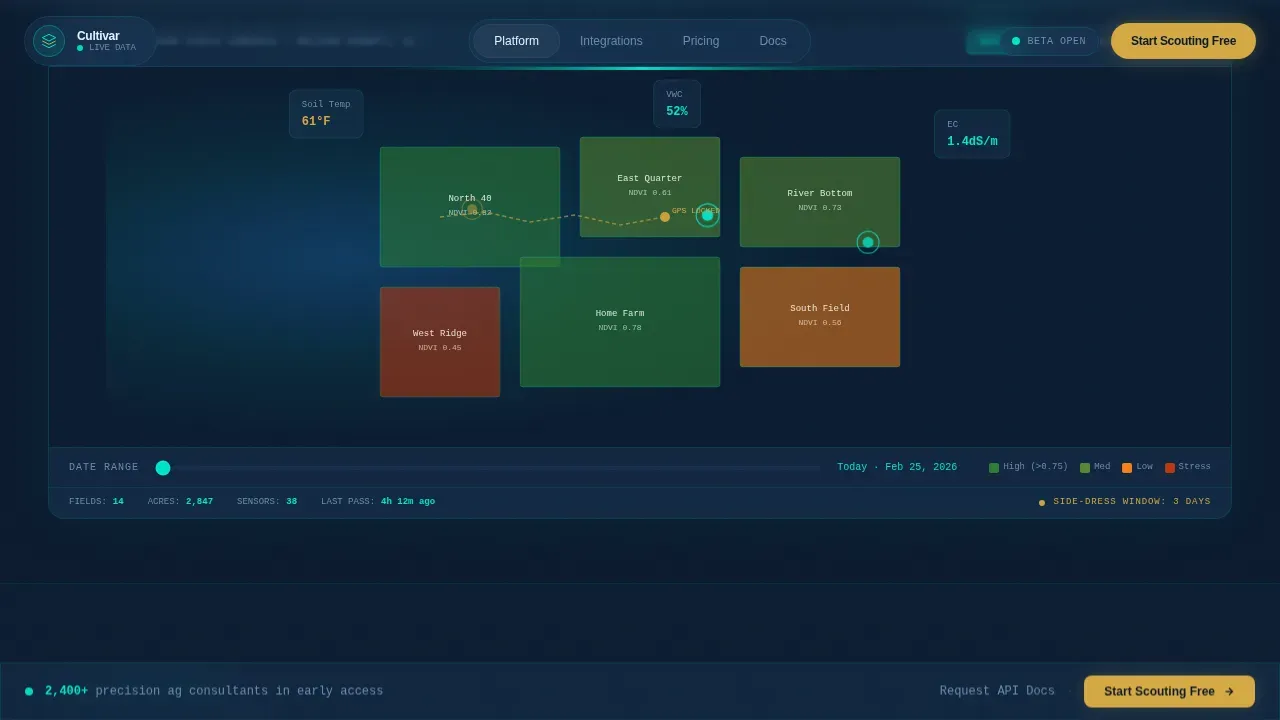
This landing page template puts a live-feeling agricultural data command center directly in front of every visitor. Animated SVG field parcels, ticking sensor values, and a draggable date slider let users experience the product before they scroll past the hero. A pinned bottom bar holds the primary call to action, collecting only email and total managed acres before dropping the visitor into a sandbox dashboard.
Who this template is for
This template was designed for precision agriculture software teams who need to convert early-access visitors into trial users. It speaks the language of data-first growers and field professionals.
- Precision agriculture consultants managing variable-rate prescriptions across multiple counties and dozens of clients
- Family farm operators who need to view nitrogen levels and side-dress timing windows without juggling multiple apps
- Seed company agronomists running hybrid performance trials and looking to share field-level data with business stakeholders
What problem this template solves
Most agricultural software landing pages fall flat. They describe complex technology in dense text blocks, skip the visual proof, and ask visitors to fill out long, friction-heavy forms before showing any value. The result is poor conversion, especially among professionals who are already skeptical of another dashboard tool.
- Visitors cannot quickly see what the product does or why it matters to their specific field workflow
- Signup forms that ask too many questions up front push busy agronomists and consultants away before they engage
- Generic page designs fail to communicate the urgency and precision that agriculture professionals expect from command-level software
What you get with this template
You get a complete, single-page landing experience built around a dashboard and data grid aesthetic. Every section is a data module card that snaps into the grid as the visitor scrolls down, stacking like widgets being configured inside a real field command system.
- An interactive hero with animated SVG parcels, a date slider, NDVI layer toggles, and floating sensor cards displayed in real time
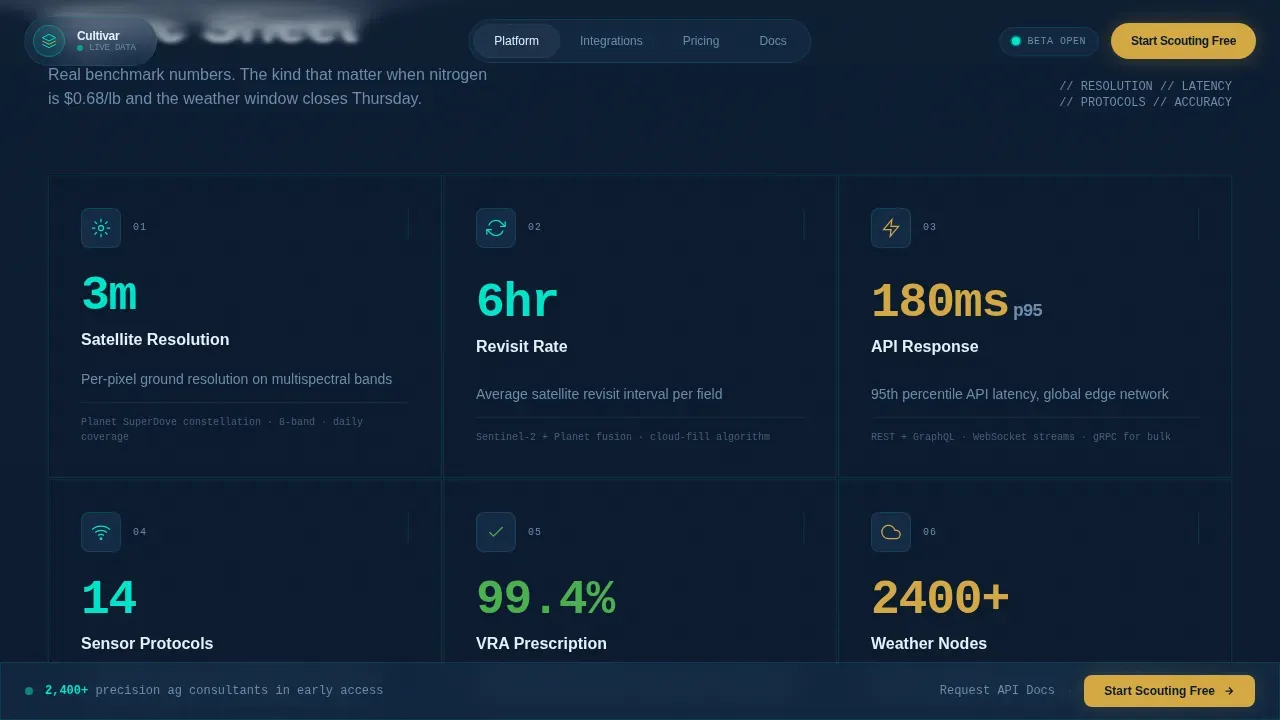
- A spec sheet scroll section with count-up animated metrics covering satellite revisit rates, API latency, sensor resolution, and equipment protocol support
- A freemium signup form that asks only for email and total managed acres, then routes the user directly to a sandbox dashboard preloaded with a demo farm
Feature list
This template ships with six core feature areas built directly from the brief. Each one is grounded in the command-screen concept and the conversion goal of getting precision agriculture professionals to sign up and engage.
Interactive Field Data Hero
The hero is a functioning data grid mockup, not a static screenshot. Visitors can hover over field parcels to view NDVI readings, drag a date slider to watch crop stress shift across a phantom farm, and toggle between soil moisture and yield prediction layers. Numbers tick. Polygons pulse. A simulated weather front moves across the map. By the time a visitor scrolls, they have already used the product and experienced its core command interface firsthand.
Spec Sheet Data Module Scroll
Below the hero, each section is a data module card that snaps into place as the user scrolls. Cards display benchmark figures for satellite revisit rates, API response times, and sensor integration specifications. Each module carries one animated metric that counts up to its real benchmark value. The cadence accelerates as the visitor moves down, more cards, tighter grid, denser data, until the page feels like the platform filling with intelligence. This format follows an F-pattern scan behavior and keeps each specific field of data easy to read at a glance.
Equipment Protocol Integration Grid
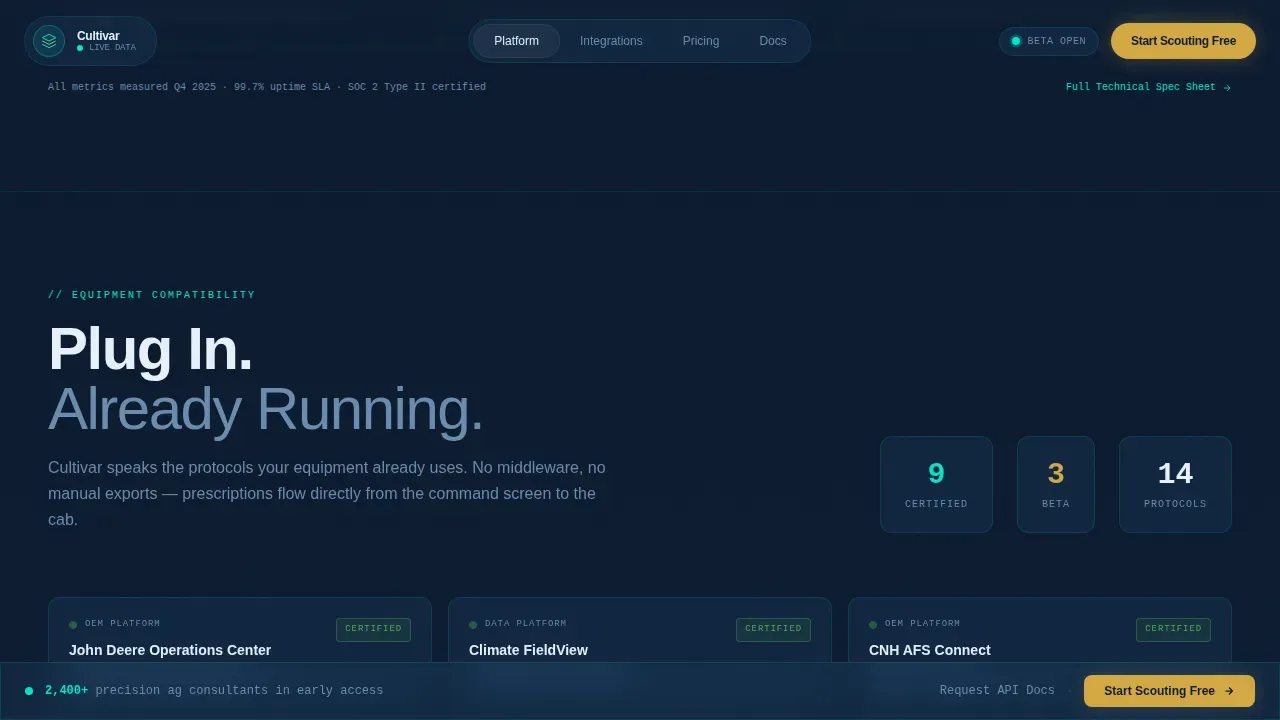
A dedicated integration grid section displays compatibility details for major field equipment systems. This section is structured as a command-style reference view that technical users, including integration-first visitors, can search and filter quickly. It follows the spec sheet cadence of the rest of the page and gives each protocol entry clear visual weight without requiring the visitor to open external documentation.
Social Proof Marquee
Dual-direction marquee testimonials scroll continuously, featuring names, roles, and specific yield or efficiency numbers from ag consultants and agronomists. Testimonials are displayed with enough detail to feel credible. Each one highlights a specific business impact such as time saved per scouting session or bushels gained per acre. Social proof built this way is essential because agricultural professionals trust peer results over feature lists.
Freemium Signup Form with Smart Fields
The primary signup form uses a minimal two-field structure: email address and total managed acres. Smart fields keep the form short and easy to complete. Contact tracking identifies which fields a visitor has already filled, so returning visitors are not shown fields they have already submitted. Once all fields in the form are filled, the form is no longer displayed for that visitor. Default values can be configured to help pre-fill common entries and reduce the chance of an error during submission. Submitting the form drops the user directly into a sandbox dashboard preloaded with demo farm data, making the first experience immediately valuable.
Pinned Bottom Conversion Bar
A slim bottom bar appears after the visitor scrolls past the interactive hero. It stays pinned while the visitor moves through the spec sheet and integration sections. The bar carries the primary call to action alongside a secondary link for integration-first users who want to request API documentation. This dual-path approach ensures both trial-first and code-first visitors have a clear next step displayed consistently throughout the session.
Page sections overview
| Section | Purpose |
|---|---|
| Interactive Field Hero | Animated data grid mockup with NDVI, soil moisture, and weather layers |
| Spec Sheet Modules | Count-up benchmark metrics for satellite, API, and sensor data |
| Integration Protocol Grid | Equipment compatibility reference for field hardware systems |
| Social Proof Marquee | Dual-direction testimonials with named consultants and yield figures |
| Freemium Signup Form | Two-field email and acres form leading to sandbox dashboard |
| Pinned Conversion Bar | Persistent call to action bar with trial and API documentation paths |
| Footer | Single-row linear footer with essential links and contact details |
Design & branding system
The visual identity follows a Dynamic Motion theme built on a Midnight Blue color system. Every color choice reinforces the command-screen concept: dark enough to feel serious, bright enough to signal live data.
- Base canvas uses deep field-dark navy (#0B1A2E) and satellite-pass blue (#1B3A5C) for panels, cards, and data module backgrounds
- Sensor-pulse cyan (#00E5CC) is reserved for live data accents, pulsing parcel outlines, and animated metric displays, while harvest gold (#D4A843) is applied exclusively to call-to-action elements and status indicators
- Typography pairs Manrope for headings with JetBrains Mono for all data, metrics, and code-style text, giving the interface the credibility of a real agricultural field system
Mobile & speed optimization
This template is designed desktop-first, reflecting the combine cab screen context where the primary user session begins. However, mobile responsiveness is built in because many agricultural professionals access field data on a device while physically in the field.
- The interactive hero gracefully adapts across device sizes, with touch-friendly layer toggles and a responsive date slider that functions correctly on smaller screens
- Lightweight server-side rendering handles static layout sections, while client-side components are scoped to animation-heavy areas, keeping the page fast enough to load reliably even where rural internet access is slower
- Fast loading speed is essential for users in rural areas where connectivity is limited, and the template structure supports this by keeping static content separate from animated modules
How this template helps you convert
The page is built around one specific conversion action: getting a precision agriculture professional to enter their email and managed acres, then experience the sandbox dashboard. Every design and layout decision follows that purpose.
- The interactive hero does the selling before the visitor reaches any form. By the time a user scrolls down, they have already engaged with the product's core command interface, which reduces resistance at the signup step.
- The spec sheet cadence builds confidence with real benchmark values. Count-up metrics, equipment protocol compatibility details, and social proof testimonials all add credibility that supports the decision to sign up and test the platform.
- The pinned conversion bar and minimal two-field form remove friction at the final step. Limited form fields reduce hesitation, smart fields avoid showing unnecessary inputs to returning contacts, and the sandbox reward makes submitting the form feel immediately worthwhile.
Other information about this template
This template is the Cultivar Smart Field Data Command landing page template, built specifically for AgTech startup teams launching or validating a precision agriculture platform. The sections below cover additional context that can help teams configure, edit, and deploy the template effectively.
- The form builder embedded in the signup section allows teams to configure field properties, set default values, and edit form elements without writing custom code. Basic adjustments such as changing label text or updating the placeholder values for the email and acres fields can be completed directly in the editor.
- Form elements, once added and saved, become fields within the data layer that store submitted contact information. You can configure each specific field to be required before submitting, apply visibility expressions to conditionally show or hide inputs, and ensure that calculated expressions automatically populate supporting values where useful.
- The contact tracking feature is necessary for smart fields to work correctly. If contact tracking is not enabled, all fields including smart fields will be displayed to every visitor regardless of prior submissions. Enable contact tracking to ensure returning users are not shown fields they have already filled.
- Instructions for editing the marquee testimonials and social proof section are provided in the template documentation. To add new entries, select the testimonial component, edit the text properties, and save your changes. Note that the marquee direction can be switched independently for the two rows.
- Videos and embedded product walkthroughs can be added to the spec sheet module cards to replace the animated counter where a deeper product description is needed. Follow the instructions in each card component to open the media settings and configure the source links.
- The integration grid section is designed to be filtered and searched by technical users. Each protocol entry displays a set of properties including the equipment manufacturer, the supported data format, and the connection type. You can add or remove entries by editing the grid data source and saving your changes.
- The template is built to support AI-powered application development workflows. AI-driven platforms can help non-technical users build scalable apps from natural language prompts without traditional programming. This template can serve as the front-end entry point for such a system, enabling teams to go from idea to live landing page significantly faster.
- No-code and low-code development tools enable teams to build and edit production-ready apps without extensive programming knowledge. This template is compatible with those approaches, allowing product managers and small to medium business operators to configure the page, set form properties, and deploy updates without developer involvement.
- The page is designed around F-pattern scan behavior. Place the most important values and command-level data near the left edge of each module card to follow natural reading flow and avoid losing a visitor's attention as they scan down the spec sheet.
- For teams who want to test the signup form before going live, configure the form in a staging environment first. This allows you to test that default values apply correctly, that required fields trigger the appropriate error state when left empty, and that the sandbox dashboard link is correctly appended after submitting.
- The secondary call-to-action path, "Request API Docs," is displayed as a text link alongside the primary conversion bar. Teams can edit the destination URL and update the link text directly. Note that this path is intended for integration-first users and should remain visible and not disabled during the early-access period.
- The footer follows a single-row linear pattern and includes basic links for contact, terms, and social media. You can configure which links are displayed and change the order of footer items to match your team's preferred structure. Ensure all contact links are open and functional before launch.

Theme
Dynamic Motion
Creative direction
Spec Sheet
Color system
Midnight Blue
Style
Dashboard/Data Grid
Direction
Freemium/Trial
Page Sections
Interactive Animated Field Data Hero
Spec Sheet Scroll with Count-up Metrics
Equipment Protocol Integration Grid
Dual-direction Social Proof Marquee
Smart Freemium Signup Form
Pinned Dual-path Conversion Bar
Related questions
Can I edit the signup form fields without writing code?
How does the interactive hero work on a mobile device?
What happens after a visitor submits the signup form?
Can I add more equipment protocols to the integration grid?
Is the freemium trial the only conversion path on the page?