Nomadic Lifestyle Guide Landing Page Template
Roam is an editorial landing page template built for digital nomad and remote work communities. It blends magazine-style storytelling with an interactive "Find Your Nomad Type" quiz to turn curious visitors into engaged members. The Ink & Paper visual identity, member profile spreads, and a city-browsing atlas section create a reading experience that feels personal, lived-in, and genuinely compelling.
by Rocket studio
Quick summary
Roam is a richly designed editorial landing page template for remote work and digital nomad communities. It pairs cinematic black-and-white photography with a letterpress-inspired visual system, deep member storytelling, and a five-question personality quiz. The result is a page that reads like a travel journal and converts like a focused community hub.
Who this template is for
This template suits creators and community builders who want their website to do more than list features. It is designed for people who lead with story and earn trust through lived experience.
- Community managers launching a remote work or nomad membership platform
- Freelancers or indie founders who want to build an audience around location-independent living
- Editorial teams creating a destination website for distributed professionals
What problem this template solves
Generic community pages fail to communicate culture. Visitors land, scroll past bullet points, and leave without subscribing or clicking further. Roam solves this by replacing flat copy with editorial depth and interactive moments that hold attention.
- Visitors do not connect emotionally with plain sign-up pages
- Communities struggle to communicate real member diversity and lived experience
- A quiz-led flow gives each visitor a personal entry point rather than a one-size message
What you get with this template
The template ships as a fully structured, single-page editorial layout. Every section is pre-designed and ready to populate with your own stories, images, and community data. You do not need to start from scratch.
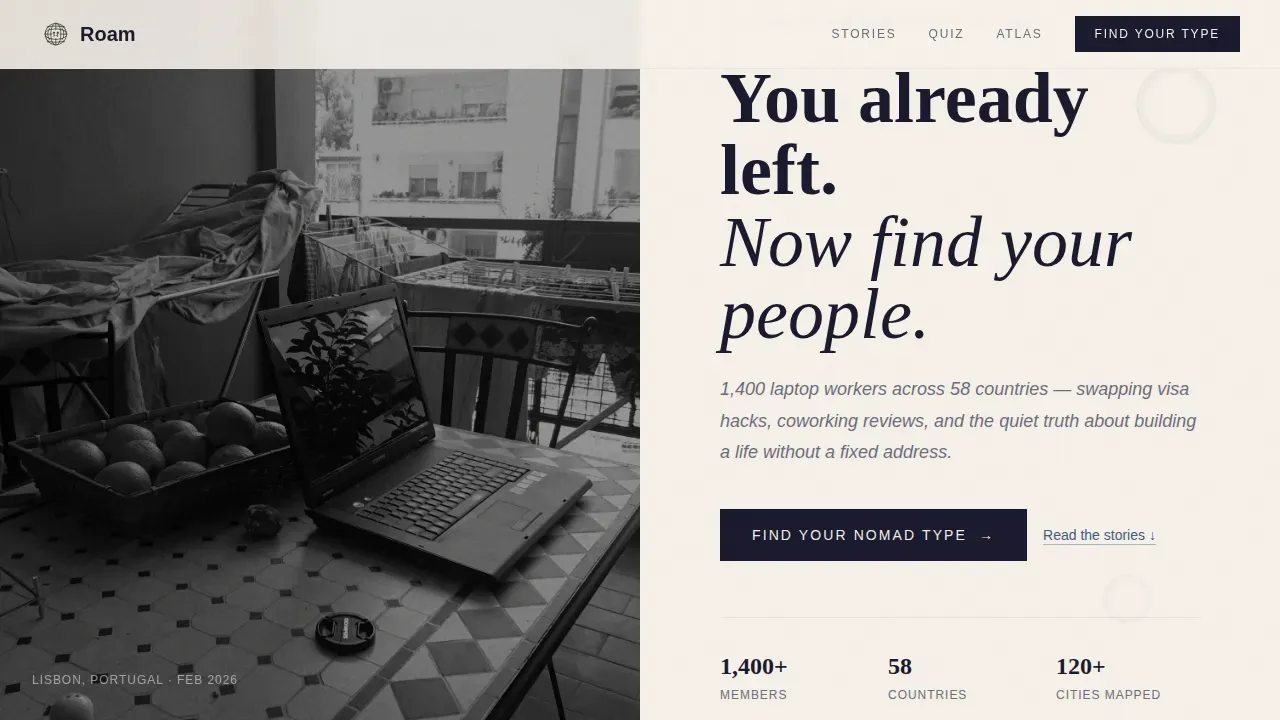
- A half-page hero with a cinematic photograph and a large serif headline
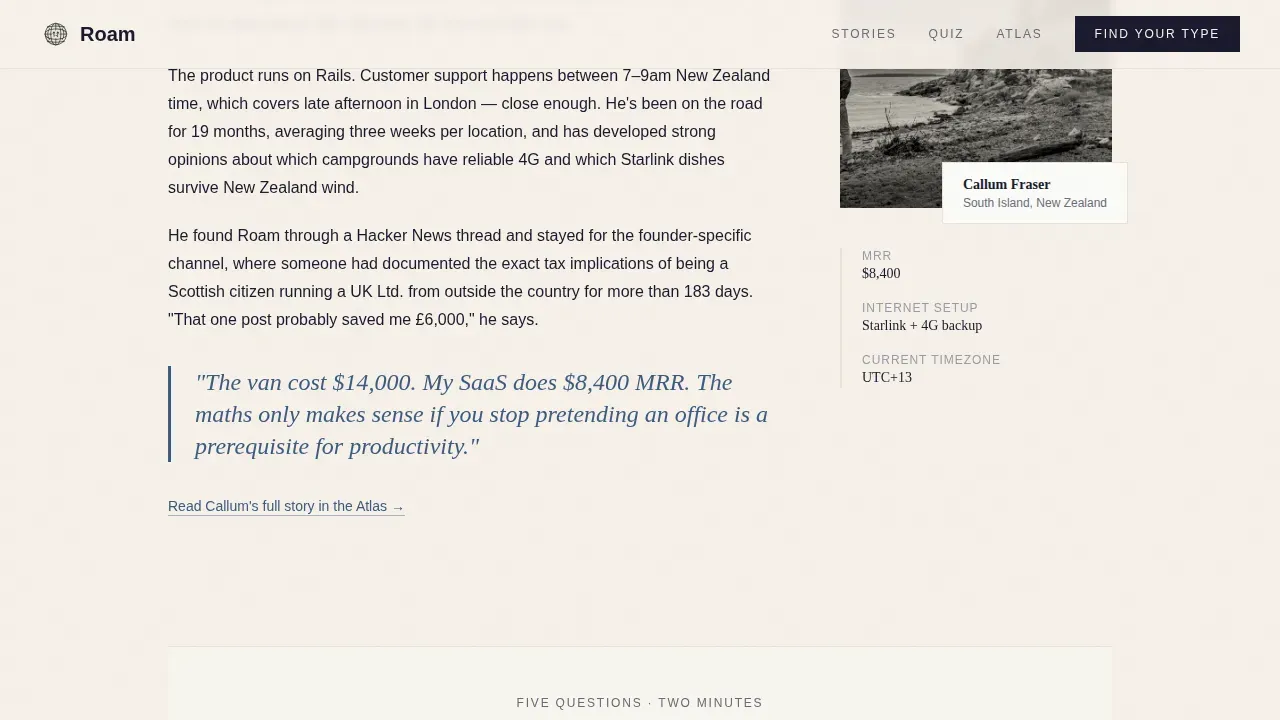
- A five-question "Find Your Nomad Type" quiz with postcard-stamp radio cards and four archetype result paths
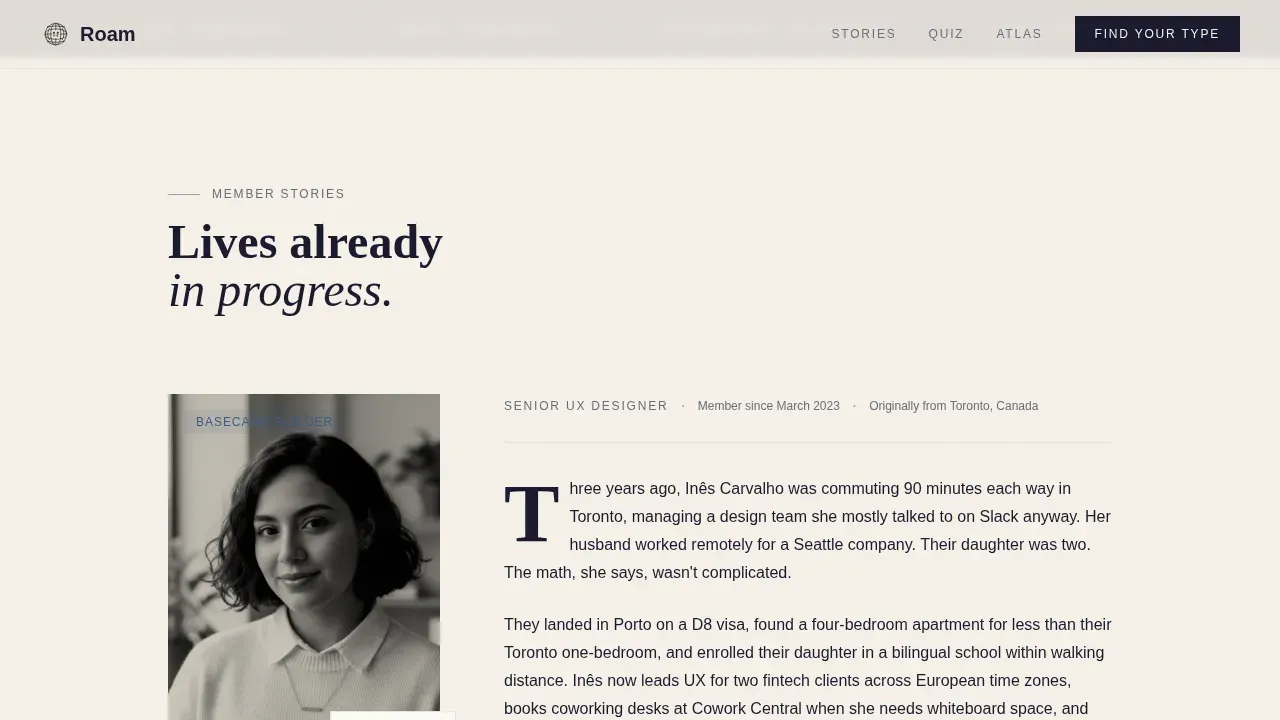
- Editorial member profile spreads with drop caps, pull quotes, and halftone portrait slots
Feature list
This template packages several purpose-built features that work together to create an immersive reading and conversion experience.
Cinematic Hero Section
The header splits into a black-and-white photograph on the left and oversized serif display type on the right. A single italic subheading in graphite gray sits below the headline. A stamp-ink blue call-to-action link begins the quiz flow immediately, so users engage before they scroll.
Interactive Nomad Type Quiz
Five illustrated questions cover work setup, travel comfort, income structure, timezone flexibility, and community needs. Each answer uses radio cards styled as postcard stamps. Results assign one of four archetypes and set a tailored onboarding path. Interactive elements like this significantly boost time-on-page and user engagement.
Editorial Member Profile Spreads
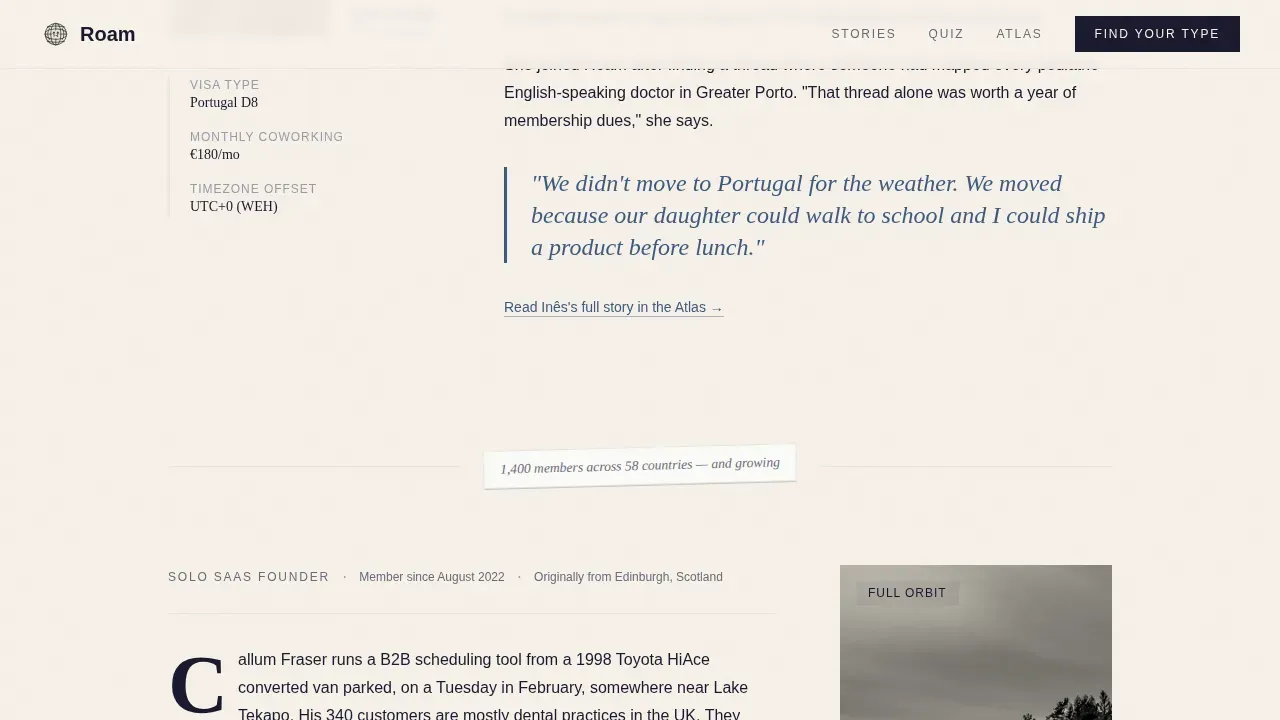
Each profile section is typeset like a magazine feature with oversized drop caps and pull quotes in stamp-ink blue. A small halftone portrait sits beside each story. Handwritten-style margin notes insert community statistics between profiles, referencing real attributes like member count and country spread.
Scrolling Stats Marquee
A continuous ticker surfaces community proof points between sections. This lets you highlight key numbers without interrupting the editorial flow. Users read the data in context rather than in a detached statistics block.
Browse the Atlas Directory Preview
A secondary conversion section below the quiz lets visitors search and browse a city-filtered member directory preview. This free preview gives curious visitors a reference point, letting them check who is already living where they want to go.
Structured Page Footer
A horizontal flow footer closes the page cleanly. It carries secondary navigation and subscribe options without cluttering the editorial reading experience above.
Page sections overview
| Section | Purpose |
|---|---|
| Hero Split Header | Opens with photograph, headline, and quiz link |
| Stats Marquee Ticker | Scrolls community proof points continuously |
| Member Profile Spreads | Editorial stories with portraits and pull quotes |
| Nomad Type Quiz | Five-question archetype assessment with results |
| Browse the Atlas | City-filtered member directory preview |
| Horizontal Flow Footer | Closes the page with subscribe and navigation |
Design & branding system
The visual identity follows an Ink & Paper theme using the Cloud Canvas color palette. The overall feel is a letterpress broadsheet printed on cotton stock: tactile, unhurried, and deliberately analog against a digital subject.
- Colors: unbleached parchment (#F5F0E8), fountain-pen black (#1A1A2E), pencil-graphite gray (#6B6B7B), and stamp-ink blue (#3D5A80) for links and pull quotes
- Typography: Fraunces serif for display headings paired with DM Sans for body copy, with generous leading that lets the page breathe
- Backgrounds alternate between warm parchment and soft white (#FAFAF7) to create a natural page-turn rhythm as you scroll
Mobile & speed optimization
The template is built desktop-first for the editorial reading experience but is fully responsive across every device and screen size. Visual hierarchy guides users toward the call-to-action on any viewport.
- Large tap-friendly quiz cards and buttons accommodate mobile users comfortably
- Scroll-reveal animations, marquee motion, and quiz transitions are set at a medium intensity to keep the page feeling lively without slowing it down
- Static editorial content and interactive quiz components are structured separately to help each perform well on its own terms
How this template helps you convert
The page is engineered to move visitors through an emotional and practical journey, from curiosity to community membership.
- The hero section creates an immediate connection through high-quality visuals and a direct headline, then prompts users to click into the quiz before any friction builds.
- Member profile stories add social proof and let visitors reference real examples of nomadic lives, building the credibility required for someone to subscribe or join.
- The quiz delivers a personalized result with a tailored onboarding path, giving each visitor a clear next step rather than a generic sign-up form.
Other information about this template
The Roam find your nomad type editorial landing page template draws on a range of design and workflow principles that are worth knowing before you customize it.
- Roam Research users will recognize familiar ideas here: templates in Roam can save time on repetitive setup, and users can create a page that only includes templates for easy access and replication. To insert a template in Roam, users type two semicolons and press enter to search the dropdown by trigger name. This shortcut dramatically speeds up workflows.
- A template in Roam can contain links to pages, to-do lists, timers, word counters, and embedded blocks. These attributes make templates in Roam a powerful reference tool for teams who manage recurring content formats.
- The Roam HubSpot theme is designed specifically for travel and hospitality websites. Roam includes pre-built templates and modules, offers extensive customization options for text, images, and colors, and requires no coding experience to use. It supports drag-and-drop website construction and is fully responsive across every device.
- You can paste your own copy directly into the pre-set editorial blocks. Update member stories, swap city names, and copy new archetype result text without touching layout code.
- Roam is designed to be search-engine-friendly, improving the chances of your community website being found organically.
- The sidebar layout within profile spreads leaves space for margin-note snippets and added community statistics, keeping voice and personality present throughout the scroll.
- Videos can be inserted into the member profile slots as an alternative to halftone portraits, giving you a couple of extra ways to bring community stories to life.
- The functions built into the quiz section cover all key nomad preference attributes: work style, accommodation comfort, income structure, and timezone flexibility. These map to four clearly defined archetypes so the results feel specific, not generic.
- Forget building a community page from scratch. This template gives you a complete editorial framework, ready to launch with your own content.
Theme
Ink & Paper
Creative direction
Creator Spotlight
Color system
Cloud Canvas
Style
Editorial/Magazine
Direction
Quiz/Assessment
Page Sections
Cinematic Hero Split Header
Interactive Nomad Type Quiz
Editorial Member Profile Spreads
Scrolling Stats Marquee
Browse the Atlas Directory
Related questions
Can I update the quiz archetypes and results?
Do I need coding experience to use this template?
How does the member profile section work?
Is the quiz suitable for mobile users?
Can visitors browse the atlas without joining?



