Macramé & Fiber Art Community Landing Page Template
Knot is an editorial landing page template built for a macramé and fiber art online community. It follows a Day-in-the-Life scroll arc, moving from a half-page hero through morning questions, midday workshops, an afternoon gallery, and an evening forum thread. The page closes with a warm "Pull Up a Chair" sign-up form designed to earn the click through atmosphere, not pressure.
by Rocket studio
Quick summary
Knot is a single-page, editorial-style lead generation template for a macramé and fiber art online community. It guides visitors through one maker's day inside the community, section by section, building belonging before asking for anything. The result feels less like a sign-up page and more like stepping into a warm, sunlit studio already full of people you want to know.
Who this template is for
This template is designed for community builders and creators who want to attract an audience of hands-on makers. It works especially well when the value of joining cannot be summarized in a bullet list, it has to be felt.
- Independent makers running macramé or fiber art communities who need a page that communicates warmth and creative depth
- Textile educators and craft instructors looking to grow a membership or waitlist without heavy sales language
- Designers building editorial landing pages for niche creative communities where atmosphere matters as much as features
What problem this template solves
Most community sign-up pages lead with features and ask for commitment before trust is built. For a craft community rooted in shared practice, that approach falls flat. Visitors leave without ever feeling what the inside looks like.
- The template solves the "show, don't tell" problem by walking visitors through a real day inside the community before presenting a call to action
- It removes pressure from the sign-up moment by framing the form as an open door rather than a transaction
- It gives makers, students, and retired crafters a page that reflects their world, so the right people self-identify and opt in
What you get with this template
You get a fully structured editorial landing page with five content sections, a carefully paced visual narrative, and a lead generation form that asks for only three fields. Every layout decision supports the community's tone.
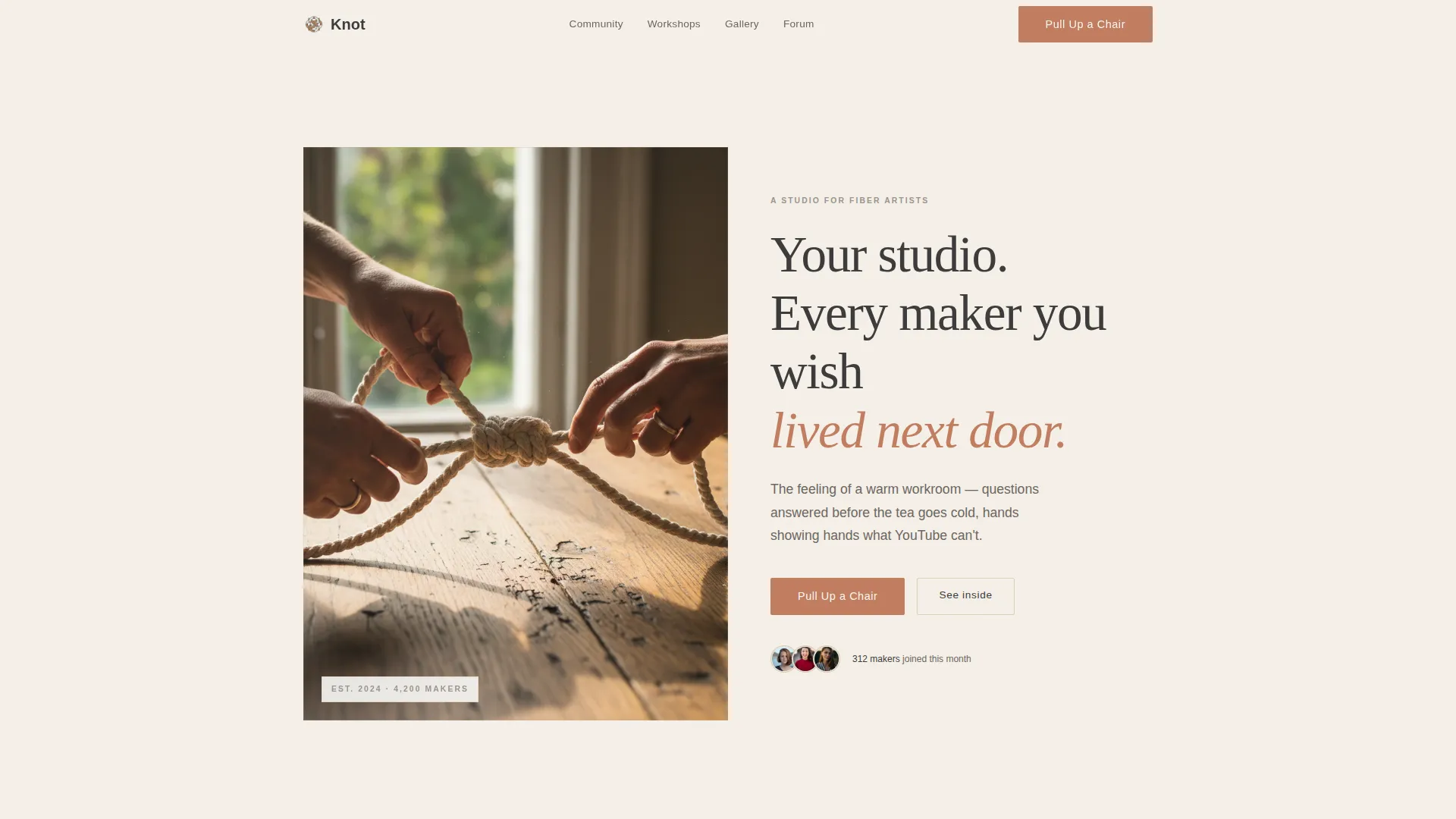
- A half-page hero with a photo and serif headline, followed by a "Pull Up a Chair" call-to-action button
- Four Day-in-the-Life content sections covering morning, midday, afternoon, and evening moments inside the community
- A join form with first name, email, and one optional open question: "What are you making right now?"
Feature list
This template is built around editorial layout and community storytelling. Each feature reflects a specific design or structural decision from the source brief.
Half-Page Hero Composition
The header splits the viewport into two halves. The left side holds a tightly cropped overhead photograph of hands mid-knot, with natural window light raking across the cotton cord. The right side carries a large, unhurried serif headline and a single sentence in charcoal weight that names a feeling rather than a feature.
Day-in-the-Life Scroll Arc
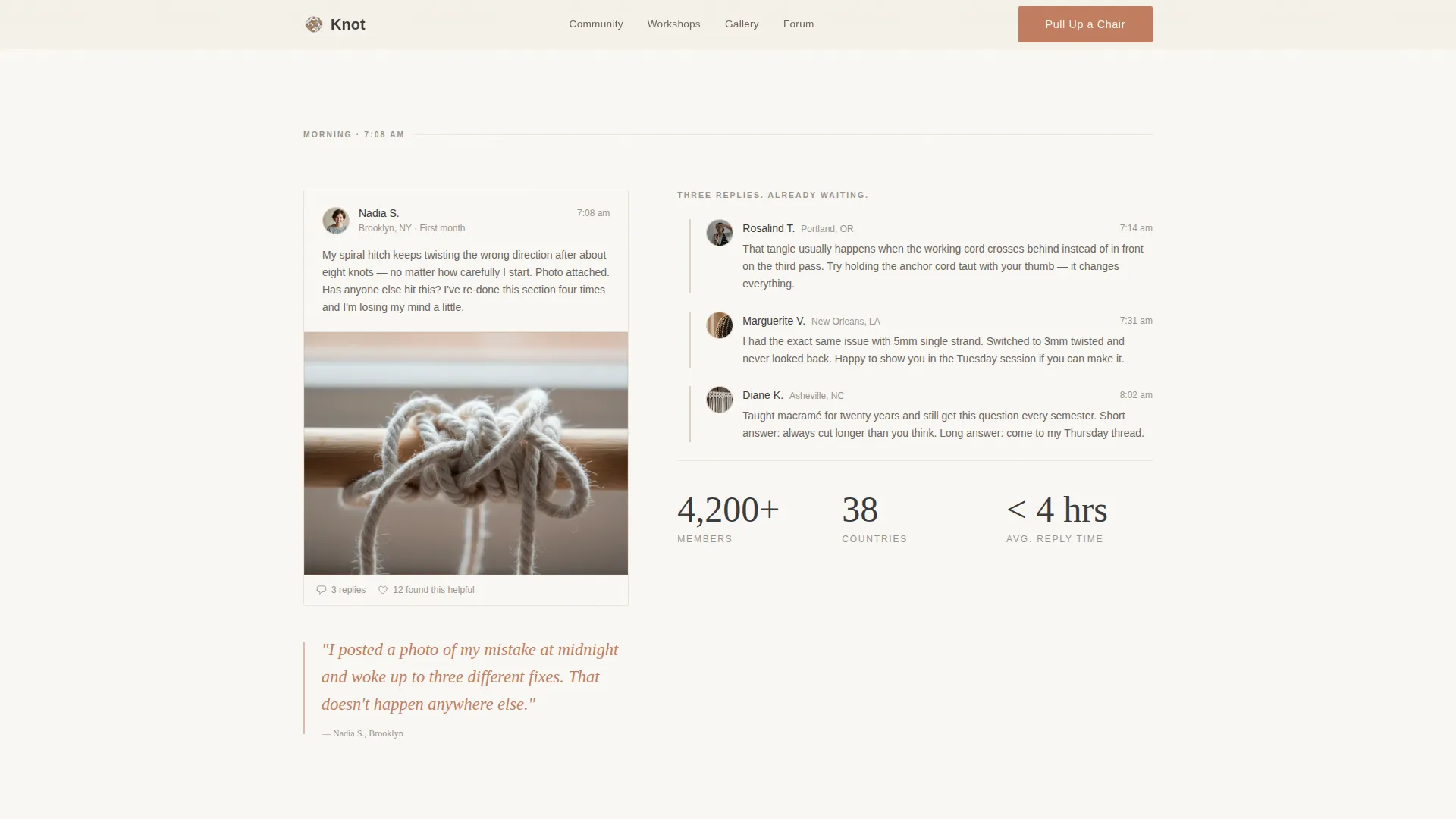
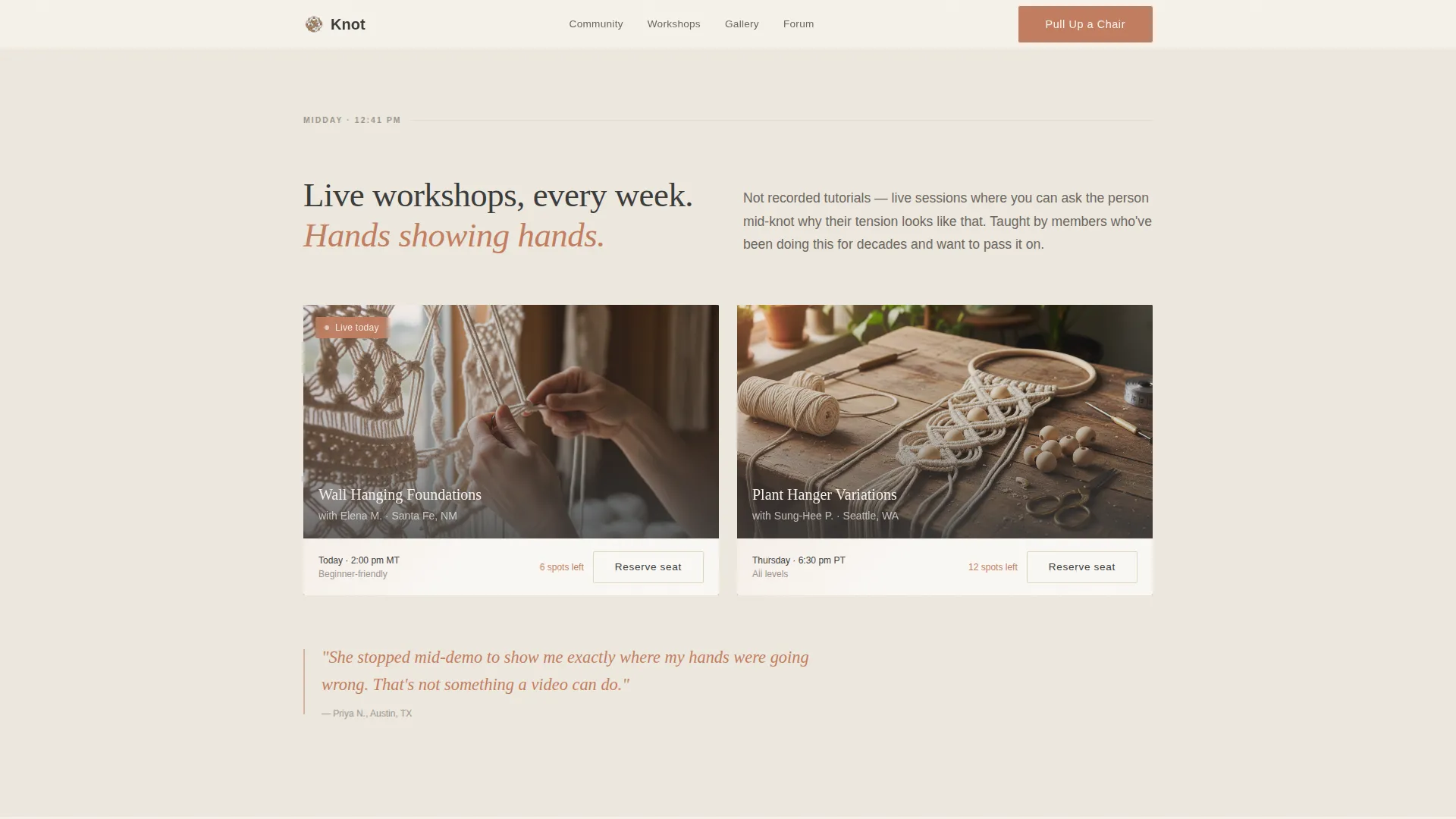
The page is structured around a single maker's day. Morning shows a community question thread with replies. Midday features a live workshop thumbnail. Afternoon opens a gallery wall of member projects. Evening lands on a forum thread and the second call to action. Each section is paced like a magazine spread.
Member Gallery Wall with Tab Switching
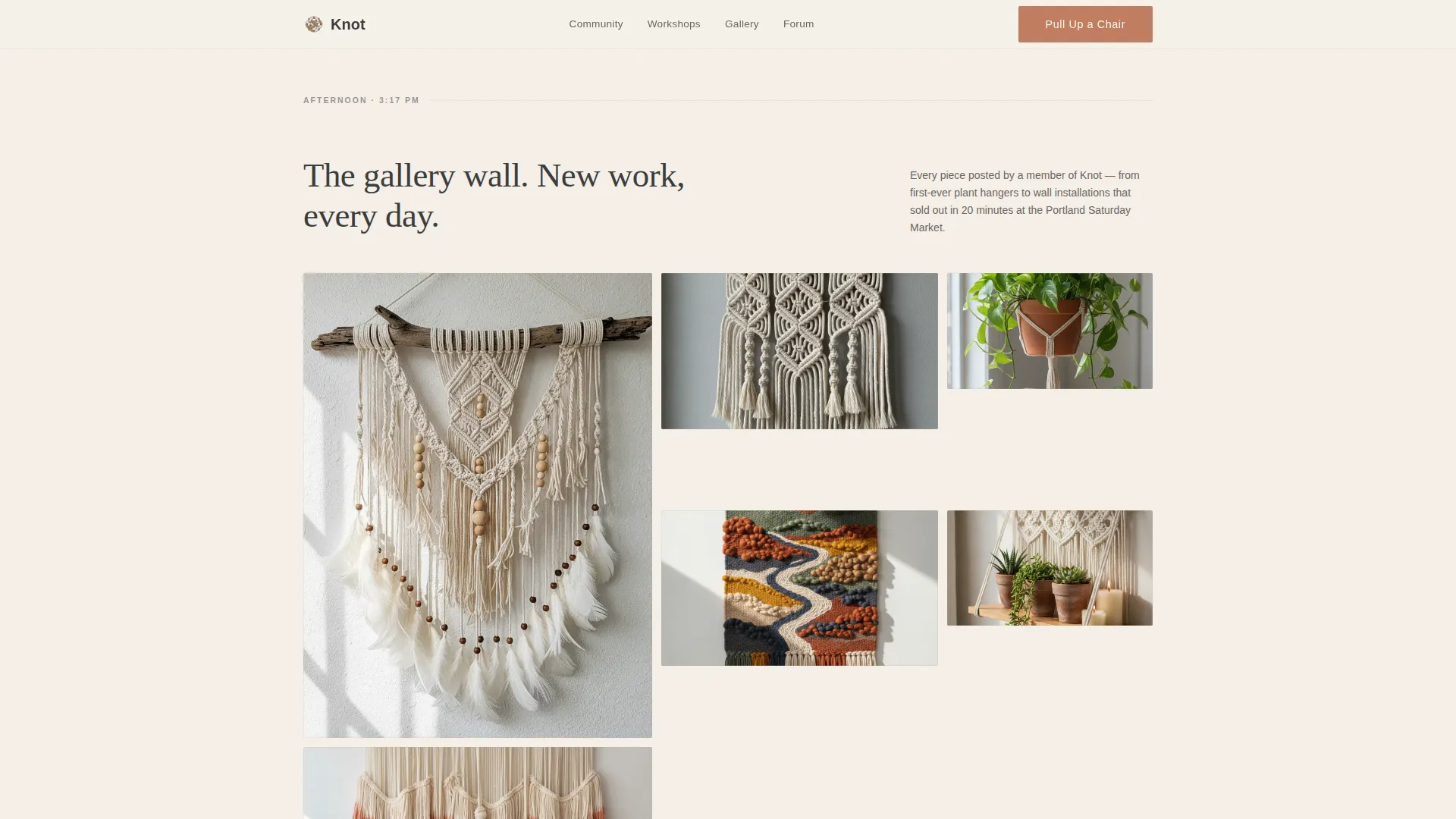
The afternoon section includes a gallery of member project images. Each image is captioned with the pattern name, the maker's first name, and their city. The gallery supports tab switching so visitors can browse without leaving the section.
Terracotta Pull-Quote Treatment
Member quotes are set in terracotta italic type and placed as pull-quotes throughout the scroll. This creates rhythm between sections and surfaces social proof at the exact moments visitors are deciding whether to keep reading.
Lead Generation Form with Light Ask
The evening section closes with a join form that collects a first name, an email address, and one optional question about what the visitor is currently making. There is no credit card requirement and no commitment language anywhere on the page.
Scroll Reveals and Micro-Interactions
The template includes scroll-triggered reveal animations, staggered image entries, subtle parallax effects, and hover micro-interactions on the gallery and buttons. Interactivity is set to a medium level, keeping the editorial feel intact without distracting from the content.
Page sections overview
| Section | Purpose |
|---|---|
| Hero header | Introduce the community with an atmospheric photo-and-headline split |
| Morning thread | Show a real question-and-reply moment to demonstrate community responsiveness |
| Midday workshop | Feature a live workshop thumbnail to establish learning value |
| Afternoon gallery | Display member projects with name and city captions for social proof |
| Evening forum | Close the narrative arc with a warm forum thread and the second call to action |
| Join form | Collect first name, email, and an optional open question with no pressure |
| Footer | Horizontal flow footer pattern for navigation and branding closure |
Design & branding system
The visual identity follows an Atelier Studio theme built on a Cloud Canvas color palette. Every color choice is grounded in natural, craft-adjacent materials. The result feels like flipping through a linen-bound lookbook left on a worktable.
- Four palette colors: unbleached cotton (#F5F0E8) for backgrounds, kiln-dried wooden dowel (#C4A882) for accents, charcoal pencil sketch (#3B3B3B) for body text, and muted terracotta (#C27D5F) reserved for buttons and pull-quotes
- Typography pairs Fraunces serif for headlines with DM Sans for body text and interface elements
- Backgrounds alternate between cotton white and a faint raw-linen wash; terracotta appears only where the eye should naturally land
Mobile & speed optimization
The template is built desktop-first with strong mobile support. Editorial spreads are given generous white space so they breathe on larger screens without crowding on smaller ones.
- Scroll reveal animations, staggered image entries, and subtle parallax are handled at a medium intensity level to preserve visual storytelling on all screen sizes
- The interactive gallery tab switcher and the lead generation form include client-side validation, keeping the experience functional and clear on mobile
- Static sections use server components for consistent rendering, while the form and gallery use client components for interactivity
How this template helps you convert
The page earns the click by making visitors feel the community before asking them to join. Conversion is built into the structure, not bolted on at the end.
- The "Pull Up a Chair" call-to-action button appears twice: once beneath the hero and again after the evening forum section, catching visitors at the moment of maximum emotional investment
- The Day-in-the-Life arc replaces abstract feature lists with lived moments, so visitors recognize themselves in the page and feel the community is already built and waiting
- The join form asks for only three fields, one of which is optional, removing every friction point between interest and sign-up
Other information about this template
This template sits at the intersection of the Blog and Editorial category and the Macramé and Fiber Art Content subcategory. It is specifically designed for the Macramé and Fiber Art Online Community niche, where the creative economy meets tactile craft education.
- The intersection match score for this template is 13, indicating a strong alignment between the editorial format, the lead generation direction, and the fiber arts community niche
- The footer uses a horizontal flow pattern suited to editorial community pages with minimal navigation needs
- The template is built in English with United States-centric city name conventions used in gallery captions and forum thread examples
- Localization for other regions would require updating member names, city references, and any currency context in the copy
Theme
Atelier Studio
Creative direction
Day-in-the-Life
Color system
Cloud Canvas
Style
Editorial/Magazine
Direction
Lead Generation
Page Sections
Half-page Editorial Hero
Day-in-the-life Scroll Structure
Member Gallery with Tab Switching
Terracotta Pull-quote Blocks
Low-friction Lead Generation Form
Scroll Animations and Micro-interactions
Related questions
What type of community is this template designed for?
Can I change the color palette and typography?
Does the form connect to any external platform?
How many times does the main call to action appear?
Is this template suitable for a waitlist or early community launch?



