Product Launch Dashboard Landing Page Template
Launchpad is a dashboard-style landing page template built for physical product launches. It combines a live unit economics calculator, a full-width dashboard preview, and a data-grid layout into one focused page. Founders, creators, and product managers get a single command center view, from cost of goods sold to inventory burn rate, before they ever sign up.
by Rocket studio
Quick summary
Launchpad is a single-page, data-grid landing page template designed for physical product launches. It leads with a working landed cost calculator, then unfolds into a full dashboard grid covering supplier tracking, ad performance, inventory burn rate, and fulfillment status. The page earns trust through immediate utility and guides visitors toward a free, email-only signup.
Who this template is for
This template is built for people who track real money in real time during a physical product launch. It speaks directly to operators who live inside spreadsheets and need something sharper.
- Kickstarter and crowdfunding creators managing live pledge counts and production timelines
- Direct-to-consumer (DTC) founders negotiating with third-party logistics providers (3PLs) and calculating landed cost per unit
- Product managers at mid-size brands balancing minimum order quantities (MOQs), tooling deposits, and retail margin targets
What problem this template solves
Physical product launches scatter critical numbers across too many places. Supplier quotes sit in one tab, ad budgets in another, and cost of goods sold (COGS) in a spreadsheet no one has updated since last week. The result is slow decisions and missed margin targets.
- No single view connects prototype costs, ad spend, and inventory velocity at the same time
- Founders lose negotiating leverage because their numbers are always one export behind
- Launch pages fail to demonstrate the tool's value before asking for a signup
What you get with this template
You get a complete, ready-to-customize landing page that doubles as a product demo. Every section is populated with realistic launch data so visitors immediately understand what the platform does.
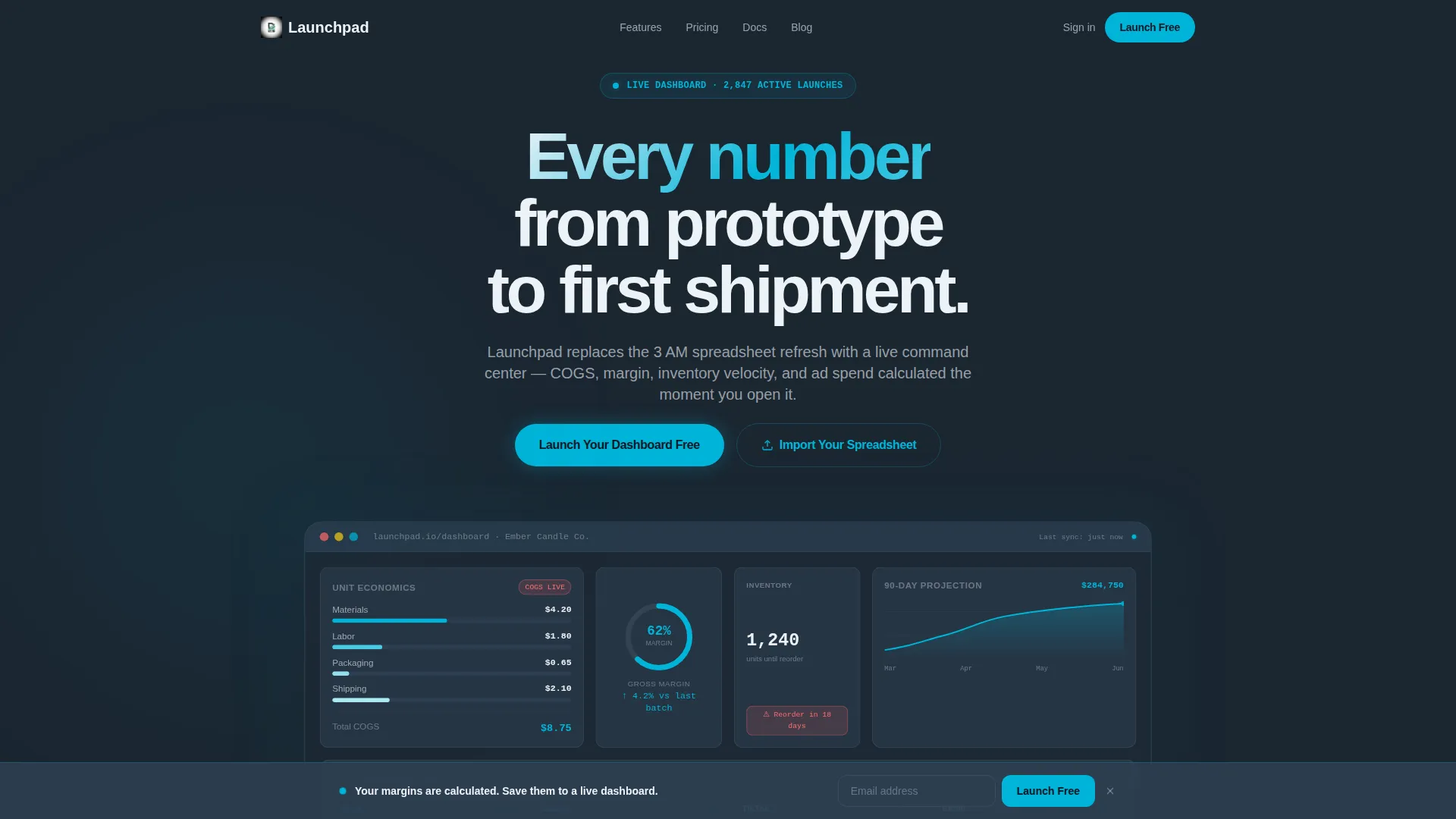
- A full-width dashboard header rendered at 80% scale, showing a live COGS breakdown, a 62% margin gauge, a 90-day sales projection curve, and an inventory countdown badge
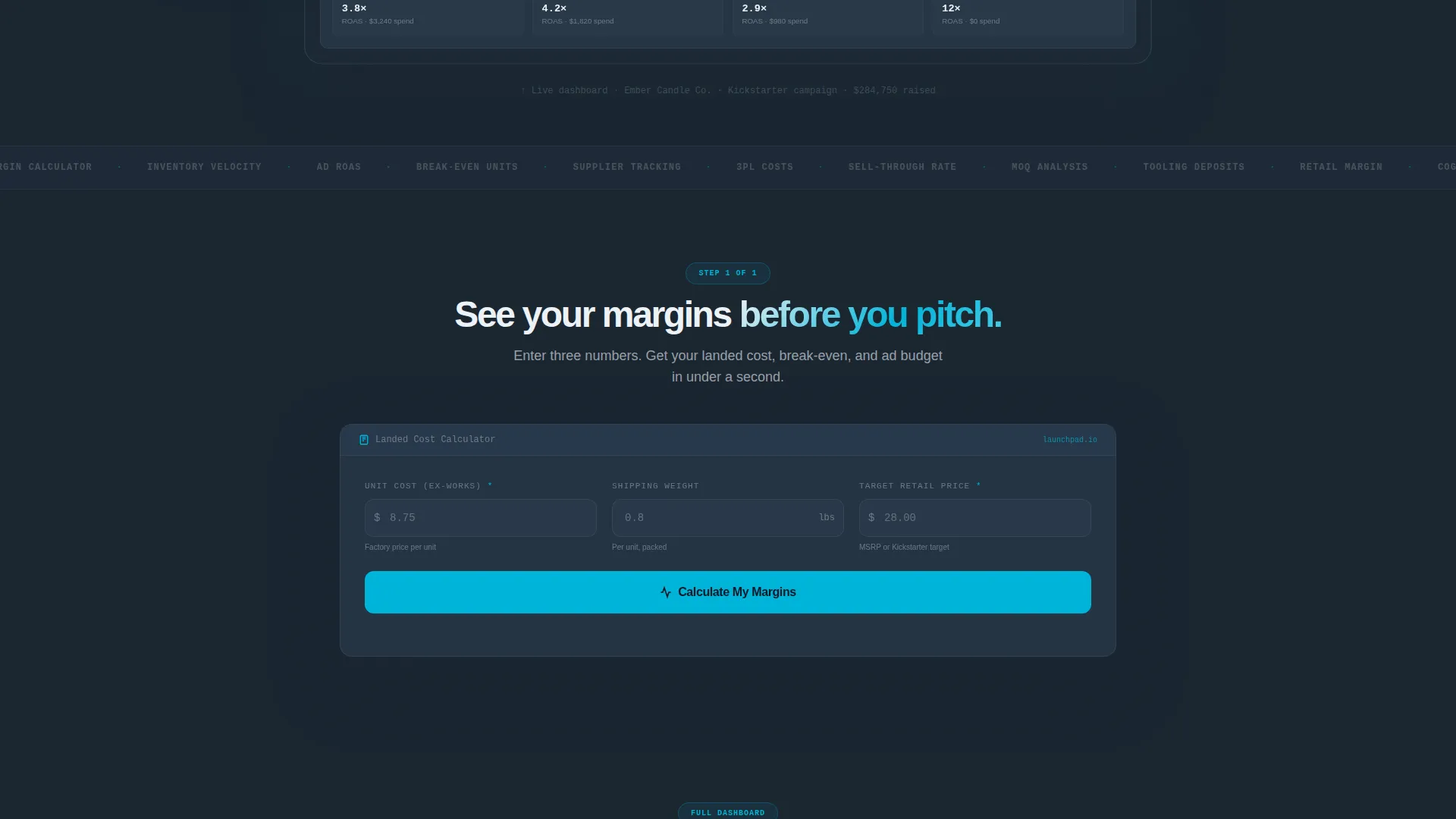
- A working landed cost calculator placed above the fold, returning margin percentage, break-even units, and a suggested ad budget in real time
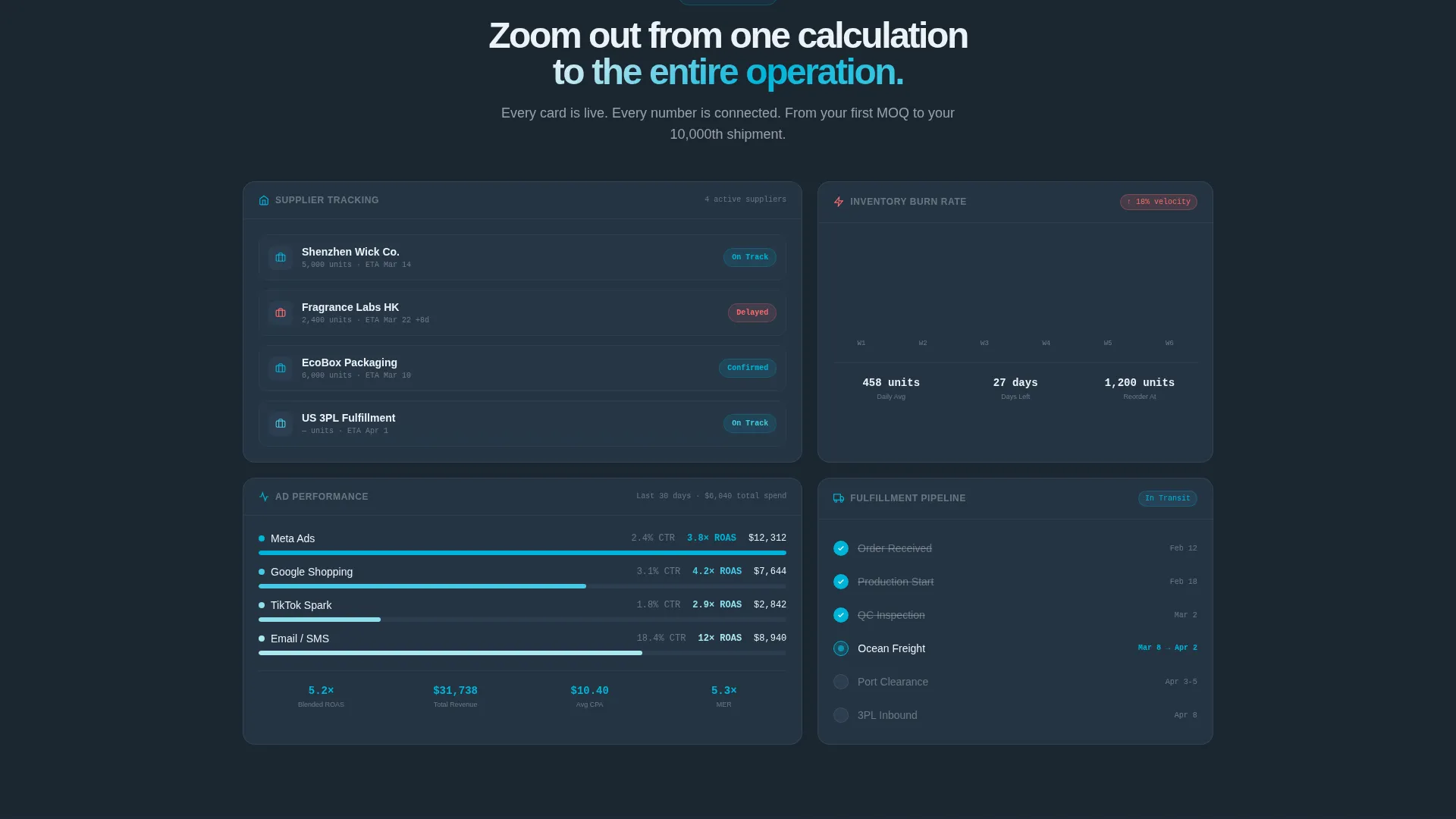
- A scrollable dashboard grid with expandable cards for supplier tracking, ad performance by channel, inventory burn rate, and fulfillment status
Feature list
This template is built around a Calculator/Tool First creative direction. Every feature below is grounded in what the brief describes.
Live Unit Economics Calculator
Visitors enter unit cost, shipping weight, and target retail price. The calculator instantly returns margin percentage, break-even unit count, and a suggested ad budget. This is the first thing visitors interact with, before any pitch copy appears.
Animated Dashboard Header
The header renders a full-width product launch dashboard at 80% scale. It shows a COGS breakdown across materials, labor, packaging, and shipping, alongside a real-time margin gauge and a 90-day sales projection curve drawing itself on screen. The data feels mid-calculation, not static.
Expandable Data Grid Cards
Below the calculator, a grid of dashboard cards covers supplier tracking, ad performance by channel, inventory burn rate, and fulfillment status. Each card is expandable and pre-populated with realistic product launch data to demonstrate depth at a glance.
Freemium Conversion Flow
The primary call to action, "Launch Your Dashboard Free," appears twice: inside the calculator results area and in a slim bottom bar that pins after the first scroll. Signup requires only an email address. A secondary path lets power users import an existing spreadsheet immediately.
Inventory and Margin Alert System
A high-alert coral color is reserved exclusively for margin warnings and stockout flags. The inventory countdown badge and margin gauge use this signal to draw the eye to the numbers that matter most during a launch.
Page sections overview
| Section | Purpose |
|---|---|
| Dashboard Preview Header | Full-width animated dashboard showing live COGS, margin gauge, projection curve, and inventory badge |
| Landed Cost Calculator | Interactive tool returning margin, break-even units, and ad budget before any call to action appears |
| Dashboard Grid Cards | Expandable cards for supplier tracking, ad performance, inventory burn rate, and fulfillment status |
| Calculator Results call to action | Primary "Launch Your Dashboard Free" prompt placed directly inside the calculator output |
| Pinned Bottom Bar | Sticky signup bar appearing after first scroll with email-only signup |
| Spreadsheet Import Path | Secondary conversion option for power users migrating existing data |
Design & branding system
The visual identity follows a Dashboard Pro theme built on the Teal Catalyst color system. The palette is designed to feel like a trusted multi-monitor workspace, not a marketing page.
- Deep workspace charcoal (#1B2631) as the primary background, signal teal (#00B4D8) on live data points and interactive elements, soft grid gray (#2C3E50) for card surfaces and table rows
- High-alert coral (#FF6B6B) reserved only for margin warnings and stockout flags, and clean white (#EDF2F7) on all typography and axis labels
- Depth shadows on the floating dashboard frame give the header genuine visual weight without decorative clutter
Mobile & speed optimization
The template is structured for fast rendering and clean display across screen sizes. The dashboard-heavy layout is designed to scale without losing the data density that makes it useful.
- The 80% scale dashboard preview and calculator are built to reflow cleanly on smaller screens so key numbers remain readable
- Card grid sections stack vertically on mobile, keeping the scroll feel coherent from calculator to full dashboard view
- The pinned bottom bar is lightweight and unobtrusive, designed to persist without slowing the page experience
How this template helps you convert
This template converts by giving value before asking for anything. By the time visitors see a signup prompt, they have already used a tool and seen their own numbers.
- The landed cost calculator delivers a personalized output, margin percentage, break-even units, and ad budget, using the visitor's own inputs, making the call to action feel like a natural next step rather than an interruption.
- The animated dashboard header signals product depth immediately. Visitors see a realistic, data-rich interface before reading a single line of copy, which builds trust faster than feature lists alone.
- Two conversion paths serve different buyer readiness levels. The email-only signup lowers friction for early-stage evaluators, while the spreadsheet import option gives power users a concrete reason to act immediately.
Other information about this template
This template sits in the Startup and Launch category, specifically within the Physical Product Launch niche. It is designed for teams that need to present a data-heavy platform without overwhelming first-time visitors.
- The template style is Dashboard and Data Grid, making it well suited for SaaS tools, launch platforms, and operations dashboards targeting product-led growth audiences
- The Calculator/Tool First creative direction is intentional: it mirrors the behavior of high-intent visitors who arrive with specific cost questions and need answers before committing
- The Freemium and Trial landing page direction means the page is optimized for low-commitment entry points, with no credit card required and a single email field as the only barrier to starting

Theme
Dashboard Pro
Creative direction
Calculator/Tool First
Color system
Teal Catalyst
Style
Dashboard/Data Grid
Direction
Freemium/Trial
Page Sections
Live Landed Cost Calculator
Animated Dashboard Header
Expandable Dashboard Grid
Dual Conversion Entry Points
Margin and Inventory Alert Design
Related questions
Who is this landing page template designed for?
Does the template include a working calculator?
What does the dashboard header show?
How does the signup flow work?
Can I customize the color system and card data?