Editorial Macro Photography Landing Page Template
Macro is an editorial landing page template built for a macro photography online community. It uses an asymmetric 60/40 grid, a Gallery Walk scroll structure, and a Parchment and Rust color system to create a curated, magazine-quality experience. The page captures waitlist signups through a sticky email bar and a closing call-to-action section with a founding-member scarcity frame.
by Rocket studio
Quick summary
Macro is a single-page waitlist landing page template for a close-up photography community. It combines a Type Over Image hero, a zigzag Gallery Walk layout, and a scarcity-driven email capture form. The editorial magazine aesthetic uses warm vintage tones and high-contrast serif typography to make every scroll feel like moving through a curated exhibition.
Who this template is for
This template is built for creators and community builders working in a visually serious niche. It suits anyone who needs to launch a waitlist with strong visual proof and no pricing page.
- Hobbyist macro photographers launching a community or membership
- Entomologists, scientific illustrators, and product photographers building an audience
- Designers and developers creating editorial landing pages for photography communities
What problem this template solves
Most waitlist pages lean on feature lists and bullet points to earn trust. For a niche as visual as macro photography, that approach falls flat. This template replaces feature lists with gallery-as-proof, letting the photography itself do the convincing.
- Visitors leave generic waitlist pages before converting because there is nothing to experience
- A photography community has no credibility without showing the work front and center
- Scarcity framing is often lost in cluttered layouts; this template makes it the closing statement
What you get with this template
You get a fully structured, single-page editorial layout designed around waitlist conversion. Every section is purposeful, and the scroll rhythm is built to pull visitors deeper before asking for their email.
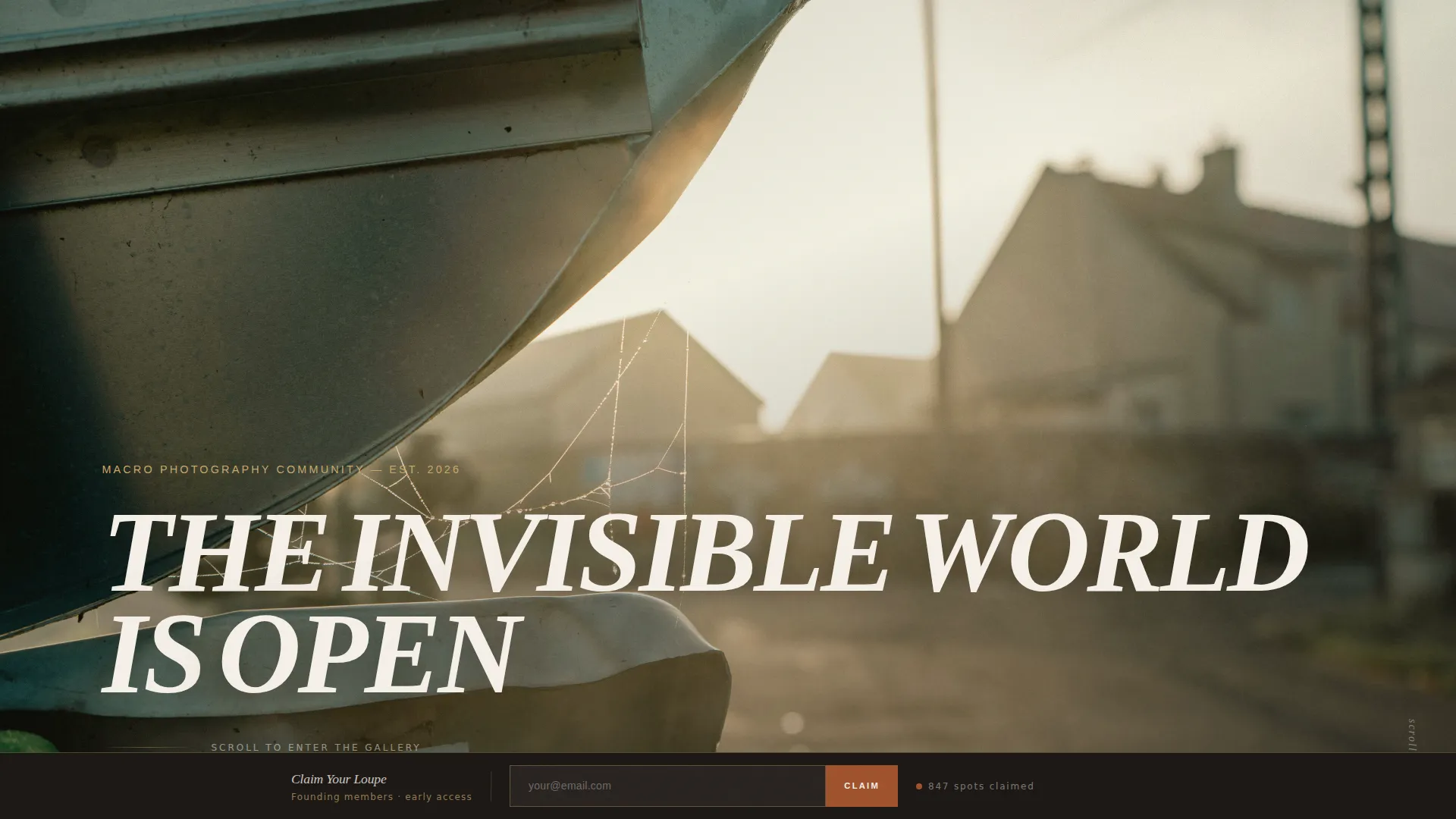
- A Type Over Image hero section with a full-bleed macro photograph and oversized editorial headline
- Four alternating Gallery Walk rooms, each with a 60/40 or 40/60 image-and-commentary split
- A sticky bottom bar email form that activates after the third gallery room
- A full-width closing call-to-action section with a member count ticker and founding-member messaging
- A minimal footer following a Superhuman-style stripped-down pattern
Feature list
This section covers the core built-in capabilities of the Macro landing page template, drawn directly from the design brief.
Asymmetric 60/40 Gallery Grid
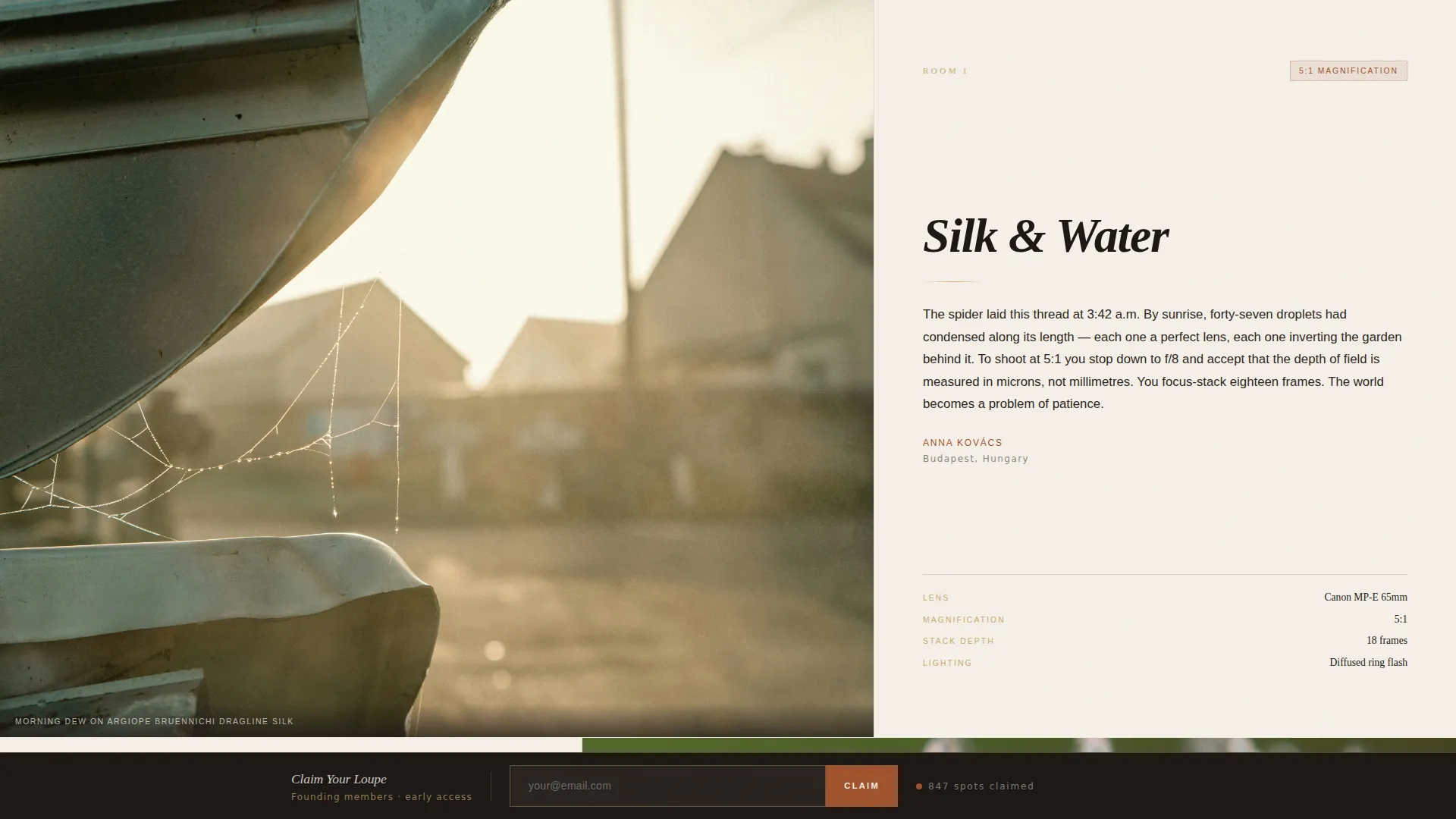
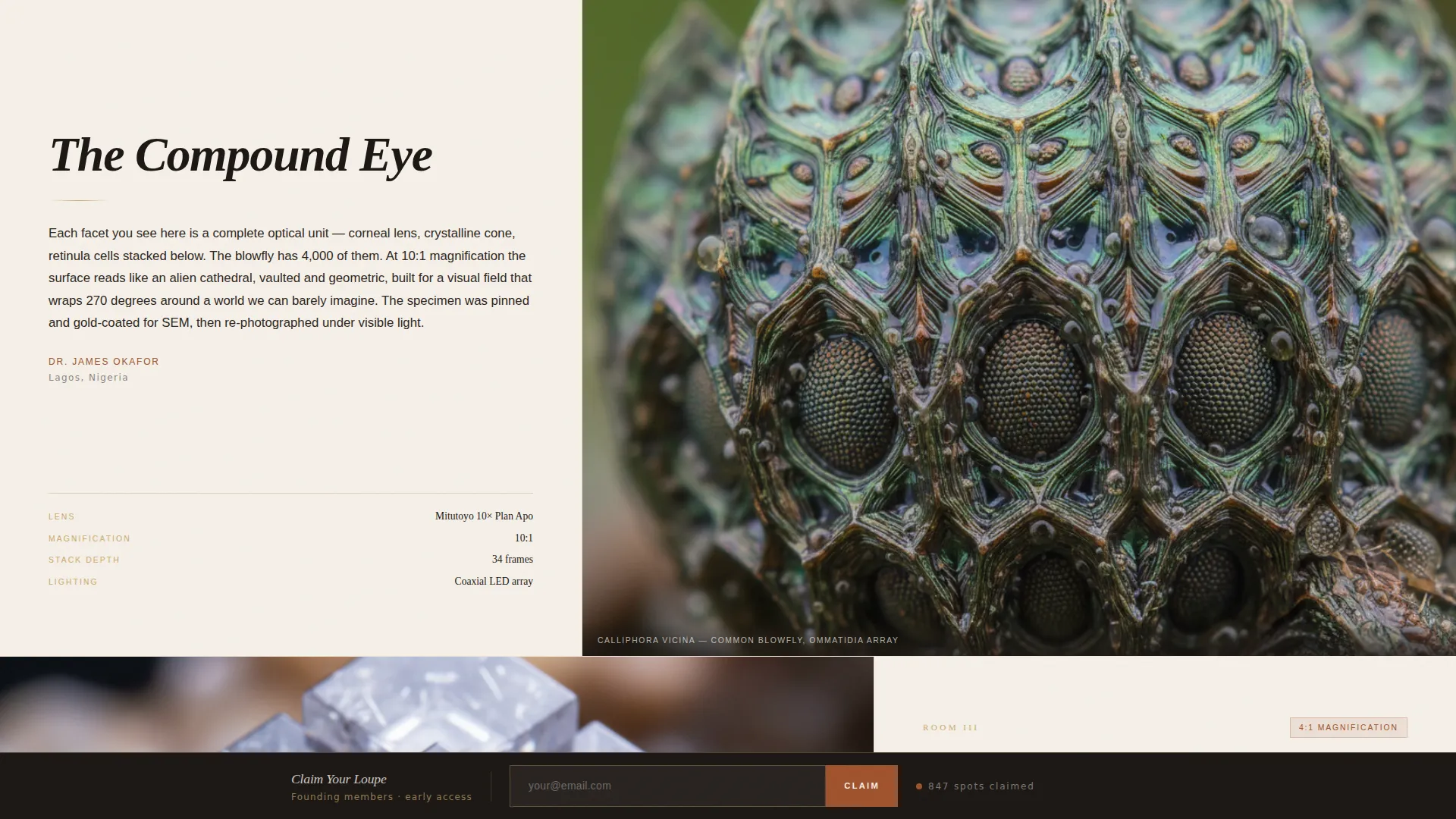
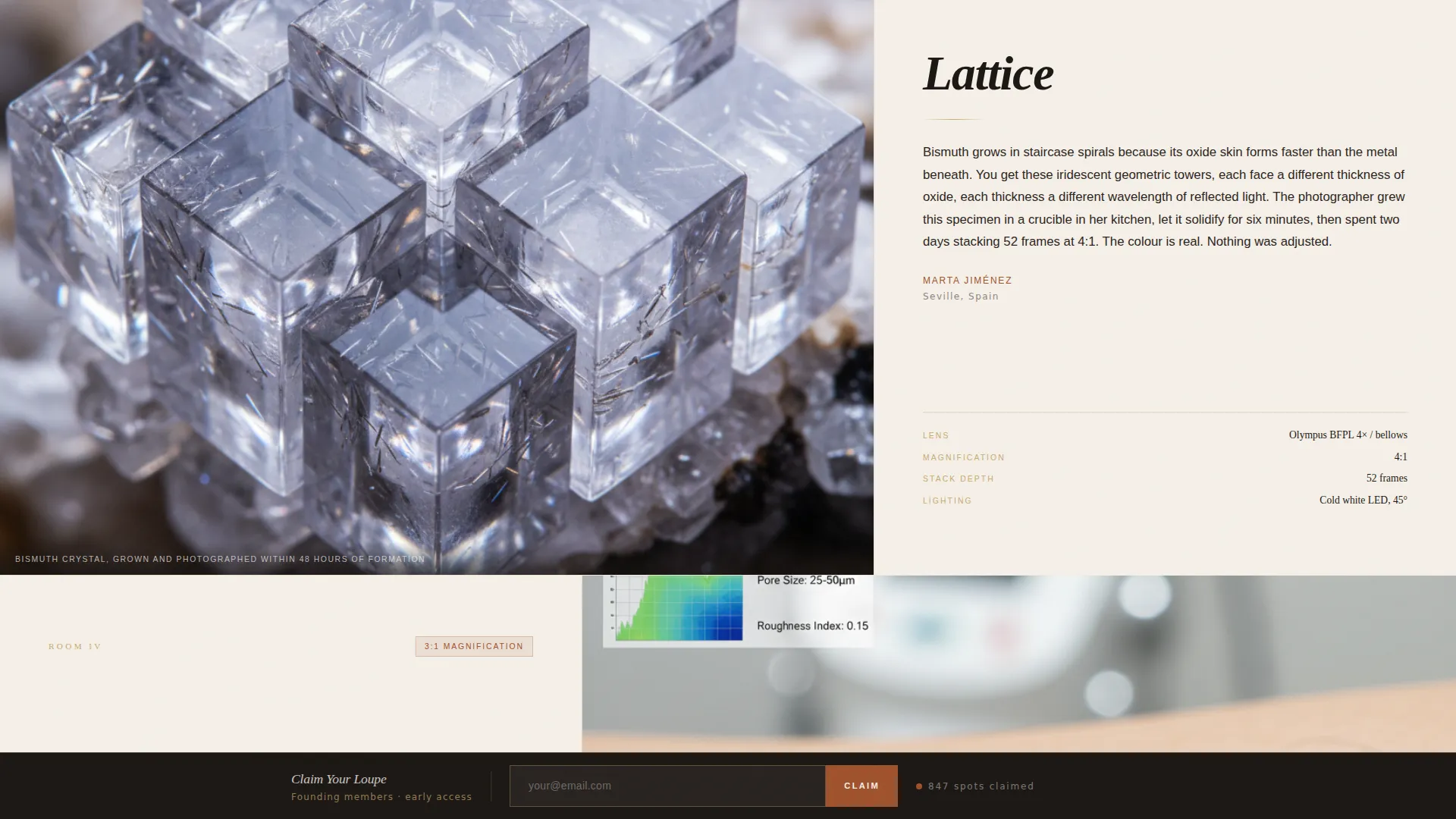
Each gallery room divides the viewport into a 60-column image side and a 40-column editorial side. The layout alternates left and right between rooms, creating a zigzag rhythm that mimics walking a gallery floor. Every room includes space for a hero image, photographer credit, and technical metadata such as lens, magnification ratio, and stack depth.
Type Over Image Hero
The hero section is a full-bleed macro photograph with a massive, high-contrast serif headline composited directly over the image. There is no navigation bar and no call-to-action button in the hero. The headline and image share the same visual plane, treating the photograph as texture the way a printed magazine cover would.
Sticky Waitlist Bar
After the visitor scrolls past the third gallery room, a sticky bottom bar slides into view. It contains a single email input field and a compact call-to-action. The bar stays visible as scrolling continues, keeping the signup option accessible without interrupting the gallery experience.
Closing Call-to-Action with Member Ticker
The final section is a full-width waitlist form with a live-style member count ticker showing spots already claimed. The headline reads "Claim Your Loupe" and a secondary line reinforces founding-member scarcity. This section converts the emotional momentum built by the gallery into a concrete signup action.
Scroll-Linked Animations and Reveals
The template includes scroll-linked gallery transitions, word-reveal text animations, and the sticky bar entrance. Intersection Observer is used for reveal triggers and CSS scroll-behavior drives the overall scroll experience.
Editorial Metadata Display
Each gallery room includes a structured metadata block in the 40-column editorial column. This block displays lens details, magnification ratio, and focus stack depth. It functions as a credibility signal, showing visitors that the community takes technical craft seriously.
Page sections overview
| Section | Purpose |
|---|---|
| Hero, Full Bleed | Establishes visual identity with type-over-image headline and macro photograph |
| Gallery Room One | Introduces dew-on-silk image in 60/40 left-image layout |
| Gallery Room Two | Shows compound eye image in 40/60 right-image zigzag |
| Gallery Room Three | Displays mineral crystal image and triggers sticky waitlist bar |
| Gallery Room Four | Closes gallery with human skin texture in 40/60 layout |
| Closing Call-to-Action | Full-width waitlist form with member ticker and scarcity copy |
| Minimal Footer | Stripped-down footer following a Superhuman-style minimal pattern |
Design & branding system
The visual identity draws from vintage natural history journals. Every color and type choice reinforces the sense of aged, tactile craft that defines serious macro photography.
- Color palette: aged cotton parchment (#F5F0E8) as the background, dried iron oxide rust (#A0522D) for primary accents, darkroom shadow (#1C1714) for deep contrast, and tarnished brass (#C9A96E) for hover states and fine rules
- Typography: Fraunces serves as the editorial serif for headlines and display text; DM Sans handles body copy, captions, and technical metadata
- The overall aesthetic feels like a worn natural history journal left open on a wooden desk, warm and serious about its subject
Mobile & speed optimization
The template is designed desktop-first to protect the editorial 60/40 grid experience. It adapts responsively to mobile viewports without losing the gallery rhythm.
- Asymmetric grid columns reflow to stacked vertical blocks on smaller screens
- Scroll-linked animations use Intersection Observer for efficient reveal triggers
- CSS scroll-behavior handles smooth transitions without heavy JavaScript dependencies
How this template helps you convert
The conversion strategy relies entirely on the gallery experience building desire before any ask is made.
- The Gallery Walk pulls visitors through four progressively intimate macro images, deepening emotional investment before the sticky bar appears after gallery room three
- The sticky email bar remains visible during the final gallery room, keeping the signup option present without forcing it
- The closing section pairs the "Claim Your Loupe" headline with a founding-member seat message and a member count ticker, creating genuine scarcity pressure at peak emotional engagement
Other information about this template
This template sits within the Blog and Editorial category under the Macro Photography Content subcategory. It is purpose-built for the Macro Photography Online Community niche and carries an asymmetric grid layout, an Editorial Magazine theme, a Gallery Walk creative direction, a Parchment and Rust color system, and a Waitlist and Coming Soon landing-page direction.
- Suitable for use with Fraunces and DM Sans typefaces as specified in the design brief
- The template is structured as a single-page flow with no internal navigation, reinforcing the immersive gallery experience
- Animation intensity is set to high, with scroll-linked transitions, word reveals, a ticker, and a sticky bar entrance all included in the template build
Theme
Editorial Magazine
Creative direction
Gallery Walk
Color system
Parchment & Rust
Style
Asymmetric Grid (60/40)
Direction
Waitlist/Coming Soon
Page Sections
Asymmetric 60/40 Gallery Grid
Type Over Image Hero
Sticky Waitlist Email Bar
Closing Section with Member Ticker
Scroll-linked Animations and Reveals
Editorial Metadata Display
Related questions
Can I replace the gallery images with my own macro photography?
Does the sticky email bar appear automatically after scrolling past the third gallery room?
Is there a pricing section or feature list included in this template?
Can I update the member count ticker to show my real waitlist numbers?
Is this template designed for desktop or mobile visitors?



