Cinematic Macro Photography Landing Page Template
Macrolab is a cinematic hub-and-spoke landing page built for macro photography YouTube channels. It guides visitors from a looping hero reel through five anchor-linked content spokes, Beginnings, Gear, Technique, Episodes, and Community, funneling them toward a free email list signup. The darkroom-inspired design makes every macro image erupt off the screen like a slide on a lightbox.
by Rocket studio
Quick summary
Macrolab is a single-page content hub for macro photography YouTube creators. It opens with a muted six-second reel, locks an anchor nav to the top, and walks visitors through five distinct spokes: Beginnings, Gear, Technique, Episodes, and Community. Every section earns the subscriber opt-in before asking for it, building trust through real technique content first.
Who this template is for
This template suits anyone running an educational or hobbyist macro photography channel who wants a dedicated home base beyond YouTube. It works equally well for science communicators and restless creative educators who teach close-up photography techniques to growing audiences.
- Hobbyist photographers documenting their first 1:1 magnification journey and building a community around it
- Biology or science teachers who publish classroom-ready macro footage and technique explainers
- YouTube creators who want to convert viewers into email subscribers through free educational content
What problem this template solves
Most YouTube creators rely entirely on the platform algorithm to keep viewers engaged. A standalone content hub solves that dependency by giving visitors a reason to stay, explore, and subscribe directly. This template makes that hub feel worth bookmarking.
- Visitors leave YouTube without a way to follow up; this template captures them via a low-friction email signup
- Scattered gear advice and technique tips lose credibility without a structured home; the spoke layout organizes them clearly
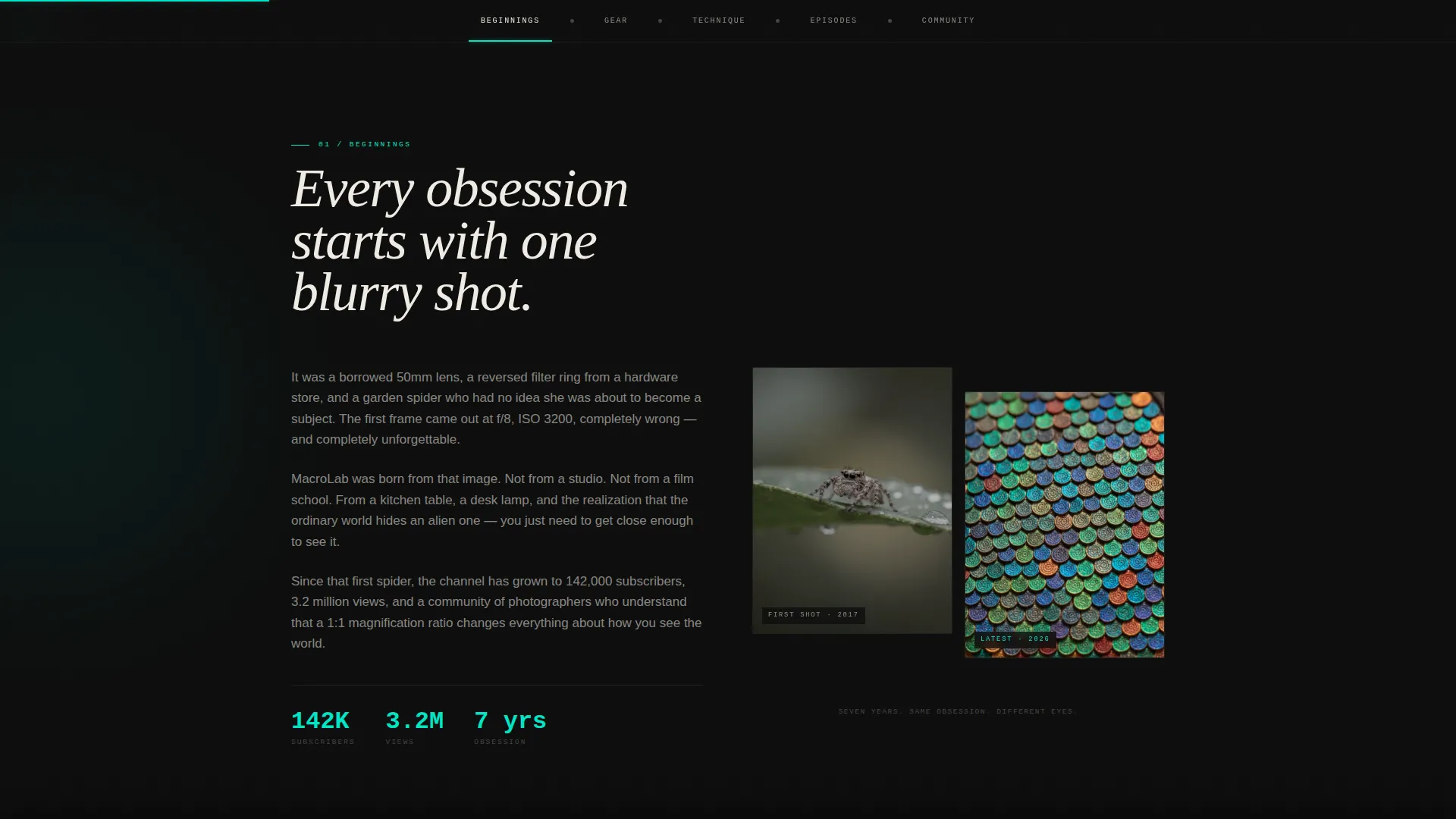
- Generic portfolio pages feel cold; the Origin Story creative direction gives the channel a personal, chapter-by-chapter narrative
What you get with this template
You get a fully structured, dark-themed landing page with seven distinct layout sections and two conversion touchpoints built in. Every section is designed to deepen visitor investment before the signup ask appears.
- A looping hero reel section with a teal-outlined call-to-action button and a final-frame message
- Five anchor-linked content spokes covering creator story, gear, technique, video episodes, and community
- Two email capture placements: a sticky bottom bar that appears after thirty seconds and a full-width interstitial between the Technique and Episodes spokes
Feature list
This template is built around a set of purposeful interactive components. Each one is designed to match the way macro photography audiences discover, learn, and commit.
Looping Hero Reel with Dual Call to Action
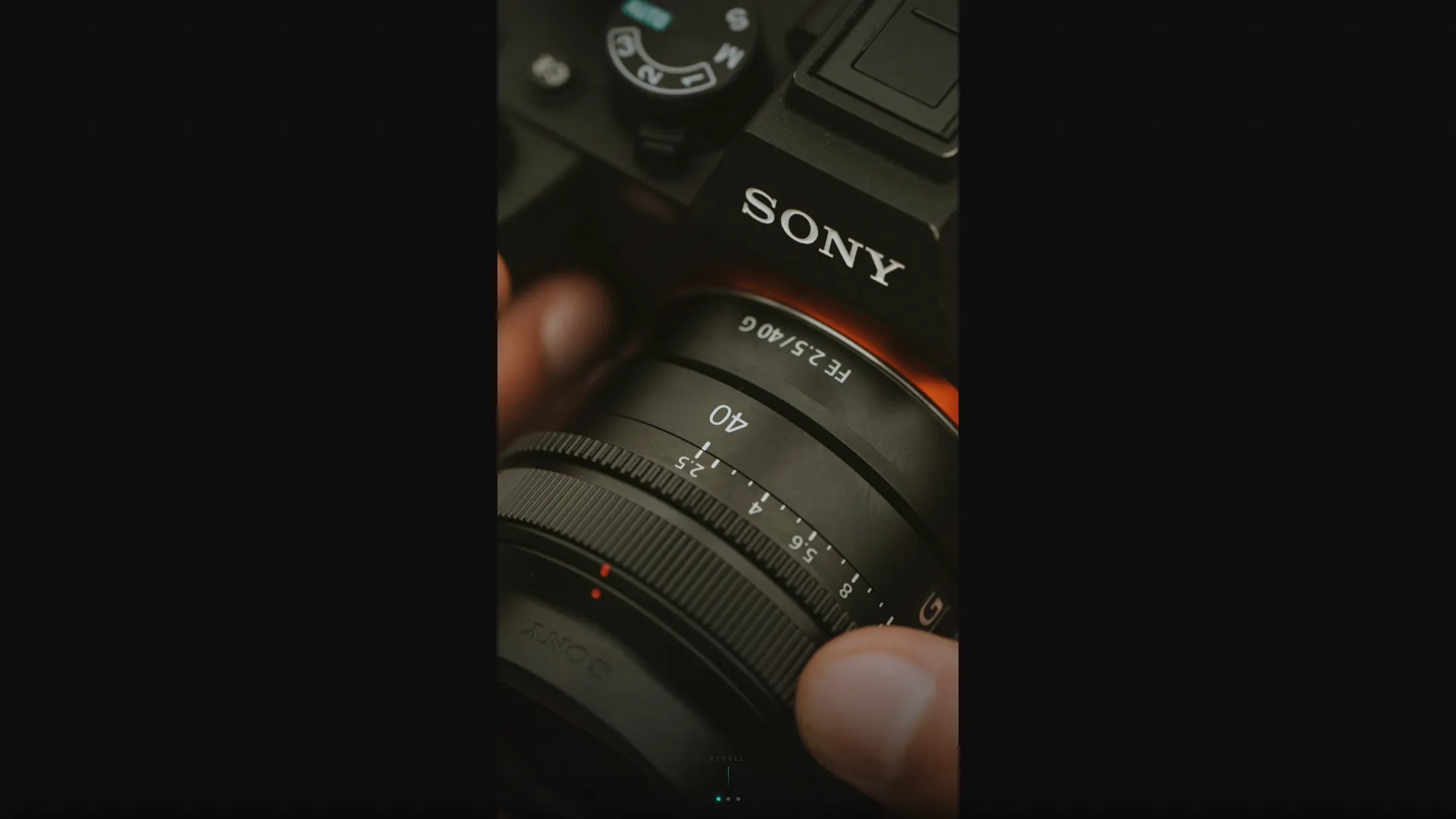
The header plays a muted, auto-looping six-second vertical video letterboxed into the viewport center. A final-frame text line and a teal-outlined "Watch Latest Episode" button give visitors an immediate path to YouTube before they scroll.
Five-Spoke Anchor Navigation
A sticky anchor nav locks to the top of the page after the hero and links to five named sections: Beginnings, Gear, Technique, Episodes, and Community. Teal highlights mark the active spoke as visitors scroll, functioning like focus-peaking on a mirrorless camera screen.
Before and After Stacking Slider
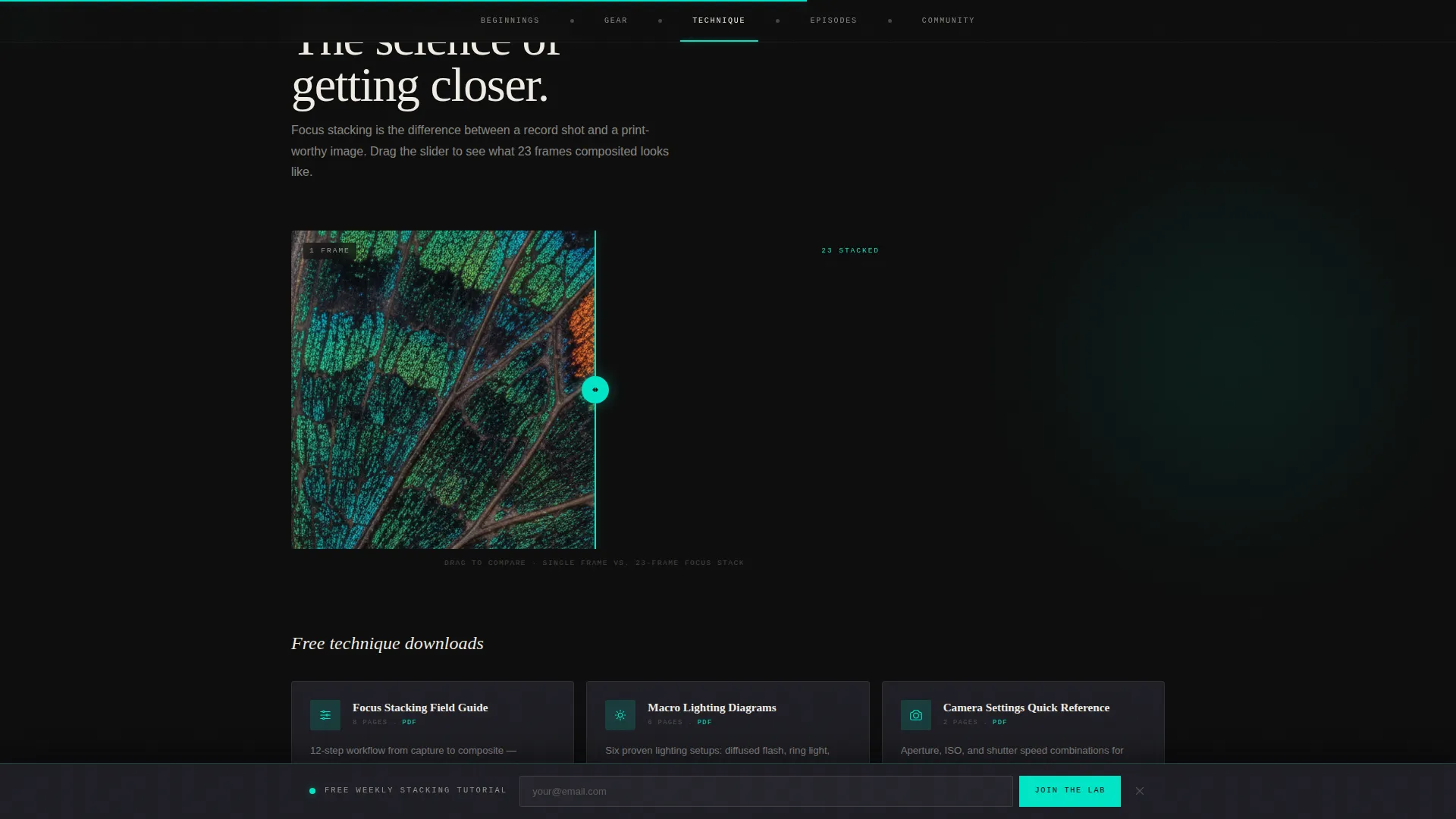
The Technique spoke includes an interactive before/after comparison slider showing a focus-stacking result. Visitors drag to compare the unstacked and stacked versions, experiencing the technique before downloading the cheat sheet.
Expandable Gear Card Shelf
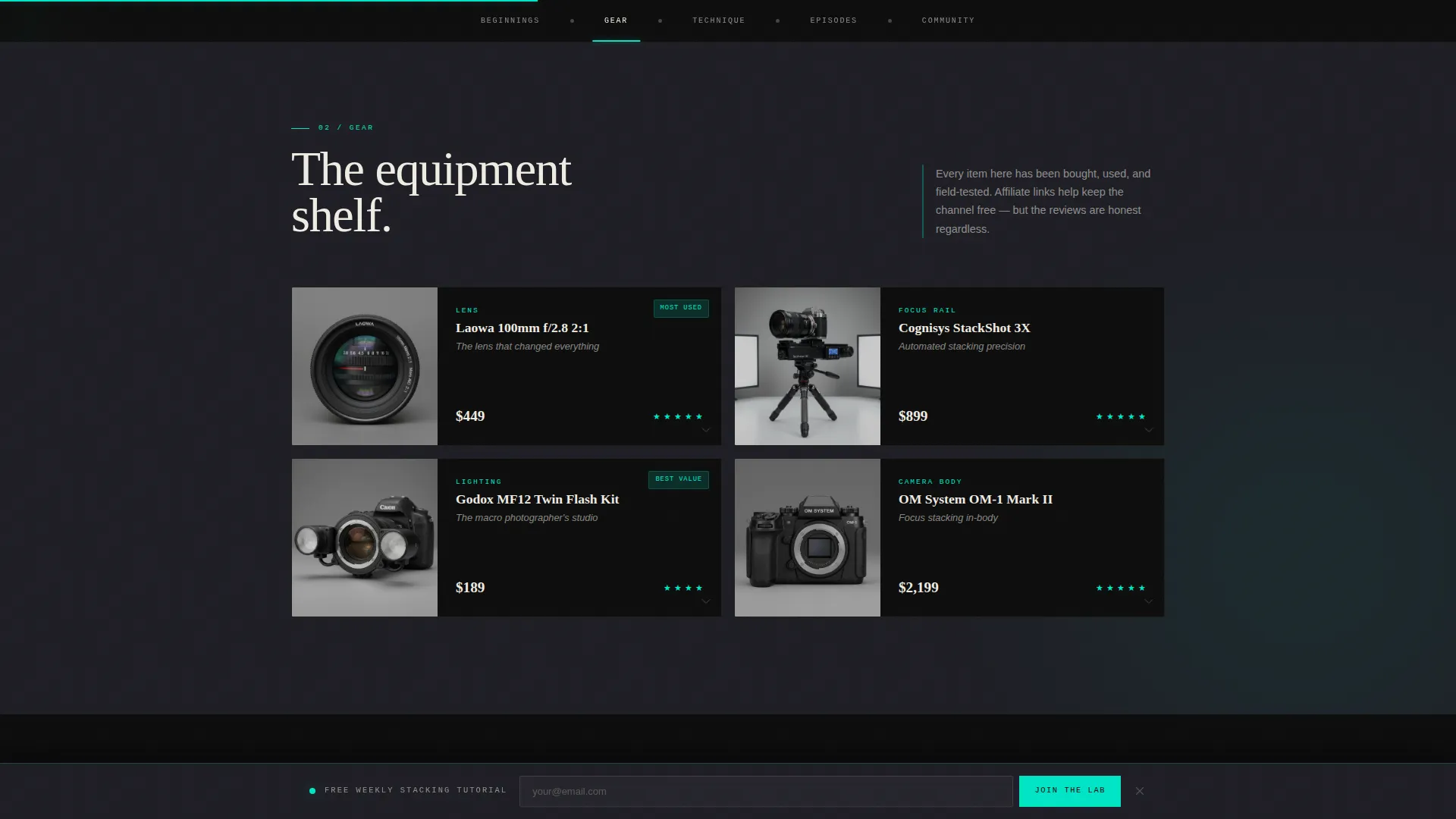
The Gear spoke presents lens and rail illustrations in a bento-style shelf. Each card expands on click to reveal a mini-review and affiliate link, keeping the layout clean until a visitor signals interest.
Dual-Placement Email Capture
The "Join the Macro Lab" signup form appears in two places: as a sticky bottom bar triggered after thirty seconds on page, and as a full-width interstitial section between Technique and Episodes. The form asks only for a first name and email address.
Community Macro Shot Wall
The Community spoke displays a subscriber-submitted macro photography wall alongside social proof metrics. It closes the page with a sense of belonging, showing prospective subscribers what they are joining rather than just asking them to join.
Page sections overview
| Section | Purpose |
|---|---|
| Hero Reel | Opens with looping video and dual call to action |
| Anchor Navigation | Locks to top, links all five spokes |
| Beginnings Spoke | Creator origin story with before/after comparison panel |
| Gear Spoke | Expandable equipment shelf with mini-reviews |
| Technique Spoke | Focus-stacking slider and downloadable cheat sheets |
| Email Interstitial | Full-width signup between Technique and Episodes |
| Episodes Spoke | Horizontal carousel with watch-time badges |
| Community Spoke | Subscriber macro wall and social proof metrics |
| Page Footer | Linear single-row footer with minimal links |
Design & branding system
The visual identity follows an Atelier Studio approach built on a Cinematic Dark color palette. The aesthetic reads like a photographer's editing suite at midnight: dark surfaces, warm specimen-white type, and a single bioluminescent teal accent tracing every interactive element.
- Color palette: deep darkroom black (#0D0D0D) for backgrounds, tungsten shadow gray (#1E1E24) for surfaces, specimen-white (#F0ECE3) for body text, and bioluminescent teal (#00E5C7) for hover states, scroll indicators, and navigation pips
- Typography system: Fraunces serif for display headings, DM Sans for body copy, and JetBrains Mono for accent labels and data callouts
- Interactive teal traces scroll progress bars, anchor highlights, play buttons, and the sticky email bar border, giving the page a cohesive focus-peaking visual language
Mobile & speed optimization
The template is built desktop-first with a deliberate mobile fallback, reflecting the reality that YouTube audiences frequently arrive on phones. The layout adapts without losing the cinematic atmosphere.
- Video in the hero reel is set to muted autoplay, ensuring it loads silently and plays immediately on both desktop and mobile without requiring user interaction
- Images across the page are lazy-loaded so above-the-fold content renders quickly while heavier macro photography assets load as the visitor scrolls
- CSS custom properties power the color and spacing system, keeping the visual consistency intact across all screen sizes with minimal overhead
How this template helps you convert
The page is structured so that visitors receive genuine value before any signup request appears. By the time the email form is visible, the visitor has already engaged with real content.
- The Technique spoke delivers a downloadable focus-stacking cheat sheet and an interactive before/after slider before any email form is shown, establishing trust through content first.
- The sticky bottom bar appears only after thirty seconds on page, targeting visitors who are actively reading rather than bouncing, and the interstitial form follows naturally after Technique content.
- The Community spoke closes the scroll journey with user-submitted macro shots and social proof metrics, so the final impression is belonging rather than a sales pitch.
Other information about this template
This template is part of the Atelier Studio theme family and uses the Cinematic Dark color system. It is built as a hub-and-spoke layout with an Origin Story creative direction and a Short-Form Reel header concept. The page structure follows a Content/Resource Hub direction, prioritizing education and community before conversion.
- GSAP ScrollTrigger powers scroll-linked animations, including section entrance transitions and the progress indicator in the anchor nav
- A canvas particle background adds depth to the darkroom aesthetic without competing with macro imagery
- The footer uses a linear single-row pattern, keeping the bottom of the page clean and uncluttered
- The template is categorized under Blog and Editorial, with a specific fit for the macro photography content niche
Theme
Atelier Studio
Creative direction
Origin Story
Color system
Cinematic Dark
Style
Hub & Spoke (Anchor Nav)
Direction
Content/Resource
Page Sections
Looping Hero Reel with Dual Call to Action
Five-spoke Sticky Anchor Navigation
Interactive Before and After Stacking Slider
Expandable Bento Gear Card Shelf
Dual-placement Email Capture Form
Community Subscriber Macro Wall
Related questions
What kind of creator is this template designed for?
What does the email signup form collect?
Can I use this template without a video for the hero reel?
How are the gear cards and affiliate links structured?
Is the before and after comparison slider ready to use?



