Premium Fine Writing Supplies Landing Page Template
Inkwell is an editorial-style landing page template built for fountain pen and stationery online courses. It guides visitors through three curated content collections, a personality-driven writing style quiz, and a focused email capture. The warm artisan design, full-bleed photography layout, and scroll-triggered reveals create the intimate feel of a hand-curated stationery parcel.
by Rocket studio
Quick summary
Inkwell is a single-page, magazine-quality template for selling a fountain pen and stationery online course. It leads visitors through three editorial "collection" sections, a personalized quiz, and a streamlined email capture. Every visual and layout decision echoes the tactile warmth of analog craft, making the course feel curated and personal from the first scroll.
Who this template is for
This template suits course creators and educators working in analog craft, calligraphy, and stationery. It is built for anyone who wants their online course to feel as considered as the subject it teaches.
- Fountain pen enthusiasts and calligraphers launching a structured online course
- Design professionals and journaling educators who want an editorial-quality course page
- Gift-focused stationery businesses offering guided learning experiences alongside curated kits
What problem this template solves
Most online course landing pages feel generic. They list modules in bullet points and call it done. That approach fails emotionally driven buyers who choose tools by feel and aesthetics as much as by function.
- Visitors leave without connecting emotionally to the course or its unique value
- Generic layouts cannot convey the sensory, craft-first experience that stationery learners expect
- No clear path from browsing to buying when the audience is aesthetically motivated
What you get with this template
You get a fully structured, single-page editorial layout that moves visitors from curiosity to conversion. Every section is pre-built and designed to work as a cohesive magazine spread.
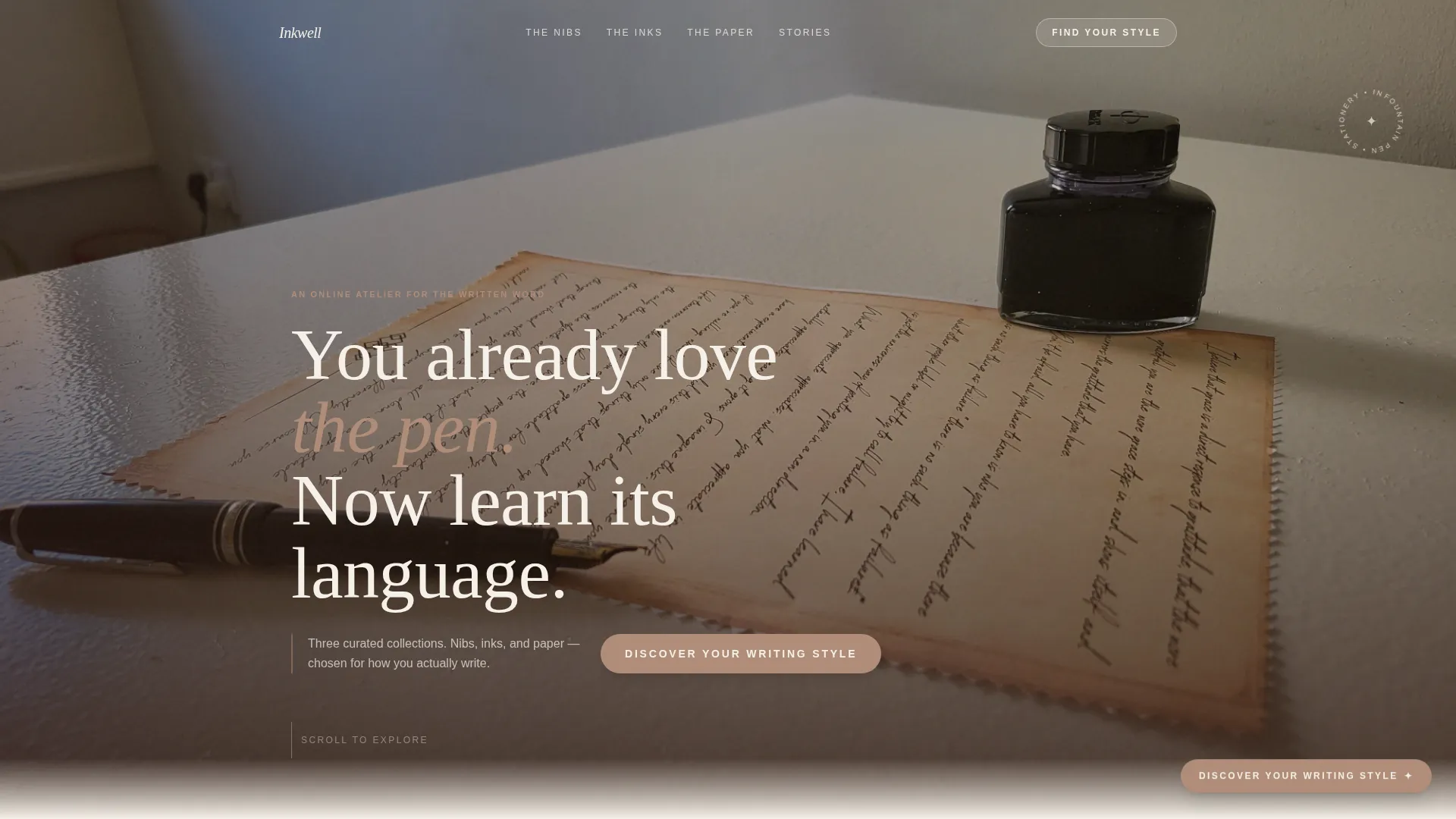
- A full-bleed hero section with a scroll-triggered serif headline and a floating badge
- Three editorial collection sections covering nibs, inks, and paper with alternating layouts
- A visual-choice quiz section with a modal, three image-based questions, personalized result tracks, and an email capture field
Feature list
This template includes purpose-built features drawn directly from the Inkwell brief. Each one serves the editorial magazine experience and the quiz-led conversion strategy.
Full-Bleed Hero with Scroll-Triggered Headline
The hero opens with an overhead writing-desk photograph. The walnut-brown serif headline fades into view after the first visual beat, creating the effect of text materializing on the page. A floating badge accompanies the opening composition.
Three Editorial Collection Sections
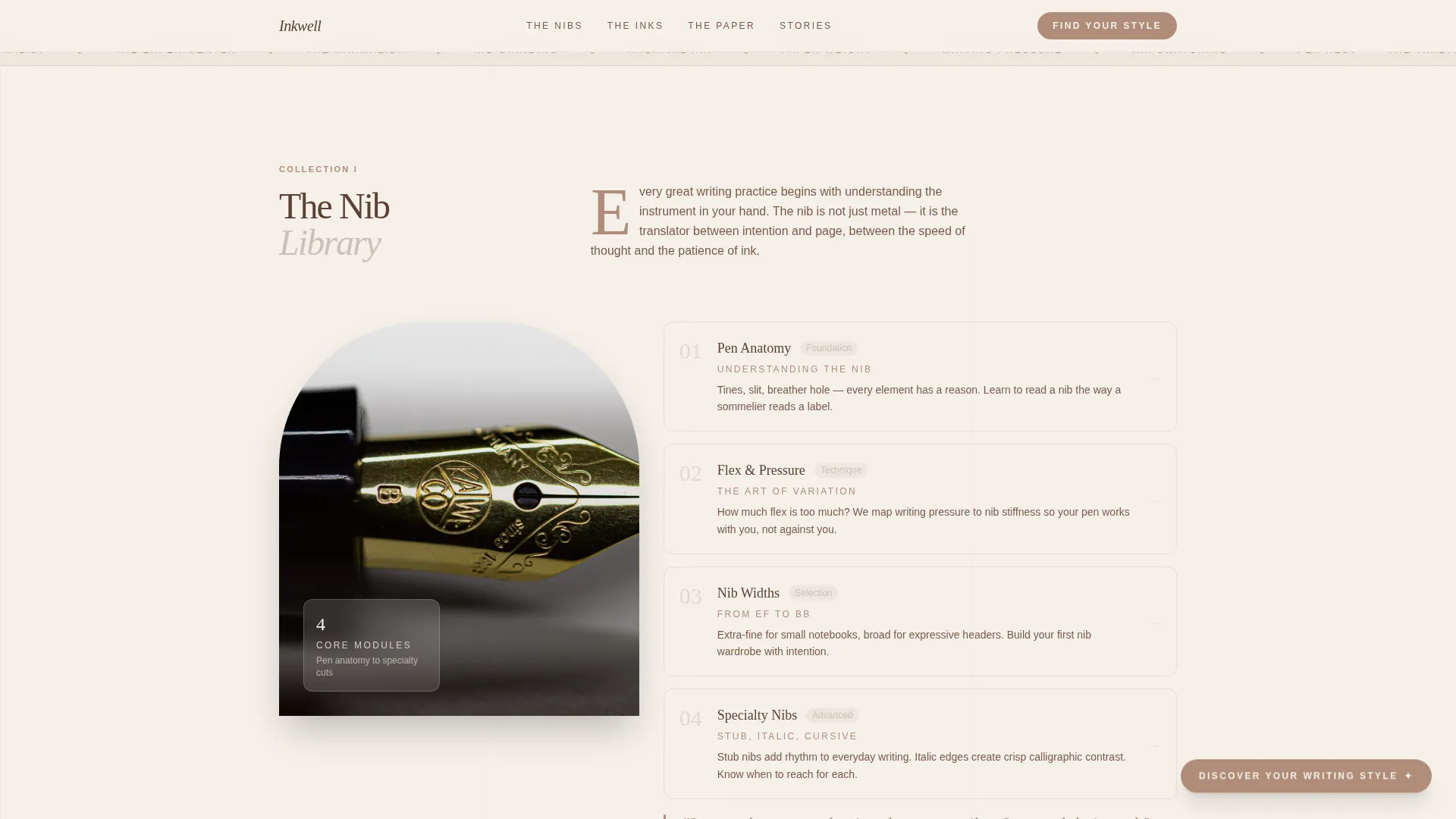
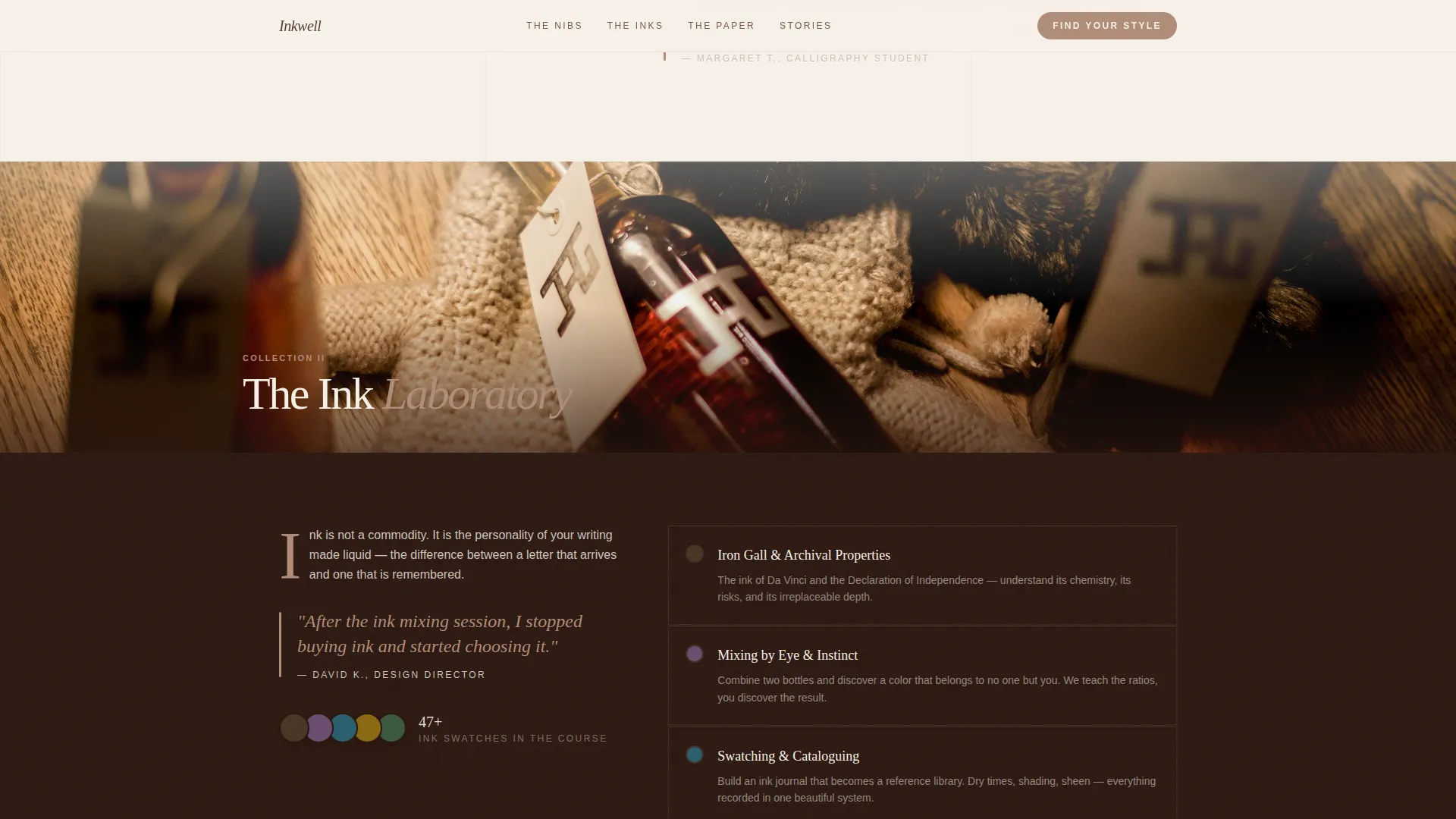
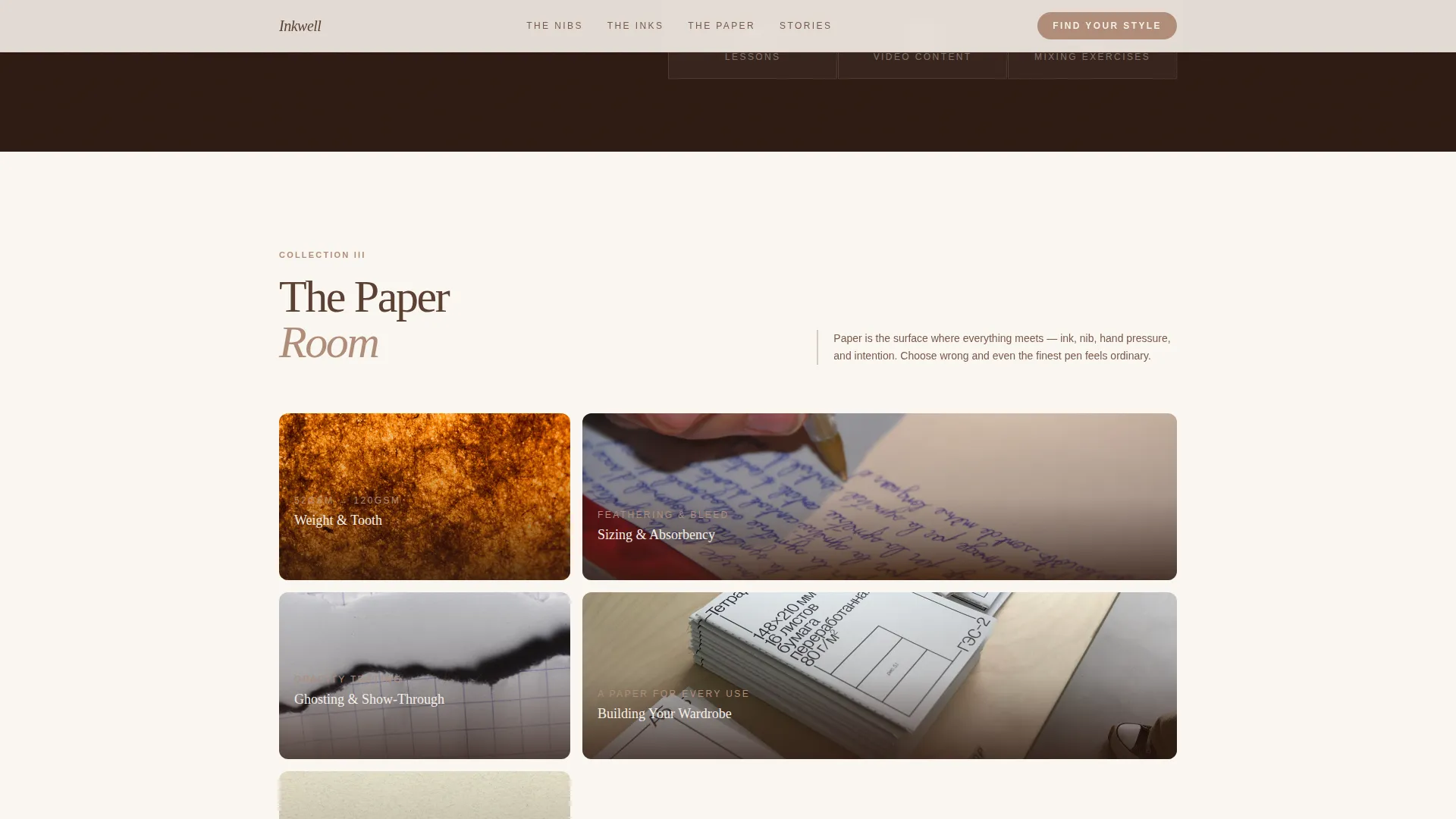
The Nib Library, The Ink Laboratory, and The Paper Room each have distinct layouts. They alternate between full-bleed photography and two-column editorial grids with oversized drop caps and student pull quotes. Module and lesson cards are embedded within each collection.
Visual-Choice Writing Style Quiz
The quiz modal presents three visual-choice questions: nib shape, ink swatch, and paper texture. Answers map to one of three personalized course tracks. A single email field unlocks the full result and a free ink-mixing PDF, earning the click before asking for anything.
Floating and Anchored Call-to-Action System
A rose-gold "Discover Your Writing Style" button appears as a floating element after the second collection section. It reappears as a full anchored call-to-action block at the page close, reinforcing the primary conversion goal without being intrusive.
Scrolling Craft Marquee
A horizontal ticker between the hero and first collection section scrolls a continuous stream of craft terminology. It sets the editorial tone immediately and signals depth of content to engaged visitors.
Testimonials Section with Named Social Proof
Specific named student testimonials appear alongside stat counters for students enrolled, modules available, and ink swatches covered. The specificity of the social proof builds credibility with an audience that values authentic, detailed endorsements.
Page sections overview
| Section | Purpose |
|---|---|
| Hero full-bleed | Opens with overhead desk photo and scroll-triggered headline |
| Craft terms marquee | Sets editorial tone with scrolling stationery terminology |
| The Nib Library | Introduces pen anatomy and flex modules in two-column layout |
| The Ink Laboratory | Showcases ink mixing and archival lessons with full-bleed photo |
| The Paper Room | Presents paper weight and texture content with asymmetric bento grid |
| Testimonials block | Displays named student quotes and course stat counters |
| Quiz call-to-action | Houses visual-choice quiz modal and email capture field |
| Footer arc split | Holds logo and tagline left, navigation links right |
Design & branding system
The Soft Mist color system keeps every visual element in the register of high-quality analog stationery. Nothing competes for attention; everything reinforces the mood of a well-curated writing desk.
- Vellum cream (#F5F0E8) covers all backgrounds, morning fog gray (#C8C2B8) carries body text, walnut shell brown (#5C4033) anchors headlines, and muted rose gold (#B08D79) is reserved for buttons, pull quotes, and hover states
- Typography pairs Fraunces display serif for all headings with DM Sans for body copy, giving the layout a magazine-editorial rhythm
- Oversized drop caps, student pull quotes, and alternating full-bleed and two-column layouts create the feel of a beautifully art-directed print spread
Mobile & speed optimization
The template is designed desktop-first to honor the editorial magazine experience. It adapts gracefully to smaller screens without losing the warmth or structure of the original layout.
- Scroll-triggered section reveals use native CSS and Intersection Observer, keeping the animation system lightweight and dependency-free
- The quiz modal, floating call-to-action button, and collection card hover states all adapt to touch interactions on mobile devices
- Staggered section entrances and marquee animation are handled in CSS to maintain smooth transitions across device sizes
How this template helps you convert
The conversion strategy is built into the page's editorial rhythm. Visitors are not pushed toward a sale; they are drawn toward it by accumulating curiosity and personal relevance.
- The quiz earns trust first by making visitors feel personally seen through visual-choice questions before any commitment is requested. The result reveals a named course track and a free resource, making the email capture feel like a fair exchange.
- The floating rose-gold call-to-action button appears after the second collection, precisely when engagement is highest. Its reappearance as an anchored close gives visitors who scrolled past it a clear second opportunity to act.
Other information about this template
This template is categorized under Blog and Editorial with a Fountain Pen and Stationery Content subcategory. It is built as an evergreen, English-language page with no currency fields, making it easy to update and republish over time.
- The quiz maps visitor responses to three distinct course tracks: The Traditionalist, The Experimenter, and The Minimalist, each with a recommended starting module
- The footer uses a Pattern 7 Arc Browser Split layout, placing the logo and course tagline on the left and navigation links on the right
- The template style is Editorial and Magazine, and the creative direction is Curated Collection, meaning each content section is framed as a named, gallery-style editorial feature rather than a standard module list
Theme
Warm Artisan
Creative direction
Curated Collection
Color system
Soft Mist
Style
Editorial/Magazine
Direction
Quiz/Assessment
Page Sections
Full-bleed Hero with Materialized Headline
Three Named Editorial Collection Sections
Visual-choice Writing Style Quiz Modal
Floating and Anchored Call-to-action Button
Scrolling Craft Terminology Marquee
Named Testimonials and Stat Counters
Related questions
Who is this template designed for?
Does the quiz section work out of the box?
Can I adapt the three collection sections for a different course structure?
Is this template suitable for mobile visitors?
What does the email capture connect to?



