Hobby & Passion Content Independent Blog Website Template
Marionette is a hub-and-spoke landing page for a puppet-making blog and community. It guides visitors through a single creative day, from morning sketching to evening maker table, across four anchor-nav sections. The collage-style design, craft-paper palette, and embedded pattern downloads, tutorial cards, and a free signup form make it a warm, functional home for puppet makers at every level.
by Rocket studio
Quick summary
Marionette is a puppet-making blog and community landing page built around the emotional rhythm of a maker's full day. Four anchor-nav spokes, Design, Build, Perform, and Community, guide visitors from concept sketches to a shared maker table. The collage header, craft-paper color system, and embedded resources give the page a handmade, editorial feel that earns the free signup before it ever asks for one.
Who this template is for
This template speaks directly to the people who spend evenings with foam offcuts and a hot-glue gun. It works equally well for someone stitching their first puppet and for a touring professional updating their technique library.
- Hobbyist builders stepping beyond sock puppets into foam armatures and fabric construction
- Theatre teachers who need classroom-ready patterns and lesson frameworks
- Working puppeteers looking for a community to exchange techniques and share builds
What problem this template solves
Most craft communities scatter their best content across disconnected posts, social feeds, and PDF links buried in comment threads. New visitors arrive curious and leave without finding anything actionable. This template solves that by organizing everything into a single, scrollable resource hub that rewards the visitor before asking for anything in return.
- Content feels fragmented and hard to navigate on typical blog layouts
- Makers at different skill levels struggle to find resources that match where they are
- Community signup pages rarely give enough value upfront to earn trust
What you get with this template
You get a fully structured, single-page community hub that moves visitors through a deliberate content journey. Every section is built to deliver craft value before introducing any conversion prompt.
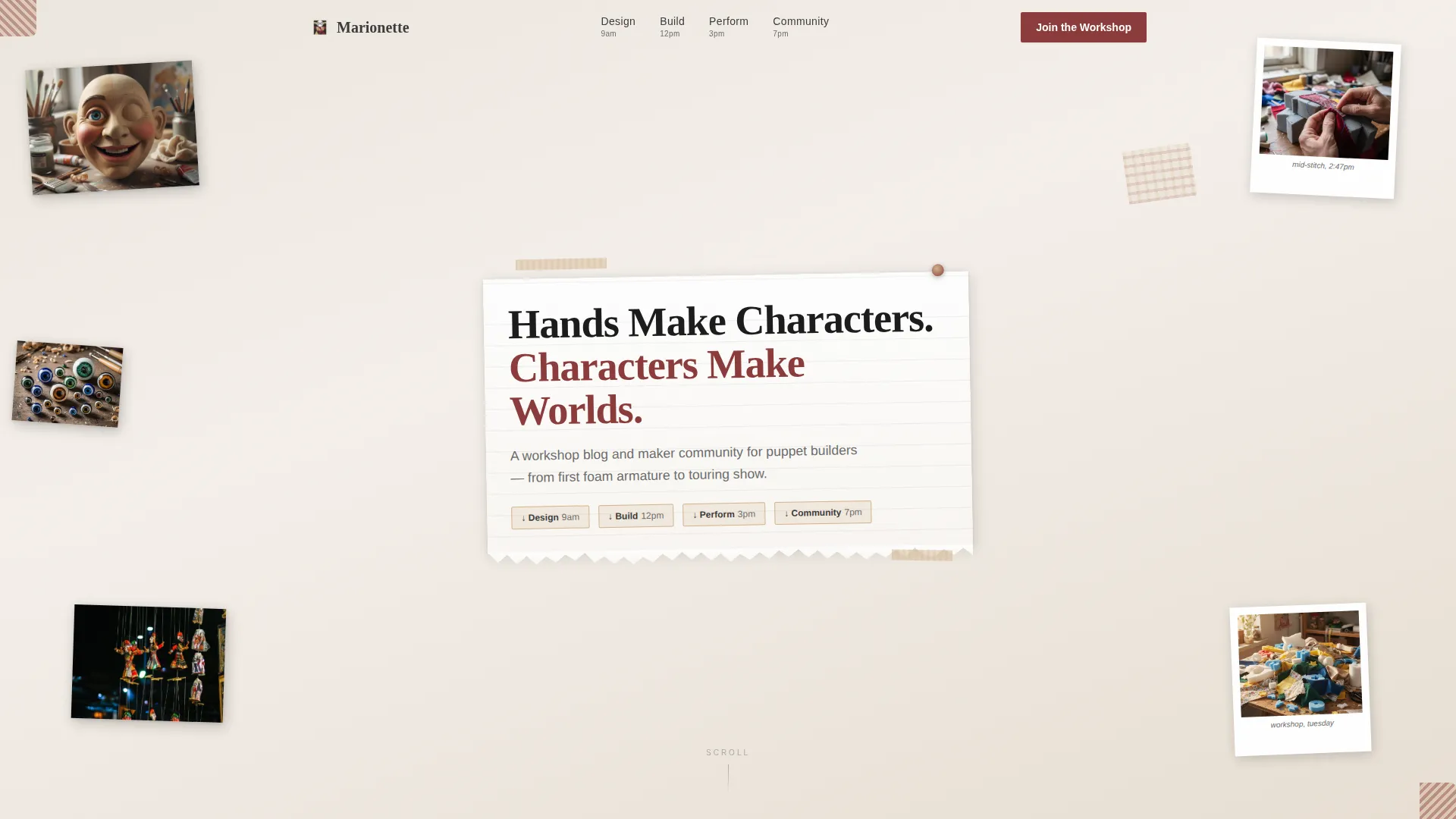
- A collage-style hero with overlapping puppet photographs, torn paper edges, and a hand-lettered headline treatment
- Four thematic anchor sections, Design, Build, Perform, and Community, each with embedded resource components
- A free signup form with display name, email, and experience-level dropdown, plus a photo upload prompt for build submissions
Feature list
This template is built around content delivery and community conversion. Every feature listed below is drawn directly from the template brief.
Collage Scrapbook Hero Header
The header layers overlapping photographs of puppets in progress, torn paper textures, a masking-tape title strip, and a Polaroid image of hands mid-stitch. The headline sits on a torn notebook page pinned at an angle. Nothing aligns to a grid, the composition feels discovered, not constructed.
Anchor Navigation with Section Highlights
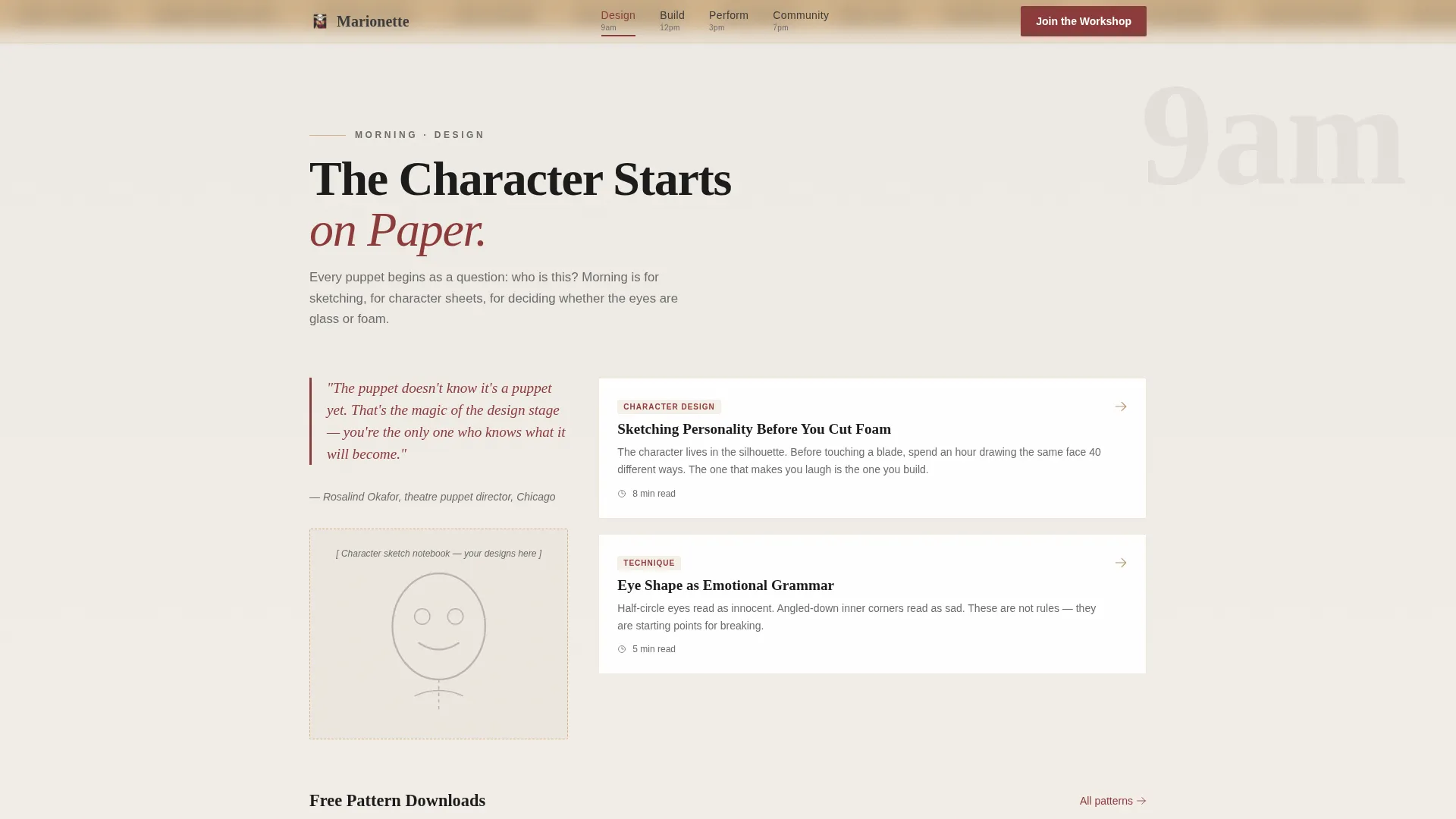
A sticky anchor nav connects the four spoke sections: Design, Build, Perform, and Community. Active section highlights use curtain burgundy to show visitors exactly where they are in the scroll. Hover states reinforce the interactive feel throughout.
Day-in-the-Life Scroll Journey
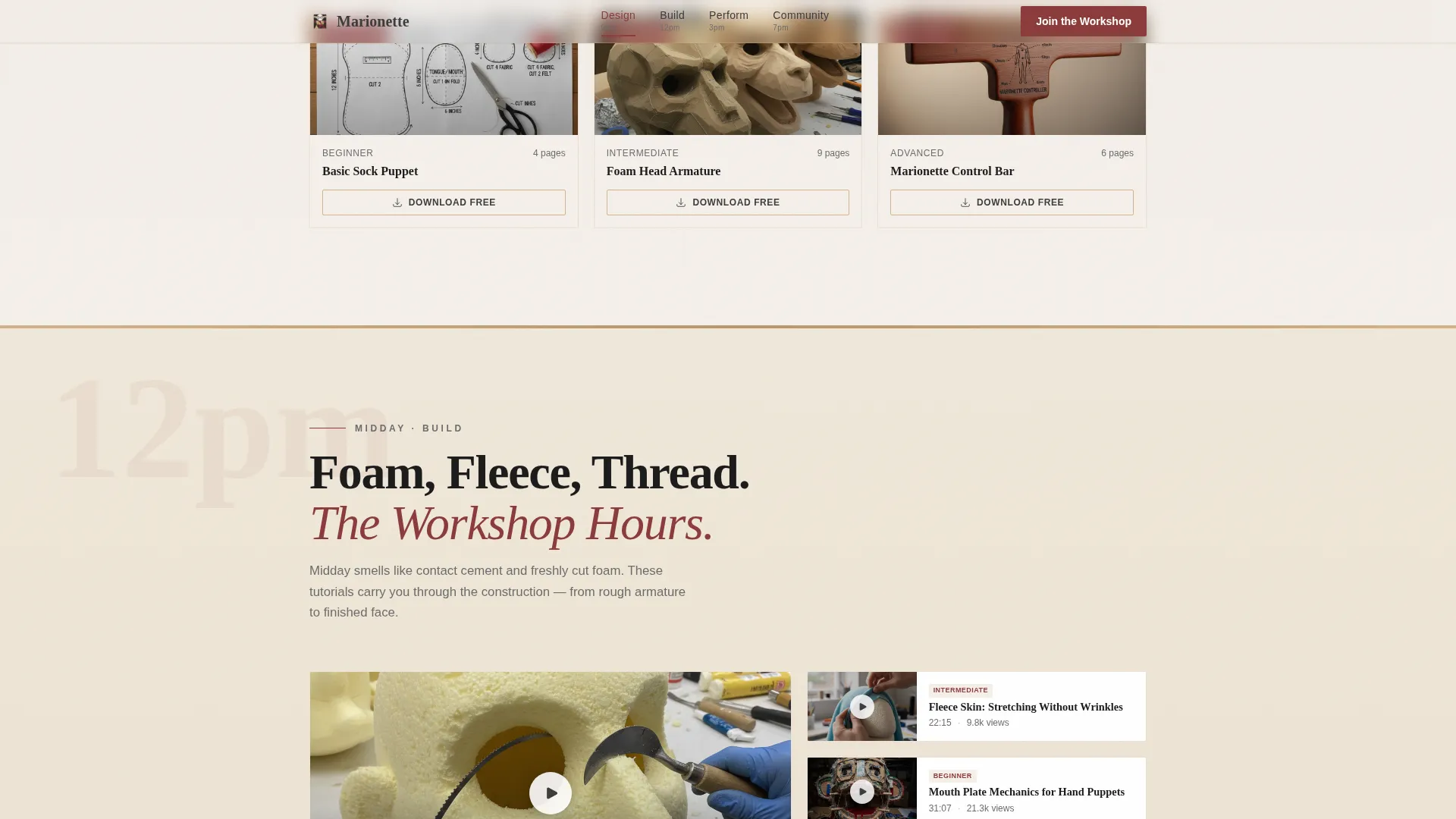
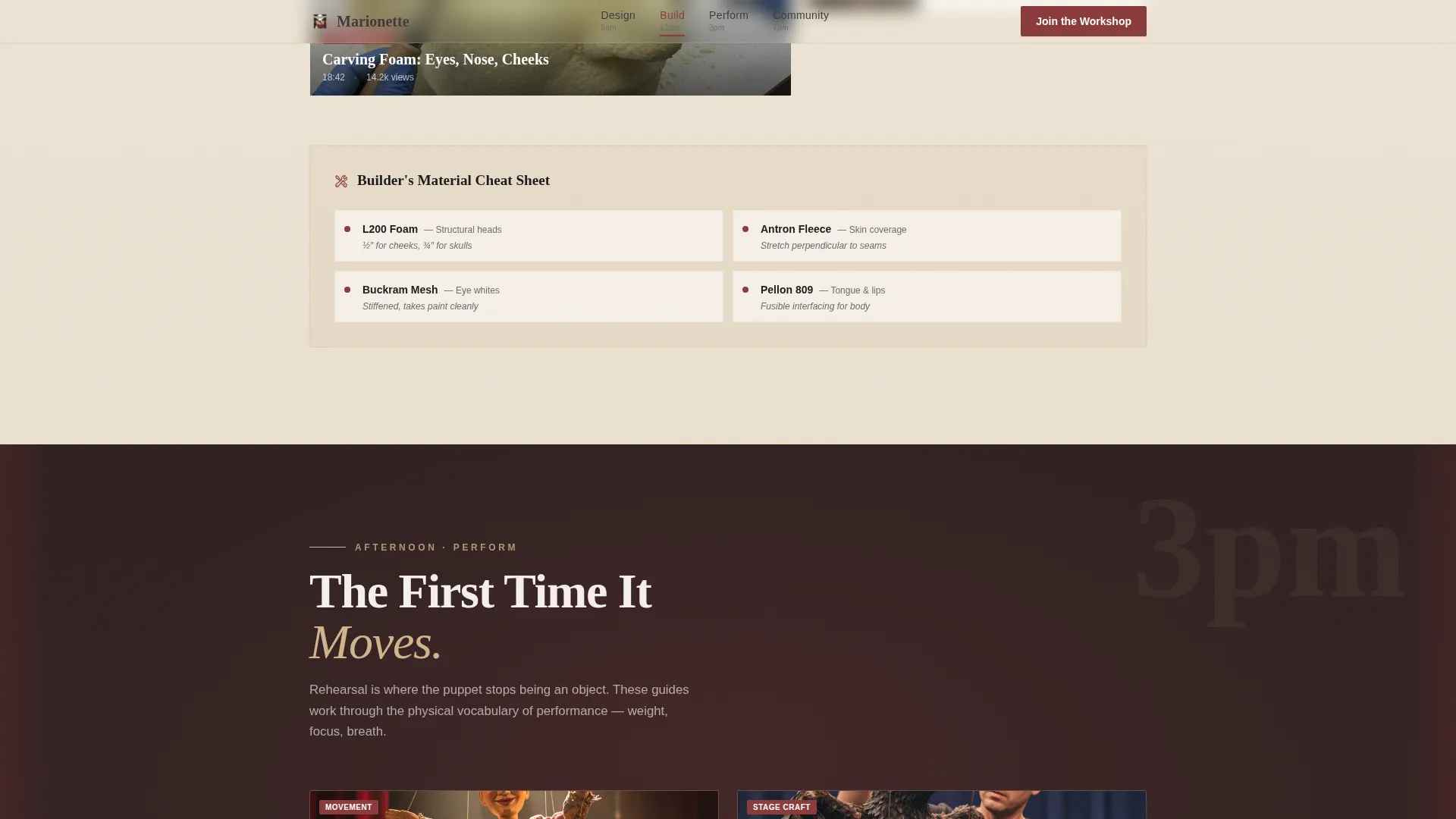
The page follows a single puppeteer's working day from morning to evening. Each section carries its own lighting tone, cooler graphite in the morning Design section, warm craft-paper gold through Build, stage-lit burgundy during Perform, and soft gesso white at the Community close. The scroll gives the page emotional pacing, not just structure.
Embedded Resource Components
Each anchor section includes inline resource elements: downloadable pattern PDFs in the Design section, video tutorial cards in the Build section, rehearsal guides in the Perform section, and a photo upload prompt in the Community section. Resources appear before any conversion ask.
Community Signup Form
The "Join the Workshop" form sits inside the Community section and requires only a display name, email address, and an experience-level dropdown with three options, curious beginner, active builder, and working puppeteer. Form validation is included.
Social Proof Block
The template includes a social proof area featuring a community member count, a submitted builds count, and a featured maker spotlight. These elements appear in the Community section to reinforce belonging before the form.
Page sections overview
| Section | Purpose |
|---|---|
| Hero Collage Header | Introduces the community with layered puppet imagery, a hand-lettered headline, and the anchor nav |
| Design Morning Sketching | Covers concept sketching and character design with downloadable pattern PDFs |
| Build Midday Workshop | Delivers foam, fabric, and stitch technique content via video tutorial cards |
| Perform Stage Rehearsal | Presents movement tutorials and rehearsal guides with burgundy-accent lighting treatment |
| Community Evening Table | Houses the "Submit Your Build" upload prompt, social proof, and "Join the Workshop" signup form |
| Footer Horizontal Flow | Provides minimal site links in a clean horizontal footer layout |
Design & branding system
The visual identity pairs an editorial magazine structure with the texture of a handmade zine. Typography uses Fraunces for headlines and DM Sans for body text, a literary, warm combination that reads like a well-loved publication rather than a polished product site.
- Color palette: gesso white (#F5F0EB) background, pencil-sketch graphite (#3B3B3B) body text, curtain burgundy (#8B3A3A) accents and pull quotes, craft-paper tan (#D2B48C) card backgrounds and section dividers
- Visual style: intentionally imperfect collage composition, torn paper edges, overlapping photographs, masking tape details, plaid fabric scraps, and unaligned layout elements
- Scroll-linked section transitions with staggered reveals and subtle parallax effects on collage elements
Mobile & speed optimization
The template is built desktop-first but gives strong mobile support for makers browsing tutorials from a phone propped against a paint jar on the workshop table.
- Server Components handle static sections to keep page loads lean; Client Components are reserved for the interactive anchor nav and signup form
- Scroll-linked animations and parallax are scoped to reduce performance impact on smaller devices
- Card hover states and form validation behave consistently across touch and pointer input
How this template helps you convert
The conversion strategy is built on generosity. Every section delivers real craft value before introducing a signup prompt, so visitors arrive at the form already feeling like community members.
- Downloadable patterns, tutorial cards, and rehearsal guides appear across the first three spoke sections, establishing trust and demonstrating the depth of what the community offers.
- Social proof elements, member count, build submissions, and featured maker spotlights, appear just before the form, reducing hesitation by showing an active and welcoming community.
- The "Join the Workshop" form asks for only three fields, keeping the barrier low for hobbyists and professionals alike.
Other information about this template
This template is a strong starting point for anyone building a craft-focused content hub. A few additional details worth knowing before you get started:
- The template uses the Cloud Canvas color system, which supports warm, texture-forward palettes designed to complement editorial and artisan-style content
- The Hub and Spoke anchor-nav layout pattern is well-suited to content communities where visitors have different entry points and skill levels
- The Day-in-the-Life creative direction was chosen to give the page emotional pacing that mirrors the actual experience of making something by hand
- The Collage/Scrapbook header concept is intentionally non-grid-aligned, which differentiates it visually from standard blog hero sections
- The footer follows a Vercel Horizontal Flow pattern, keeping the page close with minimal, clean navigation links
Theme
Editorial Magazine
Creative direction
Day-in-the-Life
Color system
Cloud Canvas
Style
Hub & Spoke (Anchor Nav)
Direction
Content/Resource
Page Sections
Collage Scrapbook Hero Header
Anchor Navigation with Section Highlights
Day-in-the-life Scroll Journey
Embedded Craft Resource Components
Community Signup Form
Social Proof Block
Related questions
Who is this landing page template designed for?
What sections are included in the template?
Can I customize the colors and typography?
Does the signup form include validation?
Is this template suitable for mobile users?



