Powerful Shopify | Free Website Template | Rocket
Migrate is a bold brutalist Shopify migration landing page template built for operations managers moving seven-figure stores off legacy platforms. It uses a bento grid layout, animated SVG circuit flowchart, and a quantified feature comparison matrix to turn every migration fear into a measured, solved problem, and convert that confidence into a qualified lead.
by Rocket studio
Quick summary
Migrate is a single-page Shopify migration guide template designed to convert hesitant store operators into committed migration leads. It pairs a dark, DevOps-style visual identity with a structured bento grid comparison engine, walking visitors through six migration dimensions with spreadsheet-grade specificity. Every section earns trust before the call to action fires.
Who this template is for
This template is built for technical service providers and migration consultants who need to convince data-driven operations managers to take action. The audience is skeptical, experienced, and detail-oriented, they respond to evidence, not adjectives.
- Operations managers running seven-figure stores on legacy platforms that crash under peak traffic
- Merchants carrying heavy monthly hosting and maintenance costs on aging infrastructure
- Migration agencies and Shopify partners who need a credible, conversion-focused pitch page
What problem this template solves
Legacy platform migrations stall because store owners fear downtime, data loss, and broken SEO. They need proof that someone has already solved every problem they can name. Generic landing pages cannot deliver that proof. This template is structured specifically to address each fear with a direct, quantified response.
- Vague migration promises leave operations managers unconvinced and stuck on their current platform
- No structured comparison makes it impossible for buyers to evaluate platforms side by side
- Friction-heavy lead capture drives away prospects who are interested but not yet ready to commit
What you get with this template
You get a complete, production-ready landing page template with a dark brutalist design system, animated header, and a full bento grid comparison layout. Every section is purpose-built for the migration service context.
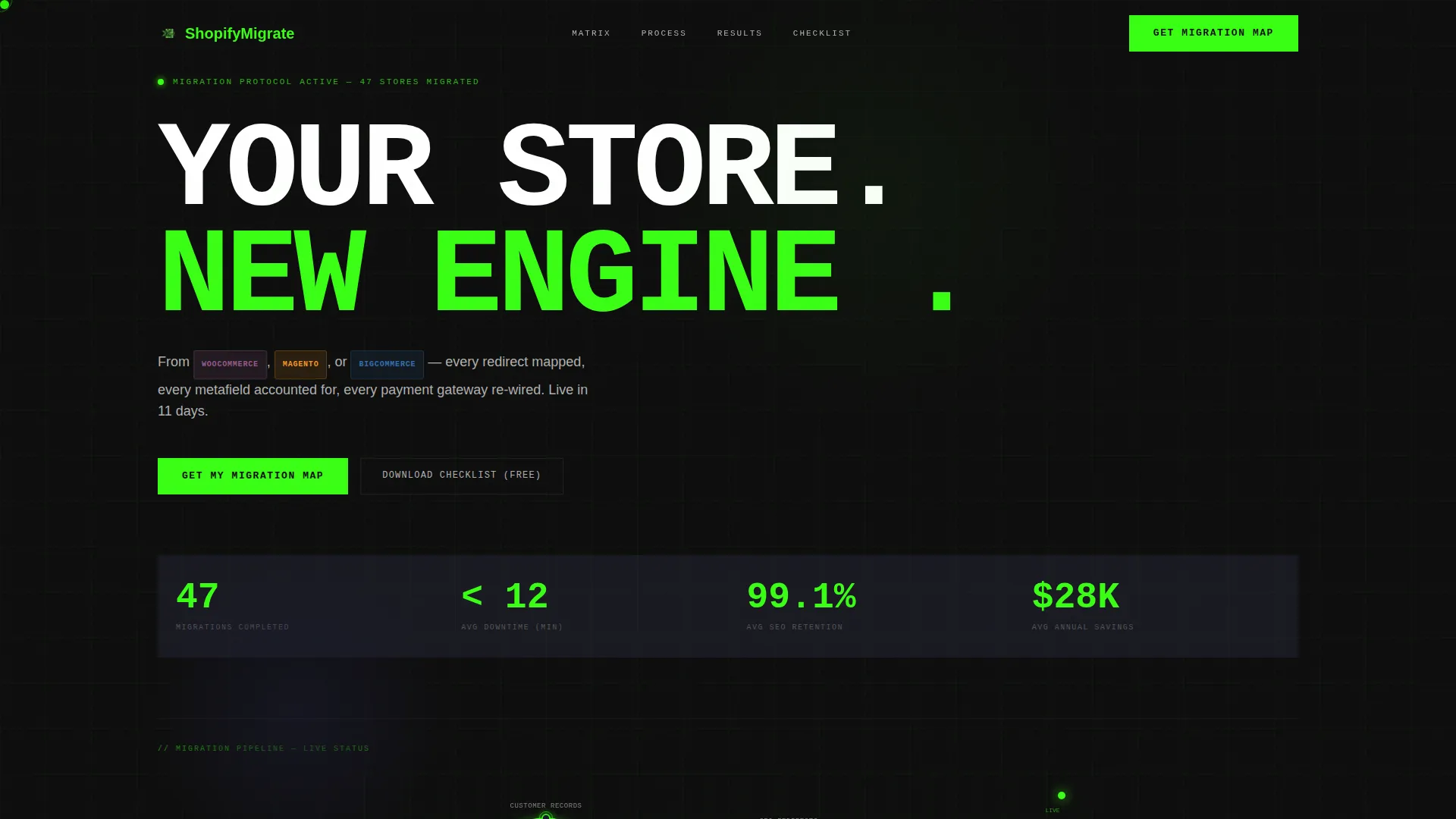
- A full-bleed animated header with an SVG circuit flowchart showing six migration stage nodes connected by directional arrows
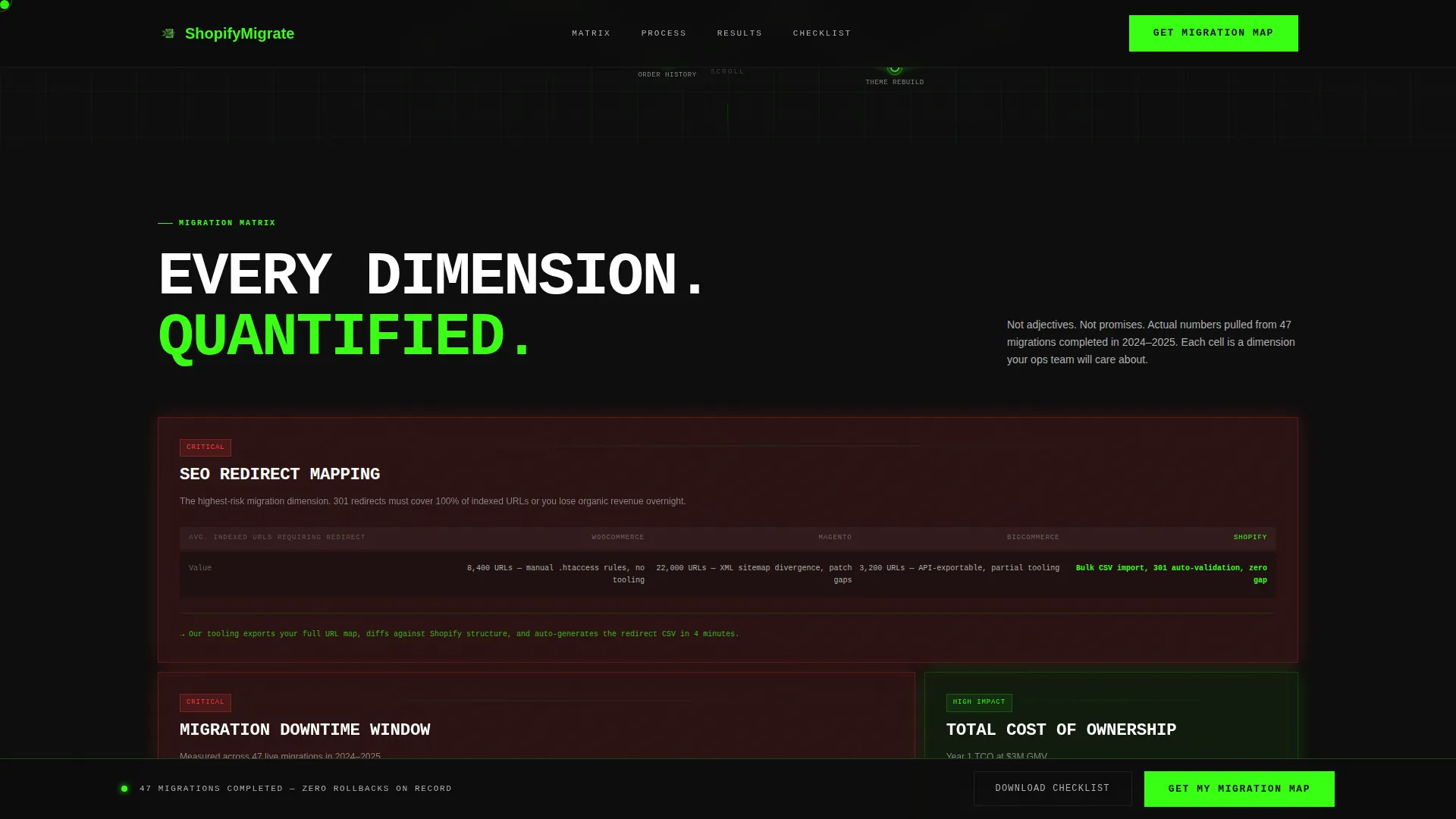
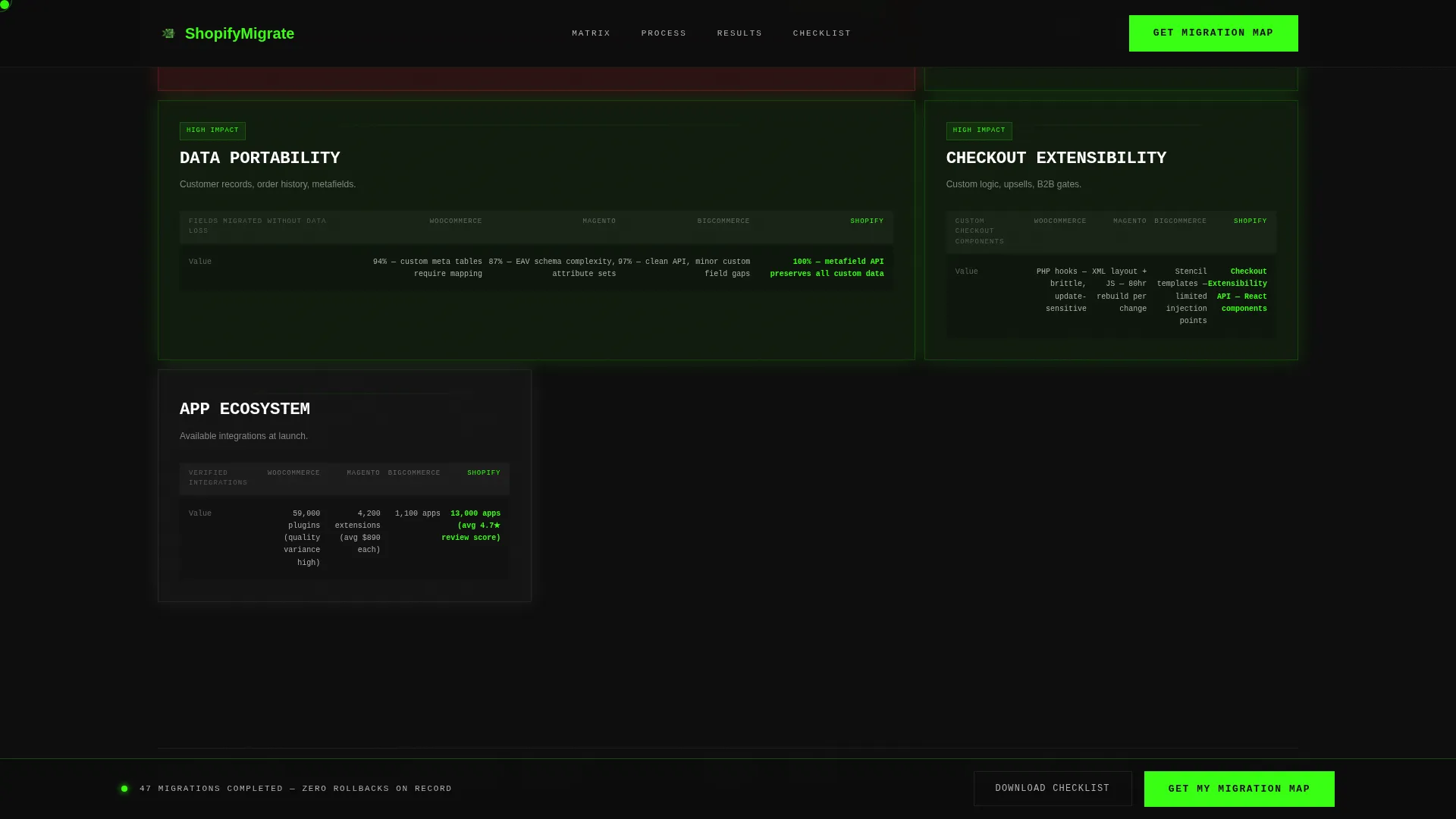
- A six-dimension bento comparison matrix with varied cell sizes, scroll-triggered animations, and platform-specific quantified claims
- A two-step lead capture modal form plus a secondary gated PDF checklist path for lower-friction lead generation
Feature list
This template ships with purpose-designed components that work together to build trust and generate leads. Each one is grounded in the migration service use case.
Animated SVG Circuit Flowchart Header
The header fills the full viewport with a deep carbon black canvas. A glowing circuit diagram pulses softly in terminal green, with nodes marking each migration stage: Product Data, Customer Records, Order History, SEO Redirects, Theme Rebuild, and DNS Cutover. Animated directional arrows connect each node, making the process feel live and systematic.
Bento Grid Comparison Matrix
Six migration dimensions are laid out in a varied bento grid. Each cell pits legacy platform performance against the Shopify outcome using specific, quantified claims. Cell sizes vary by priority, double-wide for high-pain dimensions like SEO redirect mapping, single-square for quick-win comparisons. The grid loads row by row with a scroll-triggered upward shift and green glow edge, simulating a system booting up.
Two-Step Lead Capture Modal
The primary call to action, "Get My Migration Map," opens a two-step modal form. Step one captures the platform the visitor is leaving and their monthly order volume. Step two collects their store URL and email address. This staged approach reduces drop-off by making the first step feel low-commitment.
Gated Checklist Secondary Path
Visitors not ready to commit can access a "Download the Migration Checklist" option. This secondary path captures the lead at lower friction, keeping hesitant prospects inside the funnel without requiring them to engage the full migration form.
Sticky Call-to-Action Bar
The primary call to action is anchored in a sticky bottom bar that persists throughout the full scroll experience. It is also repeated after the final bento row, ensuring the conversion prompt is always within reach without interrupting the reading flow.
Scroll-Triggered Bento Animations
Each row of the bento grid activates independently as the visitor scrolls. Cells shift upward and the terminal green glow edges in from the border, creating a module-by-module boot sequence effect. This animation logic uses Intersection Observer and CSS transforms.
Page sections overview
| Section | Purpose |
|---|---|
| Hero Header | Introduce migration stages via animated SVG flowchart and headline |
| Bento Matrix | Compare six migration dimensions across legacy platforms with quantified data |
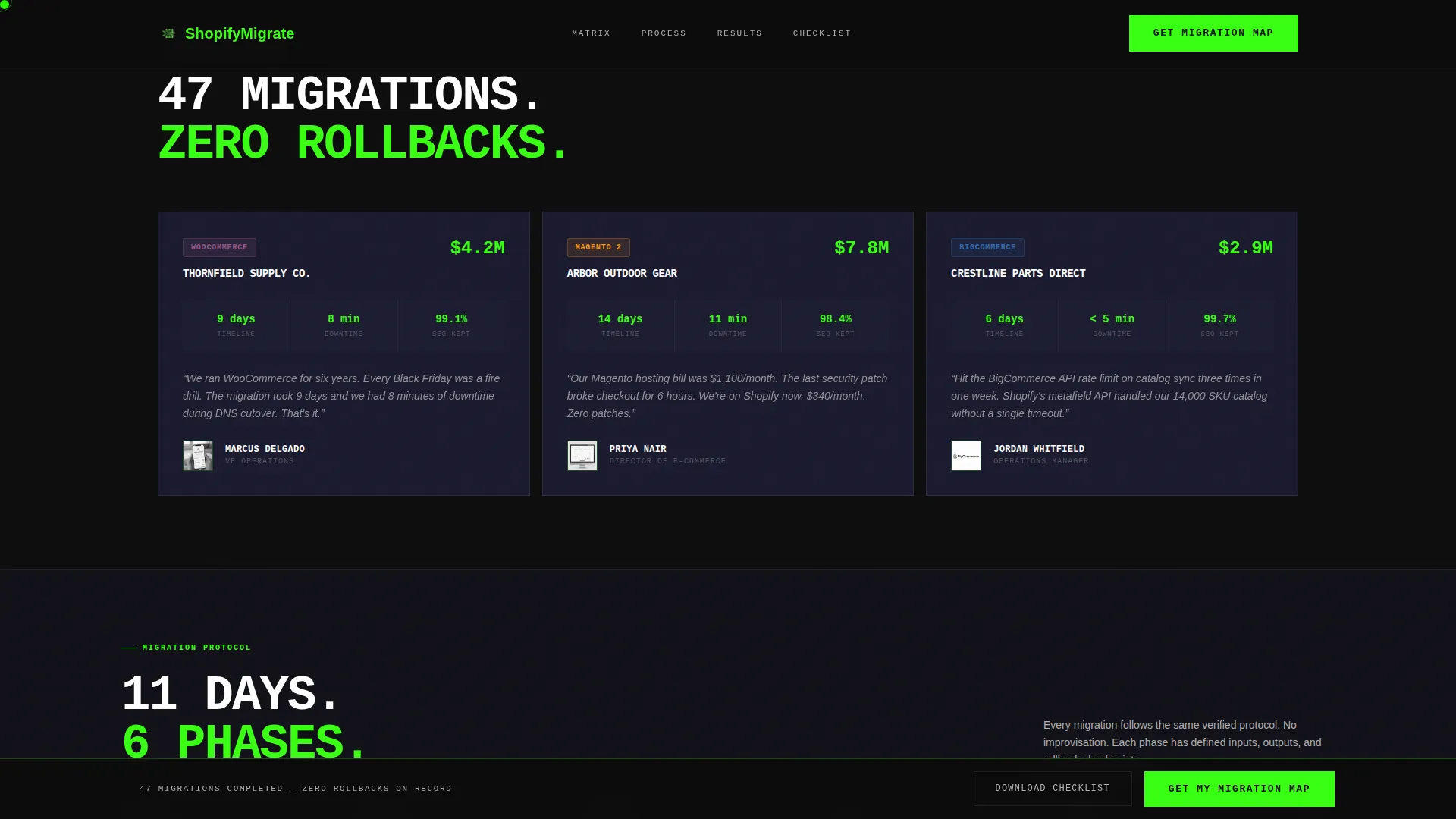
| Social Proof | Display client migration outcomes with specific numbers and timelines |
| Process Track | Show the horizontal migration phase sequence in a visual tracker |
| Call to Action | Capture leads via two-step form and secondary checklist download |
| Footer | Provide single-row linear navigation and contact links |
Design & branding system
The visual language is bold brutalist, every element is load-bearing, nothing is decorative. The palette is drawn from a carbon fiber system that feels like a live DevOps dashboard at 2 AM.
- Background uses deep carbon black (#0D0D0D); card surfaces within bento cells use machined graphite (#1A1A2E); terminal green (#39FF14) activates on hover states, call-to-action elements, and progress indicators
- Body copy and platform labels use cool aluminum (#B0B0B0) for legibility against dark surfaces
- JetBrains Mono handles all headlines and data labels; DM Sans handles body copy for clean contrast between data density and readable prose
Mobile & speed optimization
This template is designed desktop-first, reflecting the workstation-based behavior of its primary audience. The data-heavy bento grid requires a wide viewport to display its full comparative value.
- Bento animations use Intersection Observer and CSS transforms only, keeping the scroll-trigger logic lightweight and smooth
- The SVG circuit flowchart is vector-based, ensuring the header graphic stays sharp and lightweight at any screen resolution
- Sticky call-to-action bar and modal form are built for fast interaction without page reloads
How this template helps you convert
The page is structured as a comparison engine, not a brochure. Every design and content decision moves a skeptical operations manager closer to submitting the lead form.
- The quantified bento matrix removes objections before they form by presenting migration fears as already-solved, measured problems with specific downtime and cost figures.
- The two-path conversion system captures both ready buyers via the migration map form and early-stage researchers via the gated checklist, widening the lead funnel without weakening the primary call to action.
Other information about this template
This template is part of the Documentation and Support category, specifically within the Shopify Documentation subcategory. It is purpose-matched for the Shopify migration guide niche and scored a high intersection match across category, subcategory, and niche alignment.
- The template style is a bento grid layout, making it well-suited for comparison-heavy and data-rich migration service presentations
- The creative direction follows a Feature Matrix approach, with the header built around a Dark Full-Bleed and Glow concept, and the conversion flow structured as a Comparison/Versus landing page
- This template is compatible with migration service providers working with WooCommerce, Magento, and BigCommerce store owners looking to move to Shopify
Theme
Bold Brutalist
Creative direction
Feature Matrix
Color system
Carbon Fiber
Style
Bento Grid
Direction
Comparison/Versus
Page Sections
Animated SVG Circuit Flowchart
Six-dimension Bento Comparison Grid
Two-step Lead Capture Modal
Gated Migration Checklist Download
Sticky Call-to-action Bar
Scroll-triggered Boot Sequence Animation
Related questions
What kind of business is this template designed for?
Can I customize the bento grid cells and their content?
Does the two-step form connect to an email or CRM platform?
Is this template suitable for mobile devices?
What animations does this template include?



