Music Production & Mixing Landing Page Template
Mixdown is a music production landing page template built for YouTube educators and mixing coaches. It uses an asymmetric 60/40 grid, a Japanese Zen color system, and a manifesto-driven scroll flow to turn curious visitors into email subscribers. Philosophy sections, discipline-based tutorial browsing, and a single-field email gate work together to build trust and drive sign-ups.
by Rocket studio
Quick summary
Mixdown is a single-page template designed for music production and mixing YouTube channels. It pairs a belief-led content structure with a clean email capture flow. The asymmetric 60/40 grid separates philosophy from resources. Each scroll section deepens the teaching, moving visitors from inspiration to action without pressure.
Who this template is for
This template is built for creators who teach music production and want their page to reflect the depth of their craft. It works best when your content already earns trust and you want a home that matches that quality.
- Bedroom producers and mixing educators running a YouTube channel
- Indie artists and intermediate engineers sharing tutorials or resources
- Music coaches who want to grow an email list around a free mixing framework
What problem this template solves
Most content creator pages feel like dashboards. They list videos, display subscriber counts, and push people to click subscribe. That approach works for entertainment channels. It fails for education-first creators whose audience needs to feel the teaching voice before they commit.
- Visitors arrive without context and leave before they understand the value
- Email capture forms feel generic and disconnected from the channel's identity
- Tutorial content gets buried instead of organized by skill and discipline
What you get with this template
You get a fully structured landing page that moves visitors through philosophy, technique, and practice in a single deliberate scroll. The layout trusts your content to do the converting, with ungated browsing available alongside a focused email gate.
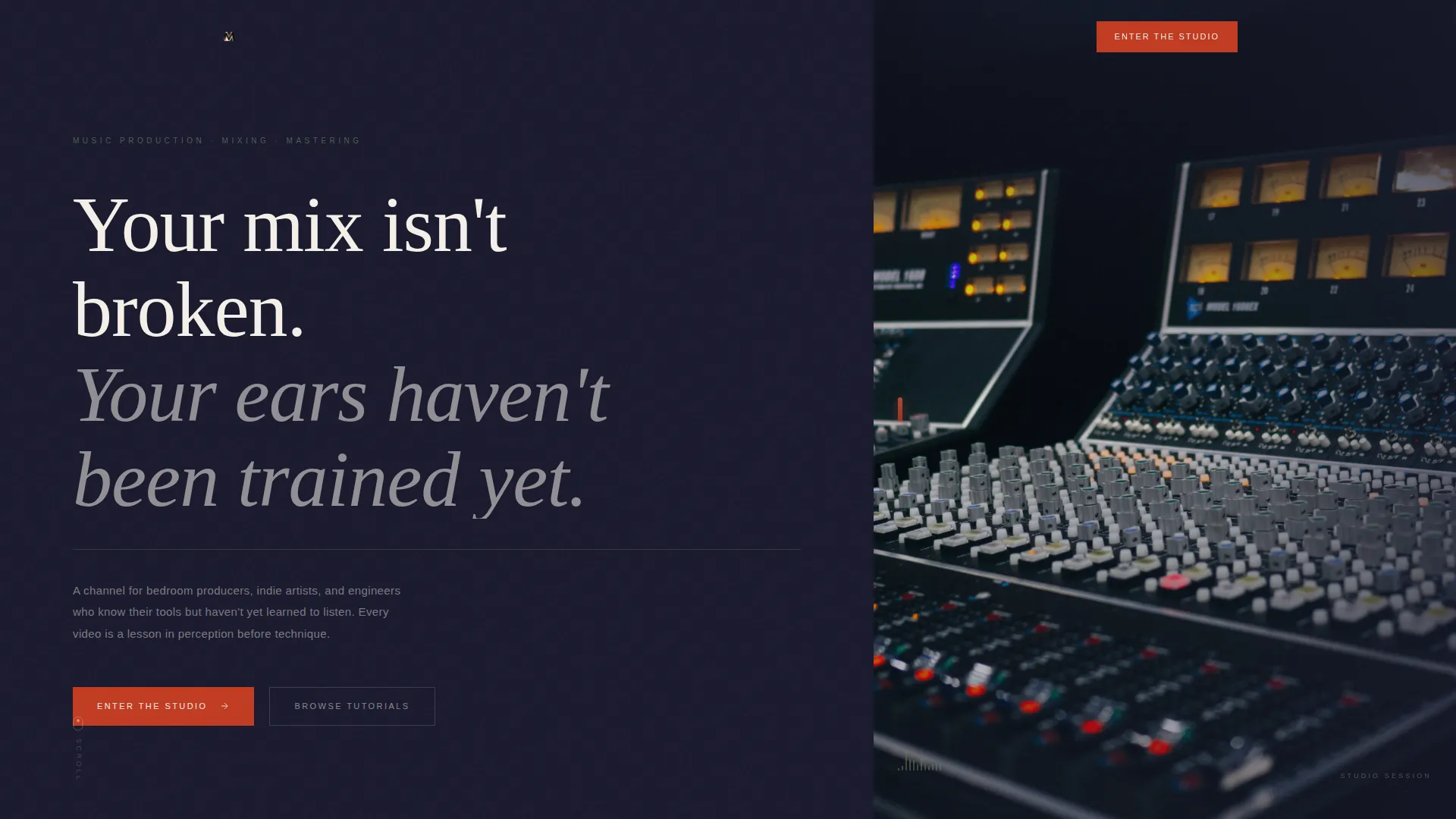
- A hero section with an oversized manifesto quote and a studio photograph sliver in a 60/40 asymmetric grid
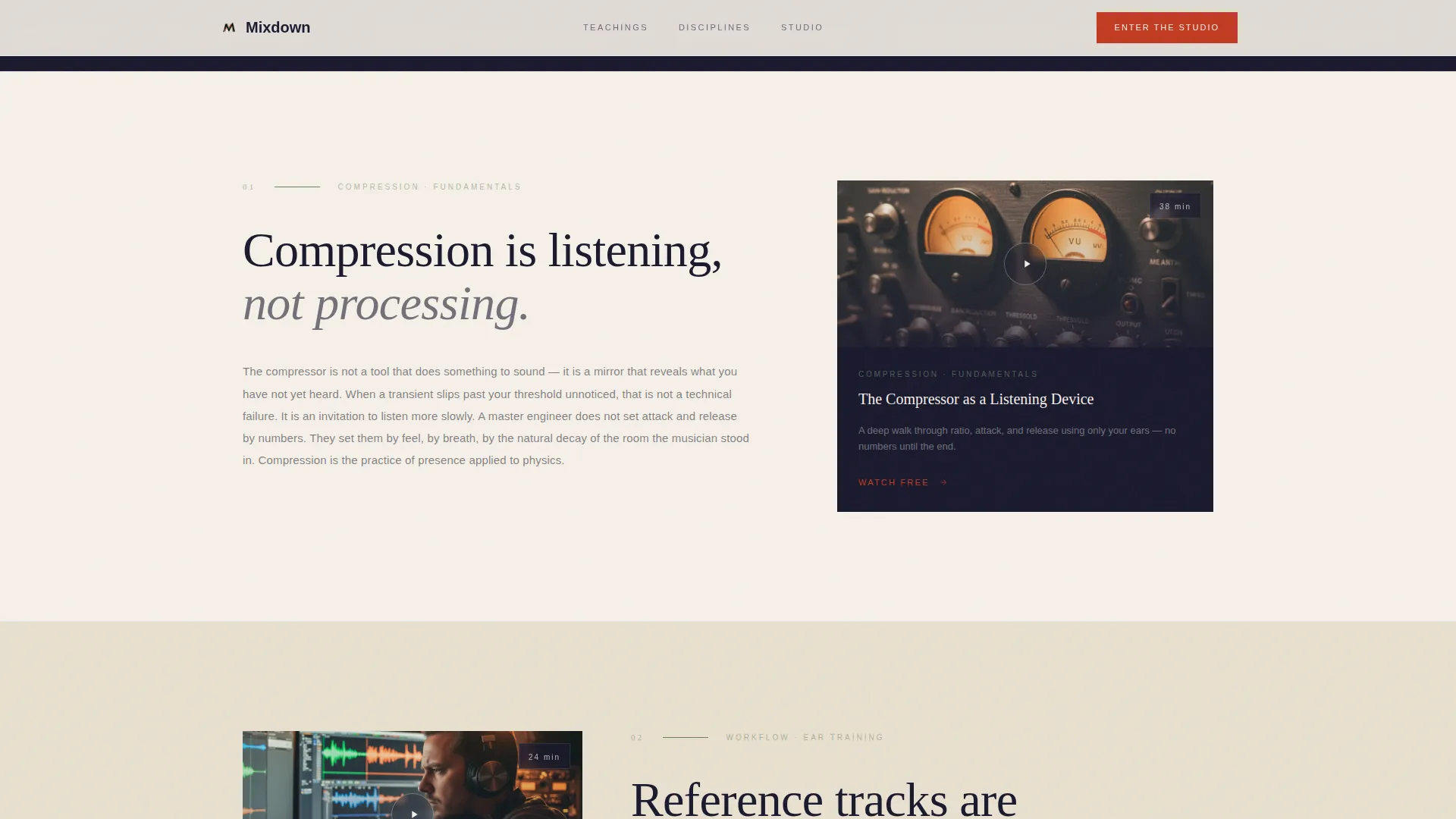
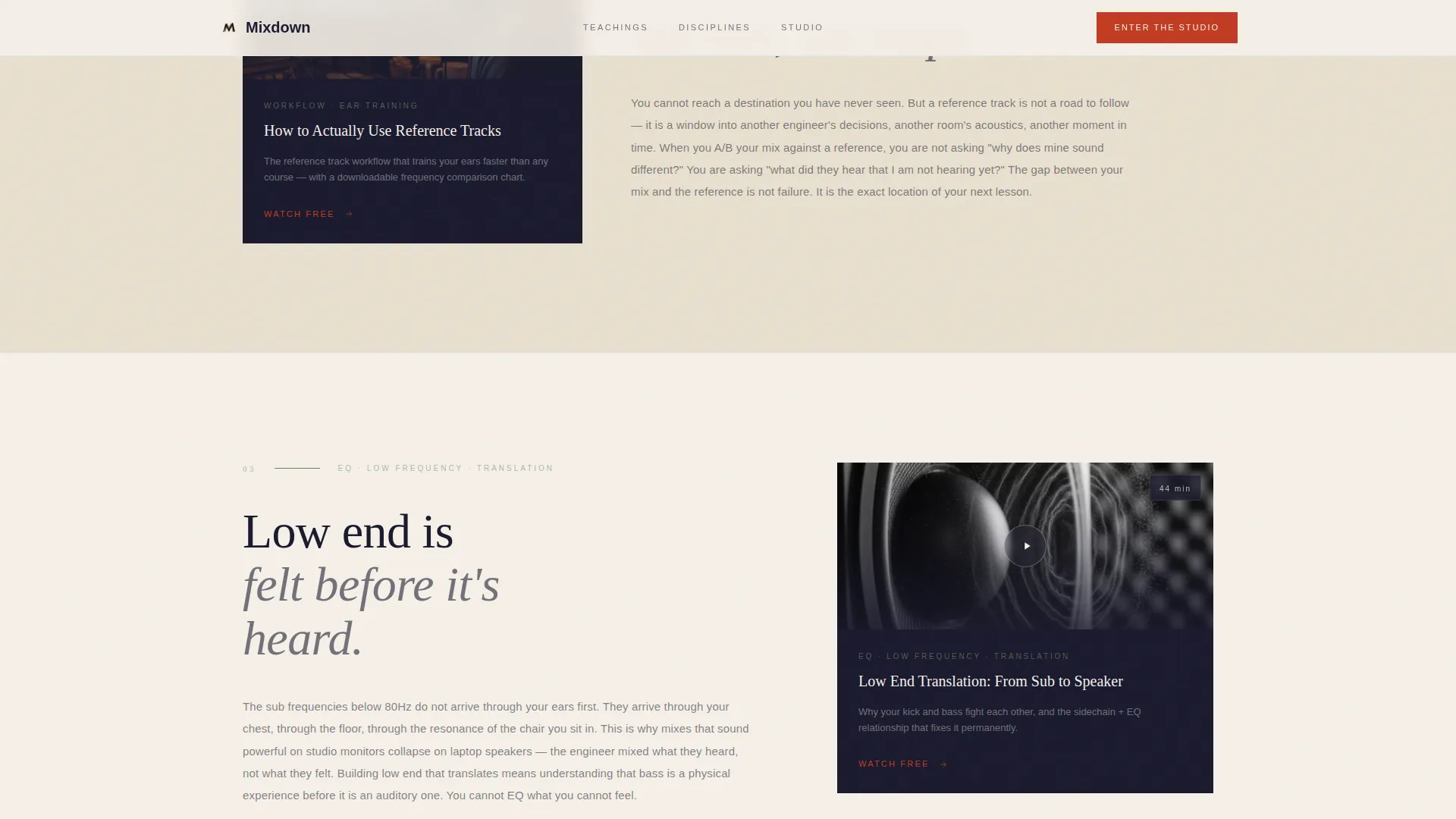
- Three belief sections pairing philosophical passages with corresponding resource thumbnails or embeds
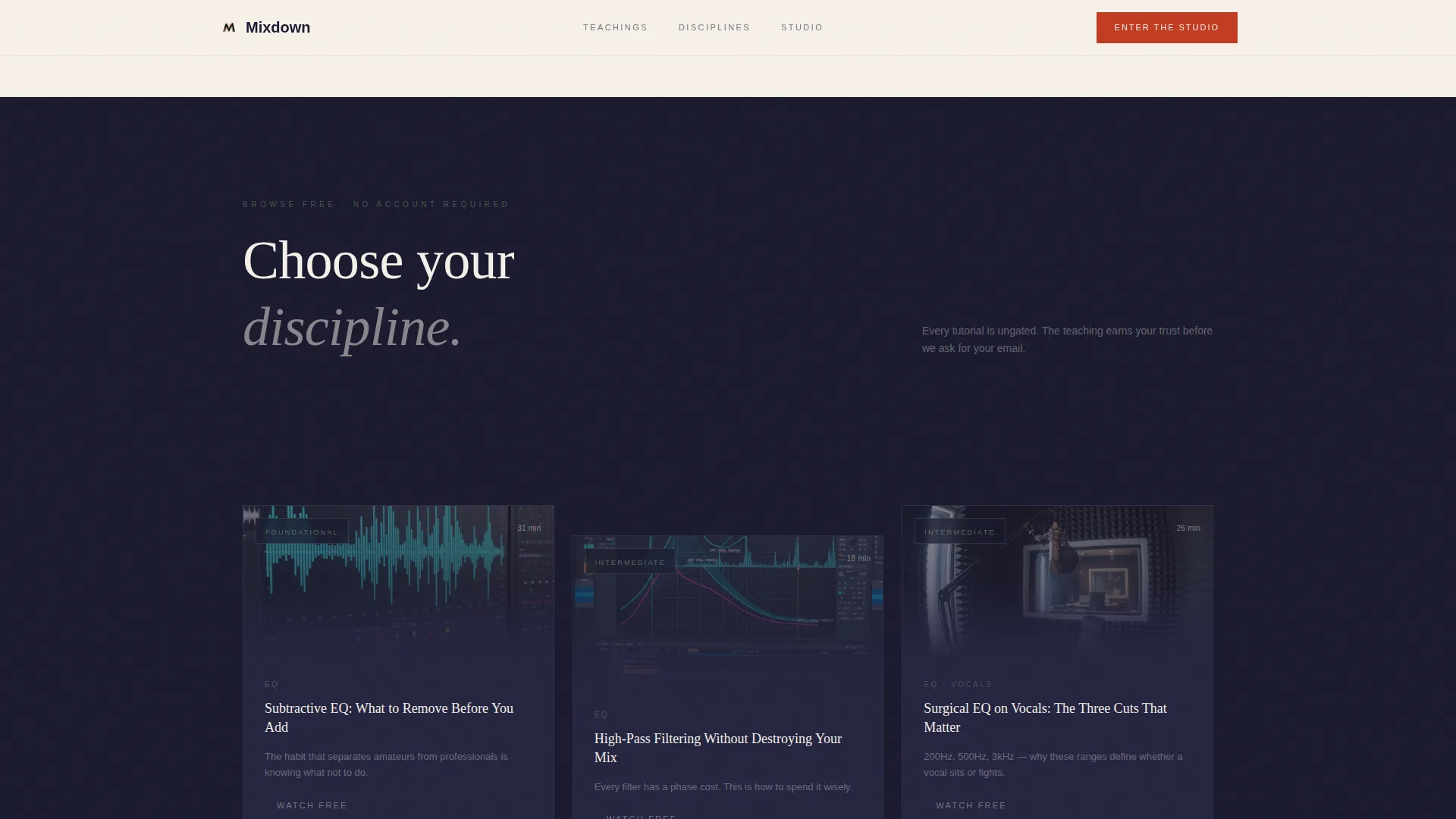
- A discipline browser organizing tutorials by EQ, compression, spatial mixing, and vocal treatment
- A single-field "Enter the Studio" email gate with a free mixing framework PDF offer
- A testimonials section with three sparse community quotes
- A footer using a horizontal flow layout
Feature list
Asymmetric 60/40 Grid Layout
The page uses a deliberate 60/40 column split throughout. The wider column carries philosophy and teaching copy. The narrower column holds studio photography, resource thumbnails, and embedded tutorial previews. The contrast creates visual rhythm without crowding.
Manifesto Hero Section
The header opens with a single oversized serif quote set against sumi ink. No subscriber count, no play button. A vertical studio photograph occupies the 40-column, lit only by analog gear glow. The silence before the scroll is intentional.
Belief-to-Resource Scroll Flow
Three scroll sections each carry a philosophical belief in the 60-column and a matching resource in the 40-column. The scroll deepens from concept to technique to practice. Resources include embedded tutorials, a downloadable frequency chart, and preset pack thumbnails.
Discipline-Based Tutorial Browser
Visitors can browse tutorials without entering an email. Content is organized by four disciplines: EQ, compression, spatial mixing, and vocal treatment. This ungated path lets skeptical visitors hear the teaching voice before deciding to subscribe.
Single-Field Email Gate
The "Enter the Studio" call-to-action section uses one email field, no name required. A single line beneath it reads: "One email. The full signal chain." Submitting unlocks a free mixing framework PDF and a curated playlist of foundational tutorials.
GSAP ScrollTrigger Animations
The template includes high-intensity scroll-driven animation. Text unmasking, parallax depth layers, hover reveals on resource cards, a magnetic call-to-action button, and a custom cursor dot are all built into the interaction layer.
Page sections overview
| Section | Purpose |
|---|---|
| Hero manifesto header | Opens with a quote and studio photograph to establish tone |
| Belief one passage | Pairs a philosophy on compression with a tutorial resource |
| Belief two passage | Pairs a philosophy on reference tracks with a frequency chart |
| Belief three passage | Pairs a philosophy on low end with a preset pack thumbnail |
| Discipline tutorial browser | Lets visitors browse ungated content by mixing discipline |
| Email gate call-to-action | Captures email in exchange for a mixing PDF and playlist |
| Community testimonials | Displays three sparse quotes from community members |
| Footer horizontal flow | Closes the page with a clean horizontal navigation pattern |
Design & branding system
The visual identity follows a Japanese Zen Atelier approach. Vast negative space is the default state. Color appears in single, deliberate strokes. Typography pairs a serif display face with a clean body font to balance warmth and clarity.
- Four-color palette: sumi ink (#1A1A2E), washi paper cream (#F5F0E8), moss stone (#6B7F5E), and torii vermillion (#C23B22) reserved for calls-to-action and active states
- Fraunces as the serif display typeface for headlines and manifesto text; DM Sans as the body typeface for reading comfort
- Moss tone used exclusively for secondary information such as timestamps, tags, and supporting labels
Mobile & speed optimization
The template is designed desktop-first to match how producers actually work, with full mobile support built in. GSAP animations are client-side components, while static content uses server-side rendering to keep initial load lean.
- Desktop-first layout with responsive reflow for tablet and mobile viewports
- Server Components handle static sections; Client Components handle animation and interactivity
- Scroll-driven animations and parallax layers are scoped to client rendering to avoid blocking static delivery
How this template helps you convert
The page earns conversion by building trust before asking for anything. Visitors move through philosophy, browse content freely, and arrive at the email gate already sold on the teaching approach.
- The ungated discipline browser removes friction for skeptical visitors, letting the tutorial content prove value before the email ask appears
- The single-field email gate with a clear, specific offer reduces hesitation and focuses attention on one decision
Other information about this template
This template sits in the Blog and Editorial category, specifically built for the Music Production and Mixing Content subcategory. It is a strong fit for YouTube educators who want a content and resource hub that doubles as a lead generation page.
- Template style: Asymmetric Grid (60/40) with a manifesto creative direction
- Header concept: Quote and manifesto display, no metrics or social proof in the hero
- Color system: Japanese Zen, designed around vast negative space and deliberate accent use
- Page direction: Content and resource hub with email gate conversion path
- Intersection match score: 13, indicating a strong alignment between niche, subcategory, and template design intent
- This template can support a YouTube channel for music production and mixing education as a standalone web presence or as a channel homepage alternative
Theme
Atelier Studio
Creative direction
Manifesto
Color system
Japanese Zen
Style
Asymmetric Grid (60/40)
Direction
Content/Resource
Page Sections
Asymmetric 60/40 Grid Layout
Manifesto Hero Section
Belief-to-resource Scroll Flow
Discipline-based Tutorial Browser
Single-field Email Gate
GSAP Scrolltrigger Animations
Related questions
Does this template require visitors to sign up before browsing tutorials?
What does the email gate offer subscribers?
Is this template suitable for a creator who is just starting out?
Can the belief sections be updated with different teaching content?
What animation and interaction features are included in this template?



