Premium Hobby & Passion Content Professional Website Template
Press is a masonry-style landing page template built for screen printing hobbyists and community builders. It pairs a bold typographic hero with a Pinterest-style survey data grid, an inline five-question skill quiz, and a community voices section. The Atelier Studio design feels like an industry report written by people with ink under their fingernails.
by Rocket studio
Quick summary
Press is a single-page community landing page for screen printing hobbyists. It opens with an enormous condensed headline, flows into a staggered masonry grid of survey findings, and drives conversion through an inline quiz that sorts visitors into skill tiers. The warm Ink and Paper color system keeps the whole page feeling like a freshly pulled print on natural fiber stock.
Who this template is for
This template suits anyone building a content hub or community resource around the screen printing hobby. It is designed for creators who want to share real data, earn reader trust, and grow an audience of hands-on makers.
- Hobbyist screen printers running a blog or community site for fellow home-studio makers
- Content creators producing survey-driven editorial content for the craft and maker niche
- Community builders who want a quiz-based conversion flow to segment and welcome new members
What problem this template solves
Most hobby blog templates look like generic news sites. They have no personality, no data storytelling, and no mechanism for helping visitors figure out where they belong. Screen printing hobbyists especially want to feel seen before they sign up for anything.
- Generic blog layouts fail to communicate craft credibility or community depth
- First-time visitors have no easy way to self-identify their skill level or find relevant content
- There is no conversion moment that feels native to the editorial experience, so readers leave without engaging
What you get with this template
You get a complete, section-led landing page built around community survey data and a skill-sorting quiz. Every section is intentional, from the typographic hero down to the full-width call-to-action block at the bottom.
- A hero section with a giant condensed headline and a teal data subline that anchors the page in community proof
- A Pinterest-style staggered masonry grid displaying survey findings as discrete insight cards
- An inline five-question quiz with three result tiers and a post-result email capture for the printshop roadmap
Feature list
This template is built on a specific combination of layout patterns, interactive components, and editorial design choices. Each feature below is directly drawn from the source brief.
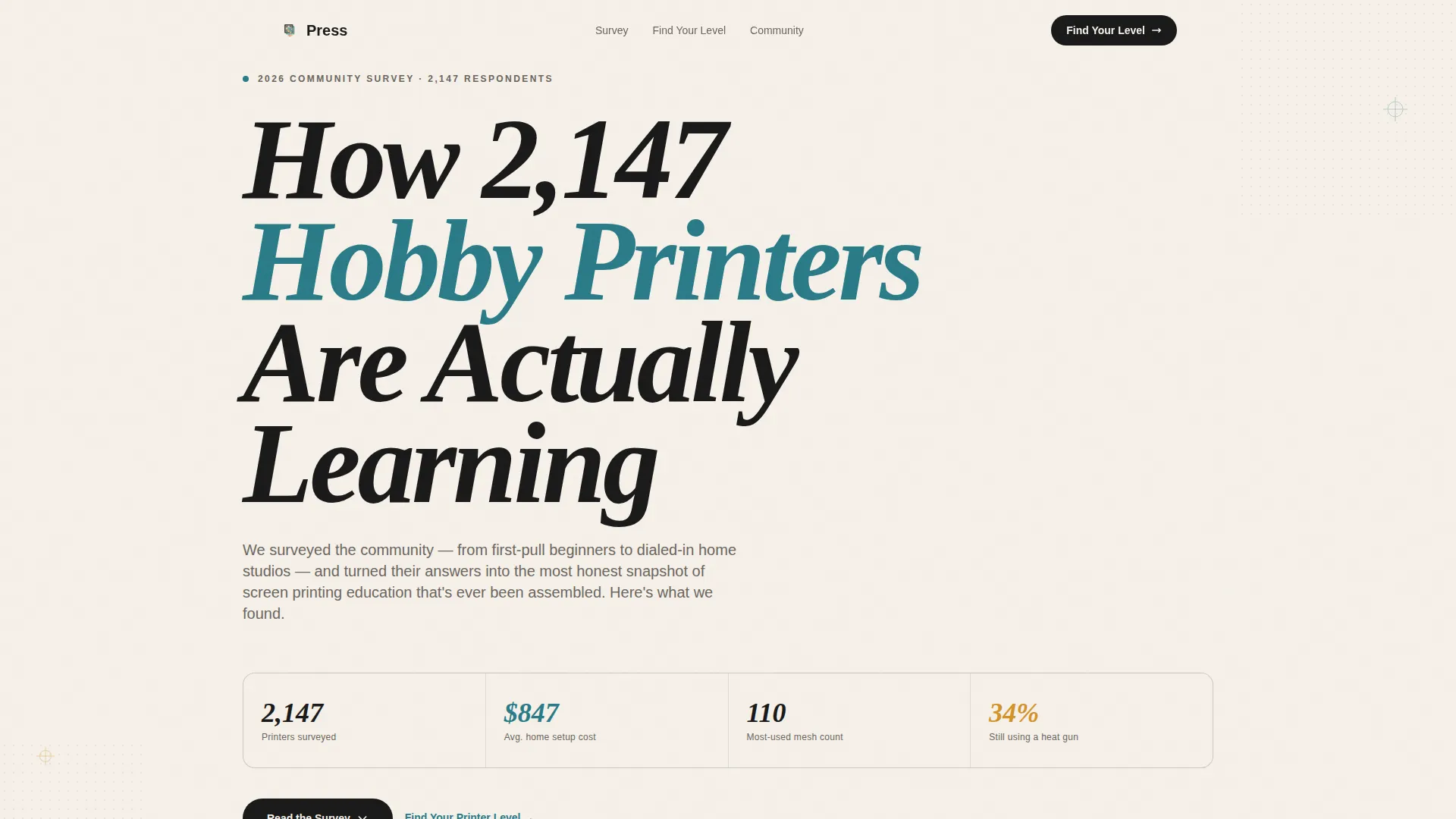
Giant Condensed Typographic Hero
The hero uses enormous condensed type set in registration-black on a cream background. It reads like a screen-printed statement on the viewport itself. A smaller teal subline anchors the headline in community survey data.
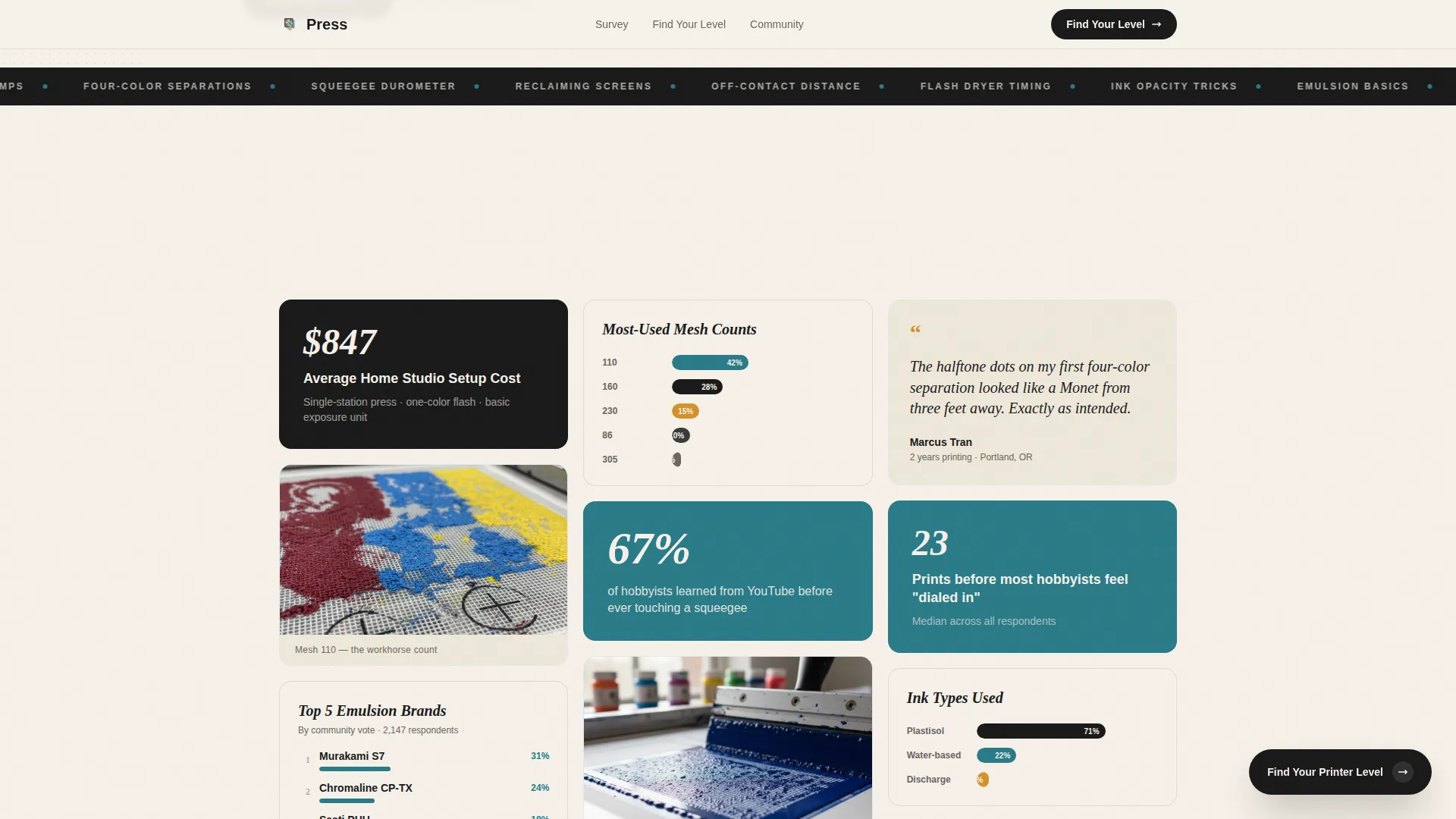
Staggered Masonry Survey Grid
Survey findings are displayed as Pinterest-style staggered cards. Each card is a discrete insight tile covering topics such as average home studio setup cost, most-used mesh counts, top emulsion brands by community vote, and common first-print failures ranked by frequency.
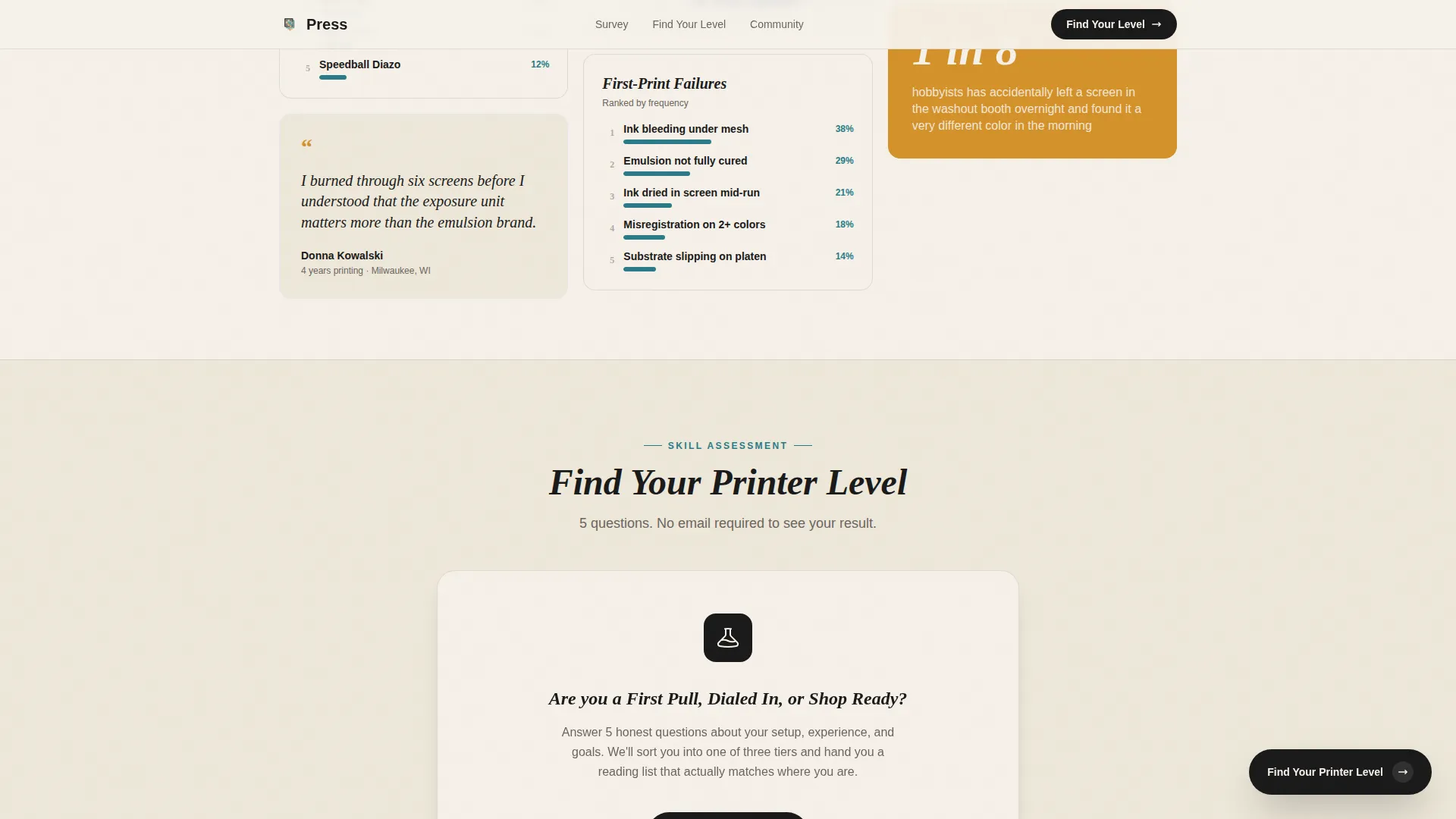
Inline Five-Question Skill Quiz
The "Find Your Printer Level" quiz opens directly on the page without redirecting visitors. Five questions cover equipment owned, prints completed, biggest frustration, preferred ink type, and learning goal. Results sort visitors into one of three tiers: First Pull, Dialed In, or Shop Ready.
Tiered Results with Personalized Reading List
Each quiz result tier delivers a personalized reading list pulled from the blog and a community channel invite. No email is required before seeing results. The email capture appears after results, framed around the printshop roadmap.
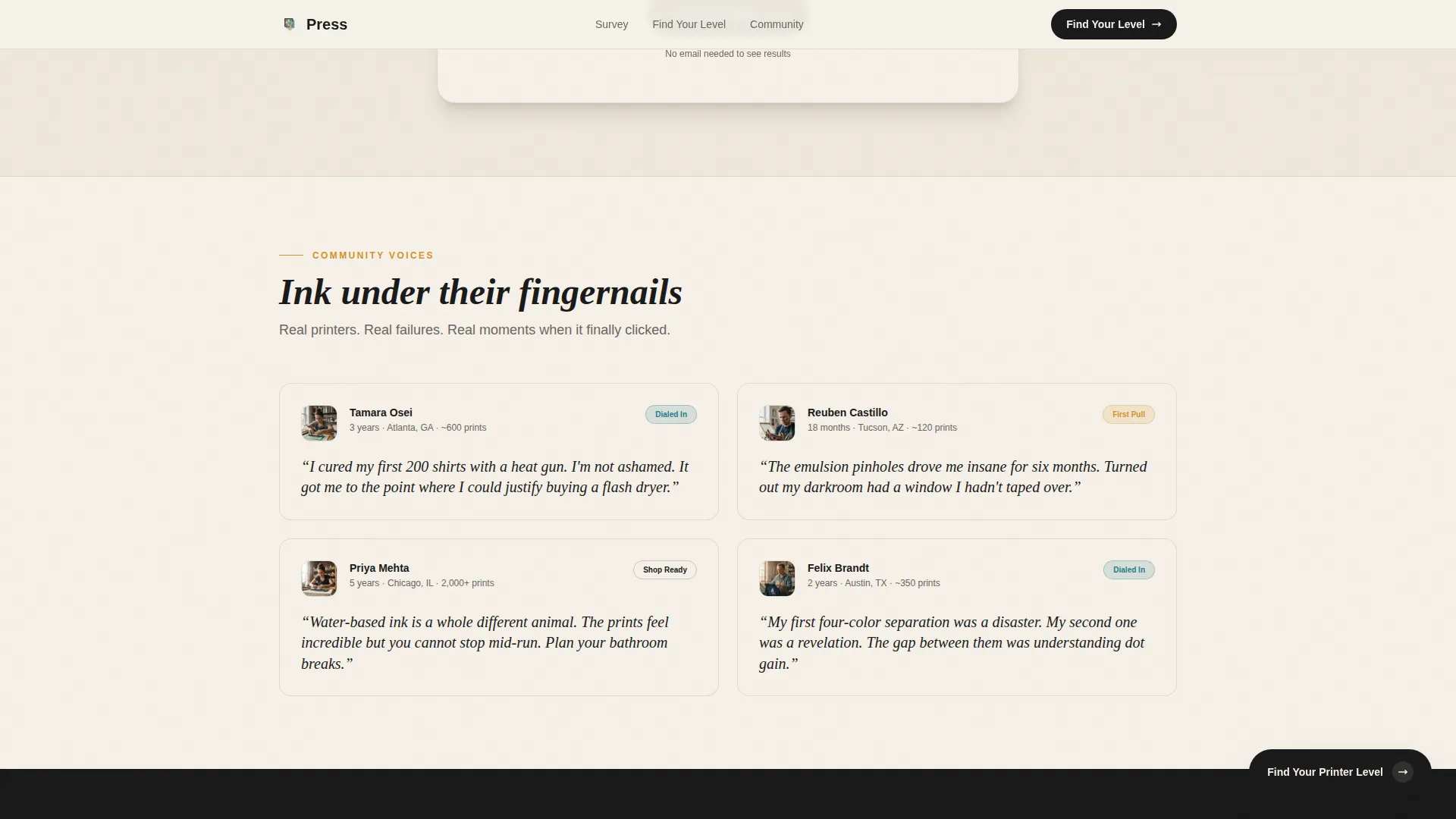
Community Voices Section
Pull quotes from community members are interspersed with close-up photography of registration marks and ink deposits. This section breaks up the data grid and adds a human, studio-floor tone to the page.
Floating and Full-Width Call-to-Action Blocks
A floating quiz button appears after the third masonry row. A full-width call-to-action section near the bottom repeats the quiz prompt and pairs it with the email capture. Both touchpoints reinforce the same conversion goal without feeling repetitive.
Page sections overview
| Section | Purpose |
|---|---|
| Hero Headline Block | Opens with bold typographic statement and teal data subline |
| Masonry Survey Grid | Displays staggered insight cards from community survey findings |
| Floating Quiz Button | Surfaces the quiz call to action after the third masonry row |
| Inline Quiz Flow | Five-question assessment with inline state transitions and tier results |
| Community Voices | Pull quotes and photography that add human depth between data cards |
| Full-Width Call to Action | Repeats quiz prompt and hosts the post-result email capture |
| Footer | Horizontal flow footer pattern wrapping the page |
Design & branding system
The visual identity follows an Atelier Studio theme using the Ink and Paper color system. The palette is anchored by warm off-white cream for the background and dense registration-black for primary type. A squeegee-blade teal serves as the accent color, while flash-dryer amber handles hover states and callouts. Typography pairs Fraunces as the display serif for headlines with DM Sans for body copy and interface elements.
- Color palette: cream (#F5F0E8), registration-black (#1A1A1A), squeegee-blade teal (#2A7B88), and flash-dryer amber (#D4922A)
- Typography: Fraunces for display headlines and DM Sans for body text and interactive elements
- Visual style: Atelier Studio meets industry report, with staggered masonry card rhythm and scroll-reveal animations at medium intensity
Mobile & speed optimization
The template is designed desktop-first with a responsive mobile layout that collapses the masonry grid gracefully on smaller screens. Scroll behavior and reveal animations are built to feel smooth without overloading the page.
- The masonry grid collapses into a single-column layout on mobile for clean, readable stacking
- Scroll reveals use an Intersection Observer pattern so cards animate in only as they enter the viewport
- Quiz state transitions are handled inline with smooth CSS-driven animations, keeping the experience fast and contained
How this template helps you convert
The conversion strategy on this page is built around earning trust before asking for anything. Visitors explore real survey data, then self-identify through a quiz before any email is requested.
- The masonry grid builds credibility through ranked community findings, giving visitors a reason to stay and scroll before any call to action appears
- The no-gate quiz result removes friction by delivering immediate value, making the follow-up email capture feel like a natural next step rather than a toll
Other information about this template
This template is part of the Blog and Editorial category under the Hobby and Passion Content subcategory. It is built specifically for the screen printing hobby niche. The Intersection Match Score for this template is 13, reflecting a strong alignment between the category, subcategory, and niche.
- The footer uses a Vercel Horizontal Flow pattern, keeping navigation and links clean at the bottom of the page
- The template is localized for English-language audiences in the United States, with USD as the assumed currency context
- Animation intensity is set at medium: staggered masonry card loads, scroll-triggered reveals, and quiz state transitions are all included
- The creative direction follows an Industry Report structure, making it suitable for any maker or craft community that wants to present survey data as engaging editorial content
Theme
Atelier Studio
Creative direction
Industry Report
Color system
Ink & Paper
Style
Masonry/Pinterest
Direction
Quiz/Assessment
Page Sections
Giant Condensed Typographic Hero
Staggered Masonry Survey Grid
Inline Five-question Skill Quiz
No-gate Results with Email Capture
Community Voices Section
Floating and Full-width Call to Action Blocks
Related questions
Do I need to collect an email before showing quiz results?
Can I edit the quiz questions and result tier labels?
Is this template only usable for screen printing topics?
How does the masonry survey grid work?
What does the Community Voices section include?



