Pulse - Dynamic App Landing Page Template
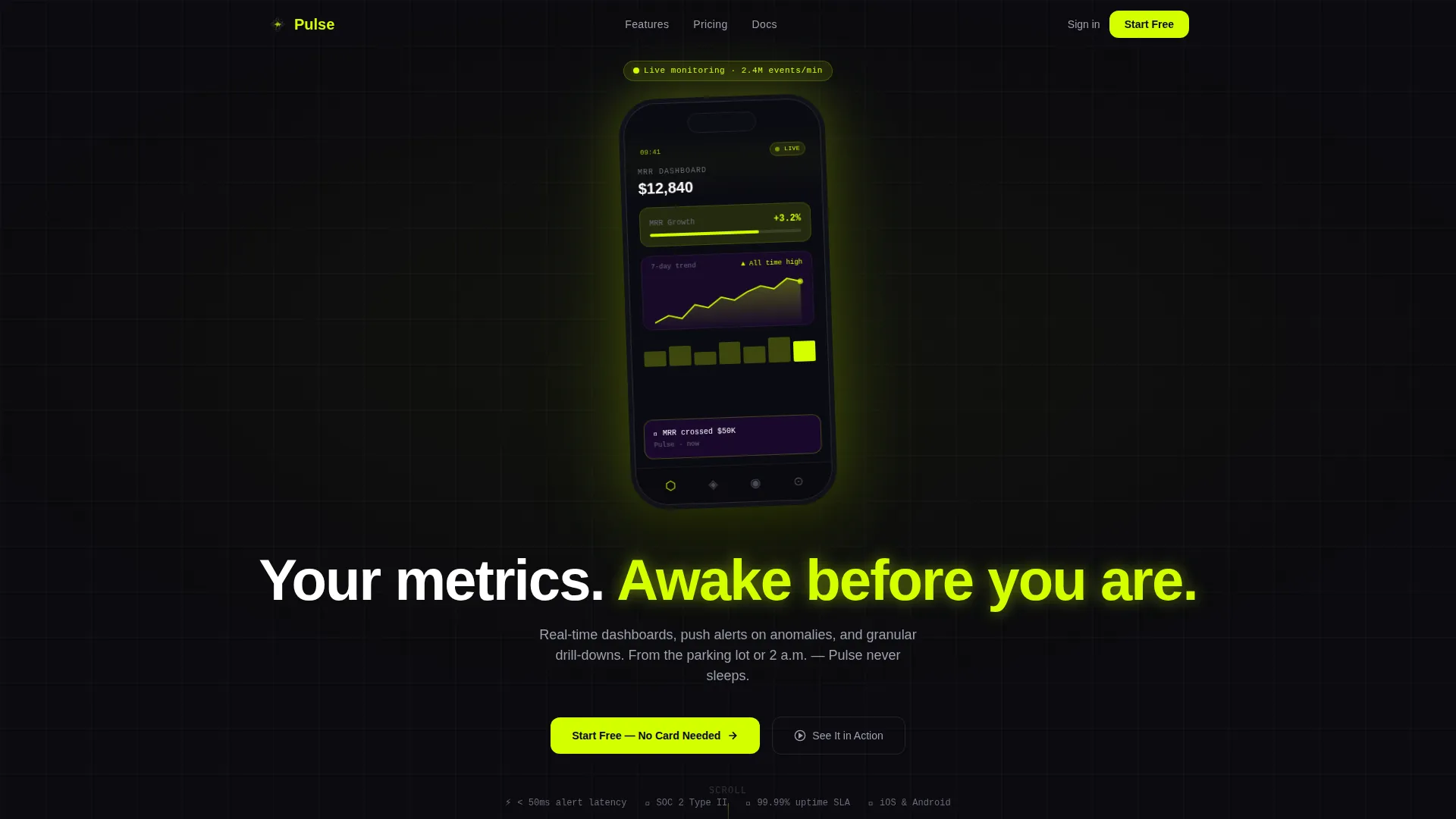
Pulse is a bento grid app landing page template built for high-stakes product launches. It pairs a dark, glow-driven visual identity with an interactive ROI calculator, animated device mockups, and a freemium conversion flow. Designed for SaaS founders, DevOps engineers, and growth leads who need every number front and center.
by Rocket studio
Quick summary
Pulse is a single-page bento grid landing page template for mobile app launches. It opens with a full-bleed dark header, a glowing phone mockup, and an interactive ROI calculator that earns attention before asking for anything. The conversion path runs from the calculator result directly to a one-field email capture linked to app store downloads.
Who this template is for
Pulse is built for technically fluent teams who need to ship a compelling app launch page fast. The visual language speaks directly to people who live inside dashboards and data feeds.
- SaaS founders tracking monthly recurring revenue and product growth metrics
- DevOps engineers and operations managers who monitor production systems in real time
- Growth leads and product marketers preparing a pre-launch or app download campaign
What problem this template solves
Most app launch pages feel like brochures. They list features, drop a screenshot, and add a generic call to action. Pulse solves the credibility and attention problem at the same time.
- Visitors leave before reading because nothing interactive hooks them early
- Generic layouts fail to communicate that a monitoring app is fast, live, and data-rich
- Conversion paths buried at the bottom of long pages lose high-intent visitors who came to download
What you get with this template
Pulse delivers a fully structured bento grid landing page with every layout section already built and visually composed. You get a dark-first design system, micro-animated components, and a logical conversion sequence from first scroll to app store download.
- An interactive ROI calculator tile that computes savings in real time using visitor inputs
- Animated device mockup components displaying live-feel dashboard screens with pulsing user interface elements
- A sticky mobile bottom bar and a primary chartreuse call-to-action button wired to an email capture and deep-link flow
Feature list
This template is built around a specific set of components. Each one is described below.
Interactive ROI Calculator Tile
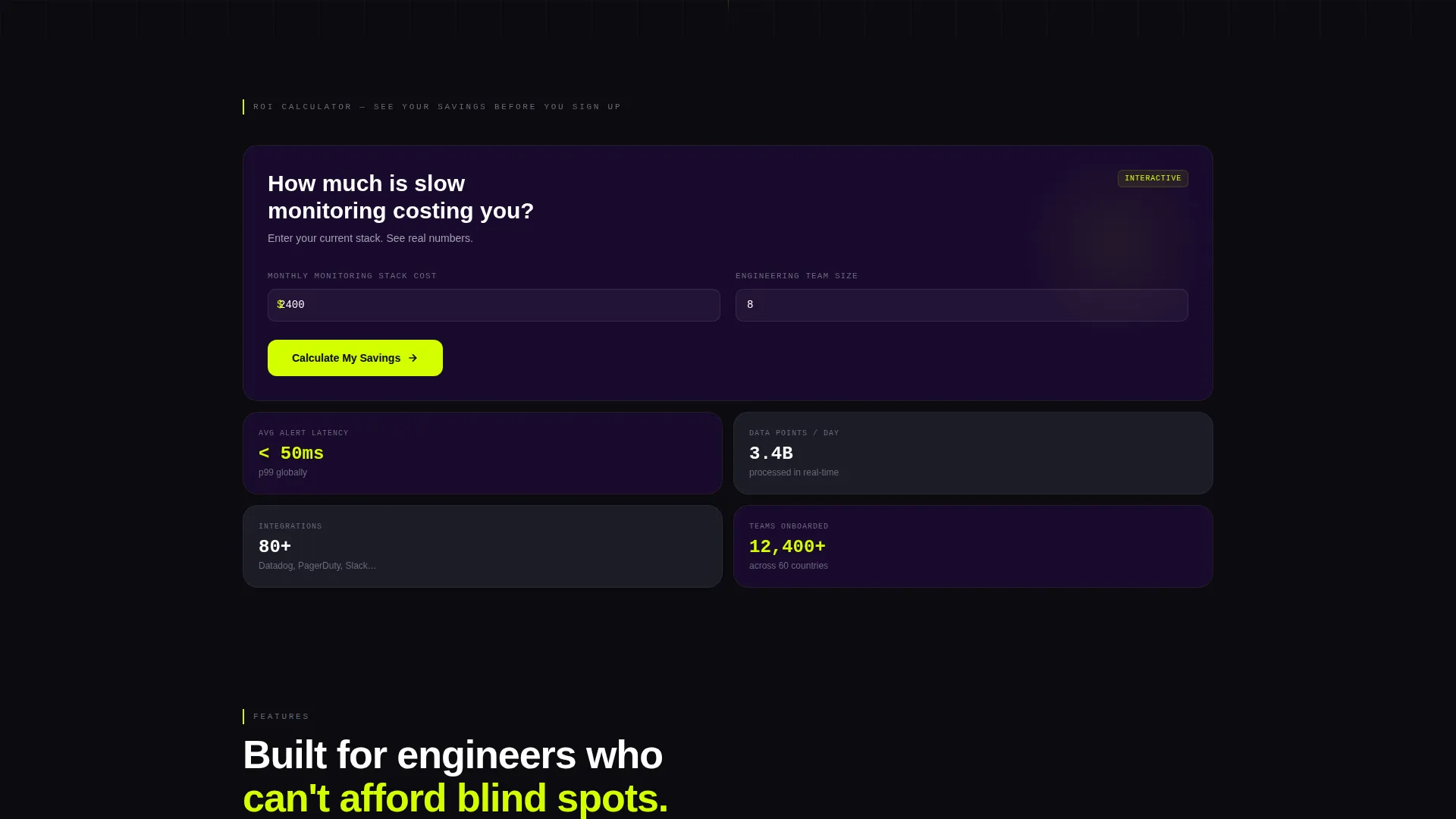
The first bento cell below the header is a working ROI calculator. Visitors enter their current monitoring stack cost and team size. The tool responds instantly with estimated hours saved and dollar savings, displayed in animated acid-green numerals. The primary "Start Free" call-to-action button appears directly inside the results, meeting visitors at peak interest.
Bento Grid Layout with Uneven Tile Sizing
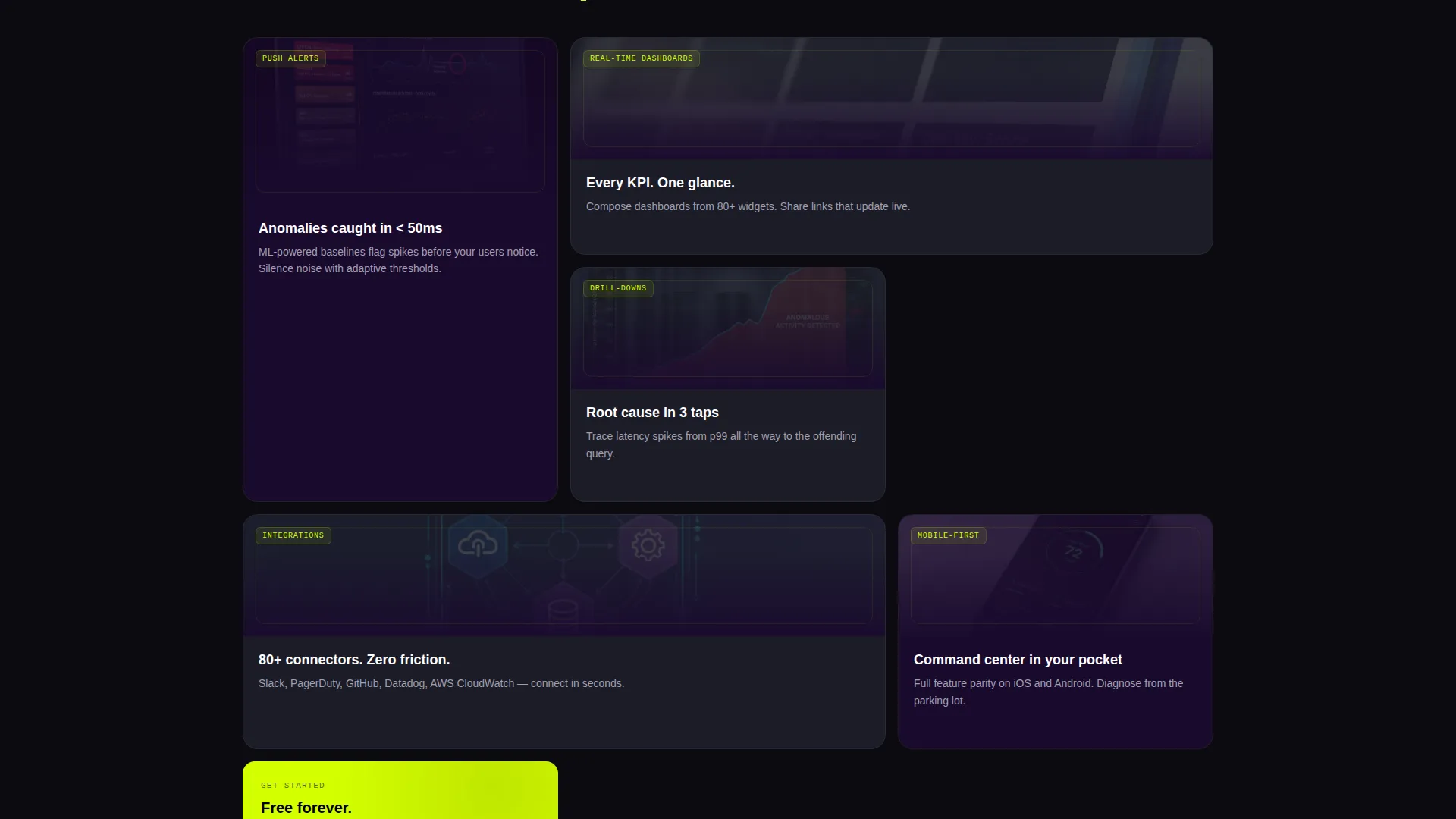
The page is built on an asymmetric bento grid. Tiles vary in width and height so the eye moves across the layout the way it scans a control panel. Feature cards, social proof cells, and live counters sit alongside each other without feeling like a uniform list of boxes.
Animated Device Mockup Header
The header centers a phone mockup on a void-black full-bleed background. The screen shows a live-updating dashboard with a climbing line chart, a flashing key performance indicator tile, and a pulsing notification badge. Micro-animations keep the data feeling alive rather than static.
Live Data Counter Block
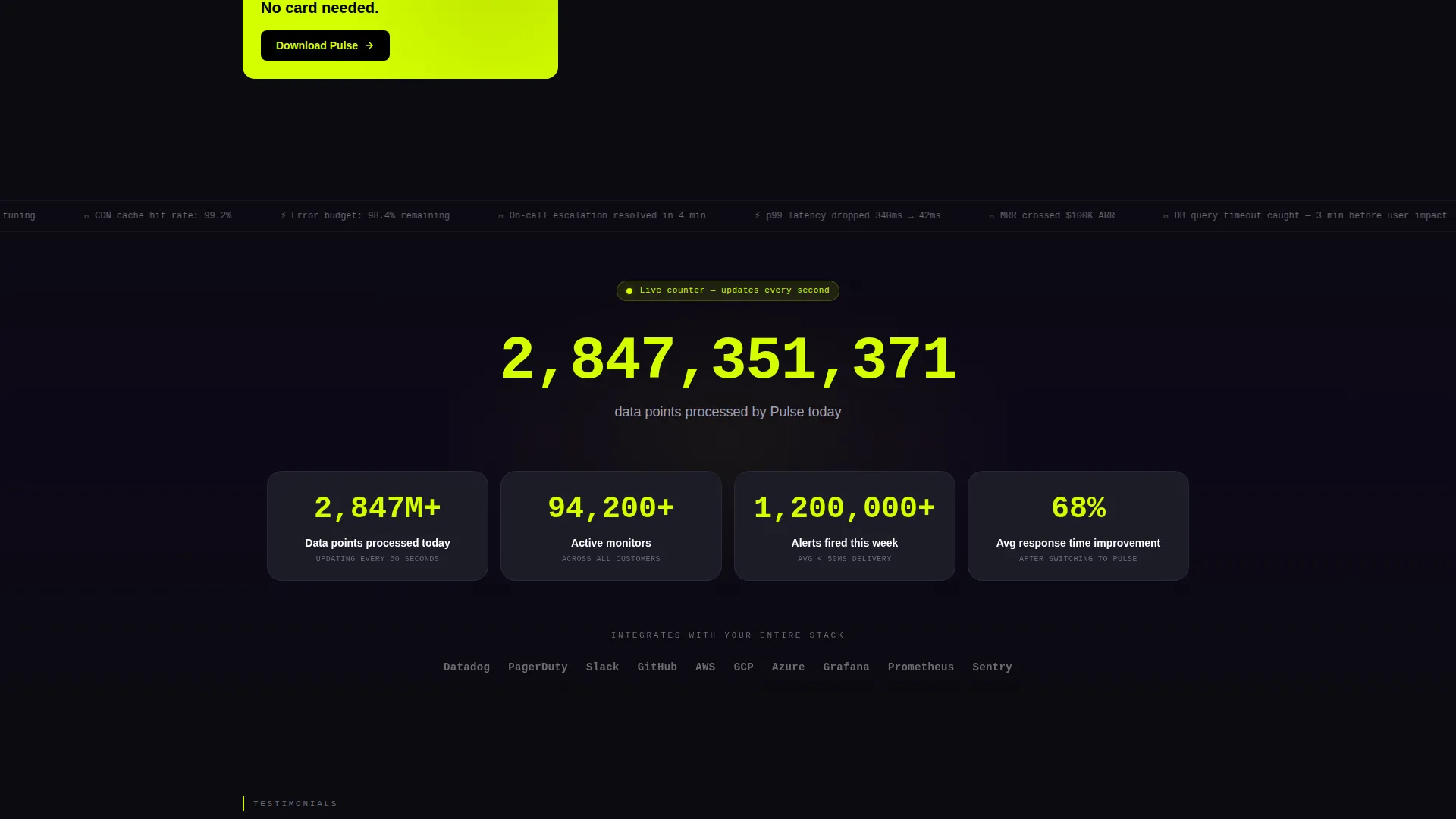
A dedicated bento tile displays a running counter of data points processed today. The number increments visibly, reinforcing the idea that Pulse is an active, high-throughput system. This social proof element sits between feature cards and testimonials in the scroll sequence.
Inline Video Walkthrough Trigger
A secondary call to action labeled "See It in Action" triggers an inline device walkthrough video. This gives hesitant visitors a way to verify the product before committing to a download, reducing friction without redirecting them off the page.
Testimonial Cards with Engineer Avatars
The social proof section uses testimonial cards styled after developer profile formats. Named engineers with avatar images provide specific, credible endorsements. The cards are sized and arranged within the bento grid to feel like real people, not polished marketing quotes.
Page sections overview
| Section | Purpose |
|---|---|
| Dark Glow Header | Introduces the app with a floating phone mockup and animated dashboard screen |
| ROI Calculator Tile | Converts attention into intent by showing personalized savings before any ask |
| Feature Bento Cards | Presents core app capabilities through cropped screen recordings inside device frames |
| Live Data Counter | Reinforces product scale with a real-time incrementing data point total |
| Testimonial Cards | Builds trust with named engineer reviews displayed in developer-profile style |
| Email Capture Flow | Collects one field and deep-links the visitor to the App Store or Google Play |
| Sticky Mobile Bar | Keeps the primary call to action reachable at all times on smaller screens |
Design & branding system
The visual identity follows a Data Command theme built on an Acid Digital color system. Every color decision is intentional and functional, not decorative.
- Void black (#0B0B0F) fills the primary canvas, deep terminal purple (#1A0A2E) surfaces the card backgrounds, and cool phosphor gray (#A0A0B0) handles secondary text
- Electric chartreuse (#D4FF00) is reserved exclusively for live-data accents, interactive hotspots, call-to-action buttons, and animated number outputs so the eye always knows where the signal is
Mobile & speed optimization
The page is designed to perform on mobile from the first scroll. The sticky bottom bar and single-field email capture are built specifically for smaller screens.
- The sticky mobile bottom bar keeps the "Start Free" call to action visible throughout the entire scroll experience on phones
- The email capture uses a single input field to minimize friction, then deep-links directly to the App Store or Google Play based on the visitor's device
How this template helps you convert
Pulse structures the entire page around a deliberate conversion sequence. Each section builds on the last.
- The ROI calculator places the primary call-to-action button at the exact moment visitors see their personalized savings, converting interest while it is highest
- The inline video walkthrough gives hesitant visitors a no-commitment proof path, keeping them on the page instead of bouncing to look for product demos elsewhere
Other information about this template
Pulse is categorized under Startup and Launch, specifically the Product Launch and Pre-Launch subcategory, with a niche focus on app launch and download pages. It is well matched for teams launching a mobile monitoring or analytics app who want a polished, high-signal page without building from scratch.
- The template follows a Freemium and Trial conversion model, meaning the page is designed to drive free sign-ups and app downloads rather than direct sales
- The bento grid template style is drawn from the intersection of Data Command theme, Acid Digital color system, Calculator and Tool First creative direction, and Dark Full-Bleed with Glow header concept
- The template is a strong fit for tools in the SaaS operations, developer tooling, and mobile analytics categories
Theme
Data Command
Creative direction
Calculator/Tool First
Color system
Acid Digital
Style
Bento Grid
Direction
Freemium/Trial
Page Sections
Interactive ROI Calculator
Animated Phone Mockup Header
Asymmetric Bento Grid Layout
Live Data Counter Block
Inline Video Walkthrough
Sticky Mobile Bottom Bar
Related questions
Can I customize the ROI calculator inputs and outputs?
Does the template support both App Store and Google Play deep links?
Do I need a developer to launch this page?
Is this template only for monitoring or DevOps apps?