Expert RegTech Startup Privacy Policy & Terms Website Template
Comply is a split-screen landing page template built for RegTech growth-stage startups. It combines a Dynamic Motion visual theme with a command-center Teal Catalyst color system to present automated regulatory intelligence with authority. Designed for compliance-driven audiences, it guides Chief Compliance Officers and fintech risk leads from data-rich scroll sections to a clear, low-friction free trial conversion.
by Rocket studio
Quick summary
Comply is a single-page landing page template for RegTech startups that automate regulatory obligation mapping. It pairs a dark, animated header with an industry-report scroll structure to build credibility fast. The layout earns trust before asking for a commitment, then converts through a freemium trial flow and a gated PDF secondary path.
Who this template is for
This template is built for growth-stage RegTech companies selling automated compliance intelligence to financial services firms. If your product ingests regulatory updates at scale and maps them to existing controls, this page speaks your buyer's language from the first scroll.
- Chief Compliance Officers at mid-market banks managing deadline pressure across multiple frameworks
- Fintech heads of risk and VP-level operations leads at insurance carriers still running manual obligation tracking
- RegTech founders and marketing leads who need a page that converts skeptical, data-literate buyers
What problem this template solves
Compliance buyers do not trust vague claims. They have seen too many dashboards that promise clarity and deliver noise. This template solves the credibility gap by leading with real data, building an evidence-based narrative, and only asking for a commitment after the visitor already feels the value.
- Manual obligation tracking is slow, error-prone, and exposed to regulatory change at volume
- Compliance teams face constant analyst turnover, leaving coverage gaps that no spreadsheet can close
- Most RegTech landing pages look like generic SaaS and fail to earn the trust of a seasoned CCO
What you get with this template
You get a fully structured, single-page layout designed to carry a compliance-skeptical buyer from cold awareness to trial sign-up in one uninterrupted scroll. Every section has a defined role in the narrative, and every design choice reinforces the command-center credibility the audience expects.
- A dark full-bleed animated header with a pulsing regulatory-node grid and a timed split-screen reveal
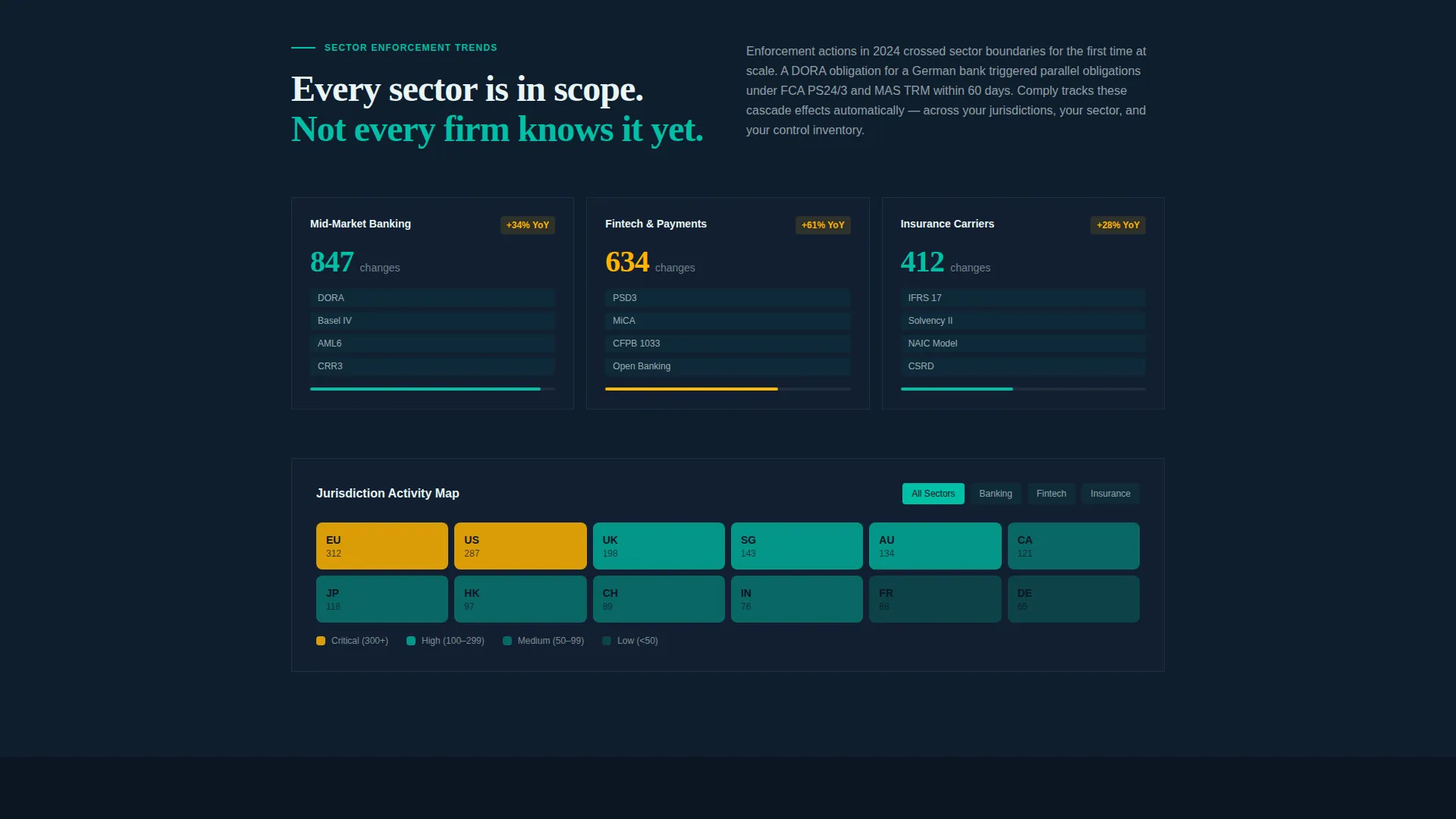
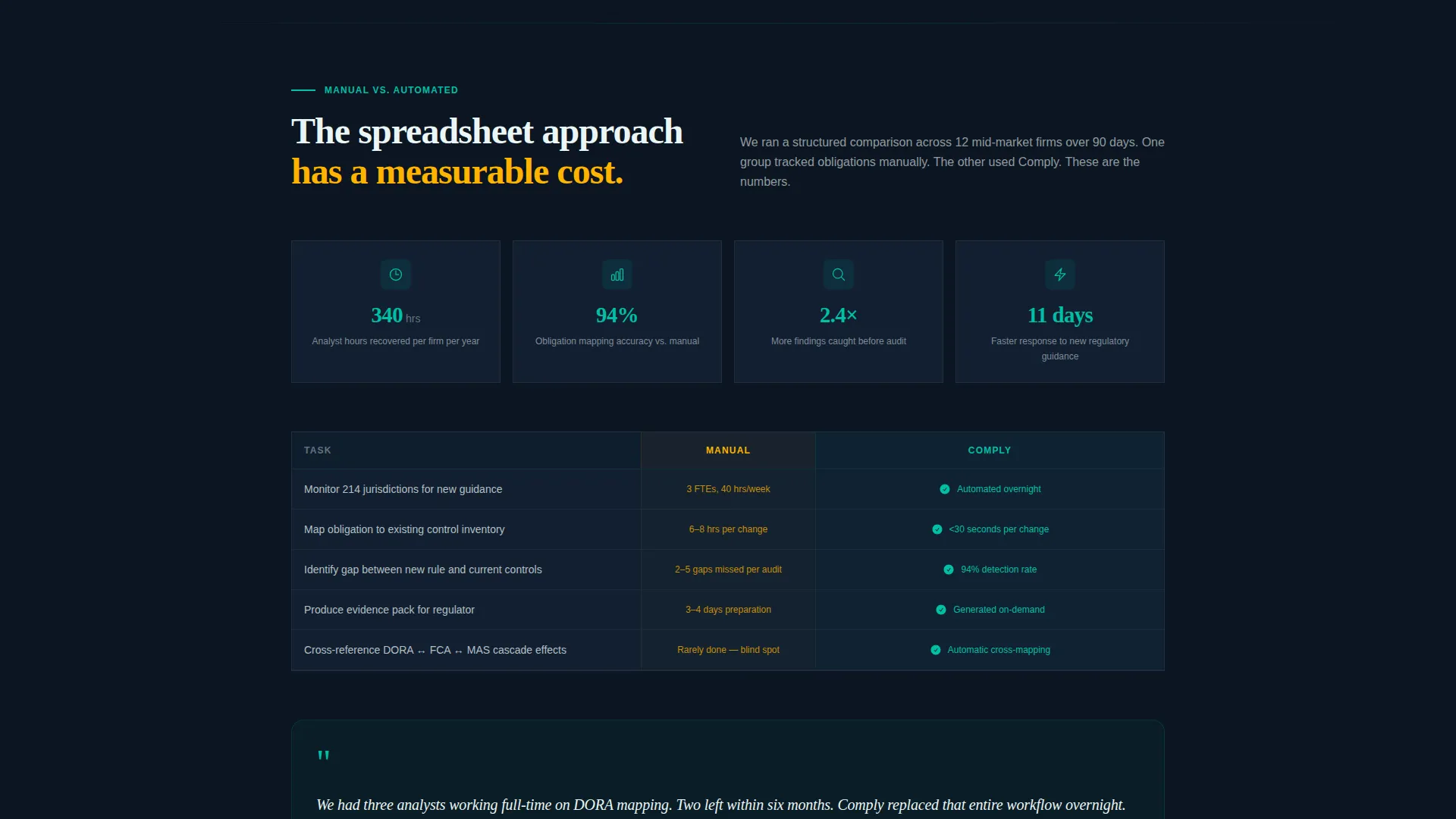
- An industry-report scroll flow covering global regulatory change stats, sector enforcement trends, a jurisdiction heat map, and a manual-versus-automated case study
- A two-step progressive conversion form, a persistent bottom-bar call to action, and a gated PDF lead capture path for report-hungry visitors
Feature list
This section covers the core built-in capabilities of the Comply template as defined in the design brief.
Animated Full-Bleed Header
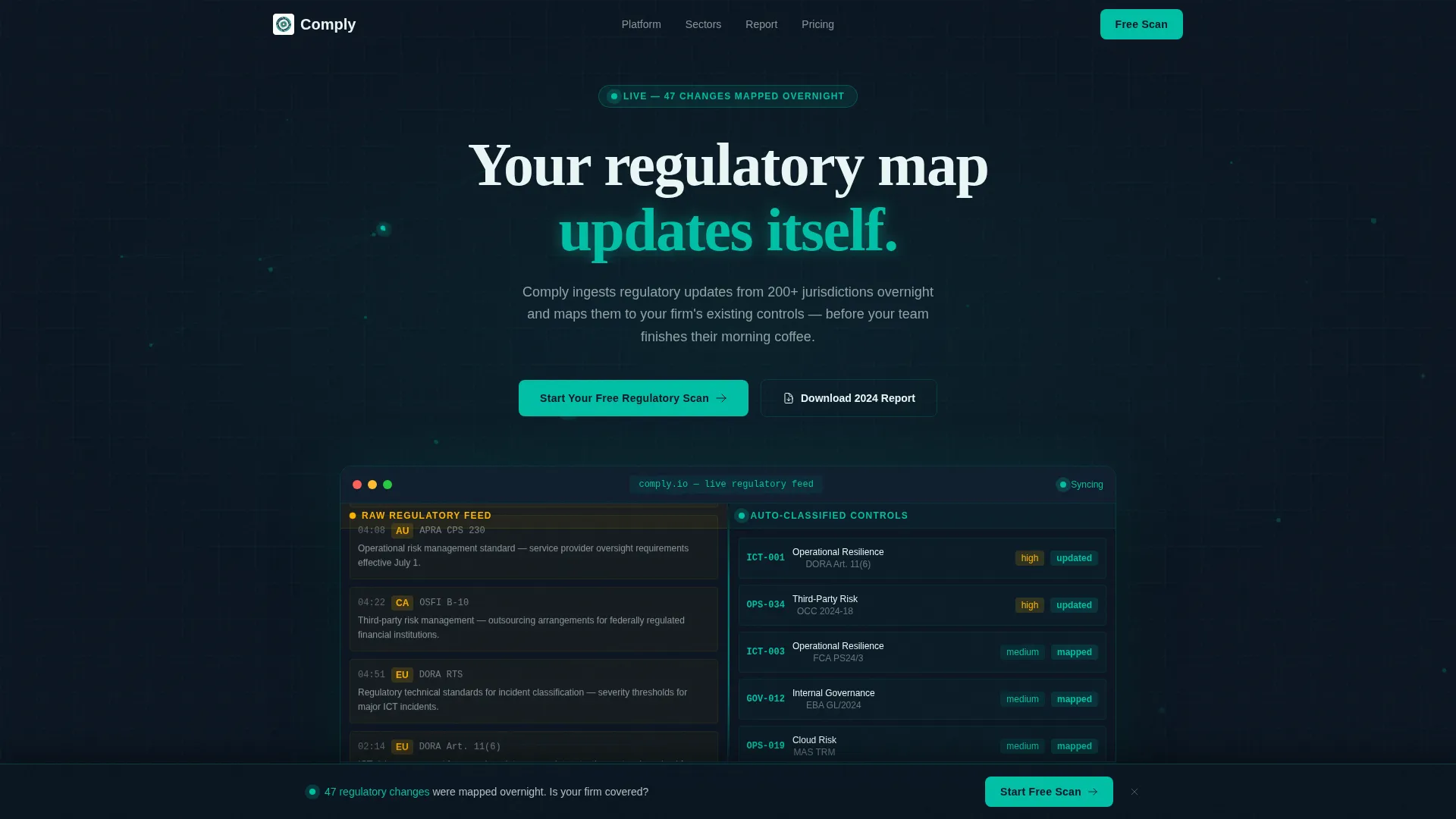
The header fills the entire viewport with a deep black background. A faint teal grid of regulatory nodes pulses and connects via animated pathways. After two seconds, the headline renders in signal white, followed by the split-screen preview showing a live regulatory text feed on the left and auto-classified control categories on the right.
Split-Screen 50/50 Layout
The page uses a strict 50/50 split-screen structure throughout its core sections. This pairing of raw data on one side and structured output on the other mirrors the product's core value: turning regulatory noise into mapped obligations, visually and narratively in the same frame.
Scroll-Triggered Data Visualizations
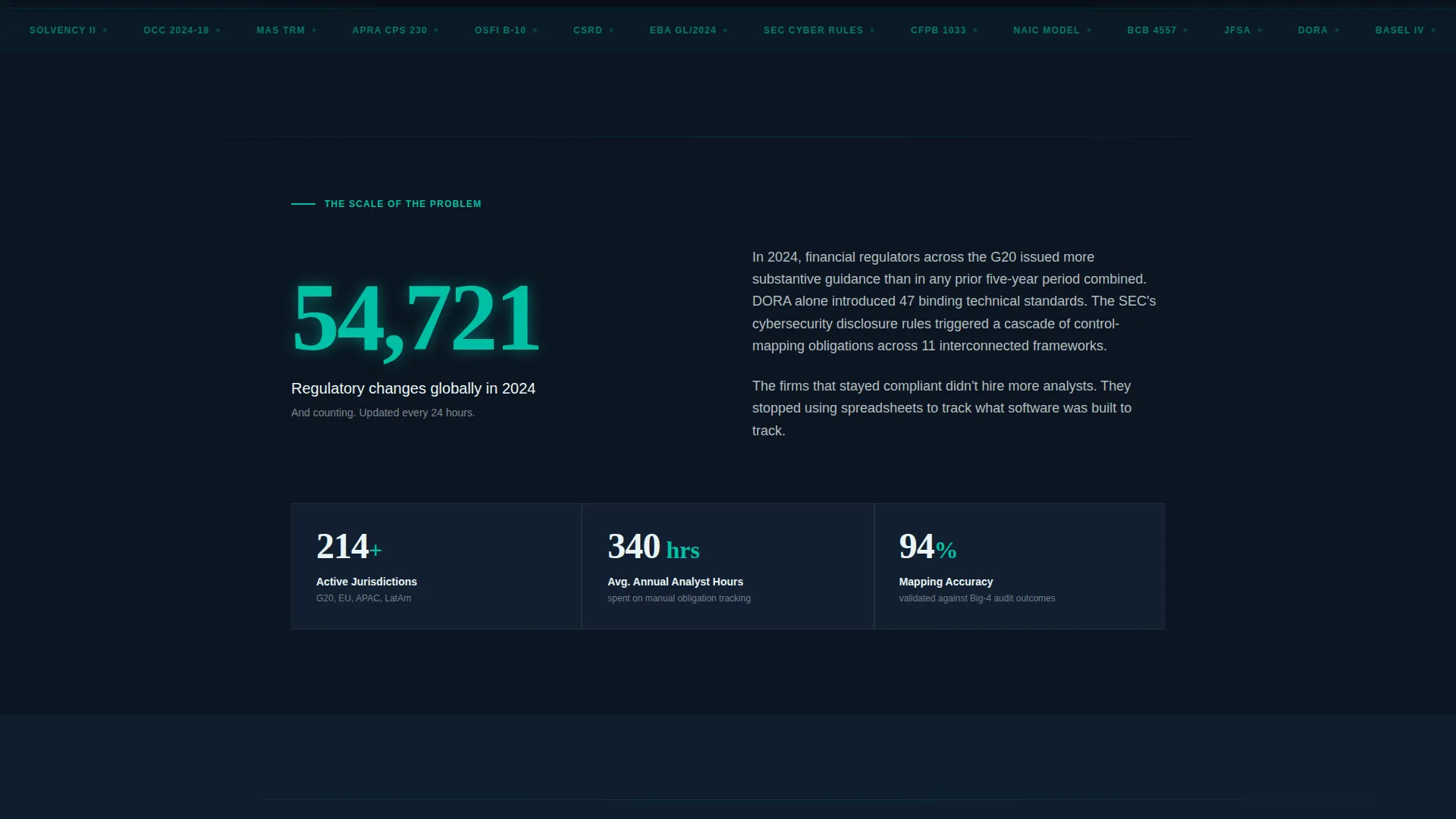
Charts and counters animate into view as the visitor scrolls. An animated global regulatory change counter anchors the first content section. Subsequent sections include self-drawing charts and an interactive jurisdiction heat map, all reinforcing the Dynamic Motion theme and keeping the reader engaged through evidence accumulation.
Progressive Two-Step Conversion Form
The primary call to action, "Start Your Free Regulatory Scan," uses a two-step progressive form. The first step asks only for a work email. After the visitor clicks through, a second step collects company name and primary jurisdiction. This reduces initial friction without sacrificing lead quality.
Persistent Bottom-Bar Call to Action
A sticky bottom bar appears after the visitor passes the second scroll section. It keeps the primary conversion path visible throughout the rest of the page without interrupting the content reading experience. The bar activates on scroll and stays anchored until the visitor acts.
Gated PDF Secondary Conversion Path
A secondary conversion option offers the full industry report as a downloadable PDF. The prompt is "Download the 2024 Regulatory Change Report." This path captures data-hungry leads who are not yet trial-ready but are willing to exchange their contact details for proprietary intelligence.
Page sections overview
| Section | Purpose |
|---|---|
| Animated Header | Establishes authority with a live-feel teal node grid and timed split-screen reveal |
| Split-Screen Preview | Shows raw regulatory feed on the left, auto-classified controls on the right |
| Global Stat Counter | Opens the report narrative with an animated count of global regulatory changes |
| Enforcement Trends | Escalates the narrative with sector-specific regulatory pressure data |
| Jurisdiction Heat Map | Interactive visual filter showing regulatory density across regions |
| Manual versus. Automated | Case study comparing hours saved and findings caught between both approaches |
| Primary call to action Block | Houses the "Start Your Free Regulatory Scan" form below the header section |
| Persistent Bottom Bar | Sticky conversion bar that appears after second scroll section |
| Gated Report call to action | Secondary lead capture for the downloadable 2024 Regulatory Change Report |
Design & branding system
The Teal Catalyst color system is built around four specific roles. Deep command-center black anchors every background. Catalyst teal dominates interactive surfaces, progress bars, and section transitions. Signal white handles typography and breathing space. Reactive amber is reserved exclusively for alerts, badges, and hover states.
- Palette: deep black (#0B1521) for backgrounds, catalyst teal (#00BFA6) for interactive elements and motion, signal white (#EAF6F6) for text, and reactive amber (#FFB300) for alerts and hover states only
- Motion style: constant but unhurried animated pathways in the header, scroll-triggered chart draws, and teal pulse effects that feel organic rather than mechanical
- Typography and spacing use signal white sparingly, like light through a periscope, keeping the layout calm and focused on the data that matters
Mobile & speed optimization
The template is designed with a mobile-first structural approach. The split-screen layout and animated sections are built to adapt across screen sizes without losing the command-center visual tone.
- The 50/50 split-screen stacks vertically on smaller screens, keeping both the raw feed panel and the classified output panel readable
- Scroll-triggered animations are scoped to their containers so motion does not interfere with content legibility on mobile viewports
How this template helps you convert
The page uses a progressive evidence strategy. It gives the visitor real intelligence at every scroll stop before presenting any conversion ask. By the time the call to action appears, the visitor already feels they have received value, so the next step feels like continuation rather than commitment.
- The animated header and timed split-screen reveal immediately frame the product's core promise, creating curiosity and setting professional expectations before a single word is read
- The industry-report scroll structure accumulates proprietary data across four escalating sections, so the visitor builds genuine conviction through evidence rather than persuasion alone
- Two conversion paths, the free trial form and the gated PDF, match different levels of buyer readiness, ensuring the page captures leads at both the trial-ready and the research-stage moment
Other information about this template
This template is part of the Startup and Launch category, specifically built for the RegTech growth-stage startup niche. It is matched to a high-confidence intersection of template style, theme, color system, creative direction, header concept, and conversion model.
- Template style: Split Screen (50/50)
- Theme: Dynamic Motion with scroll-triggered chart animations and a constantly alive header
- Creative direction: Industry Report, structured as a briefing document the compliance buyer actually wants to finish reading
- Conversion model: Freemium and trial, with a progressive two-step form and a secondary gated PDF path
- Color system: Teal Catalyst, with four precisely assigned color roles across every surface and interaction state
Theme
Dynamic Motion
Creative direction
Industry Report
Color system
Teal Catalyst
Style
Split Screen (50/50)
Direction
Freemium/Trial
Page Sections
Animated Full-bleed Command-center Header
Split-screen 50/50 Page Structure
Scroll-triggered Data Visualizations
Progressive Two-step Conversion Form
Persistent Sticky Bottom Bar
Gated PDF Secondary Lead Capture
Related questions
Who is this landing page template designed for?
Can I use this template before my product is fully launched?
What makes the conversion flow different from a standard SaaS template?
How does the two-step form work?
What is the gated PDF conversion path used for?