DIY & Home Improvement Blog Blog Website Template
Rig is an editorial landing page template built for van life conversion bloggers who lead with story before selling a single guide. It captures the worn, analog feeling of a field notebook through a scrapbook header, memoir-style scroll sections, and a warm desert color palette, pulling restless readers from the origin arc straight into the build guide library.
by Rocket studio
Quick summary
Rig is a single-page editorial template designed for van conversion storytellers. It blends a heritage scrapbook aesthetic with a click-through content strategy, guiding readers from an emotional origin story through build milestones and into a guide library. The palette, typography, and layout all feel worn-in, warm, and hand-made, exactly like the subject it covers.
Who this template is for
This template fits creators who teach through personal experience. It works best when the story itself is the credential, and the content library is the destination.
- Van conversion bloggers documenting a real, hands-on build from scratch
- DIY content creators who want an editorial showcase instead of a generic blog homepage
- Independent writers turning a personal van life journey into a reader-supported guide library
What problem this template solves
Most blog templates are built for news feeds or product catalogs. They don't know what to do with a deeply personal, chapter-driven story. Rig solves the trust gap between "interesting blogger" and "the person I'll actually follow instructions from."
- Readers arrive curious but unconvinced; the origin arc structure earns credibility before any call to action appears
- Generic layouts flatten the emotional texture of a build journal into ordinary blog post grids
- Click-through content sites need a deliberate narrative path, not just a list of recent posts
What you get with this template
You get a fully structured, single-page editorial layout with every section pre-built and content-ready. The design system, animation hooks, and section flow are all defined from the start.
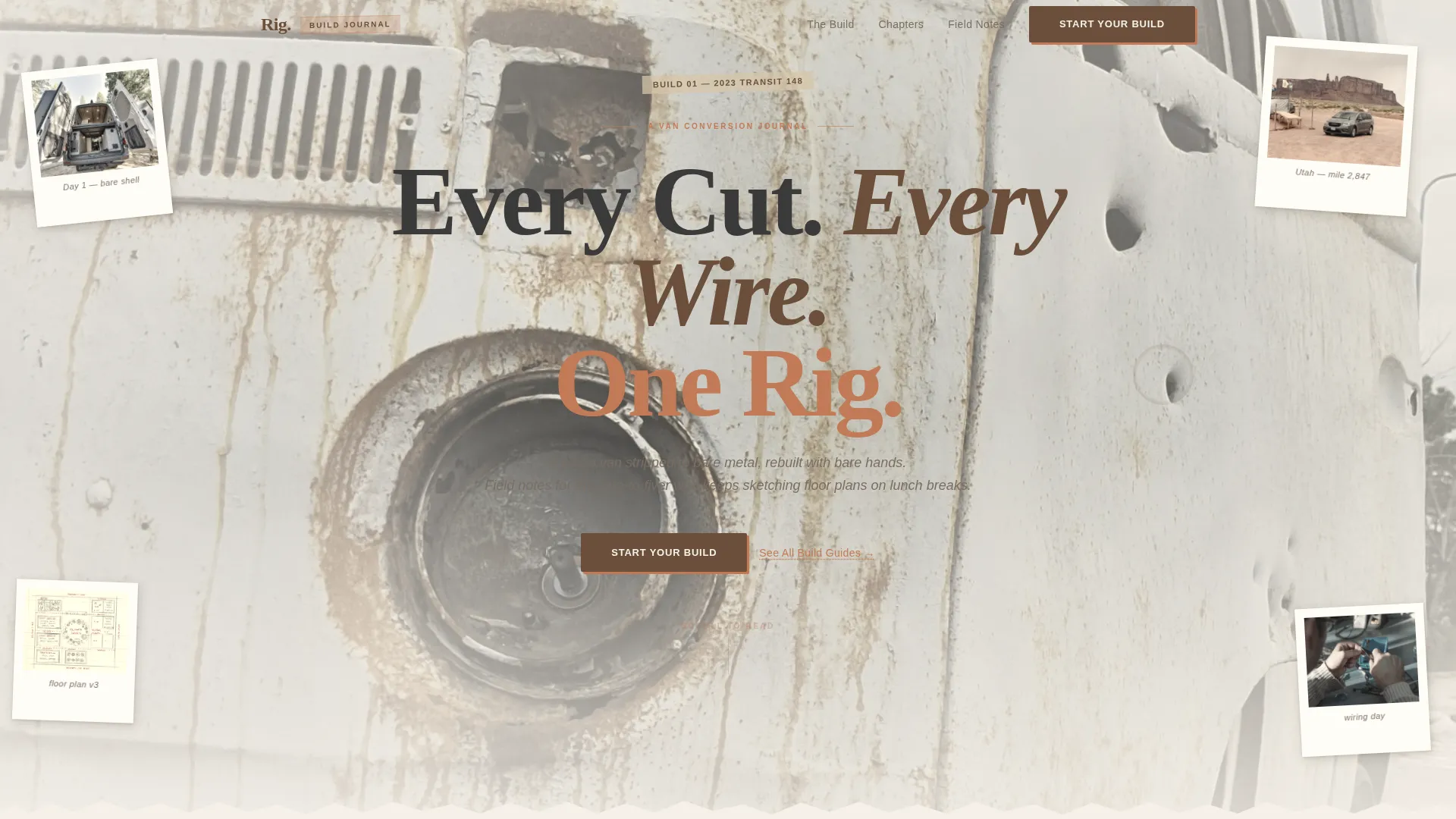
- A collage-style scrapbook hero with layered Polaroid elements, torn notebook page details, and a half-gutted van photo as the anchor image
- A five-section narrative scroll: Hero, Origin Story, Build Milestones, Reader Proof, and a primary call-to-action block, plus a minimal footer
- GSAP ScrollTrigger animations, Polaroid hover-tilt interactions, chapter card hover states, and a FAQ accordion baked into the layout
Feature list
A short paragraph introduces this section: each feature below comes directly from the template brief and represents a built-in capability of the Rig layout.
Collage Scrapbook Hero
The header is not a standard banner. It layers Polaroid-style photos, torn notebook pages with handwritten measurements, a masking tape label, and a hero van photo, all overlapping at slight rotations as though scattered across a workbench. Nothing sits on a grid. Everything looks pinned, taped, or mid-project.
Origin Story Scroll Structure
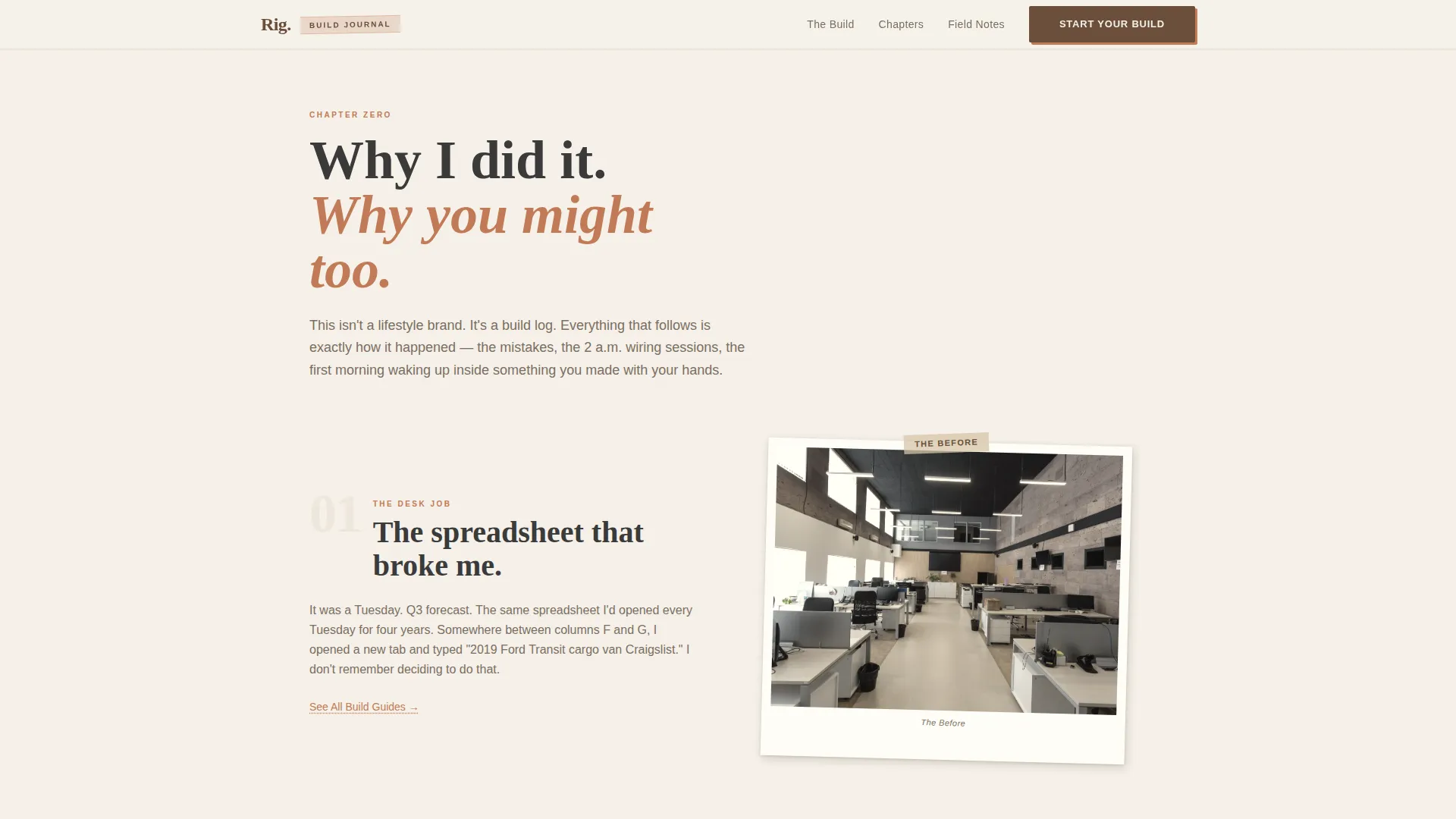
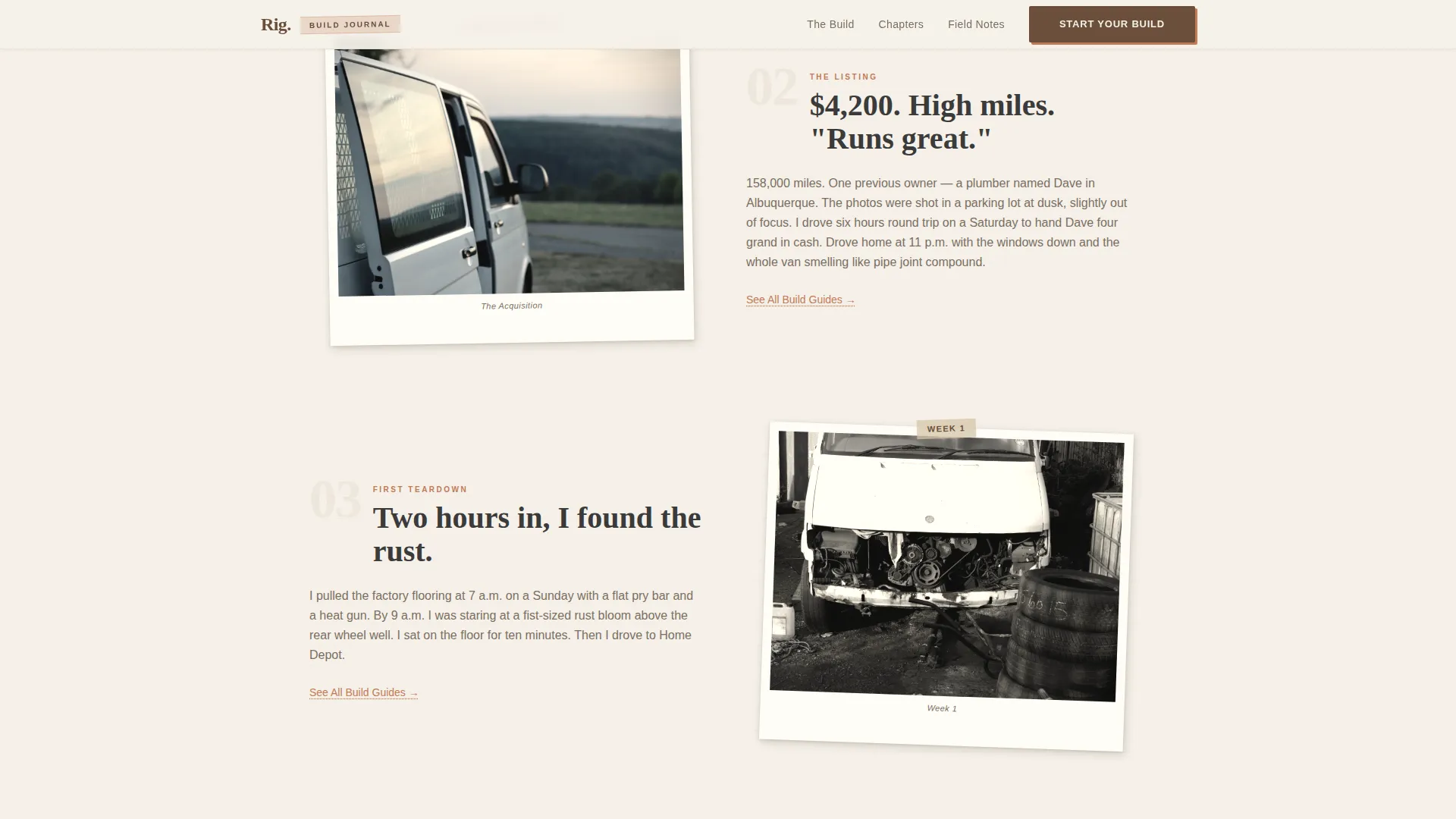
The page scrolls like a memoir, not a blog feed. It opens with the "why", the desk job, the restlessness, the Craigslist listing, then moves through the first teardown, early milestones, and reader testimonials. Each chapter deepens both trust and perceived expertise before the primary call to action appears.
Sticky Build Milestones Gallery
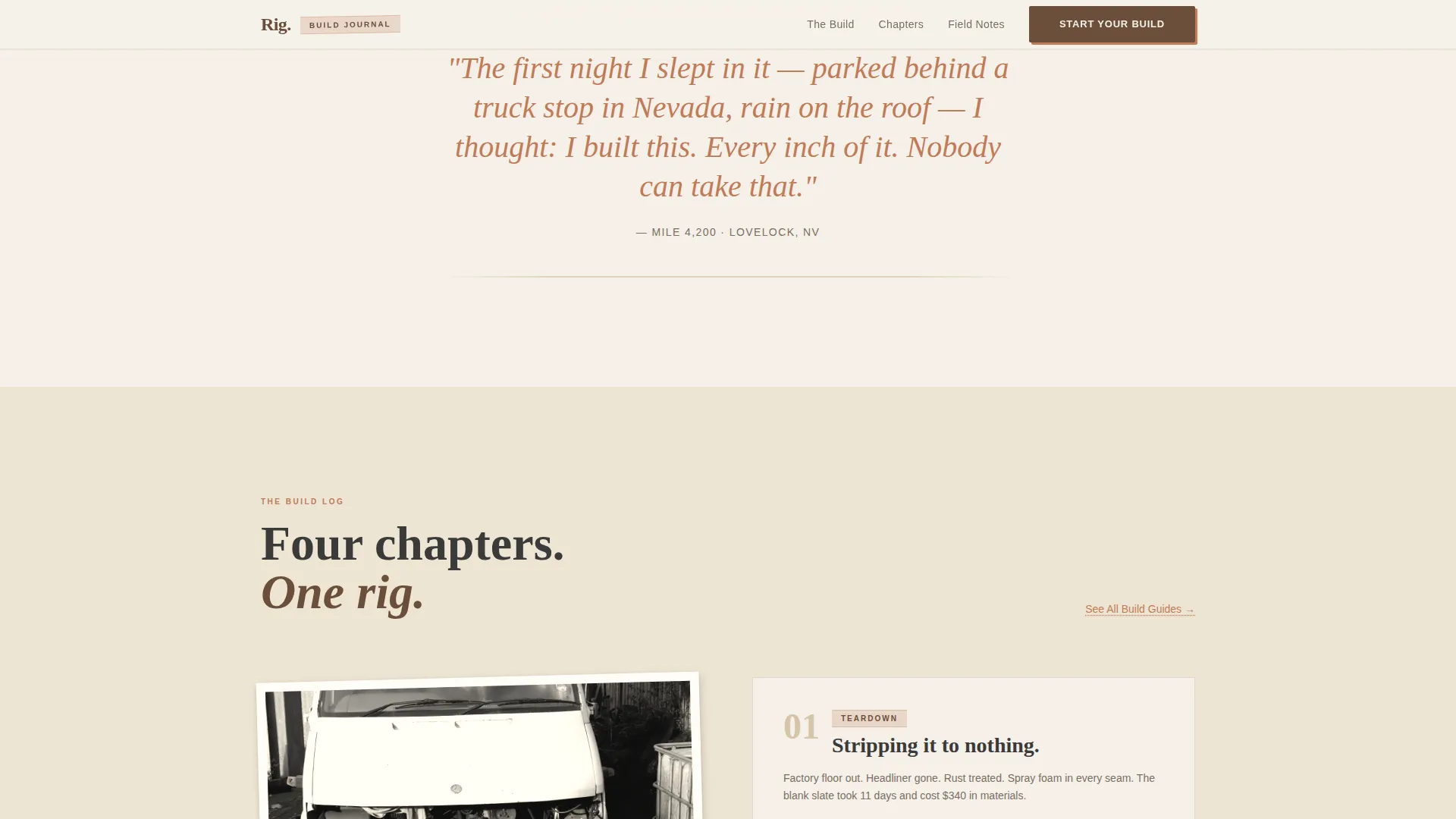
The Build Milestones section uses a sticky gallery layout with chapter previews for Teardown, Electrical, and First Night. GSAP ScrollTrigger drives the reveal timing, so milestone photos and chapter cards animate in as the reader scrolls through the arc.
Reader Proof Pull Quotes
A dedicated Reader Proof section displays testimonial pull quotes from people who used the guides. Pull quotes are styled with the terracotta accent color, making them visually distinct and emotionally persuasive without interrupting the narrative flow.
Click-Through Call-to-Action Blocks
The primary "Start Your Build" call to action is placed at the emotional peak of the origin arc. A quieter secondary text link, "See All Build Guides," appears beneath each chapter preview. No form, no gate, the design earns the click through story alone.
Warm Stone Design System
The full color system, Fraunces serif headlines, and DM Sans body type are pre-configured. Backgrounds alternate between sandstone and parchment white. Body text sits in charcoal. Terracotta marks links, pull quotes, and hover states throughout.
Page sections overview
| Section | Purpose |
|---|---|
| Hero Collage Header | Anchors the page with a half-gutted van photo and layered scrapbook elements |
| Origin Story Arc | Walks readers through the personal "why" behind the build journal |
| Build Milestones Gallery | Previews three key chapters with a sticky scroll-linked gallery |
| Reader Proof Quotes | Builds trust with testimonial pull quotes from guide users |
| Start Your Build call to action | Converts emotional investment into a click toward the guide library |
| Minimal Footer | Closes the page with a clean horizontal flow footer |
Design & branding system
The visual identity is built around a Heritage and Story theme. Every element is chosen to feel analog, warm, and touched by sun and use, like a field notebook left on a dashboard.
- Color palette: sun-bleached sandstone (#D4C4A8), worn leather brown (#6B4F3A), charcoal pencil (#3A3A3A), faded terracotta accent (#C17A56), and soft parchment white (#F5F0E8)
- Typography: Fraunces for editorial serif headlines (worn, literary, high contrast) and DM Sans for body copy (clean but warm)
- Visual tone: collage composition with slight rotations, overlapping elements, masking tape details, and Polaroid-style photo treatment throughout
Mobile & speed optimization
The template is desktop-first by design, built for the floor-plan-sketching lunch-break audience. It scales responsively to mobile without losing the scrapbook character of the layout.
- Server Components handle all static content sections, keeping the initial load lightweight before GSAP client-side animations initialize
- Client-side rendering is scoped to interactive elements: GSAP ScrollTrigger, Polaroid hover tilt, chapter card states, and the FAQ accordion
- Scroll-linked reveals and Intersection Observer counters are set to medium-high animation intensity, designed for a desktop-first reading experience
How this template helps you convert
Rig is built around a single conversion path: get the reader emotionally invested in the story, then hand them a clear door into the guide library. Every design and layout decision supports that flow.
- The origin arc earns trust before asking for anything. By the time the primary call to action appears, the reader already feels the story is partly theirs, the "Start Your Build" button feels like a natural next step, not a pitch.
- Secondary "See All Build Guides" text links appear beneath every chapter preview, giving readers a lower-commitment entry point at each milestone without interrupting the narrative momentum.
Other information about this template
Rig is categorized under Blog and Editorial, with a DIY and Home Improvement subcategory. It is purpose-built for the van life conversion niche and carries a high intersection match with that audience's expectations and reading behavior.
- Template style: Editorial and Magazine layout with a Heritage and Story theme
- Header concept: Collage and Scrapbook composition, pre-built with overlapping and rotated elements
- Creative direction: Origin Story arc, structured to move from personal memoir into actionable guide content
- Landing page direction: Click-Through, optimized for guide library entry with no form or lead-gate
- Color system: Warm Stone, pre-configured and ready to customize with your own brand photography
- Typography stack: Fraunces and DM Sans are pre-paired and sized across all heading and body levels
Theme
Heritage & Story
Creative direction
Origin Story
Color system
Warm Stone
Style
Editorial/Magazine
Direction
Click-Through
Page Sections
Collage Scrapbook Hero Section
Memoir-style Origin Story Arc
Sticky Build Milestones Gallery
Reader Proof Pull Quote Section
Click-through Call to Action Architecture
Pre-configured Warm Stone Design System
Related questions
Do I need to be a developer to use this template?
Can I add more chapter previews to the Build Milestones section?
Does the template include actual blog posts or guide content?
Is this template only suited to van conversion content?
What interactive features are built into the template?



