Remote Work & Digital Nomad Content Professional Website Template
Roam is a horizontal scroll landing page template built for a digital nomad documentary TikTok channel. It tells the creator's origin story as a graphic novel timeline, moving visitors through chapters of real nomadic life. The ink-and-paper visual identity, parallax illustration header, and emotion-driven narrative are designed to earn the click through to a TikTok profile and first episode.
by Rocket studio
Quick summary
Roam is a single-page horizontal scroll template for a remote work and digital nomad TikTok channel. It uses a graphic novel timeline structure to walk visitors through the creator's story, chapter by chapter. The page is built to earn emotional investment first, then drive visitors to the TikTok profile and first video.
Who this template is for
This template is for content creators who document honest, unglamorous nomadic life. It fits channels that lead with story and authenticity rather than lifestyle fantasy.
- TikTok creators building a remote work or digital nomad channel
- Freelancers and content creators who want a landing page that reflects a real, personal journey
- Channel owners whose audience includes aspiring remote workers and seasoned nomads who value honesty over highlight reels
What problem this template solves
Most creator landing pages feel like product brochures. They list follower counts and post a profile link, but they do nothing to make a first-time visitor care. Roam solves the cold-audience problem by replacing a static page with a story worth finishing.
- Visitors arrive with no emotional stake; the timeline structure builds that stake before the call to action appears
- Generic link-in-bio pages lose curious visitors quickly; the horizontal scroll format keeps them engaged and moving forward
- Channels that cover difficult, unglamorous truths need a page that matches that tone; Roam's heritage visual identity does exactly that
What you get with this template
Roam includes a fully structured horizontal scroll layout, a custom illustrated header, and a chapter-based timeline that progresses from the creator's earliest posts to today. Every visual and structural decision is tied to the origin story format.
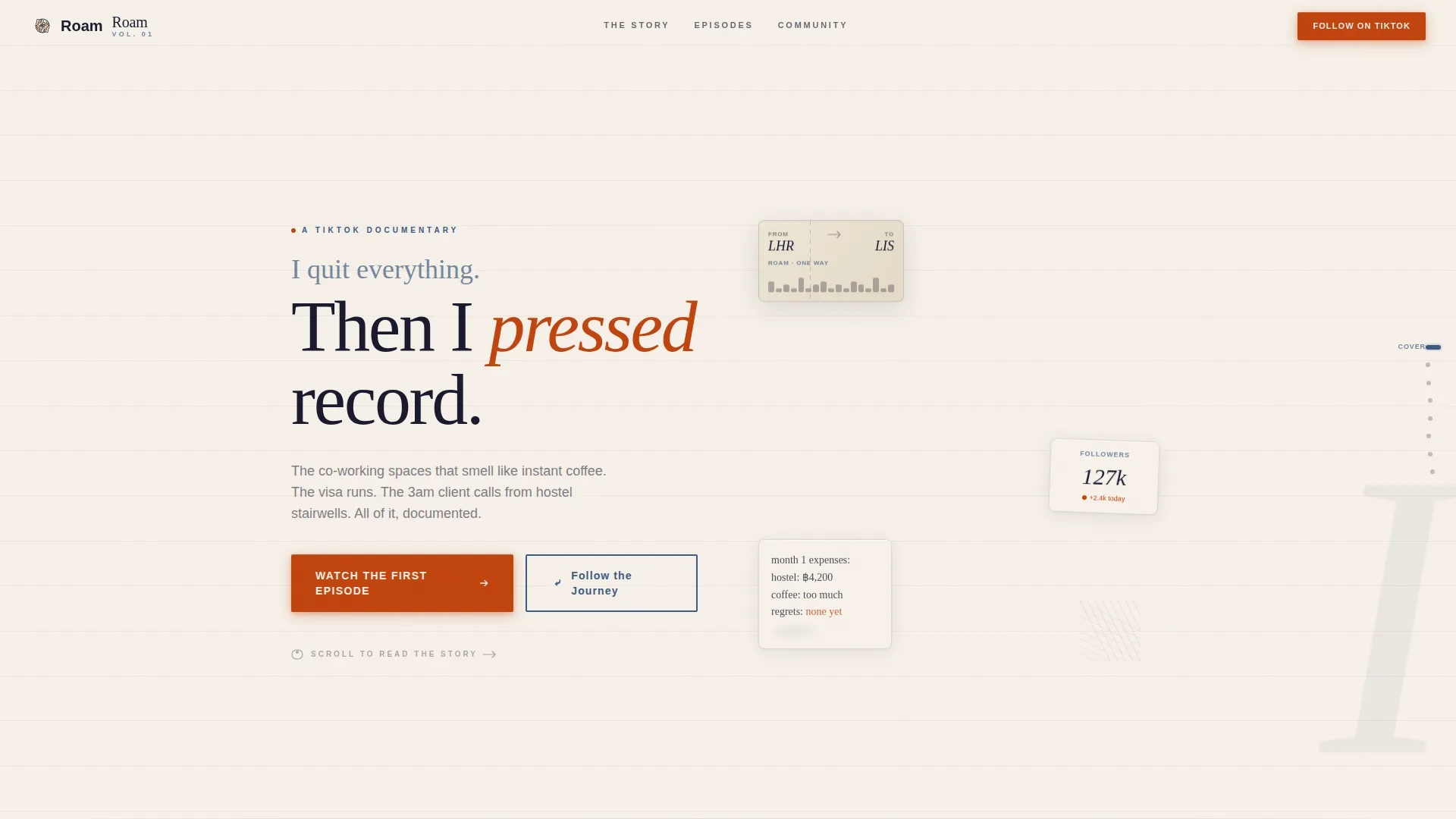
- A hero section with a hand-drawn ink-line desk panorama, parallax floating objects, and a handwritten-font headline
- Six chapter panels that grow richer in color and detail as the scroll progresses, with ink-stamped follower milestones and a community quote in the later chapters
- Two placed call-to-action moments and a secondary profile link, plus a horizontal flow footer
Feature list
This template is built around a tightly integrated set of features that work together to tell a story and move visitors toward action.
Horizontal Scroll Timeline Layout
The page scrolls right rather than down, turning the creator's journey into a literal timeline. Each chapter panel represents a new city, lesson, or phase of channel growth. Scroll snap keeps the experience clean and intentional.
Cursor Parallax Header Illustration
The hero features a hand-drawn ink-line desk panorama with loose, crosshatched travel-sketch style. Objects shift subtly as the cursor moves, creating depth without a photograph. The headline, set in a handwritten font, bleeds directly into the illustration.
Progressive Visual Storytelling Panels
Early chapter panels are sparse, sketchy, and muted in color. As the visitor scrolls forward, panels grow richer, with more ink, more color, and more detail. This visual progression mirrors the growth of the creator's channel over time.
Ink-Stamped Social Proof Moments
Follower milestones appear as ink-stamped panels embedded within the timeline. A community quote is placed inside Chapter 5. Social proof is woven into the story rather than separated into a testimonials block.
Dual Call-to-Action Placement
A red ink-stamped "Watch the First Episode" button appears midway through the scroll after the first-video panel, then again at the final panel. A secondary "Follow the Journey" link points to the TikTok profile. Both placements are earned by the narrative before they appear.
Ink Reveal and Stagger Animations
Sections animate in using ink reveal effects and staggered entrance sequences driven by IntersectionObserver. Hover states trigger ink-style effects on interactive elements. The magnetic call-to-action button responds to cursor proximity.
Page sections overview
| Section | Purpose |
|---|---|
| Hero Illustration Panel | Opens the story with the desk panorama, parallax objects, and the channel's defining headline |
| Chapter 1 and 2 | Covers the spark moment and the creator's first post in sparse, muted, sketchy panels |
| Chapter 3 and 4 | Documents the grind: visa runs, hostel stairwells, and 3 a.m. client calls |
| Chapter 5 and 6 | Shows community growth with richer color, follower milestones, and a community quote |
| Final Story Panel | Brings the timeline to today with dual call-to-action convergence |
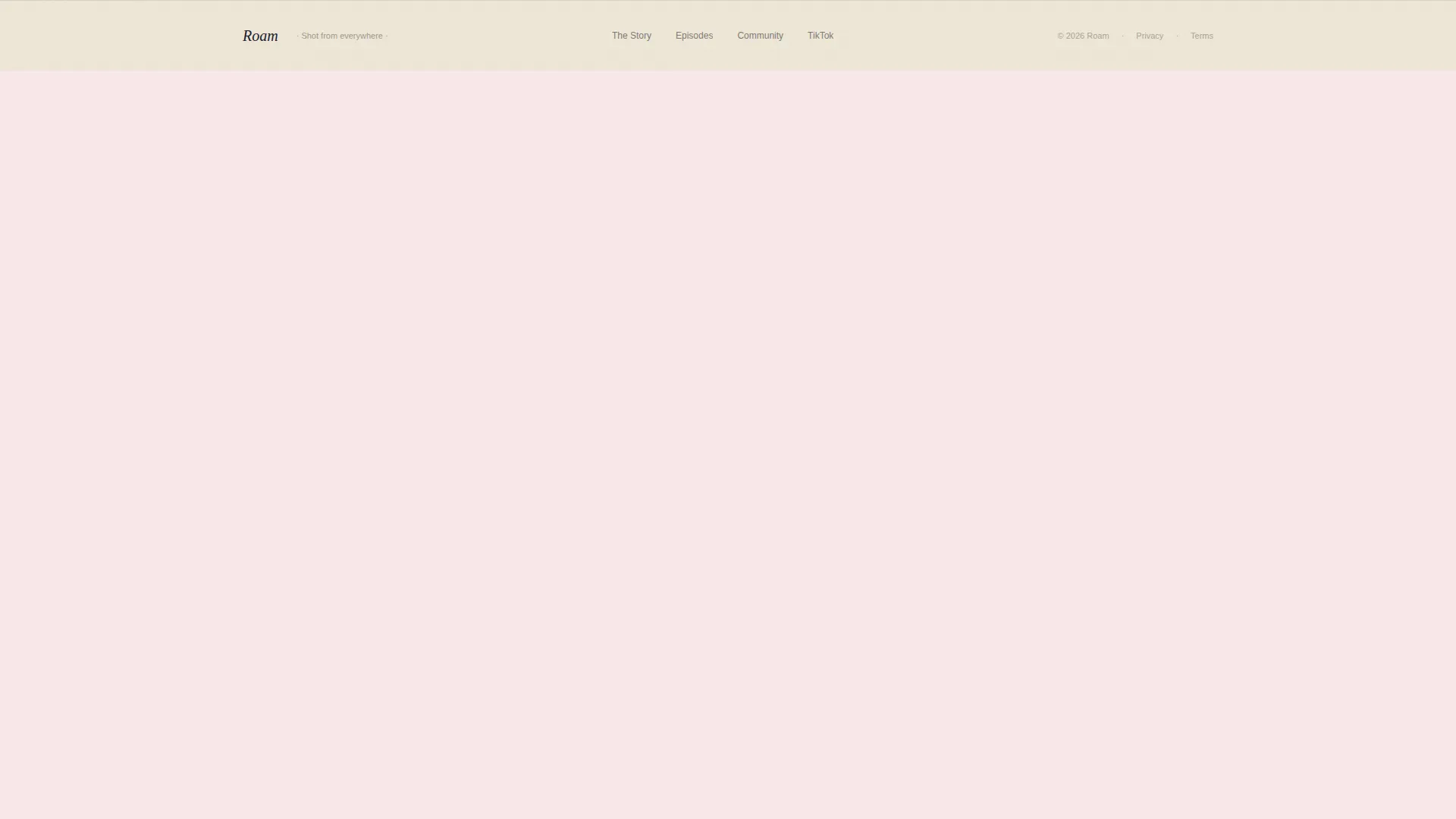
| Horizontal Flow Footer | Closes the page with a clean, flowing footer pattern |
Design & branding system
Roam uses a Heritage and Story theme built on the Ink and Paper color system. Every color choice has a deliberate role in the visual hierarchy.
- Aged parchment (#F5F0E8) fills the background like a continuous scroll of paper, indigo (#3D5A80) anchors section transitions like chapter stamps, and worn bookmark red (#C1440E) appears only on interactive elements and call-to-action moments
- Typography pairs Fraunces, a serif display face, for headlines and chapter titles with DM Sans for body text, keeping the page readable and editorially grounded
- The illustration style is loose and imperfect throughout, crosshatched like a travel sketch, and becomes progressively denser and more confident as the timeline advances
Mobile & speed optimization
The template is designed desktop-first to support the horizontal scroll experience. Mobile visitors receive a thoughtful fallback.
- On smaller screens, the horizontal timeline collapses into a vertical scroll layout, preserving the chapter structure without breaking the story
- GPU-accelerated transforms are used for all scroll and animation effects to keep motion smooth
- IntersectionObserver drives section reveals, so animations only trigger when elements enter the viewport
How this template helps you convert
Roam is structured as a click-through landing page. Every design and layout decision is made to earn the click rather than demand it.
- The horizontal timeline keeps visitors scrolling through the full story before either call to action appears, so the visitor arrives at the button already invested in the outcome
- The red call-to-action button is withheld until a narrative turning point, the moment the creator posts their first video, making the prompt to watch feel like a natural next step rather than an interruption
- The secondary "Follow the Journey" path gives visitors who are not ready to watch a lower-commitment action that still connects them to the channel
Other information about this template
Roam is a single landing page template built for the Blog and Editorial category, specifically within the Remote Work and Digital Nomad Content subcategory. It is optimized for creator channels that lead with documentary-style storytelling.
- The template is designed for English-language audiences with Southeast Asia and Europe cultural references embedded in the chapter content and illustration details
- Page sections are pre-structured around Roam's planned chapter arc, but the timeline panels can be adapted to reflect any creator's real journey milestones
- The footer uses a horizontal flow pattern consistent with the scroll direction of the main page experience
Theme
Heritage & Story
Creative direction
Origin Story
Color system
Ink & Paper
Style
Horizontal Scroll
Direction
Click-Through
Page Sections
Horizontal Scroll Timeline Layout
Cursor Parallax Header Illustration
Progressive Chapter Panel Design
Ink-stamped Social Proof Panels
Dual Call-to-action Placement
Ink Reveal and Stagger Animations
Related questions
Who is this landing page template built for?
Does the horizontal scroll work on mobile devices?
Can I change the chapter content to match my own story?
What are the two calls to action on this page?
What fonts and colors does this template use?



