Travel Blog & Media Professional Website Template
Wayfare is a hub and spoke landing page template built for travel community forums. It pairs a full-bleed hero photo with a sticky anchor navigation, creator spotlight sections, unlocked forum thread previews, and a lead generation form. The Ink and Paper visual theme uses washi cream, sumi ink, vermillion, and moss stone to create a worn journal aesthetic that draws visitors in and moves them toward signing up.
by Rocket studio
Quick summary
Wayfare is a single-page, anchor-navigated landing page template designed for travel community forums. It blends a cinematic full-bleed hero with real member spotlights, gated forum previews, and a lead generation form. The Ink and Paper design system gives every section the warmth of a handwritten travel journal, encouraging visitors to read, connect, and join.
Who this template is for
This template is built for community builders and content-led platforms in the travel space. If your forum thrives on real, specific traveler knowledge rather than polished brand content, Wayfare fits your audience naturally.
- Travel forum founders who want a landing page that feels as authentic as their community
- Independent publishers and niche platform owners targeting backpackers, expats, and slow travelers
- Remote-community builders who need a lead generation page that earns trust before asking for a sign-up
What problem this template solves
Generic forum landing pages fail travel communities because they look like every other sign-up page. Visitors arrive, feel nothing, and leave. Wayfare solves this by letting real community content do the convincing before any form appears.
- Lack of emotional pull: most forum landing pages show features, not people; Wayfare surfaces real member stories first
- Weak conversion paths: visitors need context before committing; the three unlocked thread previews create that context naturally
- Visual mismatch: a travel forum about lived experience deserves a design that looks and feels like lived experience
What you get with this template
You get a fully structured, single-page layout with five named hub sections connected by a sticky anchor navigation. Every section is purposeful and ready to fill with your community's real content.
- A full-bleed hero section with an ink-fade headline animation and a sticky anchor navigation bar
- Four content hub sections covering Routes, Voices, Dispatches, and Join, each anchored and scroll-targeted
- A lead generation form with a traveler handle field, email field, and a destination dropdown, plus three unlocked forum thread previews acting as a soft content gate
Feature list
This template includes a focused set of interactive and visual features drawn directly from the design brief.
Sticky Anchor Navigation with Vermillion Active States
The navigation bar stays fixed at the top as visitors scroll. Each anchor link targets a named hub section. Active states are marked in temple gate vermillion, functioning like a stamped seal that tells visitors exactly where they are on the page.
Full-Bleed Hero with Ink-Fade Headline
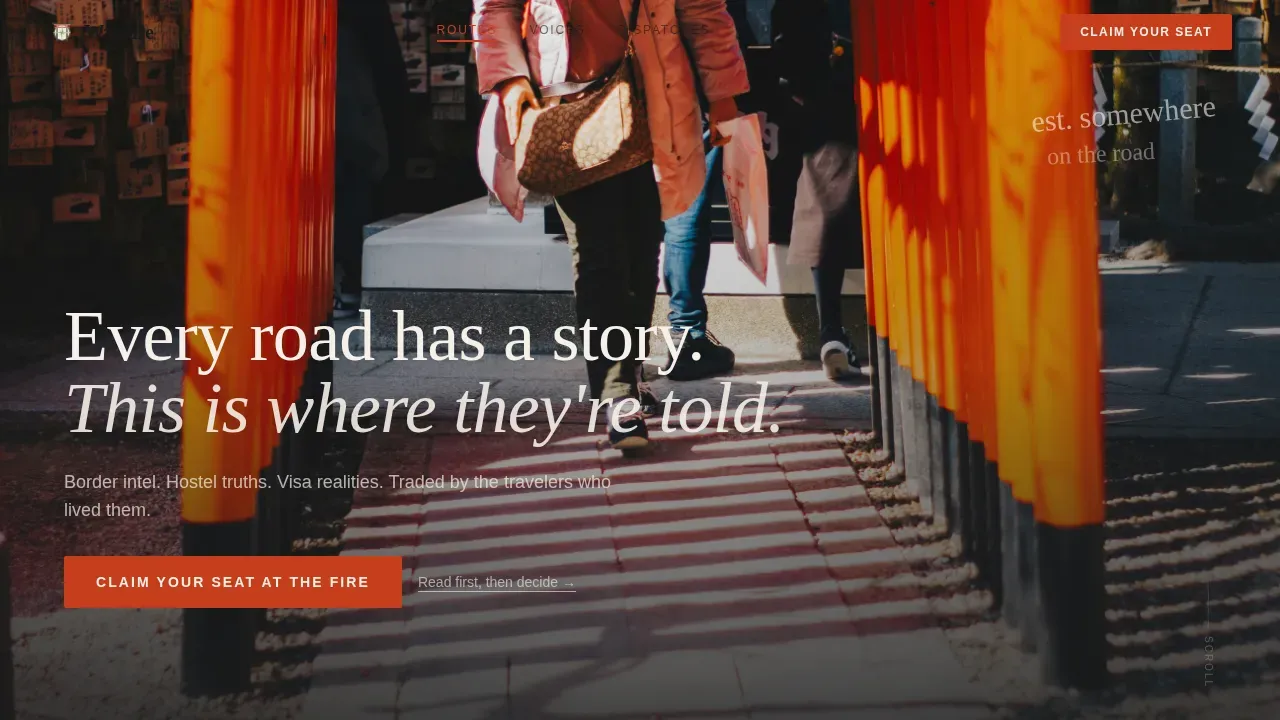
The hero opens with a single traveler silhouette at the entrance of a torii gate corridor at dawn. After a two-beat pause, a hand-lettered headline fades in using an ink-bleed animation. The effect creates immediate atmosphere before any copy competes for attention.
Creator Spotlight Hub Sections
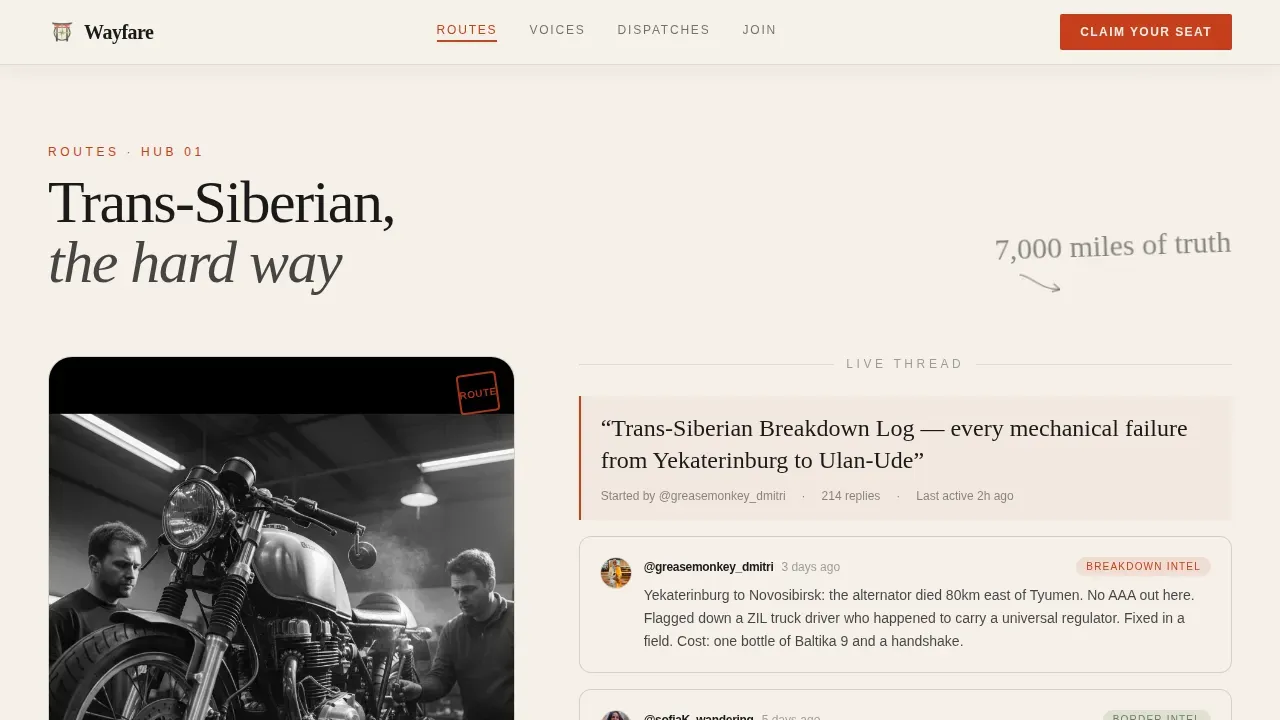
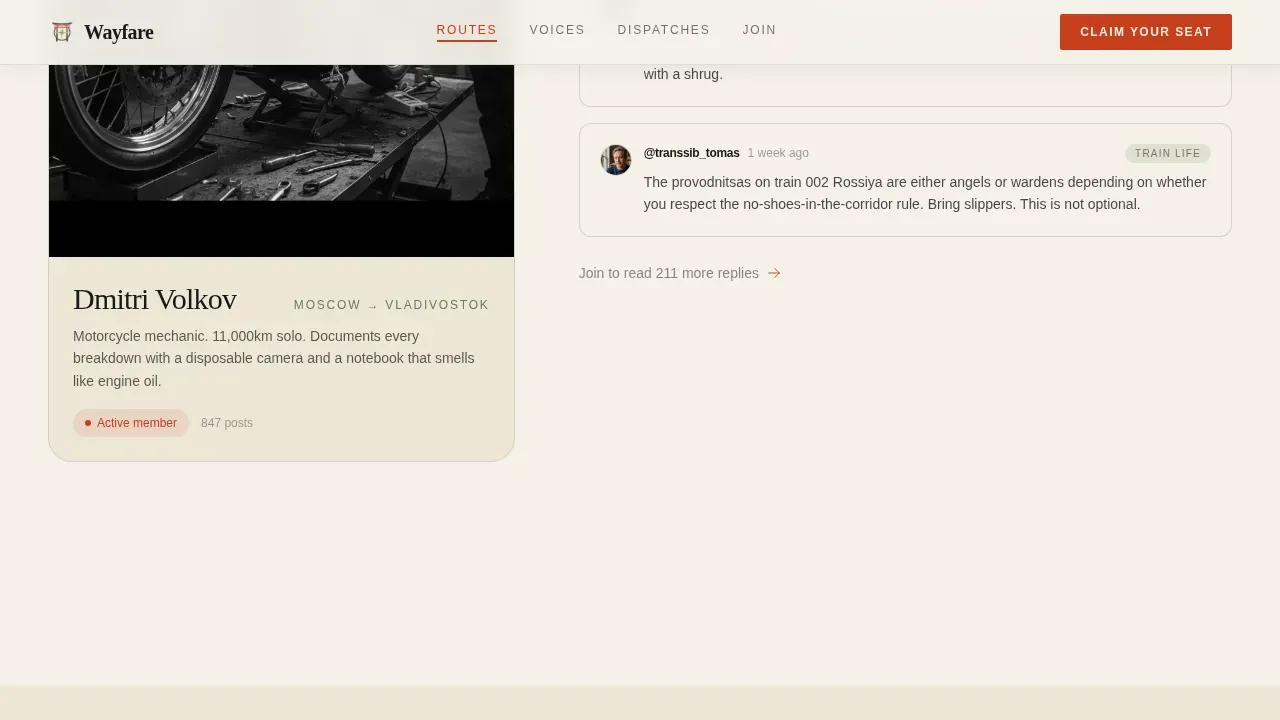
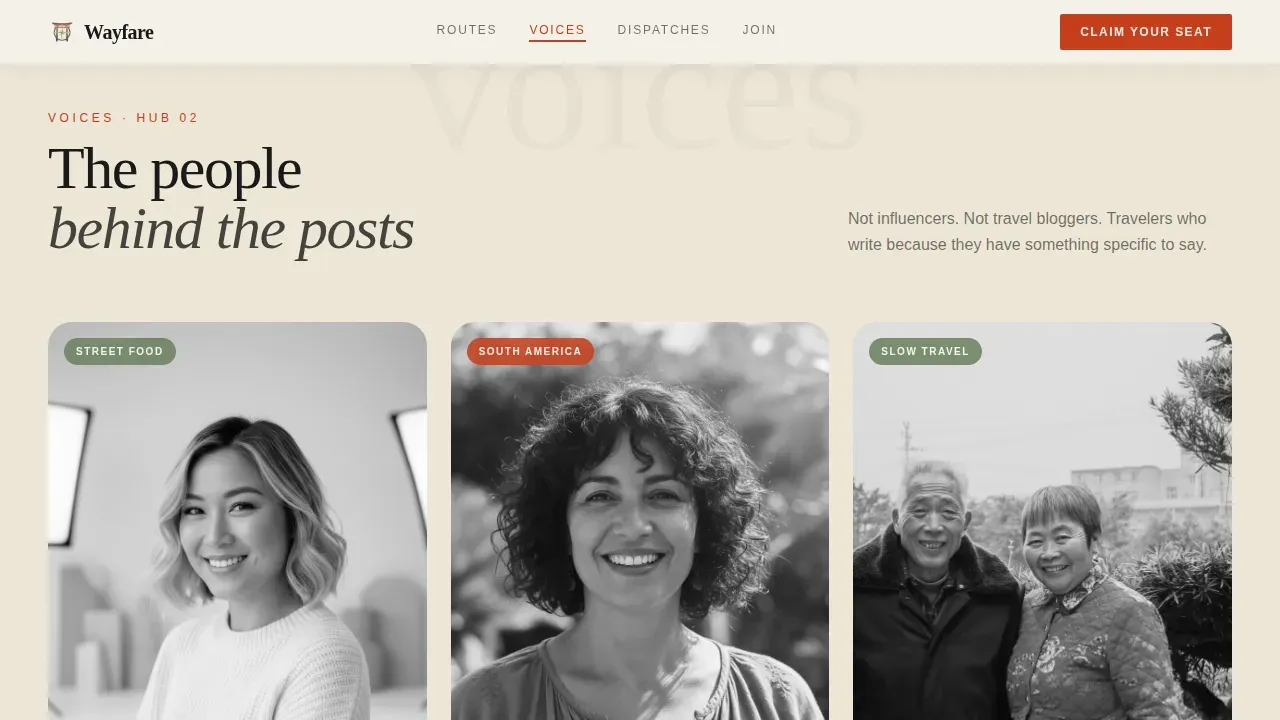
Three hub sections each center on a real community member: a motorcycle mechanic on the Trans-Siberian Railway, a food illustrator in Penang, and a nurse on Patagonian night buses. Forum posts, photos, and hand-drawn map aesthetics fill each spoke, building social proof through specificity.
Unlocked Forum Thread Previews with Content Gate
The Dispatches section surfaces three real forum thread previews that any visitor can read without signing up. After those three threads, a soft gate encourages visitors to join. This approach lets the community's voice do the selling.
Lead Generation Form with Destination Dropdown
The Join section includes a three-field form: traveler handle, email address, and a single dropdown asking where the visitor is headed next, with continent-level options. The primary call to action reads "Claim Your Seat at the Fire" and appears both in the sticky navigation and at the terminal section.
Grayscale-to-Color Hover on Member Profiles
Member profile images in the Voices section render in grayscale by default. On hover, they transition to full color. This subtle interaction rewards curiosity and draws attention to the human faces behind the community.
Page sections overview
| Section | Purpose |
|---|---|
| Hero with nav | Opens with full-bleed photo, ink-fade headline, and sticky anchor navigation |
| Routes spotlight | Features Trans-Siberian mechanic thread with map sketch aesthetic |
| Voices profiles | Showcases food illustrator and Patagonia nurse with hover interaction |
| Dispatches previews | Displays three unlocked forum threads with a soft content gate |
| Join form | Hosts the lead generation form and primary call-to-action button |
| Footer layout | Closes with horizontal flow footer pattern |
Design & branding system
The visual identity follows an Ink and Paper theme rooted in a Japanese Zen color palette. Every color choice has a functional role, not just a decorative one.
- Washi cream (#F5F0E8) covers all backgrounds, giving the page the warmth of aged parchment; sumi ink black (#1A1A1A) carries all body text with the visual weight of brushstrokes
- Temple gate vermillion (#C73E1D) marks navigation anchors, active states, and the primary call-to-action button, functioning like a hanko seal stamp
- Moss stone (#6B7F5E) appears on tags, member badges, and subtle section dividers; typography pairs DM Serif Display for headlines with IBM Plex Sans for body text and a handwritten accent font for editorial moments
Mobile & speed optimization
The template is built mobile-first, reflecting the reality that most of its target audience browses on a phone between transit stops. Layout decisions prioritize readability and tap targets on small screens.
- Mobile-first layout structure with a horizontal scroll gallery for the creator spotlight sections, designed for thumb navigation
- Animations are set to medium intensity: ink-bleed fades, scroll reveals, and staggered entrance effects that feel intentional without slowing the experience
- Static sections use server-rendered components while the sticky navigation and lead generation form run as interactive client components, keeping the page responsive
How this template helps you convert
Wayfare builds commitment gradually. Visitors move from passive reading to active wanting before the form ever appears.
- The hero and creator spotlights establish emotional context first, giving visitors a reason to care about the community before any call to action appears
- The three unlocked forum thread previews in the Dispatches section let visitors taste real conversations, making the cost of staying outside the community feel real and immediate
- The "Claim Your Seat at the Fire" call to action appears twice, once in the sticky navigation and once at the terminal Join section, so it is always one tap away when a visitor decides they are ready
Other information about this template
This template suits travel forum platforms, editorial travel communities, and niche content membership sites that rely on authentic voices rather than polished marketing copy. It is a single landing page layout, not a multi-page site, so all content lives within one scrollable experience connected by anchor navigation.
- The footer uses a horizontal flow layout pattern suited to link-light, brand-forward closings
- Forum thread previews include member handles, post timestamps, and reply counts as social proof elements
- The template is localized in English with no currency elements, making it straightforward to adapt for international audiences
- The design style draws on worn Moleskine journal aesthetics, meaning rough textures, hand-drawn map details, and editorial typography choices are central to the visual language
Theme
Ink & Paper
Creative direction
Creator Spotlight
Color system
Japanese Zen
Style
Hub & Spoke (Anchor Nav)
Direction
Lead Generation
Page Sections
Sticky Anchor Navigation Bar
Full-bleed Hero with Ink-fade Animation
Creator Spotlight Hub Sections
Unlocked Thread Previews with Soft Gate
Lead Generation Form with Dropdown
Grayscale-to-color Profile Hover Effect
Related questions
Is this template suitable for an existing forum or a new one launching soon?
Can I change the color palette or typography to match my own brand?
How does the soft content gate in the Dispatches section work?
Does the lead generation form connect to any email or community platform?
What kind of image works best in the full-bleed hero section?



