Rotor is a split-screen landing page template built for helicopter manufacturers targeting defense procurement officers, offshore energy operators, and emergency medical service directors. It pairs a draggable before/after hero with animated mission-profile sections, a performance bento grid, and a dual-conversion footer, all wrapped in a Data Command visual identity that earns confidence before it asks for a signature.
by Rocket studio
Loading preview…
Quick summary
Rotor is a single-page, desktop-first landing page template designed for rotorcraft manufacturers competing for high-value defense, offshore, and emergency medical service contracts. Every section is built to communicate capability through data, delivering a procurement-grade experience that moves serious buyers from first scroll to fleet proposal request.
Who this template is for
This template is purpose-built for organizations that sell rotorcraft at enterprise and government scale. It speaks directly to buyers who evaluate aircraft on numbers, not narratives.
Defense procurement officers managing fleet replacement decisions worth millions
Oil-and-gas operations leaders costing crew-change sorties across offshore platforms
National health service and emergency medical service directors spec'ing air ambulance systems against mission-hour guarantees
What problem this template solves
Legacy helicopter manufacturer pages look like brochures. They list features without proving performance. Procurement teams need data, not decoration, and a page that forces them to dig for specs loses the deal before the meeting.
Rotor replaces passive product listings with escalating mission scenarios that prove aircraft capabilities under real operating conditions
It eliminates the credibility gap by leading with live-style telemetry data and side-by-side performance comparisons
It removes navigation distractions and focuses every scroll toward a single outcome: the fleet proposal request
What you get with this template
Rotor delivers a complete, production-ready landing page layout structured around five major content zones. Each zone serves a distinct role in the buyer journey, from first impression to form submission.
A draggable before/after hero, three animated mission-profile split screens, a performance bento grid, an operators and trust section, and a dual-conversion call-to-action footer
A Data Command visual identity using Navy Authority colors, DM Sans headlines, and JetBrains Mono for all spec values and telemetry figures
Theme
Data Command
Creative direction
Spec Sheet
Color system
Navy Authority
Style
Split Screen (50/50)
Direction
Partnership/B2B
Page Sections
Draggable Before/after Hero
Animated Mission Profile Sections
Performance Bento Grid
Dual Conversion Footer
Sticky Call to Action in Navigation
Operators and Trust Section
Related questions
Who is this landing page template designed for?
Can I adapt the mission profile sections for different aircraft types?
What conversion actions does this template support?
Is this template suited to desktop-focused procurement audiences?
How does the draggable before/after hero work?
Desktop-first layout with responsive breakpoints, viewport-triggered number animations, and a staggered spec-reveal interaction system
Feature list
This template was engineered around the specific challenges of B2B defense and industrial aviation sales. Each feature reflects a deliberate decision about what procurement-grade buyers need to see.
Draggable Before/After Hero Panel
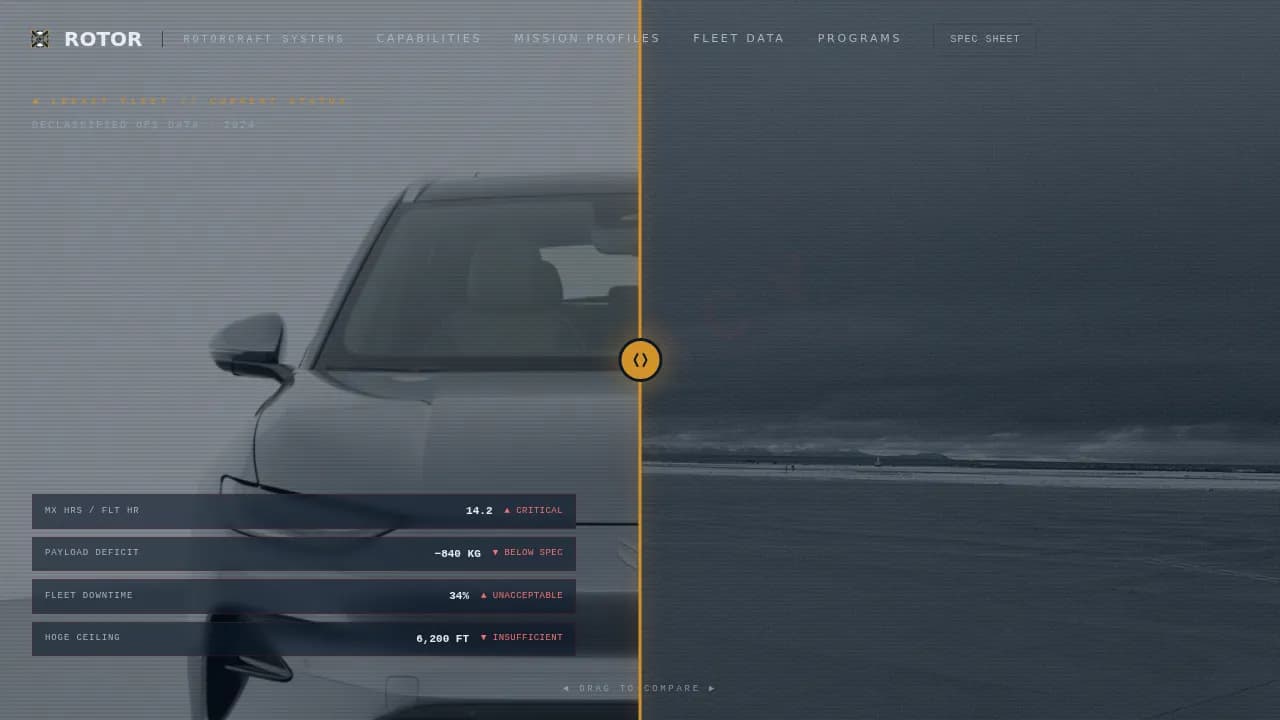
The hero splits the screen between a legacy fleet photograph overlaid with aging operational stats and a next-generation airframe with pinned telemetry annotations in signal amber. A draggable center divider lets procurement teams physically slide between the two states, feeling the performance gap close under their own hand. This interaction sets the tone for the entire page: data first, always.
Animated Mission Profile Sections
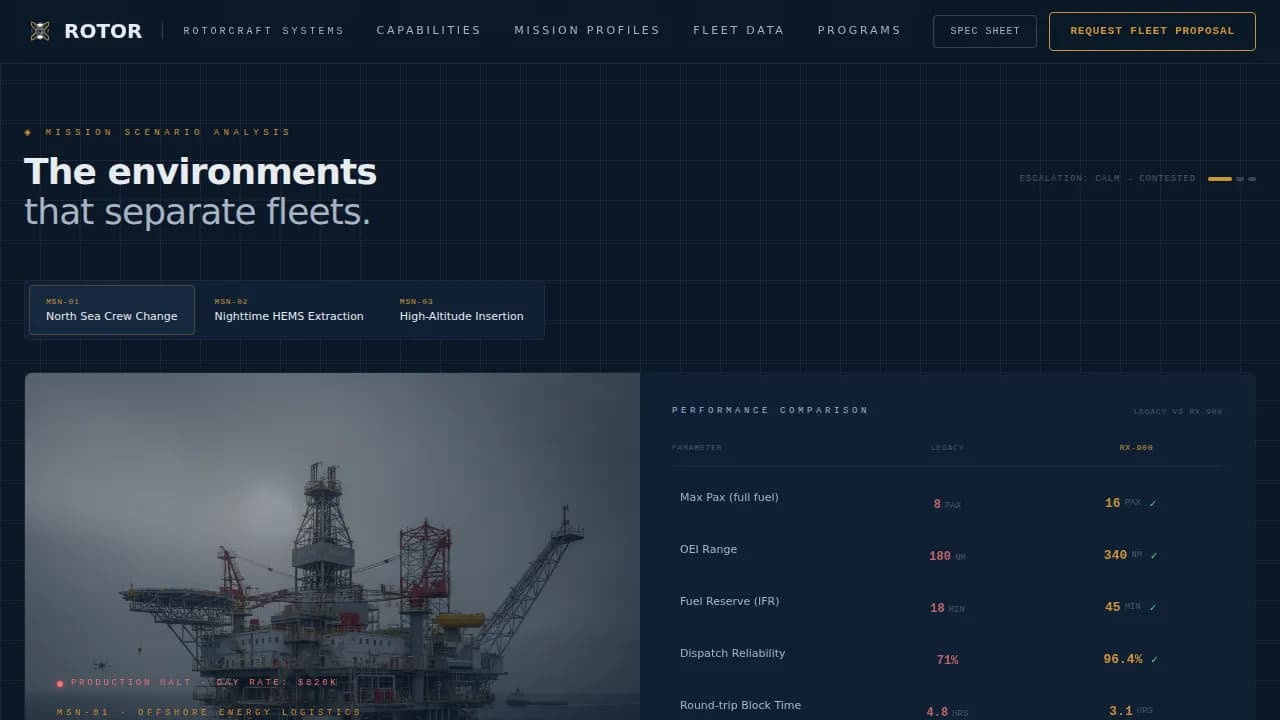
Three split-screen mission scenarios escalate in operating difficulty, offshore crew change in North Sea conditions, nighttime emergency medical service extraction, and high-altitude troop insertion. The right panel of each scenario holds a live-style spec comparison table with numbers that animate into place as the section enters the viewport. The narrative structure mirrors how defense and industrial customers actually evaluate aircraft: by mission environment, not by spec sheet row.
Performance Bento Grid
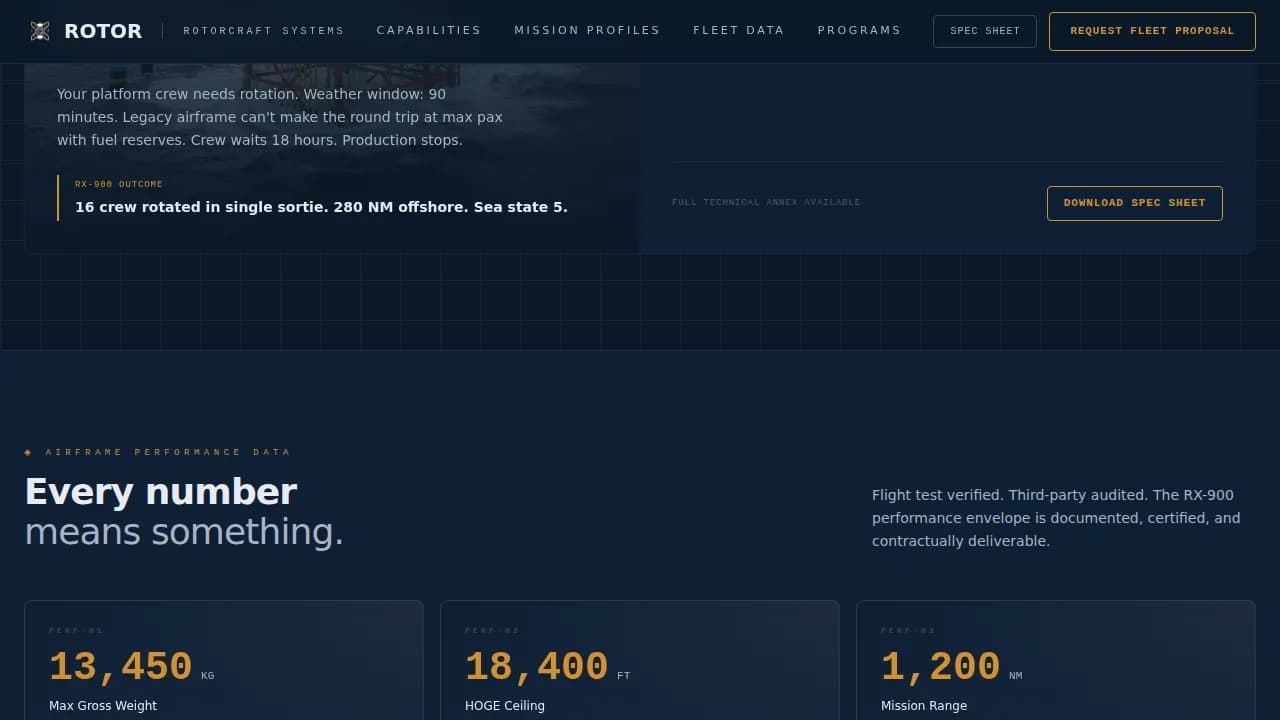
An asymmetric bento grid consolidates key metrics and integrated system capabilities into a single, scannable dashboard. Figures for maximum gross weight, HOGE ceiling, cruise speed, autorotation index, and operational range appear in instrument-white against command-deck navy panels. This section gives customers a complete performance snapshot without requiring them to download anything.
Dual Conversion Footer
The final section anchors two parallel conversion paths. The primary call to action, "Request Fleet Proposal", captures organization name, current fleet size, mission type, and procurement timeline. A secondary path gates a full spec sheet PDF download behind a work email address only, capturing leads who are ready to compare but not yet ready to commit. Both paths feed the same procurement funnel without competing with each other.
Sticky Navigation Call to Action
After the first scroll, a "Request Fleet Proposal" button pins to the navigation bar and stays visible throughout the entire page. This persistent prompt means the primary conversion action is always one click away, regardless of where a buyer is in the content. It reduces friction without interrupting the reading flow.
Operators and Trust Section
A dedicated section presents testimonials with program context and operator logos. This is where mission-hour guarantees, fleet program references, and operator confidence signals live. For high-stakes procurement decisions, social proof with program-level specificity carries more weight than generic endorsements.
Page sections overview
Section
Purpose
Before/After Hero
Compare legacy versus next-gen airframe with draggable divider and live telemetry pins
Mission Profile Scenarios
Three escalating split-screen scenarios with animated spec comparison tables
Performance Bento Grid
Asymmetric dashboard of key metrics and integrated system capabilities
Operators and Trust
Testimonials, program references, operator logos, and mission-hour guarantees
Fleet Proposal Call to Action
Dual conversion: proposal form and spec sheet email gate
Footer
Horizontal flow footer with brand and compliance reference links
Design & branding system
The visual identity follows a Data Command theme. Every color, typeface, and spacing decision is intentional, the page should feel like a glass cockpit at cruise altitude: dark, information-dense, and utterly deliberate.
Navy Authority palette: command-deck navy (#0B1929) dominates backgrounds, tactical gray (#3A4555) carries body text, instrument-white (#E8ECF1) lights up spec values and headlines, and signal amber (#D4922A) fires only on performance figures, call-to-action borders, and interactive toggle states
Typography: DM Sans for headlines and body copy; JetBrains Mono reserved exclusively for all telemetry figures, spec values, and data callouts
High-contrast tactical color application ensures precision and reliability read instantly to aerospace and defense audiences
Mobile & speed optimization
Rotor is designed desktop-first, reflecting how procurement decisions actually happen, at workstations, not on phones. The layout is built with responsive breakpoints so the experience remains functional and readable on smaller screens.
Viewport-triggered number counters and staggered spec reveals are handled by client components, keeping static sections lean and fast to load
Touch-friendly interactive elements, including the draggable divider and form controls, are sized and spaced for reliable interaction across devices
The tab switcher, before/after slider, and form validation logic are isolated to client-side components to protect overall page load performance
How this template helps you convert
Rotor earns the conversion before it asks for one. The page is structured so that every scroll builds the procurement case, and the call to action arrives as a logical conclusion rather than a sales interruption.
The draggable hero makes the performance gap between legacy and next-generation aircraft visceral and personal, establishing confidence in the airframe before a single spec is read
The escalating mission scenarios demonstrate that the aircraft can operate effectively across defense, offshore, and emergency medical service environments, giving each buyer segment a direct proof point
The dual-conversion footer captures both ready buyers via the fleet proposal form and research-stage leads via the spec sheet gate, protecting the funnel at both ends
Other information about this template
Rotor draws on the broader context of modern rotorcraft development and the standards buyers in this space apply when evaluating new platforms. Understanding that context makes every design decision in this template easier to justify to stakeholders.
Industry references like Airbus Helicopters and Bell demonstrate the competitive benchmark this template is designed to meet. Airbus Helicopters' military range is being redefined by advanced concepts in versatility and modularity, while Bell's High-Speed Vertical Takeoff and Landing (HSVTOL) technology combines helicopter hover capability with jet-like speed and range, the kind of performance claims that procurement teams now expect to see proven, not just stated.
The RACER compound rotorcraft technology demonstrator, developed across 40 partners in 13 countries across Europe, successfully demonstrated a flight speed of 240 knots while reducing fuel consumption and CO₂ emissions by over 25% compared to a 2014-era medium-heavy helicopter. Its aerodynamic optimizations reduce overall drag by 2.5 times compared to conventional helicopter designs.
Composite materials are increasingly used in military rotorcraft design to enhance performance and reduce weight. Advanced composite airframe components contribute to improved fuel efficiency and structural integrity. The template's certification and compliance section can support references to standards such as AS9100, FAA Part 141, or CMMC (Cybersecurity Maturity Model Certification), which are subject to procurement team scrutiny.
Developing confidence in uncrewed and autonomous systems is a growing priority. Military rotorcraft programs are focusing on manned and unmanned teaming, with AI-driven autonomy playing a larger role in future missions. Drones and crewed aircraft operating collaboratively are increasingly the baseline expectation for defense forces across the globe.
The rotor high performance defense aviation landing page template is designed to serve manufacturers who are committed to proving capability through data and who want a production-ready foundation that matches the seriousness of the missions their aircraft fly.