Statute is a split-screen landing page template built for roofing legal services firms. It pairs an authoritative editorial design with a resource-hub layout that guides roofers, owner-operators, and general contractors to contracts, compliance guides, and claims documents. The primary conversion is an email-gated Legal Kit download, supported by ungated article links and a sticky phone bar.
by Rocket studio
Loading preview…
Quick summary
Statute is a desktop-first, split-screen landing page template designed for roofing legal service providers. It organizes contracts, compliance, and claims resources into a clear editorial layout. Specialists are introduced alongside the documents they authored. The primary call to action is an email-gated download of the Roofer's Legal Kit.
Who this template is for
This template is built for legal service firms that serve the roofing trade. It speaks directly to the people on-site and in the office who need legal clarity fast.
Owner-operators running small crews who need subcontractor agreements and lien help
General contractors who sub out roofing work and inherit liability exposure
Commercial roofing outfits facing prevailing wage audits and OSHA citations
What problem this template solves
Roofing contractors often face lawsuits, lien disputes, and licensing tangles with no clear resource to turn to. Generic legal websites feel inaccessible to a foreman reading on a lunch break. This template solves that trust gap by presenting real documents and real specialists in plain, readable language.
Hard-to-navigate legal content that loses busy contractors before they convert
No visible proof of document quality before visitors commit to sharing their email
Missing conversion paths for visitors who are not yet ready to download
What you get with this template
You get a fully structured single-page layout that guides visitors from a compelling hero section through specialist introductions, document previews, and a gated download form. Every section is sequenced to build trust before asking for anything in return.
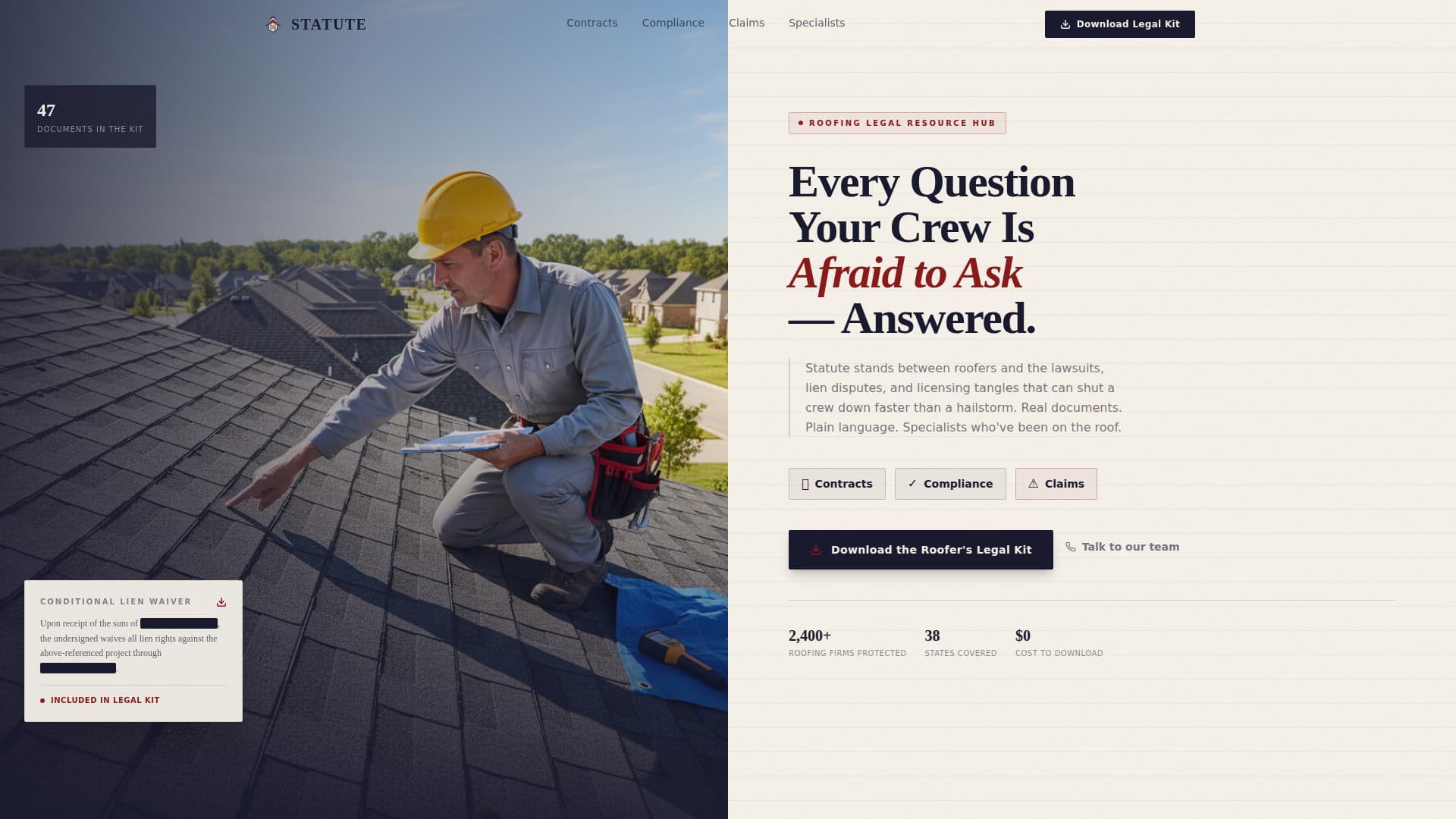
A 50/50 split-screen hero with a photo panel and heavy serif headline
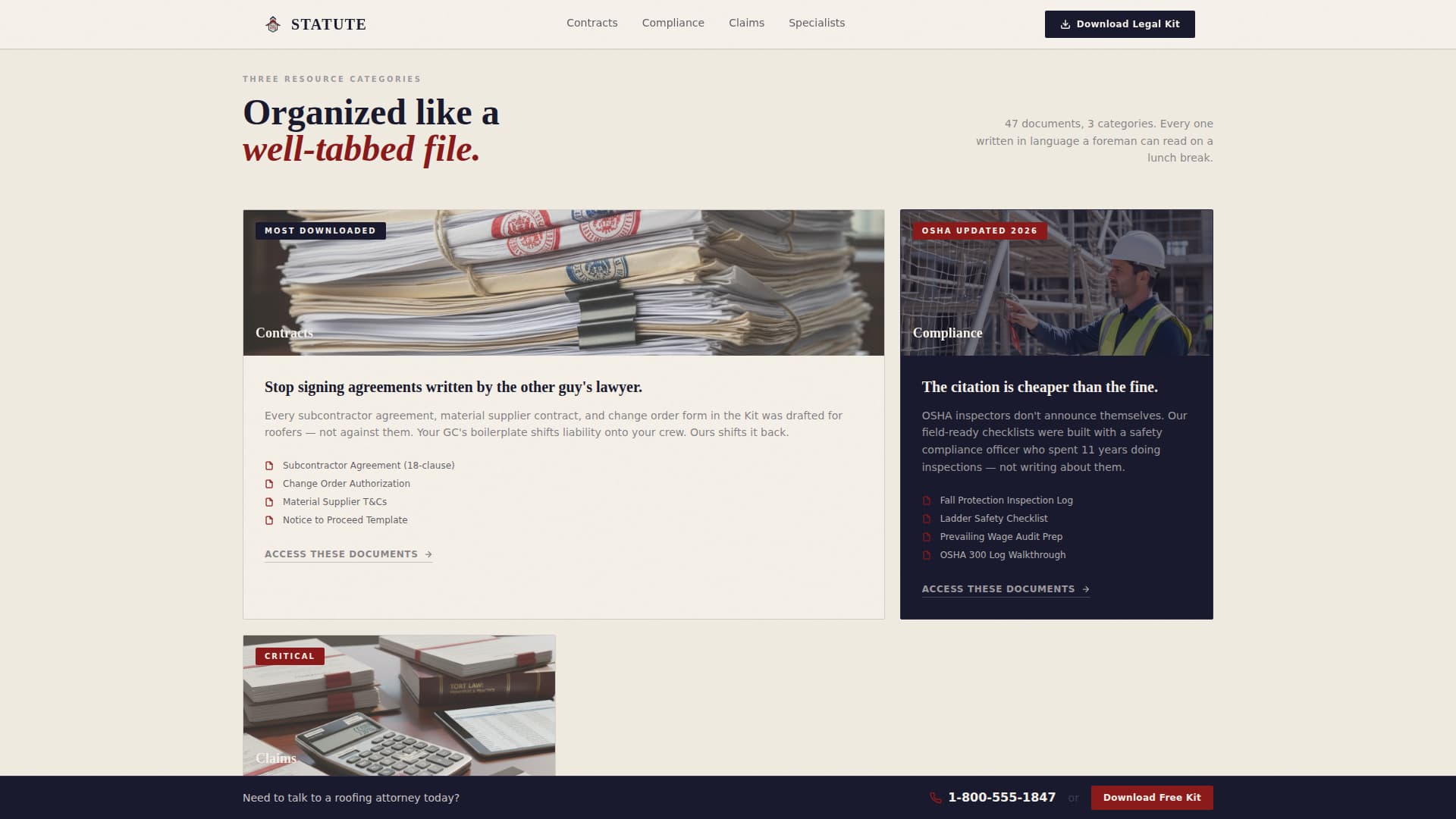
An asymmetric bento layout covering the three resource categories: contracts, compliance, and claims
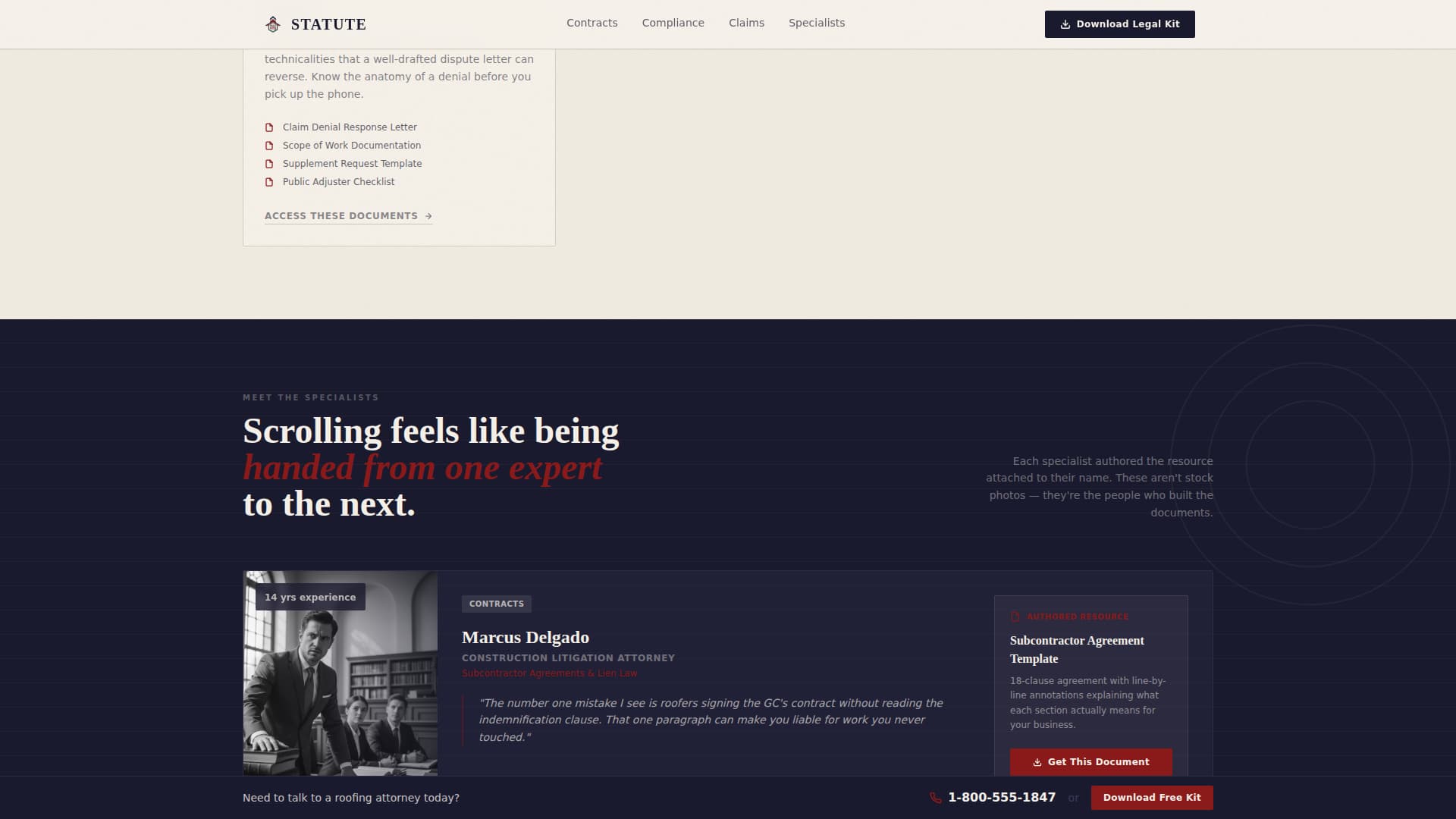
Team specialist cards, redacted document excerpt previews, an expanding email capture form, and a sticky phone bar
Theme
Legal Shield
Creative direction
Team & People
Color system
Ink & Paper
Style
Split Screen (50/50)
Direction
Content/Resource
Page Sections
50/50 Split-screen Hero Layout
Asymmetric Bento Resource Grid
Specialist Team Cards with Authorship
Redacted Document Preview Panels
Progressive Email Capture Form
Sticky Phone Bar
Related questions
Who is this template designed for?
What is the Roofer's Legal Kit download?
Does the template show document previews before the email gate?
Can visitors reach the firm without filling out any form?
What visual style does this template use?
Feature list
A paragraph introduces the features block. Each feature below reflects a specific capability built into this template as described in the source brief.
50/50 Split-Screen Hero
The hero divides the page into two equal halves. The left side holds a portrait-style photograph of a roofing attorney and a field consultant on a commercial roof. The right side carries a heavy serif headline and category subtext, setting tone and expertise immediately.
Asymmetric Bento Resource Grid
Three resource categories, contracts, compliance, and claims, are arranged in an asymmetric bento layout. Each cell leads visitors to the document type most relevant to their situation, keeping navigation intuitive without extra clicks.
Specialist Team Cards
Each resource section introduces the expert who authored it. A contracts attorney, a safety compliance officer, and a claims adjuster each appear with their associated document, so visitors understand exactly who stands behind the content.
Redacted Document Preview Panels
Sample excerpts from real documents are shown before the email gate. A lien waiver clause and a redacted demand letter are displayed so visitors see document quality firsthand before deciding to download.
Expanding Single-Field Email Capture
The email capture starts with a single input field. Once an address is entered, the form expands to ask for company size and state of operation. This reduces friction at entry while collecting useful context progressively.
Sticky Phone Bar
A persistent phone bar stays visible as visitors scroll. It carries the firm's direct number and a secondary call to action for speaking with the roofing legal team, capturing visitors who prefer a phone call over a form.
Page sections overview
Section
Purpose
Hero Split Screen
Establish authority and introduce the three resource categories
Resource Bento Grid
Organize contracts, compliance, and claims into navigable cells
Specialist Team Cards
Connect each resource to a named expert who authored it
Document Preview Panels
Show redacted excerpts to demonstrate document quality before the gate
Email Capture Form
Gate the Roofer's Legal Kit behind a progressive email form
Sticky Phone Bar
Provide a persistent secondary path to speak with the legal team
Footer Row
Deliver essential links and contact details in a single linear row
Design & branding system
The visual identity follows a Legal Shield theme built on an Ink and Paper color system. The palette feels like a worn legal pad left on a jobsite trailer desk, something you trust because it looks like it has been handled before.
Deep documentary black (#1A1A2E) as the primary background, warm parchment (#F5F0E8) for content surfaces, and ruled-line gray (#D4CFC4) for structural dividers
Notary-stamp crimson (#8B1A1A) reserved for badges, download icons, and critical warning callouts
Fraunces serif for headlines and DM Sans for body copy, balancing editorial authority with plain readability
Mobile & speed optimization
The template is built desktop-first to match how resource hub visitors typically browse, but remains fully responsive across all screen sizes. Interactive elements are built to load efficiently without blocking the main content.
Scroll reveal animations and staggered entry effects add depth without slowing initial render
The expanding email form and hover document card effects use client-side interactions only where needed
Static page sections use server components to keep the layout fast and reliable
How this template helps you convert
Every section is sequenced to earn trust before asking for something. Visitors are moved through a deliberate path from awareness to action.
The hero establishes specialist credibility immediately, before a visitor reads a single resource
Document previews prove content quality before the email gate, removing the biggest hesitation for sign-ups
The sticky phone bar and ungated article links give undecided visitors a low-commitment next step
Other information about this template
This template is designed specifically for the professional services niche, targeting roofing contractor legal resource hubs and online presence needs in the United States market. A few additional details worth noting:
Localization is set for the United States, using USD and MM/DD/YYYY date formatting
Animation level is medium, including scroll reveals, stagger effects, and hover depth on document cards
The footer follows a linear single-row pattern, keeping the page end clean and uncluttered
The creative direction is Team and People, meaning every section pairs a human expert with a specific resource
The template style is Split Screen at 50/50 proportions, and the header concept is a Half-Page Photo and Text composition