Quilting & Sewing Content Advanced Blog Website Template
Stitch is a hub-and-spoke landing page template built for quilting and sewing online communities. It pairs an editorial magazine aesthetic with a fixed anchor navigation, a muted autoplay reel hero, and a five-question style-quiz modal. The design uses a warm Ink and Paper color system to make every scroll feel like paging through a freshly printed craft magazine.
by Rocket studio
Quick summary
Stitch is a single-page community hub template styled like an industry magazine. It opens with an overhead cutting-table reel, guides visitors through four editorial "department" sections via a fixed anchor nav, and closes with a personality quiz that captures emails through a curated onboarding path. The result is a living reference landing page that feels crafted, not generated.
Who this template is for
This template is built for people who run, grow, or launch an online quilting and sewing community. It suits operators who want their platform to feel authoritative and welcoming at the same time.
- Guild leaders and community managers who want a polished public-facing hub for their quilting chapter
- Independent makers and Etsy sellers who need a content-rich landing page to recruit members or collaborators
- Bloggers and educators in the sewing space who want to present techniques, stats, and Q&A in a magazine-quality format
What problem this template solves
Most community landing pages look like generic forum indexes. They list features, drop a sign-up button, and hope visitors stay. That approach loses the crafters who want to feel the culture before they commit.
- It replaces flat feature lists with editorial storytelling, so visitors understand the community's personality before they join
- It gives guild presidents and community leads a structured, credible first impression that matches the craft's heritage
- It turns a passive browse into an active discovery through the quiz, so new members arrive already oriented to the right corner of the community
What you get with this template
You get a fully structured, single-page hub laid out across five distinct content sections. Every section is designed to carry real community data and imagery without requiring a rebuild from scratch.
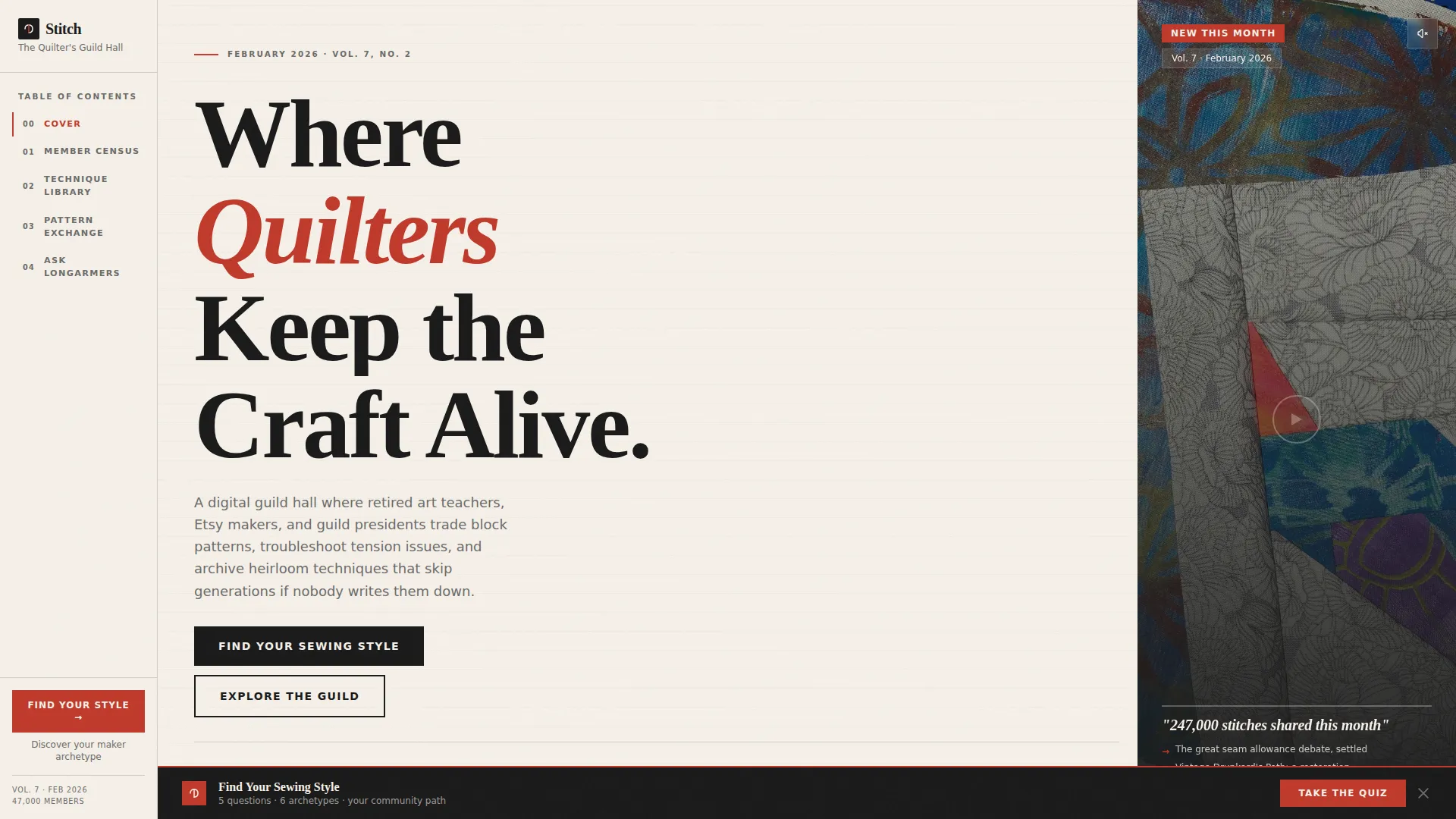
- A hero section with an autoplay muted reel, magazine-cover typography, and a pulsing first anchor nav link
- Four editorial "department" spoke sections covering member census, technique library, pattern exchange, and expert Q&A
- A five-question quiz modal styled as a personality test, a sticky bottom call-to-action bar, and an email capture results page
Feature list
This template is built around a specific set of interactive and editorial components. Each one serves the flow from first impression to community signup.
Fixed Anchor Navigation Sidebar
A table-of-contents-style nav sits fixed on the page as visitors scroll. It highlights the active section and links directly to each department spoke, keeping orientation effortless on a long editorial page.
Autoplay Muted Hero Reel
The header runs a fifteen-second vertical-format loop filmed overhead on a cutting table. It autoplays silently with a subtle play button for sound. Text overlays appear typeset in magazine-cover style, showing a live-feel community statistic.
Five-Question Style Quiz Modal
A modal quiz opens from any call-to-action trigger on the page. Visitors answer five visual-choice questions covering fabric palette, project scale, machine era, finishing preference, and biggest frustration. Results map to one of six maker archetypes, each with a custom community onboarding path.
Email Capture on Quiz Results
After the quiz, the results page frames email capture as receiving a full style report and a curated starter thread list. This makes the hand-off feel like a magazine subscription rather than a generic sign-up form.
Sticky Bottom Call-to-Action Bar
After the third spoke section, a sticky bar appears at the bottom of the viewport. It persists as visitors continue reading and carries the "Find Your Sewing Style" prompt, reducing drop-off before the quiz is triggered.
Editorial Infographic Data Sections
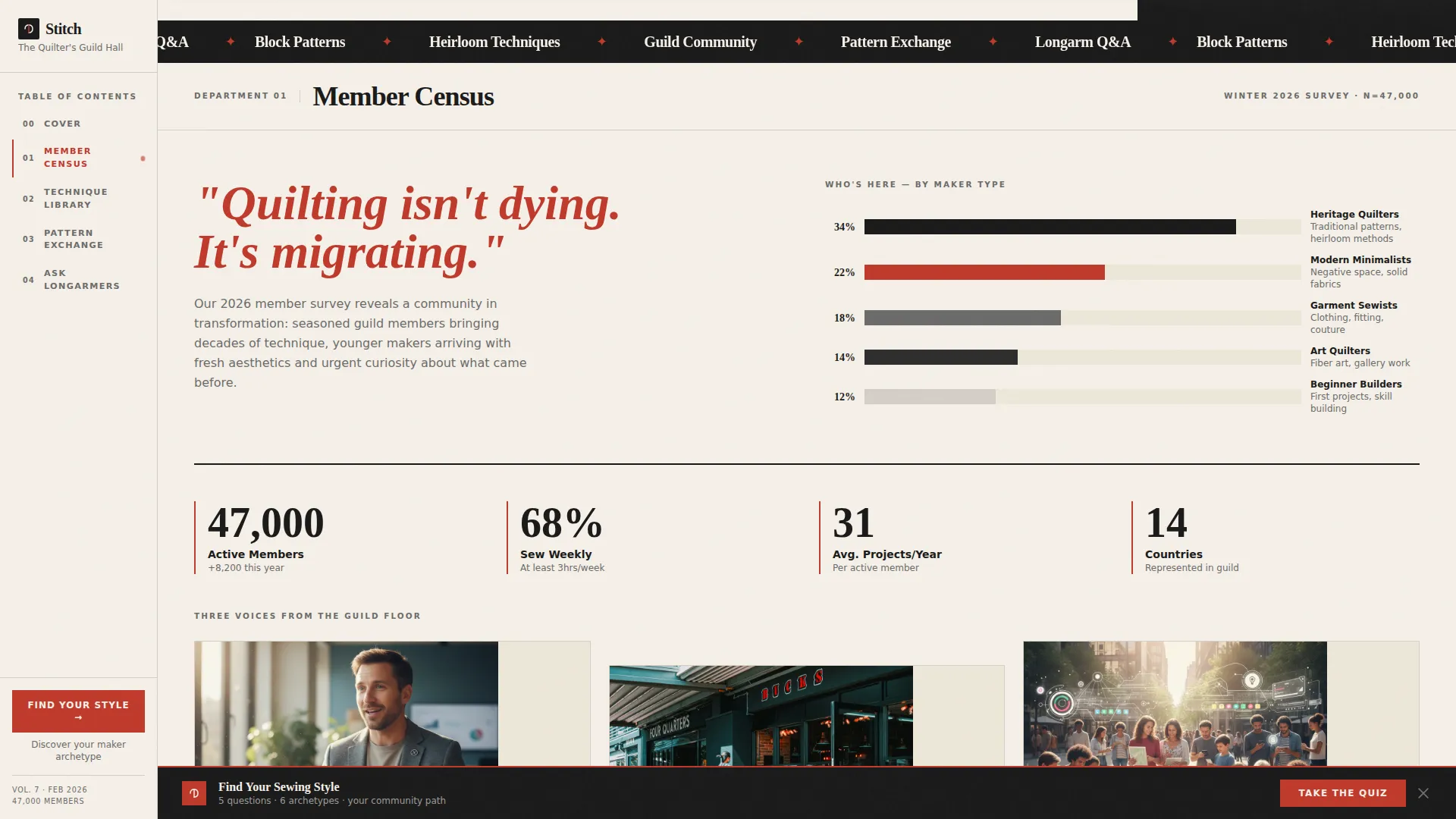
Each department section presents community data in editorial infographic style. Hand-illustrated pie charts, oversized pull-quote statistics in serif type, and photo grids cropped like magazine layouts give the page a print publication feel.
Page sections overview
| Section | Purpose |
|---|---|
| Hero Reel Header | Introduces the community with an overhead cutting-table video loop and magazine-cover stat overlays |
| Anchor Nav Bar | Provides a fixed table-of-contents sidebar that highlights the active spoke section on scroll |
| Member Census | Presents who is in the community using editorial infographic stats and illustrated data visuals |
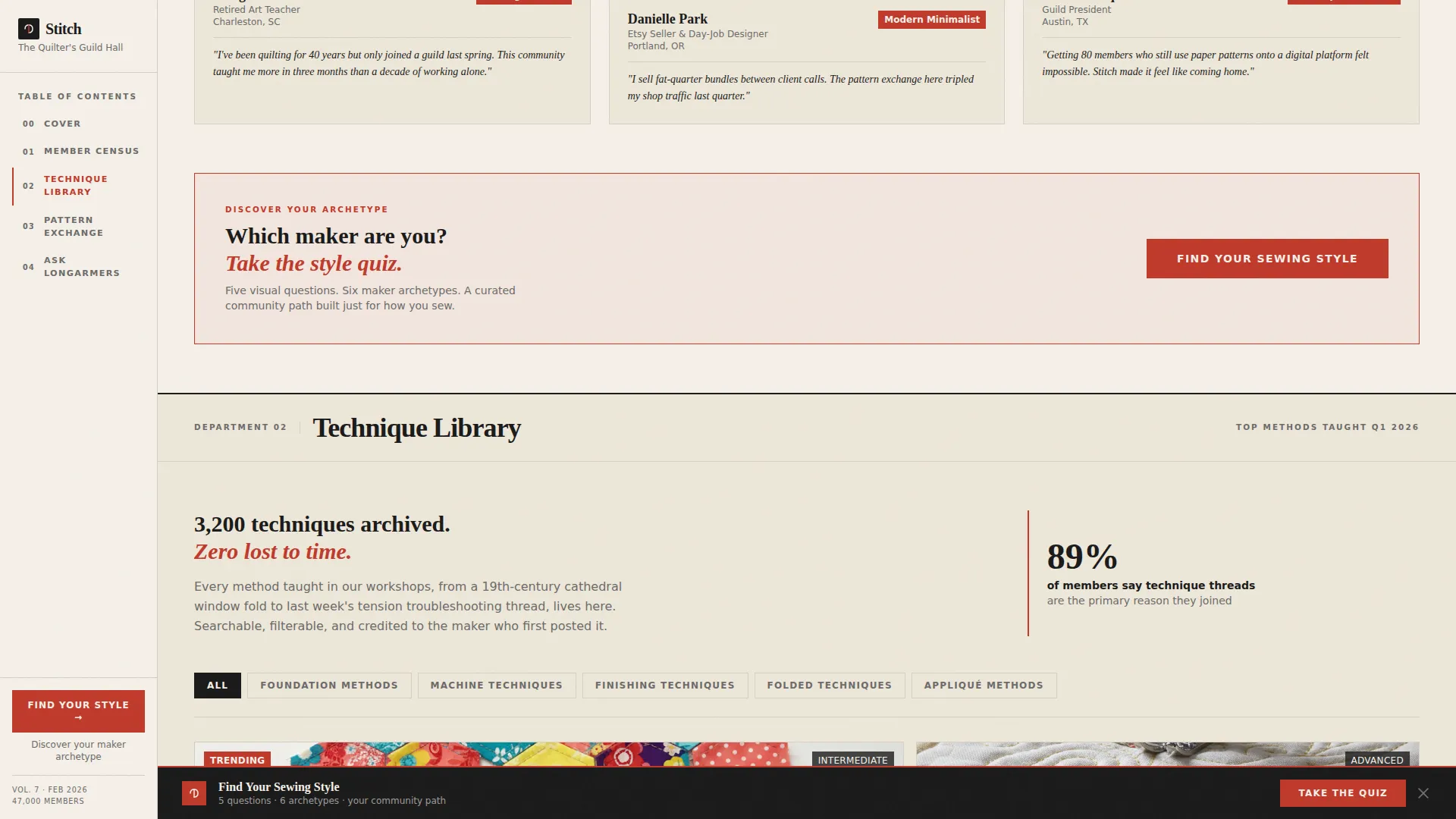
| Quiz Inline Prompt | Delivers a soft "Find Your Sewing Style" call to action after the census section |
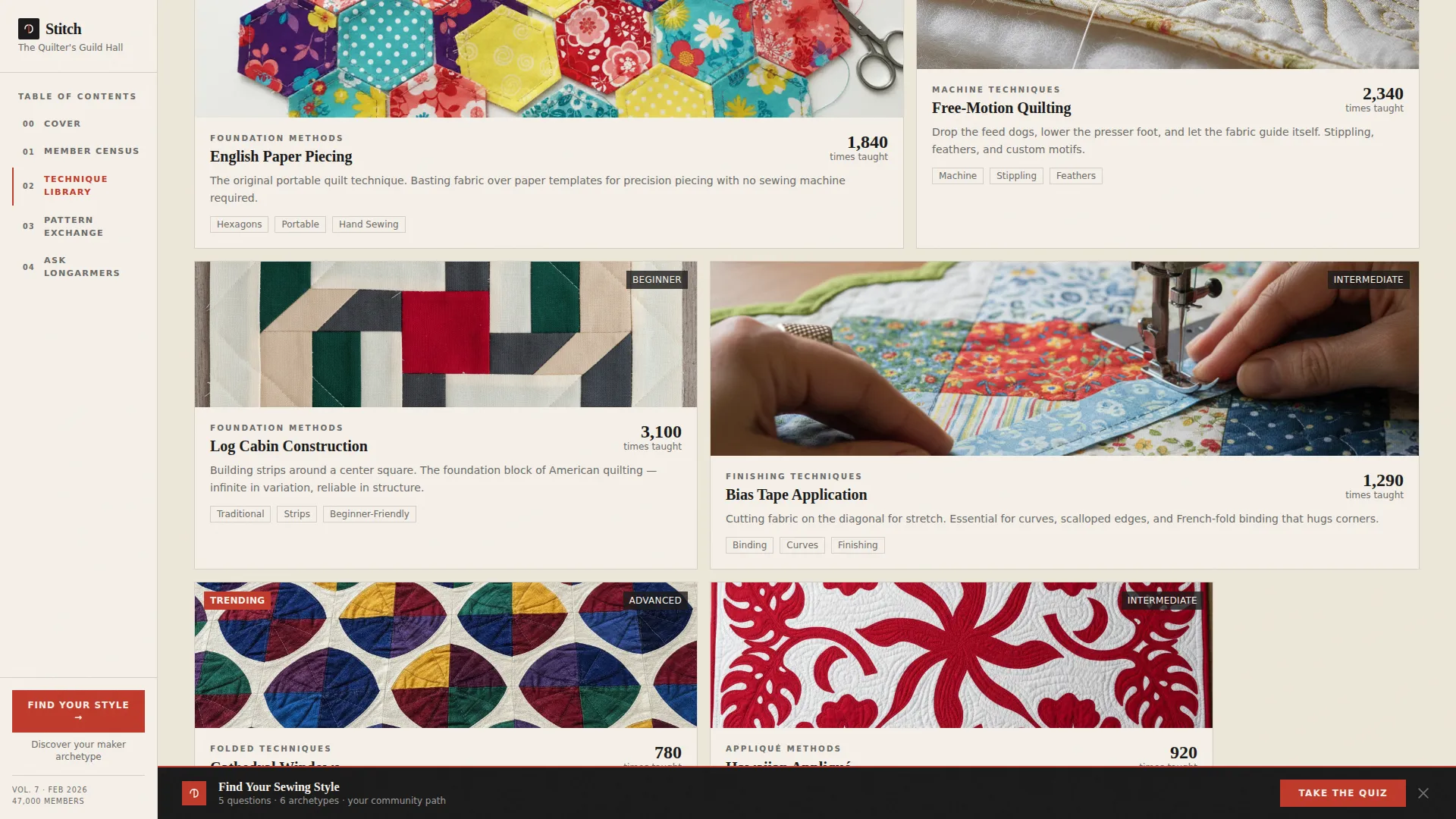
| Technique Library | Showcases top methods taught that quarter in a photo grid cropped like a magazine layout |
| Pattern Exchange | Displays volume stats and trending block data using pull-quote statistics in oversized serif type |
| Ask the Longarmers | Features expert Q&A highlights alongside the sticky quiz call-to-action bar |
| Footer Row | Closes the page in a linear single-row pattern consistent with the editorial style |
Design & branding system
The visual identity follows an Ink and Paper color system that reads like a letterpress broadsheet laid across a cutting mat. Serif headlines carry authority while the warm background keeps the tone approachable and handmade.
- Color palette: warm newsprint cream (#F5F0E8) for backgrounds, deep typeset black (#1A1A1A) for headlines, thread-spool red (#C0392B) for pull-quotes and anchor nav highlights, and pencil-sketch gray (#6B6B6B) for captions and dividers
- Typography: Fraunces serves as the serif headline face for editorial weight and character; DM Sans handles body text and interface elements for clarity and readability
- Visual style: scroll-triggered fades, clip reveals, and a marquee element keep the page feeling alive without overwhelming the editorial calm of the layout
Mobile & speed optimization
The template is designed desktop-first to deliver a full magazine reading experience on wider screens. Responsive behavior ensures the layout adapts cleanly for mobile visitors without losing the editorial structure.
- Spoke sections and the photo grid reflow into stacked layouts on smaller screens, preserving readability
- The quiz modal is sized and scrollable for mobile viewports so the five-question flow works without horizontal scrolling
- Static sections use server components for faster initial load, while the interactive quiz and modal run as client components to keep interactivity smooth
How this template helps you convert
The page is built around a progressive engagement strategy. Visitors move from passive watching to active participation before they ever see a sign-up field.
- The reel hero and magazine-cover statistics establish immediate credibility, showing the community is active and specific rather than generic
- The inline quiz prompt after the census section catches visitors at peak curiosity, and the sticky bar after the third spoke recaptures anyone who scrolled past it
- The quiz results page reframes email capture as receiving a personalized style report, turning a transactional moment into a valued editorial hand-off
Other information about this template
This template is a strong fit for communities that produce regular content and want a home base that evolves with them. A few additional details worth knowing before you build:
- The six maker archetypes built into the quiz results are: Modern Minimalist, Heritage Quilter, Garment Sewist, Art Quilter, Beginner Builder, and Technique Collector
- Each archetype maps to a custom community onboarding path, so new members receive relevant starting points rather than a one-size-fits-all welcome
- The template is categorized under Blog and Editorial with a Quilting and Sewing Content subcategory, making it relevant to content-led community platforms in the craft space
- Animation is set to medium intensity with clip reveals and scroll-triggered fades; the marquee element adds motion without disrupting reading flow
- The footer follows a linear single-row pattern that keeps the closing section clean and consistent with the overall editorial tone
Theme
Editorial Magazine
Creative direction
Industry Report
Color system
Ink & Paper
Style
Hub & Spoke (Anchor Nav)
Direction
Quiz/Assessment
Page Sections
Fixed Anchor Navigation Sidebar
Autoplay Muted Hero Reel
Five-question Style Quiz Modal
Email Capture Via Quiz Results
Sticky Bottom Call-to-action Bar
Editorial Infographic Data Sections
Related questions
Who is this template designed for?
What does the quiz modal do?
Can I adapt this template for a specific quilting niche?
Does the anchor navigation work on mobile devices?
What is included in the hero section?



