SpaceTech Startup Professional Website Template
Transmit is a hub-and-spoke landing page template built for SpaceTech API documentation platforms. It opens with a live, embedded API sandbox running before the visitor scrolls, walks engineers through three escalating problem-solution spokes, and closes with a platform-detecting CLI install prompt. The Acid Digital color system gives every element a mission-control feel.
by Rocket studio
Quick summary
Transmit is a single-page, anchor-nav landing page template designed for SpaceTech API documentation products. It puts a working orbital mechanics sandbox front and center, walks visitors through three developer pain points with matching solutions, and drives toward a CLI download with platform-detected install commands. Every design choice earns its place inside a void-black, phosphor-green color system.
Who this template is for
This template is built for teams who ship APIs that other engineers depend on in high-stakes, time-sensitive situations. It speaks the language of developers who have no patience for marketing fluff.
- Payload integration teams debugging telemetry streams under tight launch schedules
- Startup founders and chief technology officers wiring up ground station handoffs before a launch window closes
- University lab leads teaching students to pull real-time orbital data without wrestling with raw formatting standards
What problem this template solves
Most API documentation landing pages look like they were designed for a product manager, not an engineer. They lead with stock photography and vague value propositions while the developer is already opening a second browser tab to find a working code example.
- Engineers arrive needing proof, not promises, and generic hero sections offer neither
- Documentation that goes stale between launches destroys trust with the exact audience that matters most
- Rate-limit surprises and opaque error states cost orbital passes and real mission time
What you get with this template
Transmit delivers a fully structured hub-and-spoke landing page where every spoke anchors to a specific developer pain point and resolves it with visible evidence. The layout is section-led with smooth anchor navigation connecting the header sandbox to each argument further down the page.
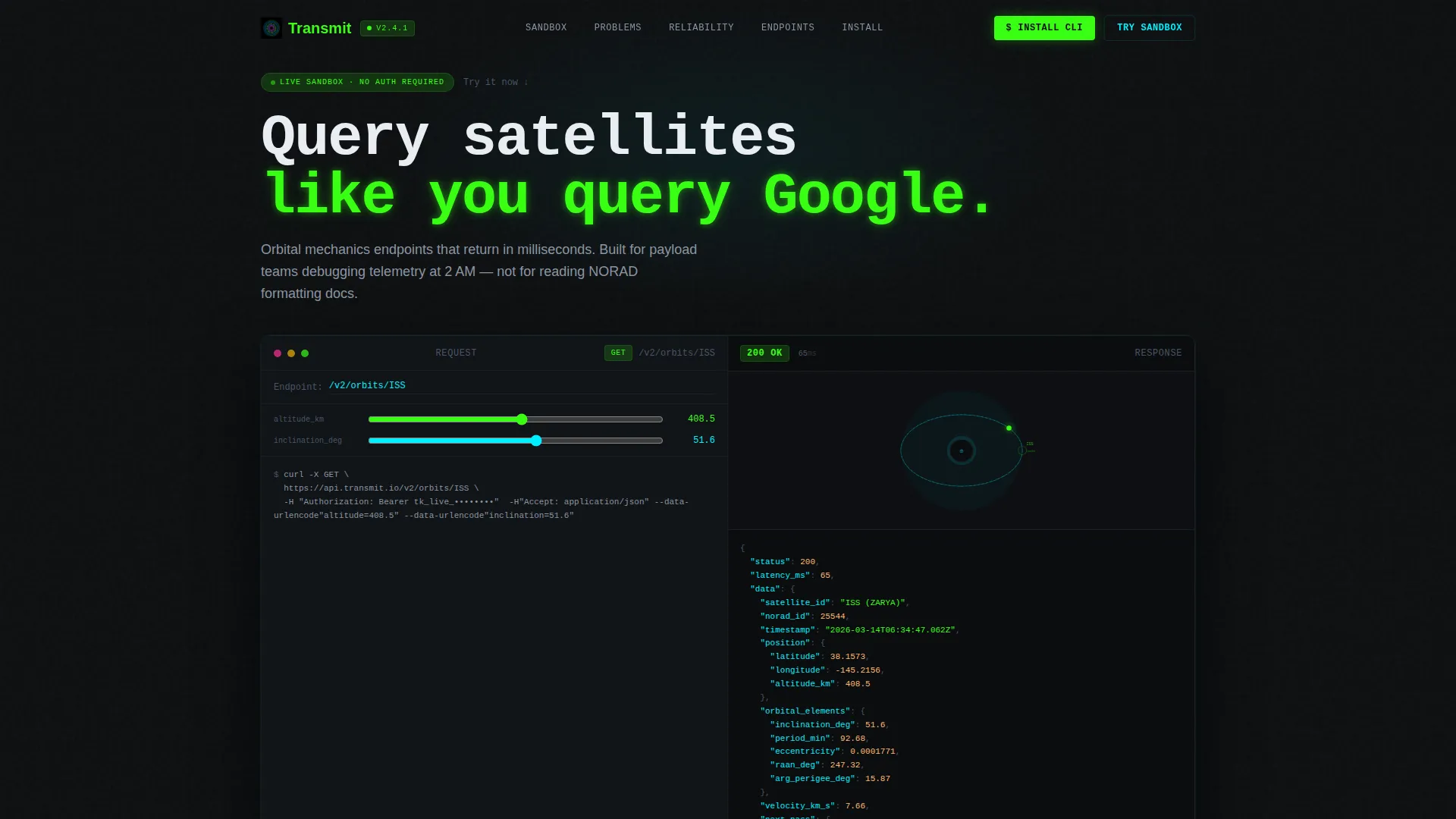
- An interactive API sandbox in the header, pre-filled with a live cURL request and a real-time orbital path animation
- Three problem-solution spoke sections, each paired with a code example, throughput graph, or live changelog element
- A conversion-focused footer block with platform-detecting CLI install commands and a browser-based fallback path
Feature list
This section describes the core built-in capabilities of the Transmit template as defined in the design brief.
Interactive API Sandbox Header
The header occupies the full viewport width and runs before the visitor makes any decision. A pre-filled cURL request to a sample orbital endpoint sits in an editable code block on the left. On the right, a spinning orbital path animation updates in real time as the visitor modifies query parameters. Response JSON streams in character by character, with a latency counter ticking in the corner.
Problem-to-Solution Spoke Sections
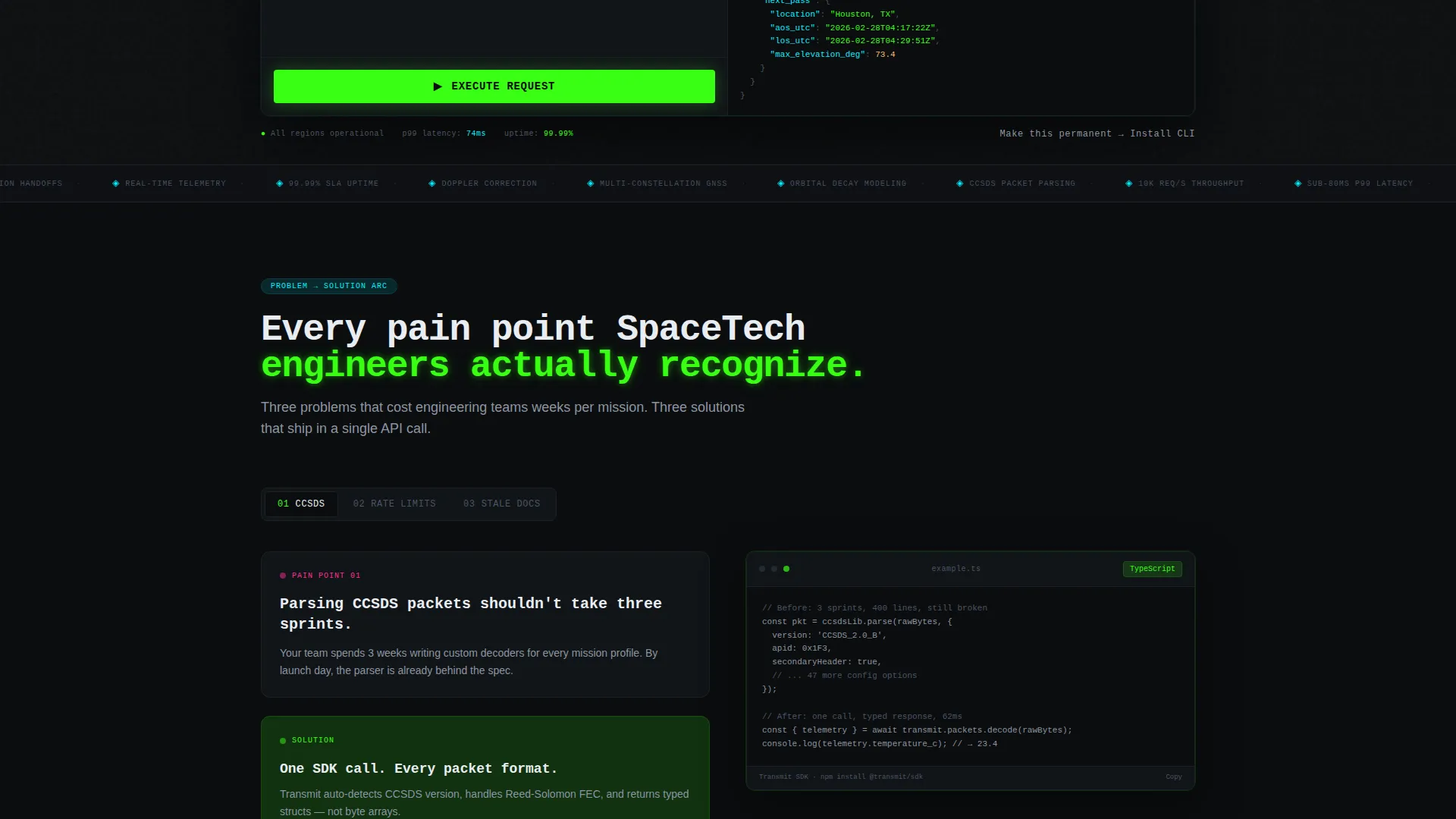
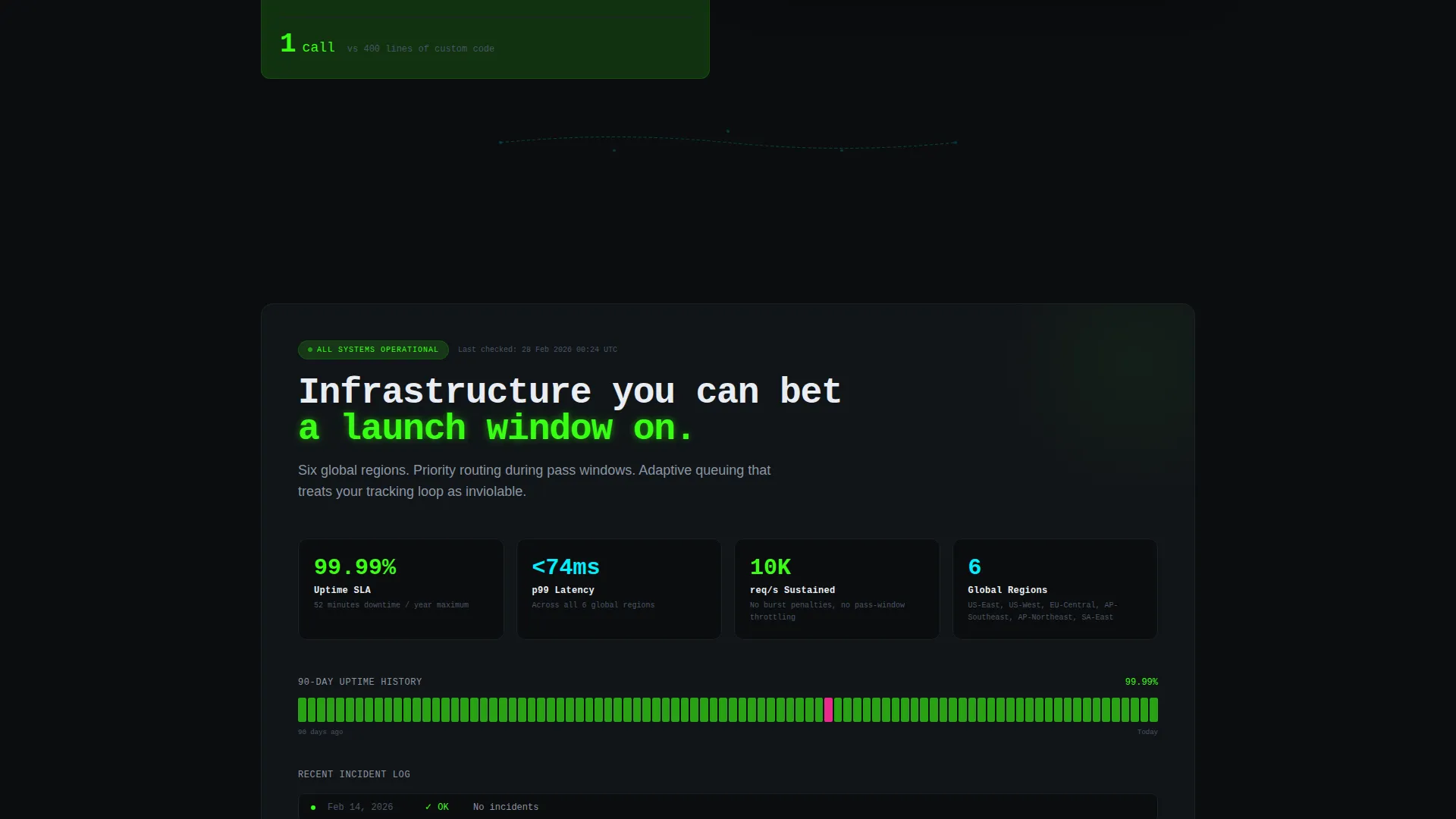
Three anchor-linked spokes carry the visitor through escalating developer pain points. Each spoke pairs a recognizable problem statement with a specific, evidence-backed solution: a single-call SDK example, a throughput graph showing sustained request capacity, and a live changelog ticker pulling real commit data. Satellite trajectory animations arc between sections as the visitor scrolls.
Platform-Detecting CLI Install Block
The primary call-to-action detects the visitor's operating system and surfaces the correct install command inline. macOS visitors see a Homebrew command, Linux visitors see an apt-get command, and Windows visitors see a winget command. The detection happens automatically, removing friction at the final conversion step.
Browser-Based Fallback Path
Visitors who are not ready to install the CLI locally can choose a secondary path labeled "Try in Browser." This keeps the conversion funnel open for exploratory visitors while reserving the primary install prompt for those ready to commit.
Anchor Navigation Rail
The hub-and-spoke structure uses a persistent navigation rail that links directly to each spoke section. Visitors can jump between the sandbox header, each problem-solution arc, and the install block without losing context. Navigation items are color-coded in ion plasma blue to match the design system's wayfinding logic.
Live Changelog Ticker
The third spoke section includes a real-time changelog ticker that surfaces recent commits, replacing the common complaint about stale documentation. This element signals to skeptical engineers that the platform is actively maintained and that the documentation reflects the current state of the API.
Page sections overview
| Section | Purpose |
|---|---|
| Interactive sandbox header | Proves the product works before the visitor reads a single line of copy |
| Anchor navigation rail | Lets visitors jump directly to the spoke most relevant to their current problem |
| Spoke one: parsing pain | Shows a one-call SDK solution to multi-sprint CCSDS packet parsing |
| Spoke two: rate limits | Presents a throughput graph demonstrating sustained high-volume request capacity |
| Spoke three: stale docs | Displays a live changelog ticker to show the documentation is actively updated |
| CLI install block | Delivers a platform-detected install command and a browser fallback option |
Design & branding system
The Acid Digital color system treats every color as functional information, not decoration. The palette was designed to feel like a mission control monitor viewed in a darkened room, where every glow has a job.
- Void black (#0B0D0F) fills all backgrounds, keeping attention on live data and interactive elements
- Terminal phosphor green (#39FF14) drives code samples, success indicators, and the streaming JSON response
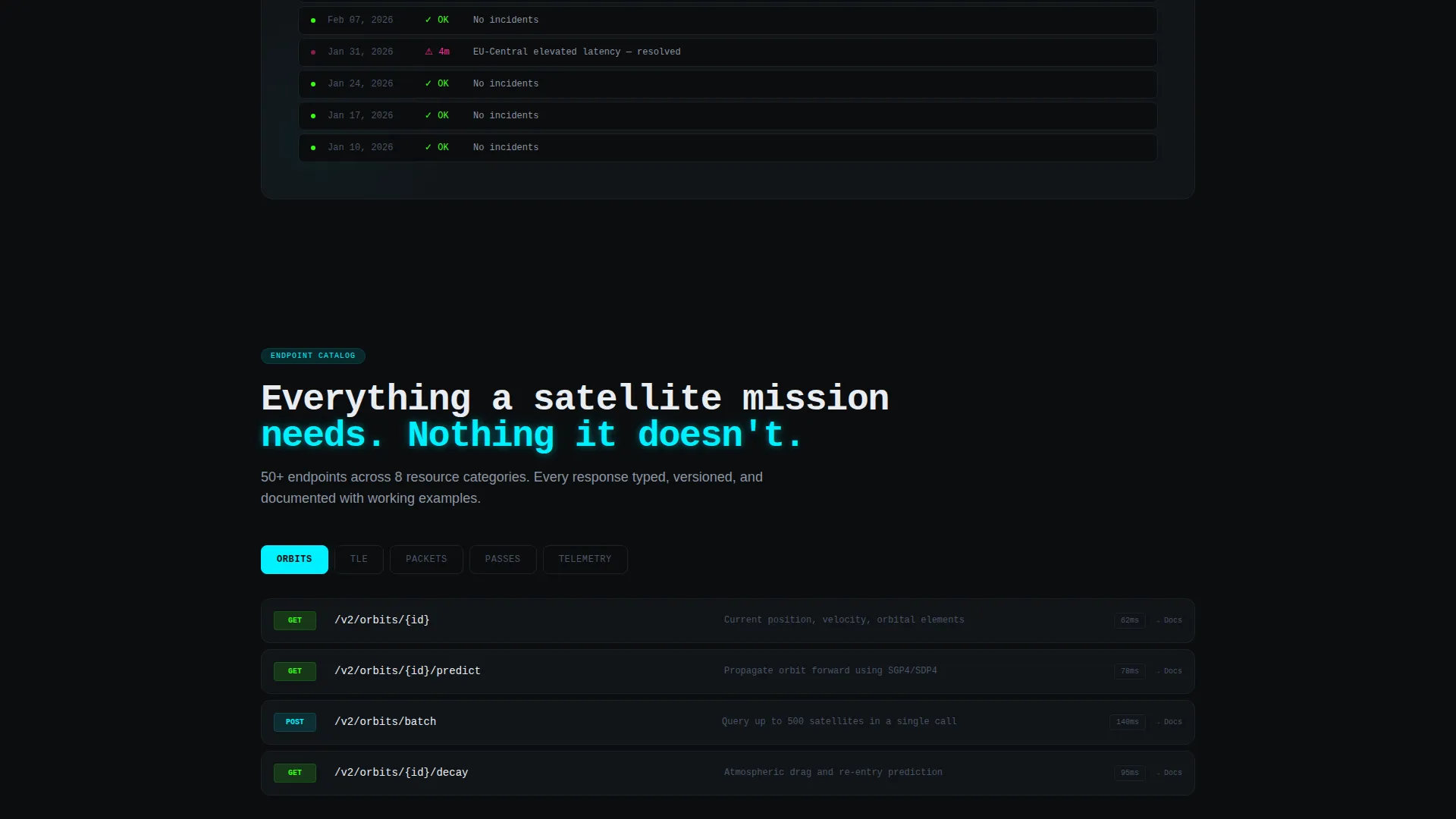
- Ion plasma blue (#00F0FF) marks navigation rails and endpoint category headers throughout the page
- Signal warning magenta (#FF2E97) is reserved strictly for error states and primary call-to-action elements, so it always demands immediate attention
Mobile & speed optimization
The Dynamic Motion theme uses satellite trajectory animations and streaming response elements that are designed to feel immediate and purposeful rather than decorative. The layout adapts the full-viewport sandbox and spoke sections for narrower screens without losing the core interactive behavior.
- The interactive sandbox header scales to mobile viewport widths, keeping the code block and animation accessible on smaller screens
- Anchor navigation collapses gracefully so mobile visitors retain the ability to jump between spoke sections
- Animations are tied to scroll and interaction events, so motion appears in response to what the visitor is doing rather than running continuously in the background
How this template helps you convert
Transmit is structured around a simple principle: by the time a developer reaches the install button, they have already used the product. The page removes every objection before the visitor consciously forms it.
- The sandbox header lets visitors execute real queries against live endpoints in seconds, making the download feel like formalizing something they have already started rather than taking a risk on something unknown.
- Each problem-solution spoke addresses a specific frustration the target audience recognizes from personal experience, building credibility through specificity rather than generic benefit statements.
- The platform-detecting install block removes the final friction point by surfacing the exact command for the visitor's operating system, so the path from decision to installed tool is a single copy-and-paste action.
Other information about this template
Transmit fits within the Startup and Launch category and is purpose-built for the SpaceTech startup niche. It is well suited to any SpaceTech API documentation product that needs to convert skeptical, experienced engineers rather than casual visitors.
- The template style is Hub and Spoke with anchor navigation, meaning each section functions as an independent argument that also connects back to a central flow
- The creative direction follows a Problem-to-Solution Arc, a structure that matches how developers naturally evaluate technical tools
- The header concept is an Interactive Preview, a deliberate choice that makes the product's value observable before any persuasion copy appears
- The landing page direction targets App Download, specifically a CLI install, with a secondary browser-based trial path for visitors at an earlier stage of consideration
- The Dynamic Motion theme uses scroll-triggered satellite trajectory animations between anchor sections to reinforce the SpaceTech context visually
Theme
Dynamic Motion
Creative direction
Problem→Solution Arc
Color system
Acid Digital
Style
Hub & Spoke (Anchor Nav)
Direction
App Download
Page Sections
Live Orbital Mechanics Sandbox
Problem-to-solution Spoke Architecture
Platform-detecting CLI Install Prompt
Anchor Navigation Hub-and-spoke Layout
Live Changelog Ticker
Browser-based Trial Fallback
Related questions
Who is this landing page template designed for?
Can I edit the pre-filled API sandbox content?
Does the platform-detecting install block require custom code to set up?
Is this template suitable for a product that is still in early access or beta?
What makes this template different from a standard developer documentation page?