Insurance Blog & Media Pre-Launch Website Template
Underwrite is a cinematic dark editorial landing page template built for premium insurance industry publications. It presents long-form intelligence across three curated editorial rooms, guides qualified professionals through a gallery-paced scroll, and converts them to a waitlist with a role-specific form and a free sample report download. Built for reinsurance analysts, managing general agent founders, and claims directors.
by Rocket studio
Quick summary
Underwrite is a single-page editorial landing page template for insurance industry publications targeting reinsurance analysts, managing general agent founders, and claims directors. It uses a cinematic dark palette, a collage hero header, and a gallery-walk scroll structure to build authority section by section before presenting a waitlist conversion form with a free sample report offer.
Who this template is for
This template is purpose-built for insurance intelligence publishers who need a credible, editorial-grade presence before a full launch. It speaks the language of professionals who read rate filings and treaty renewal signals, not general consumers.
- Founders launching a premium insurance industry report or B2B editorial publication
- Reinsurance analysts, managing general agent founders, and claims directors who want a platform that matches their professional expectations
- Editorial teams building anticipation and a qualified waitlist before going live
What problem this template solves
Most publication templates are designed for consumer blogs or news aggregators. They carry the wrong tone, the wrong pacing, and the wrong visual weight for an audience that quotes sources in boardrooms.
- Generic blog templates lack the editorial gravitas that reinsurance and underwriting professionals expect
- Single call-to-action pages feel transactional rather than authoritative, causing qualified visitors to leave before committing
- There is no standard template that combines long-form editorial rooms, role-segmented waitlist capture, and a friction-reducing free report download in one cohesive flow
What you get with this template
You get a fully structured, single-page editorial landing page that moves the visitor through a deliberate, gallery-paced experience before asking anything of them. Every section has a distinct purpose, and the design system reinforces credibility at every scroll depth.
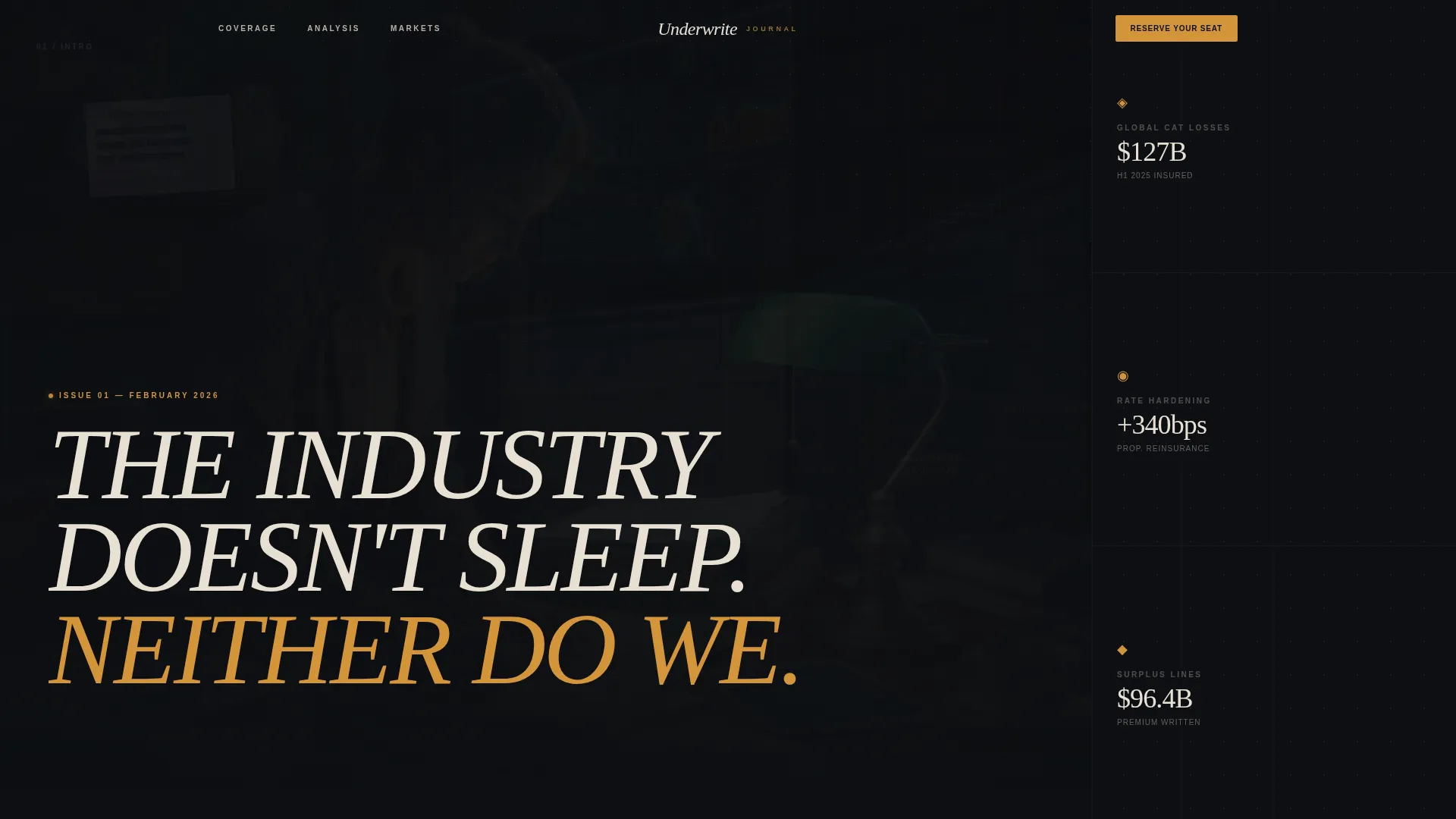
- A collage-style hero header with an oversized serif headline layered over redacted document fragments, catastrophe map crops, and handwritten margin notes
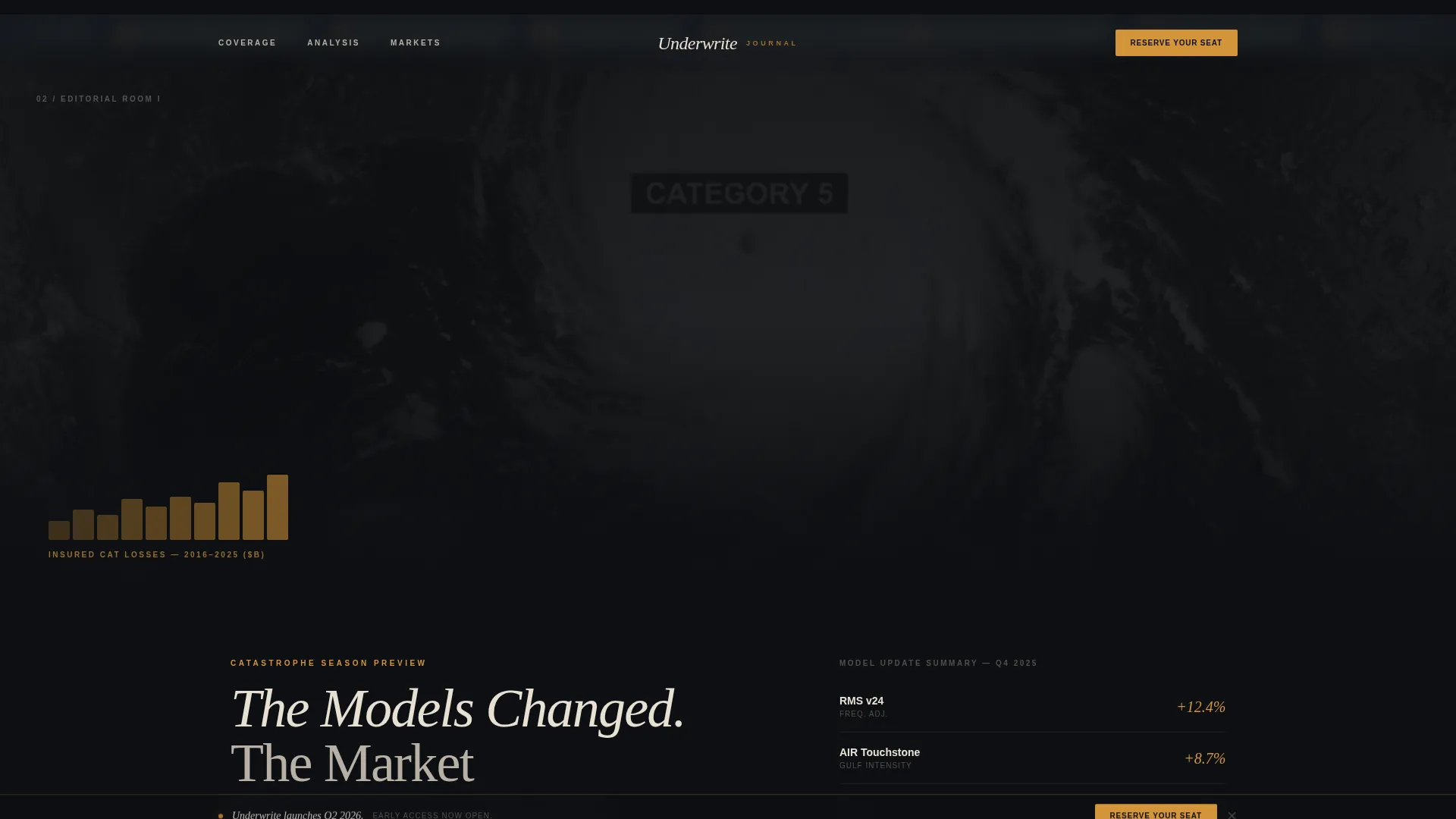
- Three standalone editorial rooms covering a catastrophe season preview, a regulatory shift analysis, and a market capacity deep-dive, each with its own layout and data presentation style
- A waitlist conversion section with an email field, a role dropdown, and a linked free sample report download labeled "Read Issue Zero"
Feature list
A paragraph introduction to the features: every component in this template was chosen to serve a professional editorial publication. Features range from the cinematic visual architecture to the conversion mechanics that close the loop on a high-trust visitor journey.
Collage Hero Header
The hero is a controlled-chaos collage composition. Overlapping fragments of redacted policy documents, cropped catastrophe maps, torn actuarial tables, and vintage insurance advertisements layer at slight rotations against the deep editorial black canvas. A bold oversized serif headline sits across the collage in parchment cream, partially obscured by a layered clipping, creating the feeling of a publication being assembled in real time.
Three-Room Gallery Walk Layout
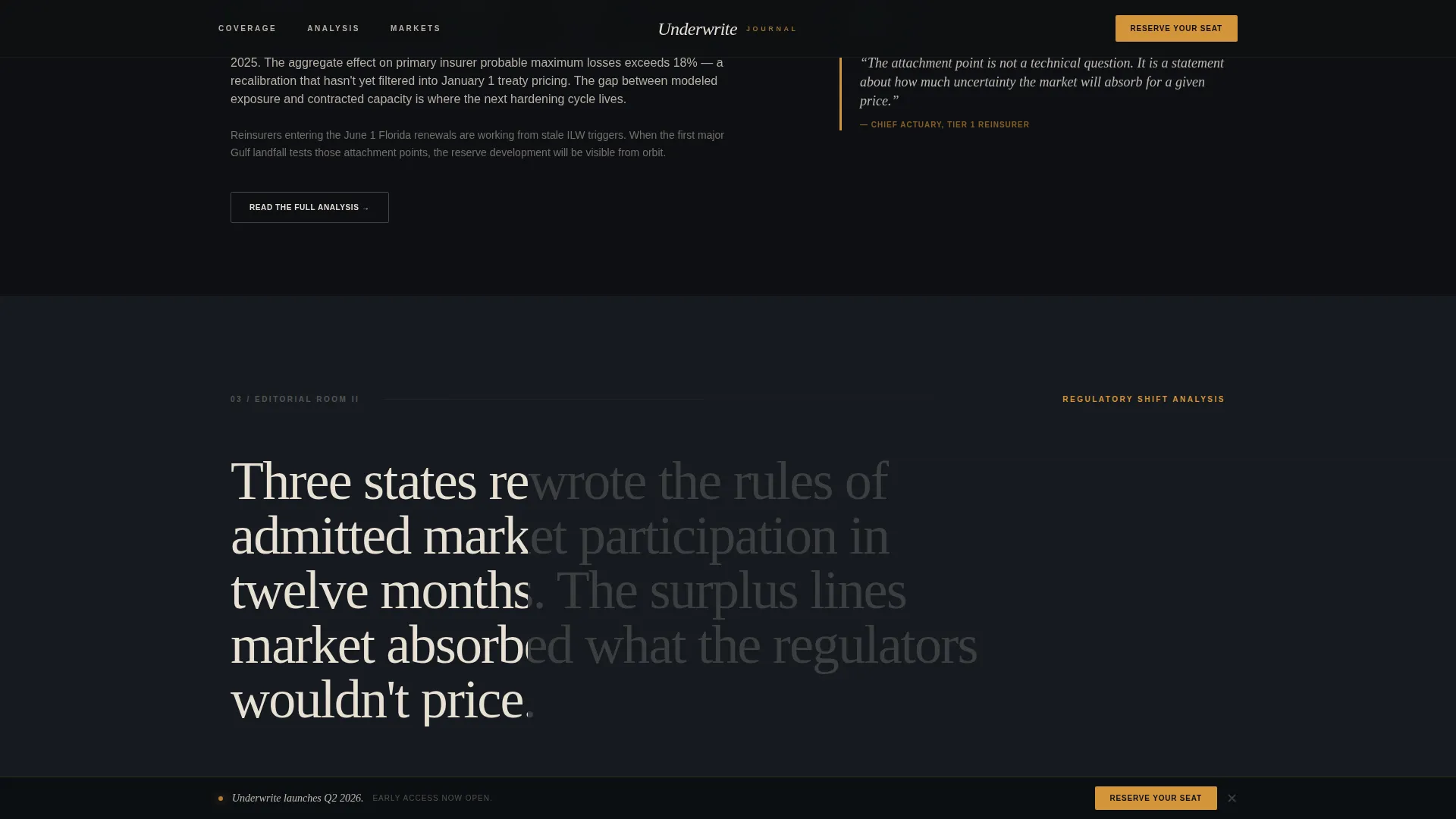
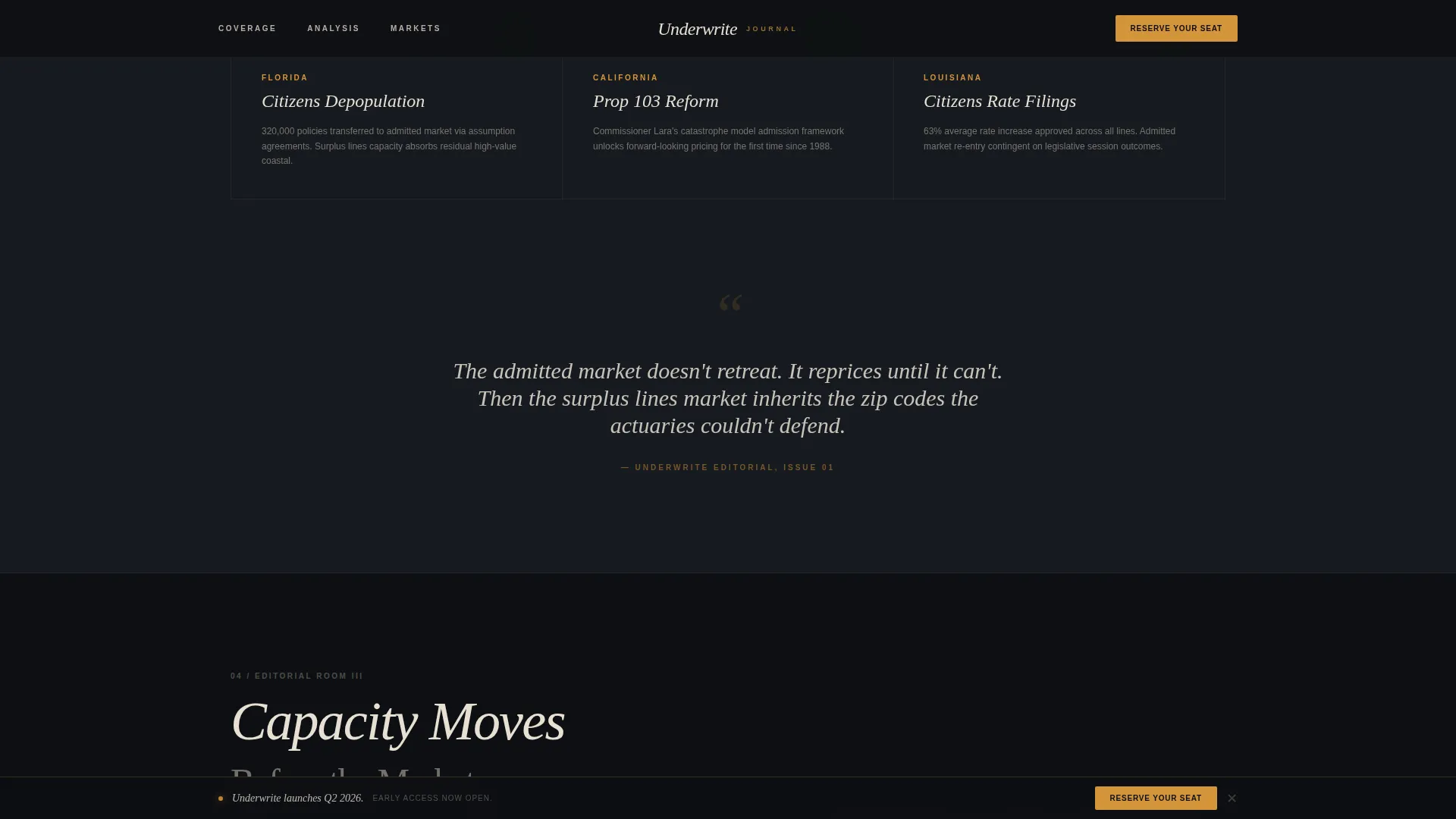
The scroll moves the visitor through three curated editorial rooms, each presenting a distinct report theme. Room one covers catastrophe season with a full-bleed data visualization and article teaser. Room two presents regulatory shift analysis using a tight typographic layout with amber pull quotes. Room three delivers a market capacity deep-dive with a data table aesthetic and an article grid.
Role-Segmented Waitlist Form
The conversion section pairs an email input with a single dropdown asking for the visitor's role: Underwriter, Broker, Analyst, Executive, or Other. This appears after the third editorial room, once credibility is fully established, and repeats as a persistent footer bar so it remains accessible throughout the scroll.
Free Sample Report Download
A secondary conversion path offers the visitor a free sample report, labeled "Read Issue Zero," as a downloadable file. This reduces friction by proving editorial quality before the visitor commits to the waitlist.
GSAP-Powered Scroll Animations
The template uses GSAP ScrollTrigger for high-fidelity scroll animations including a spotlight effect, scroll-scrubbed text reveals, a Ken Burns carousel, and text entrance animations. CSS handles simpler transitions. This layered animation approach delivers a cinematic experience suited to a desktop-first professional audience.
Marquee Ticker and Spotlight Cards
A marquee ticker runs live-feeling industry signal copy across the page. Spotlight card interactions and hover states on amber-accented elements add tactile depth without slowing the editorial rhythm.
Page sections overview
| Section | Purpose |
|---|---|
| Hero Collage Header | Establishes editorial authority with a cinematic full-bleed collage and oversized serif headline |
| Stat Cards Cluster | Presents key industry metrics alongside the hero to anchor credibility immediately |
| Editorial Room I | Delivers catastrophe season preview with full-bleed data visualization and article teaser |
| Editorial Room II | Presents regulatory shift analysis with typographic layout and amber pull quotes |
| Editorial Room III | Showcases market capacity deep-dive using a data table aesthetic and article grid |
| Waitlist call to action Section | Captures email and role via form after credibility is built; includes Issue Zero download link |
| Persistent Footer Bar | Repeats the waitlist form in a minimal linear single-row layout for always-on access |
Design & branding system
The design system is built around a cinematic dark editorial aesthetic. Black dominates the canvas, cream carries the body typography, policy blue anchors section dividers and data visualizations, and signal amber fires only where the eye must land. The result feels like a leather-bound actuarial report left open under a desk lamp.
- Color palette: editorial black (#0D0F12), parchment cream (#E8E0D4), muted policy blue (#3A5A7C), and signal amber (#D4943A) for callouts, pull quotes, and hover states
- Typography: Fraunces serif for display headlines and editorial weight; Manrope sans-serif for body copy, data labels, and interface elements
- Layout language: no clean grid minimalism; generous vertical spacing, alternating full-bleed and tight typographic rooms, controlled collage chaos in the hero
Mobile & speed optimization
The template is designed desktop-first, reflecting the workstation habits of its professional audience. It is built to be fully responsive for mobile viewing so professionals can access the publication on any device.
- GSAP ScrollTrigger handles complex scroll-driven animations; CSS transitions handle simpler state changes to keep rendering efficient
- Native scroll behavior is used throughout to avoid heavy scroll-jacking, keeping the gallery-walk pacing smooth across viewport sizes
- The footer waitlist bar persists across all screen sizes so the conversion entry point is never lost during mobile browsing
How this template helps you convert
The conversion strategy is paced, not pressured. Authority is built across three editorial rooms before the visitor ever sees a form. By the time the waitlist section appears, the publication has already demonstrated its voice and depth.
- The free "Read Issue Zero" download offers immediate value before asking for a commitment, lowering the barrier for first-time visitors who need proof of editorial quality.
- The role dropdown in the waitlist form signals to the visitor that this publication is built for specialists, reinforcing that their inbox will receive content relevant to their specific function.
- The persistent footer bar keeps the waitlist form visible throughout the entire scroll, ensuring that professionals who are ready to commit can act at any point without scrolling back up.
Other information about this template
This template was designed specifically for the insurance intelligence and B2B editorial niche, where visual credibility is as important as written credibility. A few additional details worth knowing before you build with it.
- The template is localized for English (US) with date formats in MM/DD/YYYY and currency in USD
- Animation intensity is set to high by default, using GSAP for spotlight effects, scroll scrub, Ken Burns carousel, and text reveals; these can be scaled back to match your performance preferences
- Testimonial card slots are included for social proof from reinsurance, managing general agent, and claims personas, with section numbering throughout to signal editorial rigor
- The collage header and editorial room layouts are built to accommodate industry-specific assets such as catastrophe model charts, rate filing excerpts, and actuarial table fragments
Theme
Editorial Magazine
Creative direction
Gallery Walk
Color system
Cinematic Dark
Style
Editorial/Magazine
Direction
Waitlist/Coming Soon
Page Sections
Collage Hero Header with Serif Headline
Three-room Gallery Walk Structure
Role-segmented Waitlist Conversion Form
Issue Zero Free Report Download
GSAP Scroll Animation Suite
Marquee Ticker and Spotlight Card Interactions
Related questions
Who is the target audience for this template?
Can I use this template for a publication that is already live, not just a coming soon page?
What makes this different from a standard blog or media template?
Does the waitlist form collect role information from subscribers?
What is the Issue Zero download included in the template?



