Specialist Internet Service Provider Pricing & Packages Website Template
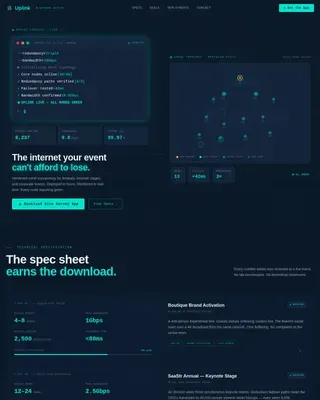
Uplink is a bento grid landing page built for DSL internet service providers. It combines an interactive zip-code address lookup, an animated plan comparison grid, and a progressive lead-capture form into one focused, single-page flow. The design targets rural and suburban audiences who need reliable broadband and want to see availability and pricing before giving their details.
by Rocket studio
Quick summary
Uplink is a single-page, bento grid landing page for a copper-line DSL internet service. It opens with an interactive address-lookup header, moves into an animated feature matrix that compares plans visually, and closes with a progressive lead form that shows coverage and pricing before asking for personal information.
Who this template is for
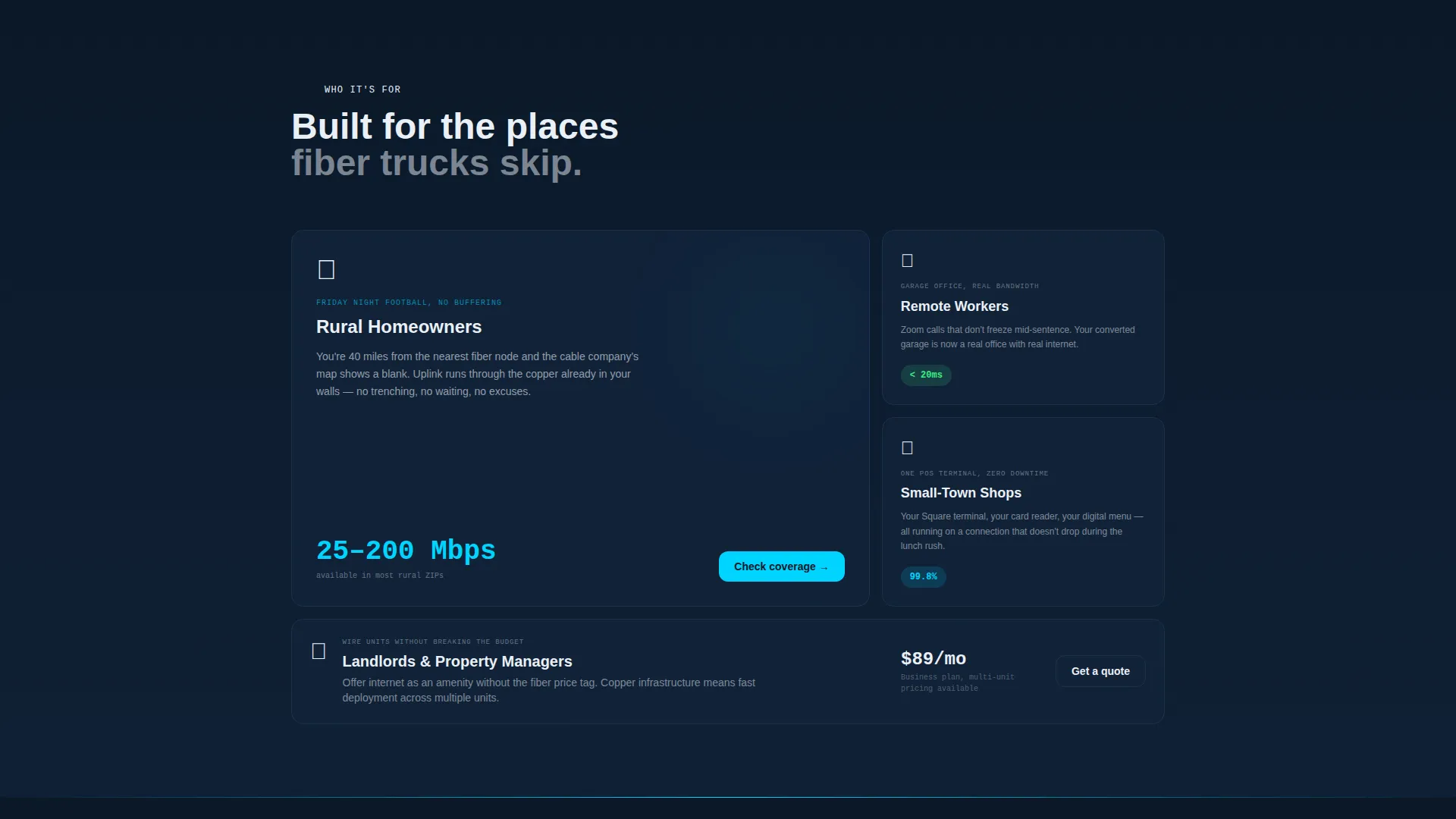
This template is built for DSL internet providers that serve underconnected markets. It speaks directly to audiences who have been overlooked by fiber rollouts and need a simple, honest pitch that proves availability first.
- Rural internet service providers launching or refreshing a direct-response landing page
- Small regional broadband operators promoting tiered DSL plans to residential and small-business customers
- Marketing teams that need a lead-generation page ready to drop into a campaign without building from scratch
What problem this template solves
Selling internet service to rural or suburban audiences is harder when potential customers have been burned by vague coverage maps and slow install timelines. This template removes that friction by making availability the very first thing a visitor experiences.
- Visitors often leave before filling out a form because they don't know if service is even available at their address
- Plan comparison buried in a standard table feels cold and hard to scan, especially on a phone
- Lead forms that ask for personal details upfront create distrust before any value has been delivered
What you get with this template
You get a fully structured, single-page bento grid layout designed specifically for a DSL internet service offer. Every section is purpose-built for lead generation, from the animated header down to the sticky call-to-action bar.
- An interactive zip-code lookup header with animated speed gauge, latency indicator, and auto-assembled plan card
- A scrollable bento grid feature matrix with staggered card animations and a highlighted best-plan tile
- A progressive lead-capture form that shows available plans before requesting a name or phone number, plus a mobile-friendly click-to-call secondary path
Feature list
This template delivers a focused set of components tuned for a DSL service lead page. Each piece earns its place by solving a specific conversion problem.
Interactive Address Lookup Header
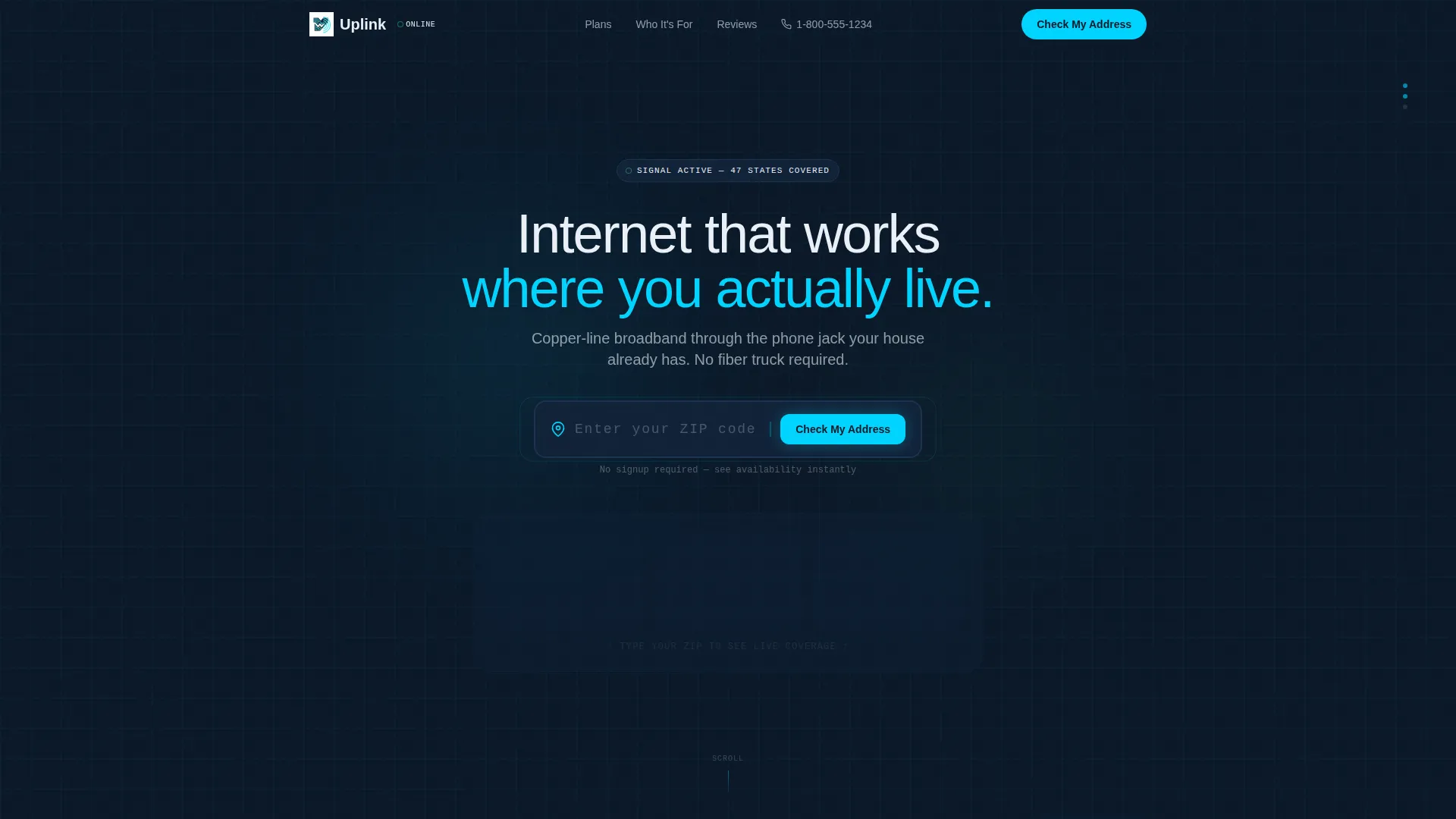
The header centers a zip-code input field on a deep navy background with a pulsing cyan cursor. As digits are typed, a bento card animates behind the field: a speed gauge needle climbs, a latency ping figure drops, and a plan card assembles in real time to show the best available tier for that location.
Animated Bento Grid Plan Matrix
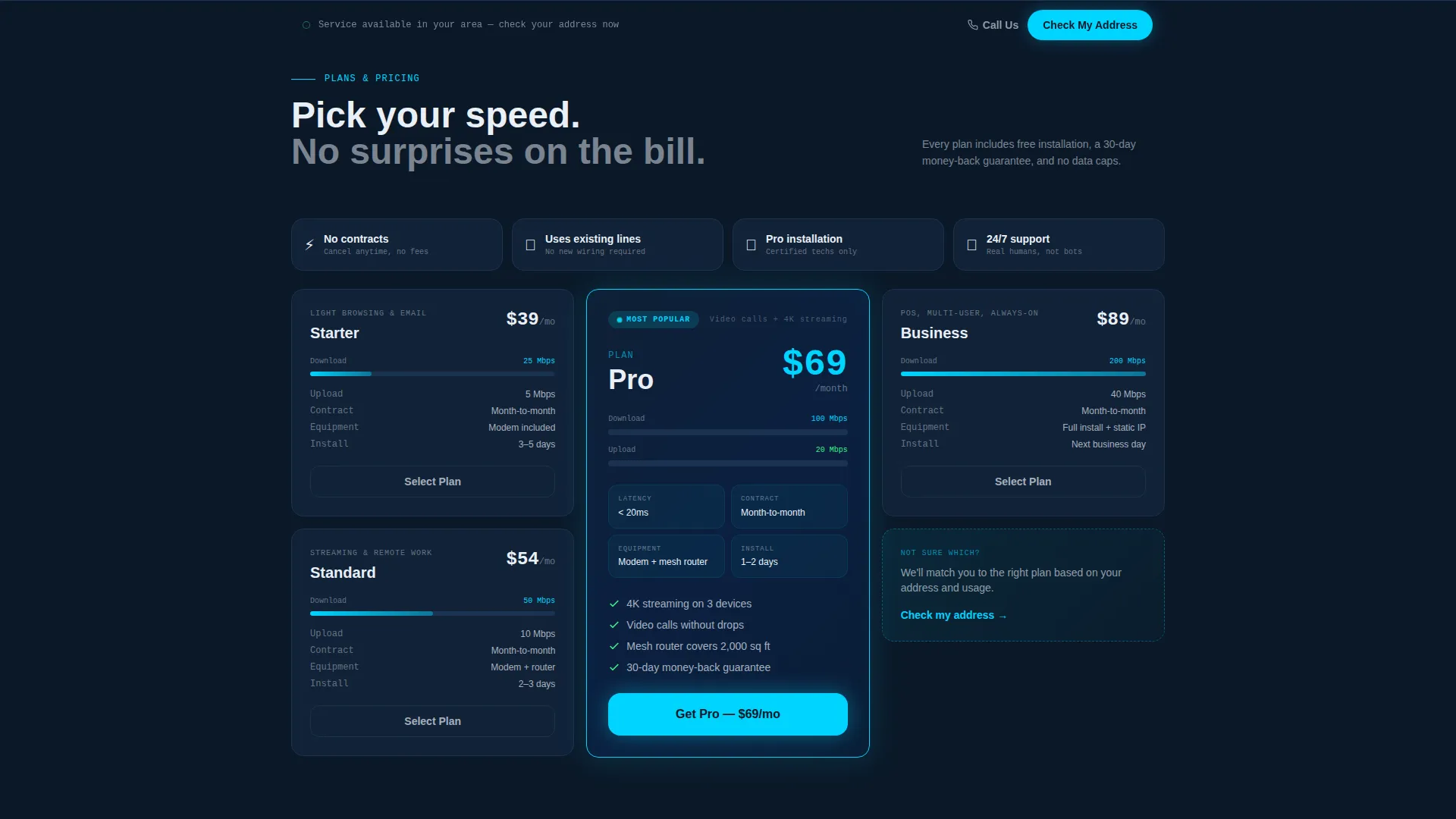
Every plan detail lives in its own bento card: download speed, upload speed, contract length, included equipment, installation timeline, and bundle savings. Cards sequence in with staggered micro-animations as the visitor scrolls, building the grid like a dashboard powering up. The most-selected plan gets a double-wide tile with a glowing cyan border for instant visual emphasis.
Progressive Lead Capture Form
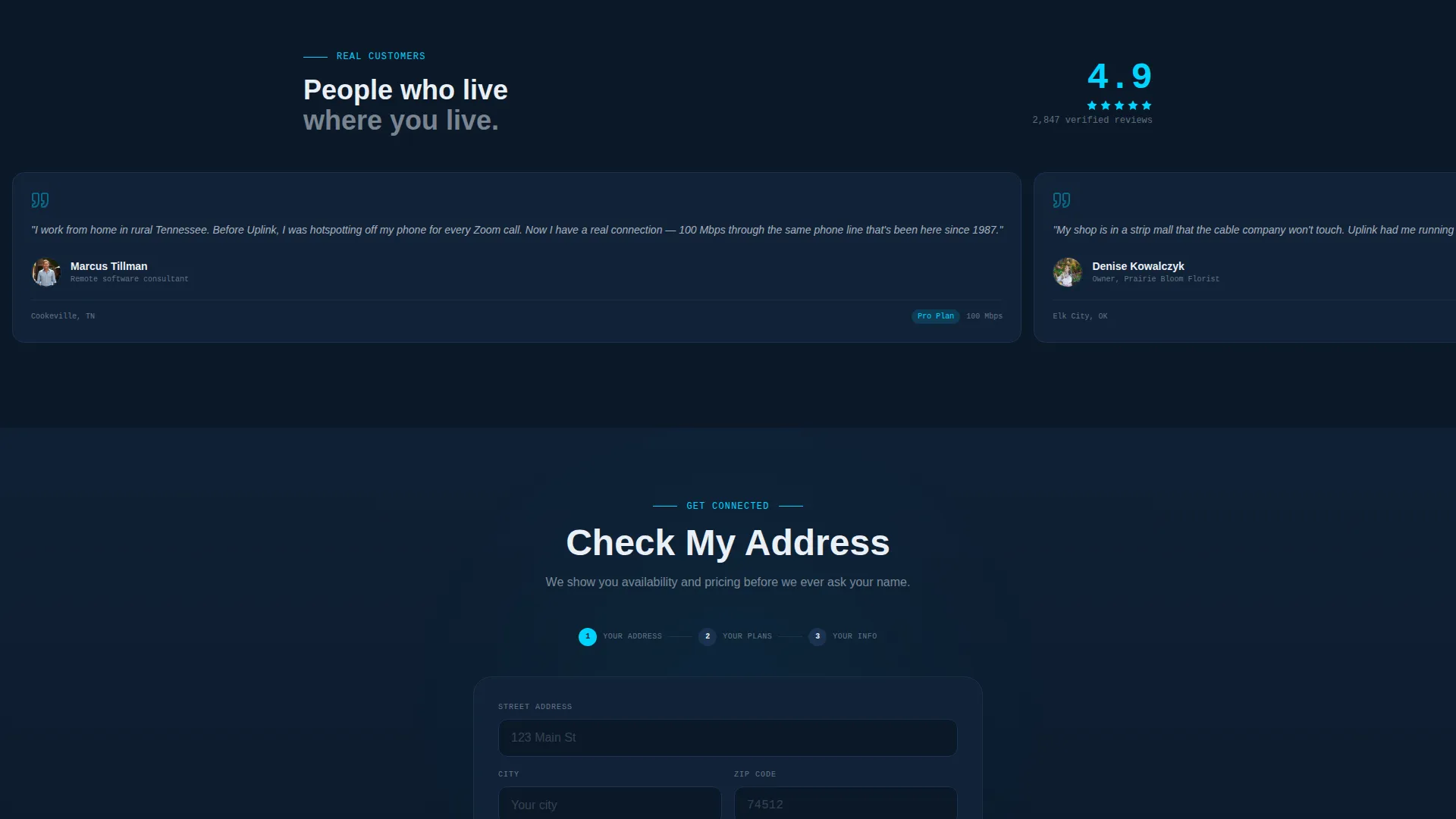
The form follows a three-step disclosure sequence. It asks for a street address first, then surfaces available plans automatically, and only then requests a name and phone number. This sequence gives real value before asking for identity, which reduces the hesitation that kills conversions on cold-traffic pages.
Sticky Call-to-Action Bar
After the first scroll, a bottom-anchored bar appears with the primary "Check My Address" button. It stays visible throughout the entire page without blocking content, keeping the main conversion action within reach at all times.
Click-to-Call Mobile Path
A secondary "Call Us Now" button surfaces as a click-to-call element for mobile visitors. This gives phone-preferred audiences a frictionless route to connect without filling out any form at all.
Startup Velocity Visual Theme
The Midnight Blue color system and Startup Velocity design theme give the page a clean, technical credibility. Navy anchors backgrounds and card surfaces, cyan traces interactive borders and highlights, white carries all body text, and status-green fires on call-to-action hovers and coverage confirmations.
Page sections overview
| Section | Purpose |
|---|---|
| Address Lookup Header | Prove coverage before asking for trust |
| Speed and Latency Preview | Show real-time plan performance indicators |
| Bento Plan Matrix | Compare all plan tiers visually |
| Featured Plan Tile | Highlight the most-selected plan option |
| Progressive Lead Form | Capture leads with value-first disclosure |
| Sticky call to action Bar | Keep primary action reachable on scroll |
| Click-to-Call Button | Give mobile visitors a direct phone path |
Design & branding system
The template uses a Midnight Blue color system that evokes the quiet glow of a modem working steadily through the night. Every color choice serves a specific role in guiding the visitor's eye and building confidence.
- Deep terminal navy (#0B1929) dominates backgrounds and card surfaces, keeping the interface focused and calm
- Signal-pulse cyan (#00D4FF) traces interactive borders, cursor indicators, and highlighted plan tiles
- Router-light white (#EAF0F7) handles all body text and plan labels for clean readability against dark surfaces
- Status-green (#3CEC85) activates only on call-to-action hovers and "available in your area" confirmation moments, reserving its energy for trust-building signals
Mobile & speed optimization
The bento grid layout is structured to reflow naturally for smaller screens. Mobile visitors get the same full experience without having to pinch or scroll horizontally.
- The sticky bottom bar and click-to-call button are positioned for thumb-friendly reach on mobile devices
- Bento cards stack cleanly in a single column on narrow viewports, preserving the plan comparison logic without a horizontal scroll
- Staggered card animations are scoped to scroll events, so they trigger at the right moment regardless of screen size
How this template helps you convert
This template is engineered around one insight: rural and suburban broadband customers will not commit until they know service reaches their specific address. Every layout decision flows from that starting point.
- The address-lookup header turns the first interaction into a coverage proof, replacing stock imagery with a live product demonstration that builds trust before any ask is made
- The progressive form sequence earns each step by delivering plan information first, lowering the psychological cost of sharing a name and phone number
- The sticky call-to-action bar and mobile click-to-call button ensure that no matter where a visitor pauses on the page, the next step is always one tap away
Other information about this template
This template sits inside the Telecom and Connectivity category under the Internet Service Provider subcategory. It is purpose-matched to the DSL internet service niche.
- Template style: Bento Grid
- Theme: Startup Velocity
- Header concept: Interactive Preview
- Creative direction: Feature Matrix
- Landing page direction: Lead Generation
- Color system: Midnight Blue
- No stock photography is used anywhere in the layout; the interactive header is the visual centerpiece
- The template is designed as a single-page flow, not a multi-page site
Theme
Startup Velocity
Creative direction
Feature Matrix
Color system
Midnight Blue
Style
Bento Grid
Direction
Lead Generation
Page Sections
Interactive Zip-code Lookup Header
Animated Bento Grid Plan Matrix
Progressive Lead Capture Form
Sticky Call-to-action Bottom Bar
Click-to-call Mobile Button
Midnight Blue Startup Velocity Theme
Related questions
Who is the Uplink landing page template built for?
Does the template include a real address lookup or coverage map backend?
Can I update the plan tiers and pricing in the bento grid?
What makes the progressive lead form different from a standard contact form?
Does the Uplink template work for a provider with only two or three plan options?