Specialist DevTools Startup Cost Estimator Website Template
Deploy is a bento grid landing page template built for enterprise devtools startups. It opens with a live return-on-investment calculator, then unfolds into an interactive toolchain grid where every tile responds with real data visualizations. The template is designed to turn engineering cost narratives into compelling lead generation experiences for VP Engineering, platform leads, and CTOs.
by Rocket studio
Quick summary
Deploy is a single-page bento grid template for enterprise devtools startups. It leads with an interactive return-on-investment calculator that quantifies CI/CD savings before any copy is read. The grid below it brings a full toolchain command center to life, built to convert engineering leaders into qualified leads.
Who this template is for
This template is built for devtools companies selling to technical decision-makers at growth-stage companies. If your buyers are engineering leaders managing fragmented infrastructure and rising toolchain costs, this page speaks directly to them.
- VP Engineering at Series C and beyond, managing $400K or more per month in tooling spend
- Platform engineering leads drowning in observability and pipeline costs
- CTOs preparing board-level infrastructure narratives who need clarity without spreadsheets
What problem this template solves
Most devtools landing pages show features. This template shows consequences. Engineering leaders do not respond to generic product tours. They respond to numbers that reflect their own environment.
- Buyers arrive skeptical and data-literate; a static hero image loses them immediately
- Infrastructure cost stories are hard to tell without a live, personalized estimator
- Lead forms feel premature before the visitor has received any concrete value
What you get with this template
You get a full bento grid landing page that functions as a working command center for your product story. Every section is purposeful, interactive, and designed to earn the next scroll.
- An inline return-on-investment calculator in the header that recalculates projected annual savings, recovered engineering hours, and cost-per-deploy reduction in real time
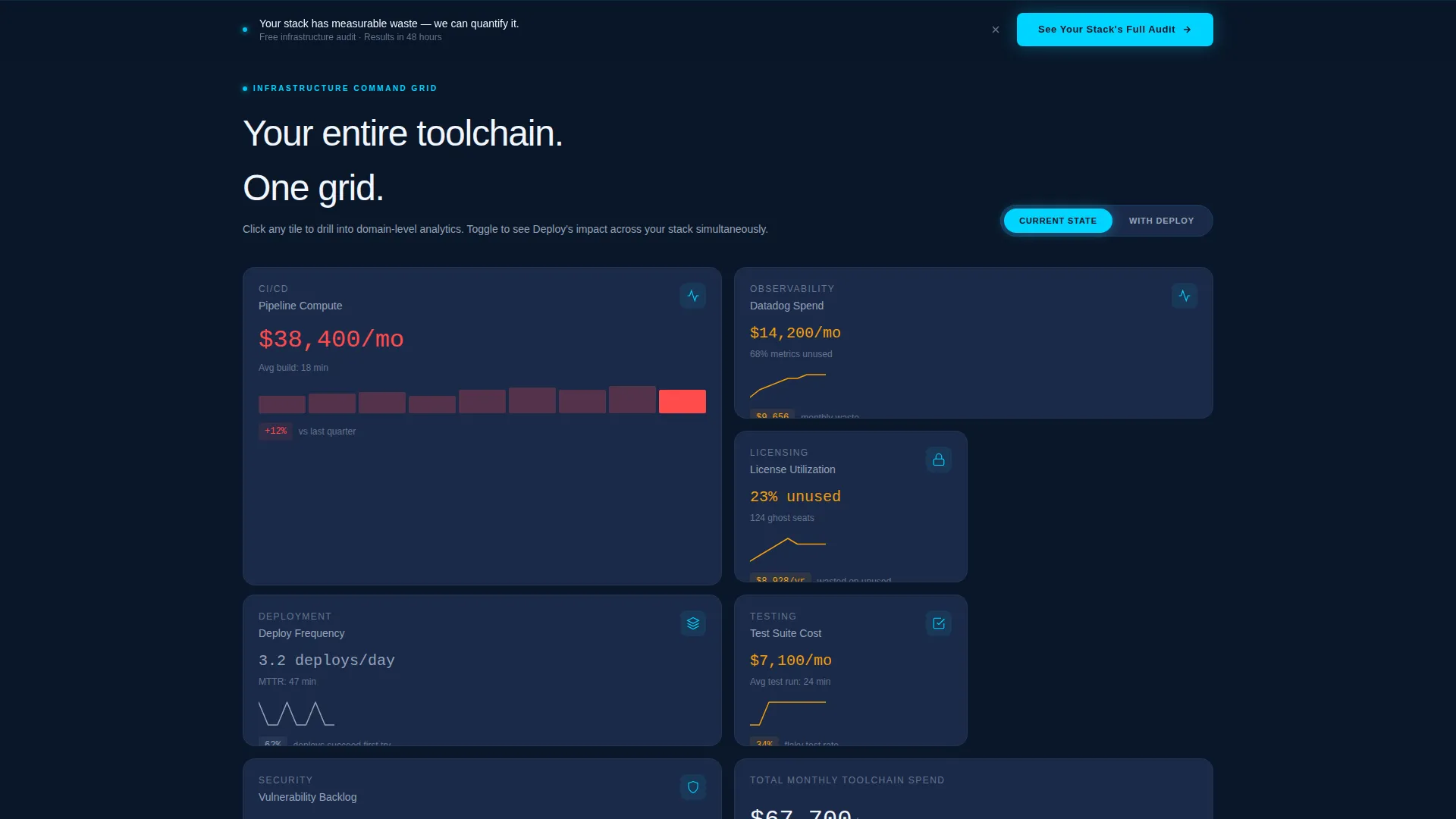
- A multi-tile interactive grid covering CI/CD, observability, licensing, deployment, and testing domains with hover-triggered micro-visualizations
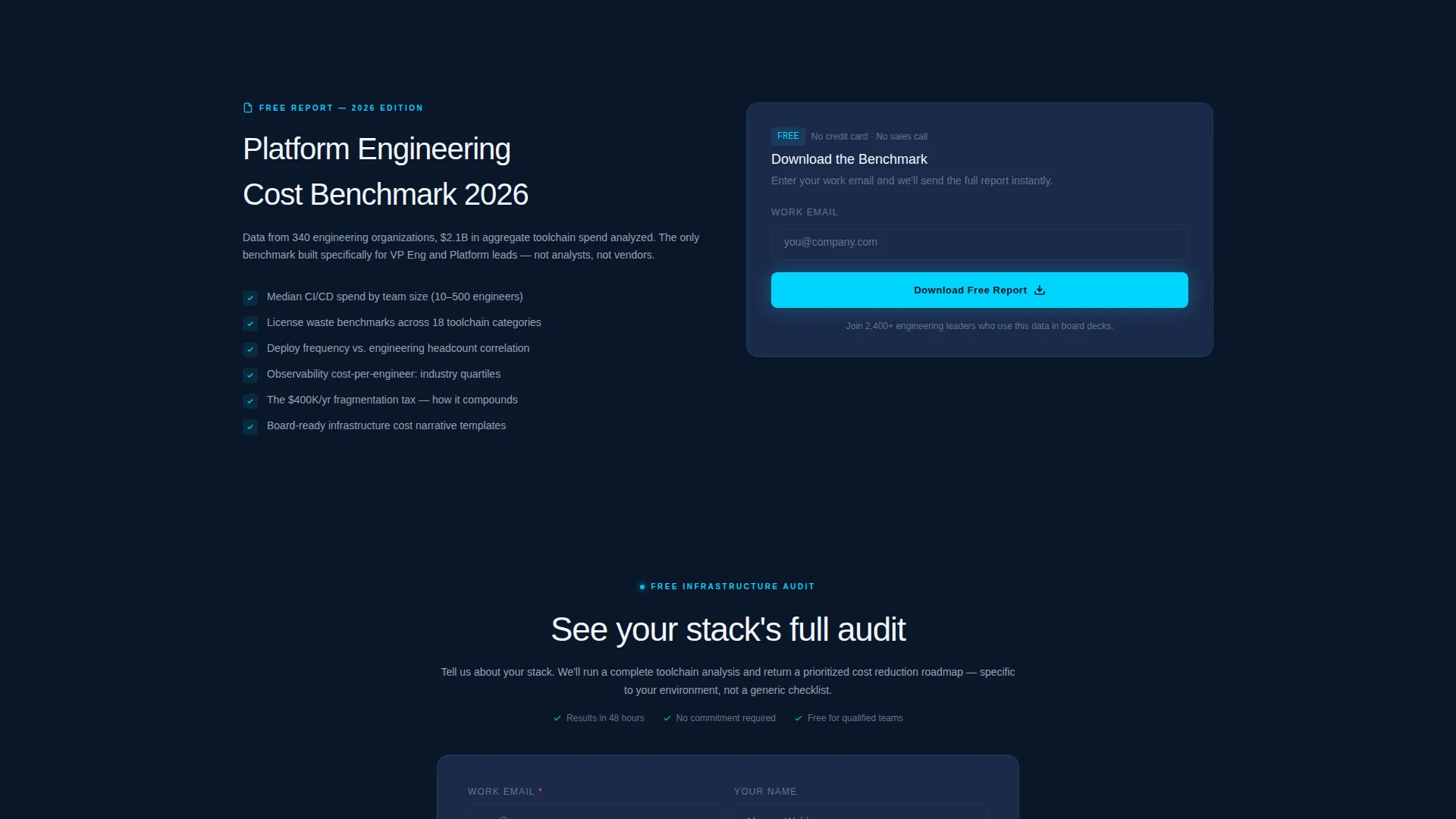
- A dual lead capture system: a primary audit request form and a secondary gated benchmark report download
Feature list
This section covers the core functional components built into the Deploy template.
Live ROI Calculator Header
The header replaces a traditional hero with a three-input estimator. Visitors enter monthly CI/CD spend, number of engineers, and average build time in minutes. As sliders move, projected savings and recovered hours animate in electric cyan against the void-black background. The result state surfaces the primary call-to-action button directly inside the calculator output.
Interactive Bento Grid Explorer
Below the calculator, the page reveals a responsive bento grid where each tile maps to a toolchain domain. Tiles respond to hover with live micro-visualizations including sparkline graphs, cost trendlines, and dependency maps. Clicking a tile deepens the view, making the scroll feel like zooming from a single metric to the full infrastructure picture.
Current State versus. With Deploy Toggle
A mid-page toggle lets visitors flip the entire grid between a current-state view and an optimized view simultaneously. Bento tiles repopulate with improved numbers across every domain. The contrast between the two states is the core conversion mechanism, built directly into the layout.
Dual Lead Capture System
The primary conversion path is a "See Your Stack's Full Audit" form that collects work email, company name, team size range, and a multi-select for current toolchain tools. A secondary path offers a gated platform engineering cost benchmark report that captures email only, giving hesitant visitors a lower-commitment entry point.
Persistent Bottom-Bar Call to Action
After a visitor scrolls past 40% of the page depth, a sticky bottom bar appears with the primary call-to-action. This ensures the conversion prompt stays visible throughout the bento grid exploration without interrupting the data experience.
Data Command Visual System
The color palette is built around void-black, deep operations blue, electric signal cyan, and muted silver. Every color has a defined role: backgrounds, card surfaces, live data highlights, and secondary labels. The result is an information-dense layout that never feels noisy because color is used only where it matters.
Page sections overview
| Section | Purpose |
|---|---|
| ROI Calculator Header | Personalizes savings estimate before any copy is read |
| Bento Grid Explorer | Maps full toolchain domains with interactive tile visualizations |
| Current versus. Optimized Toggle | Shows side-by-side infrastructure impact across the entire grid |
| Primary Audit Form | Captures qualified leads with team size and toolchain context |
| Gated Benchmark Download | Converts early-stage visitors with a lower-commitment email capture |
| Persistent Bottom Bar | Keeps the primary call-to-action visible after 40% scroll depth |
Design & branding system
The template uses a Midnight Blue color system that reads like a live terminal environment. Every color choice is functional, not decorative, reflecting the visual language of a network operations center.
- Void-black (#0A1628) as the primary background, deep operations blue (#1B2A4A) for card surfaces and grid cells, electric signal cyan (#00D4FF) for live data points and interactive highlights, and muted silver (#94A3B8) for secondary text and axis labels
- The bento grid layout creates information density without clutter, using consistent spacing and card structure to guide the eye from the calculator down through each toolchain domain
- Typography and data labels are sized for scannability at a glance, matching how engineering leaders read dashboards rather than marketing pages
Mobile & speed optimization
The bento grid layout is structured to reflow cleanly across screen sizes, keeping the calculator and tile interactions accessible on smaller viewports.
- The calculator inputs and animated output are designed for touch interaction, with slider controls that work on mobile without losing the live-recalculation behavior
- Bento grid tiles stack or regroup on smaller screens so that each toolchain domain remains readable without horizontal scrolling
- The persistent bottom-bar call-to-action adapts to mobile viewport heights, staying visible without overlapping critical content
How this template helps you convert
The Deploy template is engineered around a single insight: engineering leaders convert when they feel they have already received value. Every layout decision serves that goal.
- The ROI calculator creates a personalized savings number before the visitor reads a single line of product copy, making the full audit feel like a natural next step rather than a cold ask
- The current-state versus optimized-state toggle delivers a visible before-and-after contrast across the entire grid, letting the data make the case without requiring the visitor to imagine the outcome
- Two conversion paths at different commitment levels mean that visitors who are not ready for a sales conversation can still enter the funnel through the benchmark report download
Other information about this template
The Deploy template is purpose-built for the devtools enterprise startup niche and works well alongside positioning strategies that target platform engineering audiences. It suits teams launching a new product or repositioning an existing one for a more technical buyer.
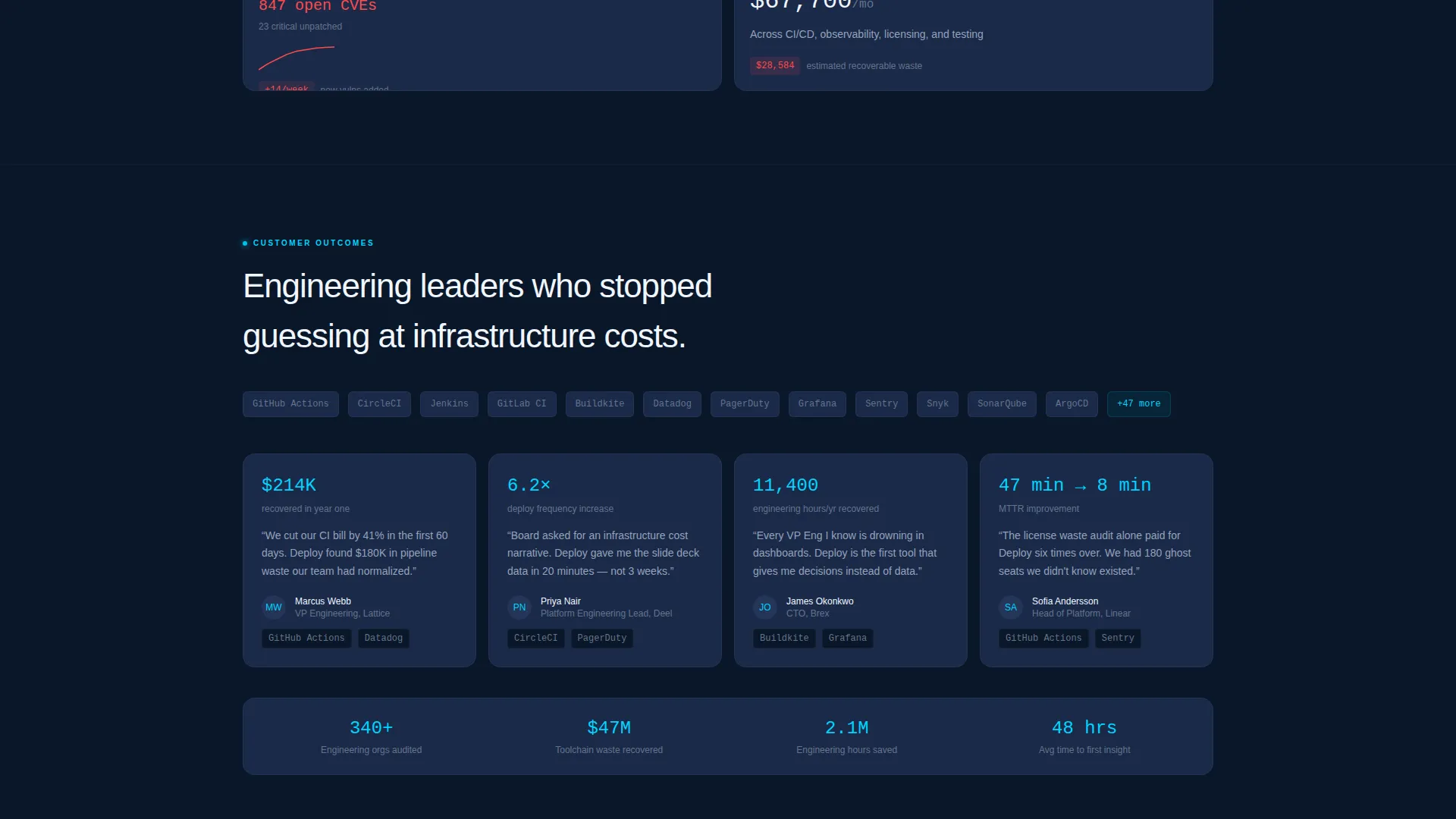
- The toolchain multi-select in the lead form references common CI/CD and pipeline tools by name, including GitHub Actions, CircleCI, Jenkins, GitLab CI, and Buildkite, giving your sales team immediate context on each lead
- The gated benchmark report path is a proven pattern in platform engineering marketing, allowing content-led teams to build an email list separate from demo-request volume
- The template is built as a single-page bento grid flow, making it straightforward to deploy as a standalone campaign page or as the primary homepage for an early-stage devtools product

Theme
Data Command
Creative direction
Interactive Explorer
Color system
Midnight Blue
Style
Bento Grid
Direction
Lead Generation
Page Sections
Live ROI Calculator with Animated Output
Interactive Bento Grid with Micro-visualizations
Current State Versus. Optimized State Toggle
Dual Lead Capture Conversion Paths
Persistent Scroll-triggered Bottom Bar
Data Command Color System
Related questions
Who is the primary audience this landing page is designed for?
Can I customize the toolchain options in the lead capture form?
Does the ROI calculator require a backend connection to work?
What are the two conversion paths included in this template?
Is this template suitable for an early-stage devtools startup?