
AI for coding now spans two paths: inline assistants that complete lines in your editor, and full platforms like Rocket.new that go from market research to a live, deployed app in one workflow. Knowing which to use changes how fast you ship.
AI for coding has split into two distinct paths: localized assistants that complete lines inside your editor, and end-to-end platforms that translate a single prompt into a fully deployed application. Understanding the difference determines how fast you actually ship.
The Evolutionary Split: AI Code Completion vs. Full App Generation
Not all AI for coding tools work the same way. To choose the right approach, it helps to understand two fundamentally different categories.
| Category | How It Works | Examples |
|---|---|---|
| AI Coding Assistants | Runs inside a local IDE; completes lines, suggests snippets, refactors syntax | GitHub Copilot, Tabnine, Codeium |
| Full Platform App Generation | Cloud-based; generates entire architectures, databases, auth, and deployments from a single prompt | Rocket.new |
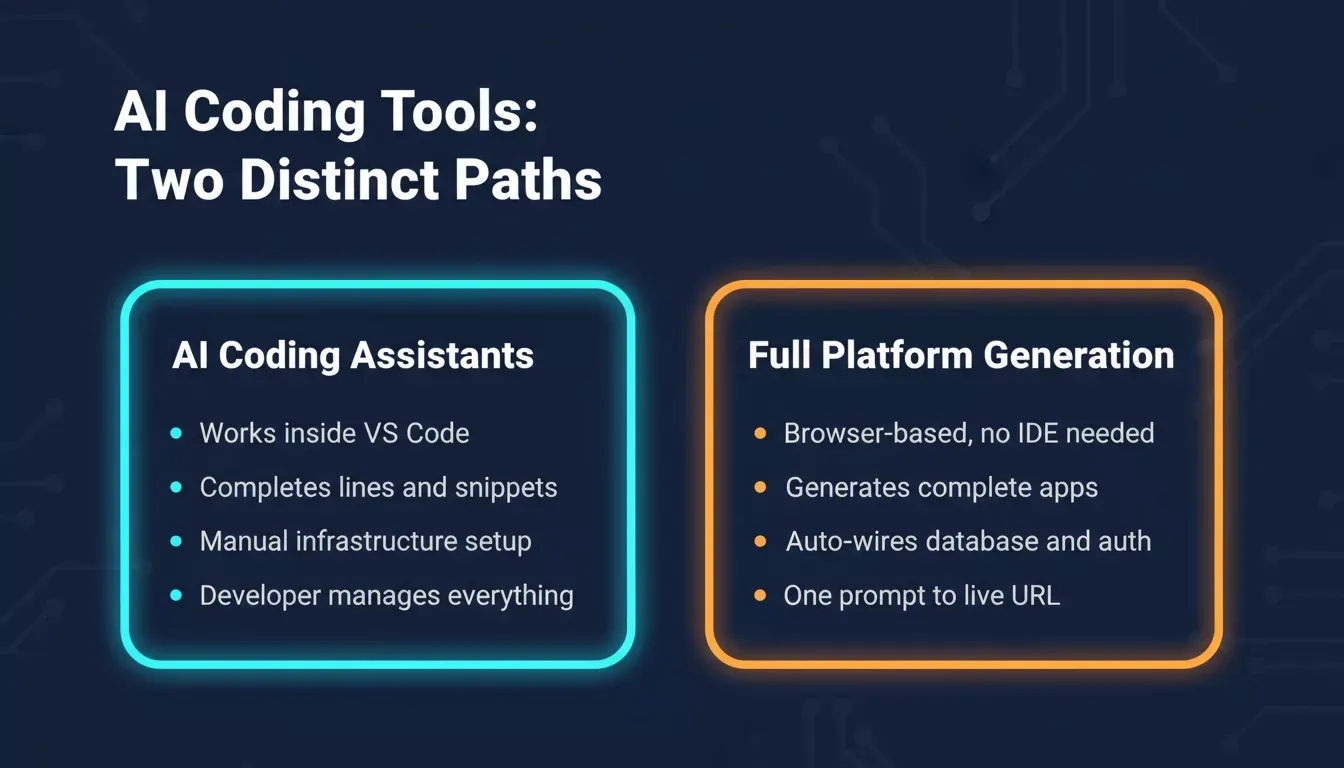
AI coding assistants and full-platform generation solve fundamentally different problems in the development workflow.
Localized AI Coding Assistants
Tools like GitHub Copilot, Tabnine, and Codeium operate as extensions within text editors such as Visual Studio Code. They focus on micro-level acceleration: filling in the next line of code, proposing individual code snippets, or automating basic logic refactoring.
While these tools reduce manual typing hours, the developer remains responsible for installing packages, provisioning databases, configuring authentication, and managing the build pipeline. Code completion and code generation at this level are powerful, but they address only a fraction of the full development workflow.
Full Platform App Generation: The Vibe Solutioning Model
A newer class of platform goes far beyond inline suggestions. Instead of generating disconnected code snippets inside an editor, a full-platform approach synthesizes market research, software engineering, and live operations into a single unified system.
The developer describes an app vision once. The platform analyzes the core requirements, builds out a standardized frontend, wires up a persistent backend, secures data routing, and deploys the production infrastructure automatically. This is the paradigm shift that defines modern vibe coding at scale.
What Is Vibe Solutioning?
Vibe Solutioning is an end-to-end development methodology where a single platform handles the complete arc from market validation through production deployment. Rather than stitching together separate tools for research, coding, and monitoring, Vibe Solutioning integrates all three into one continuous workflow that shares project context at every stage.
The result: founders, product managers, and engineers can move from a business question to a live, production-grade application without switching tools, re-explaining context, or manually wiring infrastructure.
Rocket.new: The Three Pillars of Modern Application Development
Rocket.new is built around three interdependent pillars that share continuous project context. This architecture is what separates it from both traditional coding assistants and simple no-code builders.
| Platform Pillar | Core Engineering Output | Strategic Business Function |
|---|---|---|
| Solve | Structured data reports, automated PRDs | Validates business logic and market fit before a single line of code is compiled |
| Build | Production-grade Next.js (web) and Flutter (mobile) | Generates entire multi-page applications, schemas, and live deployments via a single prompt |
| Intelligence | Live competitor signal dashboards | Continuously tracks market competitors for pricing changes, feature updates, and hiring shifts |
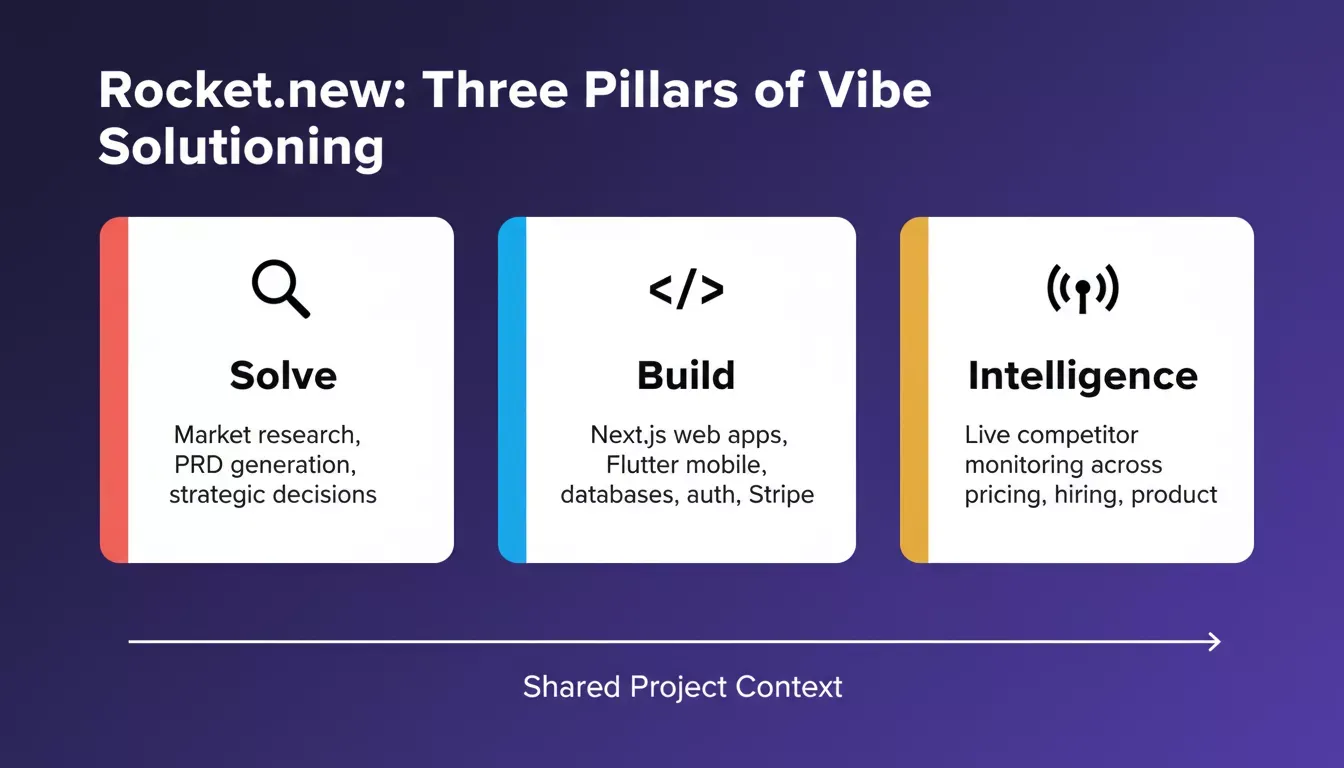
Rocket.new's three pillars share continuous project context — research informs the build, and intelligence drives the next iteration.
How the Three Pillars Work Together
These pillars do not operate in isolation. They share continuous project context across every task.
Research guides construction. Running a market validation task in Solve maps out core user workflows. This data feeds directly into Build to shape technical specifications without manual re-explaining.
Monitoring demands iteration. If Intelligence flags a competitor update, the team can analyze the change in Solve and push a product refactor inside Build immediately.
How AI Tools Fit Into a Developer's Workflow
Most developers using AI for coding today mix tools across the entire software development cycle. Here is how the typical workflow looks when using a full-platform approach:
- Start with a project idea. Describe the functionality using natural language prompts.
- Validate with research. Use Solve to run market analysis and generate a structured PRD before writing any code.
- Generate base code. The Build engine outputs production-ready Next.js or Flutter applications, complete with database schemas and authentication.
- Test and debug. AI identifies bug fixes and suggests improvements to error handling automatically.
- Monitor and iterate. Intelligence tracks competitor moves and surfaces signals that inform the next product iteration.
This workflow shows that AI is not replacing developers — it is eliminating the repetitive scaffolding work so engineers can focus on logic, architecture, and user experience.
Engineering Prompts That Work: The S.I.M.P.L.E. Protocol
Moving beyond vague natural language inputs is critical to getting clean, predictable results from AI generation engines. High-quality code production relies on structured, deliberate communication. Rocket.new's documentation outlines the S.I.M.P.L.E. Framework for optimizing application builds.
S — Specific: Explicitly state what your app, view, or feature must execute. Avoid abstract adjectives like "make it look nice."
I — Incremental: Build complex features systematically. Set up user authentication first, then data tables, then custom integrations.
M — Meaningful Context: Provide data structure parameters, exact layout goals, and expected user interactions.
P — Pattern-Aware: Instruct the system to replicate existing UI logic, spacing definitions, and components across new views.
L — Limited Scope: Keep individual prompt revisions tightly bounded so they can be processed, reviewed, and tested quickly.
E — Explicit Structure: Define the top-down hierarchy of your application elements and the precise source tables required.
The S.I.M.P.L.E. framework turns vague requests into deterministic, reviewable AI output.
Bad vs. Better Prompt Examples
Vague (high-risk): "Create a clean, fast dashboard that displays user details."
This fails because AI processors cannot determine your parameters for "clean" or "fast," nor which data elements to pull.
Structured (high-performance): "Create a responsive admin dashboard that pulls user profiles from the Supabase users table. Display three columns: Full Name, Email Address, and Last Login Timestamp. Include a filtering interface to sort records by registration date."
The structured prompt produces deterministic, reviewable output. The vague prompt produces guesswork. For a deeper look at how structured approaches improve results, see best practices for structured AI code generation.
AI for Coding: The Numbers That Matter
The adoption of AI tools in software development is no longer a trend, it is the baseline. 84% of developers now rely on AI tools daily, and AI generates up to 41% of all new code in some projects. Research shows developers using AI coding assistants complete tasks up to 55% faster, with measurable improvements in job satisfaction.
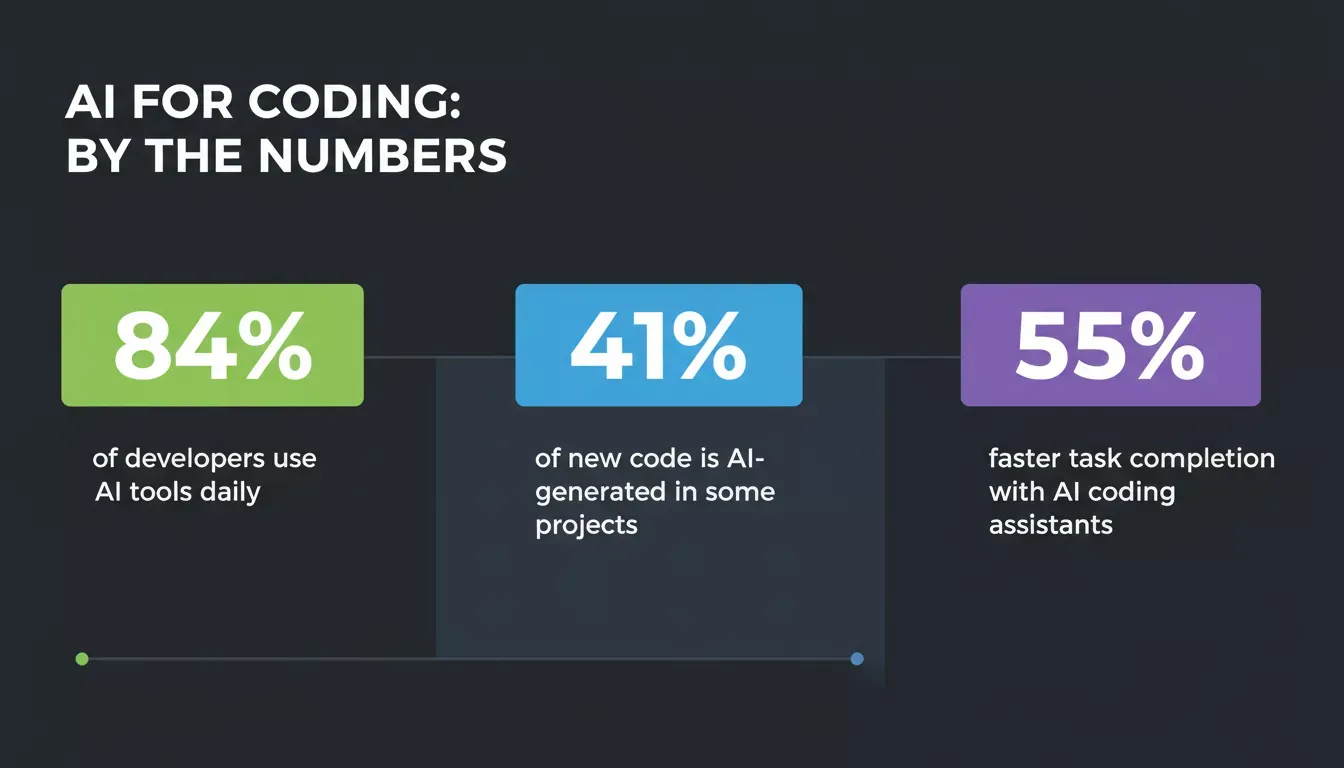
AI adoption in software development has crossed the tipping point — these are the numbers driving the shift.
These figures reflect a structural change in how software is built, not just a productivity boost. Teams that understand the difference between snippet-level assistance and full-platform generation are the ones compounding the most value from this shift.
Production Security, Code Ownership, and Freedom from Lock-In
A critical concern with any AI for coding platform is what happens to your code. Enterprise-ready AI development requires that the underlying code adheres to open engineering standards and that teams retain full ownership.
Rocket.new addresses this directly with three non-negotiable guarantees:
Full source code ownership. Applications built on Rocket.new generate clean, human-readable Next.js repositories for web dashboards and Flutter codebases for native iOS and Android apps. Teams can download the full raw source files at any point with zero vendor lock-in.
Continuous bi-directional GitHub Sync. Engineers can pull code into a local IDE, add custom functions, and commit changes back to the production environment without breaking the AI's contextual model.
Wired-in cloud infrastructure. The generation engine handles data persistence via Supabase, integrates payment processing via Stripe, and builds multi-environment setups (staging and production) automatically.
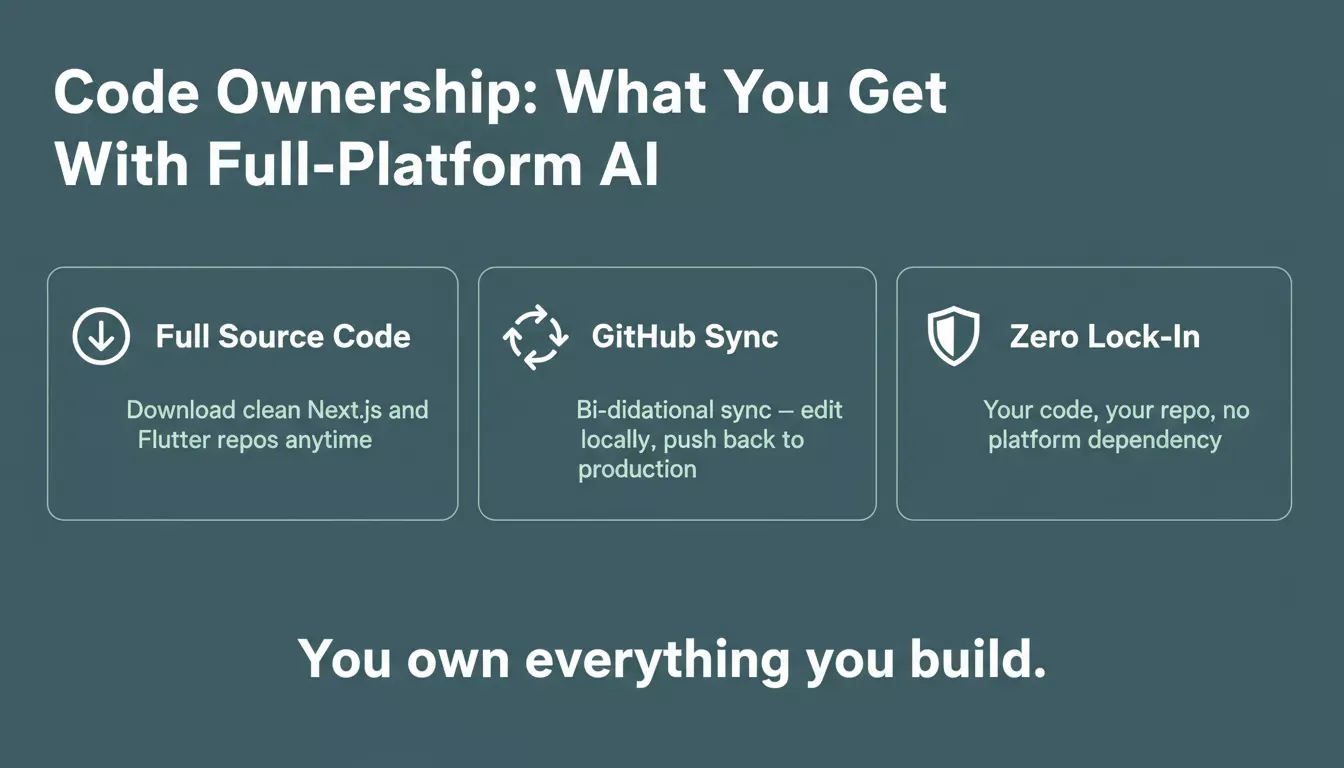
Every app built on Rocket.new is yours — clean source code, GitHub sync, and zero platform dependency.
Code Quality and the Human Review Layer
Even with AI writing code, quality cannot be automated. AI tools move fast, but they still need direction and review; a human touch keeps the code clean and reliable.
AI excels at repetitive tasks such as formatting, snippets, and minor fixes. Think of it as support, not control. Developers still steer the outcome while maintaining standards.
The best AI for coding workflows treat the AI as a force multiplier, not a replacement for engineering judgment. For a practical look at how AI handles refactoring specifically, see how an AI code refactoring tool improves code quality.
Popular AI Coding Tools Today
Developers have a wide range of options. Here is how the leading tools compare across key dimensions:
| Tool | Type | Best For | Code Ownership |
|---|---|---|---|
| Rocket.new | Full-platform Vibe Solutioning | Founders, PMs, engineers building full apps | Full — Next.js + Flutter repos, GitHub Sync |
| GitHub Copilot | IDE assistant | Inline code suggestions in VS Code | Snippet-level only |
| Tabnine | IDE assistant | Contextual code completion, multi-language | Snippet-level only |
| ChatGPT / Claude | AI chat assistant | Code explanations, natural language prompts | Copy-paste only |
| Codeium | IDE extension | Lightweight code generation in VS Code | Snippet-level only |
Rocket.new: Your End-to-End AI Development Platform
Rocket.new is more than a coding tool. It is a complete Vibe Solutioning Platform that takes you from market research to a live, production-grade application without requiring a local IDE, terminal commands, or manual infrastructure setup.
What Rocket.new builds:
- Production-ready Next.js web applications with full routing, authentication, and database wiring
- Flutter mobile apps are deployable to iOS and Android
- Supabase-backed database schemas, provisioned automatically
- Stripe payment integrations, built in from the start
- Multi-environment deployments (staging and production) with one-click launch
Who is it for:
- Startups building MVPs: Launch product ideas in hours, not weeks
- Internal dashboards: Teams without full-time developers can automate tool creation
- Experienced engineers: Skip boilerplate entirely and focus on product logic
For a full breakdown of what you can build, explore the Rocket.new AI app builder page.
Why Developers Choose AI for Coding
- Faster development workflow, Spend less time on repetitive boilerplate and more time on real logic
- Better code quality: AI spots mistakes, suggests code optimization, and helps maintain clean, readable code
- Multiple programming languages: Switch seamlessly between JavaScript, Python, Java, and more
- Learning acceleration: Junior developers pick up coding patterns faster by seeing AI-generated examples in action
- Continuous project context: Full-platform tools remember your project structure and adapt suggestions accordingly
The developers winning with AI are not just using it to type faster: they are using it to think and build at a fundamentally different level. To see how this plays out in practice, explore how AI tools are reshaping developer workflows.
AI for Coding in Today's World
AI for coding is not just a trend. It is a structural shift in how software is built. The distinction that matters now is not whether to use AI, but which layer of the development workflow you want AI to handle.
Inline assistants accelerate individual keystrokes. Full-platform Vibe Solutioning eliminates entire categories of manual work, from market validation to production deployment, in a single unified system. From quick bug fixes to full project scaffolding, AI helps developers tackle tasks that used to take hours in just minutes.
The era of wrestling with boilerplate and disconnected tools is giving way to a more efficient development cycle.
Whether you are an experienced software architect prototyping complex internal pipelines or a non-technical founder building an MVP, Rocket.new provides the end-to-end framework to move from a single prompt to a live URL. Ready to change the way you build software?
Sign up for free at Rocket.new and launch your next project today.
Table of contents
- -The Evolutionary Split: AI Code Completion vs. Full App Generation
- -Localized AI Coding Assistants
- -Full Platform App Generation: The Vibe Solutioning Model
- -What Is Vibe Solutioning?
- -Rocket.new: The Three Pillars of Modern Application Development
- -How the Three Pillars Work Together
- -How AI Tools Fit Into a Developer's Workflow
- -Engineering Prompts That Work: The S.I.M.P.L.E. Protocol
- -Bad vs. Better Prompt Examples
- -AI for Coding: The Numbers That Matter
- -Production Security, Code Ownership, and Freedom from Lock-In
- -Code Quality and the Human Review Layer
- -Popular AI Coding Tools Today
- -Rocket.new: Your End-to-End AI Development Platform
- -Why Developers Choose AI for Coding
- -AI for Coding in Today's World