
An AI app generator converts a plain-text description into a working web or mobile app, handling UI, backend, database, and authentication automatically, with no coding required. This blog covers how they work, what to look for, and how to choose the right one.
An AI app generator lets anyone build functional web and mobile apps in minutes using natural language prompts, visual tools, and automated backend setup, with no coding required.
This blog covers the key benefits, features, and use cases of today's best AI app generators to help you choose the right platform and start building fast.
What Is an AI App Generator?
An AI app generator is a platform that turns a plain-text description into a fully working application. To start, you describe your app and what you want it to do. The AI interprets that intent and builds the screens, logic, database, and backend infrastructure automatically into an AI generated app.
This is different from traditional no-code builders that rely on drag-and-drop templates. AI app generators understand context, infer requirements, and produce structured, working applications, not just visual mockups, even for people without prior coding knowledge.
How the Generation Process Works
The workflow of a modern AI app generator follows a clear sequence:
- Prompt input: You describe the app in plain language.
- Intent parsing: The AI identifies required features, data models, and user flows.
- Automatic generation: Screens, navigation, backend APIs, and database schemas are created together.
- Visual editing: You refine layouts, colors, and content without touching code, then customize the result and fine tune the layout and styling after generation.
- Testing: The app is previewed live across mobile and desktop.
- Publishing: The app deploys to the web or app stores with guided steps, so you can launch apps from the same workflow.
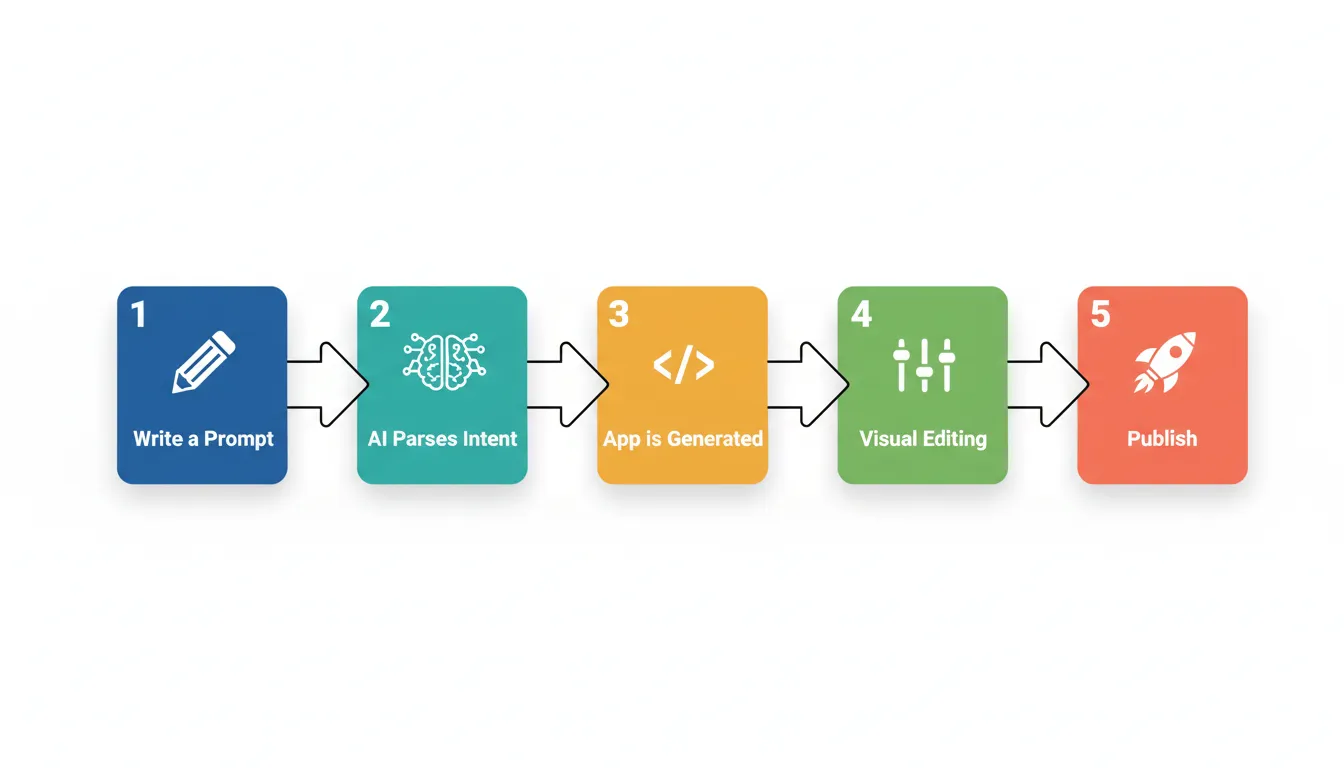
The six-stage process: from a single prompt to a published, production-ready application.
AI App Generator vs. Traditional Development vs. No-Code Builders
| Dimension | Traditional Development | No-Code Builder | AI App Generator |
|---|---|---|---|
| Coding required | High | None (template-based) | None (prompt-based) |
| Build speed | Weeks to months | Days to weeks | Minutes to hours |
| Cost | $10,000 to $199,999+ | $20 to $200/month | Free to moderate |
| Backend automation | Manual setup | Partial | Fully automated |
| Customization | Unlimited | Limited to templates | High via visual editor |
| Publishing support | Manual DevOps | Varies | Guided, one-click |
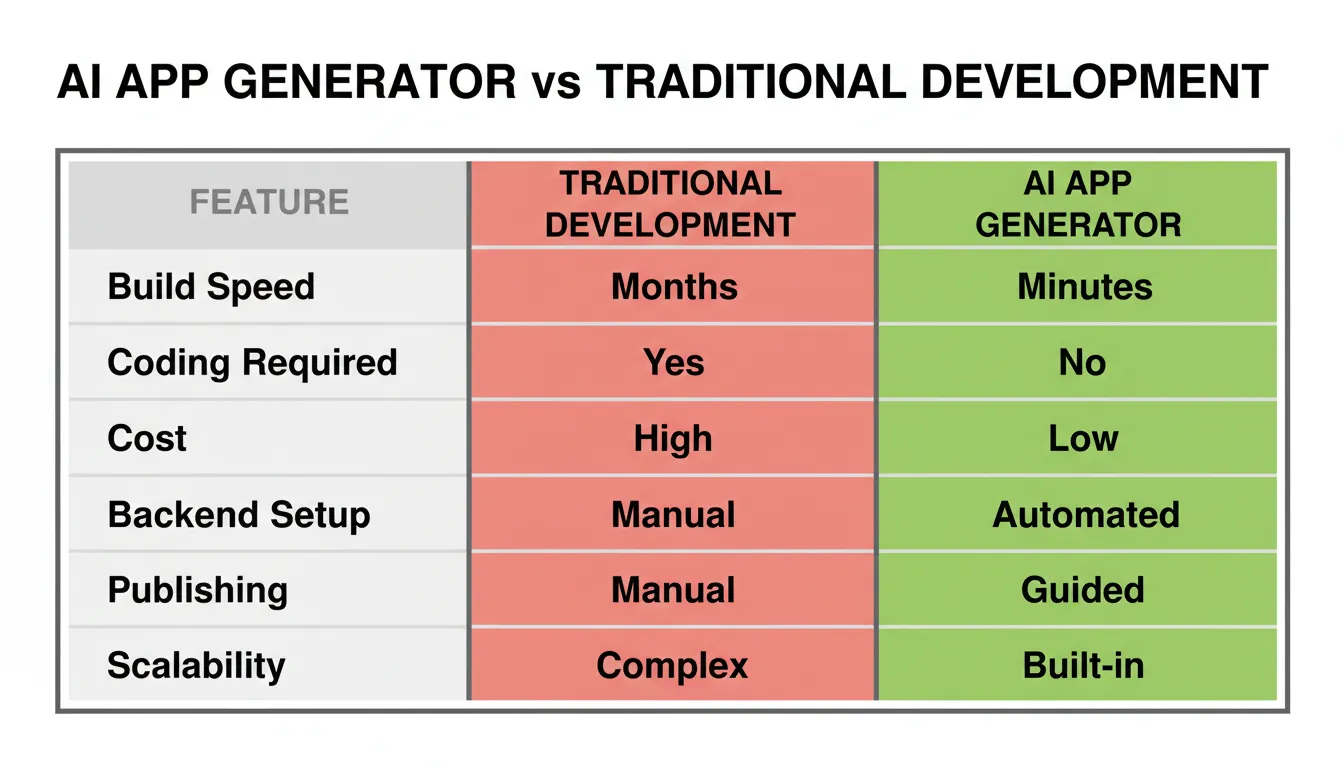
AI app generators combine the speed of no-code tools with the depth of custom development.
Why AI App Generators Are Growing Fast
The global low-code development platform market is valued at $12.86 billion in 2025 and is projected to reach $95.82 billion by 2035, growing at a CAGR of 22.24%. This reflects a fundamental shift in how software is built across industries.
Several forces are accelerating adoption:
- The developer shortage. There are far more app ideas than developers to build them. AI app generators close this gap.
- Rising development costs. According to Clutch, the average app development project costs $90,780 and takes around 11 months. AI generators reduce this to near zero upfront cost.
- Speed-to-market pressure. Validating and launching in days rather than months is a decisive advantage in competitive markets, helping teams save time while cutting technical complexity.
- Improved AI reasoning. Large language models now understand complex app requirements well enough to generate coherent, multi-screen applications from a single prompt.
The barrier to building software has dropped from years of coding education to bringing ideas to life with a few sentences of plain English. That shift is permanent.
Key Benefits of Using an AI App Generator
Build Without Coding Experience
The most significant benefit is accessibility. Entrepreneurs, designers, and product managers can build production-grade apps using the same natural language they use every day, without traditional coding skills. No programming background is required.
Faster Time to Market
Traditional app development takes an average of 11 months and costs $90,780 on average (Clutch, 2026). AI app generators compress this to hours or days. A startup can go from idea to a live, testable MVP faster and save time across the entire build cycle.
Significant Cost Reduction
Eliminating developer salaries, agency fees, and infrastructure setup costs makes app development viable for small teams. Many platforms offer free plans for initial builds, with paid tiers only required at scale.
Automated Backend and Infrastructure
Setting up servers, databases, APIs, and authentication is handled automatically. You get a fully functional backend without configuring a single server or writing a database query.
Visual Customization Without Code
After the AI generates the initial app, every element can be adjusted visually. Colors, typography, layouts, and component behavior are all editable through intuitive interfaces, giving teams control over the app's design through visual editing so they can add features later without writing code.
Built-In Scalability
AI-generated apps are built on modern infrastructure. As user numbers and data volumes grow, the underlying systems adapt without requiring manual re-architecture.
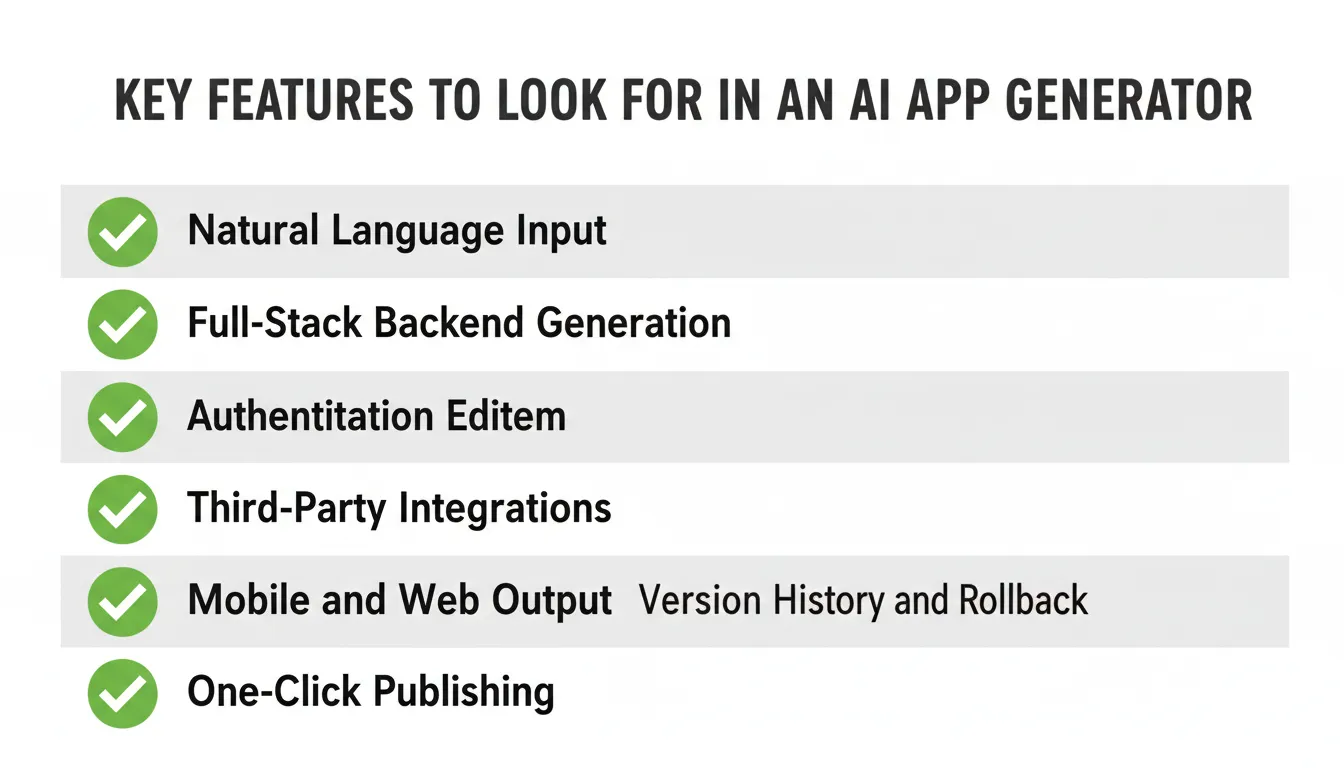
Core Features to Look For
Not all AI app generators are equal. These are the features that separate capable platforms from limited ones.
Natural Language App Creation
The platform should understand nuanced, multi-requirement prompts. A strong AI app generator can interpret "Build a SaaS dashboard with user roles, subscription billing, and analytics charts" and produce a coherent, functional result. Strong tools also let you describe your app in plain language and return a usable first build.
Automated Backend Generation
Look for platforms that automatically create database schemas, REST or GraphQL APIs, server-side logic, and authentication flows, including email, social login, and SSO.
Visual Design Editor
A robust visual editor allows you to customize screen layouts, color themes, navigation structure, and conditional logic after generation, giving you more control over the app's design without writing code.
Third-Party Integrations
Production apps need to connect to external services. Top platforms support payment processors, communication tools, analytics platforms, productivity tools, and AI services.
Mobile and Web Support
The best platforms generate both web applications and native mobile apps for desktop and phone experiences from the same prompt, without requiring separate builds.
Version Control and Rollback
The ability to save snapshots and revert to previous versions is essential for safe, iterative development.
Who Should Use an AI App Generator?
AI app generators serve a wide range of users across industries and experience levels.
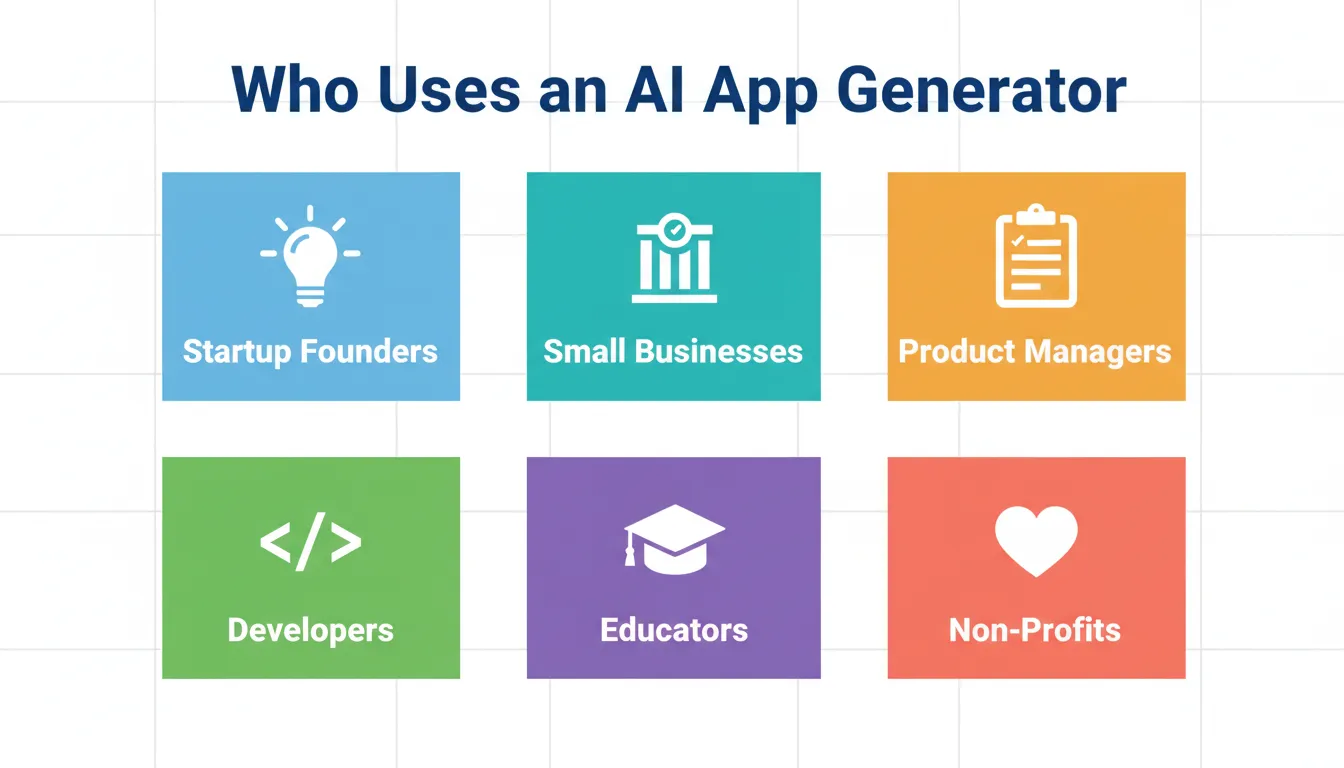
From solo founders to enterprise teams, AI app generators serve builders at every level.
Startup Founders and Entrepreneurs
Founders can validate product ideas by shipping a working MVP before investing in a development team. This reduces risk, accelerates fundraising conversations, and enables real user feedback from day one.
Example: A solo founder with a SaaS idea can build and launch a functional beta over a weekend, gather user feedback, and iterate, without hiring a developer.
Small Businesses and Agencies
Businesses can build custom apps for internal and client use, customer portals, booking systems, and workflow apps without outsourcing development. Agencies can deliver client projects faster and at lower cost.
Example: A consulting firm builds a client-facing project tracker and reporting dashboard in a day, creating the app easily without outsourcing and replacing a manual spreadsheet process.
Product Managers and Designers
PMs and designers can build interactive, functional prototypes that go beyond static wireframes. These can be tested with real users, connected to real data, and shipped as actual products.
Developers and Technical Teams
Even experienced developers use AI app generators to accelerate the scaffolding phase, generating the initial structure and UI, then customizing the code for specific requirements.
Educators and Students
Students can build real applications to demonstrate concepts and build portfolios without years of prerequisite coding education.
Non-Profits and Community Organizations
Organizations with limited budgets can build membership portals, event management tools, and donation platforms without expensive development contracts.
Real-World Use Cases and Examples
Startup MVPs
The most common use case. A founder describes their product vision, and the AI generates a functional MVP with user authentication, core features, and a database. The app can be shared with early users or investors within hours.
Typical apps built: SaaS tools, marketplaces, booking platforms, subscription services, community apps.
Internal Business Tools
Companies build custom internal dashboards, HR onboarding systems, inventory trackers, approval workflows, and reporting tools, replacing generic software that does not fit their specific processes.
Typical apps built: Admin panels, CRM systems, operations dashboards, employee portals.
E-Commerce Applications
Entrepreneurs launch online stores with product catalogs, cart functionality, payment integration, and order management, all generated from a prompt and customized visually.
Learning and Education Platforms
Course creators build learning management systems, quiz apps, and content hubs that can be published and monetized quickly.
Healthcare and Wellness Apps
Practitioners build appointment booking systems, patient intake forms, wellness trackers, and telehealth portals with basic data handling requirements built in.
Community Insight: Real User Experience
In this LinkedIn post, a user describes how Rocket transformed their app development process:
"When I first heard of rocket.new, I thought, 'Another no-code tool... interesting.' But what I didn't expect was to see my ideas become fully functional web and mobile apps in minutes, from a single prompt."
This reflects a pattern seen across thousands of builders: the experience of an AI app generator consistently exceeds expectations set by traditional no-code tools.
How to Choose the Right AI App Generator
With multiple platforms available, the selection process should be systematic. Evaluate each tool against these criteria:
Evaluation Criteria
| Criteria | What to Check |
|---|---|
| App type support | Web app, mobile app, Android, iOS |
| Backend capability | Auto-generates databases, APIs, and auth |
| Customization depth | Visual editing beyond templates |
| Integration library | Connects to tools your business already uses |
| Free plan availability | Test before committing to paid |
| Publishing support | Guides app store submission |
| Code export | Export underlying code for further development |
| Community and support | Docs, tutorials, responsive support channels |
| Scalability | Handles growth without requiring migration |
| Security and compliance | Authentication, data privacy, GDPR |
Red Flags to Avoid
- Platforms that only generate static UI without a real backend
- Tools that lock you into proprietary formats with no export option
- Generators that produce inconsistent results across different prompt types
- Platforms with no version history or rollback capability
- Platforms with hidden deployment restrictions or no way to watch progress and verify what’s being generated
Getting Started: A Step-by-Step Guide
Step 1: Define Your App Idea
Before writing your prompt, answer these questions:
- What problem does the app solve?
- Who are the primary users?
- What are the three to five core features?
- Does it need user accounts and authentication?
- Will it need to connect to any external services?
Step 2: Write an Effective Prompt
The best results come when you clearly describe your app with the app type, target users, core features, and specific requirements. For example:
"Build a freelance project management app for independent consultants. It needs user registration, client management, project tracking with status updates, time logging, and invoice generation. Use a clean, professional design."
The more specific your prompt, the more accurate and complete the generated app will be.
Step 3: Review and Refine
After generation, review each screen and flow. Use the visual editor to adjust layouts, update colors, modify navigation, and add or remove features using follow-up prompts, so you can add features after the first build, keep refining the result, and make the final app customized to your needs.
Step 4: Connect Integrations
Set up the third-party services your app needs: payment processing, email notifications, analytics, and database connectors.
Step 5: Test Across Devices
Use the live preview to test your app on mobile and desktop viewports. Check all user flows, form submissions, and data interactions before publishing.
Step 6: Publish and Launch
Follow the guided publishing workflow to deploy your web app to a custom domain, submit your mobile app to Google Play or the Apple App Store, or share a preview link for early user testing.
Customization and Personalization
A common misconception is that AI-generated apps look generic. Modern AI app generators provide deep customization capabilities.
Visual Customization
Apply brand colors across the entire app with a single change. Select from professional font pairings or import custom fonts to customize visual elements for a better brand match. Add pre-built UI components such as cards, tables, charts, and forms without coding.
Functional Customization
Add conditional behavior, calculated fields, and dynamic content, plus common features like user profiles for personalization and access control. Define different access levels for different user types. Configure push notifications to improve engagement and timely communication, and connect branded domains.
Data and Integration Customization
Use spreadsheets as a live data source. Connect to any external API for data exchange. Trigger actions in external systems based on app events using webhooks.
For a deeper look at how prompt-based app creation works in practice, the step-by-step breakdown shows exactly what the AI handles and what you control.
AI App Generators for Business vs. Individuals
The use cases and requirements differ meaningfully between business and individual contexts.
For Businesses
Businesses often use these platforms to build complete apps for internal and customer-facing workflows, so they prioritize reliability, security, scalability, and integration with existing systems. Key requirements include multi-user support with role-based access control, integration with CRM and communication tools, compliance with data privacy regulations, and analytics dashboards, though business teams may prefer a no code app builder when they want speed with less technical overhead.
Common business applications include internal dashboards, customer portals, booking and scheduling tools, inventory management systems, and employee onboarding platforms.
For Individuals
Individual users prioritize ease of use, speed, and cost, and many use an app maker to create personal tools quickly. Key requirements include an intuitive prompt interface, a free or low-cost entry tier, fast generation with immediate visual feedback, simple publishing to share with others, and support to build an app easily even without technical training.
Common individual applications include personal productivity tools, fitness trackers, portfolio websites, quiz apps, and learning tools.
If you are evaluating whether to build with an AI tool or hire a developer, the cost and time differences are significant at every stage of the project.
Rocket and the Future of App Creation
Rocket is purpose-built for the next generation of app development. It combines AI-powered generation with a research-first approach that produces apps grounded in real market context, not just technical specifications.
1.5 million people have tried Rocket across 180 countries. The platform covers the full arc: research what to build with Solve, build it with Build, and monitor what matters with Intelligence, all connected through shared context so nothing is re-explained between steps.
Rocket covers the full arc: research, build, and operate, all connected through shared context.
What Makes Rocket Different
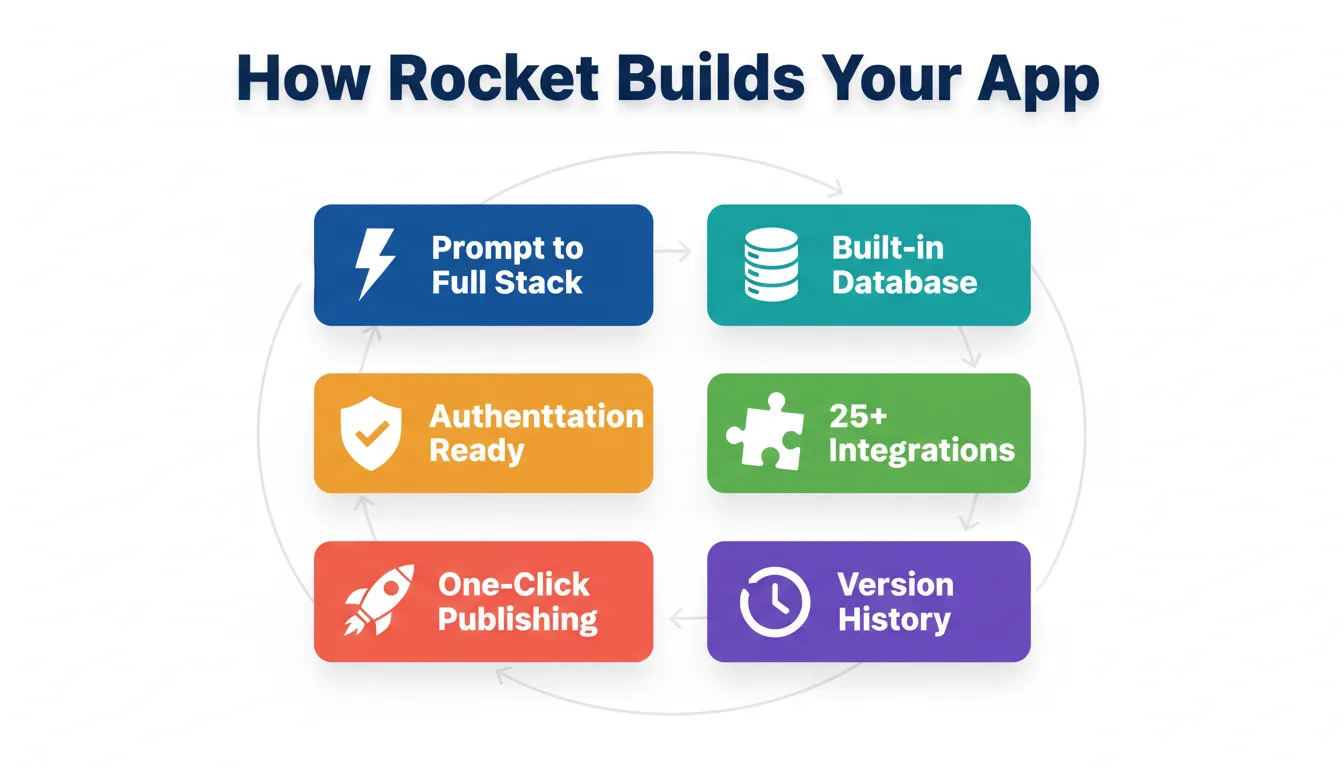
Rocket stands apart from other AI app generators in several ways:
- Prompt-based full-stack generation. A single description produces complete apps, covering frontend, backend, database, and authentication, not just a UI shell.
- Built-in database management. Data tables, relationships, and storage are handled visually, and teams can fine tune details after generation without requiring database expertise.
- Authentication systems. Login, user access, and role management are production-ready from day one.
- Custom domain support. Apps connect to branded domains for a polished, professional appearance.
- One-click publishing. Apps are ready to share or publish without navigating complex deployment pipelines.
- Version history. Every build state is saved, enabling safe experimentation and instant rollback.
- 25+ integrations. Native connectors for Stripe, Supabase, OpenAI, Google, Airtable, Notion, Mixpanel, and more.
Web apps are built in Next.js. Mobile apps are built in Flutter. Every product ships with SEO-ready structure, WCAG accessibility compliance, and GDPR coverage by default. These are the baseline, not optional extras.
Popular Use Cases on Rocket
- Startup MVPs. Validate ideas quickly without high cost or long development timelines.
- Internal tools. Build dashboards, trackers, and workflow apps that fit exactly how your team works.
- SaaS products. Build subscription-based software with billing, user management, and analytics.
- Content and learning apps. Launch learning platforms, resource hubs, and information products.
For teams building no-code mobile apps specifically, Rocket generates native Flutter apps that are ready for both the App Store and Google Play from the same prompt.
Rocket also goes beyond the build. The Intelligence feature monitors competitors continuously across every public platform they operate on, so the app you ship stays informed by what the market is doing.
For founders who want to understand the full scope of what is possible, what you can build on Rocket covers every product type with real examples.
AI App Generator Capabilities at a Glance
| Feature | What It Does | Why It Matters |
|---|---|---|
| Natural language input | Converts text prompts to working apps | No coding required |
| Full-stack generation | Builds frontend, backend, and database together | Production-ready from day one |
| Visual editor | Drag-and-drop customization post-generation | Brand and UX control without code |
| Authentication | User login, roles, and access management | Secure apps out of the box |
| Database management | Visual data tables and relationships | Store and manage app data easily |
| Third-party integrations | Connect payments, email, analytics, and more | Extend functionality without code |
| Mobile and web output | Generates both web and native mobile apps | Reach users on any device |
| One-click publishing | Deploy to web or app stores instantly | Launch without DevOps knowledge |
| Version history | Save and restore previous app states | Safe iteration and experimentation |
| Custom domains | Connect branded URLs | Professional, polished presence |
The Future of AI App Generation
The AI app generator category is evolving fast. Several trends are shaping where it goes next.
Agentic development. Future platforms will autonomously iterate, test, debug, and optimize based on user feedback and usage data. The AI becomes a continuous development partner rather than a one-time generator.
Context-aware generation. Next-generation platforms will incorporate market research, competitor analysis, and user behavior data into the generation process, building apps informed by real-world context.
Enterprise adoption. Large organizations are beginning to use AI app generators for internal tool development, reducing dependency on IT backlogs and enabling business teams to build what they need independently.
Multimodal input. Future generators will accept sketches, wireframes, screenshots, and voice descriptions, making the creation process even more accessible.
The direction is clear: the gap between having an idea and shipping a product is closing. The platforms that connect research, building, and operating in one place will define the next generation of software development.
Start Building Your App Today with Rocket
The AI app generator category has matured to the point where building a production-ready application no longer requires a development team, months of work, or a six-figure budget. With the right platform, anyone with a clear idea can ship a real, working app today.
Rocket gives you everything you need to go from prompt to published app, faster than any alternative. Full-stack generation from a single prompt. A powerful visual editor. A rich integration ecosystem. Guided publishing to web and app stores. And a research-first approach that ensures what you build is grounded in real market context.
Whether you are validating a startup idea, building an internal tool, or creating a personal project, the path from idea to live product has never been shorter.
Start building for free on Rocket.new and turn your app idea into a live product today.
Table of contents
- -What Is an AI App Generator?
- -How the Generation Process Works
- -AI App Generator vs. Traditional Development vs. No-Code Builders
- -Why AI App Generators Are Growing Fast
- -Key Benefits of Using an AI App Generator
- -Build Without Coding Experience
- -Faster Time to Market
- -Significant Cost Reduction
- -Automated Backend and Infrastructure
- -Visual Customization Without Code
- -Built-In Scalability
- -Core Features to Look For
- -Natural Language App Creation
- -Automated Backend Generation
- -Visual Design Editor
- -Third-Party Integrations
- -Mobile and Web Support
- -Version Control and Rollback
- -Who Should Use an AI App Generator?
- -Startup Founders and Entrepreneurs
- -Small Businesses and Agencies
- -Product Managers and Designers
- -Developers and Technical Teams
- -Educators and Students
- -Non-Profits and Community Organizations
- -Real-World Use Cases and Examples
- -Startup MVPs
- -Internal Business Tools
- -E-Commerce Applications
- -Learning and Education Platforms
- -Healthcare and Wellness Apps
- -Community Insight: Real User Experience
- -How to Choose the Right AI App Generator
- -Evaluation Criteria
- -Red Flags to Avoid
- -Getting Started: A Step-by-Step Guide
- -Step 1: Define Your App Idea
- -Step 2: Write an Effective Prompt
- -Step 3: Review and Refine
- -Step 4: Connect Integrations
- -Step 5: Test Across Devices
- -Step 6: Publish and Launch
- -Customization and Personalization
- -Visual Customization
- -Functional Customization
- -Data and Integration Customization
- -AI App Generators for Business vs. Individuals
- -For Businesses
- -For Individuals
- -Rocket and the Future of App Creation
- -What Makes Rocket Different
- -Popular Use Cases on Rocket
- -AI App Generator Capabilities at a Glance
- -The Future of AI App Generation
- -Start Building Your App Today with Rocket