
The best AI website builder turns a plain-language description into a live, professional website in minutes, with SEO, mobile responsiveness, and integrations built in from the first generation.
Is there a faster way to build a professional site without getting buried in confusing steps?
Many teams feel pressure to launch quickly while still maintaining a polished look. According to a survey by Digital Information World, 67.39% of business owners now prefer AI website builders over building from scratch. Even more telling, 54% of those same business owners could not tell the difference between an AI-built site and a human-made one.
Not every tool called an "AI website builder" does the same thing. Some generate a page and hand you off to a template editor. Others generate a full application with a backend and a mobile app.
This blog compares the real options, walks you through what a modern build looks like, and helps you pick the right platform for your project.
What is an AI Website Builder?
An AI website builder generates a complete, functional website from a plain-language description. You describe what you want, and the AI produces the structure, design, and code. There are no templates to arrange manually and no blank canvas to stare at.
Modern platforms go well beyond filling in a layout. The best ones generate mobile-responsive pages and SEO-ready HTML. They also produce functional components like forms and navigation, plus production-grade code you can export. The shift from template-based tools to AI-generated sites is one of the most practical changes in how digital products get built today.
Before comparing tools, it helps to know that not all platforms belong to the same category. There are three distinct types to understand.
Traditional drag-and-drop builders with AI add-ons are established platforms that have layered AI text or image generation on top of existing template editors. The core experience is still manual. AI acts as a helper, not the engine.
E-commerce-first builders focus on product catalogs, checkout flows, and payment integrations. They work well for stores but are limited for general-purpose sites or applications that need a custom backend.
AI-powered full-stack builders generate the entire site or application from a prompt. This includes layout, code, integrations, and deployment. The AI stays active throughout the build, not just at the start.
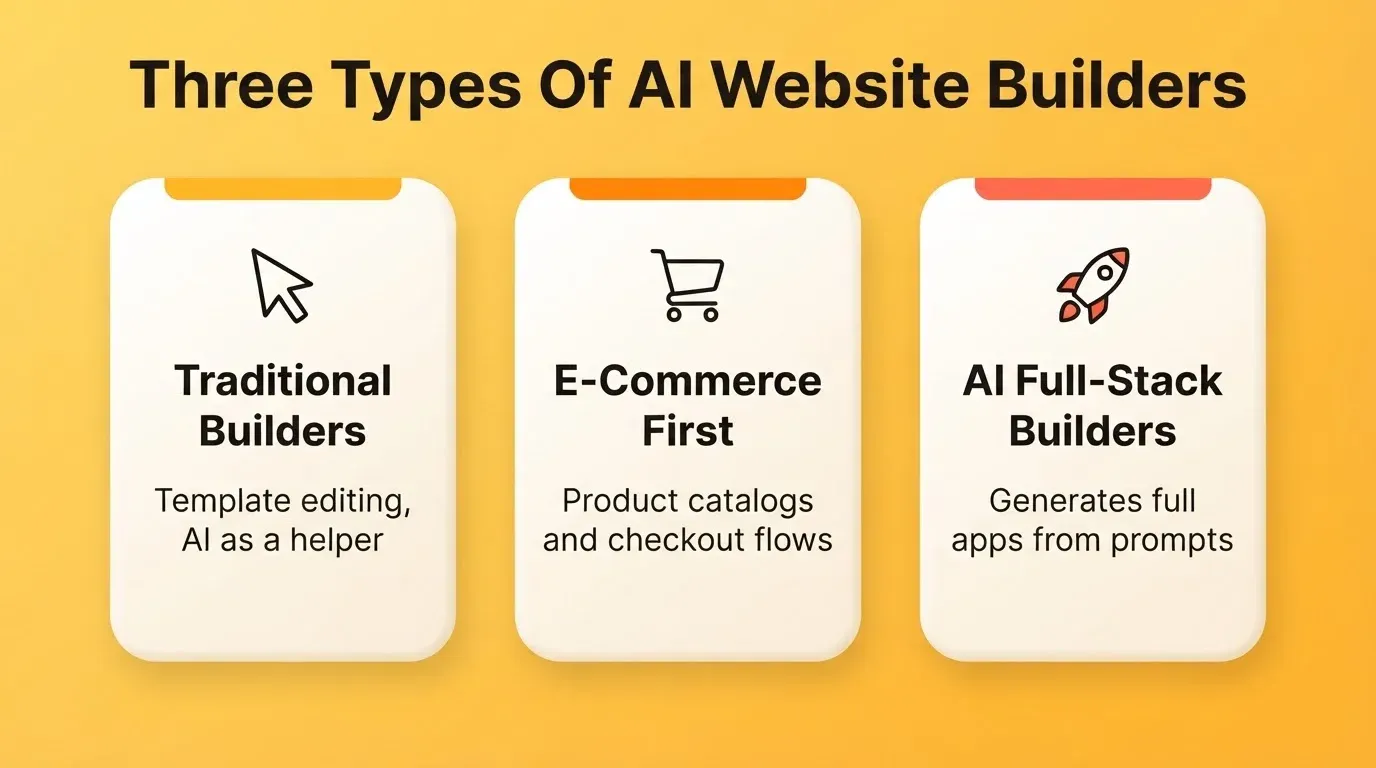
Every comparison in this guide references back to these three categories. The category a tool belongs to determines what it can and cannot do for your project.
How AI Builders Differ from Traditional Website Builders
| Feature | Traditional Builder | AI Website Builder |
|---|---|---|
| Starting point | Blank canvas or template | Natural language description |
| Design output | Template-constrained | Brand-specific, generated |
| Editing method | Manual drag-and-drop | Chat-based and visual editing |
| Code portability | Proprietary, locked | Exportable in many platforms |
| SEO setup | Manual configuration | Built-in by default |
| Mobile optimization | Manual responsive tweaks | Automatic |
| Time to first draft | Hours to days | Minutes |
| Technical skill needed | Low to medium | None required |
| Backend and database | Separate tool required | Integrated in full-stack builders |
To go deeper on what separates platforms at the feature level, explore the guide on features of an AI website builder. It covers how intent-driven generation, automated SEO, and instant deployment work together in practice.
Why Teams Choose AI Website Builders Today
Selecting an AI website builder is rarely just about convenience. It is about how work gets done. Workflows change, iterations tighten, and teams need to move faster without sacrificing quality. So, what actually drives the shift?
- Speed. A complete website can go from a rough idea to a published site in just a few clicks. That pace simply did not exist a few years ago.
- Low learning curve. No coding skills, no design experience, and no server management are required. The AI handles the technical layer entirely.
- Built-in SEO. The best platforms generate semantic HTML, meta tags, sitemaps, and structured data by default. SEO is not an afterthought.
- No server management. Hosting, HTTPS, and deployment are handled automatically. You focus on the product, not the infrastructure.
- Content generation help. AI suggests copy, generates images, and structures sections based on your description. This reduces the blank-page problem significantly.
- Continuous AI editing. Unlike traditional builders, the best AI website builders keep the AI active after the first draft. You iterate through conversation rather than manual clicks.
Real-World Use Cases
Startup founders use AI builders to launch MVPs and validate ideas before committing to a full development cycle. A founder can describe their product, generate a marketing site, connect a custom domain, and publish in one session.
Marketing teams create and iterate on landing pages without engineering tickets. Testing a new campaign page takes a description, not a sprint. This removes one of the most common bottlenecks between strategy and execution.
Design agencies accelerate client delivery. A brief that previously took a week of design and development work now produces a first draft in hours. Additionally, Figma import means existing designs go straight to production code without manual handoff.
E-commerce businesses launch stores with product catalogs, checkout flows, and payment integrations. They do this without any custom development work.
Key Capabilities That Separate Strong AI Website Builders
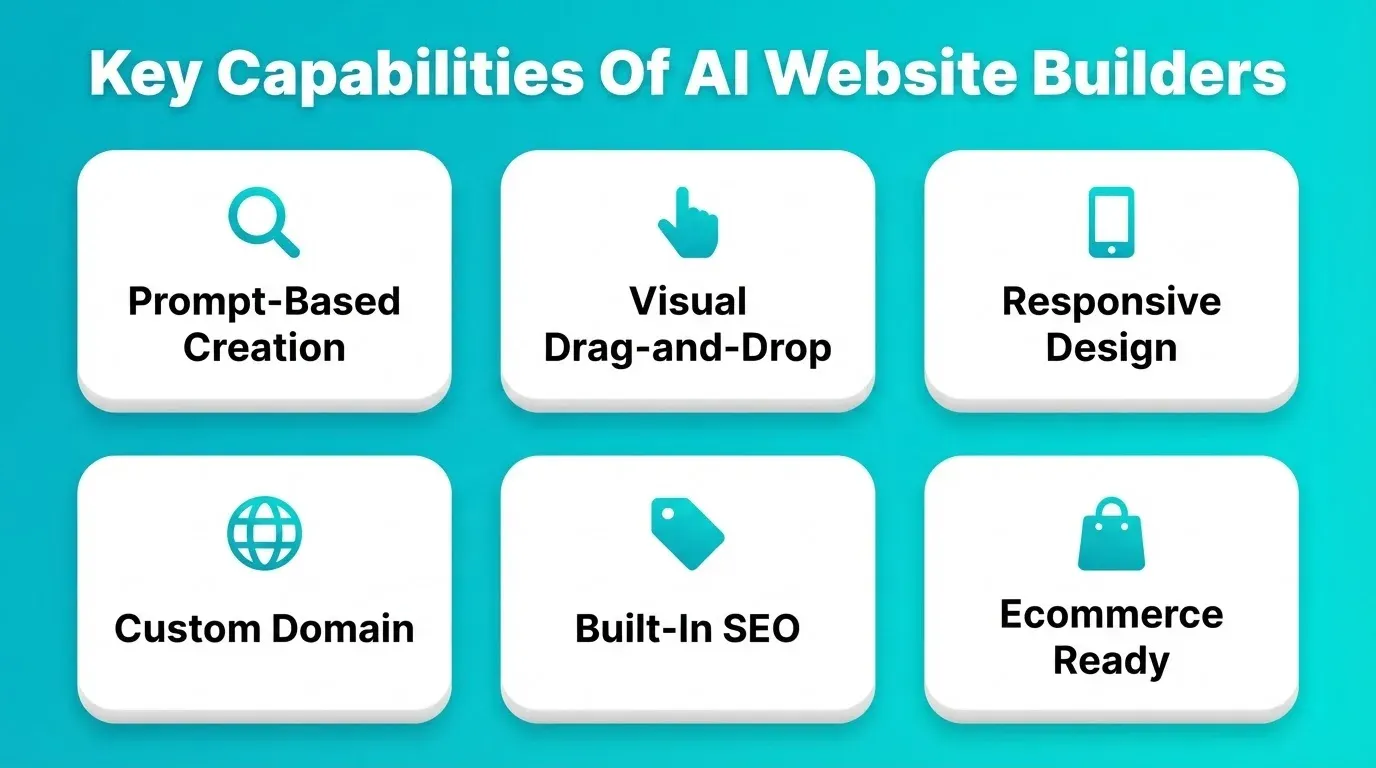
Comparing platforms is easier when you focus on capabilities that matter in a real workflow. Marketing claims can be misleading, so it helps to look at what each platform actually delivers.
| Capability | What to Consider | Why It Matters |
|---|---|---|
| Prompt-based creation | Can it generate a full structure from a text description | Speeds up start time and removes guesswork |
| Visual drag-and-drop editor | Is it simple to fine-tune without coding skills | Supports non-technical users and fast adjustments |
| Responsive websites | Built-in mobile optimization and preview support | Multi-device consistency is a baseline expectation |
| Custom domain access | Can users attach brand domains easily | Helps branding and testing environments |
| SEO optimization tools | Built-in keyword structure, sitemap, speed insights | Directly affects search rankings |
| Ecommerce functionality | Payments, product catalogs, cart support | Key for business sites and stores |
| Reliable hosting | Stable live environment availability | Prevents downtime issues |
| Export or migration | Ability to move beyond the builder when needed | Protects long-term flexibility |
| AI-powered editing | Chat-based iteration after generation | Keeps AI active throughout the build |
| Backend and database | Integrated data layer without separate tools | Enables full-stack applications |
The most important distinction is what happens after the first generation. Platforms that hand you off to a conventional editor right after generating the first draft deliver far less value. The best platforms keep AI active throughout the entire build.
For a broader look at how different platforms approach site creation, the best website building platforms comparison covers the full landscape across speed, flexibility, and output quality.
Comparing the Top AI Website Builders and Generators
Now that you know what to look for, here is how the leading platforms actually compare across the capabilities that matter most.
Individual Tool Profiles
Rocket is good for startups, agencies, marketing teams, and developers who need a production-ready website, web app, or mobile app from a single prompt. It generates Next.js (web) and Flutter (mobile) code you can export. The AI stays active throughout the entire build via chat, visual edit, and code view.
Wix is good for small businesses and individuals who want a polished template-based site. It has a strong drag-and-drop editor with a large template library and built-in e-commerce tools. AI text and image generation are available as add-ons.
Squarespace is good for creatives, portfolios, and small businesses who prioritize design quality. It delivers consistently polished output from preset blocks, with strong blogging and e-commerce basics.
Webflow is good for designers and developers who want deep visual control and clean exported code. It has a powerful visual editor with component-level control and a robust CMS.
Framer is good for design-savvy teams building marketing sites and landing pages with motion and interaction. It offers strong layout control, live preview, and Figma import support.
Hostinger Website Builder is good for budget-conscious users who want a simple AI-assisted site with hosting included. It offers affordable plans with AI text generation and a clean onboarding flow.
Bookmark AI (AIDA) is good for small business owners who want a fast, guided setup with minimal decisions. Its AI design assistant walks through setup questions and generates a starter site quickly.
Renderforest is good for brands that need a website alongside video, logo, and mockup creation in one platform. It offers an integrated creative suite covering website, video, and branding tools.
Master Comparison Table
| Builder | Category | Chat/AI Editing | Component Editing | SEO Built-In | E-commerce | Figma Import | Mobile Apps | Code Export |
|---|---|---|---|---|---|---|---|---|
| Rocket | AI full-stack | Yes | Individual blocks | Yes | Yes | Yes | Yes (Flutter) | Yes (Next.js) |
| Wix | Traditional + AI add-on | No | Section-level | Partial | Yes | No | No | No |
| Squarespace | Traditional + AI add-on | No | Preset blocks only | Partial | Yes | No | No | No |
| Webflow | Traditional (design-led) | No | Deep component | Yes | Limited | No | No | Yes (HTML/CSS) |
| Framer | Traditional (design-led) | No | Good | Partial | No | Yes | No | Partial |
| Hostinger | Traditional + AI add-on | No | Template-level | Basic | Basic | No | No | No |
| Bookmark AI | Traditional + AI add-on | No | Template-level | Basic | Basic | No | No | No |
| Renderforest | Traditional + AI add-on | No | Template-level | Basic | No | No | No | No |
What Actually Matters in a Visual Editor
Generating a site is only half the job. What you can do after the AI hands you that first draft defines whether the tool fits into a real workflow. This is where platforms differ most, and it is where the real value becomes clear.
Drag-and-drop at the component level is essential. Moving entire sections is table stakes. What truly matters is whether you can reach inside a card, rearrange a navigation item, or shift a CTA button without writing code. Builders that only let you reorder preset blocks offer less freedom than they appear to.
Real-time preview saves significant time. Seeing changes reflected immediately on desktop and mobile removes the frustrating cycle of publish, check, unpublish, and tweak. The best editors show you exactly what visitors will see as you work.
Chat-based editing alongside visual editing is a key differentiator. The most capable platforms let you describe changes in plain language at any point in the build. You simply type what you want, and the platform interprets it.
Component-level access, not just template swapping, is what separates polished results from generic ones. Being able to edit a single button or replace a background image in one section turns a generated site into a brand-specific result.
Code view for precision matters for developers. The best platforms give you full access to the source files alongside the visual editor. This is useful for anyone who wants to inspect, extend, or hand off the code.
How the Build Process Actually Works
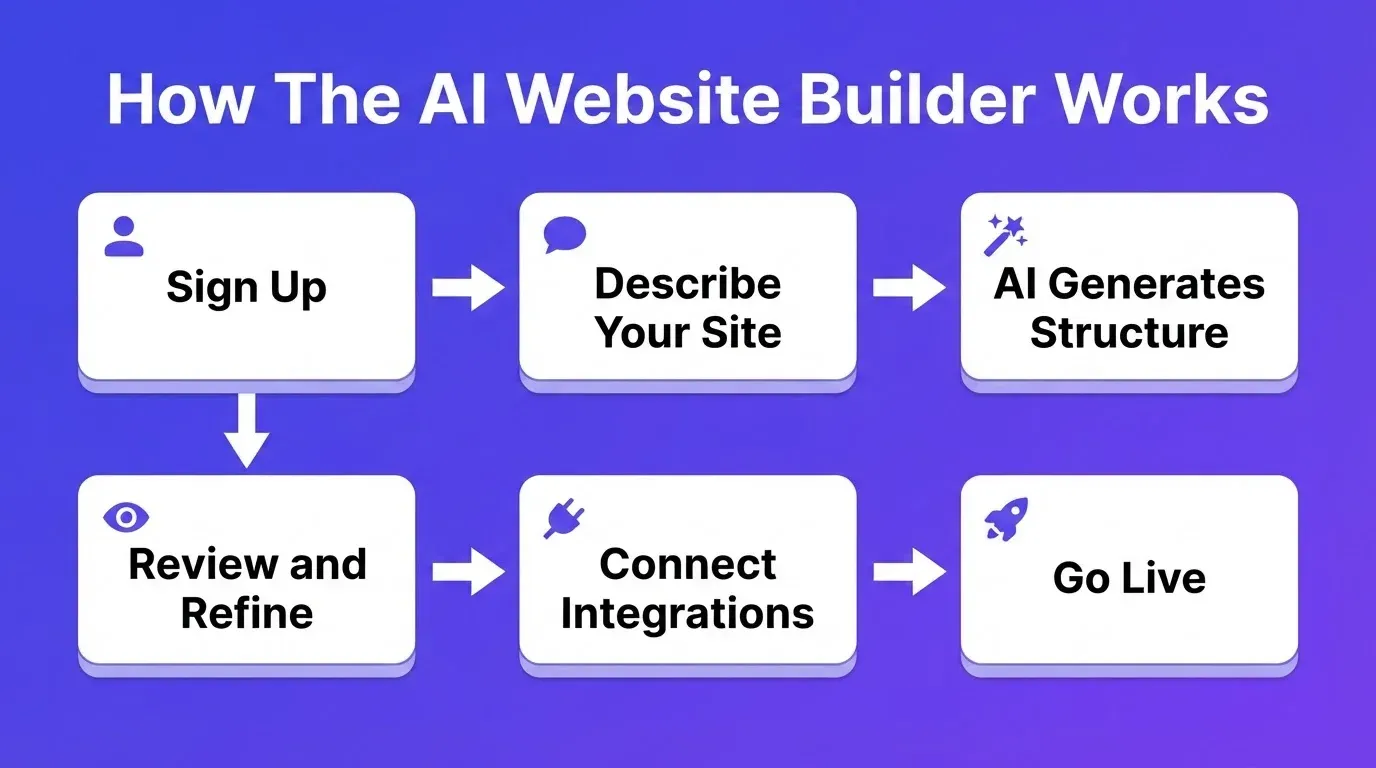
Teams that switch to AI website builders usually describe the same shift: speed, yes, but also clarity. The structure emerges quickly, and the team refines rather than continuously building from scratch. Here is what a modern build process looks like, step by step.
The Complete AI Website Builder Workflow
Step 1: Sign up in 30 seconds. Create an account with no credit card required. Starting credits are included right away.
Step 2: Describe your site or choose a template. Start from a plain-language prompt, upload an attachment (PDF, screenshot, or spreadsheet), import a Figma file, or connect a GitHub repo. You can also pick from 25,000+ templates. Browsing and remixing templates consumes zero credits. You only spend credits when you start customising through chat.
Step 3: The AI generates the structure. The platform produces layout, sections, draft copy, image suggestions, and production-grade code. This takes minutes, not hours.
Step 4: Review and refine through three modes. Chat mode lets you describe changes in plain language. Visual edit mode lets you click any element and update it directly. Code view gives you full access to the source files.
Step 5: Connect your integrations. Wire in payments (Stripe, Razorpay), analytics (Google Analytics, Mixpanel), email (Mailchimp, Resend, Brevo), and databases (Supabase, Airtable). There are 25+ services available. Authenticate once, and they flow into every build.
Step 6: Launch. Publish to a staging URL to share with reviewers. Connect a custom domain with automatic HTTPS and DNS configuration. Then go live.
What the Community Says
Real builders have shared their experiences with AI website builders. Here are three distinct perspectives worth reading.
"Our small studio built a full client draft using an AI website builder over one weekend. It generated structure, placeholder copy, and images. We refined the design, and the client assumed it took weeks." — Reddit, r/webdev
How AI Website Builders Create Professional, Search-Ready Websites
What surprises many experienced creators is how natural and finished a modern AI website generator can look. Most AI-generated websites appear handcrafted after just a short round of adjustments.
Strong page structure, smart mobile formatting, and built-in SEO tools are what produce a polished result. Someone building a business site, portfolio, landing page, or store can often complete a fully functional website in a single day.
SEO and AI Search Visibility Built In
The best AI website builders generate sites that rank on Google and get cited by AI search engines. This matters more than ever. Tools like ChatGPT, Perplexity, Gemini, and Claude increasingly answer queries by citing web pages directly.
Built-in SEO defaults typically include clean semantic HTML, optimised meta tags, XML sitemaps, and structured data (JSON-LD). They also include mobile-responsive layouts. Furthermore, platforms that support GEO (Generative Engine Optimisation) structure content with clear quotable statements and FAQ sections with JSON-LD markup. These signals help AI search engines evaluate credibility.
According to the WebAIM Million 2026 report, 95.9% of home pages had detected WCAG accessibility failures. Platforms that ship with accessibility defaults address a gap that most manually built sites still have.
Sites built with clean structure, authoritative content, and proper markup are already being cited more frequently by AI search tools. As a result, building with a platform that treats GEO as a default gives your site a structural advantage from day one.
If you are planning to rebuild or refresh an existing site, the guide on how to redesign a website without losing SEO covers how structural improvements work without starting from scratch.
What Every Rocket Build Includes by Default
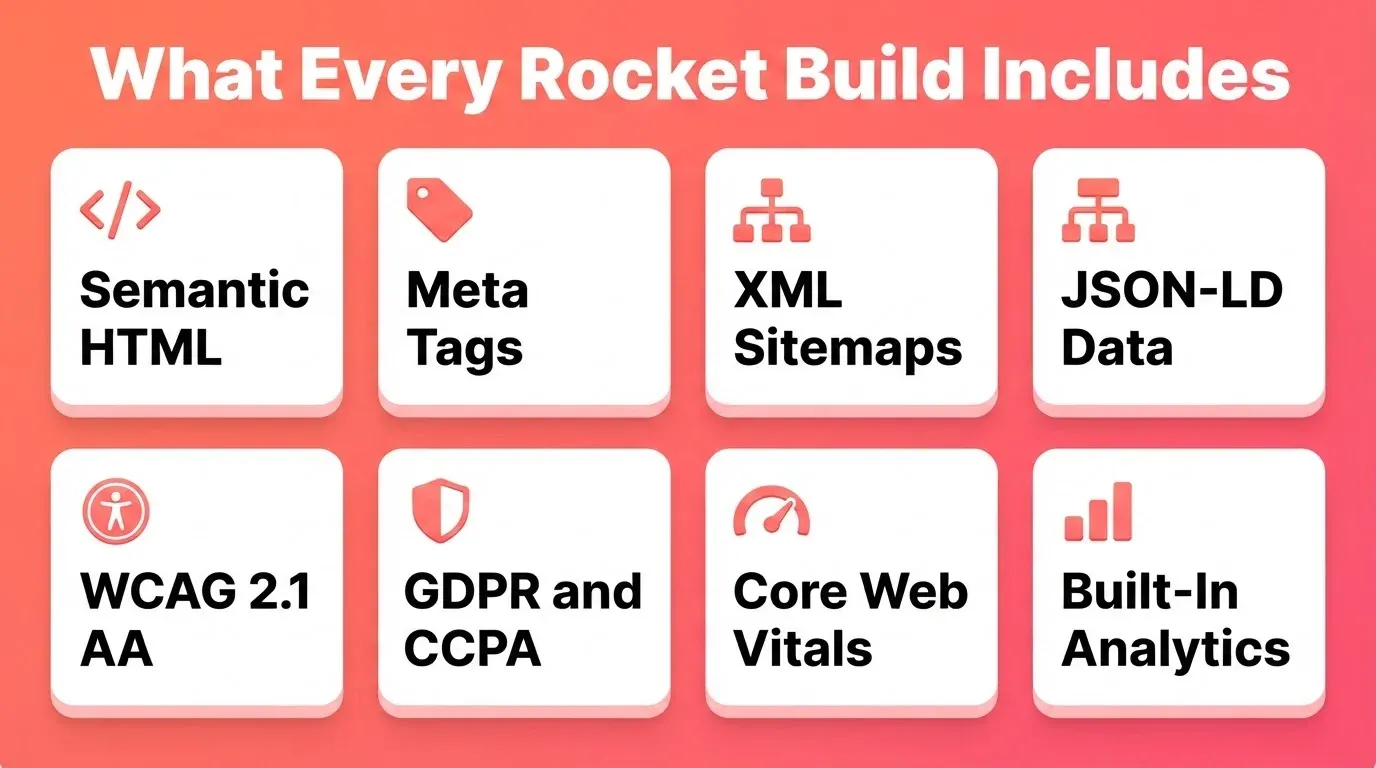
Every site built with Rocket ships with these defaults out of the box. No additional configuration is needed.
- Semantic HTML. Clean, structured markup that search engines and AI crawlers can parse accurately.
- Optimised meta tags. Title, description, Open Graph, and Twitter Card tags generated per page.
- XML sitemaps. Auto-generated so search engines index every page.
- JSON-LD structured data. Schema markup for FAQs, articles, organisations, and products.
- WCAG 2.1 AA accessibility. Alt text, ARIA labels, contrast ratios, and keyboard navigation included.
- GDPR and CCPA compliance. Cookie consent banners, privacy policy generation, and data handling controls built in.
- Core Web Vitals optimisation. LCP, CLS, and FID targets addressed in the generated code.
- Built-in analytics. Visitor tracking, conversion events, and referrer data, all without a third-party script.
Six Ways to Start a Build
| Starting Method | Best For | Credits Used |
|---|---|---|
| From an idea (plain language prompt) | Starting fresh with a description | Yes |
| From an attachment (image, PDF, spreadsheet) | Have a screenshot or document to build from | Yes |
| From Figma | Completed designs ready to become production code | Yes |
| From GitHub | Existing Next.js TypeScript codebase to continue | Yes |
| From a template | Common patterns like SaaS, landing page, or portfolio | Zero |
| Redesign (from a URL) | Rebuilding or improving an existing website | Yes |
How to Choose the Right Tool for Your Situation
Choosing the right platform becomes much easier when you match your project type to the tool's strengths. Use this decision matrix as a starting point.
| Your Situation | Best Choice | Why |
|---|---|---|
| Building a full-stack web app or SaaS | Rocket | Full-stack generation, backend, database, auth, and deployment in one |
| Need a mobile app alongside the website | Rocket | Flutter mobile app generation from the same prompt |
| Simple brochure site for a local business | Wix or Hostinger | Fast setup, affordable plans, no backend needed |
| E-commerce store, product-first | Shopify | Purpose-built for product catalogs, checkout, and inventory |
| Design-led marketing site with motion | Framer or Webflow | Deep visual control for design-savvy teams |
| Portfolio or creative site | Squarespace | Consistently polished design output |
| Rebuilding an existing site | Rocket Redesign | Point at any URL, rebuild with AI from structural understanding |
| Importing existing Figma designs | Rocket or Framer | Both support Figma import; Rocket generates production Next.js code |
| Developer who wants to export and own the code | Rocket or Webflow | Both export clean code; Rocket generates Next.js and Flutter |
Before you commit to any platform, ask yourself these five questions.
- Does the AI stay active after the first draft, or does it hand you off to a template editor?
- Can you export the generated code, or are you locked into the platform's proprietary system?
- Are SEO, accessibility, and analytics built in, or do you need to configure them separately?
- Does the platform support the integrations your project needs, such as payments, database, and email?
- What happens when your needs grow? Can you add a backend, mobile app, or custom code?
Free Plans vs. Paid Plans
Some people start by testing with a free AI website builder. Free plans typically include a subdomain publishing environment, basic SEO tools, template access, and a limited credit allocation. That is a great starting point for shaping concepts, student projects, or early-stage validation.
Paid plans make sense when you need a professional custom domain, higher bandwidth for serious traffic, team accounts for coordinated editing, advanced ecommerce functionality, or greater development flexibility. Not every site requires a high subscription. For many people, scaling by need works best.
Pricing Compared
| Platform | Free Plan | Starting Paid Plan | Notes |
|---|---|---|---|
| Rocket | Yes (20 credits) | $25/mo (Pro) | Credits never expire; covers web, mobile, and research |
| Wix | Yes (subdomain) | ~$17/mo | Custom domain requires paid plan |
| Squarespace | Trial only | ~$16/mo | No permanent free plan |
| Webflow | Yes (2 pages) | ~$14/mo | E-commerce requires higher tier |
| Shopify | Trial only | ~$29/mo | E-commerce focused |
| WordPress.com | Yes (limited) | ~$4/mo | Self-hosted option available |
Rocket Plan Breakdown
The table below outlines Rocket's current plans, as listed on the Rocket.new pricing page.
| Plan | Price | Credits | What's Included |
|---|---|---|---|
| Free | $0 | 20 (never expire) | Build websites, landing pages, web apps, mobile apps + Essential research |
| Pro | $25/mo | 100/month | Build websites, landing pages, web apps, mobile apps + Essential research |
| Rocket | $50/mo | 250/month | Build + Consultant-grade solutions on demand + Competitive intelligence |
| Booster | $250/mo | 1,500/month | Build + Consultant-grade solutions on demand + Competitive intelligence |
All paid plans include unlimited team members. Credits never expire. Annual billing saves 20% across all paid plans. You can buy additional credits on top of any paid plan at any time. For SSO, data localisation, or premium support, contact the Rocket sales team.
Rocket in the AI Builder Space
1.5 million people have tried Rocket across 180 countries, from solopreneurs to enterprise teams. The platform was built on a specific premise: the most expensive mistake in any business is not bad execution. It is good execution of the wrong thing.
Rocket generates production-grade websites and applications in Next.js (web) and Flutter (mobile). Every build ships with SEO-ready structure, WCAG accessibility support, GDPR coverage, and Core Web Vitals optimisation. The design decisions are intentional: considered typography, real hierarchy, and visual identity specific to the product. Nothing reads as AI-made.
25+ integrations connect directly into the build. Stripe, Razorpay, Google Analytics, Mixpanel, Supabase, Airtable, Notion, Mailchimp, Resend, OpenAI, Anthropic, Gemini, HubSpot, and Netlify are all available. Authenticate once, and they flow into every build.
The Redesign capability is worth noting separately. Point Rocket at any live website URL and choose one of eight slash commands. The output is a redesign built from structural understanding of the existing site, not a template applied to content.
For teams building their first site or scaling an existing one, the guide on website builder for small business covers how to create a professional online presence without a development team.
Before and After You Publish: A Launch Checklist
Getting your site live is just the beginning. A quick pre-launch and post-launch checklist helps you ship with confidence.
Pre-Launch
- Run the SEO report slash command to check meta tags, sitemap, structured data, and heading hierarchy.
- Run the accessibility report to flag WCAG failures, missing alt text, and contrast issues.
- Run the privacy compliance command to generate a cookie consent banner and privacy policy.
- Preview on mobile and desktop to confirm responsive layouts across screen sizes.
- Test all forms, payment flows, and integrations in staging before going live.
- Check Core Web Vitals in the performance dashboard and resolve any flagged issues.
Post-Launch
- Connect your custom domain with automatic HTTPS.
- Verify analytics are tracking visits, conversions, and referrers.
- Confirm contact forms are delivering to the right inbox.
- Monitor Core Web Vitals from the performance dashboard.
The Future of AI Website Building
Three trends are shaping what the best platforms will look like in the next few years. Understanding them helps you choose a platform that will still serve you well as the category evolves.
The gap between building and operating a website is closing. The next generation of AI website builders will not just create sites. They will monitor performance, track competitor moves, and suggest improvements based on real data. The platforms that combine building with intelligence are already ahead of this curve.
The line between a website builder and an application builder is already blurring. Platforms that generate only static marketing sites are giving way to platforms that generate complete applications. These include backends, databases, authentication, and integrations. The question is no longer "can I build a website?" It is "can I build the product?"
AI-powered search is becoming the primary discovery channel for more queries. Generating content that gets cited by AI search engines will matter as much as traditional SEO. Consequently, platforms that treat GEO as a default will have a structural advantage going forward.
The Best AI Website Builder Starts Before the First Line of Code
Choosing the best AI website builder is not just a tool decision. It is a workflow decision. The platforms that will define the next era of web creation are those that treat generation as the beginning of the process, not the end.
Speed is the obvious benefit. The more significant shift is what happens to quality when the barrier to creation drops. Teams that previously could not afford to iterate now iterate constantly. Founders who could not afford a developer now ship production-grade products.
As AI search, GEO, and full-stack generation become the new baseline, the best AI website builder will be the one that builds from thinking, not just from prompts. That is the direction the category is moving, and the platforms that get there first will define how the next generation of sites gets built.
Table of contents
- -What is an AI Website Builder?
- -How AI Builders Differ from Traditional Website Builders
- -Why Teams Choose AI Website Builders Today
- -Real-World Use Cases
- -Key Capabilities That Separate Strong AI Website Builders
- -Comparing the Top AI Website Builders and Generators
- -Individual Tool Profiles
- -Master Comparison Table
- -What Actually Matters in a Visual Editor
- -How the Build Process Actually Works
- -What the Community Says
- -How AI Website Builders Create Professional, Search-Ready Websites
- -SEO and AI Search Visibility Built In
- -What Every Rocket Build Includes by Default
- -Six Ways to Start a Build
- -How to Choose the Right Tool for Your Situation
- -Free Plans vs. Paid Plans
- -Pricing Compared
- -Rocket Plan Breakdown
- -Rocket in the AI Builder Space
- -Before and After You Publish: A Launch Checklist
- -Pre-Launch
- -Post-Launch
- -The Future of AI Website Building
- -The Best AI Website Builder Starts Before the First Line of Code