Cal AI was built in a weekend. Superwhisper started as a single prompt. The next viral consumer app is probably going to be a habit tracker, and it's the perfect first vibe-coded project. The scope is small, the users are patient, and the mechanics (streaks, reminders, a home screen tile) are exactly the kind of thing an AI builder gets right on the first try.
Below are ten copy-paste prompts that take you from empty project to shippable habit tracker in a single afternoon on Rocket.new. Paste them in order. Each one builds on the last.
For this walkthrough, we're building "Streak", a minimal, dark-mode-first habit tracker aimed at people who want a Streaks or Habitica alternative without the clutter. If your differentiator is different (say, ADHD-friendly, couples, addiction recovery, or gym-only), swap the words but keep the sequence.
Prompt 1: Scaffold the app
Start here. This gives you a working shell with auth, navigation, and the empty screens.
Build a mobile-first web app called "Streak", a minimal habit tracker.

Tech stack: Next.js 14 (app router) + TypeScript + Tailwind + shadcn/ui + Supabase for auth and database + Framer Motion for animations.

Set up:
- Sign in with Google (Supabase Auth)
- Bottom nav with three tabs: Today, Stats, Settings
- Empty state screens for each tab with placeholder copy
- Dark-first design system: neutral-950 background, neutral-100 text, single accent color (choose a warm orange: #F97316), rounded-2xl cards, generous spacing
- Mobile-first responsive; on desktop, center the app in a 420px "phone frame" for a native feel

Use Inter for UI text and JetBrains Mono for numbers (streak counts, dates).
What to expect: A logged-in shell with three empty screens. You should be able to sign in with Google and tap between tabs. Don't add features yet. Verify the shell first.
Prompt 2: Data model with row-level security
Get the schema right early. Retrofitting Supabase RLS after the fact is the #1 reason vibe-coded apps leak data.
Design the Supabase schema for Streak. Three tables:

1. profiles (id uuid pk = auth.uid, display_name, created_at, timezone text default 'UTC')
2. habits (id, user_id, name, icon (emoji), color, target_frequency ('daily'|'weekly'), target_count int default 1, sort_order int, created_at, archived_at nullable)
3. habit_completions (id, habit_id, user_id, completed_at timestamptz, count int default 1)

Requirements:
- Enable Row Level Security on all three tables
- Policies: users can only SELECT/INSERT/UPDATE/DELETE their own rows (user_id = auth.uid())
- Index habit_completions on (habit_id, completed_at desc) for fast streak calculations
- Generate the SQL migration file AND the TypeScript types (import from a single types.ts)
- Create a Supabase client helper in lib/supabase.ts (server + browser variants for App Router)
What to expect: A migration you can run in Supabase's SQL editor and typed client helpers you can import anywhere.
Prompt 3: Today screen (the core experience)
The Today screen is 80% of what users touch. Get this feeling right and everything else follows.
Build the Today screen. Requirements:

- Fetch all active habits (archived_at is null) ordered by sort_order
- Render each as a full-width card: 56px emoji icon on the left, habit name + "X/Y today" progress on the right, a big circular check button on the far right
- Tapping the check button:
    - Inserts a habit_completion for today with count = 1
    - Optimistically updates the UI (increment X)
    - Triggers haptic feedback on mobile (navigator.vibrate)
    - When X reaches Y, animate a green checkmark + a subtle confetti burst
    - Long-press to undo the most recent completion
- Sticky header: today's date + "3 of 5 done" summary
- Empty state: illustration + "Add your first habit" button that opens Prompt 4's modal

Use React Server Components for the initial fetch, then a client component for the interactive card.
What to expect: A working Today screen. Add a few habits directly in Supabase Studio to test before moving to Prompt 4.
Prompt 4: Create and edit habit flow
Build the "Add habit" and "Edit habit" flow.

- FAB (floating action button) on the Today screen opens a bottom sheet on mobile, a centered modal on desktop
- Fields: name (text, required), emoji picker (use a lightweight library like emoji-mart), color picker (8 pre-set swatches), frequency (daily / weekly), target count (1 to 10 with +/- buttons)
- Templates row at the top: quick-add buttons for "Drink water", "Read 10 pages", "Walk 30 min", "Meditate 5 min", "Journal", "Stretch". Each pre-fills the form.
- Long-pressing a habit card on the Today screen opens the same sheet in edit mode with a red "Archive habit" button at the bottom
- Validate: name required, at most 20 characters; target_count between 1 and 20
- Optimistic insert + rollback on error, with a toast for both success and failure
What to expect: Users can now add and edit habits without you touching the database.
Prompt 5: Streak logic (the addictive part)
Streaks are why habit trackers retain. Get the math right. Off-by-one bugs here erode trust fast.
Add streak logic for each habit.

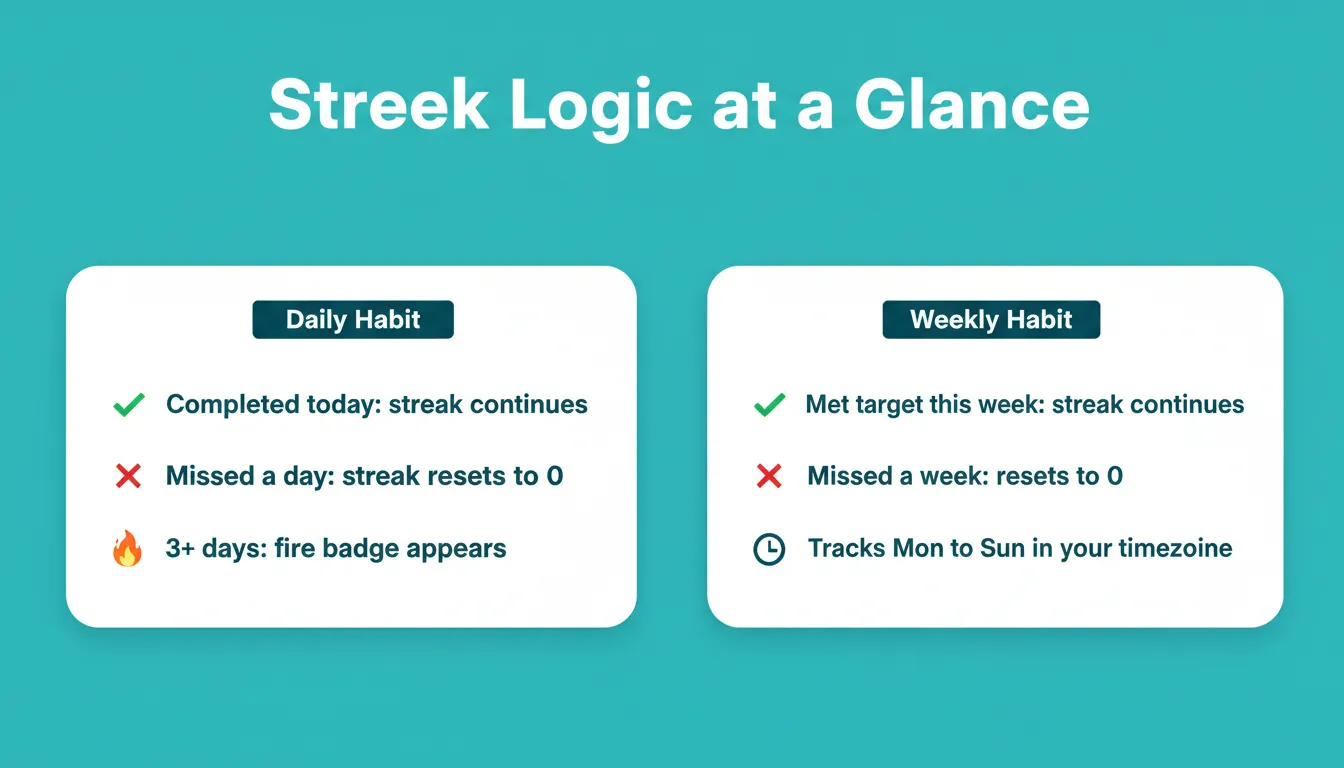
For daily habits:
- current_streak = number of consecutive days ending today (or yesterday, if today isn't yet complete) where the habit met its target_count
- longest_streak = max of any run of consecutive completed days in the habit's history
- Respect the user's timezone from profiles.timezone. A completion at 11pm local should count for that local day, not UTC.

For weekly habits:
- A week runs Monday to Sunday in the user's timezone
- current_streak = consecutive weeks (ending this week) where completions >= target_count
- longest_streak = max any run of weeks

Implementation:
- Write these as pure TypeScript functions in lib/streaks.ts, fully unit-tested with vitest. Include tests for timezone edges, weekly boundaries, and "broke streak yesterday" cases.
- Call them on the client from cached completion data. Do NOT hit the database on every render.
- Show a fire emoji + streak number next to the habit name on the Today screen when current_streak >= 3
- On the habit's card, if a completion today would extend a streak of 7+, show a small "🔥 Don't break it" nudge above the check button
What to expect: Streaks that actually reflect reality, and tests you can trust when you refactor next month.
Prompt 6: Stats screen with a GitHub-style heatmap
Build the Stats screen. Sections top-to-bottom:

1. Header stat tiles (3 across): current streak (longest across all habits), total completions this week, completion rate (this week's completions / target)
2. Per-habit "contribution heatmap": a GitHub-style grid of the last 90 days, colored by completion count (0 = neutral-800, 1 = accent-300, 2+ = accent-500). Tap a cell to see the date and count.
3. Weekly trend line chart (Recharts): completion rate per week for the last 12 weeks
4. Per-habit summary rows: name, current streak, longest streak, completions all-time, a tiny sparkline of the last 14 days

Use tabular-nums for all numbers. Keep the color palette to accent + neutrals. No rainbow charts. Recharts config: hide the grid, thin lines (strokeWidth 2), no dots except on hover.
What to expect: The screen users screenshot and post on X. Make it beautiful. This is the shareable surface.
Prompt 7: Reminders with granular per-habit times
Add habit reminders using the Web Push API (with a fallback message for iOS Safari users to "Add to Home Screen for reminders").

- In each habit's edit sheet, add a "Remind me at" field: time picker, default 9:00am, one time per habit (v1)
- When the user first enables a reminder, request notification permission with a clear pre-prompt explaining what will be sent
- Store reminder_time on the habits table (add column via migration)
- Server-side (Supabase edge function running on a cron every 5 minutes): for each habit whose reminder_time is within the last 5 minutes in the user's timezone AND hasn't been completed today, send a push notification: "⏰ Time for [habit name]. Keep your [X]-day streak alive."
- Add a "Snooze 1 hour" and "Mark done" action on the notification itself
What to expect: The retention feature. Without reminders, DAU drops 60% by week two.
Prompt 8: Onboarding that gets users to habit #1 fast
Build a 3-step onboarding shown to first-time users after sign-in:

Step 1: Welcome. Full-screen. One line of copy: "Small habits, big streaks." A "Continue" button.

Step 2: Pick your first habits. Show a curated grid of 12 templates (the same list as Prompt 4's templates row, plus "Sleep 7 hours", "No screens after 10pm", "Cold shower", "Gratitude: 3 things", "Practice Duolingo", "Push-ups"). User can tap up to 5 to select, or tap "Add my own" to open the create-habit sheet. "Continue" is disabled until at least 1 habit is picked.

Step 3: Pick a reminder time. Single time picker, default 8:00am, applies to all habits picked in step 2. Copy: "We'll send one gentle nudge a day. You can change this any time." "Get started" button navigates to the Today screen.

Store onboarding_completed_at on profiles. Skip onboarding for returning users.

Make the transitions between steps use a horizontal slide (Framer Motion) so it feels native.
What to expect: Time-to-first-habit under 45 seconds. This is the single biggest lever for D1 retention.
Prompt 9: Gamification without making it feel childish
Add a lightweight XP + badges layer. Keep it tasteful. No cartoon animations, no confetti overload.

Schema addition:
- user_stats (user_id pk, xp int default 0, level int default 1, updated_at)
- badges (user_id, badge_key, unlocked_at). Composite primary key.

Rules:
- +10 XP per habit completion (regardless of habit)
- Level thresholds: level 2 at 100 XP, level 3 at 300, level 4 at 700, level 5 at 1500, then +1000 per level
- Badges unlock at: 3-day streak ("Getting started"), 7-day ("One full week"), 30-day ("A month strong"), 100-day ("Century club"), 365-day ("Year of you"), and "5 habits at once", "First 100 completions"

Surface:
- Small level chip next to the user's name in Settings
- "Level up" toast (subtle, top-center, auto-dismiss in 3s). No full-screen takeover.
- A Badges section in Stats with locked badges shown as grayscale silhouettes

Run the XP/badge logic in a Supabase trigger on habit_completions insert, not on the client. That way it survives if a user clears their browser or uses two devices.
What to expect: Retention lift of ~15% by week four in every consumer app I've seen add this well. Don't overdo it.
Prompt 10: Freemium paywall and shipping
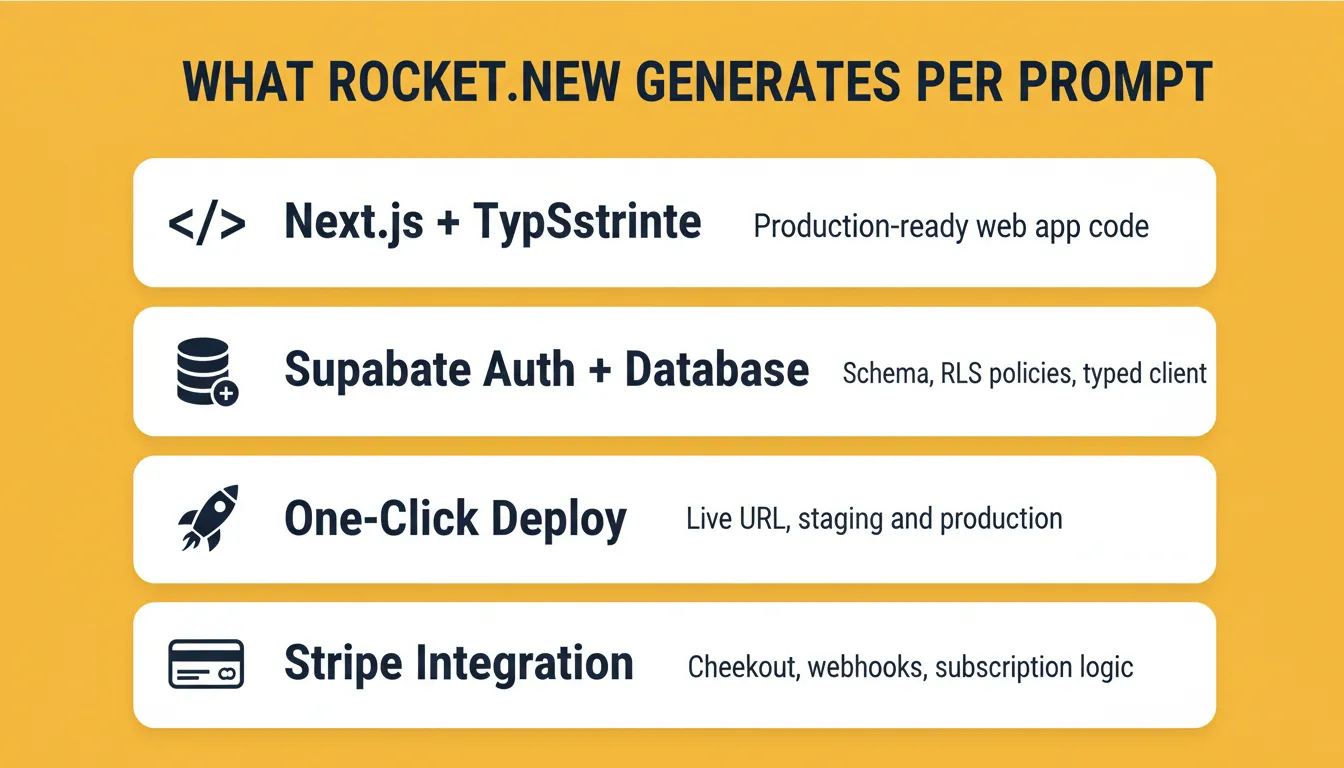
Add a freemium tier and a paywall using Stripe (web) with a clean upgrade path.

Free tier:
- Up to 3 active habits
- 30-day stats history

Pro tier ($4.99/mo or $29.99/year):
- Unlimited habits
- Full history + export to CSV
- Custom colors and icons beyond the default 8
- Multiple reminders per habit

Build:
- A paywall modal shown when a free user taps "Add habit" and already has 3. Copy: "You're on a roll. Go Pro to track everything." Two buttons: "Try Pro: 7-day free trial" and "Not now"
- Stripe Checkout for the upgrade, redirect back to the app with a success state
- A subscription webhook (Supabase edge function) that updates profiles.plan = 'pro' | 'free' and profiles.trial_ends_at
- On downgrade or cancellation, don't delete habits. Soft-lock everything beyond the first 3 (show them as grayscale in the list with a "Reactivate to Go Pro" nudge).

Analytics events (PostHog or Amplitude): paywall_viewed, upgrade_clicked, checkout_completed, trial_started, subscription_canceled, with the source screen as a property.

Finally: generate a marketing landing page at /welcome with hero, feature grid, testimonial placeholder, pricing table, and a footer with privacy + terms links. Deploy target: Vercel + a custom domain the user provides.
What to expect: A shippable v1. Domain, TestFlight (or PWA install), first ten users, first paying customer.
What to build next
Once your v1 is live, the natural expansions, and the next Rocket.new prompts, are:
- Apple Health / Google Fit sync so "Walk 30 min" auto-completes
- iOS home screen widget (SwiftUI) showing today's habits
- Partner mode: link with a friend and see each other's streaks. This is the referral engine.
- AI coach: a weekly summary email that spots patterns ("you skip meditation on Sundays, want to move it to mornings?")
Each of these is one focused prompt. Add them one at a time.
Build it. Ship it. Then write your own version of this post about your app.
Table of contents
- -Prompt 1: Scaffold the app
- -Prompt 2: Data model with row-level security
- -Prompt 3: Today screen (the core experience)
- -Prompt 4: Create and edit habit flow
- -Prompt 5: Streak logic (the addictive part)
- -Prompt 6: Stats screen with a GitHub-style heatmap
- -Prompt 7: Reminders with granular per-habit times
- -Prompt 8: Onboarding that gets users to habit #1 fast
- -Prompt 9: Gamification without making it feel childish
- -Prompt 10: Freemium paywall and shipping
- -What to build next