
The best vibe coding tools let you build production-ready apps using plain language. This blog compares 8 tools across pricing, features, and use cases to help you pick the right one for your skill level and project.
What are the best vibe coding tools in 2026?
The best vibe coding tools include Rocket, Emergent, Replit, Bolt.new, Lovable, Base44, Cursor, and Windsurf.
Each is designed for a different skill level, project type, and workflow. Whether you want to ship a full-stack SaaS app without writing a single line of code or accelerate your existing development workflow with AI, there is a purpose-built vibe coding platform for you.
According to the 2025 Stack Overflow Developer Survey, 84% of developers are now using or planning to use AI tools in their development process.
This blog covers every major tool with real pricing, honest trade-offs, and clear guidance on which one fits your situation.
What is Vibe Coding?
Vibe coding is a software development approach where you describe what you want to build in plain, natural language. An AI system then generates the functional code, architecture, and interface for you. The term was coined by AI researcher Andrej Karpathy in early 2025. It quickly became the defining phrase for this era of AI-assisted development.
Rather than writing syntax, managing dependencies, or debugging boilerplate, you focus entirely on the outcome. You type something like: "Build me a SaaS app with user authentication, a dashboard, and Stripe payments" and the tool builds it. This is not just a productivity boost for developers. It is a genuine shift in who can build software.
Vibe coding tools enable natural-language code generation, significantly reducing the time and expertise required to ship working software. Think of it as having a technical co-founder who never sleeps and always knows what you are trying to build.
Key characteristics of vibe coding:
- Natural language input drives code generation
- No requirement to know programming syntax
- AI handles architecture, front-end, back-end, and deployment logic
- Iterative refinement through conversation
- Production-ready output in the best tools, not just prototypes
Explore the broader context in this guide on how vibe coding is reshaping developer roles.
Two Categories of Vibe Coding Tools
Before evaluating specific tools, you need to understand the two distinct categories. Choosing the wrong category is the most common mistake people make when picking a vibe coding platform.
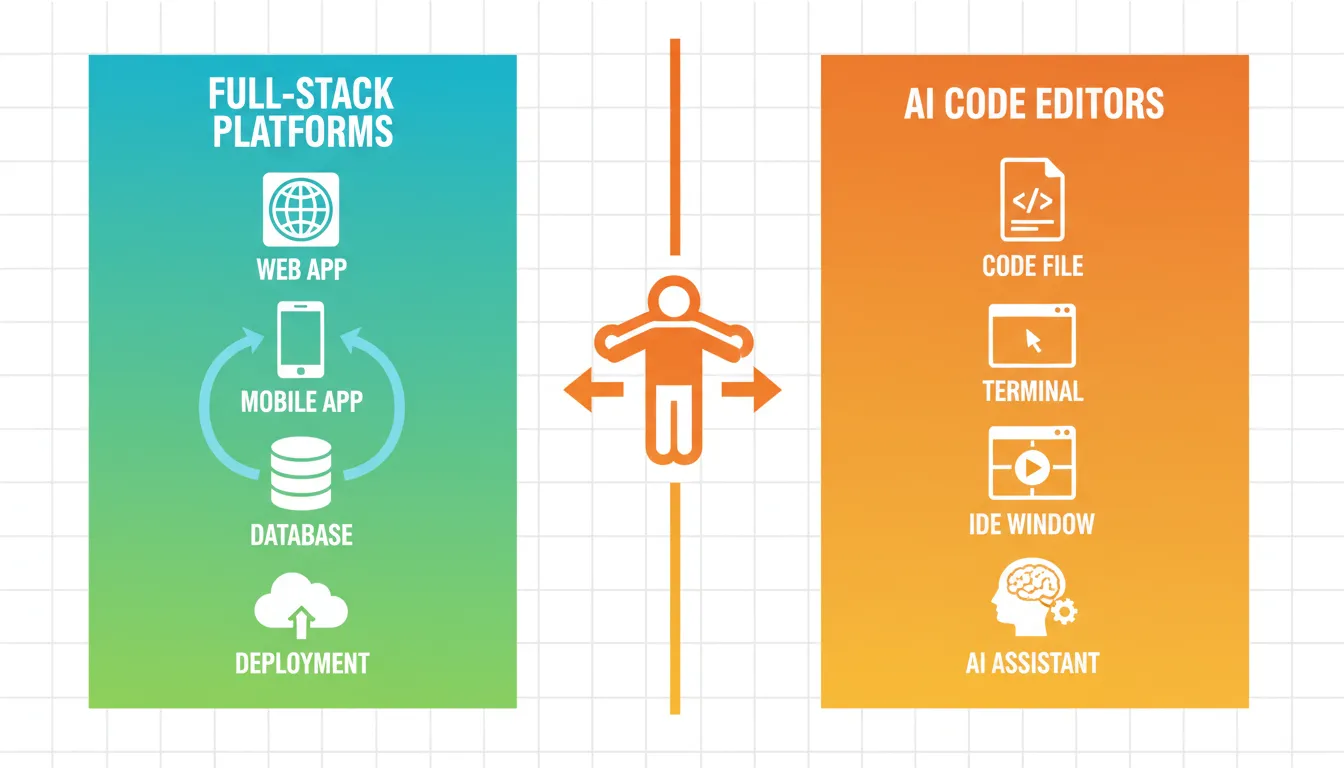
Category 1: Full-Stack Vibe Coding Platforms
These handle everything end-to-end: front-end, back-end, database, APIs, deployment, and hosting. You describe your app and the platform ships a live, working product. No local setup, no environment configuration, no separate hosting account required.
Best for: Non-developers, founders, product managers, designers, and anyone who wants to go from idea to deployed app without touching infrastructure.
Examples: Rocket, Emergent, Replit, Bolt.new, Lovable, Base44
Category 2: AI-Native Code Editors
These live inside your existing development environment. They act as an AI pair programmer, suggesting code, refactoring functions, explaining errors, and generating features. You still write, review, and manage the codebase.
Best for: Experienced developers who want to code significantly faster without changing their tools or workflow.
Examples: Cursor, Windsurf
How We Evaluated These Tools
Every tool in this guide was evaluated across six dimensions:
| Evaluation Criterion | What We Measured |
|---|---|
| Output quality | Does the generated code work? Is it production-ready or prototype-grade? |
| Ease of use | Can a non-developer get a working app without external help? |
| Full-stack capability | Does it handle front-end, back-end, database, and deployment? |
| Mobile support | Can it generate native iOS and Android apps? |
| Pricing transparency | Are costs predictable? Is there a usable free tier? |
| Developer control | Can experienced developers access and edit the underlying code? |
Best Vibe Coding Tools: Full Breakdown
1. Rocket: Best All-in-One Vibe Coding Platform
Best for: Founders, non-developers, and experienced developers who want to go from idea to deployed web or mobile app in one platform.
1.5 million people have tried Rocket across 180 countries. It is not just an AI code generator. It is a vibe coding platform that takes you from a raw idea to a live, production-ready web or mobile app, all in one browser tab, with no local setup required.
What makes Rocket different from other tools on this list is its shared context architecture. Every project accumulates intelligence: your research, your decisions, your brand guidelines. That context flows into every build. You never re-explain what you are building. The platform remembers.
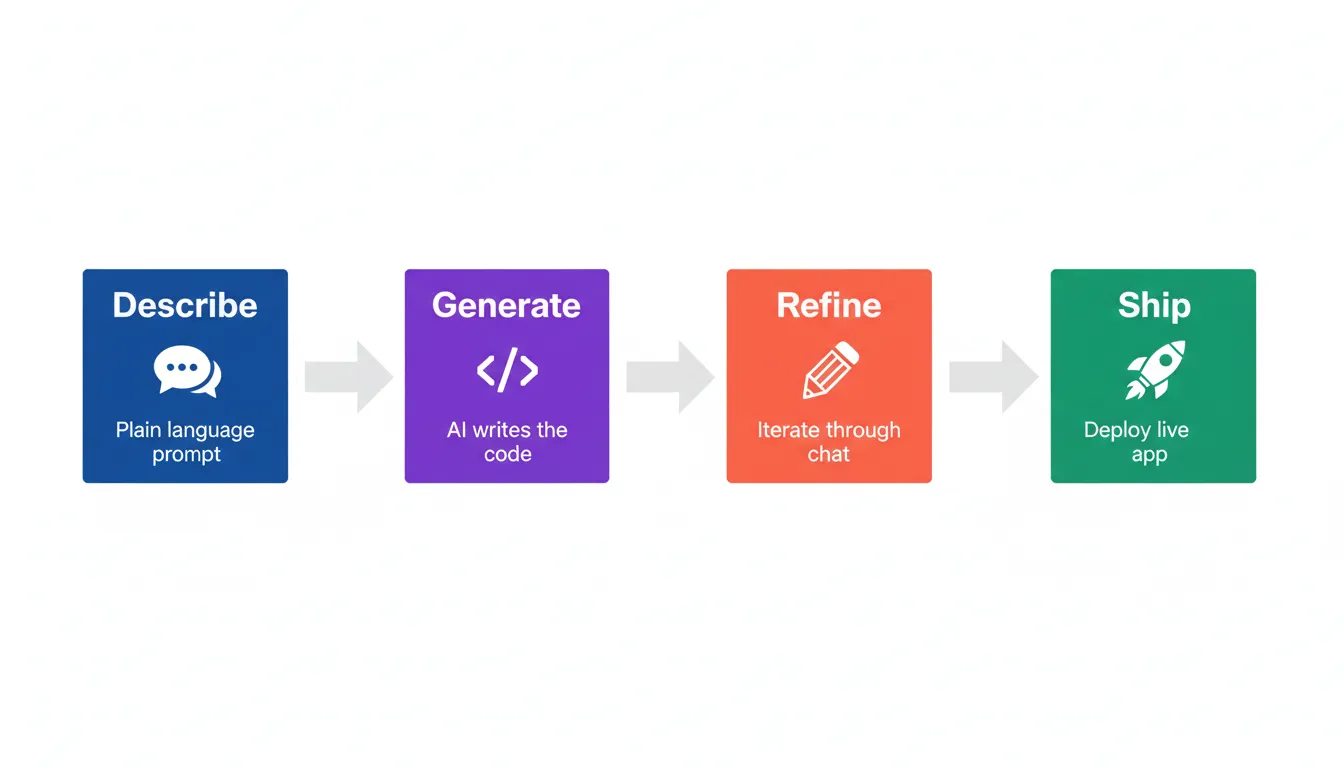
Rocket is built around a four-step loop: describe, build, refine, ship. You tell Rocket what you want to build. It generates a complete app with screens, logic, and data storage. You iterate through conversation or by clicking elements on the canvas. Then you publish to the web, connect a custom domain, or submit to the App Store and Google Play.
What you can build with Rocket:
- SaaS products with user authentication, Stripe payments, dashboards, and admin panels
- E-commerce stores with product catalogs, shopping carts, checkout flows, and inventory tracking
- AI-powered apps connected to OpenAI, Anthropic, or Gemini
- Data dashboards, CRM systems, and admin panels with role-based access control
- Responsive marketing sites, portfolios, and blogs with SEO built in
- Native iOS and Android apps built on Flutter, with push notifications and app store submission support
Rocket's toolkit:
| Tool | What it does |
|---|---|
| Chat interface | Describe changes in plain language. Rocket updates your app in real time. |
| Visual edit | Click any element to change colors, text, layout, and spacing directly. |
| Code view | Full access to your source files. Edit, search, and manage your codebase. |
| Preview | See your app running on web and mobile devices as you build. |
| Integrations | Connect 25+ services including Stripe, Supabase, OpenAI, and Mailchimp with one click. |
| One-click deploy | Publish to web, connect custom domains, or submit to app stores. |
| Version history | Full rollback to any previous state. Nothing built is ever lost. |
| Figma import | Convert Figma designs directly into working production code. |
Six ways to start a project on Rocket:
- From an idea: type a plain language description and Rocket builds the full app
- From a Figma design: import your mockups and convert them directly into working code
- From a URL: paste a website link and Rocket recreates or reimagines the page
- From an image: upload a screenshot or wireframe and let Rocket rebuild it
- From a template: start with a production-ready base and customize from there
- From a remix link: clone a shared project and adapt it with your own integrations
For a deeper look at what you can build, read what makes Rocket's Build different from every other AI builder.
Rocket for Non-Developers: Stop Waiting, Start Building
If you have a product idea but no coding background, Rocket was built with you in mind. No local setup, no development environment, no hand-offs to an engineering team. Just describe what you want in plain language and watch your vibe-coded app take shape.
Real-world use cases:
- Founders and solopreneurs: Build your MVP fast. Type something like "Build a project management SaaS with team workspaces, task boards, and a Pro plan at $19/month using Stripe" and Rocket handles the rest. Your app is ready to show investors or early users in hours, not weeks.
- Product managers: Skip the sprint queue. Build the internal tool, dashboard, or workflow app yourself using natural language prompts. Rocket handles backend functionality and user authentication automatically.
- Entrepreneurs and small business owners: Need an e-commerce store, a booking platform, or a client portal? Describe it once. Rocket builds it, deploys it, and lets you connect your own domain.
- Designers with Figma files: Don't wait for a developer to turn your designs into real code. Import your Figma mockups directly into Rocket and get a fully functional app out the other side.
Rocket for Developers: Ship Faster Without Sacrificing Control
Rocket removes the parts of software creation that eat time without adding value: scaffolding, boilerplate, environment setup, repetitive wiring, and configuration. You still get full code access. Open the code view at any time, edit source files directly, inject custom code, and connect any API you need.
Real-world developer use cases:
- Rapid prototyping: Get a working base in minutes, then refine with natural language or drop into code view for precise edits
- Client projects: Generate the foundation of a client's web or mobile app, connect their preferred services through the integrations panel, and deliver faster
- Internal tooling: Build dashboards, admin panels, and CRM systems without manually wiring everything up
- Full-stack mobile apps: Native iOS and Android apps using Flutter with push notifications, camera access, and full app store submission support
- AI-powered apps: Connect OpenAI, Anthropic, Gemini, or Perplexity through Rocket's integrations panel using plain language
Rocket Pricing:
| Plan | Price | Best For |
|---|---|---|
| Free | $0 | Exploring the platform |
| Build | $25/month | Individual builders |
| Solve + Build | $250/month | Teams needing research and build |
| Solve + Build + Intelligence | $350/month | Full platform with competitive monitoring |
2. Emergent: Best for Multi-Agent Full-Stack App Creation
Best for: Founders and non-technical people who need complex, production-ready applications built from natural language prompts.
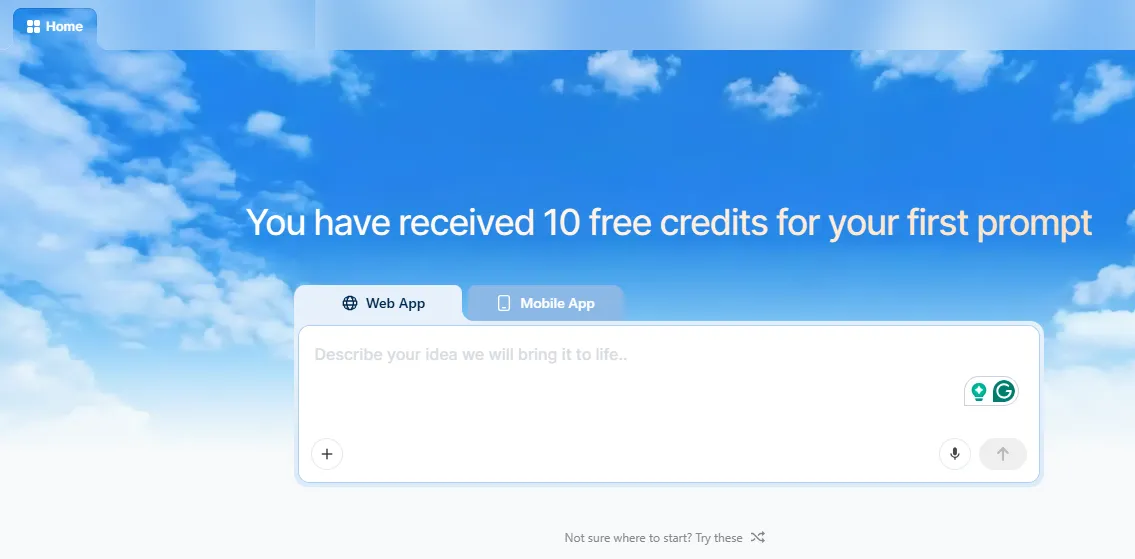
Emergent is an advanced AI-powered full-stack vibe coding platform. What separates it from most tools is its multi-agent orchestration system. Instead of a single AI generating code, Emergent uses a coordinated team of specialized AI agents to handle design, coding, backend logic, and deployment simultaneously. The result is a more coherent, complete application from the first generation.
What you can build with Emergent:
- Websites: e-commerce, SaaS, real estate, booking, restaurant
- Mobile apps: social platforms, fitness trackers, marketplaces, e-learning
- Dashboards: sales analytics, marketing performance, HR dashboards
- Internal tools: CRM, inventory management, employee onboarding, support ticketing
- SaaS tools: AI content generators, form builders, scheduling systems
- Browser extensions: productivity tools, SEO research, price trackers
- Automation workflows: lead capture, report generation, data extraction
Key features:
- Full-stack generation covering frontend, backend, APIs, database, integrations, deployment, and hosting
- Multi-agent orchestration for complex outputs
- GitHub and VS Code integration for developers who want to continue locally
- Choose preferred LLM models per task (GPT, Claude, Gemini)
- Universal API key option to consolidate billing
- Rollback to restore previous app versions without using extra credits
- 1M context window to reason across large projects
- Forkchat option to continue large-scale projects without hitting context limits
Emergent Pricing:
| Plan | Price | Credits | Best For |
|---|---|---|---|
| Free | $0 | 10 daily credits (30/month max) | Basic frontend experiments |
| Standard | $20/month | 100 credits/month, scalable to 3,000 | Mobile app development |
| Pro | $200/month | 750 credits/month | Complex apps for individuals |
| Teams | $300/month | 1,250 credits/month (shared pool) | Team collaboration, up to 5 members |
| Enterprise | Custom | Custom | Anything at scale |
Verdict: Emergent is a strong multi-agent vibe coding platform for users who need complex, production-ready apps without writing code. The credit-based pricing model can become expensive for heavy users.
3. Replit: Best Cloud IDE with Built-In Deployment
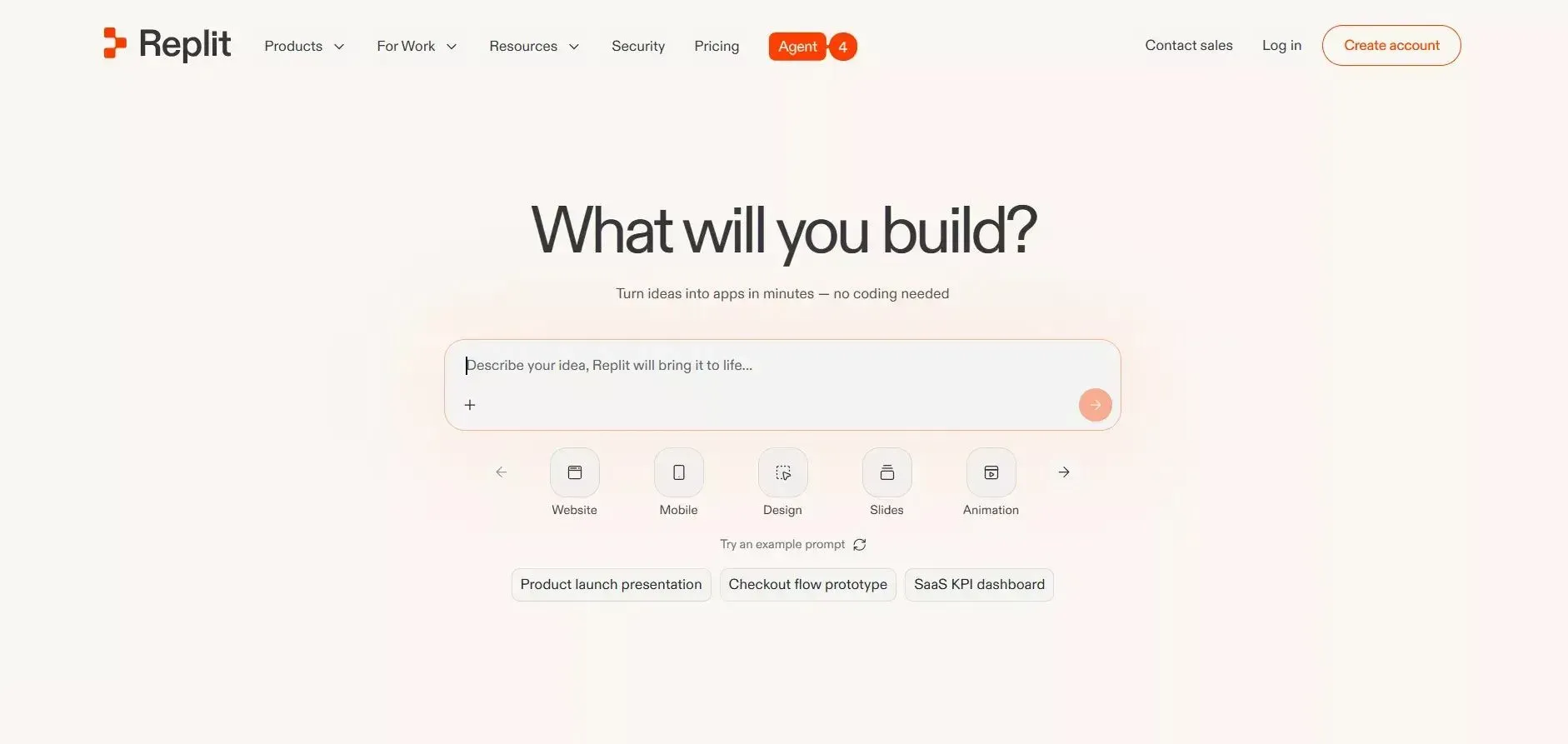 Best for: Developers and learners who want a complete browser-based development environment with vibe coding capabilities and one-click deployment.
Replit is a hybrid: part browser-based IDE, part AI-powered full-stack development platform. Its AI assistant, Ghostwriter, handles the heavy lifting when you want to vibe code. The full deployment pipeline lets you go from concept to live app without switching tools. Replit Agent can plan and build entire applications autonomously.
Key features:
- Real-time preview as you build
- AI-assisted app creation via Ghostwriter
- Auto-save to the cloud
- Built-in version control
- Mobile app support for iOS and Android
- Custom app URLs and domain connections
- Full deployment pipeline included
- Collaborative coding for teams
Replit Pricing:
| Plan | Price | Best For |
|---|---|---|
| Starter | $0 | Trials and experimentation |
| Replit Core | $25/month | Individual developers |
| Teams | $40/month | Small dev teams |
| Enterprise | Custom | Large organizations |
Verdict: Replit is a solid choice for developers and learners who want a complete vibe coding experience in the browser. Particularly strong for rapid prototyping web apps, chatbots, and educational projects.
4. Bolt.new: Best for Rapid Full-Stack App Generation with GitHub Integration
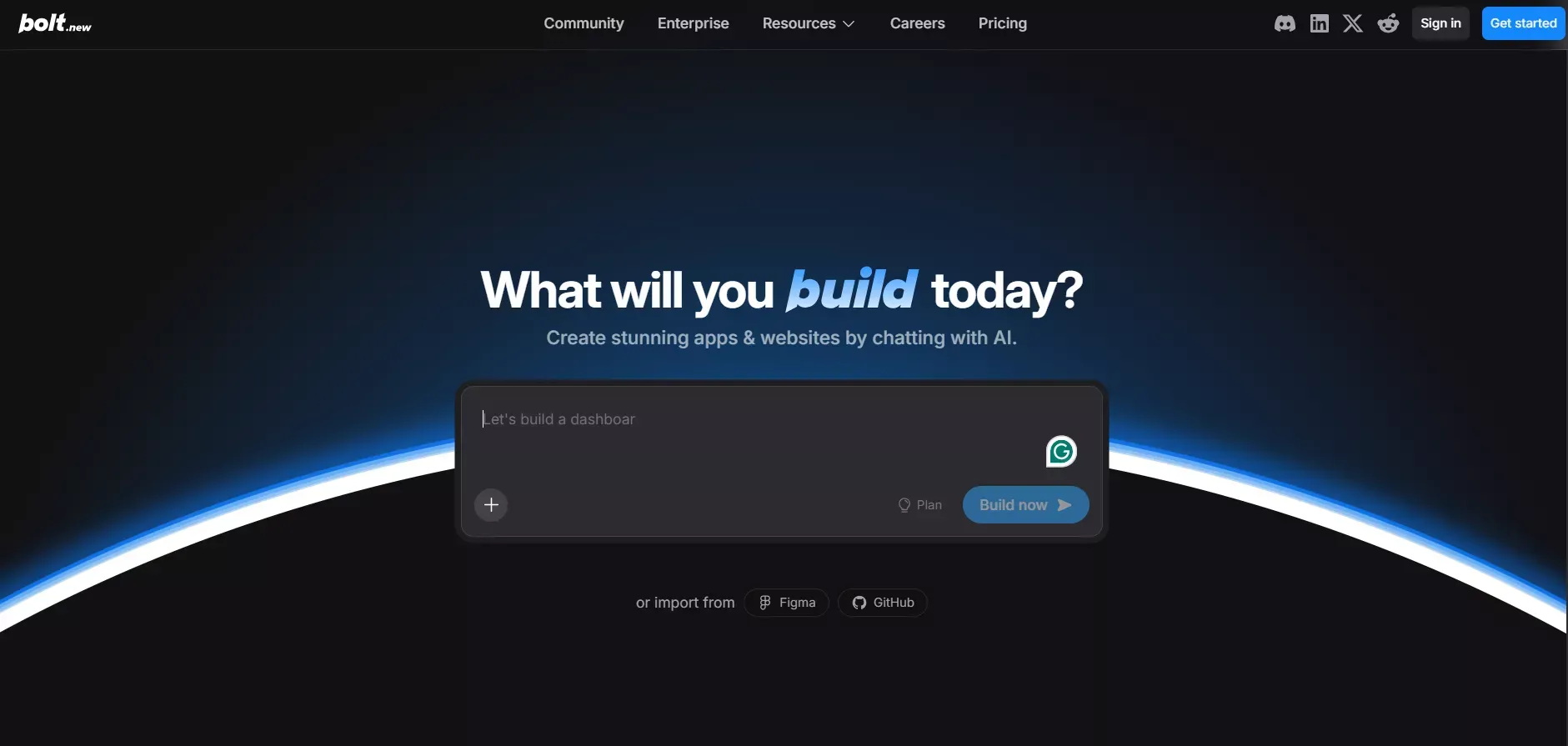
Best for: Developers who want fast, production-quality code generation tightly integrated with their GitHub workflow.
Bolt.new helps both non-coders and full-stack developers create websites, web apps, and mobile apps using natural language prompts. It offers two AI agents: the Claude Agent for production-quality builds and the v1 Agent for fast prototypes and layout testing. This gives developers control over the speed-vs-accuracy trade-off.
What you can build with Bolt:
- Websites: landing pages, e-commerce stores, corporate and personal sites
- Web apps: project management tools, job boards, booking platforms, simple SaaS platforms
- Mobile apps: gaming apps, social apps, workout planners
Key features:
- Two AI agents for different build needs (speed vs accuracy)
- Backup, restore, and version history to manage changes
- Expo-powered cross-platform mobile app generation
- GitHub integration and version control
- Import existing projects from other platforms
- Token-based usage model with a generous free tier
Bolt Pricing:
| Plan | Price | Key Highlights |
|---|---|---|
| Free | $0 | 300k tokens/day, 1M tokens/month |
| Pro | $25/month | 10M tokens/month, 100MB file uploads |
| Teams | $30/month | Team-level access management |
| Custom | Custom | Enterprise security, dedicated support |
Verdict: Bolt is a practical pick for developers who want fast code generation connected to their GitHub workflow. Token limits on the free plan can be restrictive for complex apps.
5. Lovable: Best for Building Websites with Simple AI Interactions
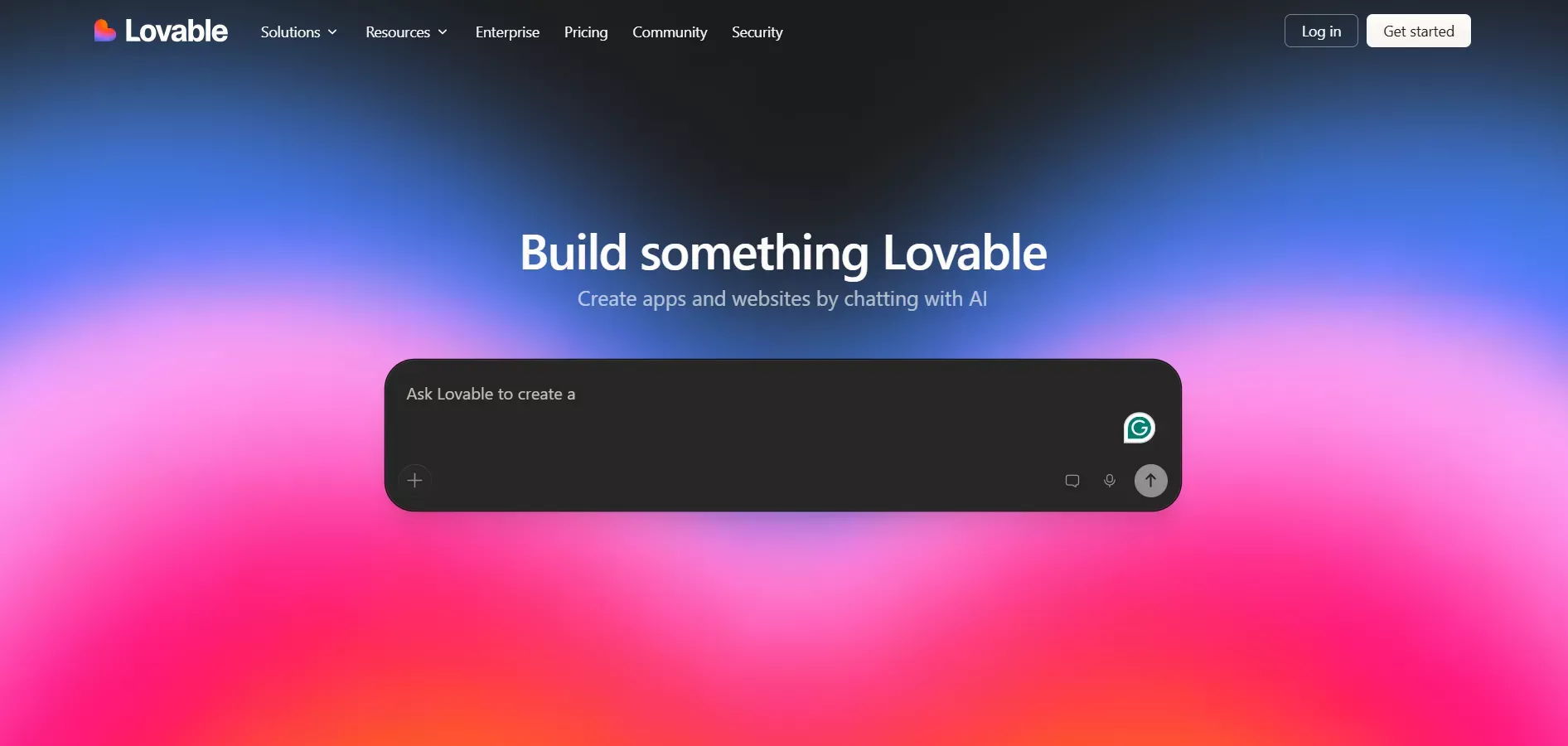 Best for: Non-coders who want to build websites and web apps quickly without touching code, with SEO and design tools built in.
Lovable is an AI-powered web development vibe coding platform designed for non-coders. It builds websites from simple landing pages to e-commerce sites and SaaS platforms using natural-language prompts. It has recently expanded to support full-stack web apps.
Key features:
- Two build modes: Agent Mode (autonomous full codebase editing) and Chat Mode (plan and reason before executing)
- View and edit raw project code directly inside the editor
- UI and UX customization tools without writing code
- Project analytics showing visitors, pageviews, traffic sources, and device breakdowns
- Custom domain connection
- SEO optimization applied automatically
- Design templates for consistent branding
Lovable Pricing:
| Plan | Price | Credits | Best For |
|---|---|---|---|
| Free | $0 | 5 daily credits (30/month) | Simple creations |
| Pro | $25/month | 100 credits/month, scalable | Individual builders |
| Business | $50/month | 100 credits/month, scalable | Teams |
| Enterprise | Custom | Custom | Enterprises |
Verdict: Lovable is one of the friendliest vibe coding tools for non-technical people. Note: it does not support native mobile app generation.
6. Base44: Best for Simple Personal Mobile App Building
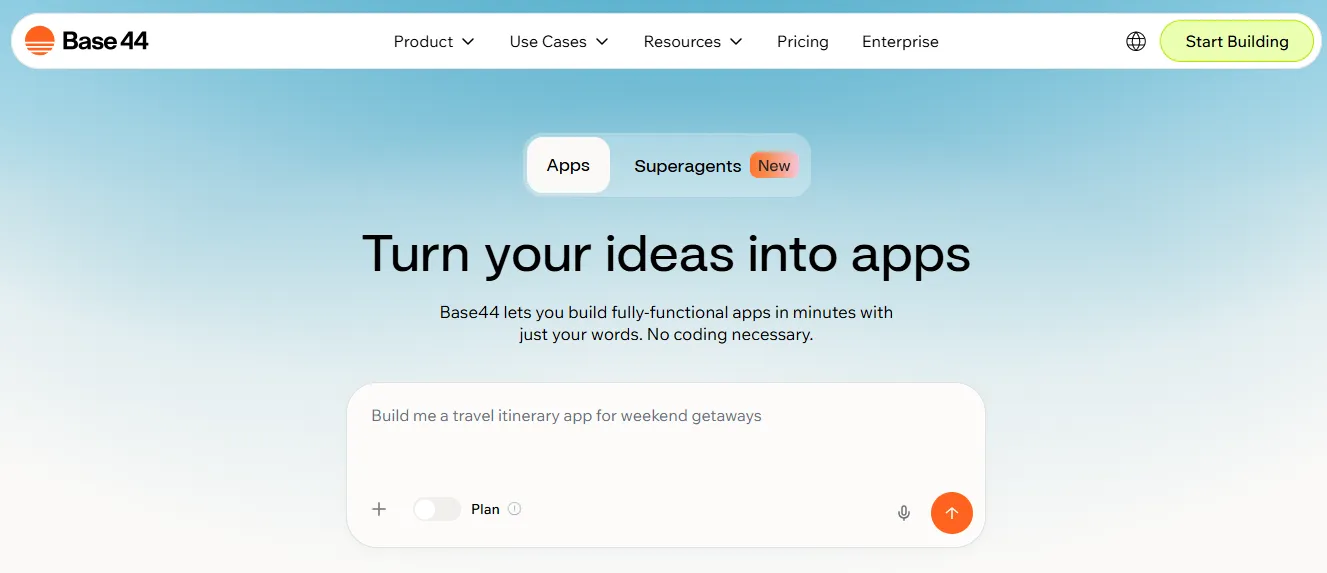
Best for: Non-coders who want to build simple personal mobile apps without any technical knowledge.
Base44 by Wix is an AI app builder focused on helping non-coders create mobile applications using natural language prompts. It automatically handles deployment, hosting, data storage, and user authentication so you can focus entirely on what the app should do.
What you can build with Base44: Simple personal mobile apps like workout planners, travel itinerary apps, personal budget trackers, note-taking tools, and habit trackers.
Key features:
- AI discussion mode for brainstorming without consuming credits
- Automated infrastructure setup (database, API, authentication, email, storage)
- Auto-generated API endpoints for all workflows
- Version control and rollback
- Analytics and testing dashboards
- AI add-ons for chatbots and predictive analytics
Base44 Pricing:
| Plan | Price | Message Credits/Month | Best For |
|---|---|---|---|
| Free | $0 | 25 | Core feature access |
| Starter | $20/month | 100 | Simple app builders |
| Pro | $50/month | 250 | Indie developers |
| Builder | $100/month | 500 | Power users |
| Elite | $200/month | 1,200 | High-volume users |
Verdict: Base44 works well for simple personal mobile apps. For complex apps or intricate business logic, you will quickly hit its limits.
7. Cursor: Best AI Code Editor for Power Developers
 Best for: Experienced developers who want deep AI integration inside a VS Code-compatible editor for complex, large-scale projects.
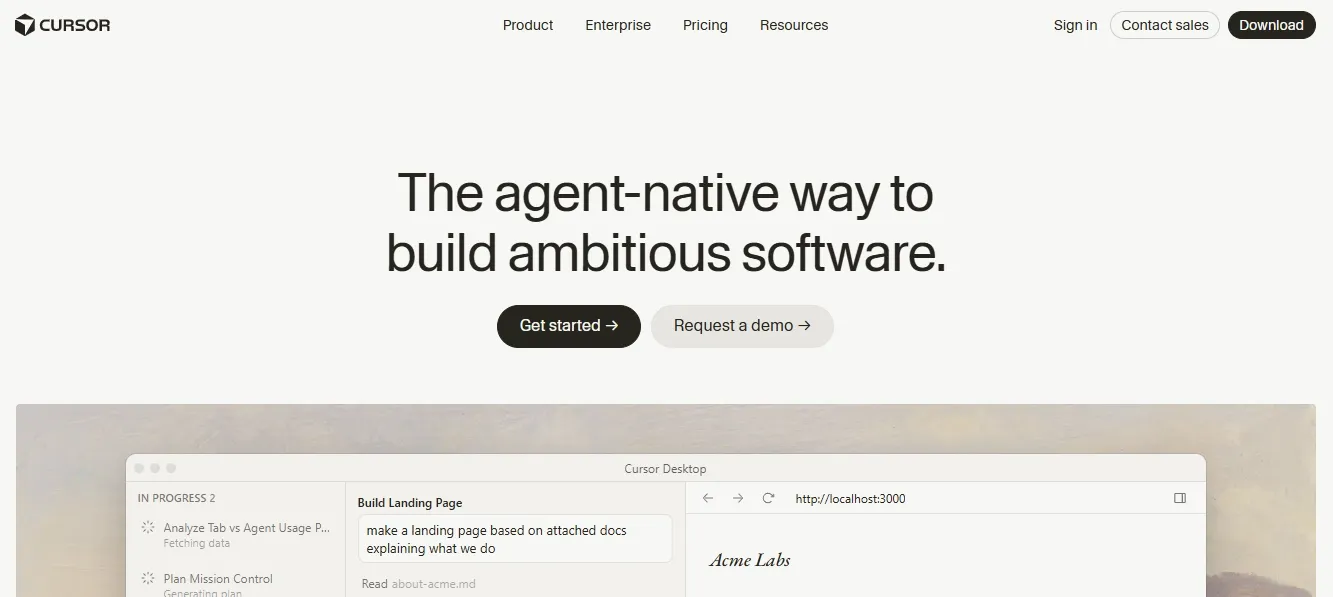
Cursor is a developer-focused AI coding tool built on a familiar interface that closely resembles VS Code. If you already use VS Code daily, switching to Cursor takes almost no adjustment. It acts as a full AI coding assistant right inside your editor, understanding your entire codebase, not just the file you have open.
Key features:
- Advanced AI agent that understands your entire codebase, reads files, and runs commands autonomously
- Deep codebase understanding via embedding-powered recall for highly specific code questions
- Access to frontier models from OpenAI, Anthropic, Google Gemini, and xAI
- Scoped file-specific and line-specific code edits using natural language
- Intelligent autocomplete with multi-line edits and next-step predictions
- Agentic development starting from Slack, issue trackers, or mobile, finishing in the IDE
- One-click VS Code import for extensions, keybindings, and themes
Cursor Pricing:
| Plan | Price | Best For |
|---|---|---|
| Free (Hobby) | $0 | Individual people exploring the tool |
| Pro | $20/month | Individual developers |
| Pro+ | $60/month | Heavier AI usage (3x model access) |
| Ultra | $200/month | Max usage (20x model access), priority access |
Verdict: Cursor is a strong pick for experienced developers who want to debug, refactor, and generate features using natural language without leaving their coding workflow. Not suitable for non-developers.
8. Windsurf: Best Agentic IDE for Context-Aware Development
 Best for: Professional developers managing complex, multi-file codebases who need an AI agent that maintains full project context across every edit.
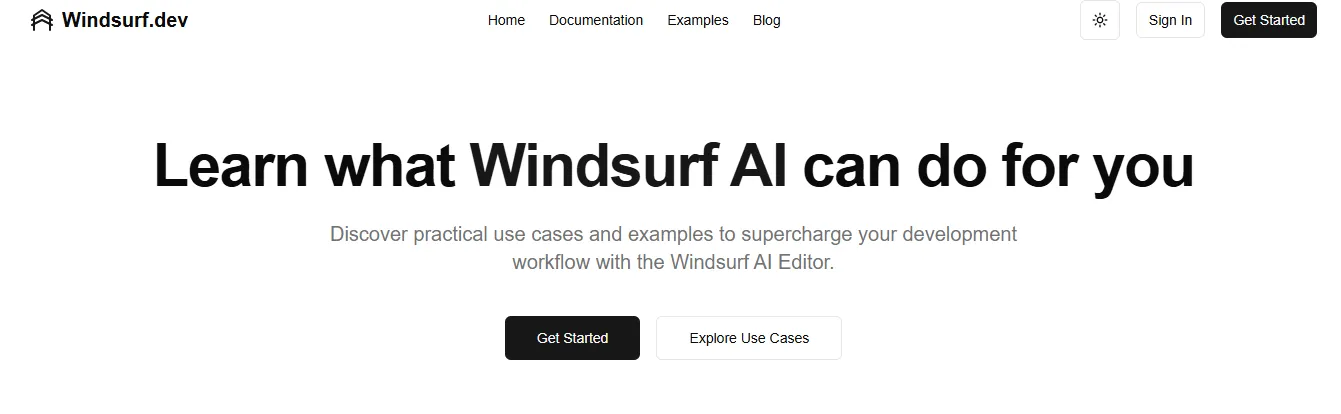
Windsurf is an AI-powered code editor that reads, analyzes, and improves projects with deep codebase awareness. Its Cascade agent handles multi-file editing while maintaining full context across the entire project. This is what makes it stand out from simpler code completion tools.
Key features:
- Codebase-aware AI that understands entire repositories
- Automated code generation for functions, modules, tests, and documentation
- Deep refactoring tools that restructure code while keeping logic intact
- Multi-language support: JavaScript, TypeScript, Python, Go, and more
- Smart debugging assistance with automatic issue detection and fix suggestions
- Version-aware understanding across files, commits, and changes
- Team collaboration support for consistent code patterns
Windsurf Pricing:
| Plan | Price | Prompt Credits | Best For |
|---|---|---|---|
| Free | $0 | 25 credits/month | Learning and experimenting |
| Pro | $15/month | 500 credits/month | Individual developers |
| Teams | $30/month | 500 credits/month | Engineering teams |
| Enterprise | Custom | 1,000 credits/month | Enterprises with 200+ users |
Verdict: Windsurf is a strong agentic IDE for professional developers managing large codebases. The $15/month Pro plan is the most affordable paid option among all tools reviewed.
Quick Comparison: All 8 Vibe Coding Tools at a Glance
| Tool | Type | Best For | Free Plan | Starting Paid Price | Mobile App Support | Code Access |
|---|---|---|---|---|---|---|
| Rocket | Full-stack platform | Idea to deployed app (web + mobile), all user types | Yes | $25/month | Yes, native Flutter | Full |
| Emergent | Full-stack platform | Complex full-stack apps, any user | Yes | $20/month | Yes | Yes |
| Replit | Cloud IDE + platform | Browser-based dev + deployment | Yes | $25/month | Yes | Yes |
| Bolt.new | Full-stack platform | Fast generation + GitHub workflow | Yes | $25/month | Yes | Yes |
| Lovable | Web platform | Websites and web apps, non-coders | Yes | $25/month | No | Yes |
| Base44 | Mobile app builder | Simple personal mobile apps | Yes | $20/month | Yes | Limited |
| Cursor | AI code editor | Power developers, VS Code users | Yes | $20/month | No | Full |
| Windsurf | Agentic IDE | Complex codebases, team dev | Yes | $15/month | No | Full |
Vibe Coding by Use Case
Understanding which tool fits your specific situation is more valuable than a generic ranking. Here is a practical breakdown by use case.
Use Case 1: Building an MVP as a Non-Technical Founder
Recommended tools: Rocket, Emergent
You need to go from idea to a live, demonstrable product as fast as possible. You don't have time to learn to code. You need something that handles authentication, a database, and a payment system without you configuring any of it.
Example prompt that works: "Build a SaaS app for freelancers to track client projects, log hours, and send invoices. Include user authentication, a dashboard with project overview, and Stripe payment integration for a $29/month Pro plan."
Rocket handles this end-to-end in one session. Emergent handles it with multi-agent orchestration. Both produce production-ready output, not prototypes. For a step-by-step walkthrough, see how to build an MVP with AI.
Use Case 2: Accelerating Development as a Solo Developer
Recommended tools: Cursor, Windsurf, Bolt.new
You know how to code. You want to move significantly faster without changing your workflow. You need AI that understands your entire codebase, not just the file you have open.
Example workflow: Open your existing TypeScript project in Cursor, use natural language to add a new feature, Cursor reads all relevant files, writes the implementation, and suggests tests. You review and approve.
Use Case 3: Building a Website for a Small Business
Recommended tools: Lovable, Rocket
You need a professional, SEO-ready website with a custom domain. You want design templates and don't want to touch code.
Example prompt: "Build a website for a dental practice with a homepage, services page, about page, and a contact form with appointment booking."
Lovable's design templates and built-in SEO tools make this straightforward. Rocket gives you more flexibility if you want to add a patient portal or booking system later.
Use Case 4: Shipping a Native Mobile App
Recommended tools: Rocket, Emergent, Replit
You need a real iOS and Android app, not a web app wrapped in a mobile shell.
Rocket generates native Flutter apps with real design systems, dark/light theming, push notifications, camera access, and full App Store and Google Play submission support. This is one of the clearest differentiators in the mobile category. Most other tools either don't support mobile or produce web-based apps rather than native ones.
Use Case 5: Building Internal Tools for a Team
Recommended tools: Rocket, Emergent, Replit
You need a dashboard, CRM, or admin panel that connects to your existing data sources like Airtable, Notion, Mixpanel, or Supabase.
Rocket's 25+ integrations connect directly into the build. Authenticate once and they flow into every task. Build an OKR tracker connected to Notion, a customer health monitor connected to Mixpanel, or a GDPR compliance tool, all from natural language descriptions. See how AI is changing product development cycles for context on where this is heading.
Use Case 6: Prototyping for User Testing
Recommended tools: Rocket, Replit, Bolt.new
You need a working interactive prototype, not a static mockup, that real users can click through and interact with.
All three tools produce working code that can be shared as a live URL. Staging environments make it easy to share with stakeholders without deploying to production.
Vibe Coding vs Traditional Coding: A Practical Reality Check
This question comes up constantly in developer communities. It deserves an honest answer rather than marketing language.
Where Vibe Coding Wins
Speed: Vibe coding can reduce the time to a working prototype from days to hours. For standard app patterns like SaaS dashboards, e-commerce stores, and booking systems, the generated code is production-ready and significantly faster than writing from scratch.
Accessibility: Non-developers can now ship real software. This removes the bottleneck between having an idea and testing it in the market. That is a meaningful shift in who can build products.
Boilerplate elimination: Authentication systems, payment integrations, CRUD operations, responsive layouts. These are solved problems that AI handles reliably. Developers should not be writing this code manually in 2026.
Iteration speed: Changing a feature, adding a page, or connecting a new integration takes minutes through natural language rather than hours of manual coding.
Where Traditional Coding Still Wins
Complex business logic: Highly specialized, intricate business rules that require deep custom architecture still benefit from human engineering judgment. AI-generated code can miss nuance in complex enterprise applications.
Security-critical systems: AI-generated code can have vulnerabilities, especially in complex apps. It is good practice to review generated code and use security scanning tools like Snyk before deploying to production. Most experienced developers treat AI code as a strong starting point that needs a quick review.
Long-term maintainability: Large codebases built entirely through vibe coding can accumulate technical debt faster than hand-crafted code if not managed carefully. Experienced developers using tools like Cursor or Windsurf maintain better control over code quality over time.
The Honest Verdict
Vibe coding is not a replacement for engineering expertise on complex, long-running projects. It is a serious accelerator for everything else, which is the vast majority of software being built today. The sweet spot is using vibe coding for the 80% of standard patterns and reserving hand-crafted code for the 20% that genuinely requires it.
How to Choose the Right Vibe Coding Tool for Your Situation
Choosing the right vibe coding tool comes down to three questions.
1. What is your technical level?
- No coding experience: full-stack platform (Rocket, Emergent, Lovable, Base44)
- Some coding experience: Replit or Bolt.new
- Experienced developer: Cursor, Windsurf, or Rocket (for full-stack generation)
2. What are you building?
- Native mobile app: Rocket or Emergent
- Website or web app: any full-stack platform
- Complex codebase: Cursor or Windsurf
- Simple personal app: Base44
3. What is your budget?
- Free tier only: all tools have free plans.
- Under $25/month: Windsurf Pro ($15), Cursor Pro ($20), Emergent Standard ($20), Base44 Starter ($20)
- Under $30/month: all tools except Emergent Pro and Teams
Decision matrix:
| Situation | Best Tool |
|---|---|
| Non-developer, full-stack app | Rocket |
| Non-developer, website only | Lovable |
| Non-developer, simple mobile app | Base44 |
| Developer, VS Code workflow | Cursor |
| Developer, large codebase | Windsurf |
| Developer, browser-based | Replit |
| Developer, GitHub-first | Bolt.new |
| Any user, idea to deployed app | Rocket |
Common Mistakes When Using Vibe Coding Tools
Understanding what goes wrong helps you avoid the most common pitfalls.
Mistake 1: Trying to Build Everything in One Prompt
The most common mistake is front-loading every feature into a single, massive prompt. Vibe coding tools work best with focused, iterative prompts. Start with the core functionality, get it working, then add features through conversation.
Instead of: "Build a full e-commerce platform with user accounts, product catalog, shopping cart, checkout, order management, admin dashboard, email notifications, analytics, and a loyalty program."
Try: "Build an e-commerce store with a product catalog and shopping cart." Then add checkout, then order management, then the admin dashboard, one feature at a time.
Mistake 2: Not Testing After Every Change
Vibe coding tools can introduce regressions when making changes. Test after every significant modification before adding the next feature. This is especially important in tools that regenerate large sections of code in response to prompts.
Mistake 3: Choosing a Tool Based on Hype, Not Fit
The most popular vibe coding tool is not always the right one for your situation. A developer who needs to work inside VS Code should use Cursor or Windsurf, not a full-stack platform like Lovable. A non-developer who needs a native mobile app should use Rocket, not a web-only platform.
Mistake 4: Skipping Security Review on Production Code
AI-generated code is a strong starting point, not a finished product. Before deploying anything that handles user data or payments, review the generated code for common vulnerabilities: SQL injection, insecure API key handling, missing authentication checks, and unvalidated user inputs. The OWASP Top 10 is a reliable checklist for this review.
Mistake 5: Ignoring the Free Tier
Every tool on this list has a free tier. Use it before committing to a paid plan. The vibe coding experience varies significantly between tools, and what works for one person's workflow may not work for another's.
What's Next for Vibe Coding
The vibe coding space is moving fast. Here is where the technology is heading in the next 12 to 24 months.
Autonomous Agentic Development
The next wave of vibe coding tools will handle complete development tasks autonomously, from writing code to running tests to deploying updates, triggered by a single natural language prompt. Tools like Cursor and Windsurf are already moving in this direction with their agentic features.
Smarter Context and Memory
Current tools lose context between sessions. The next generation will maintain persistent memory across projects, teams, and time, understanding your codebase, your design system, your business logic, and your past decisions without re-explanation. Shared context architecture is already the clearest differentiator between platforms that compound intelligence and those that reset it.
Better Mobile Generation
Native mobile app generation is currently limited to a few tools. As Flutter and React Native generation improves, expect more platforms to offer genuine native mobile output rather than web-wrapped apps.
AI-First Security and Testing
The gap between AI-generated code quality and hand-crafted code quality is closing. Expect vibe coding tools to ship with built-in security scanning, automated testing generation, and performance optimization as standard features, not afterthoughts.
Enterprise Adoption
Enterprise teams are beginning to adopt vibe coding tools at scale. The tools that win enterprise contracts will be those with shared context architectures, role-based access control, audit trails, and compliance features built in.
The Best Vibe Coding Tools Are Reshaping How Software Gets Built
The best vibe coding tools have permanently changed the economics of software creation. What once required a team of engineers, weeks of development time, and significant capital can now be accomplished by a single person with a clear idea and the right platform.
The 8 tools reviewed in this guide cover every skill level, project type, and budget. For non-developers who want to ship real, production-ready software without writing code, Rocket is the most complete platform available. It handles web apps, mobile apps, integrations, deployment, and iteration in a single workspace. For experienced developers who want to code significantly faster without changing their tools, Cursor and Windsurf are the clear leaders.
The vibe coding movement is not a trend. It is a permanent shift in how software gets built. The teams and individuals who adopt the right tools now will ship faster, iterate more, and build more than those who don't. That gap will only widen as the technology matures.
1.5 million people have tried Rocket across 180 countries. You can start building on Rocket.new for free and go from idea to deployed app in your first session.
Table of contents
- -What is Vibe Coding?
- -Two Categories of Vibe Coding Tools
- -Category 1: Full-Stack Vibe Coding Platforms
- -Category 2: AI-Native Code Editors
- -How We Evaluated These Tools
- -Best Vibe Coding Tools: Full Breakdown
- -1. Rocket: Best All-in-One Vibe Coding Platform
- -Rocket for Non-Developers: Stop Waiting, Start Building
- -Rocket for Developers: Ship Faster Without Sacrificing Control
- -2. Emergent: Best for Multi-Agent Full-Stack App Creation
- -3. Replit: Best Cloud IDE with Built-In Deployment
- -4. Bolt.new: Best for Rapid Full-Stack App Generation with GitHub Integration
- -5. Lovable: Best for Building Websites with Simple AI Interactions
- -6. Base44: Best for Simple Personal Mobile App Building
- -7. Cursor: Best AI Code Editor for Power Developers
- -8. Windsurf: Best Agentic IDE for Context-Aware Development
- -Quick Comparison: All 8 Vibe Coding Tools at a Glance
- -Vibe Coding by Use Case
- -Use Case 1: Building an MVP as a Non-Technical Founder
- -Use Case 2: Accelerating Development as a Solo Developer
- -Use Case 3: Building a Website for a Small Business
- -Use Case 4: Shipping a Native Mobile App
- -Use Case 5: Building Internal Tools for a Team
- -Use Case 6: Prototyping for User Testing
- -Vibe Coding vs Traditional Coding: A Practical Reality Check
- -Where Vibe Coding Wins
- -Where Traditional Coding Still Wins
- -The Honest Verdict
- -How to Choose the Right Vibe Coding Tool for Your Situation
- -Common Mistakes When Using Vibe Coding Tools
- -Mistake 1: Trying to Build Everything in One Prompt
- -Mistake 2: Not Testing After Every Change
- -Mistake 3: Choosing a Tool Based on Hype, Not Fit
- -Mistake 4: Skipping Security Review on Production Code
- -Mistake 5: Ignoring the Free Tier
- -What's Next for Vibe Coding
- -Autonomous Agentic Development
- -Smarter Context and Memory
- -Better Mobile Generation
- -AI-First Security and Testing
- -Enterprise Adoption
- -The Best Vibe Coding Tools Are Reshaping How Software Gets Built