
Rocket.new lets you build app with an AI prompt, describe your idea, generate a Next.js web app or Flutter iOS/Android app instantly, validate with Solve, and monitor competitors with Intelligence. Free to start, no credit card needed.
Want to build an app with an AI prompt?
Rocket.new lets you describe your app idea in plain language and instantly generate production-ready web and mobile apps, including backend integrations and deployment workflows, without writing code.
Built for product managers, solopreneurs, front-end developers, and small to medium businesses, it combines Solve for idea validation, Build for app generation, and Intelligence for competitor monitoring so you can move from concept to launch with minimal coding.
What Is Rocket.new and How Does It Work?
Rocket.new is a vibe solutioning platform that combines strategic research, AI app building, and competitive intelligence into a single product. It works as an AI-powered platform for app development, with those three pillars sharing context and feeding into each other:
- Solve: Validate ideas, run market research, create PRDs, and get structured reports with data, insights, and recommendations.
- Build: Build production-ready Next.js web apps and Flutter mobile apps from natural language. No code or terminal needed.
- Intelligence: Monitor competitors continuously. Get automated daily briefs, pricing change alerts, and trend signals.
These AI tools help non-technical users build apps with no coding required; comparable examples include Glide, Lindy, Softr, and Appy Pie, and people often create apps such as productivity tools, e-commerce sites, and games.
Each pillar works independently. Use one, two, or all three depending on what you need.
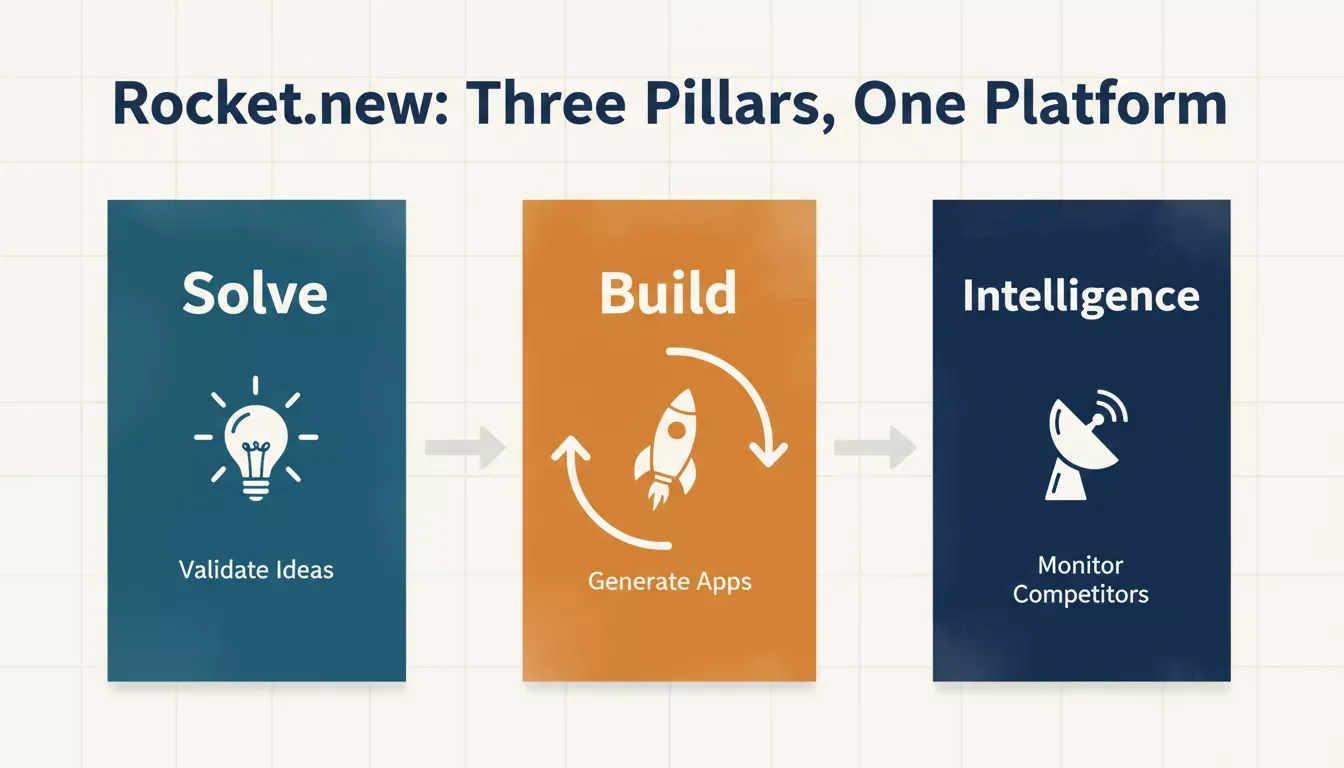
Rocket.new combines Solve, Build, and Intelligence into one connected platform.
According to Rocket.new's documentation, you can describe what you want in plain language and Rocket.new generates production-ready Next.js web apps or Flutter mobile apps. No code or terminal required.
What You Can Build With an AI Prompt: Mobile Apps and More
Rocket.new's Build pillar turns a single prompt and an app idea into a working app across four output categories. The mobile apps it generates are Flutter apps submitted directly to the Apple App Store and Google Play,and both iOS and Android are fully supported as functional apps.
| Output Type | Tech Stack | Distribution |
|---|---|---|
| Web apps (SaaS dashboards, internal tools, marketplaces, customer portals) | Next.js (React) | Deployed URL |
| Mobile apps (iOS and Android) | Flutter | Apple App Store and Google Play |
| Landing pages and marketing sites | Next.js | Custom domain |
| E-commerce stores | Next.js + Stripe | Deployed URL |
This reflects the actual output specs from Rocket.new's documentation. Many AI app builders also support websites alongside apps, often using templates to speed setup.
Custom domains are supported for landing pages and marketing sites specifically. Some competitors, such as Base44, emphasize built-in hosting so apps are instantly live and shareable once created. For e-commerce stores, most platforms support Stripe and often Zapier through native integrations, APIs, or webhooks, which helps teams publish faster.
**FAQ: Can mobile apps be built without coding?**Yes. Rocket.new builds iOS and Android apps using Flutter. Both can be submitted directly to the Apple App Store and Google Play from within the platform, with no separate development environment needed.
AI App Building by the Numbers
The shift toward prompt-based app creation is accelerating fast. According to MarketsandMarkets, the global no-code and low-code market is expected to reach $65.5 billion by 2027. Gartner projects that by 2026, developers outside formal IT departments will account for at least 80% of the user base for low-code development tools.
These numbers signal a fundamental shift: by 2025, AI is making the app development lifecycle more accessible and less time-consuming, especially through no-code builders and AI agents that reduce development time.
Over 70% of mobile apps are expected to integrate AI by 2025, shifting experiences from static to predictive. Platforms like Rocket.new are at the center of this change, making it possible for founders, marketers, and product teams to ship real products from a single prompt.
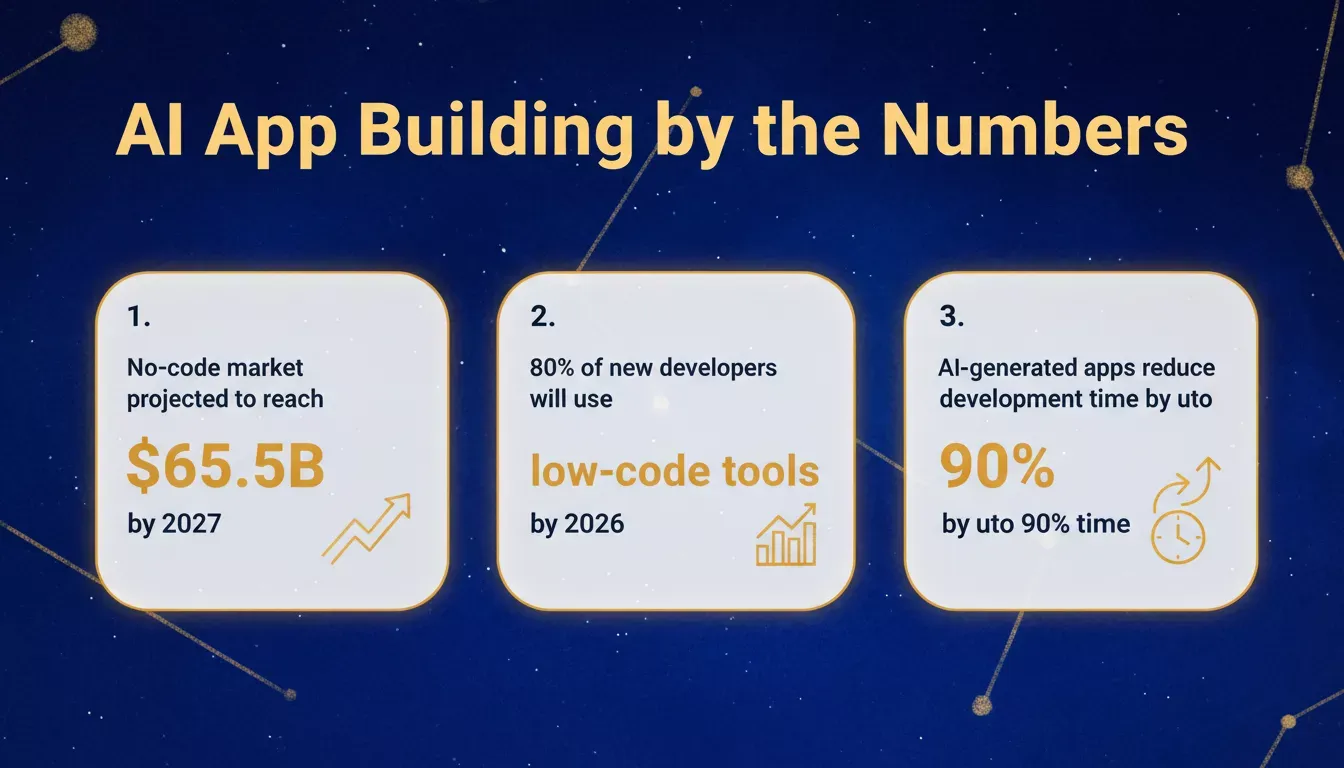
The no-code and low-code market is growing rapidly, driven by AI-powered app builders.
How to Build an App With an AI Prompt: Step by Step
Building an app starts with a plain-language description, no framework configuration, no database setup, no code. Here is the complete process from prompt to production:
Six steps from idea to deployed app — all driven by plain-language prompts.
Work in Rocket.new is organized around Tasks and Projects. A Task is a single unit of work, one Solve report, one Build session, or one Intelligence setup. A Project groups related Tasks together with shared context, uploaded files, and connected services.
This means the research you run in a Solve Task is automatically available when you start a Build Task inside the same Project, no copy-pasting, no context loss.
For a deeper look at how to structure your prompts effectively, see the guide on best prompts for app building.
From Prompt to Production App: The Full Workflow
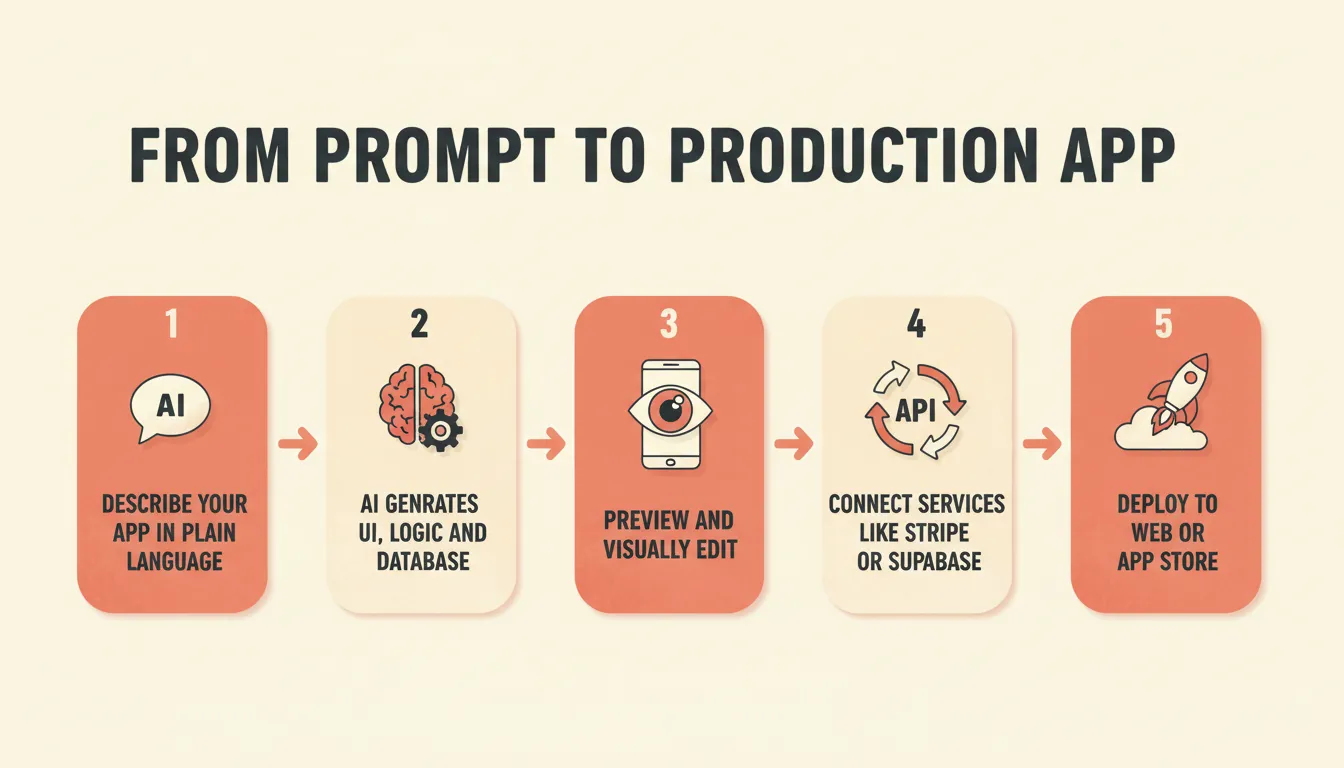
The five-step workflow: describe, generate, preview, connect services, and deploy.
Step 1: Describe: Open a Build Task and describe your app, its purpose, who uses it, and what it does. The more specific the description, the closer the first generated version will be to your vision.
Step 2: Generate: Rocket.new plans the architecture, writes production-ready code, and shows a live preview the moment generation finishes. This includes frontend screens, backend logic, and database connections.
Step 3: Preview and edit: Use the live preview inside the editor. Click any element to edit text, style, or layout visually, no code needed for most changes.
Step 4: Connect services: Add payments with Stripe, a full backend with Supabase, email with Resend, SMS with Twilio, and 26+ other integrations, all from chat. For apps that need persistent data, database integration is handled automatically from your prompt.
Step 5: Deploy: Web apps go live at a URL. Mobile apps can be downloaded as an APK for testing or submitted directly to the App Store and Google Play.
Validate First: Using Solve Before You Build
One of the most common mistakes when building with AI is starting to build before validating the idea. Rocket.new's Solve pillar addresses this directly by turning a business question into a structured, evidence-backed report.
You can use Solve to size a market, run a competitive teardown, benchmark pricing, or generate a PRD before writing a single prompt to Build. The output is a structured report you can export as PDF, HTML, or PowerPoint, or use directly as context for a Build Task.
Monitor After Launch: Using Intelligence
Building and launching an app is not the end of the workflow.
Rocket.new's Intelligence pillar watches the companies you care about across nine signal dimensions, product changes, pricing shifts, hiring velocity, social media, reviews, and more, and delivers structured Intel cards to a live dashboard in your sidebar.
It also supports AI-powered features that personalize app content and interfaces based on user behavior, preferences, and real-time context, helping bring ideas to life after launch. AI can also rearrange dashboards or content feeds in real time, potentially increasing engagement by up to 50%, and detect frustration or fatigue from behavioral cues as users watch updates unfold.
Intelligence runs automatically after a one-time setup. It surfaces signals like a competitor's pricing change, a new feature launch, or a hiring spike in engineering, each framed as actionable context, not a raw alert.
If you share a video walkthrough post-launch, iteration can also extend to chatbots, voice assistants, and natural language processing, so users get 24/7 support and complete tasks more intuitively. This closes the loop: Solve informs what to build, Build produces the app, and Intelligence tells you what to do next.
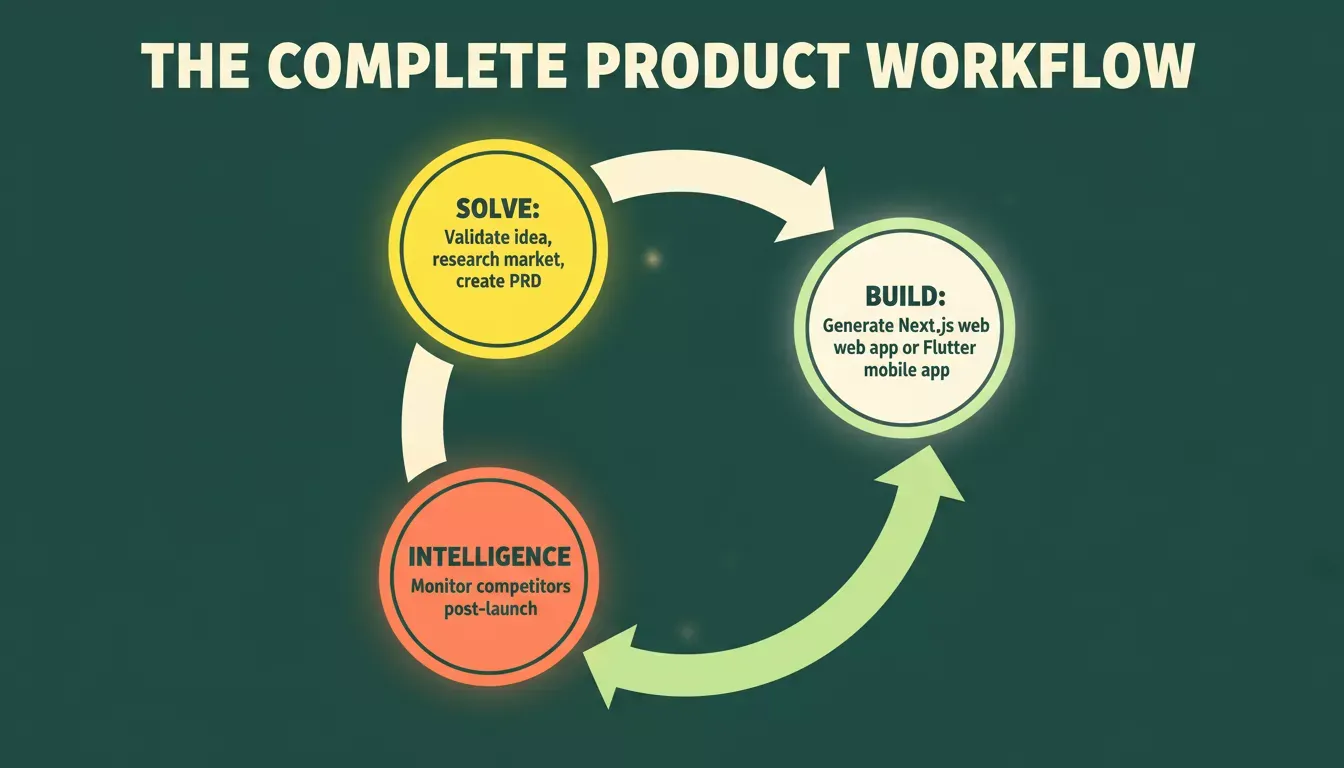
The Solve-Build-Intelligence cycle keeps your product aligned with the market at every stage.
If you are building a full-stack app or a customer portal, Intelligence gives you the competitive context to keep iterating in the right direction after launch.
Rocket.new vs. Other AI App Builder Platforms
Most AI app builders focus on code generation alone. The table below compares Rocket.new against the most commonly searched alternatives on the dimensions that matter for production apps, though some competitors also stress portability; for example, Natively offers full access to the app’s source code so users can export, modify, and deploy anywhere without vendor lock-in:
| Capability | Rocket.new | Lovable | Replit | Bolt |
|---|---|---|---|---|
| Web app generation | Next.js (production-ready) | React | Node.js | Various |
| Mobile app generation | Flutter (iOS + Android) | Not supported | Not supported | Not supported |
| App Store / Play Store submission | Yes | No | No | No |
| Built-in market research | Yes (Solve) | No | No | No |
| Competitor monitoring | Yes (Intelligence) | No | No | No |
| Service connectors | 26+ | Partial | Partial | Partial |
| Sign up without a credit card | Yes | No | No | No |
The core differentiator is that Rocket.new is the only platform in this category that combines research, building, and monitoring in one product. Replit also stands out for its mobile app that lets users create and manage web apps on the go, even from a phone. Other tools require you to use separate tools for market validation and competitive tracking; Rocket.new does all three.
Community Insight
On Reddit, users who have experimented with no-code tools that generate apps from text prompts are weighing in on what works, what does not, and how far these tools can go.
One user wrote:
"I haven't used any of the no-code ones that produce a full app from a prompt, but I wouldn't expect much more than a decent starting point out of it. However, I've used several low-code platforms with AI that writes code to help you build part of your app, and those are really helpful."
No-Code vs. Low-Code: Choosing Your Approach Without Coding Knowledge
Rocket.new supports both non-technical users and developers. The distinction matters for how much control you want over the output.
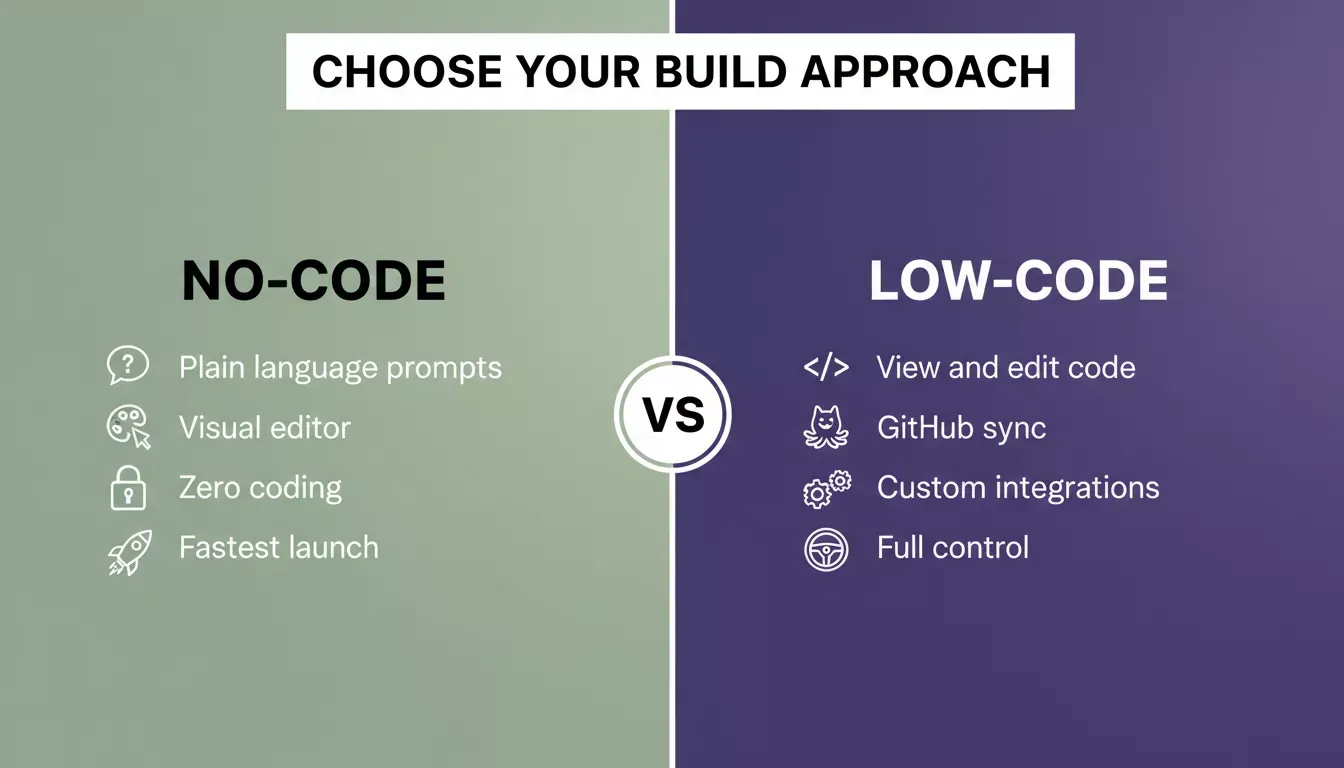
No-code suits fast launches; low-code gives developers full control over the generated output.
For a complete breakdown of the differences, the guide on no-code and low-code development covers when to use each approach and what to expect from each.
No-code use: Describe the app in plain language, use visual editing to adjust layouts, and deploy without touching code. This is the default experience and works for the majority of use cases, SaaS dashboards, customer portals, landing pages, e-commerce stores, and internal tools.
Low-code use: Developers can view and edit the generated Next.js or Flutter code directly inside the editor, sync to GitHub for two-way version control, import existing Next.js TypeScript repos, and inject custom code through chat. This gives full control without losing the speed of AI generation.
Idea to App Store, Without Leaving One Tab
Rocket.new gives you the complete workflow to build an app with an AI prompt, from idea validation through launch and beyond. Describe your app, generate it in minutes, and monitor your market automatically. Start building on Rocket.new, free, no credit card required.
If you are planning to build a mobile app, Rocket.new's Flutter generation handles both iOS and Android from a single codebase, no need to maintain separate projects.
Table of contents
- -What Is Rocket.new and How Does It Work?
- -What You Can Build With an AI Prompt: Mobile Apps and More
- -AI App Building by the Numbers
- -How to Build an App With an AI Prompt: Step by Step
- -From Prompt to Production App: The Full Workflow
- -Validate First: Using Solve Before You Build
- -Monitor After Launch: Using Intelligence
- -Rocket.new vs. Other AI App Builder Platforms
- -Community Insight
- -No-Code vs. Low-Code: Choosing Your Approach Without Coding Knowledge
- -Idea to App Store, Without Leaving One Tab