

Struggling to create project management software for an enterprise? Discover how no-code platforms like Rocket.new help build scalable, streamlined systems that replace spreadsheets, improve workflows, and support growing market demands efficiently.
How to build project management software for an enterprise?
It is possible with the right no-code management platform like Rocket.new. Enterprises are increasing their investment in project management software every year.
The global project management software market size was valued at USD 6.59 billion in 2022 and is projected to reach USD 20.47 billion by 2030.
Companies want better project management, cleaner workflows, and fewer scattered spreadsheets.
So let’s break down how to build something powerful, practical, and ready for real business use.
Why Enterprises Need Better Project Management Software
Enterprise projects are not small side gigs. They involve multiple teams, strict deadlines, work schedules, and large-scale projects spanning months.
Traditional project management tools often fall into two camps. They are either too simple for managing complex projects or too heavy for small teams trying to move fast. Some companies juggle separate tools for task management, time tracking, file storage, and document management. That gets messy quickly.
Project managers want clarity. Team members want a clean to-do list. Executives want clear project timelines and clean project updates. Everyone wants less training time.
So the goal is simple. Build project management software that keeps things structured but still flexible.
Core Features to Include in Enterprise Project Management Software
Before building, define what enterprise-level project management software really needs.
Here is a simple breakdown:
| Feature | Why It Matters |
|---|---|
| Kanban board | Visual task management and easy managing tasks |
| Gantt charts | Clear project timelines and deadline planning |
| Timeline view | Long term scheduling across projects |
| Time tracking | Monitor billable hours and productivity |
| File storage | Keep documents and assets in one place |
| Custom fields | Adapt workflows for different project types |
| Calendar view | Sync with Google Calendar and due dates |
| Request forms | Collect structured inputs from teams |
Project management tools should make managing projects easier, not heavier. A kanban board helps project teams visualize work. Gantt charts support sprint planning and long-term planning. Time tracking helps with billing and internal reporting.
Custom fields help adjust workflows. Different project types need different project information. Marketing projects are not the same as IT projects.
For enterprises managing projects across multiple teams, flexible management software is key.
Build Project Management Software with Rocket.new
What is Rocket.new?
Rocket uses AI to let anyone build real, ready-to-use apps simply by describing what they need. No coding skills are required. It manages research, design, and deployment, turning ideas into functional applications quickly and making app creation accessible to everyone, not only developers.
Alright. Time to build, not just plan.
Below is the exact workflow inside Rocket.new to build project management software for enterprise use.
Step 1: Sign In and Start a New Project
Everything begins inside the Rocket.new dashboard. This is your control center for all projects.
What to do:
- Go to Rocket.new
- Click Sign In or Create Account
- Open your dashboard
- Click Create New Project
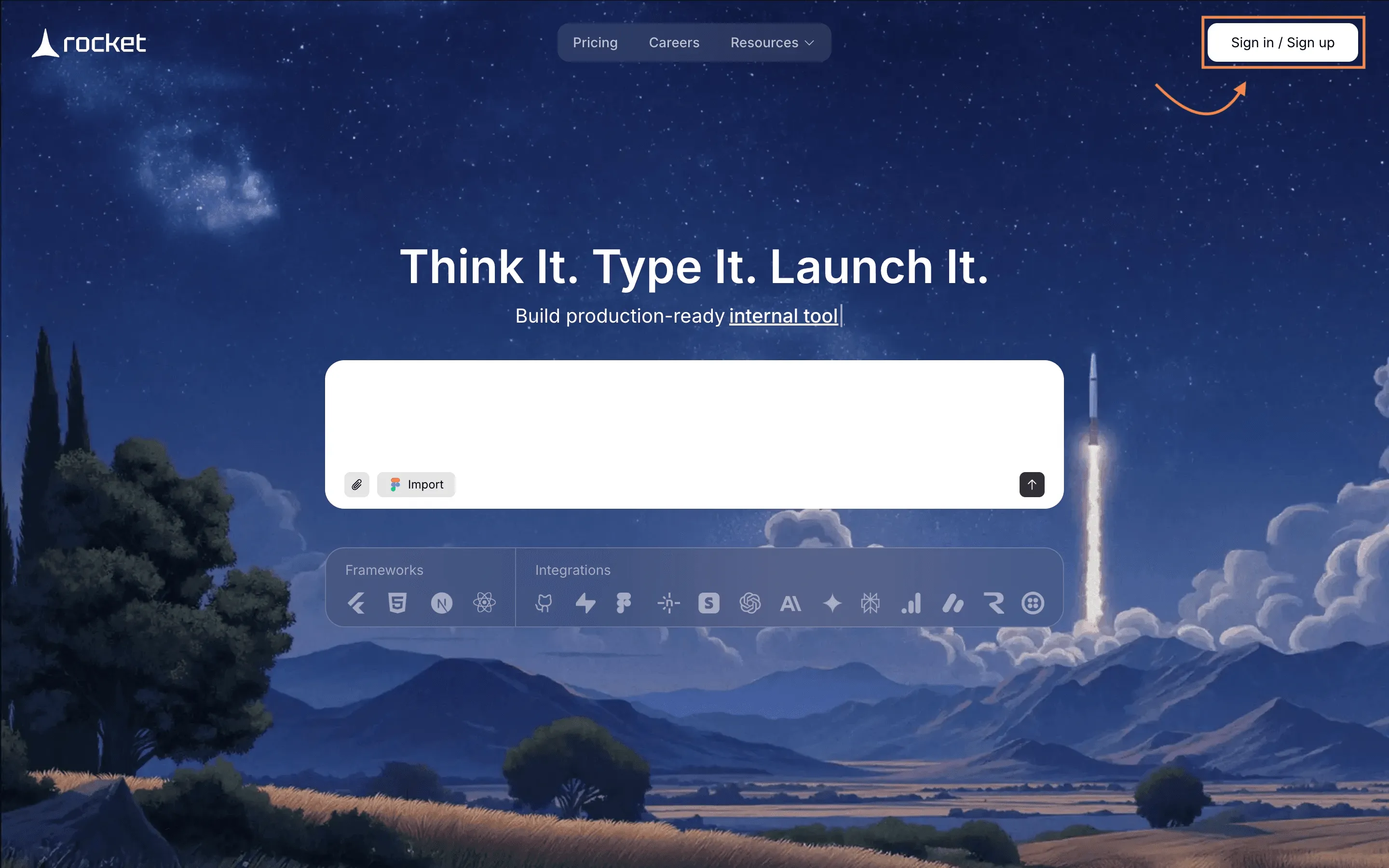
You will now see the AI prompt interface.
This is where your project management software begins to take shape.
Every serious project management system begins with a clear setup. This is it.
Step 2: Enter a Clear Prompt for Your Project Management Software
Rocket.new builds based on instructions. Clear prompt. Cleaner system.
Type something like:
“Create enterprise project management software with kanban board, gantt charts, timeline view, task management, time tracking, file storage, custom dashboards, recurring tasks, role based access, google calendar sync, and reporting system.”
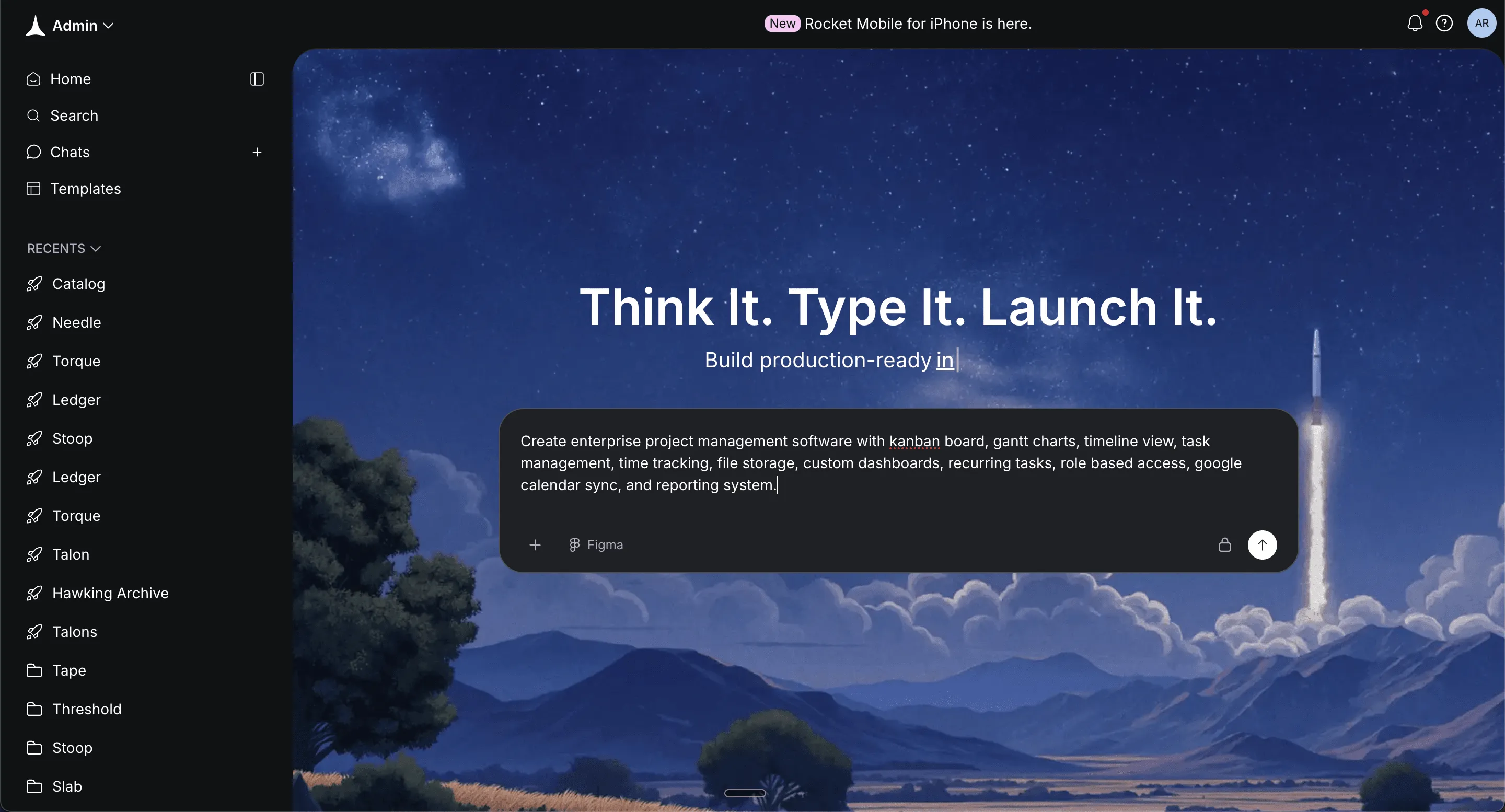
Be specific about:
- Task management structure
- Project timelines
- Gantt charts
- Kanban board stages
- Time tracking
- File storage
- Custom fields
- User roles for project managers and team members
- Free plan and starter plan access
- Paid plans with more features
Click Generate. Clear instructions now mean fewer edits later.
Step 3: Select Framework
Now choose how your management software runs behind the scenes.
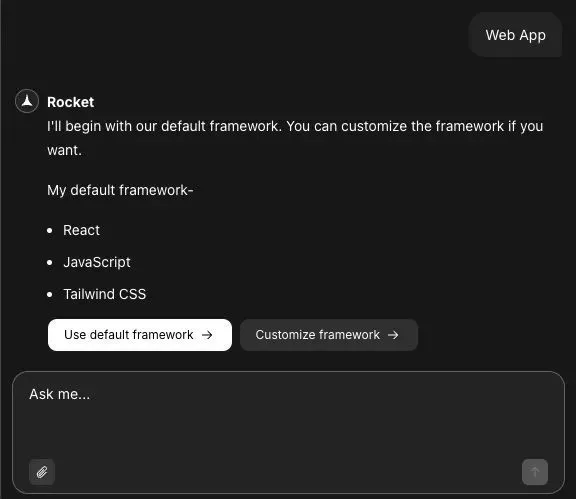
Option A: React
- Good for internal project management tools
- Clean dashboard layout
- Fast interface
- Works well for small teams
Option B: Next.js
- Stronger for large scale projects
- Better for reporting and analytics
- Scales well for enterprise project management
If building for internal use and small teams → choose React.
If building enterprise level project management software → choose Next.js.
Click Confirm. Pick based on project size, not trends.
Step 4: Let Rocket.new Generate the Core System
Now Rocket.new handles the heavy lifting. Once you select the screens that you want in your software UI.
It will automatically:
- Create dashboard structure
- Generate kanban board layout
- Build gantt charts view
- Create timeline view
- Add time tracking modules
You will see a live build screen. No manual coding. Just structured automation, building real project management tools.
Step 5: Review the Generated Project Management Software
Time to test your first version.
Open preview mode and:
- Move tasks inside the kanban board
- Check gantt charts
- View project timelines
- Test time tracking
Make sure:
- Due dates sync with Google Calendar
- Task management feels smooth
- Recurring tasks work properly
This is your foundation. Clean. Functional. Ready for refinement.
Step 6: Customize Workflows and Project Structure
Now shape it according to your enterprise needs.
Inside the editor, you can:
- Add custom fields for project information
- Modify kanban board columns
- Adjust Gantt charts' dependencies
- Create sprint planning flows
- Set resource availability rules
- Build onboarding process templates
- Add document management section
- Create knowledge base module
You can also type commands like:
- "change app name "
- "update logo"
- "add auth"
Changes update in real time. This is where your project management software becomes tailored for managing projects across multiple teams.
Step 7: Configure Access, Plans, and Security
Enterprise software needs structure.
Inside settings:
- Define free plan limitations
- Create starter plan for small teams
- Configure paid plans
- Set limited access permissions
- Activate two factor authentication
- Enable secure environment mode
Add role types:
- Admin
- Project managers
- Team members
- View only stakeholders
This keeps project data protected.
Step 8: Connect Google Calendar and Notifications
Google Calendar matters. A lot.
Inside integrations:
- Connect Google Calendar
- Sync due dates automatically
- Enable calendar view
- Allow users to connect personal Google Calendar
- Send project updates through calendar alerts
Google Calendar helps align work schedules.
Managing projects becomes easier when project timelines match Google Calendar events.
Step 9: Test Task Management and Time Tracking
Before launch, test everything.
Check:
- Kanban board drag and drop
- Gantt charts accuracy
- Timeline view clarity
- Time tracking reports
- To do list updates
- All the tasks display properly
- Recurring tasks trigger correctly
- File storage uploads
- Request forms submissions
Also test managing tasks across multiple teams. Small teams should find it simple. Enterprises should find it structured. Save time now. Avoid fixes later.
Step 10: Launch Your Project Management Software
Time to go live. Click Deploy or Launch Project.
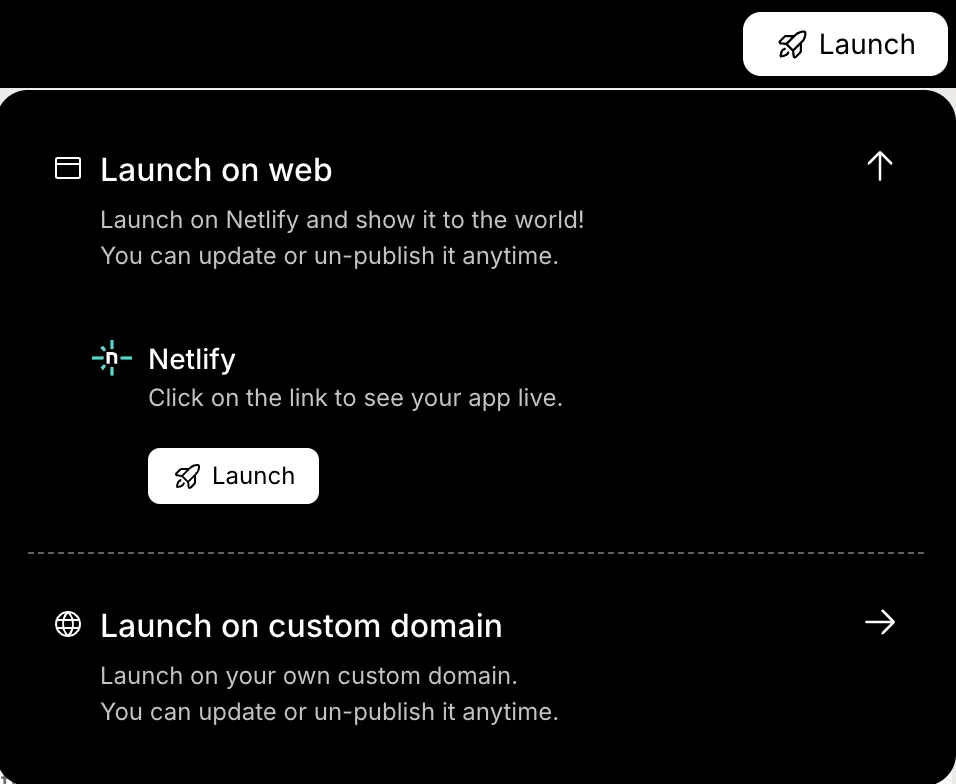
Rocket.new will:
- Push your management software to live hosting
- Activate security settings
- Finalize user roles
- Publish dashboards
- Enable real time collaboration
Your enterprise project management software is now live.
Project managers can start managing projects. Team members can update to dos. Gantt charts show project timelines. Time tracking collects work hours. File storage centralizes documents.
No separate tools. No switching between many tools. Just one complete system for projects.
That is the exact workflow inside Rocket.new. Clear steps. Clean execution. Real project management tools built without code.
Managing Projects Across Multiple Teams
When enterprises handle projects across departments, clarity matters. Different teams. Different goals. Same system.
Well-structured project management software keeps everyone aligned and avoids confusion.
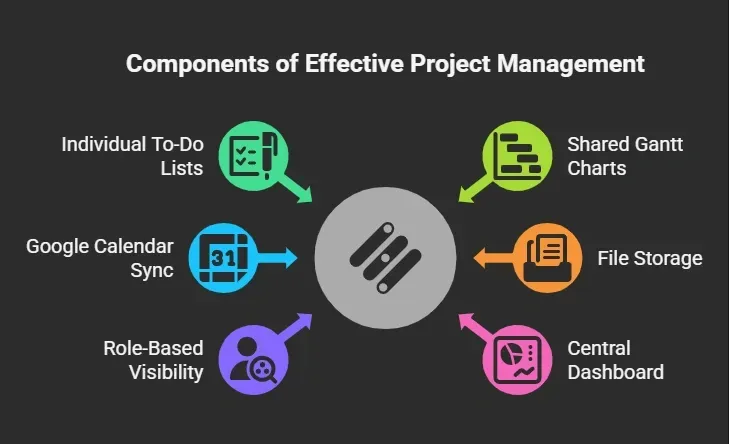
When project management tools centralize everything, managing tasks becomes smoother. Project teams stop jumping between many tools. Conversations stay connected to tasks. Project updates remain visible.
Multi-team project management works best when structure meets visibility. Keep it clean. Keep it shared. Keep it organized.
Time Tracking and Reporting
Time tracking should feel natural, not forced. Build it directly into the task management workflow so team members can track time without extra steps.
What to include:
- One click time tracking inside tasks
- Weekly and monthly summaries
- Gantt charts linked with time tracking
- Export options for reports
- Simple analytics dashboard for executives
- Time logs attached to project timelines
Project managers get clean reports. Executives get numbers that make sense. Teams avoid manual spreadsheets.
When time tracking lives inside the system, reporting becomes easier, and teams save time every week.
Keeping It Simple for Small Teams and Large Enterprises
Not every team works at enterprise scale. Some are small teams just starting out. Others manage large-scale projects daily. Good management software supports both without friction.
What to include:
- Clean to do list for daily task management
- Advanced Gantt charts for enterprise planning
- Custom fields for different project types
- Free plan for small teams
- Paid plans with more features for enterprises
- Flexible project plan templates
Small teams need simplicity. Enterprises need structure. The same project management software should adapt to both.
Software should grow with the team. Start simple. Scale when needed.
Knowledge Base and Documentation
Enterprises lose time searching for scattered documents. That adds delay to projects. Centralize knowledge inside the project management system.
What to include:
- Built-in knowledge base
- Document management connected to tasks
- File storage linked to each project plan
- Searchable project information
- Version control for shared files
When documentation connects directly to tasks, context stays clear. Teams find what they need faster. Centralized knowledge keeps project management structured and reduces repeated questions.
Security and Compliance
Enterprise project management software must protect project data. Security should not be optional.
What to include:
- Two factor authentication
- Limited access roles
- Secure environment hosting
- Audit logs for activity tracking
- Controlled visibility for multiple teams
Project managers control access. Team members see only what they need. Sensitive project information stays protected.
Strong security builds trust. And trust keeps enterprise projects moving forward.
Software made easy
Enterprises often struggle with scattered project management tools, disconnected Google Calendar setups, and separate tools for task management and time tracking. Project managers end up manually adjusting project timelines. Teams switch between many tools just to manage projects. Large-scale projects start feeling heavier than they should.
The fix is simple. Build project management software that brings Kanban board views, Gantt charts, timeline views, time tracking, file storage, and Google Calendar sync into one clean management system.
With Rocket.new, structured workflows, custom fields, and unlimited boards can live in one place. Clear project plan templates, organized to-dos, and visible project timelines make managing projects smoother. Keep it simple. Keep it structured. Let the system support the team, not slow it down.
Table of contents
- -Why Enterprises Need Better Project Management Software
- -Core Features to Include in Enterprise Project Management Software
- -Build Project Management Software with Rocket.new
- -Step 1: Sign In and Start a New Project
- -Step 2: Enter a Clear Prompt for Your Project Management Software
- -Step 3: Select Framework
- -Step 4: Let Rocket.new Generate the Core System
- -Step 5: Review the Generated Project Management Software
- -Step 6: Customize Workflows and Project Structure
- -Step 7: Configure Access, Plans, and Security
- -Step 8: Connect Google Calendar and Notifications
- -Step 9: Test Task Management and Time Tracking
- -Step 10: Launch Your Project Management Software
- -Managing Projects Across Multiple Teams
- -Time Tracking and Reporting
- -Keeping It Simple for Small Teams and Large Enterprises
- -Knowledge Base and Documentation
- -Security and Compliance
- -Software made easy

