
How to build a social media app using no code tools? Today, no-code platforms let teams design, launch, and scale social apps quickly, without developers, using builders, workflows, and APIs.
How to build a social media app using no-code tools?
According to Statista, more than 60% of new mobile applications now begin with no-code or low-code workflows, particularly during early launches and MVP stages.
That number says a lot.
No code platforms now support real scale, polished interfaces, and complex logic. Building a social media app no longer demands a full engineering department. With the right app builder and planning, teams can ship faster and adapt without friction.
Why No Code Fits Social Media Products So Naturally?
Social platforms change quickly.
User behavior shifts. Trends rise and fall. No code thrives in that environment.
So, why does this approach work so well for a social media app?
No code allows teams to build apps fast, test assumptions, and adjust features without long delays. Visual workflows replace heavy engineering tasks. Feedback loops shorten. That flexibility matters when engagement defines success.
Several advantages stand out:
- Faster iteration cycles
- Visual programming language reduces dependency on writing code tasks
- Built-in user authentication flows
- Easy connections to data sources
A social app depends on constant updates. No code apps support that pace without friction. That alone explains why many apps built today skip traditional development upfront.
Picking the Right App Builder From Day One
Now, tool selection matters more than many expect. The app builder chosen early shapes the entire app's growth.
The best no-code platforms balance speed with control. They support experimentation without boxing teams into rigid structures.
When comparing tools, look for:
- Native mobile app support
- Progressive web app output
- Cross platform development
- Enterprise grade security
- Advanced analytics
Paid plans usually unlock higher limits and premium features. Those upgrades matter once new users increase activity. Free tiers work for testing app ideas, but scaling often requires paid plans.
Defining Core Features Without Feature Creep
Next comes feature planning. This step often goes wrong when teams overbuild.
A social media app does not need all the features on day one. Engagement grows from clarity, not complexity.
Most launches focus on:
- User authentication
- User profiles
- Content feeds
- Add contacts
- Basic messaging
These basic features form a fully functional app. Advanced features arrive later, once behavior patterns appear. Smart suggestions and AI features help refine engagement after traction builds.
No code tools simplify this phase. Pre-built components speed layout work. UI builder systems keep the app's design consistent across screens.
Managing Data Without Pain Later
After features, data enters the conversation. Clean data structure prevents headaches later.
Many no-code platforms connect directly to databases. Some teams even begin with Google Sheets as a lightweight backend. That approach works well for early tests and internal tools.
Strong no-code app builder platforms help manage data with:
- Structured data sources
- Role-based permissions
- Internal tools for moderation
- Simple workflow automation
When growth accelerates, migration stays manageable. No code does not block future code app transitions or custom builds.
Handling Logic Without Heavy Coding
Then comes logic. This area often surprises people.
No code supports more than simple workflows. Advanced logic allows dynamic feeds, notifications, and conditional access.
Common logic examples include:
- Content visibility rules
- Feed ranking triggers
- Notification automation
Most platforms rely on a visual programming language. That lowers the learning curve for teams without deep coding skills. Writing a single line of code becomes optional. Coding required remains minimal, even when advanced functionality is involved.
Low-code options also exist for edge cases. That balance makes sense for growing products.
Building for Mobile and Web at the Same Time
So, where does the app live?
Most social products now ship across multiple platforms. No code tools support web apps, native apps, and mobile app builds from one setup.
Distribution options usually include:
- Apple App Store
- Google Play Store
- Browser access through a custom domain
Some builders generate native mobile app packages. Others focus on progressive web app delivery. Both approaches work, depending on the target audience.
Native mobile often performs better for frequent social use. Web apps help with fast access and sharing.
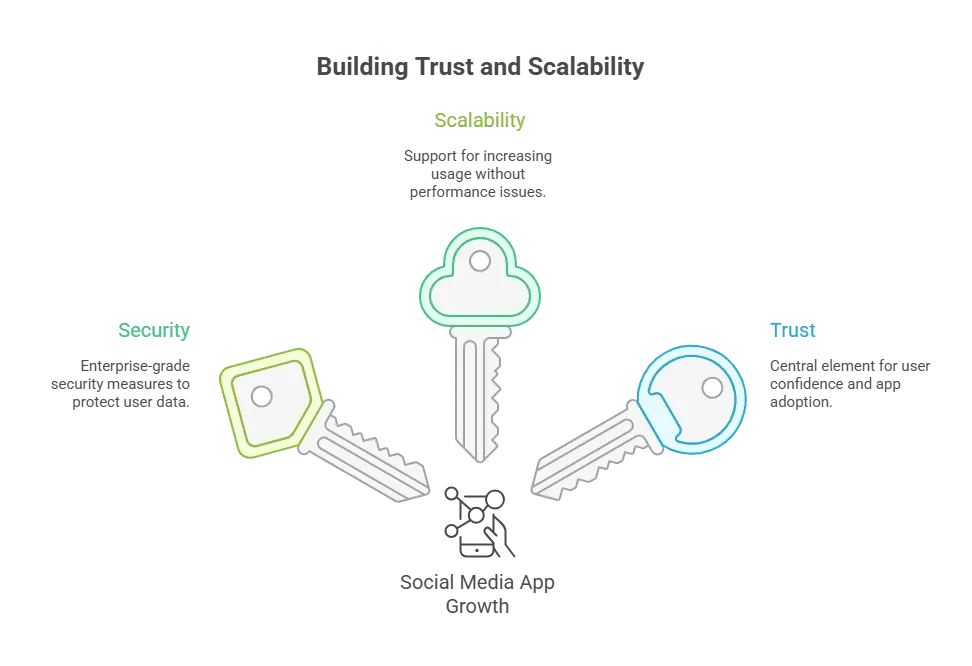
Security, Scale, and User Trust
As usage grows, trust becomes central.
A social media app handles personal data, messages, and content. Enterprise-grade security is essential, even for a new app.
Adding AI Features Without Complexity
Now comes the modern layer. AI-powered apps are becoming standard.
Many no-code tools now support:
- AI agents for moderation
- Machine learning based recommendations
- Smart suggestions for content
Some platforms even support building AI-powered apps workflows without heavy setup. These AI features reduce manual work and improve retention patterns.
AI-powered apps feel more responsive and relevant, even with small teams behind them.
Launching, Learning, and Iterating
Finally, launch day arrives. Publishing to app store platforms requires preparation. Store guidelines, screenshots, and policies matter.
Once live, focus shifts to learning:
- Tracking new users
- Improving intuitive user experience
- Testing advanced features
- Monitoring other apps in the space
No-code apps allow fast changes after launch. That flexibility helps teams respond to feedback without delays.
Rocket.new and Social App Development
Rocket.new supports fast social app creation while leaving room for growth as usage expands. Teams can build a social app without being boxed into rigid patterns or a heavy technical setup.
The platform focuses on clarity and control. Visual workflows guide structure, while smart tooling keeps logic easy to manage. That balance works well for teams that want momentum without chaos.
Key features:
- Prompt-based full-stack generation: Describe the idea in plain language, and Rocket.new builds the frontend, backend, and connections.
- Figma to code: Turn Figma designs into responsive web or mobile code.
- Built-in backend and authentication: Databases, user auth, APIs, and security come ready.
- Cross-platform output: Build web apps or mobile apps for iOS and Android from one project.
- One-click deployment: Launch instantly with hosting and custom domain support.
- Full code access: Export and edit the generated code anytime.
- Command-based actions: Use / and @ to make quick, precise changes.
Rocket.new helps teams quickly build apps while maintaining full control over structure and logic.
👉Build Social Media Apps with Rocket.new
How to Build a Social Media App Using No-Code Tools
Building fast no longer means cutting corners. How to build a social media app using no-code tools now focuses on speed, early learning, and steady improvement. With the right app builder, clear planning, and modern platforms, powerful apps ship without relying on heavy code from day one.
Table of contents
- -Why No Code Fits Social Media Products So Naturally?
- -Picking the Right App Builder From Day One
- -Defining Core Features Without Feature Creep
- -Managing Data Without Pain Later
- -Handling Logic Without Heavy Coding
- -Building for Mobile and Web at the Same Time
- -Security, Scale, and User Trust
- -Adding AI Features Without Complexity
- -Launching, Learning, and Iterating
- -Rocket.new and Social App Development
- -How to Build a Social Media App Using No-Code Tools