
Planning to launch a web app on your own? Discover how AI and no-code tools simplify building functional apps, with clear steps, practical tools, and guidance no design or coding experience needed.
How to Build a Web App Without a Designer Using AI
How to build a web app without hiring a designer?
With modern AI and no-code tools, you can create solid web apps without knowing HTML, CSS, or design basics.
According to Statista, the global low-code market is expected to reach around $65 billion by 2027. That means more people are building web apps without a full team or big budgets.
So, what will you gain from this blog? A clear process, practical tools, and simple steps to turn your idea into a working app without getting stuck.
Why You Don’t Need a Designer Anymore?
So, here’s the thing.
A designer still adds value. But for many web apps, especially early-stage ideas, you don’t need one to get started.
AI tools now handle layout, color, font, and even image suggestions. You can generate a full web application from a single line prompt using natural language.
That means:
-
You don’t need deep coding skills
-
You don’t need to spend weeks on layout
-
You don’t need to pay high design costs
Instead, you focus on your idea and the problem you want to solve.
The Shift: From Writing Code to Guiding AI
Earlier, developers had to spend hours writing code in html css and JavaScript. You had to figure out every small detail. Now, things are different.
You describe your app in natural language. The tool handles the code. You guide it, adjust it, and test it.
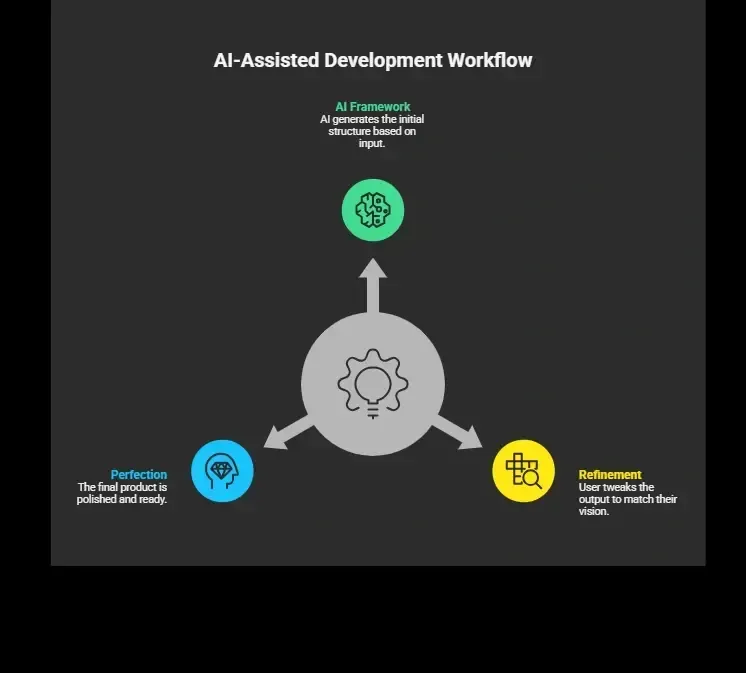
It feels less like writing code and more like directing a project.
Tools You’ll Need to Get Started
Well, before building web apps, you need the right tools.
Here’s a quick overview:
| Tool Type | What It Does | Example |
|---|---|---|
| no code app builder | Builds apps visually | Rocket.new, Bubble, Glide |
| AI builder platform | Generates app from prompts | Rocket.new |
| Design helper | Suggests layout, font, image | Canva AI |
| Backend tool | Handles data and api | Firebase |
| Testing tools | Helps testing flows | Postman |
You’ll notice one thing. Most of these tools reduce the need for writing code.
Here are the Steps to Build Your App
So, now that you know the tools, let’s get into the actual process. This is where your idea starts turning into a real app.
The best part?
You don’t need to overthink it. Just follow these steps one by one. Each step builds on the previous one, and before you know it, you’ll have a working web app ready to launch.
Step 1: Start With a Clear Idea
Your idea is everything. Don’t start with design. Start with a problem.
Ask:
-
What do users need?
-
What feature solves it?
-
What should the app do on the first page?
For example: You want to build a productivity tool for gym tracking.
That’s a simple idea. You don’t need a full design system yet.
Step 2: Use a No-Code App Builder
Next, pick a no-code app builder. This is where things get fun.
You’ll get:
-
Drag and drop functionality
-
Ready-made components
-
Templates for web apps
You don’t need to code from scratch. You can create layouts using blocks. Some platforms even suggest layout and font automatically.
Step 3: Let AI Handle the Design
Now comes the part where you skip the designer.
AI tools generate:
-
Layout
-
Color palette
-
Icon suggestions
-
Image placements
You just guide it.
For example: “Create a clean fitness tracking app with a dark theme.”
That’s enough. The platform builds a single-page layout with sections, buttons, and components.
Step 4: Add Features Without Writing Code
Then, you move to features. This is where your app becomes useful.
You can add:
-
Login system
-
Data tracking
-
Dashboard
-
Notifications
All without writing code. Most no-code platforms let you connect logic visually. You link actions to buttons and forms. If needed, you can still add custom code blocks for advanced functionality.
Step 5: Manage Data and State
Data is the core of any web application.
You need to store:
-
User info
-
Activity logs
-
Settings
Tools handle this easily. State management is also built-in. You don’t need to think like a front-end developer.
Still, it helps to understand:
-
What data changes
-
When it updates
-
How users interact
This helps you build better web apps.
Step 6: Test Everything
Testing is where many people get stuck. Don’t skip it.
Test:
-
Every button
-
Every form
-
Every page
Run testing on:
-
Desktop
-
Mobile
-
Android devices
Testing helps you figure out issues before users notice them.
Step 7: Launch Your App
Finally, you launch.
Most platforms let you:
-
Deploy instantly
-
Connect a custom domain
-
Share your site
You don’t need a big team. You don’t need to spend weeks. You just click launch.
Real Talk:
Here’s something from X (Twitter) that captures the current vibe:
“Built a simple web app using no-code tools over the weekend. It’s live, getting users, and I didn’t write a single line of code.” Twitter
This shows the shift. People are building web apps fast. Not perfect. But working.
Rocket.new: Build Fast Like a Rocket
Rocket.new is a no-code app builder that uses AI to help you create web apps just by describing your idea. It focuses on speed, simplicity, and helping users go from concept to a working app without getting stuck in technical details.
Instead of worrying about layout, colour, or structure, you let the platform handle it while you focus on building something useful.
Top Features
-
Prompt to App Creation: Builds apps directly from single prompts
-
Figma Import: Converts design files into live, editable layouts
-
Reusable Components: Speeds up building with ready-to-use elements
-
AI-Powered Backend: Automatically handles logic, data, and workflows
-
Command-based actions: Use / and @ to run actions and quickly scope edits.
-
Custom Domain Support: Publishes projects with a branded domain
-
Code Export: Allows developers to extend or customize later
-
Live Preview: Shows instant updates while editing
Why Rocket.new Works Without a Designer
So, how does this actually help you skip hiring a designer?
Rocket.new already understands basic design patterns. It uses pre-built components, smart layout suggestions, and clean templates to create a usable interface. You don’t have to figure out spacing, font pairing, or structure from scratch.
Instead of spending hours fixing design issues, you simply describe what you want. The platform generates a clean layout that works for most users right away.
This means:
-
No need to pay a designer early on
-
No need to learn complex design system rules
-
No need to stress over visuals
You still get a professional-looking web application that is functional and easy to use.
So, if your goal is to build web apps quickly without getting stuck in design, Rocket.new gives you a practical way to do it. Focus on your idea, let the platform handle the rest, and get your app out into the world faster.
Common Mistakes to Avoid
Let’s keep it real for a second. When you start building web apps, it’s easy to get excited and rush things. That’s where most people slip up. A few small mistakes can slow your whole process or make your app harder to use. So before you move ahead, keep these points in mind.
1. Overthinking Design
-
You don’t need a perfect layout from day one
-
Focus more on how the app works than how it looks
-
Simple design is easier for users to understand
2. Adding Too Many Features
-
Don’t try to build everything at once
-
Start with one core feature that solves the problem
-
Add more features after real user feedback
3. Skipping Testing
-
Always test every button and flow
-
Check your app on mobile and desktop
-
Fix small issues early before users notice
4. Ignoring Users
-
Pay attention to what users say
-
Feedback helps you improve faster
-
Build based on real usage, not assumptions
At the end of the day, building web apps is a learning process. You’ll figure things out as you go. Just stay simple, stay consistent, and keep improving with each version.
A Simple Example Walkthrough
Let’s take one example. You want to build a habit tracker app.
Here’s the process:
-
Idea: Track daily habits
-
Tool: no code app builder
-
Layout: generated by AI
-
Features: add habit, mark complete
-
Data: stored in platform database
-
Testing: try on mobile and desktop
-
Launch: share link
Done. No heavy coding skills needed.
Why This Matters in Today’s World
The internet has changed. Earlier, developers had full control. Now, tools handle most of the heavy work.
You can:
-
Build web apps
-
Launch faster
-
Test ideas quickly
This gives you an edge. You don’t need to wait for a designer or a big team.
So, What’s the Real Takeaway?
Building web apps used to feel heavy. You needed a designer, developers, and a lot of time just to get a basic app ready. Most of the work went into writing code, fixing layout, and constant testing. That made it slow and expensive, especially if you were just starting with an idea.
Now, things are much simpler. With no code tools and AI platforms like Rocket.new, you can create apps from scratch without doing everything manually. If you’re thinking about how to build a web app without a designer, keep it simple. Start small, focus on your idea, and build something that actually solves a real problem.
Table of contents
- -Why You Don’t Need a Designer Anymore?
- -The Shift: From Writing Code to Guiding AI
- -Tools You’ll Need to Get Started
- -Here are the Steps to Build Your App
- -Step 1: Start With a Clear Idea
- -Step 2: Use a No-Code App Builder
- -Step 3: Let AI Handle the Design
- -Step 4: Add Features Without Writing Code
- -Step 5: Manage Data and State
- -Step 6: Test Everything
- -Step 7: Launch Your App
- -Real Talk:
- -Rocket.new: Build Fast Like a Rocket
- -Top Features
- -Why Rocket.new Works Without a Designer
- -Common Mistakes to Avoid
- -1\. Overthinking Design
- -2\. Adding Too Many Features
- -3\. Skipping Testing
- -4\. Ignoring Users
- -A Simple Example Walkthrough
- -Why This Matters in Today’s World
- -So, What’s the Real Takeaway?