
Building a WhatsApp clone means designing real-time chat, secure login, multi-account support, and a deployable mobile app without rebuilding everything from scratch. This guide covers every step.
Can you build a WhatsApp clone without a large dev team?
Yes. With the right platform and a clear roadmap, you can ship a fully functional messaging app. It covers real-time chat, phone login, media sharing, and multiple account support.
According to Statista, WhatsApp reached three billion monthly active users as of March 2025. That tells you one important thing: messaging apps are here to stay.
This blog breaks the entire build into clear, actionable steps. It takes you from defining features all the way to deploying on the App Store.
What Does a WhatsApp Clone Actually Need?
Before writing a single prompt or line of code, understand the core components that make a messaging app function. This is the architecture layer most tutorials skip.
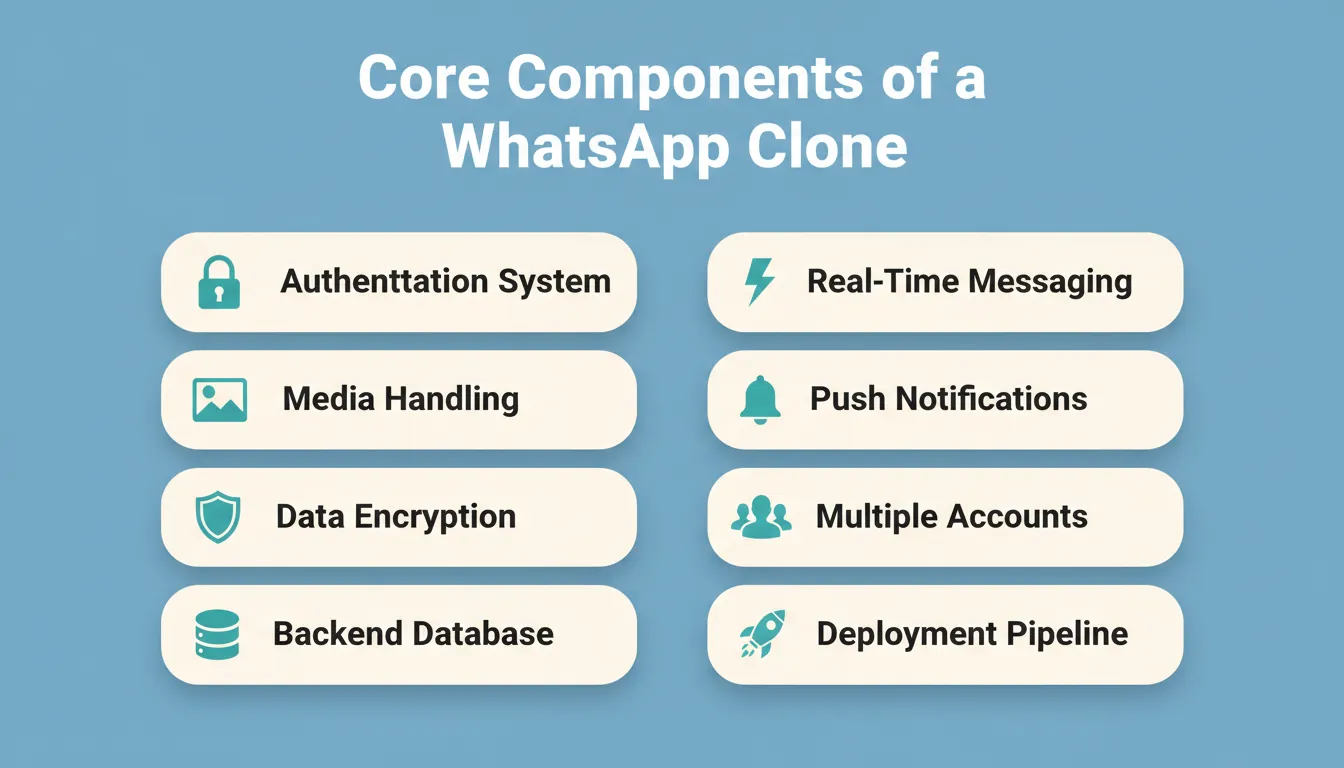
| Component | What It Does | Why It Matters |
|---|---|---|
| Authentication system | Phone/OTP login, profile setup | Users cannot exist without it |
| Real-time messaging engine | WebSocket or SSE-based chat | Delayed messages kill retention |
| Media handling | Image, video, file upload/download | Core WhatsApp behavior |
| Push notifications | Message alerts when app is closed | Drives re-engagement |
| Data encryption | End-to-end or at-rest encryption | Legal and trust requirement |
| Multiple account support | Separate data per account | Key differentiator |
| Backend database | User data, message history, contacts | Persistence layer |
| Deployment pipeline | Staging, production, app store submission | Getting to real users |
Understanding these components before you build prevents the most common failure mode: a beautiful interface with no working backend.
Why Build a WhatsApp Clone?
The messaging app market is not saturated. Instead, it is segmented. WhatsApp dominates general consumer messaging. However, businesses, communities, and niche user groups consistently need private, branded, or feature-specific alternatives.
A WhatsApp clone can help:
- Businesses manage customer conversations across multiple accounts
- Freelancers and consultants separate work and personal communication
- Internal teams connect without relying on third-party consumer apps
- Developers and founders validate a messaging product idea before raising capital
Some users want multiple WhatsApp accounts on one device. Others need a business-grade messaging layer with payments, subscriptions, and broadcast tools. Each of these is a real market with paying users.
If you are exploring other communication app ideas alongside this, this guide on how to build a social media app using no-code tools covers the broader social app architecture that overlaps with messaging.
The WhatsApp Clone Build Roadmap
Building a WhatsApp clone breaks into practical stages. Each step builds on the previous one. Skip one step, and something will break later.
WhatsApp clone development roadmap: from feature planning to App Store deployment
Step 1: Define What Your Clone App Will Do
This is where you intentionally slow down. No coding. No prompting. Just thinking clearly. Without a clear direction now, the WhatsApp clone project will become messy later.
The lean starting point: text chat, phone number login, profile setup, and media sharing. Everything else is iteration.
Core questions to answer first:
- Text messages only, or video and voice calls too?
- Status updates and stories?
- File sharing and media?
- Business payments and subscriptions?
- Multiple account support on one device?
A good WhatsApp clone app does not need everything on day one. Trying to replicate all of WhatsApp from scratch wastes time and money.
Step 2: Plan Account and Login Flow
If the login breaks, users leave. Messaging apps live and die by their account system. Therefore, design this part carefully with no shortcuts.
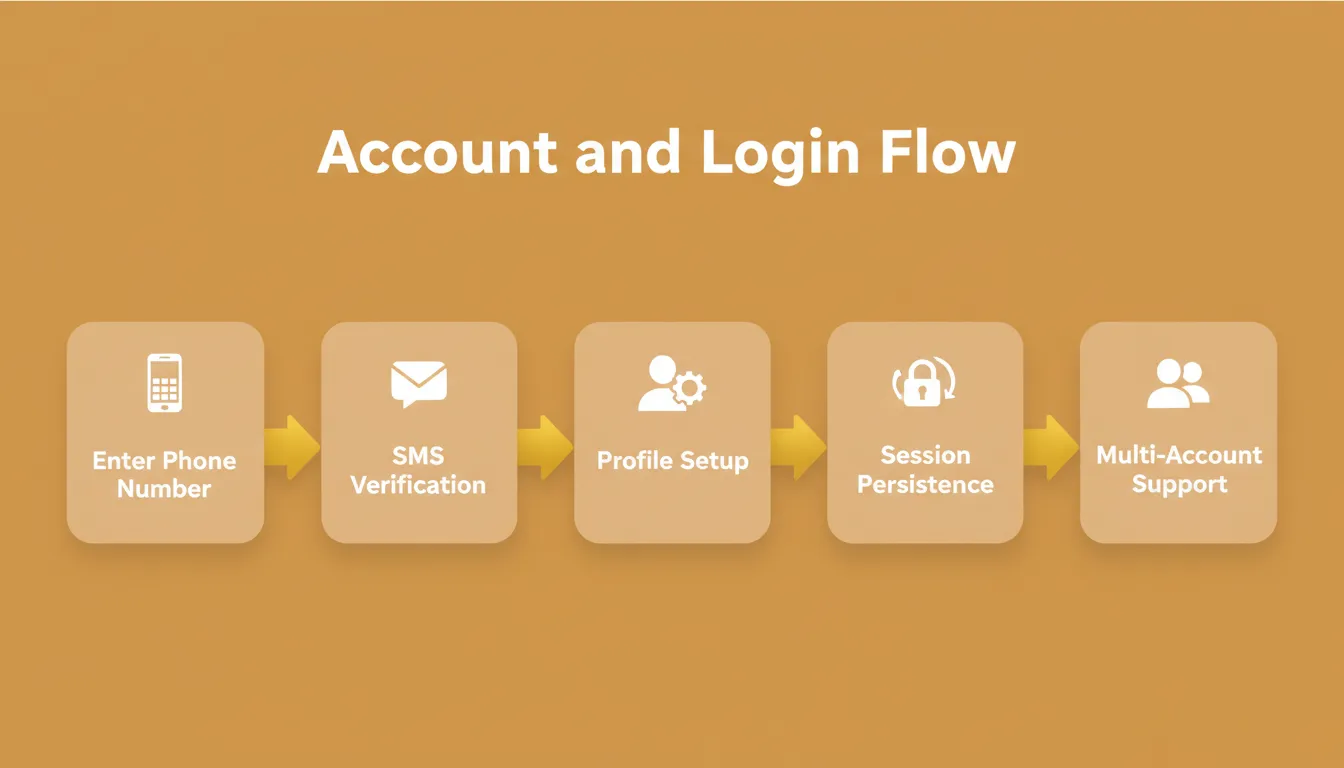
Include in your login flow:
- Mobile number entry
- SMS OTP verification
- Profile setup screen (name, photo, status)
- Session persistence across devices
- Logout and account deletion
Many users want to manage multiple accounts on a single phone. Design the system to support two accounts, or multiple WhatsApp accounts, on a single device from the start. Retrofitting multi-account support later is significantly harder than building it in.
The main account and second account must not mix messages, contacts, or notification states. Data isolation is not optional. It is the feature.
Step 3: Design the Interface
People forgive small bugs. They do not forgive ugly or confusing design. The interface needs to feel natural within seconds.
Users expect:
- Fast scroll with no jank
- Clear visual distinction between sent and received messages
- Unread message badges that update in real time
- Easy access to media, contacts, and settings
- Dark mode support
A good WhatsApp clone app should feel familiar without replicating the official app's design pixel-for-pixel. Copying the WhatsApp interface exactly creates legal risk. Design something inspired, not copied. Use your own visual identity and your own color system.
Design tip: Start with the chat list screen, the individual chat screen, and the profile screen. These three screens cover 80% of user time in any messaging app.
For teams building communication tools at scale, this guide on how to build a Discord clone for teams that scale securely covers permission systems and multi-server architecture that apply to messaging apps too.
Step 4: Build Core Chat Function
This is where things get real. The screens now need to actually work.
For your WhatsApp clone, build:
- Real-time message delivery using WebSockets or Server-Sent Events
- Message status indicators (sent, delivered, read)
- Encrypted message storage
- Media upload and download
- Online/offline presence indicators
- Message timestamps
A Supabase integration handles your PostgreSQL database, authentication layer, and real-time subscriptions cleanly. It is the most practical backend choice for a messaging app built without a dedicated backend team.
Log every bug. Fix it fast. Chat apps cannot afford broken features.
Step 5: Add Multiple Accounts Support
Many Android users install Parallel Space apps to clone WhatsApp. They use a third-party tool just to run multiple accounts. This approach introduces security risks and a poor user experience.
Build that feature directly inside your clone app instead.
Users can:
- Add and switch between two or more accounts
- Keep contacts, messages, and notifications fully separate
- Protect privacy between accounts
- Avoid third-party APK tools that carry a higher risk of data leaks
This works on a single device without requiring external parallel space tools. As a result, the WhatsApp clone becomes cleaner, safer, and more competitive.
If you are evaluating platforms to build this, this overview of the best no-code mobile app builder for rapid AI-based builds compares the key options available today.
Step 6: Add Business Features
A strong WhatsApp clone app can target business users. That is where real monetization potential lives.
Add for business users:
- Broadcast messages to subscriber lists
- Business profile with contact info and category
- Quick reply templates for common responses
- Subscription tiers for premium features
- Basic payment integration for in-app transactions
Businesses love multiple accounts: one for support, one for sales, one for marketing. Basic ad support for free users helps generate revenue without charging upfront.
Monetization options for your clone app:
- Freemium: free tier with ads, paid tier without
- Subscription: monthly fee for business features
- Per-seat: charge per account or per team member
- White-label: sell the platform to other businesses
Step 7: Test on Android and iOS Devices
This step is boring. It is also necessary. Testing saves reputation. Skipping it creates angry reviews.
Most WhatsApp users are on Android. Test your clone app on multiple Android phones. Use different screen sizes, different OS versions, and different network conditions.
Test these specifically:
- Message delivery under poor network conditions
- Push notification delivery when app is in background
- Multiple account switching without data leakage
- Media upload and download on slow connections
- Login flow on fresh installs
If users cannot access chat or if messages are delayed, resolve the issue before release.
Feature Comparison: Basic vs Advanced WhatsApp Clone
| Feature | Basic Version | Advanced Version |
|---|---|---|
| Text Chat | Yes | Yes |
| Media Sharing | Images only | Images, video, files |
| Video Calls | No | Full HD |
| Multiple Accounts | Two accounts | Unlimited accounts |
| Business Profile | No | Yes |
| Broadcast Messages | No | Yes |
| In-App Payments | No | Yes |
| End-to-End Encryption | Basic | Full E2E |
| Push Notifications | Basic | Rich notifications |
| Web Access | No | Yes |
Start with the Basic Version. Ship it. Learn from real users. Then build toward Advanced.
Building with Rocket: The Smarter Approach
After mapping out features, login flow, chat logic, and multiple accounts support, you need a tool that does not slow you down.
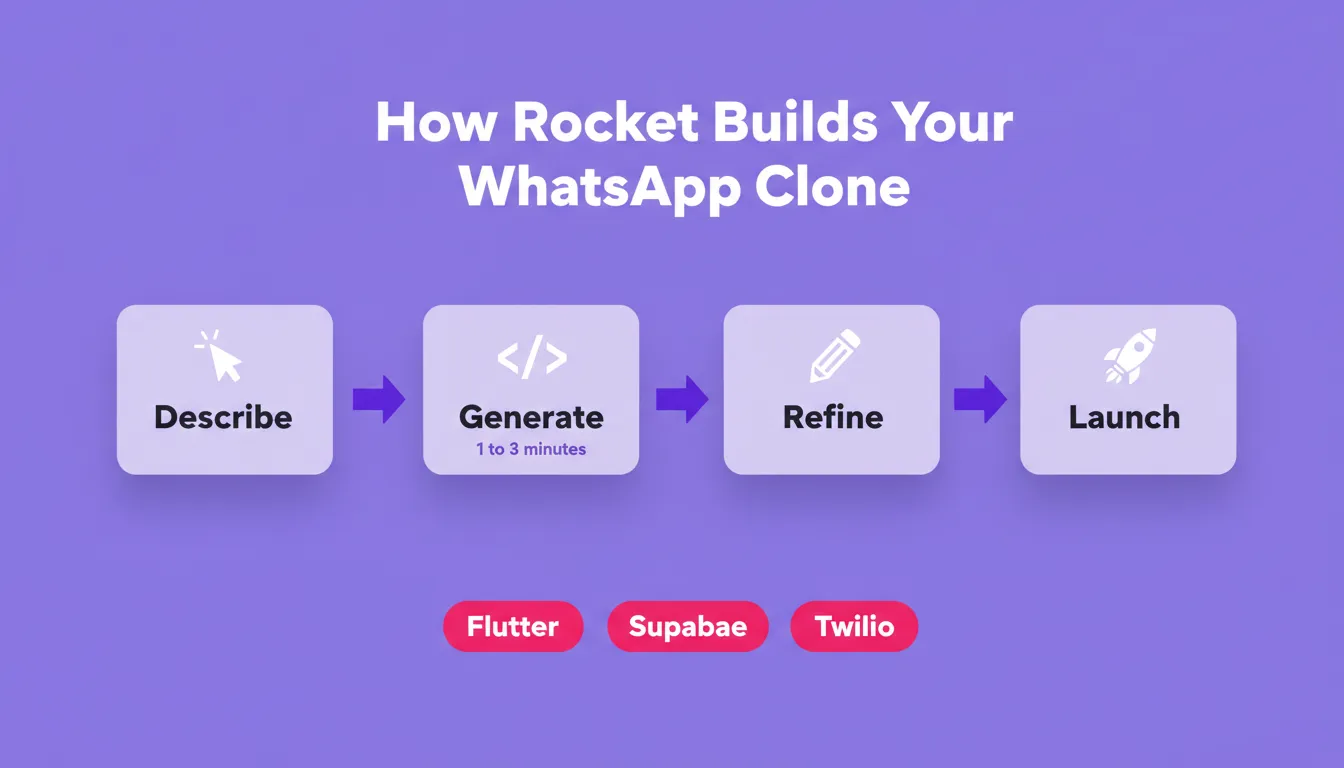
Rocket is a vibe solutioning platform that combines strategic research (Solve), AI app building (Build), and competitive intelligence (Intelligence) in a single product. For a WhatsApp clone, the Build pillar is what you use. Describe what you want in plain language, and Rocket generates a fully functional Flutter mobile app. Most apps generate in 1 to 3 minutes.
Rocket generates your WhatsApp clone as a Flutter mobile app. This gives you a single codebase that runs on both iOS and Android, ready for App Store and Google Play submission.
How to start your WhatsApp clone in Rocket:
- Go to rocket.new and sign in (Google, Apple, or email)
- Click Build and select the Mobile App category
- Describe your app: "Build a WhatsApp-style messaging app with phone number login, real-time chat, media sharing, and multiple account support"
- Rocket plans the architecture, writes production-ready code, and shows a live preview in the device simulator
- Refine through Chat (natural language), Visual Edit (click any element), or Code (edit source directly)
- Connect integrations and launch
For a deeper walkthrough of the mobile build process, this guide on how to build a mobile app with AI step by step covers the full Rocket Build workflow from prompt to deployment.
Rocket's key capabilities for a messaging app:
| Capability | What It Does for Your Clone |
|---|---|
| Flutter mobile generation | Single codebase for iOS and Android |
| Supabase integration | Database, authentication, real-time subscriptions |
| Twilio connector | SMS OTP verification for phone number login |
| Stripe integration | In-app payments and subscription billing |
| Visual Edit | Click any UI element to change it directly |
| Theme controls | Change colors, fonts, and design tokens globally |
| Version history | Full history with one-click rollback |
| Staging environment | Test before going live |
| App Store submission | Rocket generates signed builds for Google Play and Apple App Store |
Every app Rocket builds ships with SEO-ready structure, WCAG accessibility compliance, GDPR coverage, and performance optimization by default. 1.5 million people have tried Rocket across 180 countries, from solo founders validating ideas to agencies delivering client products.
Security and Data Protection
Before adding fancy features, slow down and think about trust. A messaging app without strong security creates serious problems. If users do not feel safe sharing messages or data, they will not stay.
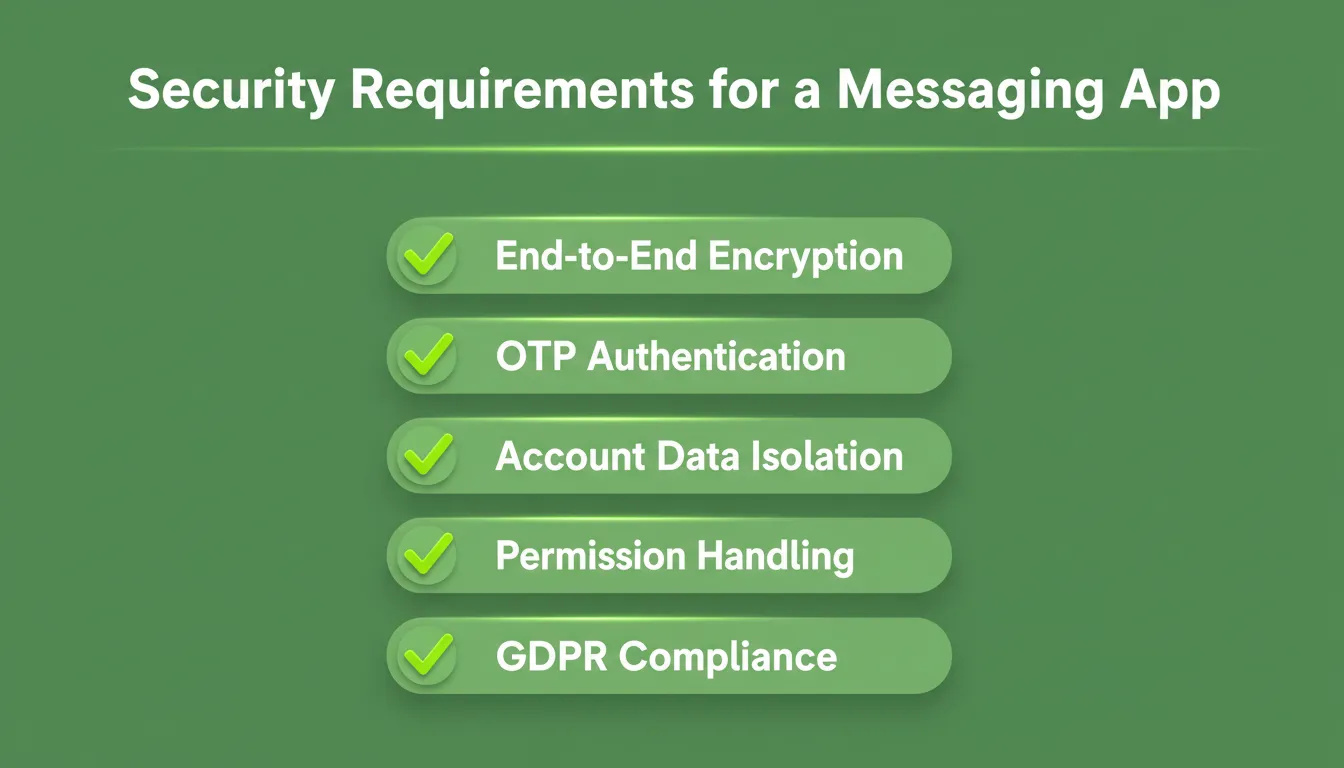
Security requirements for a production messaging app:
- End-to-end encryption: Messages encrypted in transit and at rest
- Secure authentication: Phone number plus OTP verification, session token management, biometric unlock
- Account data isolation: Multiple accounts must have completely isolated data stores
- Permission handling: Request only what you need: contacts, camera, microphone, and storage
- GDPR compliance: Data deletion flow, privacy policy, and consent management for European users
According to OWASP Mobile Application Security guidelines, proper permission handling and encrypted data storage are foundational requirements for any production messaging app.
Handling Risks and Official Policies
This is not the official WhatsApp app owned by Meta. It is a separate clone app with its own identity and purpose. That distinction must be clear in your branding, your app store listing, and your interface.
What to avoid:
- Copying WhatsApp's green color scheme, logo, or interface layout
- Using "WhatsApp" in your app name or description
- Claiming to be an official or affiliated product
A clean WhatsApp clone with unique branding and clear positioning keeps the app safe and trustworthy. The WhatsApp Terms of Service make clear that third-party clients must not impersonate the official product.
The safe approach: Build a messaging app that solves a specific problem for a specific audience. Use your own name, your own visual identity, and your own positioning.
How Long Does It Take and What Does It Cost?
Time to build a WhatsApp clone:
| Approach | Time to MVP | Time to App Store |
|---|---|---|
| Traditional development (2 developers) | 3 to 6 months | 6 to 12 months |
| No-code tools (limited functionality) | 2 to 4 weeks | Not always possible |
| Rocket (AI-generated Flutter app) | 1 to 3 days | 1 to 2 weeks (after review) |
Third-party accounts and developer fees are separate from any platform cost. App store fees apply regardless of which build tool you use.
Required third-party costs:
| Item | Cost |
|---|---|
| Google Play Developer account | $25 one-time |
| Apple Developer account | $99/year |
| Twilio SMS (OTP verification) | Approx. $0.0075 per SMS |
| Supabase (database and auth) | Free tier up to 500MB; paid from $25/month |
| Custom domain | $10 to $20/year |
Common Mistakes When Building a WhatsApp Clone
Most failed messaging app projects share the same root causes. Avoid these.
1. Building too much before testing. Ship a text-only chat first. Validate that users actually use it before adding video calls, stories, and payments.
2. Ignoring backend architecture. A beautiful interface with a slow or unreliable backend will kill your app. Get the real-time messaging layer right before polishing the UI.
3. Copying WhatsApp's design. This is both a legal risk and a product mistake. Users do not need another WhatsApp. They need something that solves a specific problem better.
4. Not handling multiple accounts properly. If you promise multiple account support, data isolation must be airtight. A single bug that leaks messages between accounts destroys trust permanently.
5. Skipping push notifications. A messaging app without reliable push notifications is not a messaging app. Users will not open the app to check for messages.
6. Launching without a privacy policy. Both the Apple App Store and Google Play require a privacy policy for apps that handle personal data.
For teams building apps that involve collaboration or shared workspaces, this guide on team collaboration app development covers architecture patterns that apply directly to multi-user messaging products.
Building a WhatsApp Clone in a Nutshell
Building a messaging app like WhatsApp can feel complex at first. Managing multiple accounts, security, chat speed, and business features can be overwhelming. In fact, many users rely on third-party tools to clone WhatsApp. This increases the risk to data security and account stability.
The smarter move is to use a platform that handles the backend complexity. That way, you can focus on clean design and reliable chat features. A well-planned WhatsApp clone supports multiple WhatsApp accounts, protects privacy, and runs smoothly on one device. It is not about copying everything. It is about building a chat app that works, stays secure, and solves real user needs.
Start Building Your WhatsApp Clone Today
The demand for private, branded messaging apps is growing. The tools to build them have never been more capable. A well-planned WhatsApp clone, built on a solid real-time messaging foundation with proper security and multi-account support, is a product people will actually pay for.
Rocket.new gives you everything you need to go from idea to deployed app. It covers Flutter mobile generation, Supabase integration, Twilio SMS verification, and one-click deployment to both the Apple App Store and Google Play. Start building your WhatsApp clone today and ship your first version faster than you think.
Table of contents
- -What Does a WhatsApp Clone Actually Need?
- -Why Build a WhatsApp Clone?
- -The WhatsApp Clone Build Roadmap
- -Step 1: Define What Your Clone App Will Do
- -Step 2: Plan Account and Login Flow
- -Step 3: Design the Interface
- -Step 4: Build Core Chat Function
- -Step 5: Add Multiple Accounts Support
- -Step 6: Add Business Features
- -Step 7: Test on Android and iOS Devices
- -Feature Comparison: Basic vs Advanced WhatsApp Clone
- -Building with Rocket: The Smarter Approach
- -Security and Data Protection
- -Handling Risks and Official Policies
- -How Long Does It Take and What Does It Cost?
- -Common Mistakes When Building a WhatsApp Clone
- -Building a WhatsApp Clone in a Nutshell
- -Start Building Your WhatsApp Clone Today