
How ideas become apps so quickly today? AI app builders convert natural language into working apps, reducing coding effort. With rising no-code adoption, anyone can rapidly prototype and launch digital products.
Want to know how to build an app with AI in minutes?
You describe your app idea in natural language, and an AI app builder turns that description into a real mobile app or a web app automatically. The AI handles the technical implementation, so you can create a working app without heavy coding.
As per the data, by 2026, 70% of new applications developed by organizations will use low-code or no-code technologies, up from less than 25% in 2020.
So yes, building a mobile app or a web app no longer requires deep coding skills or technical expertise. With modern tools and the right platform, you can create a mobile app from an idea while your phone or laptop handles the rest.
Why AI App Builders are Changing Mobile App Development
Traditional mobile app development usually requires developers, long timelines, and expensive development costs. Teams had to write thousands of lines of code, design the frontend interface, configure the backend logic, and maintain servers.
Now things look very different.
An AI app builder acts like a smart assistant for your app idea. Instead of writing code, you simply describe what you want using natural language. The AI builds the app's structure, connects to data storage, and sets up key features.
So what happens behind the scenes?
The AI handles most of the technical implementation, including:
- Database structure
- Authentication systems
- Backend logic
- Frontend interface
- Data storage
This means you can create a mobile app or a web app with very little coding knowledge.
Even better, many platform options provide free hosting, custom domains, and built-in authentication systems.
That is why no-code app builder tools are becoming popular with founders, marketers, and creators who want custom apps.
What an AI App Builder Actually Does?
Think of an app builder as a toolkit that turns a simple idea into a real mobile app. Here is how it works.
You start with an app idea. Then you open the platform. Then you describe what you want using natural language.
After that, the AI automatically builds the mobile app structure.
A good AI app builder creates:
- The frontend interface
- The database structure
- The backend logic
- Authentication systems
- Data storage
- User management
Many tools also offer free hosting, so your mobile app can run immediately. You can test the working prototype on your phone, Android device, or browser.
Pretty cool, right? Even people with zero coding experience can build their first app.
Build an App Without Writing Code with Rocket.new
Want a simple way to turn your app idea into a real mobile app? That is where Rocket.new comes in. It is an AI-powered app builder designed to help creators quickly build a mobile or web app. You do not need deep coding knowledge or years of coding experience.
The platform works through natural language prompts. You simply describe what you want, and the AI automatically builds the app structure, backend logic, and frontend interface. Rocket.new also includes thousands of templates and built-in tools for testing and launching your app.
So let’s walk through the real workflow of building an app in minutes with Rocket.new.
1. Start With a Clear App Idea
Every app starts with a clear idea. Think about what you want your mobile app to do.
For example:
- An eCommerce mobile app with product catalogs
- A dashboard with CRM tools
- Customer portals for clients
- Booking systems for appointments
- Internal web apps for team workflows
Write down the app idea in simple language.
Rocket.new works best when you clearly describe what you want. Because the AI reads the description using natural language, your prompt becomes the blueprint for the app
2. Sign Up on Rocket.new
Next step is joining the platform.
Open Rocket.new and create an account. The signup process takes only a moment. Once inside, you will see the main dashboard where you can start building your app.
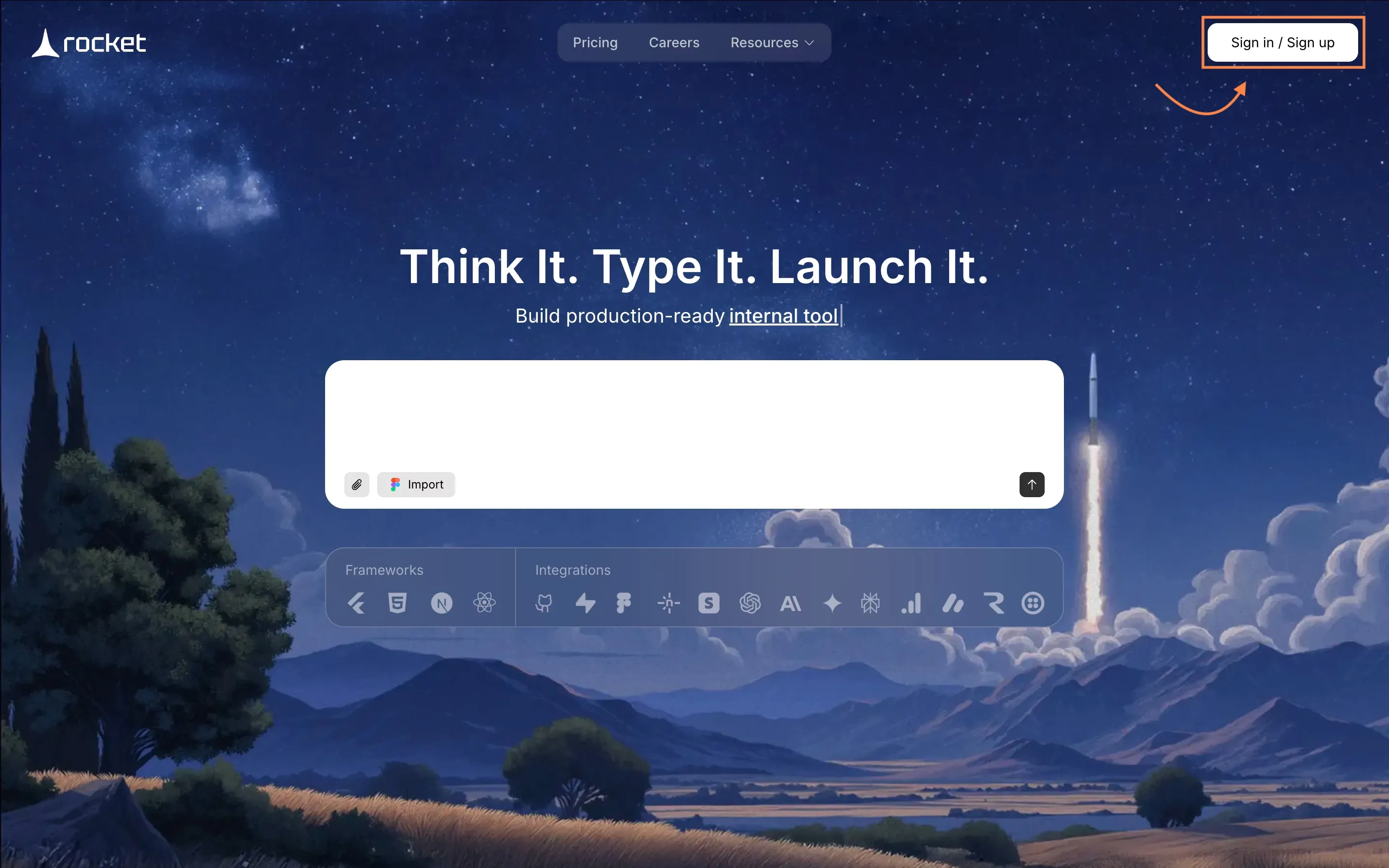
The interface is designed for people without heavy coding skills.
That means even someone with little coding experience can begin creating custom apps immediately. After logging in, you can start your first app right away.
3. Choose a Template or Start With a Prompt
Rocket.new gives you two ways to create a new app.
Option one: start with a prompt.
Option two: select a template.
The platform provides 25,000+ ready-to-use templates for a wide range of mobile and web apps.
Examples include:
- eCommerce stores
- CRM tools
- Booking systems
- Customer portals
- Product catalogs
- Dashboards for data collection
Templates already include common features like authentication systems, data storage, and user management.
If you choose the prompt option, you simply describe what you want using natural language. The AI agents will then generate the app's structure.
Example prompt:
“Create a mobile app for e-commerce with product catalogs, authentication systems, and sales pipelines.”
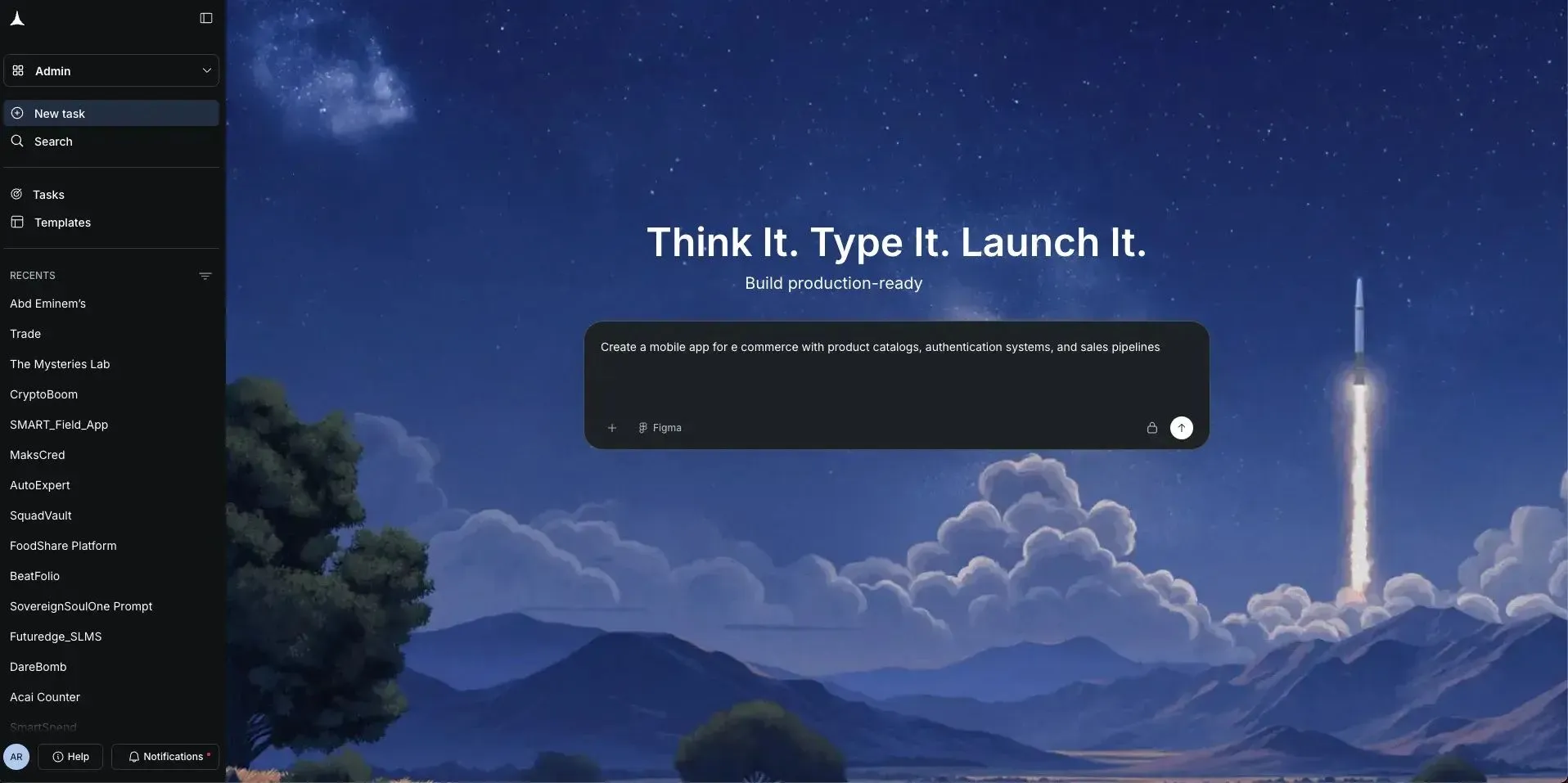
Either path leads to the same result. The AI quickly builds the app's foundation.
4. Select Screens and Watch the AI Build the App
After you choose a template or write your prompt, the AI-powered system begins creating the app. You will see screens appear inside the platform.
Typical screens might include:
- Login screen with authentication systems
- Product list with product catalogs
- Dashboard with data collection
- Account pages for users
This is where Rocket.new shows the power of AI builds.
Instead of spending days writing code, the platform automatically generates the frontend interface, database structure, and backend logic.
You can watch the mobile app come together through a live preview. Within a short time, you already have a working prototype.
5. Modify the App Based on Your Use Case
Well, the first version of the app is just the starting point. Now you can customize it for your real use case.
Rocket.new allows you to adjust the app simply by describing changes or using features and commands
Commands such as:
- "add auth"
- "change app theme"
- "change app logo"
You simply type instructions in natural language again. The AI handles the changes and updates the app structure.
This approach works well for custom apps because the software adapts to your idea. And yes, it still works without writing code.
6. Test the App Across Devices
Next comes testing. Rocket.new provides built-in tools to test the mobile app across different device types.
You can run the app on:
- Your phone
- Android devices
- Tablets
- Desktop browsers
Testing helps confirm that authentication systems, data storage, and backend logic behave correctly. Run multiple test sessions and observe how users interact with the app. This step helps refine the features before launching.
7. Launch the App
Finally, it is time to launch your app. Rocket.new provides built-in free hosting, which means your mobile app can go live quickly.
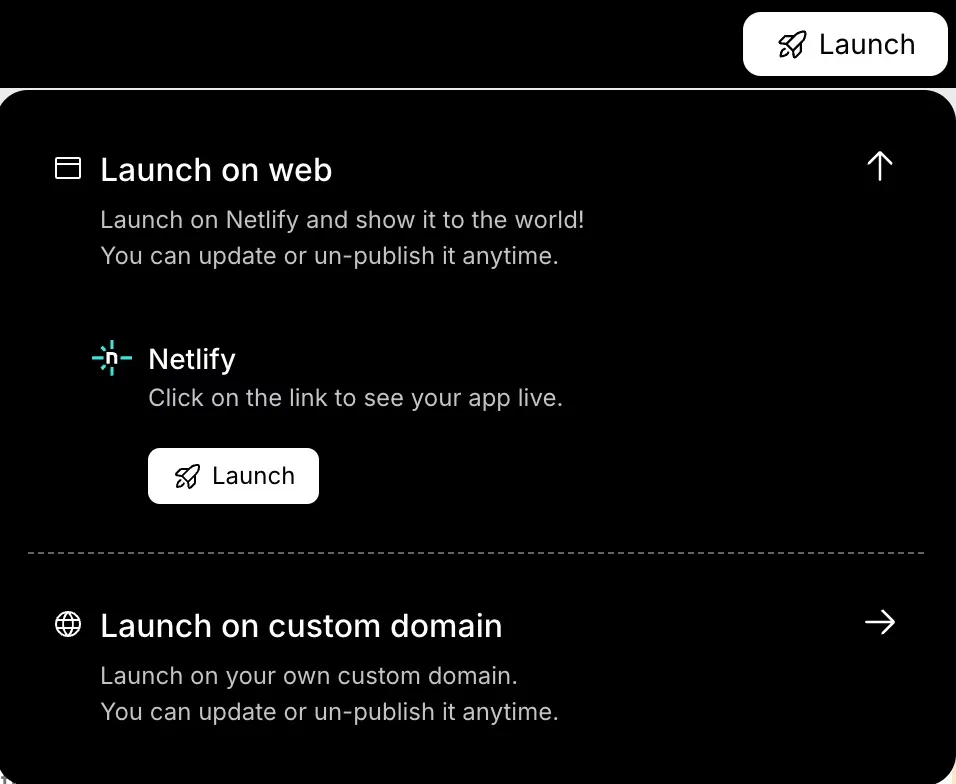
You can also connect custom domains so your app runs under your brand.
Once deployed, users can access the mobile app or web apps from their phone, Android device, or browser. Your own app is now live.
And the best part? The AI handles most of the heavy work while you focus on improving the idea, refining features, and growing your users..
Popular Use Cases for AI App Builders
The beauty of AI-powered development is flexibility. You can create many types of mobile apps or web apps.
Here are a few examples.
| Use Case | Description |
|---|---|
| eCommerce mobile app | Create product catalogs, checkout flows, and customer portals |
| Booking systems | Perfect for gyms, salons, and consulting businesses |
| CRM tools | Manage users, contacts, and sales pipelines |
| Internal dashboards | Track data collection, metrics, and workflows |
| SaaS platforms | Build full stack applications and subscription services |
Many creators start with a simple idea, then expand the mobile app into larger complete applications.
Community Insight
A LinkedIn user shared this experience after testing an AI app builder:
“I gave an AI builder just one sentence and it built a complete working app. No setup. No coding. It just worked.”
Posts like this show how fast AI builds are becoming part of modern software creation. Instead of long cycles of writing code, creators can describe what they want, watch the app builder generate the frontend interface and backend logic, then test the app immediately.
Why AI App Builders Lower Development Costs
Building a mobile app used to be expensive. Most projects required a full development team and months of coding before the app was ready to launch. That process increased development costs, especially for startups or creators testing a new idea.
This is where an AI-powered app builder changes the process. The platform reduces many of the steps that usually slow down mobile app development, allowing creators to build custom apps faster and with fewer resources.
Creating a mobile app through traditional development often requires a full team.
You might need:
- Designers
- Backend developers
- Frontend developers
- QA engineers
That usually leads to higher development costs
With a no-code app builder, the AI handles much of the technical implementation, so creators can build a working prototype without hiring developers.
Many platform options also offer free hosting, making it easier to test an app idea and launch a mobile app quickly while keeping development costs low.
The Future of App Creation
The way people create an app is changing quickly. AI-powered app builder tools are making mobile app creation easier for creators, founders, and businesses. Instead of long cycles of coding, the process is becoming more like a simple conversation with an AI system.
In the near future, building an app may look something like this:
- Open a platform designed for AI-powered app builder tools
- Start a conversation and describe what you want in natural language
- Watch as the AI builds the mobile app automatically
- Focus on improving the idea, features, and user experience
- Launch custom apps and complete applications faster than before
This shift means more creators can turn an idea into a mobile app without deep coding experience. Even founders without strong coding skills can create an app that runs on Android, in browsers, and on many other devices.
How to Build an App With AI in Minutes
Many founders have a strong idea for a mobile app but lack coding knowledge or deep technical expertise. Traditional mobile app development usually involves complex coding, large teams, and high development costs, which slows down the process of turning an idea into a real app.
Modern AI-powered app builder platforms change that process. You describe what you want in natural language, and the AI handles the technical implementation, including authentication systems, database structure, and backend logic. Learning how to build an app with AI in minutes simply means focusing on the idea while the platform helps you create, test, and launch a mobile app quickly.
Table of contents
- -Why AI App Builders are Changing Mobile App Development
- -What an AI App Builder Actually Does?
- -Build an App Without Writing Code with Rocket.new
- -1. Start With a Clear App Idea
- -2. Sign Up on Rocket.new
- -3. Choose a Template or Start With a Prompt
- -4. Select Screens and Watch the AI Build the App
- -5. Modify the App Based on Your Use Case
- -6. Test the App Across Devices
- -7. Launch the App
- -Popular Use Cases for AI App Builders
- -Community Insight
- -Why AI App Builders Lower Development Costs
- -The Future of App Creation
- -How to Build an App With AI in Minutes