

How can you build a scalable inventory system with Rocket.new? This blog walks through database design, backend setup, stock tracking logic, and workflow automation for reliable inventory management.
How to build an inventory management system without manual work?
Start with a clear plan, choose the right software, and use a no-code tool like Rocket. New to create a flexible inventory management system that fits real business needs.
Retailers lose around $1.73 trillion globally per year due to inventory distortions, including out-of-stocks and overstocks, caused by poor inventory management systems and inaccurate inventory data.
This figure is supported by IHL Group research showing that inventory issues account for about 6.5% of global retail sales lost each year.
Let’s break it down step by step.
Why Businesses Need an Inventory Management System?
Inventory is the backbone of retail, ecommerce, and warehouse operations. Without proper tracking, stock disappears. Orders get delayed. Customers get frustrated. Costs rise quietly.
An inventory management system helps companies manage stock levels across stores and warehouse locations. It improves order management. It supports accurate order fulfillment. It keeps inventory data organized in one database.
Many small companies start with spreadsheets, including Google Sheets. That works for a while. Then complexity grows. More products. More units. More locations. More customers. Suddenly, inventory management feels like a full-time job.
A proper inventory management software reduces errors. It improves operational efficiency. It gives real-time visibility into inventory movement. It replaces manual work with automation.
That is where building your own management system becomes interesting.
Planning Your Inventory Management System
Before jumping into software or building any database tables, pause for a moment. A strong inventory management system starts with clarity, not code. If the foundation is messy, the system will reflect that. So take a step back and map the logic first.
Ask simple questions:
- How many stores or warehouse locations exist?
- Are there multiple locations?
- How many products and units need tracking?
- What type of sale process exists?
- Is order management required?
- Should it connect to accounting software?
- What specific needs does the business have?
Every inventory management system must reflect the real inventory process. Some companies manage one warehouse. Others manage multiple locations across cities. Some sell physical goods. Others combine products and services.
Define the supply chain stages. From supplier to warehouse. From warehouse to stores. From stores to customers. Then outline the inventory movement. Goods in. Goods out. Returns. Damaged stock. Transfers between locations. Clear workflows reduce confusion later.
Designing the Database Structure
Now comes the foundation. The database. Every inventory system depends on a solid database. Without it, tracking fails.
At minimum, create these tables:
| Table Name | Purpose |
|---|---|
| Products | Stores product details and SKU |
| Stock | Tracks stock levels per location |
| Orders | Handles order management and sale records |
| Suppliers | Manages supply chain contacts |
| Users | Controls system access |
The database stores inventory data and integrates with other data sources. For example, warehouse updates, store sales, and online app sales.
Each table must connect logically. For example, stock links to products and locations. Orders reduce stock automatically. That is automation working quietly in the background.
Data management becomes easier when everything is in one system rather than scattered across spreadsheets.
Core Features Your System Should Have
Focus on what actually makes an inventory management system useful. The goal is not to build something complicated. The goal is to build something that works smoothly in daily operations. If users need a manual just to log stock, something is wrong.
An inventory management system should be simple. It should be user-friendly. Clear. Practical.

Tracking is the heart of inventory management. Every inventory movement must update the database instantly. Real time visibility helps managers decide faster.
Advanced analytics helps predict demand. It helps predict seasonal stock requirements. That improves decision making and future planning.
Mobile device access is helpful too. A warehouse staff member can update stock using an app instead of running to a desktop every time.
Common Technical Challenges
Building an inventory management system is not magic. There are technical challenges. Data duplication. Sync issues between locations. Poor performance when inventory grows. Errors in tracking logic.
If the system does not scale, performance drops. That is why scalability matters. The database must handle growth. Also, connecting with existing systems, such as accounting software or ecommerce platforms, can add complexity.
So plan for scale from the beginning. Think about future expansion. More stores. More warehouse space. More customers. More data.
Moving from Spreadsheets to a Real System
Most businesses begin their inventory journey with spreadsheets. It feels simple at first. Cheap. Quick. Easy to manage. Then growth happens. More products. More stores. More warehouse activity. Suddenly, those spreadsheets start showing their limits.
Spreadsheets are fine for small operations. But once inventory management becomes serious, problems show up fast.
Common issues include:
- File version conflicts between team members
- Manual data entry errors
- Delayed updates in stock levels
- Limited tracking across multiple locations
- No real time visibility
- Weak reporting and analytics
- Difficulty connecting with accounting software
Google Sheets can work for a while. But it still depends on manual work, and that increases errors as inventory grows.
A proper inventory management system replaces that setup with structured software and a connected database. It centralizes inventory, stock, and warehouse operations. Tracking becomes accurate. Costs stay under control. Audit stress drops.
Build the Inventory Management System with Rocket.new
Building an inventory management system with Rocket.new is less about coding and more about guiding the platform correctly. Below is the exact practical flow from signing in to launching your system, following the same structured format.
Step 1: Sign in and Start a New Project
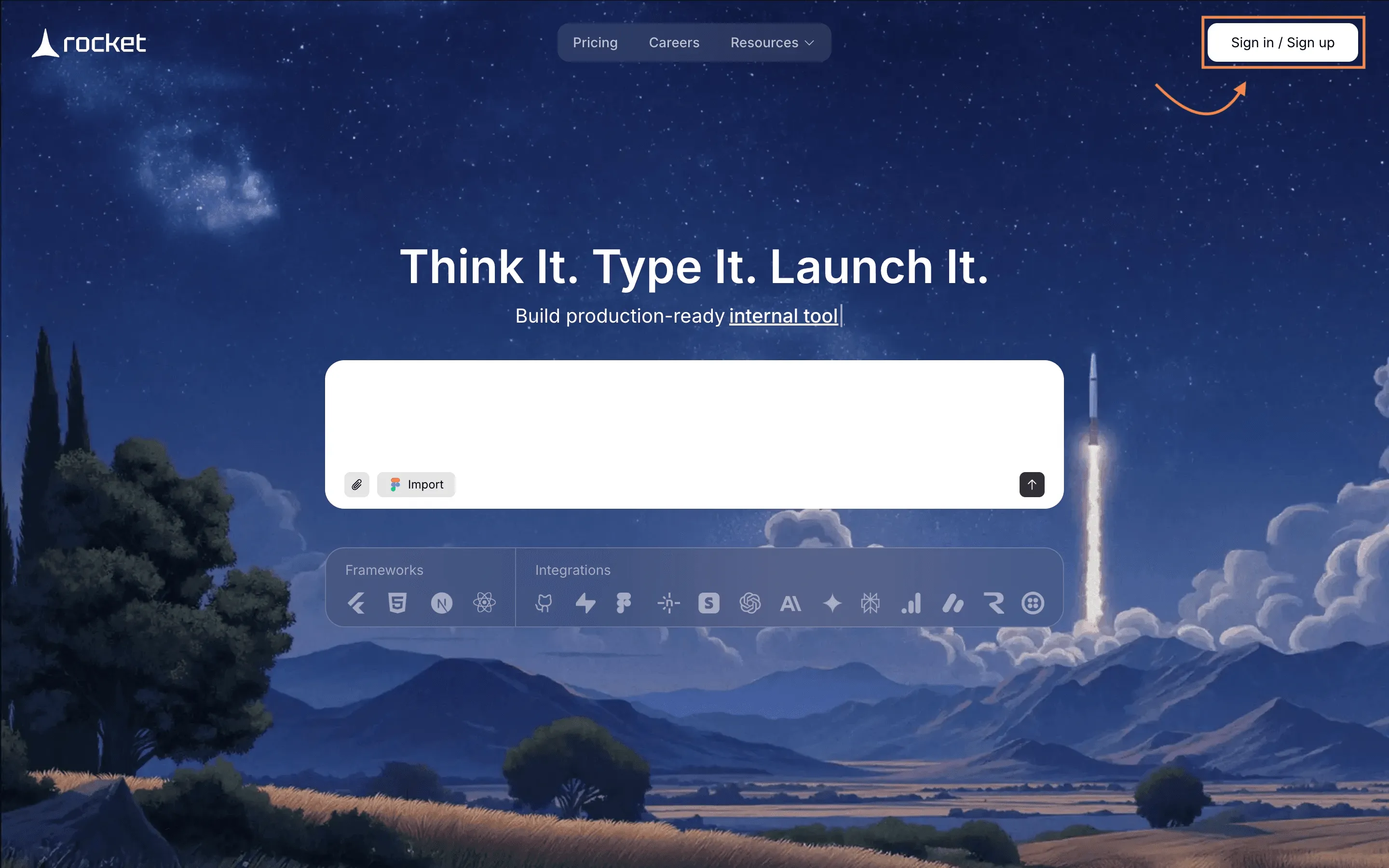
Everything begins with access to your workspace.
- Go to Rocket.new
- Click Sign In (or Create Account if new)
- Access your dashboard
- Click Create New Project
Once inside, you will see the AI prompt interface where your system begins to take shape.
This is your control room. Every system starts here.
Step 2: Enter a Clear Prompt
Rocket.new builds based on what you describe. The clearer the instruction, the better the result.
In the prompt box, type something detailed like:
“Create an inventory management system with product tracking, stock levels, supplier management, order tracking, low stock alerts, and multi-location support. Include admin and staff roles with different permissions.”
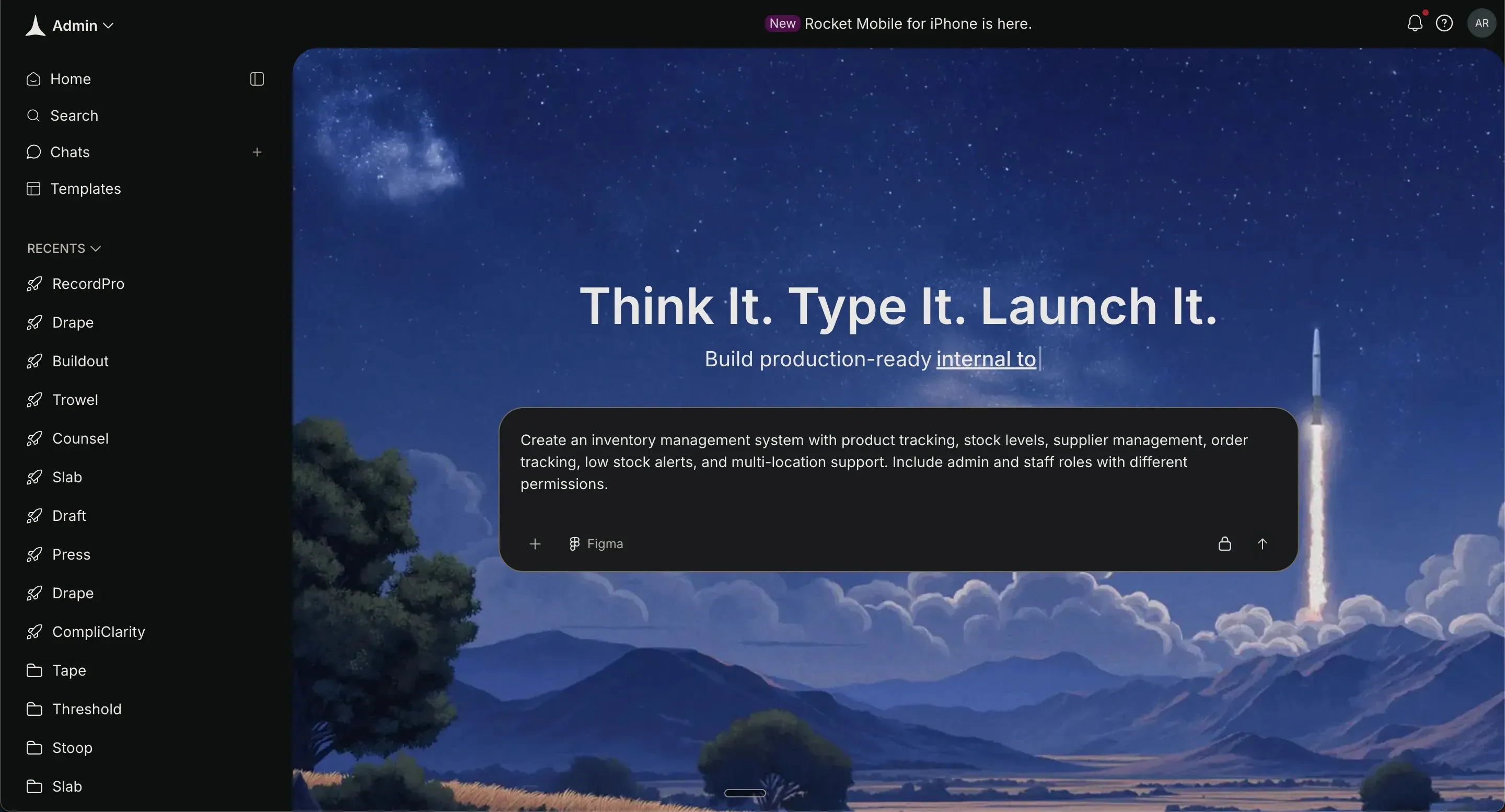
Then click Generate.
Be specific about:
- Features (real-time stock updates, alerts)
- User roles (admin, warehouse staff, manager)
- Business logic (stock deduction after sale)
- Reporting requirements
Clear prompting reduces future revisions.
Step 3: Select Framework
After prompting, Rocket.new will ask you to choose your frontend framework:
Option A: React
- Best for internal dashboards
- Fast, dynamic single-page app
- Great for real-time inventory updates
- Simple and efficient for admin systems
Option B: Next.js
- Built on React with advanced features
- Better for production scaling
- Supports server-side rendering
- Good for larger or client-facing systems
If it’s an internal inventory tool → choose React.
If you plan to scale heavily or go public → choose Next.js.
Then click Confirm to let Rocket.new start building.
Step 4: Watch the System Build
Once confirmed, Rocket.new automatically:
- Creates database tables
- Generates UI dashboards
- Sets up workflows
- Configures authentication
- Connects backend logic
You will see a live progress screen while it builds.
This usually includes:
- Database schema preview
- Auto-generated admin dashboard
- Product management page
- Order tracking page
No manual coding required.
Step 5: Review the Generated Output
After the generation completes:
- Open the preview environment
- Navigate through the dashboard
- Test product creation
- Simulate adding stock
- Create test orders
Check if:
- Stock deducts correctly
- Alerts trigger properly
- Roles restrict access correctly
- Reports update dynamically
This is your first working version.
Step 6: Customize Using Rocket.new Features
Now refine everything visually inside Rocket.new.
The editor is fully interactive. You can:
- Click on any element (tables, buttons, charts, forms)
- Edit text, layout, fields, and styling directly
- Add or remove components visually
- Adjust permissions and logic from the side panel
You can also use command-based prompts like:
“Add a barcode field to products.”
“Trigger low-stock alert below 20 units.”
“Add a sales analytics chart to dashboard.”
Rocket.new updates the system instantly in real time. This is where you polish the system and make it fully business-ready.
Step 7: Test in Preview Mode
Before launching:
- Create bulk test inventory
- Simulate transfers between locations
- Run multiple user accounts
- Test alerts and notifications
- Review reporting dashboards
Fix small issues through prompt refinement like: Rocket.new will update the logic instantly.
Testing ensures operational accuracy.
Step 8: Launch
Click Deploy or Launch Project.
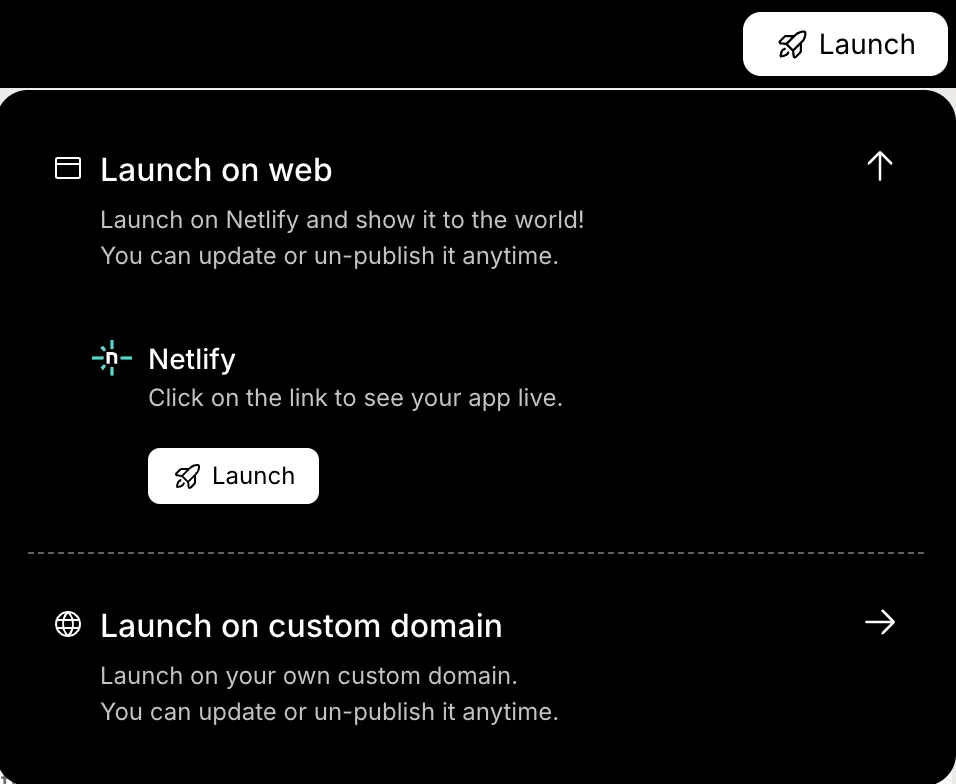
Rocket.new will:
- Push backend to live environment
- Activate database
- Secure endpoints
- Enable public or internal access
Your inventory system is now live.
Community Insight
Here is a real quote from Reddit r/Entrepreneur:
“I run an online jewellery store and hold all the inventory in house. Are there any decent inventory management softwares out there.”
That line says a lot. Many companies delay building a proper inventory management system because they worry about costs. Then stock issues start affecting sale performance and customers.
Scaling and Future Growth
Growth should not break the system. A strong inventory management system is built to scale smoothly as the business expands.
- Supports more stores and multiple locations
- Handles higher sale volume and more customers
- Manages increasing warehouse operations
- Uses advanced analytics to help predict demand spikes
- Maintains stable performance as inventory grows
- Reduces errors through regular updates
- Adapts to automation and mobile device access
- Improves tracking with smarter tools
A scalable system keeps inventory under control even as complexity increases. And yes, it saves everyone from late-night stress over missing stock.
Build the Inventory Management System
Inventory issues often start small but grow fast. Disconnected data, rising costs, and scattered stock across warehouses and stores lead to delays, errors, and slower operations. Without a proper system, businesses spend more time fixing mistakes than growing.
The solution is a structured inventory management system built with flexible software like Rocket.new. It tracks stock levels, manages orders, and provides real-time visibility across locations. The main takeaway: building a reliable system is more about planning than coding. Keep it simple, match it to real business needs, and maintain it well to scale smoothly and reduce headaches.
Table of contents
- -Why Businesses Need an Inventory Management System?
- -Planning Your Inventory Management System
- -Designing the Database Structure
- -Core Features Your System Should Have
- -Common Technical Challenges
- -Moving from Spreadsheets to a Real System
- -Build the Inventory Management System with Rocket.new
- -Step 1: Sign in and Start a New Project
- -Step 2: Enter a Clear Prompt
- -Step 3: Select Framework
- -Step 4: Watch the System Build
- -Step 5: Review the Generated Output
- -Step 6: Customize Using Rocket.new Features
- -Step 7: Test in Preview Mode
- -Step 8: Launch
- -Community Insight
- -Scaling and Future Growth
- -Build the Inventory Management System

