

Match your website maker to your goals. Drag-and-drop tools (Wix, Squarespace) suit simple sites. AI builders (Rocket.new) handle full apps, ecommerce, and mobile. Always check SEO, pricing, and data export before committing.
The right website maker for your business is the one that matches your technical comfort level, your growth goals, and the type of site you need to run. For most small businesses, an AI website builder or drag-and-drop platform gets you live in hours without writing a line of code.
For businesses that need more than a static site, a full-stack AI builder like Rocket.new gives you production-ready apps from a plain-language prompt.
This guide evaluates website makers across seven criteria: ease of setup, templates, SEO, ecommerce, marketing tools, pricing transparency, and data portability. We cover the major platform categories and name specific tools so you can compare directly.
What a Website Maker Really Does
A website maker lets you create a website without writing code. You choose designs, add photos and text, link pages, and publish. Some tools use AI to generate layouts or content automatically.
For a business owner, that means you can focus on your branding and products, not confusing tech. Think of it like building with blocks, rather than assembling screws and beams.
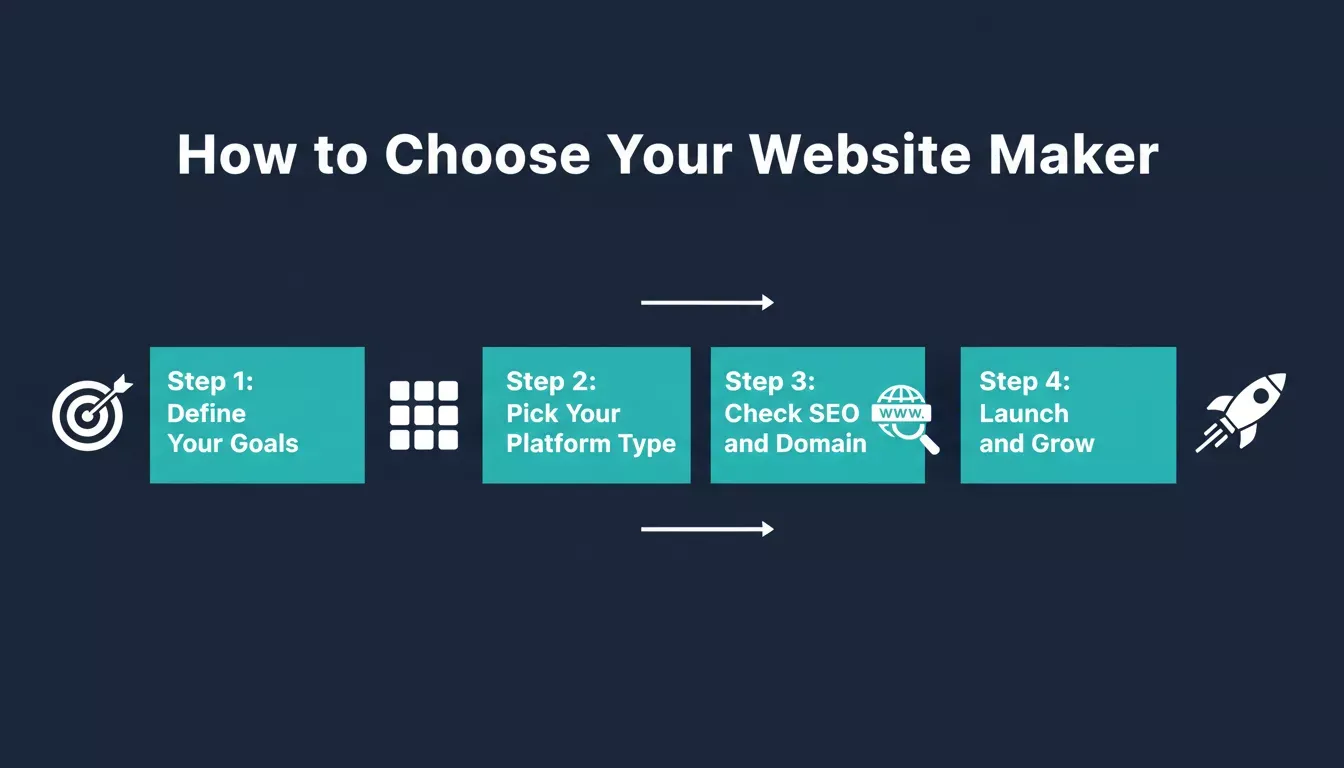
A simple framework for choosing the right website maker for your business
How to Choose the Right Website Maker: A Step-by-Step Guide
Step 1: Know Your Business Needs
Before you even look at tools, ask yourself a few questions.
- What kind of website do you want? A simple page, an online store, or a full brand website?
- Who is your target audience?
- Will you need blogs, portfolios, or customer accounts?
This helps narrow down what features matter most. For instance, an eCommerce business that needs to sell products will likely require a different tool than a local studio that showcases photos.
Step 2: Decide Between Simple or Feature-Rich
Some platforms are well-suited for quick sites, while others are better for detailed business functions.
Drag-and-Drop vs AI Website Builders
- Drag-and-drop editors let you move elements on the page easily. This is ideal for beginners. Platforms like Wix, Squarespace, and Weebly are built around this model, and you see changes in real time without touching a single line of code.
- AI website builder tools go further. They use AI-powered suggestions to structure your site, select website templates, or even generate entire layouts from short prompts. Tools like Hostinger Horizons and Rocket.new fall into this category.
If you want something that feels like an art class instead of software, a drag-and-drop will do. If you want the tool to think for you, consider the best AI website builder options.
Step 3: Templates and Design
Great website templates matter. Why? Because they set the tone and reduce the work you need to do.
- Look for a vast library of responsive templates
- Templates designed with business types (restaurants, portfolios, stores) make life easier
- Pick a platform where changing templates is simple without losing content
The right website templates keep your site on-brand and professional from day one. Rocket.new goes further: instead of picking from a fixed library, you describe your brand, and it generates a custom design specific to your product. You can explore how AI generates websites to understand what that looks like in practice.
Step 4: Custom Domain, Hosting, and Publishing
Your business deserves a custom domain name, not a random string of numbers or a subdomain. That is your address on the internet.
Platforms may include:
- Free domain for the first year
- Built-in web hosting
- One-click publish
Some free website plans include a branded subdomain (e.g., yourname.wixsite.com). That is fine for testing. But a custom domain looks far more professional and is essential for SEO. Plan to pay for a domain early, as most registrars charge $10 to $15 per year.
Step 5: SEO and Traffic Features
Getting traffic to your site matters. A good website builder will include basic SEO settings. Here is what to look for specifically:
- Custom page titles and meta descriptions: essential for every page
- Auto-generated sitemaps: submitted to Google automatically
- Mobile optimization: Google indexes mobile-first; non-responsive sites rank lower
- Schema markup support: structured data helps AI search engines (ChatGPT, Perplexity, Google AI Overviews) cite your content
- Core Web Vitals dashboard: Rocket.new's Build includes a built-in performance tab that grades your site on Core Web Vitals and surfaces fixes in one click
These help you rank in search engines and draw organic traffic without paying for ads.
Step 6: Mobile Responsiveness and Testing
Over 60% of web traffic now comes from mobile devices. Before choosing a platform, verify:
- All templates are mobile-responsive by default, not just "mobile-friendly"
- The builder includes a mobile preview mode so you can test layouts before publishing
- Page load speed on mobile is acceptable, as slow pages lose visitors and rank lower
Platforms like Squarespace and Rocket.new generate mobile-responsive layouts automatically. Some older drag-and-drop editors require manual mobile adjustments.
Step 7: Marketing Tools and Growth
If you plan to use your website to sell or grow your audience, check for built-in marketing tools. The best website makers connect email, analytics, payments, and social sharing without requiring separate subscriptions for each.
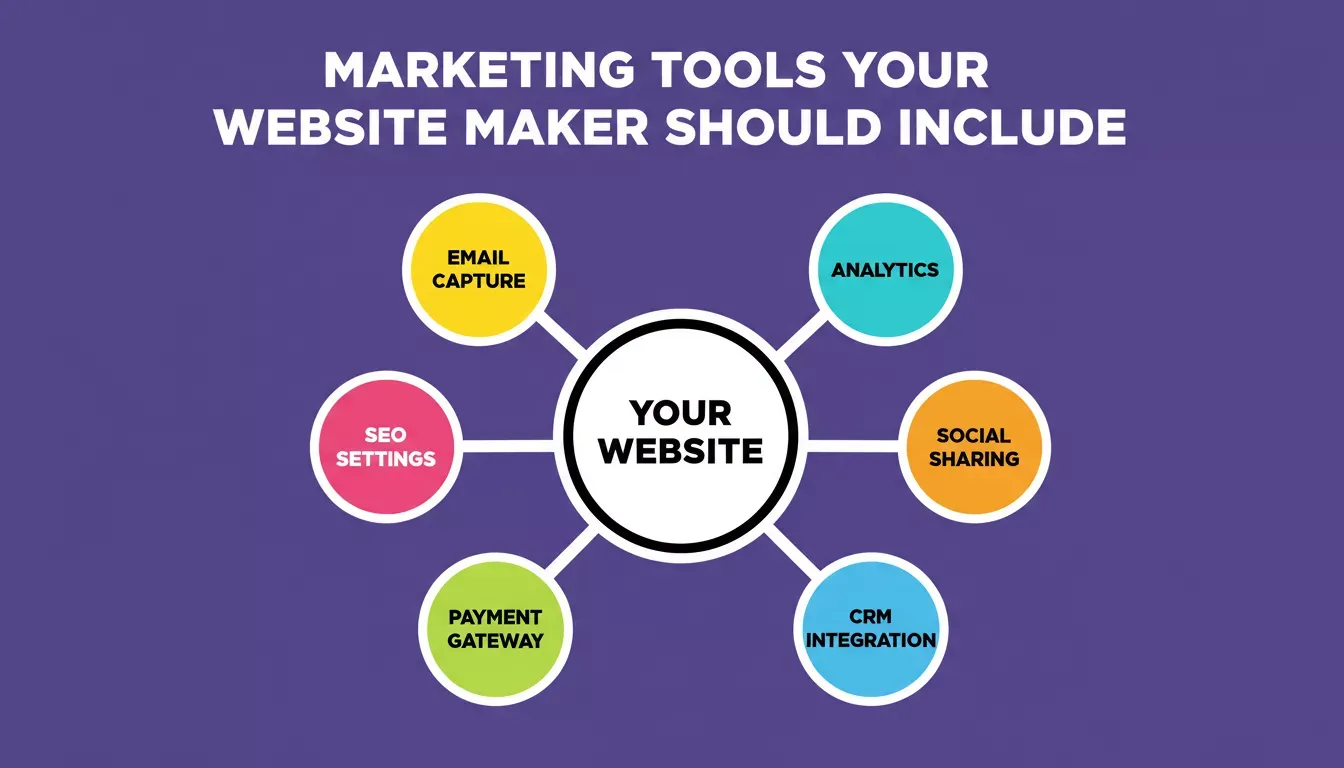
The six marketing integrations that matter most for a growing business website
Rocket.new connects 25+ tools directly into your build, including Stripe, Mailchimp, HubSpot, Google Analytics, and Mixpanel. You authenticate once and they flow into every build. Learn more about building apps with marketing integrations.
Step 8: Pricing Transparency and Hidden Costs
Website builder pricing can be misleading. Watch for:
- Free plan limitations: most free tiers show the platform's branding on your site and block custom domains
- Transaction fees: some ecommerce builders charge 0.5 to 2% per sale on lower-tier plans
- Storage and bandwidth caps: some plans throttle traffic or charge overages
- App/plugin costs: Wix and WordPress have large ecosystems where essential features often require paid add-ons
A platform with a higher base price but no transaction fees and no required add-ons can be cheaper overall for a growing business. Rocket.new uses a single credit balance that covers Solve, Build, and Intelligence with no per-feature upsells. See the full pricing breakdown.
Step 9: Data Ownership and Portability
This is the question most buyers skip and regret later. Before committing to a platform, ask:
- Can you export your content (pages, blog posts, product data) in a standard format?
- Can you download your source code if you want to move to a custom host?
- Does the platform lock your domain with them, or can you transfer it freely?
Wix does not allow you to export your site's code. Squarespace lets you export blog posts as XML but not full site code. Rocket.new lets you download the full Next.js or Flutter source code at any time, so you own what you build.
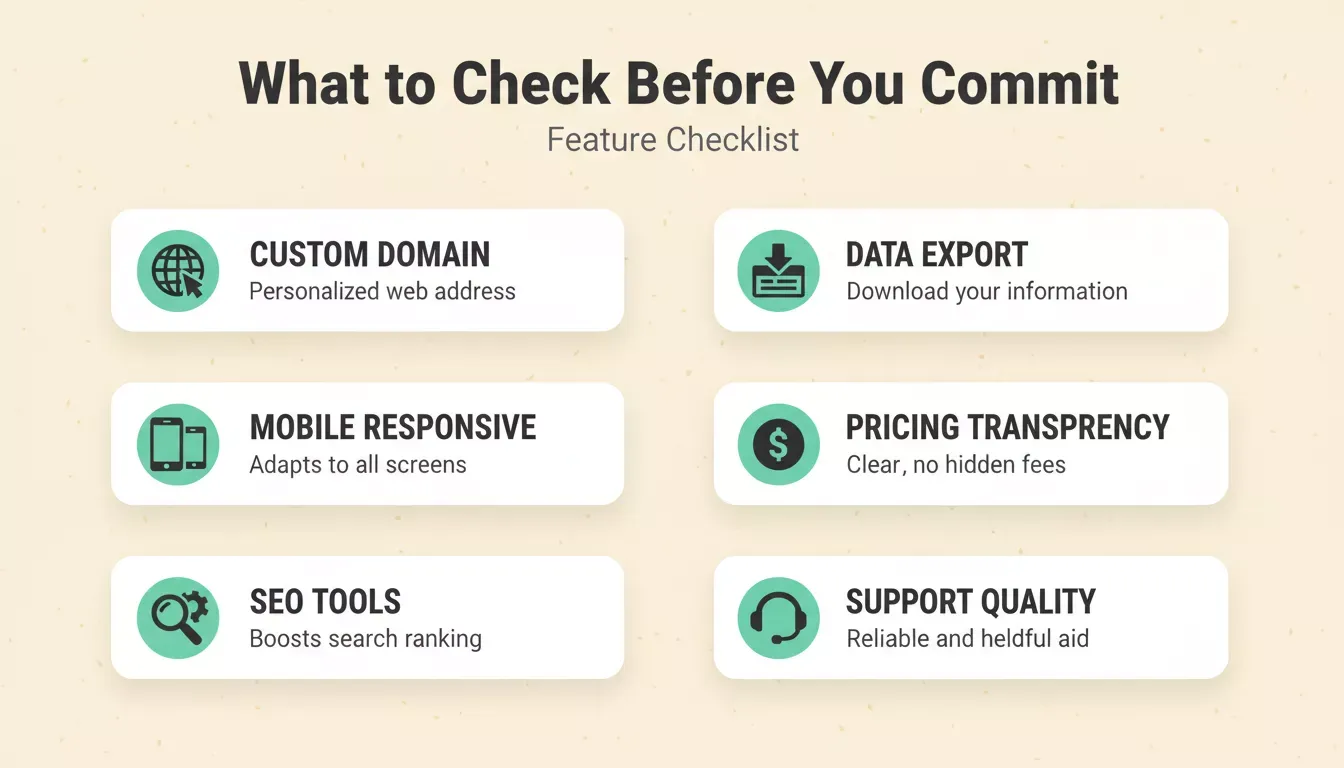
Run through this checklist before committing to any website maker platform
Step 10: Support, Help, and Community
Good help resources save hours of frustration. Look for:
- Tutorials and guides
- Responsive customer support
- Active user communities
Rocket.new includes a Human Help layer where the Success team steps in inside the platform when the AI reaches its limit, with no tickets or email chains required. For community-driven platforms, Wix and Shopify have the largest user communities with active forums and third-party tutorial libraries.
Website Maker Comparison: Which Type Is Right for You?
The drag-and-drop editor is a lifesaver for beginners. It lets you move elements around easily, experiment with layouts, and see changes in real time without touching a single line of code. The table below names specific platforms and gives you concrete criteria to compare, not just qualitative labels.
| Feature | Drag-and-Drop (Wix, Weebly) | AI Builder (Rocket.new) | Full Business Platform (Shopify, Webflow) |
|---|---|---|---|
| Requires Coding | No | No | Optional |
| Speed of Setup | Fast (30 to 60 min) | Very Fast (under 15 min) | Medium (2 to 4 hours) |
| Templates | 800+ (Wix) | AI-generated, custom per project | 100 to 500+ |
| AI Tools | Limited (text suggestions only) | Full layout, logic, and content generation | Some (Shopify Magic, Webflow AI) |
| Ecommerce | Medium (transaction fees apply) | Full cart, checkout, Stripe integration | Best-in-class (Shopify) |
| Marketing Tools | Email, social, basic CRM | 25+ integrations: Mailchimp, HubSpot, Brevo | Large app ecosystem |
| SEO Features | Auto sitemap, basic meta tags | Auto sitemap, schema markup, Core Web Vitals | Advanced granular control (Webflow) |
| Data Portability | Low (Wix locks site code) | High (full source code export) | Medium (product data export) |
| Starting Price | Free tier; paid from ~$17/mo | Free tier available | Shopify from $29/mo |
| Mobile App Output | No | Flutter iOS and Android apps | No |
When choosing a website builder, focus on one that aligns with your business style, growth plans, and day-to-day needs. The right platform should make building, customizing, and scaling your site simple and even a little fun.
Popular Options Worth Checking
Here are the main categories with named examples:
- Classic drag-and-drop: Wix (largest template library, best for beginners), Squarespace (best design quality in this category), Weebly (simplest interface)
- eCommerce-first: Shopify (industry standard for online stores), BigCommerce (better for high-volume sellers)
- Developer-friendly: Webflow (visual builder with full CSS control, no code required), Framer (best for marketing sites and portfolios)
- AI website builders: Hostinger Horizons (fast AI generation, affordable), Rocket.new (full-stack AI that builds web apps in Next.js and mobile apps in Flutter, not just static sites)
What the Community Thinks
Real users share honest views about AI website builders on Reddit.
Many found that some builders get a usable site up fast and with minimal editing, while others still need a lot of tweaks after the AI generates the first draft. Some users liked tools that got them close to a finished site without too much fuss.
The consistent pattern: AI builders save the most time on the first version. The gap between platforms shows up most in how well they handle iteration, integrations, and scaling beyond a simple page.
Why Rocket.new Is Different: The Vibe Solutioning Platform
Most website makers solve one problem: getting a site live. Rocket.new solves a different, bigger problem. It is the vibe solutioning platform, built for the complete arc from deciding what to build, to building it, to monitoring what happens after you launch.
Rocket.new 1.0 ships with three interconnected pillars that no traditional website maker offers. 1.5 million people across 180 countries have used the platform, from solopreneurs to enterprise teams.
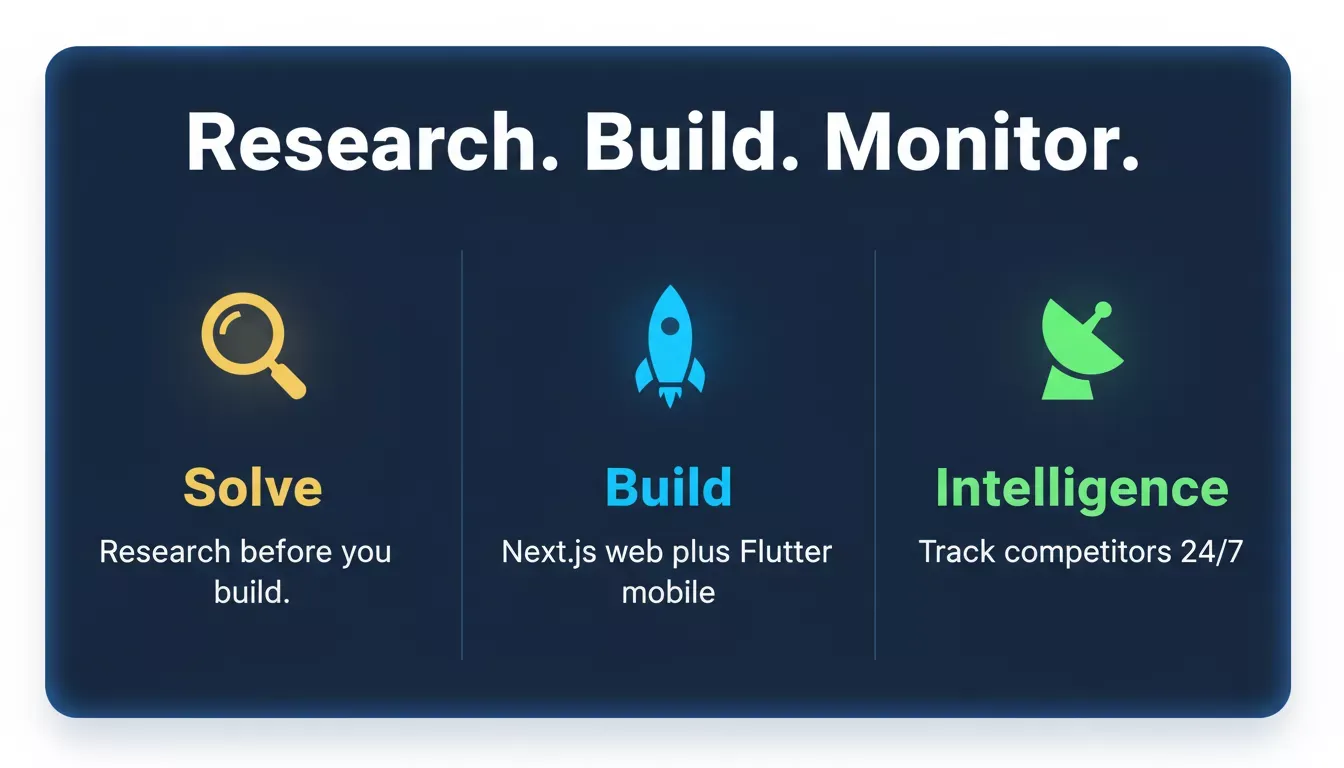
Rocket.new's three pillars: Solve for research, Build for production apps, and Intelligence for competitor monitoring
Solve: Research Before You Build
Before writing a single prompt, Rocket.new's Solve pillar answers the strategic questions that determine whether your site will actually work. Ask Solve a business question, and it runs structured research across 150+ sources, returning a full analytical report with findings, evidence, and recommendations. Reports export as PDF or PowerPoint and are ready to present to stakeholders. (Solve overview)
This is not a feature that any website builder on the market offers. It is the difference between building from a guess and building from a foundation.
Build: Production-Ready Apps, Not Just Pages
Rocket.new's Build pillar generates production-grade products from plain-language descriptions, Figma files, or existing GitHub repositories:
- Web apps built in Next.js, including full ecommerce stores with cart, checkout, and Stripe payment integration
- Mobile apps built in Flutter, submitted directly to the Apple App Store and Google Play
- Multi-page websites with SEO-ready structure, WCAG 2.1 AA accessibility compliance, and GDPR coverage built in by default
- Internal tools, including dashboards, customer portals, onboarding systems, and compliance trackers
Every build ships with a built-in analytics tab (visitors, conversions, Core Web Vitals) and full version history with one-click rollback. You can download the complete Next.js or Flutter source code at any time. (Build overview)
Intelligence: Know What Competitors Are Doing
After your site is live, Rocket.new's Intelligence pillar watches every public surface your competitors operate on: website changes, pricing moves, hiring patterns, product launches, social campaigns, and customer reviews across G2 and Reddit, across nine signal pillars simultaneously.
It delivers ranked, personalized Intel to your feed so you can act on what matters without hunting for it. (Intelligence overview)
Traditional website makers stop at launch. Rocket.new keeps working after you ship.
The Shared Context Architecture
What makes Rocket.new different from using three separate tools is the shared context: the research Solve produces becomes the foundation of the Build task. The competitive brief from Intelligence informs the landing page copy. Nothing is re-explained between steps. The thinking compounds across every task, every team member, every capability.
Website Builder Market Data
AI-powered website builders are the fastest-growing segment in the market.
According to Statista, the global website builder market is projected to reach $13.6 billion by 2028. Meanwhile, W3Techs reports that roughly 70% of all websites now use some form of CMS or website builder, confirming this is the dominant approach for modern web presence. Google's own data shows that mobile page speed directly impacts search rankings, making the choice of platform a direct SEO decision.
AI website builders are the fastest-growing category, driven by speed and accessibility
Ready to build something that goes beyond a basic website?
Rocket.new is the vibe solutioning platform that takes you from market research to live product, with web apps in Next.js, mobile apps in Flutter, and competitive intelligence that keeps working after you launch. No code required.
Start building for free and see how fast you can go from idea to live product.
Table of contents
- -What a Website Maker Really Does
- -How to Choose the Right Website Maker: A Step-by-Step Guide
- -Step 1: Know Your Business Needs
- -Step 2: Decide Between Simple or Feature-Rich
- -Drag-and-Drop vs AI Website Builders
- -Step 3: Templates and Design
- -Step 4: Custom Domain, Hosting, and Publishing
- -Step 5: SEO and Traffic Features
- -Step 6: Mobile Responsiveness and Testing
- -Step 7: Marketing Tools and Growth
- -Step 8: Pricing Transparency and Hidden Costs
- -Step 9: Data Ownership and Portability
- -Step 10: Support, Help, and Community
- -Website Maker Comparison: Which Type Is Right for You?
- -Popular Options Worth Checking
- -What the Community Thinks
- -Why Rocket.new Is Different: The Vibe Solutioning Platform
- -Solve: Research Before You Build
- -Build: Production-Ready Apps, Not Just Pages
- -Intelligence: Know What Competitors Are Doing
- -The Shared Context Architecture
- -Website Builder Market Data

