
Ever thought about generating database schemas with AI? Modern tools turn simple descriptions into structured schemas, accelerating development, minimizing errors, and allowing developers to focus more on building core application features.
How to generate a database schema using AI?
Today’s AI tools take a simple description and turn it into a structured schema in seconds, and can save you tons of time and energy.
According to a report by McKinsey, developers can complete tasks nearly twice as fast with generative AI. That means faster schema creation, fewer errors, and more time to focus on building your app.
So, if you're working on web applications or planning your next big idea, understanding how this fits into full-stack building can save you time.
What is a Database Schema and Why Does It Matter?
A database schema is the blueprint of your database. It defines how your data is stored, organized, and connected. Think of it as the foundation of your app.
Without a proper schema, your database turns messy fast. You’ll struggle with relationships, queries, and scaling.
In simple terms, a schema includes:
-
Tables
-
Columns
-
Data types
-
Relationships
-
Constraints
It also plays a big role in data integrity and performance.
Good database design keeps things clean and structured. Bad design leads to slow queries and confusing logic.
How AI Changes the Database Design Process
In the past, creating a database schema meant hours of planning. You had to draw an entity relationship diagram, decide on relationships, and write SQL manually. It was slow and prone to errors.
Now, AI transforms that process completely.
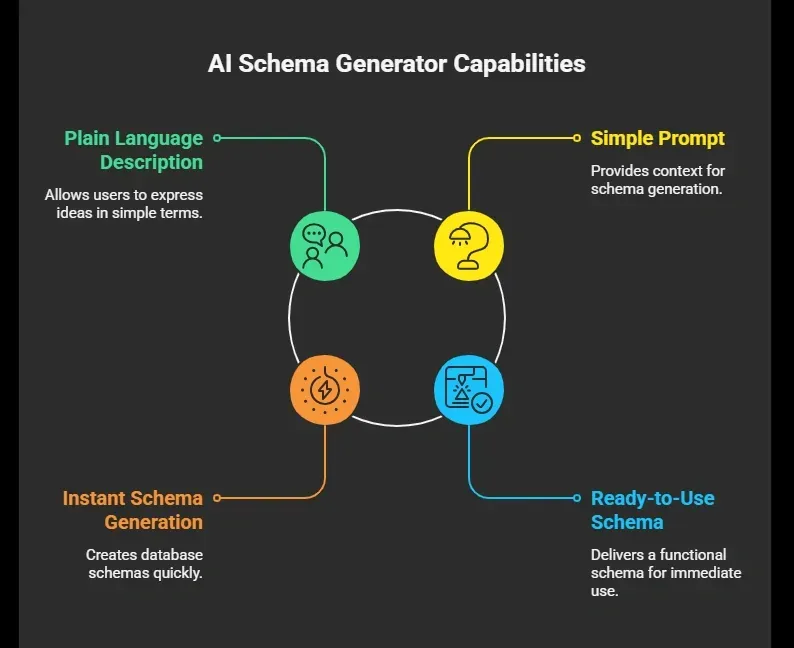 So instead of writing SQL from scratch, you simply guide the AI.
For example, you might type:
“Create a booking system with users, bookings, and payments.”
Then, the schema generator builds the database structure for you in seconds.
Step-by-Step: Using an AI Schema Generator
Let’s walk through the process of generating a database schema with AI.
Start with a clear idea of what your app needs. The better you define your data and relationships, the more accurate your generated schema will be.
Think about the scope. Don’t overload your prompt with too many tables or complex logic at first start simple, then iterate.
Let’s walk through the process.
1. Start With a Clear Idea
Your database design process begins with clarity.
Ask yourself:
-
What data will be stored?
-
Who are the users?
-
What relationships exist?
For example:
-
Users create bookings
-
Bookings have payments
This helps the AI understand your schema structure.
2. Write a Simple Prompt
Now comes the fun part.
Use a prompt like: “Build a database schema for a booking app with users, bookings, payments, and reviews.”
Keep it simple. Add more context if needed. A good prompt improves schema generation.
3. Generate and Review the Schema
The AI schema generator will generate:
-
Tables
-
Columns
-
Data types
-
Foreign keys
-
Constraints
You’ll get a generated schema in seconds.
Check for:
-
Missing relationships
-
Wrong data types
-
Naming issues
4. Export SQL Code
Most tools let you export SQL code.
You can use it with:
-
MySQL
-
PostgreSQL
-
sqlite
-
Microsoft SQL Server
This saves time on writing SQL manually.
5. Test With Sample Data
Now you test.
Add test data to your database:
-
Create users
-
Add bookings
-
Run queries
Testing helps catch errors early.
Always review the results, test with real data, and iterate. AI speeds up the process, but your attention makes the schema reliable and production-ready.
What Does AI Actually Generate?
Here’s a simple example of what AI can create:
| Table Name | Columns | Relationships |
|---|---|---|
| users | id, name, email | linked to bookings |
| bookings | id, user_id, date | foreign keys to users |
| payments | id, booking_id, amount | linked to bookings |
This is a basic DB schema, but it shows how relationships are built.
The AI defines:
-
Foreign keys
-
Constraints
-
Indexes
That means better performance and cleaner queries.
AI Schema in Full-Stack Development
A well-structured schema is the backbone of any full-stack app. AI makes this part faster and less error-prone.
Your schema connects all layers:
-
Frontend → API: User interface interacts with backend endpoints
-
API → Database: API calls retrieve or store data
-
Database → Schema: Schema ensures data is organized and consistent
With an AI schema, this flow speeds up:
-
Generate schema quickly
-
Connect it to API endpoints
-
Build frontend forms
Use cases:
-
Startups
-
Solo developers
-
Rapid prototyping
AI accelerates schema creation, but reviewing relationships and testing data keeps your full-stack app solid and reliable.
Common Mistakes to Avoid
Even with AI, building a database schema isn’t foolproof. These mistakes can slow you down or break your app if you’re not careful.
-
Vague Prompts: Too little detail can cause missing relationships or incorrect data types.
-
Ignoring Validation Rules: Add constraints like NOT NULL and UNIQUE to protect data integrity.
-
Skipping Testing: Always use test data and run queries to catch errors early.
-
Overcomplicated Design: Keep your schema simple and manageable.
AI accelerates schema generation, but careful planning, validation, and testing are still essential to ensure your database works correctly in real-world applications.
SQL vs NoSQL Databases
Choosing the right database type is important before generating a schema. Each has its strengths depending on your app needs.
SQL Databases
-
Structured tables with clearly defined relationships
-
Strong consistency and data integrity
-
Examples: MySQL, PostgreSQL
NoSQL Databases
-
Flexible, document-based structure
-
Ideal for large-scale or rapidly changing data
-
Useful for apps that need scalability and flexibility
Pick the database type that matches your application. AI schema generators can handle both, but understanding the differences ensures your schema is practical, efficient, and ready for real-world use.
Community Insight
Here’s a LinkedIn community insight
“I built a fully functional app in just 15 minutes without writing a single line of code. No templates. No drag‑and‑drop. No debugging. Just one idea. One prompt. Done. Built using Rocket.new … production‑ready app with frontend, backend, auth, payments, and real logic from a single prompt.” Linkedin
This insight shows real usage of Rocket.new to rapidly build a complete app, implicitly including database structure and backend logic, very relevant for your discussion about AI helping create database schemas and full‑stack workflows..
Rocket.new: Building Schemas with ease
Rocket.new is a vibe solutioning platform that turns natural-language prompts into working apps. That includes database design, API endpoints, and backend logic, making schema creation faster and easier.
For developers and founders, Rocket.new acts as a smart AI schema generator, letting you focus on app ideas while it handles tables, relationships, and database structure automatically.
Top Features
-
Prompt to App Creation using plain language
-
Drag and Drop Interface for quick adjustments
-
Connect Multiple Data Sources easily
-
Generate Database Schemas Automatically for backend logic
-
Export Ready-to-Use Code Files for SQL databases or NoSQL
-
Built-in API Connections for fast frontend integration
Use Cases
-
Internal Dashboards: Create dashboards using existing database or files. Track metrics and visualize data instantly.
-
Admin Panels: Build tools to manage users, database tables, and workflows efficiently.
-
MVP Apps: Quickly generate a schema, connect APIs, and launch a working app idea.
Rocket.new streamlines schema generation and full-stack development, making it easy to go from idea to live app without manually writing SQL or designing every table. It’s perfect for developers, startups, and anyone prototyping fast.
Where AI Schema Generators Shine
AI schema generators work best in apps where data structure drives functionality.
Popular Use Cases
-
Booking systems: manage users, reservations, and payments
-
E-commerce apps: track products, orders, and inventory
-
Social platforms: organize users, posts, and interactions
-
Analytics dashboards: structure data for reporting and insights
In these apps, the schema defines data flow, and AI makes creation and updates faster, letting developers focus on building features.
Advanced Features You Can Use
Modern AI schema generators do more than just create tables they help you visualize, understand, and extend your database.
Key Features
-
Schema Diagrams: visualize tables and relationships
-
Semantic Layer: understand logical data connections
-
Complex Queries: get query suggestions automatically
-
File Upload Support: analyze an existing database file
-
API Generation: create API endpoints directly from your schema
These features save time, reduce errors, and make your database design smarter, letting you focus on app logic rather than repetitive tasks.
Making AI Work for Your Schema
Building a database schema manually takes time. Planning relationships, writing SQL, and testing repeatedly can slow down development. AI schema generators simplify this process. You describe your idea, generate database schemas instantly, review the generated schema, and test it with test data. This reduces errors and lets you move faster, saving hours of manual work.
Learning how to generate a database schema with AI changes how you build apps. It allows you to focus on the bigger picture. Still, always review, test, and refine your schema AI speeds things up, but your understanding ensures the final result is solid.
Table of contents
- -What is a Database Schema and Why Does It Matter?
- -How AI Changes the Database Design Process
- -Step-by-Step: Using an AI Schema Generator
- -1\. Start With a Clear Idea
- -2\. Write a Simple Prompt
- -3\. Generate and Review the Schema
- -4\. Export SQL Code
- -5\. Test With Sample Data
- -What Does AI Actually Generate?
- -AI Schema in Full-Stack Development
- -Common Mistakes to Avoid
- -SQL vs NoSQL Databases
- -SQL Databases
- -NoSQL Databases
- -Community Insight
- -Rocket.new: Building Schemas with ease
- -Top Features
- -Use Cases
- -Where AI Schema Generators Shine
- -Popular Use Cases
- -Advanced Features You Can Use
- -Key Features
- -Making AI Work for Your Schema