A mobile app generator lets anyone build iOS and Android apps without coding. Using AI prompts, templates, or drag-and-drop tools, you can go from idea to a published app in days. Rocket generates production-ready Flutter apps with backend, integrations, and App Store support built in.
A mobile app generator is a platform that creates functional iOS and Android apps from prompts, templates, or visual editors, with no programming required. Tools like Rocket let non-technical founders go from idea to a published app in days, not months, by generating production-ready Flutter code, backend logic, and App Store-ready builds automatically.
What is a Mobile App Generator?
A mobile app generator is a tool that helps you create apps without writing typical app code. Instead of learning Swift for iOS or Java/Kotlin for Android, you pick templates, drag and drop elements, or describe your app in plain language.
The platform handles UI generation, backend logic, and App Store and Google Play packaging for you, turning an idea into a downloadable app without a development team.
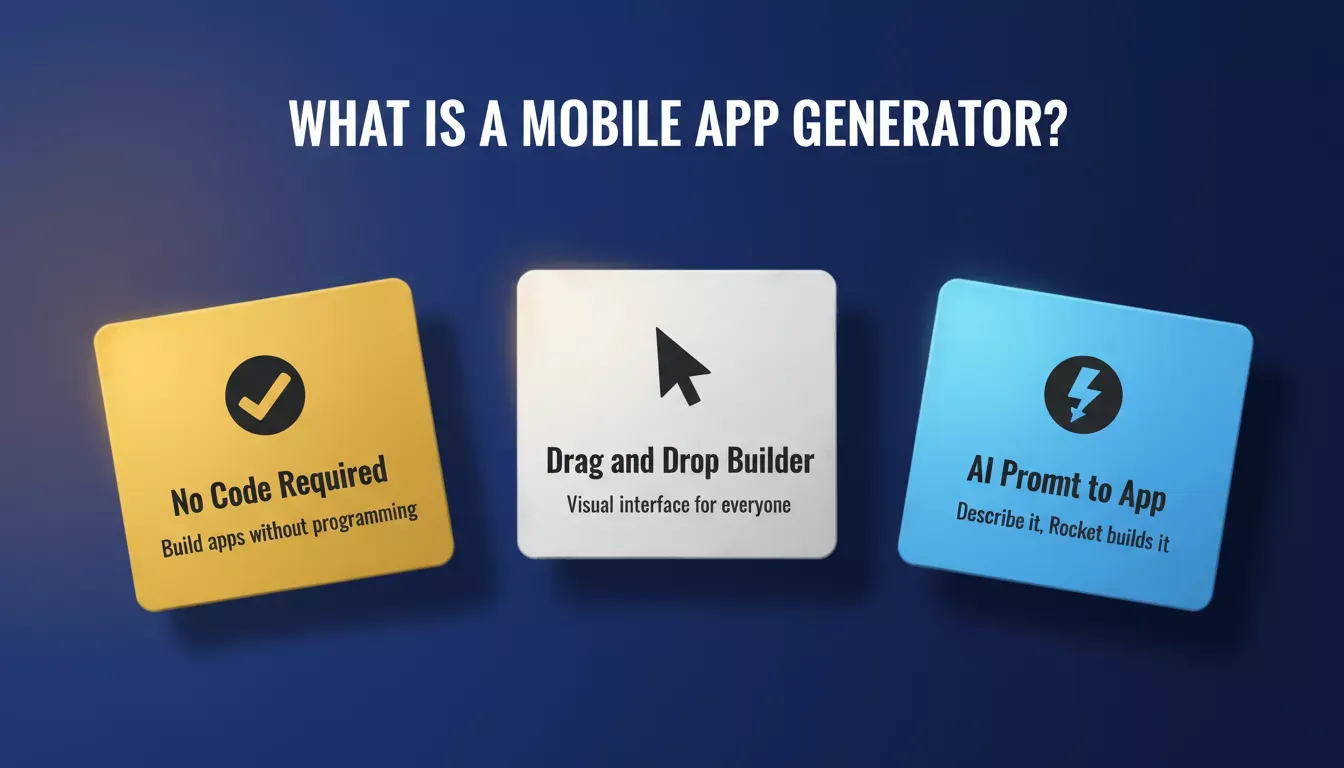
A mobile app generator turns plain-language prompts and templates into fully functional iOS and Android apps.
The shift is significant. Builders no longer need to choose between "hire a developer" or "wait years to learn to code." A mobile app builder bridges that gap, letting anyone ship a real, production-quality app on their own timeline.
Why the No-Code App Builder Trend is Growing
The app world is massive. Over 6 billion people use smartphones globally. 65% of app development activity now happens with no-code or low-code tools, a fundamental shift away from traditional programming-first workflows.
This growth is driven by three forces: falling barriers to entry, rising demand for custom business apps, and AI-powered generators that produce production-ready code from a single prompt. Small business owners, solo founders, and creators no longer need to wait on a developer or raise a seed round to ship a mobile app.
According to industry research, almost half of no-code users are entrepreneurs or people with no tech background. The profile of a typical mobile app generator user has shifted: it is no longer the developer looking for shortcuts; it is the founder who has a validated idea and needs to ship before the market moves.
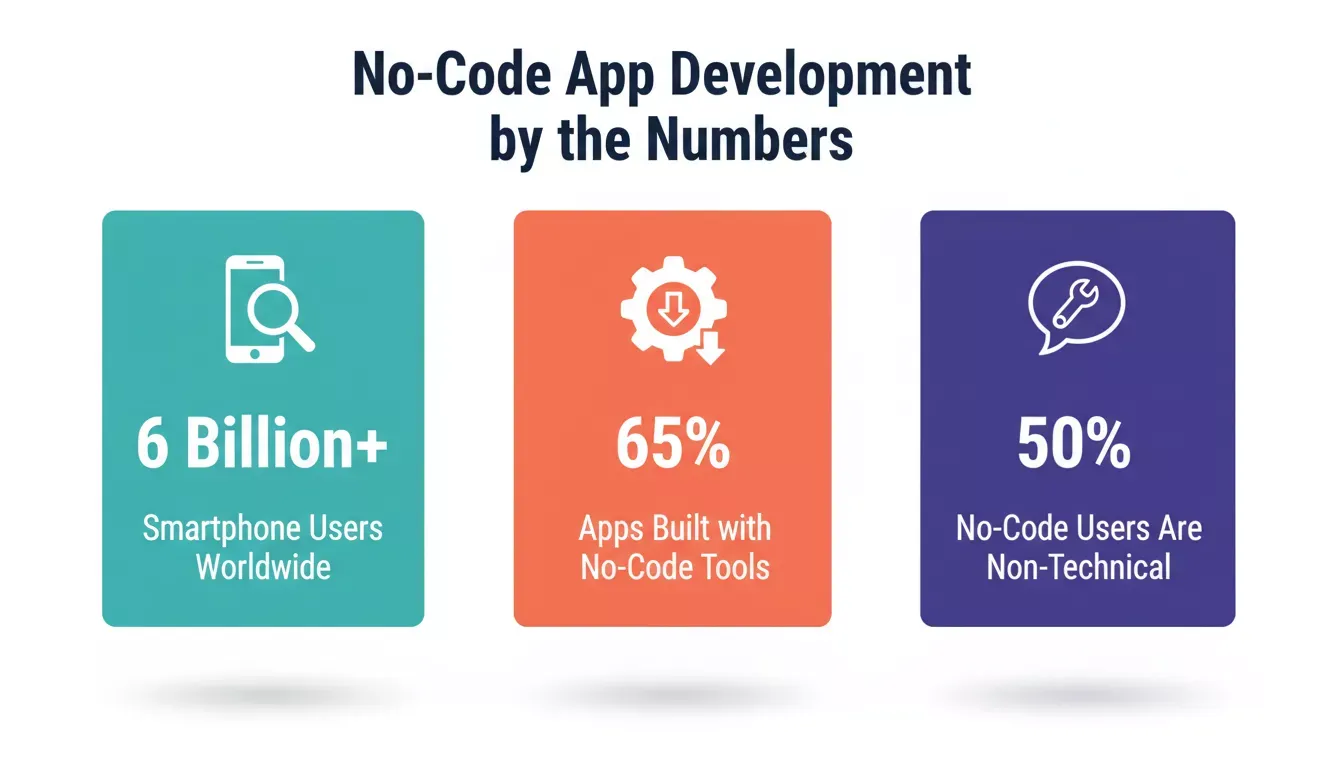
Key statistics showing the rapid growth of no-code and mobile app development globally.
Mobile App Generator vs Traditional Development
Knowing when to use a generator versus hiring developers is the first decision every builder faces. Here is a direct comparison across the factors that matter most:
| Factor | Mobile App Generator | Traditional Development |
|---|---|---|
| Time to launch | Days to weeks | Months |
| Cost | Low to moderate | High |
| Technical skill required | None to minimal | Advanced |
| Customization depth | Moderate to high | Unlimited |
| Best for | MVPs, business apps, side projects | Complex enterprise systems |
| App Store publishing | Supported (Flutter / native) | Supported |
| Backend logic | AI-generated (Supabase, APIs) | Custom-built |
| Code ownership | Full export to GitHub | Full ownership |
Move this decision early. If your app needs highly custom algorithms, real-time trading systems, or deep hardware integrations, traditional development may still be the right call. For everything else, a mobile app generator will get you there faster and cheaper.
How a No-Code App Builder Works
App builders come in several styles. Some use drag-and-drop screens. Others, like Rocket, use AI to generate the entire app including screens, routes, backend, and database from a plain-language prompt.
The six-step journey from app idea to live App Store listing using a mobile app generator.
Many platforms also support push notifications, in-app payments via Stripe or Razorpay, and integrations with third-party services like Zapier or Twilio. Apps can be native mobile (Android, iOS), web, or hybrid depending on the tool you choose.
| Builder Type | Best For | Output |
|---|---|---|
| Drag-and-drop builder | Simple apps, portfolios | Google Play / Apple App Store |
| AI prompt-to-app generator | MVPs, full-stack apps | Flutter (iOS + Android) + Next.js (web) |
| Hybrid no-code / low-code | Custom logic with visual UI | Android / iOS + web |
Common App Features You Can Add
Most no-code AI app builder tools let you add professional features without writing a single line of code. These make your app feel complete and competitive from day one:
- Sign-in and form submissions: User accounts, login flows, and data collection. Perfect for community apps or service bookings.
- Push notifications: Keep users engaged with updates, reminders, or offers delivered straight to their device.
- In-app purchases and payments: Accept payments via Stripe or Razorpay for products, subscriptions, or services.
- Location services: Maps, geotagging, and nearby suggestions for smarter, more interactive apps.
- Social sharing: Let users share content organically across platforms.
- Data storage and integrations: Connect to Supabase (Postgres), Airtable, or Google Sheets to store and sync user data automatically.
- Media support: Videos, photos, and galleries to boost engagement and visual appeal.
Who Uses These Tools?
Non-tech folks are joining the game. Small business owners, creators, freelancers, and hobbyists now make apps alongside enterprise teams using no-code for internal tools and rapid prototyping.
The barrier to building a mobile app has effectively collapsed. If you have a validated idea and a clear user need, you are not waiting on a dev team anymore. You can start building today using ready-made app templates or a blank prompt.
What Builders Say in the Wild
On Reddit, a founder shared their reasoning for choosing Rocket over hiring developers:
"I have hired some developers to develop my apps, which are a bit complex. But I have an MVP idea which I want to develop by myself. As I have no knowledge of coding, I am thinking to go with Rocket New."
This captures a real pattern: founders with prior development experience and the cost data to back it up, choosing a mobile app generator for speed and cost control on their next idea.
When to Use an App Builder
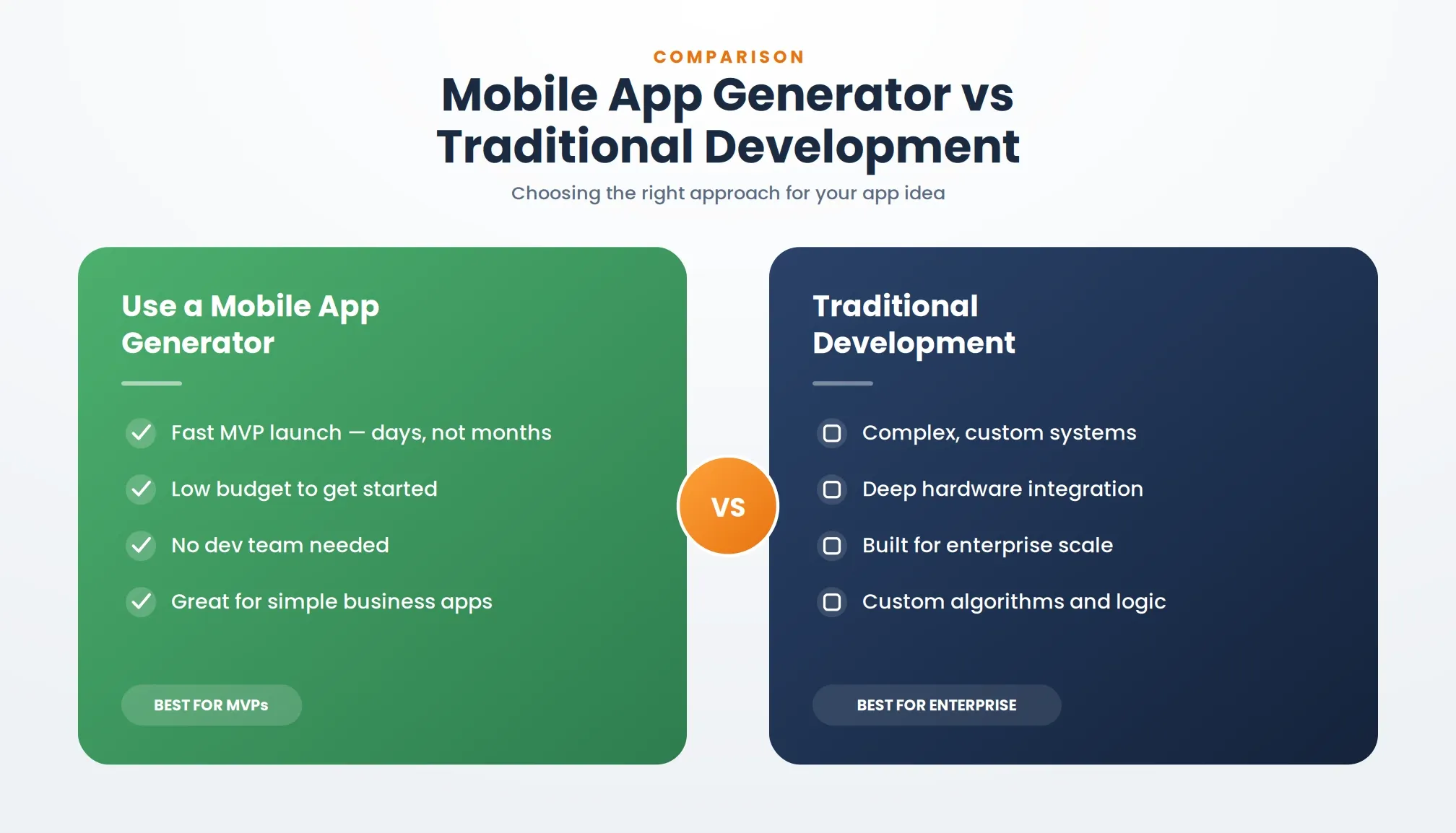
A clear breakdown of when a mobile app generator wins over traditional development.
Use a mobile app generator when:
- You need to validate an idea before investing in custom development
- Your budget is limited and time-to-market matters
- The app is a business tool, booking system, e-commerce store, or community platform
- You want to own the code and hand it to a developer later for scaling
Stick with traditional development when:
- Your app requires real-time systems, hardware integrations, or highly custom algorithms
- You are building for regulated industries with strict compliance requirements
- You already have a development team and a defined technical architecture
What is Rocket and How Does it Work?
Rocket is a vibe solutioning platform for builders and founders. It combines three pillars: Solve (AI-powered market research and business analysis), Build (AI app generation for web and mobile), and Intelligence (continuous competitor monitoring across nine signal pillars).
This article focomprehensives on the Build pillar and its mobile app generation capabilities. You can explore the full research and market validation side through Solve, which helps founders validate ideas before they build.
How Rocket Build Works for Mobile Apps
Rocket Build generates production-ready mobile apps using Flutter for iOS and Android. Flutter is Google's open-source UI framework; apps built with it run natively on both platforms from a single codebase. For web apps, SaaS dashboards, and e-commerce stores, Rocket generates Next.js (React TypeScript) code instead.
You describe your app in plain language. Rocket generates the UI, navigation, backend logic, and database schema. You can then edit via chat, visual click-to-edit, or direct code access, and connect 26+ integrations including Stripe, Supabase, Razorpay, Twilio, OpenAI, and HubSpot.
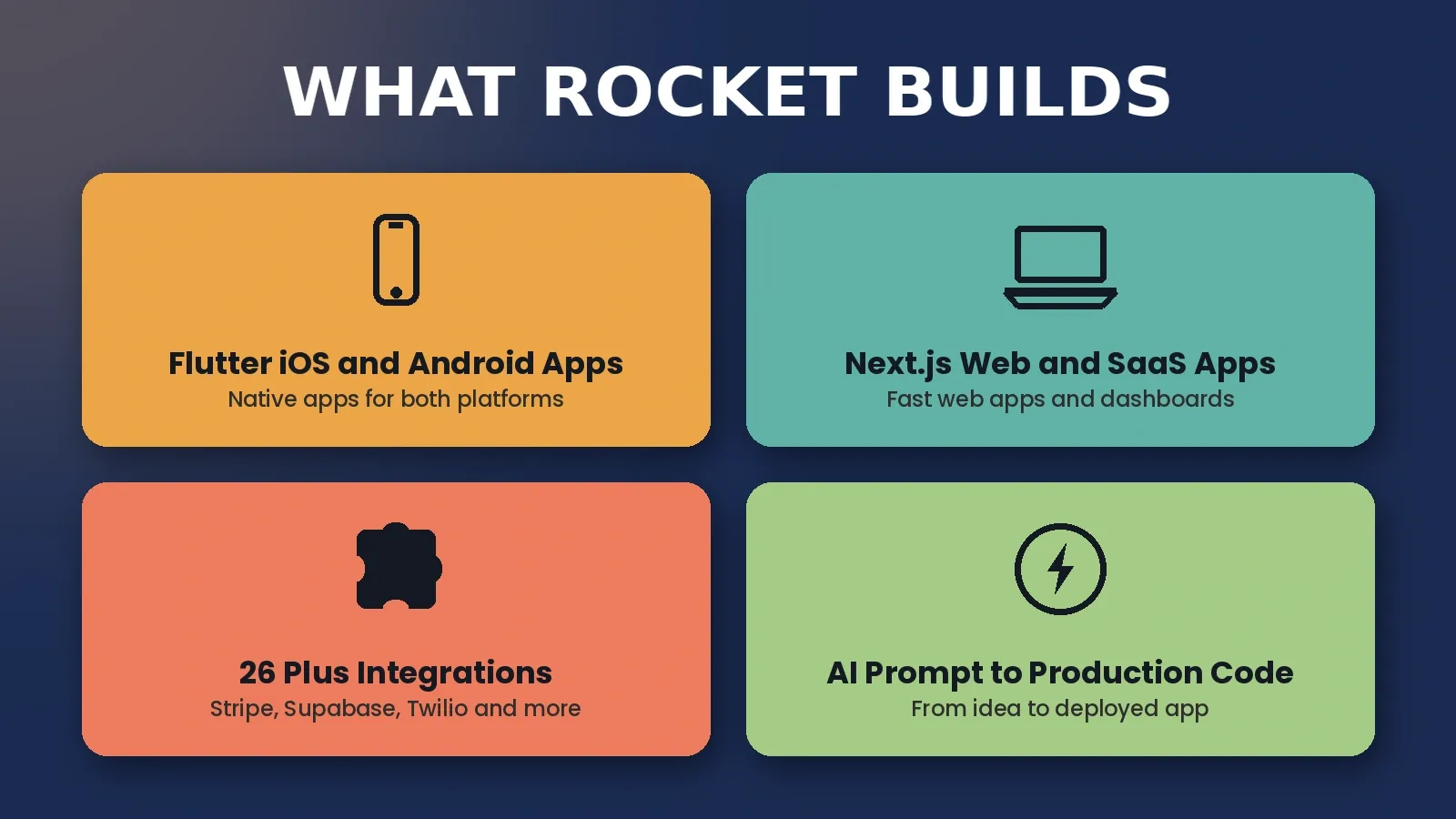
Rocket generates Flutter mobile apps and Next.js web apps, with 26+ integrations built in.
Publishing to the Apple App Store requires an Apple Developer account ($99/year) and a Mac with Xcode. Google Play publishing is handled through the Play Console. If you want to see how Rocket stacks up against another popular mobile builder, check out how Rocket compares to Thunkable.
Rocket Build Features
| Feature | Detail |
|---|---|
| Mobile output | Flutter (iOS + Android native) |
| Web output | Next.js / React TypeScript |
| Figma import | Pixel-accurate Flutter or React code |
| Connectors | 26+ including Stripe, Supabase, Razorpay, Twilio, OpenAI, HubSpot |
| GitHub sync | Two-way code sync for Next.js TypeScript projects |
| Deployment | Netlify one-click, custom domain, APK download |
| App Store publishing | Google Play + Apple App Store (Flutter) |
| Versions | Full version history with rollback |
| Advisor Agent | Built-in senior architect that resolves error loops automatically |
Use Cases
- Launch an MVP to validate a business idea before raising funding
- Build a mobile app with backend logic without a development team
- Generate production code a developer can extend and maintain later
- Create internal tools, customer portals, or booking apps
- Ship iOS and Android apps faster than traditional methods allow
Who This Is Not For
Rocket Build is not the right fit if you need real-time systems such as high-frequency trading or live multiplayer gaming, deep hardware integrations, or highly regulated apps requiring custom compliance architectures. For those cases, Rocket's Solve pillar can still help with market research and product direction before you hand off to a development team.
Rocket Pricing
Rocket runs on a credit-based system. One credit balance covers Build, Solve, and Intelligence. Annual billing saves 20%.
Rocket pricing tiers from Free to Booster, with credits covering all three pillars.
| Plan | Price | Credits per Month | Key Capabilities |
|---|---|---|---|
| Free | $0 | 20 (one-time) | Build apps + Light Solve |
| Pro | $25/mo | 100 | Build + Light Solve |
| Rocket | $50/mo | 250 | Build + Full Solve + Intelligence |
| Booster | $250/mo | 1,500 | Build + Full Solve + Intelligence + premium support |
All paid plans include unlimited team members. Credits can be topped up at any time. No credit card is required to start on Free. See the full breakdown on the pricing page.
The App Building Process: Step by Step
- Write your app idea: One sentence is enough. Describe what the app does, who it is for, and what the main action is.
- Pick a template or start from a prompt: Templates are pre-built starting points. A blank prompt gives full creative control.
- Let Rocket generate the first version: Screens, navigation, backend, and database schema are created automatically.
- Add features through chat: Ask for push notifications, payment flows, user authentication, or any feature in plain language.
- Customize design: Update colors, fonts, logo, and app icon from the theme panel.
- Test on a real device: Download an APK for Android or use the web preview link. Click every flow. Break things intentionally.
- Connect integrations: Wire up Stripe, Supabase, Twilio, or any of 26+ connectors from the Launchpad.
- Export or publish: Push to GitHub, download the ZIP, or submit directly to Google Play and Apple App Store.
Some builders handle most of the publishing flow automatically. Apple's review process typically takes one to three days and requires a Mac with Xcode. Google Play reviews are usually faster.
Common Pitfalls to Watch For
- Feature support varies by platform. Not every no-code tool supports every native mobile feature. Check connector availability before committing.
- Apple publishing requires extra steps. You need an Apple Developer account ($99/year), a Mac, and Xcode. Budget time for App Store review.
- Free plans have credit limits. Rocket's Free plan gives 20 one-time credits. Complex apps may need a paid plan.
- Some integrations need manual configuration. OAuth redirect URLs, API keys, and environment variables typically require a few manual steps even on AI-powered platforms.
Still, for most people, the trade-offs are worth it. The speed and cost advantage of a mobile app generator over traditional development is significant for any app that does not require deeply custom engineering.
Turn Your Ideas Into Real Apps
The power to build a mobile app is no longer locked behind years of programming study or a six-figure development budget. A mobile app generator lets you turn an idea into a product people can download and use in days, not months.
Whether your app started as a scribble on a napkin or a validated business case from market research, the tools exist today to build it, test it, and ship it without writing a single line of code.
Ready to build your mobile app without writing code? Rocket generates production-ready Flutter apps for iOS and Android from a single prompt, complete with backend, database, and App Store publishing support. Start building for free on Rocket.new and ship your first app today.
Table of contents
- -What is a Mobile App Generator?
- -Why the No-Code App Builder Trend is Growing
- -Mobile App Generator vs Traditional Development
- -How a No-Code App Builder Works
- -Common App Features You Can Add
- -Who Uses These Tools?
- -What Builders Say in the Wild
- -When to Use an App Builder
- -What is Rocket and How Does it Work?
- -How Rocket Build Works for Mobile Apps
- -Rocket Build Features
- -Use Cases
- -Who This Is Not For
- -Rocket Pricing
- -The App Building Process: Step by Step
- -Common Pitfalls to Watch For
- -Turn Your Ideas Into Real Apps