
Choosing between Rocket.new vs Bolt.new for enterprise apps? This blog compares both AI app builders across code quality, deployment, security, team collaboration, and pricing to help your team decide.
Which AI app builder actually ships production-ready enterprise software?
The low-code platform market is projected to reach $45.5 billion by 2025, growing at 28.1% CAGR. That growth signals a significant shift in how teams approach building full stack applications. Not all AI-powered tools deliver the same results when choosing the right platform. This guide breaks down which platform fits your enterprise requirements and where each one excels.
Why Development Teams Are Choosing AI App Builders
Development teams that once spent months on a working application can now generate full stack code from a natural language prompt in minutes. The time between idea and functional app has collapsed.
Some tools focus on speed at the expense of code quality. Others prioritize rapid prototyping but fall apart when you need real deployment, database integration, or security controls.
-
Speed of app generation is the primary draw. Product managers, designers, and developers share a common workflow when AI handles the initial build. Teams no longer wait weeks for a basic frontend before backend logic begins.
-
Natural language prompts lower the barrier. Instead of writing code from scratch, teams describe what they want. The AI interprets the prompt, selects the right framework, and generates production-ready components at scale.
-
More teams are building internal tools themselves. Non-technical users can now create dashboards, admin panels, and custom workflows. The accessibility of modern app development has widened significantly.
According to GitHub's 2024 developer survey, 97% of enterprise developers have used AI coding tools at work. That adoption rate confirms AI-powered app creation is not experimental. It is the new standard for software development. 1.5 million people have tried Rocket across 180 countries, from solopreneurs to enterprise teams.
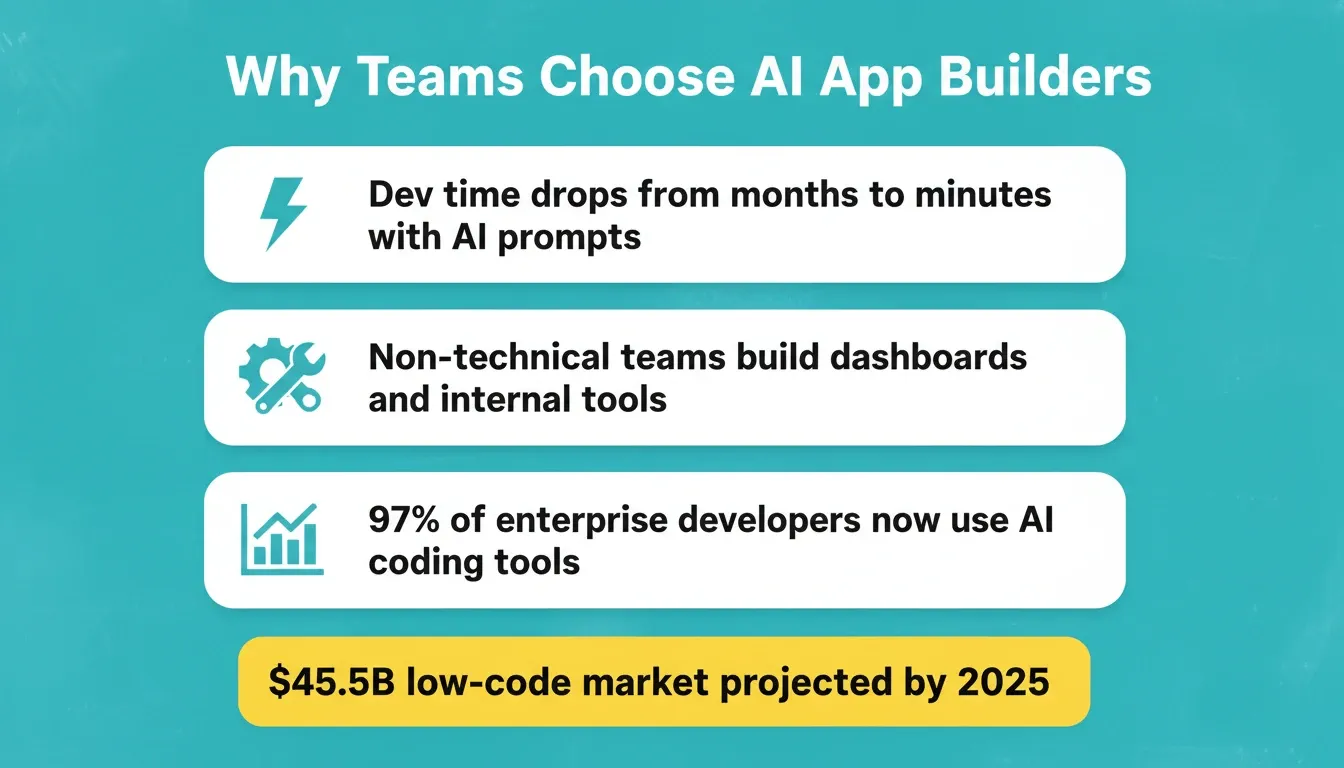
Key drivers behind enterprise AI app builder adoption
What Makes These Two Platforms Different?
Both Rocket and Bolt use AI to generate applications from prompts, but the similarities end there. The key differences appear when you look at what happens before and after the initial code is generated.
Bolt starts at execution. You arrive with an idea, describe it, and Bolt builds it. What you bring to the tool determines what comes out. No layer researches whether the direction is right or validates the market before the build begins.
Rocket covers the complete arc from strategic intelligence to execution to ongoing operation. Everything runs inside a single workspace with shared compound context. That is a category difference, not a feature advantage.
-
Rocket is designed for full stack applications that go to production. It handles frontend, backend, database, authentication, and deployment in one generation cycle. You get version control, code access, and custom domains from day one.
-
Bolt focuses on rapid prototyping and simple web applications. It excels at generating quick UI screens and basic app structures. For non-technical users who need a fast prototype or a simple landing page, Bolt offers minimal setup and a generous free plan.
-
Code ownership differs significantly. Rocket gives you full code access with GitHub sync, so your development teams own the entire codebase. Bolt provides code export, but the structure is more oriented toward its own ecosystem.
-
Integration depth is a clear differentiator. Rocket connects with 25+ tools, including Stripe, Supabase, OpenAI, Anthropic, Gemini, Notion, Linear, Airtable, Mailchimp, Mixpanel, and Figma, through workspace-level connectors. Authenticate once and they flow into every build.
Here is a side-by-side comparison of key features:
| Feature | Rocket | Bolt |
|---|---|---|
| Pre-build intelligence | Solve: research, PRDs, competitive analysis | None — starts at execution |
| Full stack generation | Yes: frontend, backend, database, auth | Frontend-focused with limited backend |
| App frameworks | Next.js (web), Flutter (mobile) | Varies |
| Deployment | One-click staging and production with custom domains | Basic deployment, fewer hosting options |
| Version control | Built-in Git sync, GitHub integration, one-click rollback | Limited version history |
| Code access | Full source download, IDE editing, Codebase Pickup | Code export available |
| AI model flexibility | Switch between GPT, Claude, Gemini without reconfiguring | Limited model options |
| Team collaboration | Shared workspaces, role-based access (Admin/Creator/Viewer), credit pooling, inline comments | Basic collaboration features |
| Integration count | 25+ connectors (authenticate once, flow into every build) | Fewer third-party integrations |
| Built-in analytics | Visitors, conversions, Core Web Vitals — zero setup | Not included |
| Shared context memory | Projects carry all research, decisions, and prior builds forward | No persistent context |
The platform you choose depends on what you are building. A simple prototype needs different tools than a production-grade enterprise application with complex backend functionality.
The Thinking-Before-Building Advantage
This is the differentiator most comparisons miss entirely.
Bolt, like every other vibe coding tool on the market, assumes you have already figured out what to build. The quality of what comes out depends entirely on what you brought to the tool.
Rocket starts before the first line of code with Solve, its decision intelligence layer. Describe any business question in plain language: market entry, feature scoping, competitive assessment, or PRD generation. Rocket then runs thousands of queries across 150+ sources simultaneously. Within 60 to 90 minutes, you receive a structured analytical deliverable. It includes findings tagged by signal strength, a risk matrix, competitive landscape, and an execution path with owners and timelines.
That Solve output does not disappear after export. It becomes the foundation of everything that follows inside the same project. The PRD generated by Solve is present when the developer opens the build task. The competitive brief is present when the landing page is written. Nothing is re-explained. Everything compounds.
This is what Rocket calls Vibe Solutioning, the first named category in AI that covers the complete arc from strategic intelligence to execution to ongoing business operation. Vibe coding starts at execution and assumes the direction is already decided. Vibe Solutioning starts before the first prompt.
For enterprise teams, this matters. The cost of building the wrong thing is not just the sprint wasted. It is the technical debt, the customer churn from a product that missed the real problem, and the rebuild that follows.
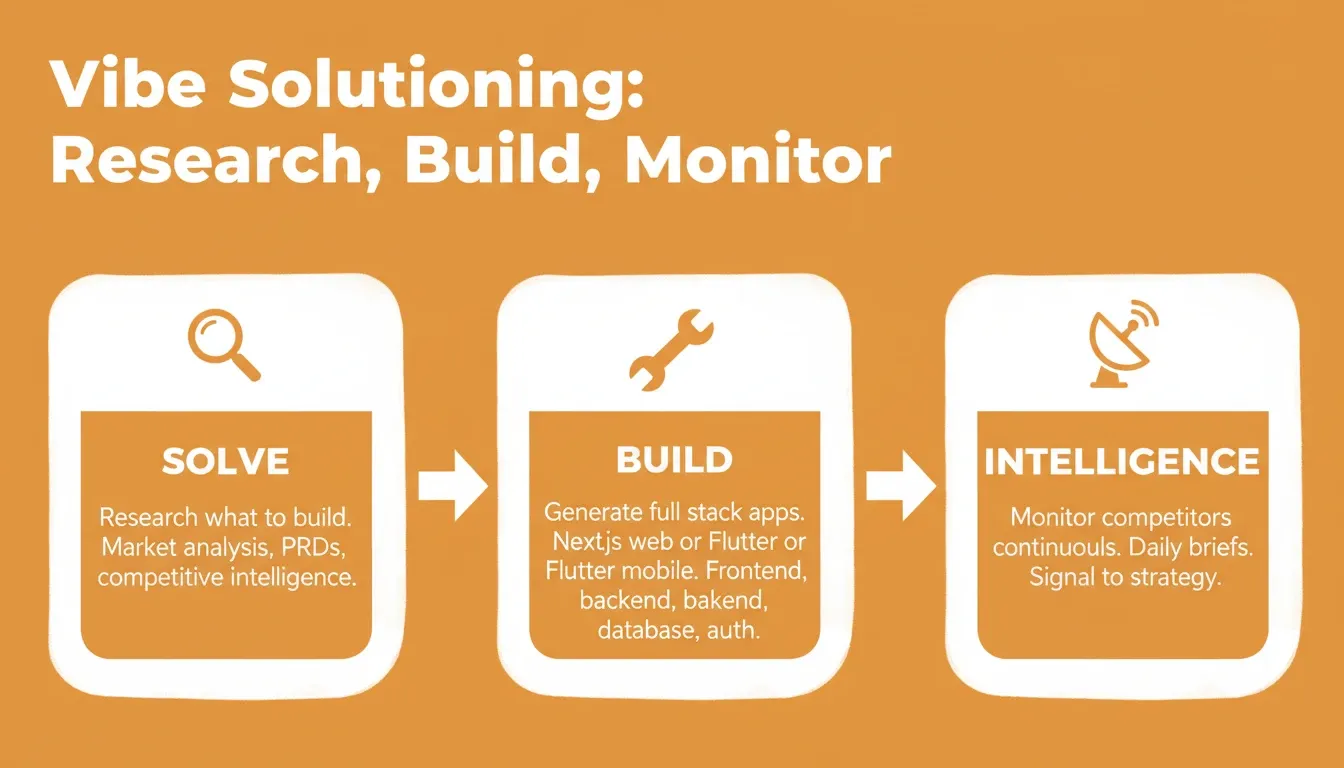
Vibe Solutioning covers the full arc from research to deployment to ongoing intelligence
How Does Each Platform Handle Code Quality?
Code quality determines whether an AI-generated app survives contact with real users. This is where the two platforms diverge most.
-
Rocket generates production-grade code structure. Web applications are built in Next.js. Mobile applications use Flutter with real design systems, dark/light theming, fluid navigation, and staggered animations. The output follows modern framework best practices with clean file architecture, proper component separation, and typed code.
-
Every build ships with baseline quality standards by default. SEO-ready structure, WCAG 2.1 AA accessibility compliance, GDPR coverage, and performance optimization are the baseline, not optional extras. Rocket also provides slash commands to go deeper:
/Generate SEO Report,/Fix SEO Issues,/Generate Accessibility Report, and/Implement Privacy Compliance. -
Codebase Pickup lets teams continue existing projects. If your team has an existing Next.js codebase, Rocket picks it up exactly where it left off. There is no starting over and no context loss.
-
Bolt produces functional but sometimes fragile output. For rapid prototyping, the code quality is acceptable. However, when development teams try to scale a Bolt-generated application, they often find themselves refactoring large portions of the codebase.
The 2024 Stack Overflow Developer Survey found that 76% of developers now use or plan to use AI tools in their development process. Yet 45% of professional developers say AI tools handle complex tasks poorly. That gap between simple prototyping and complex production work is exactly where platform choice matters most.
Which Platform Fits Enterprise Security and Compliance Needs?
Enterprise teams cannot compromise on security. Audit trails, role-based access, data compliance, and reliable deployment pipelines are non-negotiable for any production application.
-
Rocket ships with GDPR coverage and WCAG 2.1 AA compliance by default. Every build includes these as baseline standards, not optional add-ons you configure after launch.
-
Compliance tools go further when you need them. Ask Rocket to add cookie consent banners with granular GDPR categories (Necessary, Analytics, Marketing, Preferences), CCPA "Do Not Sell" links, geo-based consent flows, and privacy policy pages generated from actual data practices.
-
Deployment pipelines separate staging from production. Rocket gives you distinct environments so teams can test without risking live users. Custom domains and automatic HTTPS are configured directly in the platform.
-
Version control gives teams confidence. Built-in Git integration means every change is tracked and every deployment is reversible with one-click rollback. Every team member works from the same source of truth.
-
Bolt offers standard security for simpler projects. For personal projects or early-stage prototypes, Bolt's security is sufficient. However, teams handling sensitive data or serving enterprise clients will find the controls limited.
-
Role-based access protects your workflow. Rocket's shared workspaces use three-level role-based access: Admin, Creator, and Viewer. Per-user credit allocation and unified billing keep financial controls clean as you scale.
The diagram above shows how enterprise deployment flows differ from simple "generate and publish" approaches. Each checkpoint adds reliability that production applications demand.
Why Rocket Leads for Full Stack App Generation
When enterprise teams need to move from idea to working application fast, without sacrificing code quality or control, Rocket stands apart as the platform built specifically for that goal.
-
One prompt produces a complete application. Describe your project once. Rocket generates frontend and backend code, creates the database schema, wires authentication, and deploys, all from a single natural language input. No page-by-page prompting is required.
-
Full stack means genuinely full stack. Build generates frontend UI, backend functionality, database configuration via Supabase, API endpoints, authentication flows, and payment integration via Stripe, all together. Compare that to Bolt, where you often need to manually connect backend services or switch to a different tool entirely.
-
Deployment is immediate, not an afterthought. Rocket gives you production-ready builds with staging environments, custom domains, automatic HTTPS, and GitHub sync from day one. Start building on Monday and deploy to production by Tuesday.
-
The AI adapts to enterprise complexity. Rocket handles dashboards with real-time data, multi-role applications with granular permissions, compliance and governance tools, investor data rooms, customer portals, and full stack web applications with complex state management.
-
You own the code completely. Download the source, sync with GitHub, and continue in your IDE. There is no lock-in, no proprietary runtime, and no dependency on the platform to keep your application running.
-
Human Help closes the last gap. When the AI reaches its limit, Rocket's Success team steps in inside the platform, with user permission, to finish the job. No tickets, no email chains.
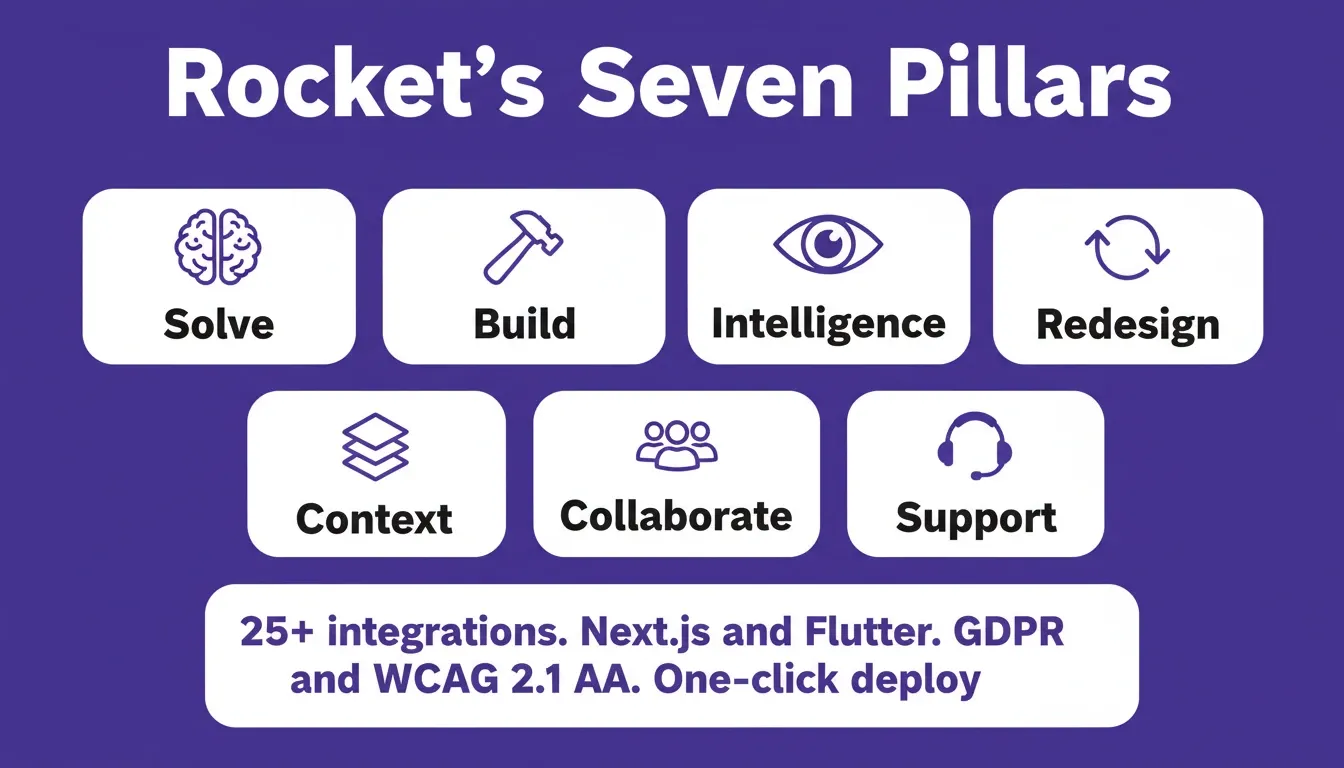
Rocket ships with seven pillars connected through a shared compound context architecture
Pricing Comparison
Understanding how each platform charges matters for enterprise budget planning. Rocket uses a credit-based model. One balance covers everything: Solve research, Build generation, and Intelligence monitoring. There is no separate billing for compute, storage, or hosting.
| Plan | What's Included | Intelligence Add-on |
|---|---|---|
| Free | 20 one-time credits, Build access | Not available |
| Build | Subscription credits (rollover), Build generation | Available as upgrade |
| Solve + Build | Solve research and Build generation, credits rollover | Available as upgrade |
| Solve + Build + Intelligence | All capabilities, credits rollover | Included |
No per-seat fees mean your entire team can access every capability without calculating cost per developer. Credits roll over month to month on monthly plans. On yearly plans, unused credits carry forward within the 12-month term.
| Pricing Detail | Rocket | Bolt |
|---|---|---|
| Pricing model | Credit-based, no per-seat fees | Token-based |
| Free plan | Yes (20 one-time credits) | Yes (generous free tier) |
| Credits rollover | Yes — unused credits carry forward monthly | No |
| Intelligence monitoring | $100/month per competitor tracked | Not available |
| Annual discount | Yes (1 month free on yearly toggle) | Varies |
When Should You Choose Bolt Instead?
Bolt is not the wrong choice for every situation. In fact, there are specific cases where it makes more sense.
-
You need a quick prototype with minimal setup. If the goal is to validate an idea in an afternoon without caring about long-term code quality, Bolt's simple interface gets you there.
-
The project is a personal landing page or a simple app. Small teams building something that will never need complex backend logic, database integration, or enterprise security can start with Bolt's free plan and get decent results.
-
You want to test an idea before investing in a full platform. Bolt works well as a sketch tool. Generate a quick UI, show it to stakeholders, then decide whether to build the real thing on a platform designed for production.
-
Your coding knowledge is limited and the scope is narrow. For non-technical users with a single-page app idea and no need for deployment pipelines or version control, Bolt removes friction effectively.
The limitations appear when the project grows. If you need audit trails, team collaboration, reliable deployment, or the ability to integrate with enterprise systems, you will likely outgrow Bolt and need to rebuild on a more capable platform.
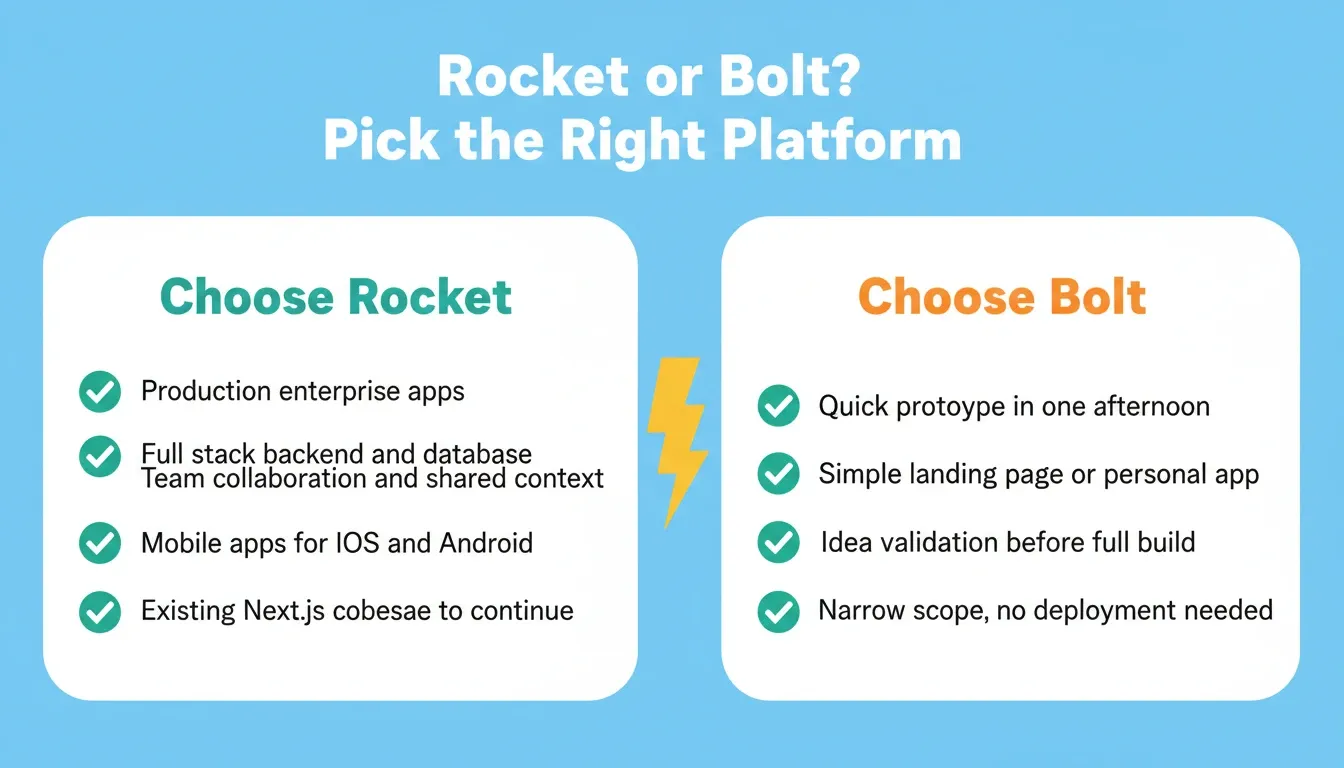
Use this framework to match your project scope to the right platform
What Do Real Developers Say About Both Platforms?
Developer communities have strong opinions on both tools. Here is what real users say after months of use with these AI-powered app builders.
-
Cursor users migrating to AI app builders notice Rocket's depth. Developers who started with code-focused tools like Cursor find Rocket's full generation approach faster for complete projects. The experience feels closer to working with a senior engineer than a code autocomplete tool, because Rocket starts with the thinking, not just the typing.
-
The "one-shot" capability is what developers highlight most. Multiple users describe generating a full working application from a single prompt with Rocket. That level of modern app development speed simply does not exist on Bolt for full stack applications.
-
The compound context architecture changes how teams work. Enterprise developers note that Rocket's Projects feature, where files, research, and decisions added once carry into every task, eliminates the context loss that plagues multi-tool workflows. The research from Solve last week is available when the build task opens today.
-
Bolt users praise the free plan but note limitations at scale. Developers who watch their projects grow find themselves hitting walls with deployment, version control, and backend integration.
The developer feedback consistently points to the same pattern: Bolt handles the simple fast, while Rocket handles the complex fast. Your choice depends on which category your project falls into.
How to Choose: A Decision Framework
Not every team has the same requirements. Use this framework to identify which platform fits your situation.
| Your Situation | Best Choice | Reason |
|---|---|---|
| Building a production enterprise app | Rocket | Full stack generation, deployment, version control, compliance tools |
| Validating an idea in one afternoon | Bolt | Fast, low friction, generous free plan |
| Need pre-build market research and build in one place | Rocket | Solve and Build on shared context, no tool-switching |
| Building an internal dashboard or compliance tool | Rocket | Purpose-built for internal tools, OKR trackers, audit systems |
| Small personal project, no backend needed | Bolt | Simple scope, Bolt's free tier is sufficient |
| Team of 3+ developers with shared context needs | Rocket | Shared workspaces, role-based access, credit pooling |
| Need mobile app (iOS and Android) | Rocket | Flutter mobile generation with real design systems |
| Existing Next.js codebase to continue | Rocket | Codebase Pickup picks up exactly where you left off |
| Redesigning an existing website | Rocket | Eight slash commands across three redesign categories |
For a broader look at how Rocket compares across the full AI builder market, see our comparison of Rocket vs Lovable.
The Right Platform for Enterprise AI App Development
The Rocket.new vs Bolt.new decision comes down to one question: are you building something that needs to work in production, or are you sketching an idea? As AI app builders continue to mature, the gap between prototyping tools and production platforms will widen. Enterprise teams that choose platforms with pre-build intelligence, shared context, and full code ownership will move faster with less rework.
Rocket is where the thinking and the building happen in the same place. Intelligence monitors what your competitors are doing. Solve answers what to build next. Build ships it to production. For teams ready to stop rebuilding from scratch every time requirements get real, start building with Rocket for free today.
Table of contents
- -Why Development Teams Are Choosing AI App Builders
- -What Makes These Two Platforms Different?
- -The Thinking-Before-Building Advantage
- -How Does Each Platform Handle Code Quality?
- -Which Platform Fits Enterprise Security and Compliance Needs?
- -Why Rocket Leads for Full Stack App Generation
- -Pricing Comparison
- -When Should You Choose Bolt Instead?
- -What Do Real Developers Say About Both Platforms?
- -How to Choose: A Decision Framework
- -The Right Platform for Enterprise AI App Development