
Building a SaaS subscription platform with AI compresses months of development into days. This blog covers the full lifecycle, from validating your pricing model to deploying recurring billing, user management, and competitor monitoring.
Can you build a SaaS subscription platform without a six-figure budget?
Yes. AI-powered development tools have changed the math entirely.
The global SaaS market hit $465 billion in 2026, growing 14% year-over-year according to industry data from DodoPayments. AI tools are compressing what used to take engineering teams months into workflows that ship in days.
The question is no longer whether to use AI for your subscription platform. It is how quickly you can get started.
Why AI Changes the Way Subscription Platforms Get Built
The shift from manual coding to AI-assisted development is not just about speed. It removes the barriers that kept non-technical founders locked out of the subscription economy.
-
AI generates production-ready billing logic from natural language. It handles edge cases like proration, upgrades, and failed payment retries that typically take weeks to code manually.
-
Subscription management patterns are well-documented. As a result, AI models produce reliable recurring billing flows based on thousands of proven setups.
-
Automated workflows replace repetitive backend tasks like invoice generation, dunning emails, and usage tracking. Your team can then focus on product differentiation instead of plumbing.
-
Iteration cycles shrink from weeks to hours. AI can rebuild subscription tiers, adjust pricing logic, or add payment methods through conversational refinement.
-
Validation happens before a single line of code is written. AI research tools let you stress-test your pricing model and identify competitor gaps before committing to a build.
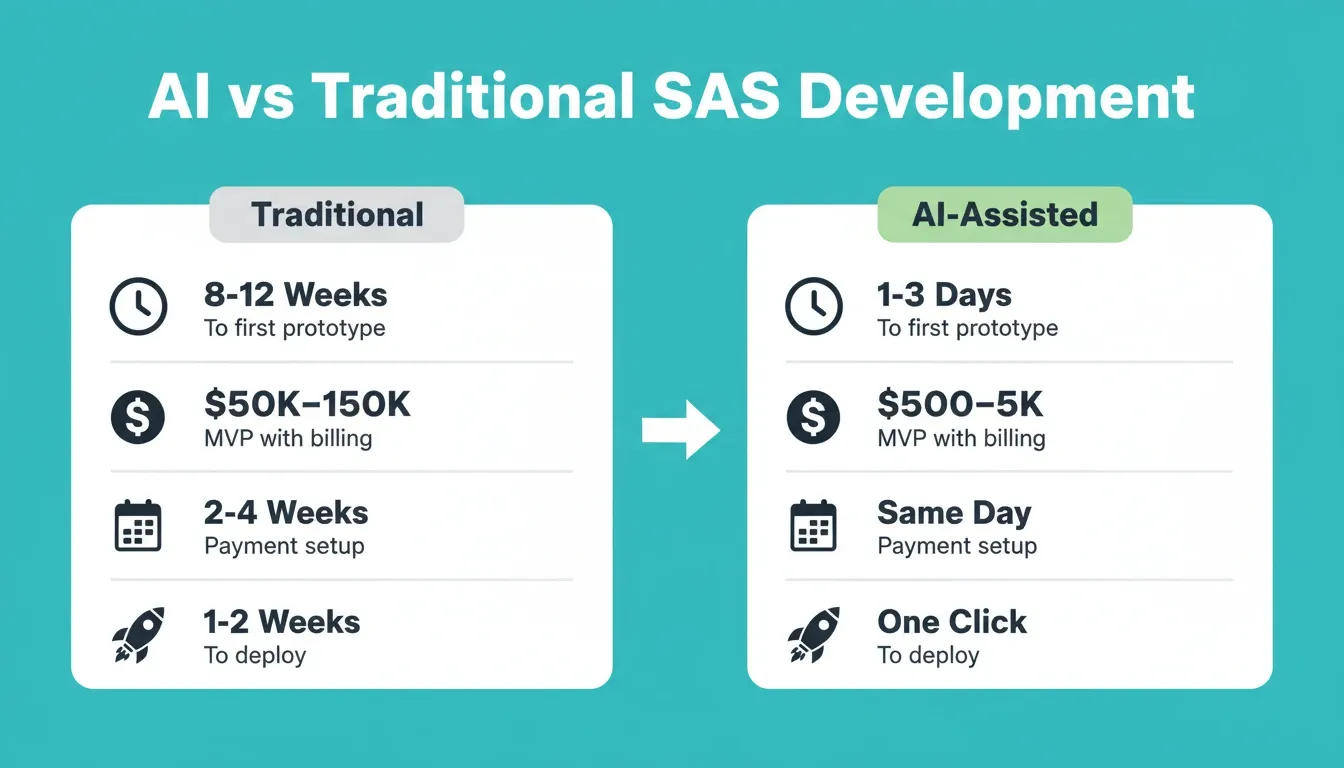
The difference between building B2B SaaS products with AI and doing it the traditional way shows up clearly in delivery timelines.
| Factor | Traditional Development | AI-Assisted Development |
|---|---|---|
| Time to first working prototype | 8-12 weeks | 1-3 days |
| Cost for MVP with billing | $50,000-$150,000 | $500-$5,000 |
| Payment setup | 2-4 weeks | Same day |
| Subscription logic (tiers, trials, upgrades) | 3-6 weeks | Hours |
| Deployment to production | 1-2 weeks | One click |
| Competitor monitoring | Manual, ad hoc | Continuous, automated |
The real advantage is not just cost savings. It is getting to market before your competitors finish their first sprint planning meeting.
What Features Does a Subscription Platform Actually Need?
Before writing a single prompt, you need clarity on the feature set. This separates a functional subscription platform from a prototype that nobody trusts with their credit card.
Core billing and access features:
-
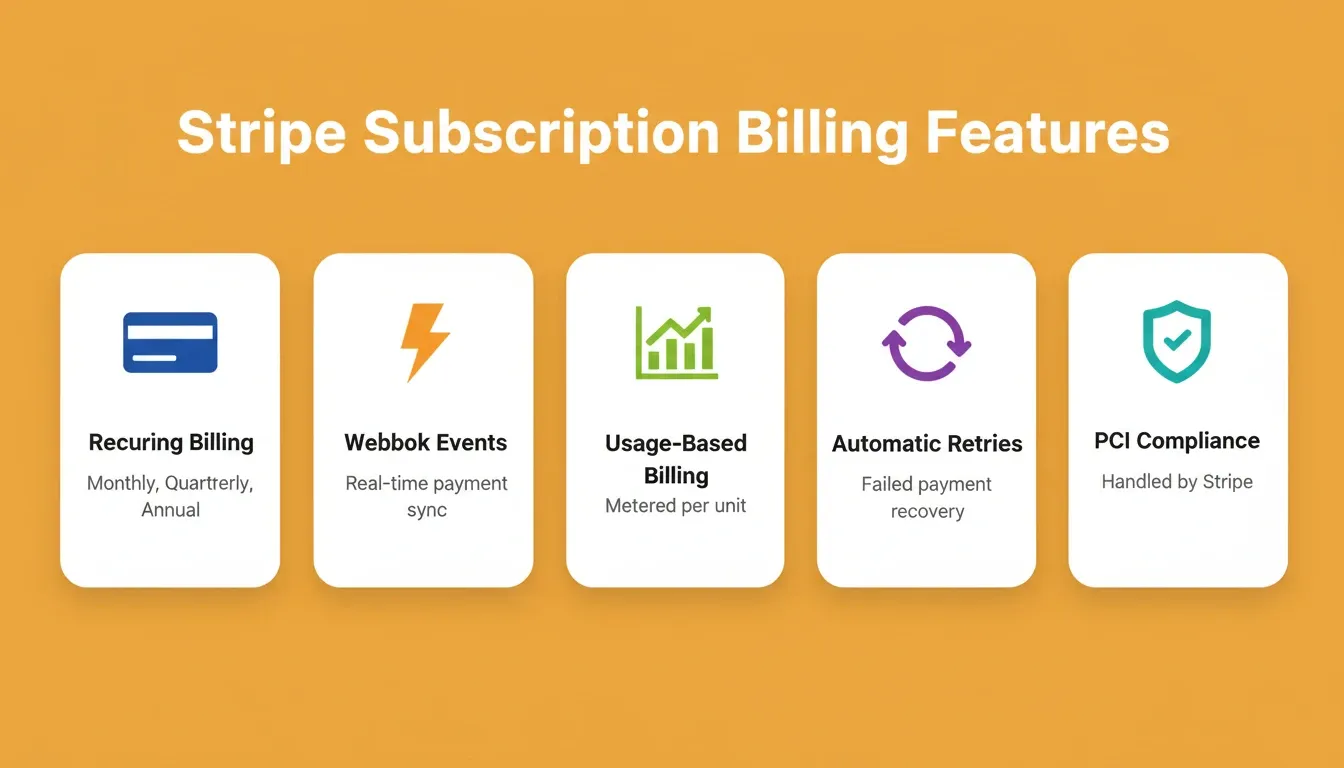
Recurring payment processing with support for multiple billing intervals (monthly, quarterly, annual), automatic retries on failed charges, and real-time payment status updates
-
Flexible pricing tiers including flat-rate, per-seat, and usage-based models that you can adjust without redeploying the entire application
-
Authentication and role-based access controlling what each subscription tier unlocks, with multi-tenant architecture keeping customer data isolated
-
Trial management and onboarding flows that convert free users into paying subscribers through automated nurture sequences
Growth and retention features:
-
Analytics dashboard tracking MRR, churn rate, LTV, and expansion revenue so you make decisions based on data rather than guesswork
-
Transactional email for receipts, payment failures, trial expiry warnings, and upgrade prompts
-
Coupon and discount management for promotional campaigns and annual plan incentives
Compliance and security defaults:
-
SEO-ready structure so your pricing and feature pages rank organically
-
WCAG accessibility compliance to meet legal requirements and serve all users
-
GDPR coverage for subscriber data handling, consent flows, and deletion requests
-
PCI compliance handled by your payment provider, not your codebase
A customer portal built with an AI builder lets subscribers manage plans, update payment methods, and view invoices without contacting support. This reduces your support burden from day one.
Billing and Payment Processing
Payment infrastructure is where subscription platforms either earn trust or lose customers permanently.
-
Stripe setup handles PCI compliance, reducing your security burden to near zero. Stripe's sandbox lets you test every payment scenario, including successful charges, card declines, refunds, and disputes, before going live.
-
Webhook-driven architecture means your app responds instantly to successful charges, disputes, and subscription changes. Events like
checkout.session.completedandcustomer.subscription.updatedtrigger your app logic automatically. -
Usage-based billing lets you charge per API call, per seat, or per unit consumed. Stripe's metered billing handles the math so you can offer consumption-based pricing without custom accounting code.
-
Automated invoicing and tax calculation eliminates manual bookkeeping and keeps you compliant across jurisdictions.
Getting this wrong creates a cascade of problems. Failed payments cause involuntary churn, which represents 20-40% of total subscriber loss for most SaaS companies.
When it comes to integrating Stripe payments with AI builders, the payment processing layer becomes a configuration step rather than an engineering project.
User Management and Access Control
Every subscription tier needs clear boundaries around what users can access.
-
JWT-based authentication provides stateless, scalable login sessions across web and mobile clients
-
Role-based permissions let you gate features by plan level (free, starter, pro, enterprise) without hardcoding access logic
-
Multi-tenant data isolation keeps one customer's data from bleeding into another's dashboard
-
SSO and team management becomes critical once you serve organizations with multiple seats
These patterns are well-established. That is exactly why AI tools can set them up reliably from a plain description of what you need.
Transactional Email for Subscription Events
A subscription platform without automated email is a revenue leak. Every billing event needs a corresponding email trigger.
| Trigger | Email Type | Why It Matters |
|---|---|---|
| Successful payment | Receipt | Trust and record-keeping |
| Failed payment | Recovery prompt | Reduces involuntary churn |
| Trial ending in 3 days | Conversion nudge | Lifts paid conversion rate |
| Subscription cancelled | Win-back sequence | Recovers churned revenue |
| Plan upgrade | Confirmation | Reinforces purchase decision |
| New invoice | PDF delivery | Compliance and B2B requirement |
Resend and SendGrid are the two most common email connectors for AI-built SaaS platforms. Resend is the developer-first choice for transactional flows. SendGrid handles higher-volume marketing sends.
How Do You Build a Subscription Platform Step by Step?
The path from idea to a revenue-generating subscription platform follows a clear sequence. AI tools can accelerate every stage of that journey. The best platforms cover all three phases: validate, build, and monitor.
Step 1: Validate your subscription model before you build. Use an AI research tool to answer the hard questions first. Is there demand for this pricing? What do competitors charge? What features justify your price point? This is the step most founders skip, and it is why most SaaS products launch with the wrong pricing.
Step 2: Set up your database and backend. You need tables for users, subscriptions, invoices, payment methods, and usage events. The recommended stack for AI-built SaaS is Supabase. It provides PostgreSQL, user authentication, file storage, and row-level security without managing infrastructure. AI generates the schema from a plain-language description of your business model.
Step 3: Connect payment processing. Wire in Stripe. Configure webhooks to sync payment events with your application state. Always start with Stripe's test keys (test card:4242 4242 4242 4242) and switch to live keys only when you are ready to accept real payments. Never paste API keys directly into chat. Use the secure connector panel instead.
Step 4: Build your frontend and customer portal. Build pricing pages, checkout flows, account management, and admin dashboards. The customer portal should let subscribers upgrade, downgrade, view invoices, and cancel without contacting support.
Step 5: Connect transactional email. Wire in Resend or SendGrid for receipts, trial expiry warnings, failed payment recovery, and upgrade prompts. This automation layer converts trials and recovers churned revenue passively.
Step 6: Deploy to staging, then production. Test every payment flow, webhook, and email trigger in staging before going live. According to recent SaaS statistics, 75% of SaaS companies have already shipped AI features. Launching with AI-built infrastructure puts you alongside the majority, not ahead of a risky curve.
Step 7: Monitor competitors continuously. Your subscription pricing will need to evolve as the market moves. Set up competitive intelligence monitoring to track when competitors change pricing pages, launch new tiers, or shift their messaging.
Choosing Your Tech Stack for AI-Driven SaaS
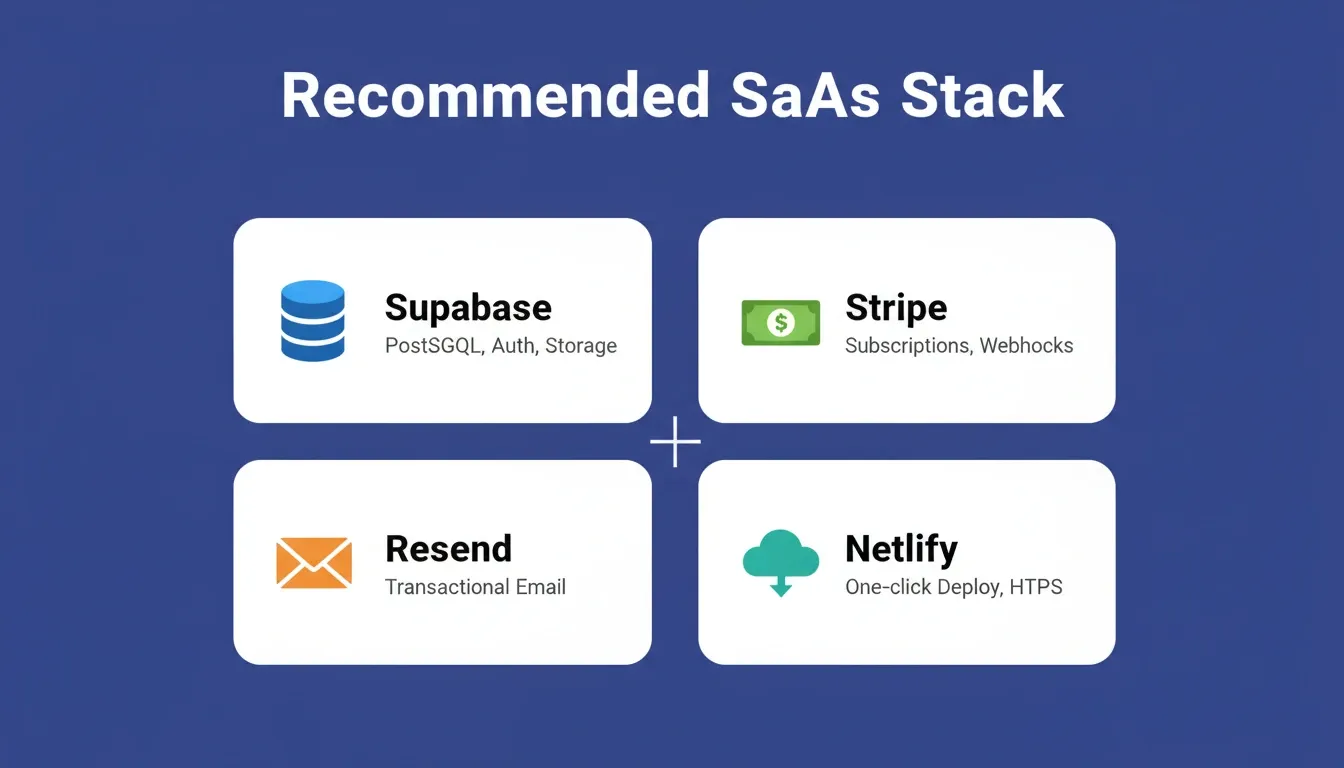
Your tech stack determines how fast you iterate, how well you scale, and how much maintenance burden you carry after launch. The recommended stack for a SaaS product is: Supabase + Stripe + Resend + Netlify.
Why Supabase over a custom backend? Supabase gives you PostgreSQL with row-level security. Each subscriber's data is isolated at the database level, not just at the application layer. It also ships with built-in authentication, file storage, and edge functions.
Why Resend for email? Resend is the developer-first transactional email API. It handles receipts, password resets, trial expiry warnings, and failed payment recovery with clean deliverability. For higher-volume marketing sends, SendGrid scales further.
Why Netlify for deployment? Netlify provides one-click deployment with automatic HTTPS, a global CDN, and preview deployments for every branch. You can push a staging deployment, test your entire payment flow, and then promote to production with one action.
| Layer | Recommended Options | Why |
|---|---|---|
| Frontend | Next.js, React | SSR for SEO, API routes for backend logic |
| Backend/Database | Supabase, PostgreSQL | Real-time, row-level security, auth built-in |
| Payments | Stripe, Razorpay | Mature APIs, subscription lifecycle management |
| Transactional Email | Resend, SendGrid | Automated receipts, recovery emails, notifications |
| Deployment | Netlify, Vercel | One-click deploy, automatic HTTPS, CDN |
| Analytics | Mixpanel, Google Analytics | Event tracking, conversion funnels, MRR visibility |
| AI Builder | Rocket | Full-stack generation, 25+ connectors, Solve + Build + Intelligence |
The stack you choose should minimize the gap between what you describe and what gets deployed.
From Idea to Live Subscription App with Rocket
Most AI builders generate a frontend and call it done. Rocket covers the complete arc, from strategic research to production deployment to ongoing competitive monitoring, in a single workspace where context carries through every stage.
Phase 1: Validate with Solve
Before you build anything, run a Solve task. Describe your subscription platform idea and ask Rocket to produce a structured market analysis. Find out who the competitors are, what they charge, what features justify each price tier, and where the gaps are.
This research does not disappear when you move to Build. It carries forward as project context. As a result, your pricing page copy, feature gating decisions, and onboarding flow all reflect actual market intelligence, not assumptions.
Phase 2: Build with the Recommended SaaS Stack
-
Describe your subscription platform in plain language. Rocket generates a full-stack application with a Next.js frontend, Supabase backend, and Stripe billing already wired together.
-
Connect Stripe first, then Supabase. This recommended order ensures Stripe customers are automatically linked to authenticated user accounts from the first generation.
-
Built-in payment connectors authenticate once and flow into every Build. Stripe, Razorpay, and PayPal handle payments. Resend, SendGrid, and Brevo handle email. Mixpanel and Google Analytics handle tracking.
-
Staging and production environments let you test every payment flow, webhook, and email trigger before exposing real subscribers to the live product.
-
Version history with code diff means every message creates a new version. Compare exactly what changed, roll back instantly, or deploy any previous version to staging or production.
According to Axis Intelligence research, AI SaaS grows at 40%+ CAGR compared to 13% for traditional SaaS. Platforms that ship faster capture this accelerating demand.
Rocket includes 25+ connectors, including Stripe, Supabase, Resend, and analytics tools, that link during the build process. The subscription logic, webhook handlers, customer portal, and transactional email are part of the first output, not an afterthought.
Phase 3: Monitor with Intelligence
After launch, your subscription pricing will need to evolve. Rocket's Intelligence pillar monitors competitors continuously across their websites, social channels, news coverage, hiring activity, and review platforms.
When a competitor changes their pricing page, launches a new tier, or shifts their messaging, you see it in your daily brief. You get an interpretation of what it means for your business, not just a raw alert. Pricing is the most frequently changed element of any SaaS product. Knowing when a competitor drops their entry tier gives you the signal to respond before your churn rate tells you something changed.
Can You Build a Mobile Subscription App Too?
Yes. Rocket generates Flutter mobile apps alongside Next.js web apps, from the same project, with the same connectors. If your subscription platform needs an iOS or Android app, describe it in the same workspace. Rocket then generates a production-ready Flutter codebase with real design systems, dark and light theming, fluid navigation, and staggered animations.
Mobile subscription apps connect to the same Stripe and Supabase backend as your web app. Subscribers can manage their plans, view invoices, and update payment methods from mobile. The customer portal works across both surfaces.
Flutter apps built on Rocket can be shared as a web preview before App Store submission, downloaded as an APK for Android testing, and submitted directly to Google Play and the Apple App Store from the platform.
What Does It Actually Cost to Build a SaaS Subscription Platform with AI?
Cost is one of the most searched questions around SaaS development, so it deserves a direct answer.
| Approach | Upfront Cost | Time to First Revenue |
|---|---|---|
| Traditional dev team | $50,000-$150,000 | 6-12 months |
| Freelance developers | $15,000-$60,000 | 3-6 months |
| AI builder (basic) | $500-$5,000 | Days to weeks |
| Rocket (full-stack SaaS) | $25-$100/month platform fee | 1-5 days |
For more detail on how these costs break down across different build approaches, see best subscription software for small business growth.
Ongoing monthly costs to budget for:
| Cost Item | Typical Range | Notes |
|---|---|---|
| Rocket platform fee | $25-$100/month | Credits cover Solve, Build, and Intelligence |
| Stripe processing | 2.9% + $0.30/transaction | No additional subscription platform fee |
| Supabase | Free-$25/month | Free tier covers most early-stage products |
| Resend (email) | Free-$20/month | Free tier: 3,000 emails/month |
| Netlify (deployment) | Free-$19/month | Free tier covers most starter projects |
| Intelligence monitoring | $100/month per competitor | Optional; relevant post-launch |
The total monthly cost for a production SaaS subscription platform, including platform, database, email, and deployment, is typically under $200/month before you reach meaningful revenue scale.
Common Mistakes That Stall SaaS Subscription Launches
Even with AI handling the heavy lifting, founders still trip over predictable pitfalls.
Pricing and model mistakes:
-
Starting with too many pricing tiers confuses prospects and makes billing logic unnecessarily complex. Launch with two or three plans and expand based on usage data.
-
Skipping the validation step means you build before confirming your pricing model matches what the market will pay. This is the most expensive mistake, and it is entirely avoidable.
-
Ignoring involuntary churn from expired cards and failed payments accounts for 20-40% of total subscriber loss across the industry.
Technical mistakes:
-
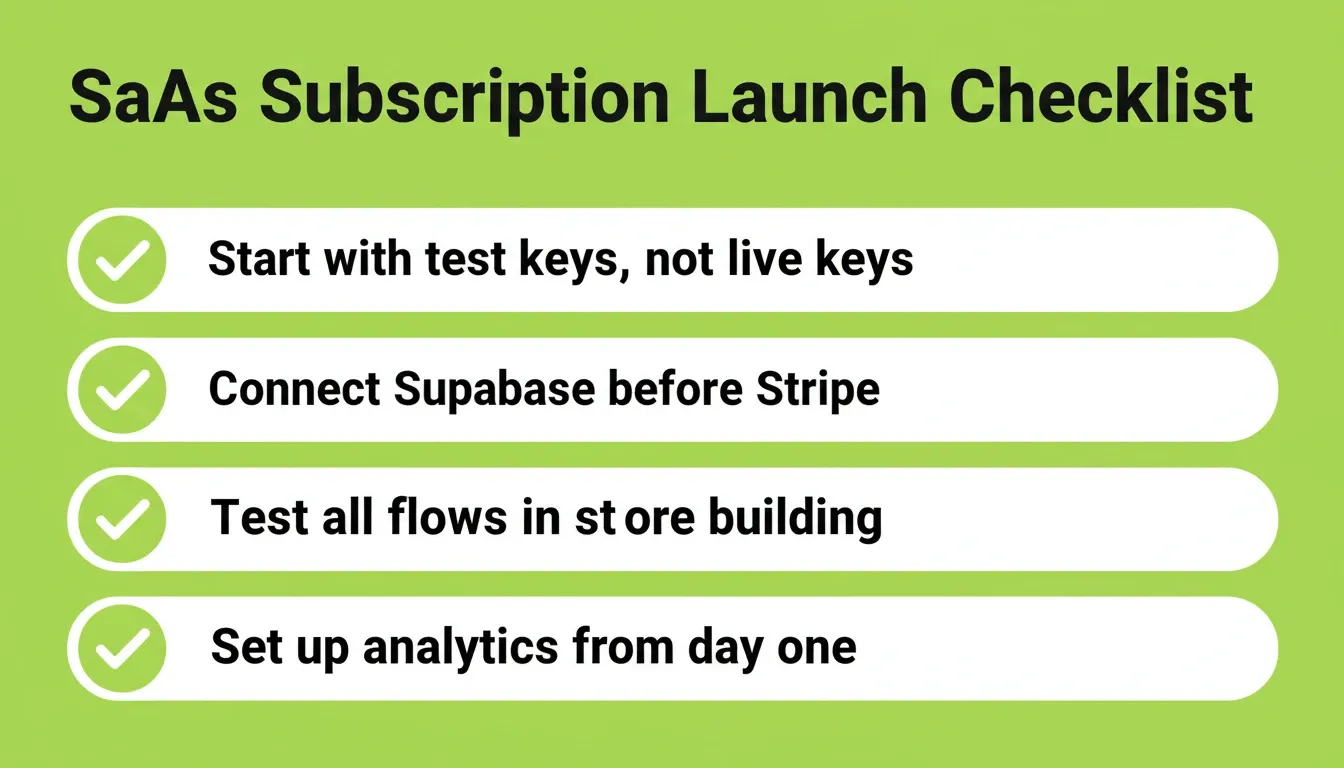
Using live Stripe keys during development is a security risk and a compliance violation. Always start with test keys and the test card
4242 4242 4242 4242. -
Skipping the staging environment means you skip testing every payment flow, webhook handler, and email trigger before production.
-
Not connecting Supabase before Stripe breaks the automatic link between Stripe customers and Supabase user accounts. Connect Supabase first.
Growth mistakes:
-
Skipping usage analytics from day one leads to pricing decisions based on assumptions instead of actual customer behavior.
-
Over-engineering for scale before finding product-market fit wastes months. A platform handling 100 subscribers needs a different architecture than one handling 10,000.
-
Neglecting security basics like data encryption, input validation, and PCI compliance erodes subscriber trust faster than any missing feature.
When it comes to scaling AI-built SaaS products, founders who ship fast and iterate based on real subscriber data consistently outperform those who try to build everything before launch.
The Future of AI-Powered SaaS Subscription Platforms
Building a SaaS subscription platform with AI is no longer a technical challenge. It is a strategic one. The tools exist to generate billing logic, deploy user authentication, and connect payment infrastructure in a single day. The founders who win validate first, build fast, and monitor continuously.
As AI development platforms mature, the gap between idea and revenue will keep shrinking. Subscription SaaS built with AI will become the default, not the exception. The competitive advantage will shift entirely to product thinking and market timing.
Start your subscription platform on Rocket.new. Validate your pricing model, generate your full-stack app, and monitor your market from one workspace.
Table of contents
- -Why AI Changes the Way Subscription Platforms Get Built
- -What Features Does a Subscription Platform Actually Need?
- -Billing and Payment Processing
- -User Management and Access Control
- -Transactional Email for Subscription Events
- -How Do You Build a Subscription Platform Step by Step?
- -Choosing Your Tech Stack for AI-Driven SaaS
- -From Idea to Live Subscription App with Rocket
- -Phase 1: Validate with Solve
- -Phase 2: Build with the Recommended SaaS Stack
- -Phase 3: Monitor with Intelligence
- -Can You Build a Mobile Subscription App Too?
- -What Does It Actually Cost to Build a SaaS Subscription Platform with AI?
- -Common Mistakes That Stall SaaS Subscription Launches
- -The Future of AI-Powered SaaS Subscription Platforms