
A TOTP authenticator app generates a new 6-digit code every 30 seconds using a shared secret and your device clock. No internet needed. Codes expire automatically, making TOTP far more secure than SMS 2FA or static passwords.
Why is TOTP vital for account security?
Learn how time-based one-time passwords strengthen two-factor authentication, generate temporary codes, and protect applications, with insights for users and developers implementing login systems.
In today's digital world, passwords alone are no longer enough to protect your accounts. A single compromised password can give a hacker full access in seconds. That's where TOTP (Time-Based One-Time Password) comes in as an extra layer of security that works even if your password is exposed. TOTP generates temporary, time-sensitive codes that make unauthorized access extremely difficult, providing a reliable form of two-factor authentication (2FA).
Let's see everything you need to know about TOTP: its meaning, how the algorithm works, how authenticator apps generate codes, and how you can implement TOTP in your own applications. By reading this blog, you'll gain practical knowledge to secure your accounts and understand TOTP implementation for both users and developers.
What Is TOTP And How Does It Work?
TOTP (Time-Based One-Time Password) is a type of two-factor authentication (2FA) that generates temporary numeric codes valid for only 30 seconds, using a shared secret key and the current Unix time. Because each code expires automatically and can only be used once, TOTP is far more resistant to phishing and replay attacks than static passwords or SMS-based OTP.
TOTP is defined in RFC 6238 and extends the HMAC-Based One-Time Password (HOTP) algorithm. Where HOTP uses an incrementing counter, TOTP substitutes the current time interval, so codes self-expire without any server-side invalidation step.
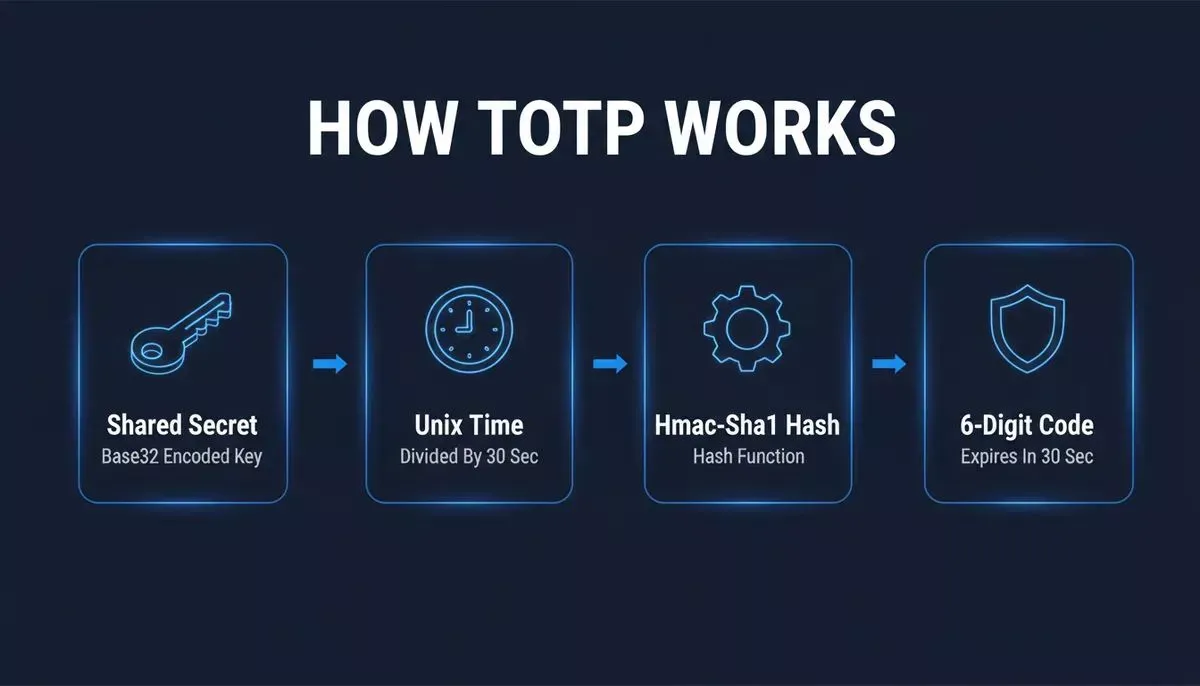
The TOTP code generation pipeline: shared secret and Unix time feed into HMAC-SHA1 to produce a fresh 6-digit code every 30 seconds.
The Two Inputs Behind Every TOTP Code
Shared Secret Key
- A unique, random string generated when you set up TOTP for your account.
- Encoded in Base32 (the string users see when manually entering a key, e.g.,
JBSWY3DPEHPK3PXP). - Typically 160 bits (20 bytes) long, per RFC 6238 recommendations.
- Stored securely on both your device and the server; never transmitted during authentication.
Current Unix Time
- TOTP uses the number of seconds elapsed since January 1, 1970 (Unix epoch), divided by a 30-second step interval.
- Both the client app and the server compute the same time-step independently, no network call needed.
- Minor clock drift (up to
~60seconds) is tolerated by accepting codes from adjacent time windows.
Key Characteristics Of TOTP
- Time-limited: Codes typically expire after 30 seconds, per RFC 6238 defaults.
- Single-use: Each code can only be used once within its validity window.
- Offline-capable: Codes are generated without any network connection.
- Phishing-resistant: Even if a code is intercepted, it expires before an attacker can reuse it.
TOTP vs HOTP
TOTP is an enhancement of HOTP. While HOTP generates codes based on a counter that increments with each login attempt, TOTP uses the current time interval instead. This means each OTP is time-dependent and automatically expires, making it more secure and resistant to replay attacks.
| Feature | HOTP (Counter-based) | TOTP (Time-based) |
|---|---|---|
| Synchronization input | Incrementing counter | Current time interval |
| Code expiry | Only after use | Automatically after 30 seconds |
| Replay attack risk | Higher | Lower |
| Offline generation | Yes | Yes |
| Standard | RFC 4226 | RFC 6238 |
| Typical use | Hardware tokens | Authenticator apps |
How A TOTP Code Is Generated
Both the user device and server independently compute the same code from the shared secret and current 30-second time window.
By combining a shared secret with the current time, TOTP produces dynamic, short-lived codes that are secure, self-expiring, and resistant to phishing or replay attacks.
QR Code Setup
Setting up TOTP authentication is simple and secure, thanks to QR codes. The QR code serves as a bridge between the server and the authenticator app, enabling the shared secret to be securely and efficiently transferred.
The otpauth:// URI Format
When a server generates a QR code for TOTP setup, it encodes an otpauth:// URI. Understanding this format is useful for developers implementing TOTP and for users who need to manually enter a key:
1otpauth://totp/Issuer:user@example.com?secret=JBSWY3DPEHPK3PXP&issuer=Issuer&algorithm=SHA1&digits=6&period=30| Parameter | Description | Default |
|---|---|---|
| secret | Base32-encoded shared secret | Required |
| issuer | Service name shown in the authenticator app | Recommended |
| algorithm | Hash algorithm: SHA1, SHA256, SHA512 | SHA1 |
| digits | Code length: 6 or 8 | 6 |
| period | Time step in seconds | 30 |
Most authenticator apps support all standard parameters. The issuer field is especially important, it is the label users see in their app next to the code.
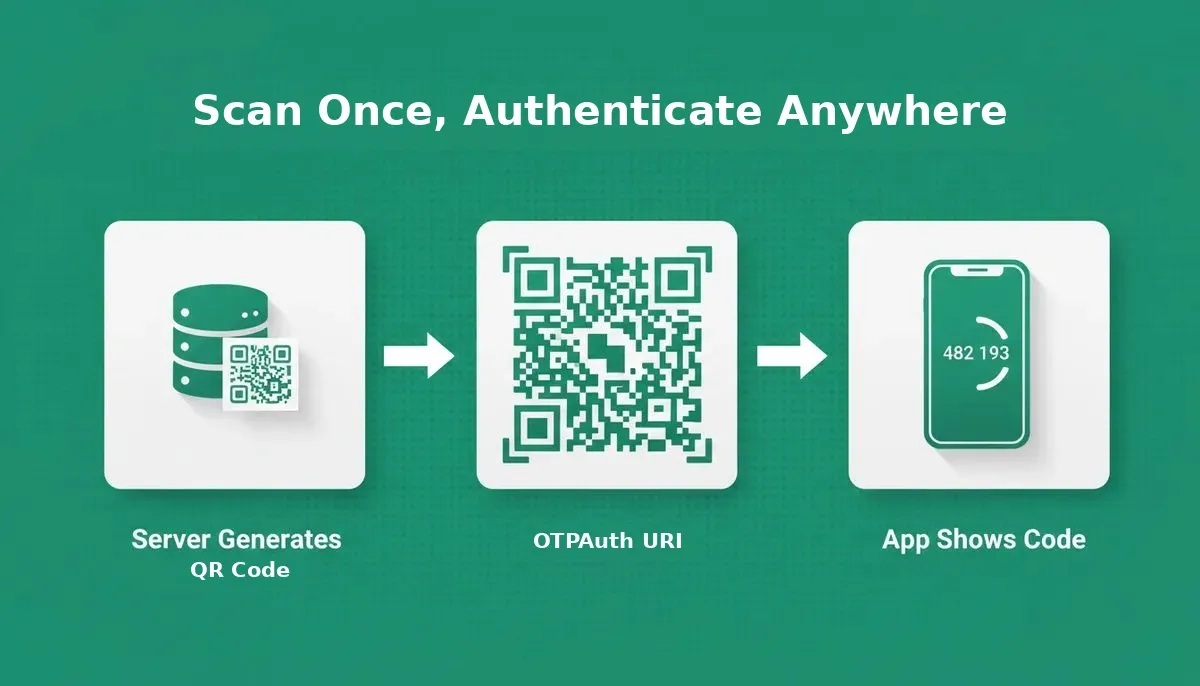
Scanning the QR code transfers the shared secret to your authenticator app. After that, codes are generated entirely offline.
What Happens If You Scan The Same QR Code On Two Devices?
Scanning the same QR code on two devices is perfectly valid, both devices will generate identical codes at the same time because they share the same secret and time source. This is intentional and useful for backup purposes. The security risk is not duplication itself, but secret exposure: anyone who scans your QR code gains the ability to generate valid codes indefinitely.
TOTP Authenticator Apps
TOTP codes can be generated using either software apps or hardware tokens. Both use the same underlying TOTP algorithm, but differ in convenience, portability, and device dependency.
Software Apps
- Google Authenticator: widely supported, simple interface, no cloud backup
- Microsoft Authenticator: supports TOTP plus push-notification 2FA
- Authy: encrypted cloud backup and multi-device sync
- 1Password: integrates TOTP directly into a password manager
Key Features:
- Generate 6-digit codes every 30 seconds
- Work fully offline, no internet connection required
- Compatible with any service supporting OATH TOTP (RFC 6238)
Hardware Tokens
- Physical devices that generate OTP codes without a smartphone
- Use battery-powered clocks and stored shared secrets
- Common in enterprise environments where mobile devices may not be allowed
- Offer device-independent authentication, but are less convenient than software apps
Software Tokens vs Hardware Tokens
| Feature | Software Tokens | Hardware Tokens |
|---|---|---|
| Convenience | High | Medium |
| Device Dependency | Smartphone required | Independent |
| Security | Strong | Strong |
| Portability | Easy | Extra device to carry |
| Cost | Free or low-cost | Higher upfront cost |
| Cloud Backup | Available (Authy, 1Password) | Physical replacement needed |
| Recovery | Backup codes + cloud sync | Backup codes + replacement device |
Whether you choose a software app or a hardware token, TOTP ensures your authentication codes are dynamic, secure, and resistant to phishing. For a broader look at how web application security best practices apply to modern apps, our dedicated guide covers the full picture.
Should You Store TOTP In A Password Manager?
Storing TOTP secrets in the same password manager as your passwords creates a single point of failure: if your password manager is compromised, an attacker gains both your password and your 2FA code simultaneously. For high-value accounts (banking, crypto exchanges, primary email), use a separate dedicated authenticator app. For most everyday accounts, the convenience trade-off is acceptable.
Benefits Of TOTP Authentication
Using TOTP adds a strong, dynamic layer of security to any login process. Unlike static passwords or SMS-based codes, TOTP codes are time-sensitive, locally generated, and highly resistant to attacks.
Phishing Resistance
TOTP codes expire in 30 seconds, making intercepted codes almost useless. This reduces the risk of attackers using stolen codes to access accounts.
No Network Dependency
Codes are generated offline using only the stored secret and device clock. This makes TOTP more reliable than SMS-based OTPs in areas with poor or no connectivity.
Stronger Security Than SMS OTP
SMS OTPs can be intercepted through SIM swapping or network vulnerabilities. TOTP codes are generated locally and never transmitted over the network until the user enters them. NIST SP 800-63B classifies SMS-based OTP as a "restricted" authenticator type, while TOTP-based authenticator apps meet Authenticator Assurance Level 2 (AAL2).
TOTP authentication ensures your accounts remain secure even if your password is compromised. By combining time-sensitive codes with offline generation, it offers protection that static passwords or SMS OTPs cannot match. Developers building secure apps can also explore how to generate an authentication system using AI to scaffold the full login flow faster.
Limitations Of TOTP
While TOTP provides strong security, it has some limitations that users and developers should be aware of.
Device Dependency And Recovery
Losing the device holding the authenticator app means losing access to TOTP codes. Best practice: generate and store backup codes when setting up TOTP. Most services offer 8 to 10 single-use backup codes; store them in an encrypted password manager or a physically secure location, never in the same app as your TOTP codes.
Migrating TOTP Between Devices
Moving to a new phone is one of the most common TOTP pain points. The process depends on your app:
- Authy: Cloud-synced, install on new device, authenticate, and all accounts transfer automatically.
- Google Authenticator: Supports an "Export accounts" QR code for device-to-device transfer; do this before wiping the old device.
- 1Password: Cloud-synced across all devices by default.
- Hardware tokens: Cannot be migrated, contact the service to re-enroll with a new token.
Time Synchronization
Client and server clocks must be reasonably synchronized. Minor drift is tolerated via adjacent time interval windows (typically plus or minus 1 step, or plus or minus 30 seconds). Significant drift (more than 60 seconds) will cause valid codes to be rejected. Most smartphones sync automatically via NTP; hardware tokens may drift over years of use.
Shared Secret Exposure
If the server-stored secret is leaked, attackers can generate valid TOTP codes indefinitely. Always encrypt secrets at rest, apply strict access controls, and rotate secrets if a breach is suspected.
Implementing TOTP In Your Application
Implementing TOTP authentication in your application involves a standard flow supported by most OATH TOTP-compatible libraries. Here's how to set it up effectively.
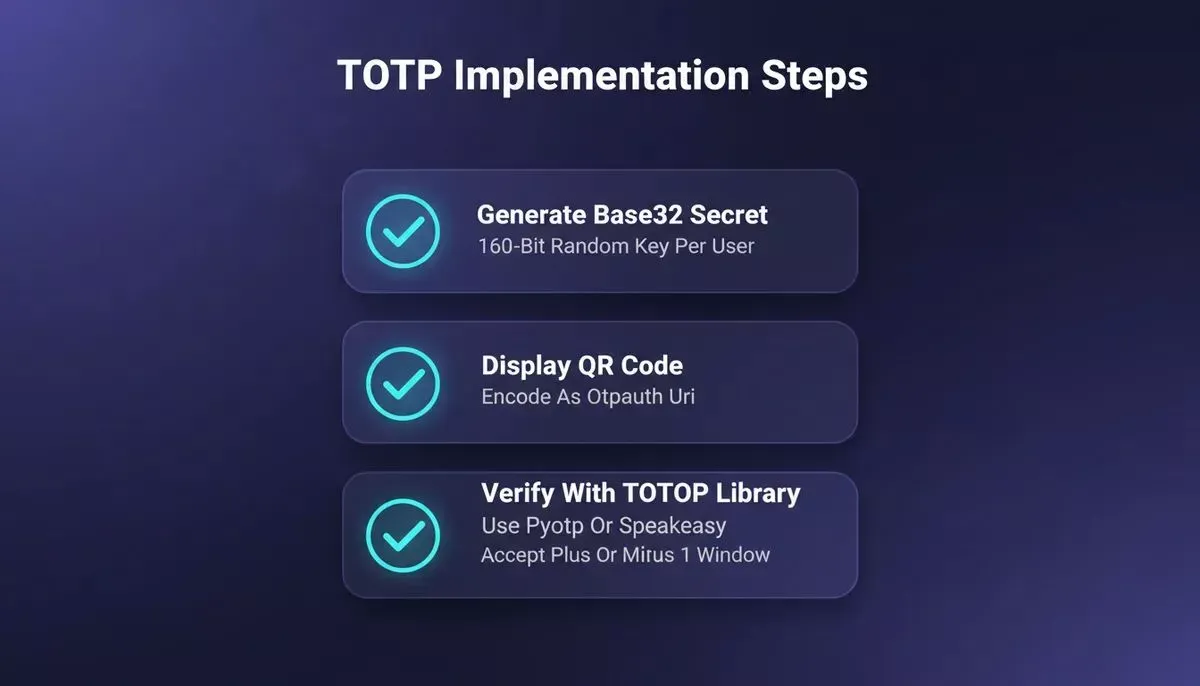
The four implementation steps every developer needs: secret generation, QR display, OTP verification, and clock drift handling.
Step 1: Generate A Shared Secret
- Generate a cryptographically secure random key, typically 160 bits (20 bytes), for each user.
- Encode it in Base32 for display and QR code generation.
- Store the raw secret encrypted in your database.
Step 2: Display A QR Code
- Encode the shared secret into an otpauth:// URI.
- Generate a QR code from that URI for the user to scan.
- Once scanned, the authenticator app stores the secret locally and begins generating OTP codes every 30 seconds.
Step 3: Verify The OTP Code
- When the user logs in, they enter the 6-digit code from their app.
- The server regenerates the expected TOTP code using the stored secret and the current time interval.
- Accept codes from adjacent intervals (plus or minus 1 step) to handle minor clock drift.
- Mark used codes as consumed to prevent replay within the same window.
OATH TOTP Libraries By Language
| Language | Library | Notes |
|---|---|---|
| Python | pyotp | Simple API; generates and verifies TOTP |
| Node.js | speakeasy, otplib | otplib is more actively maintained |
| Java | GoogleAuth (wstrange) | Implements RFC 6238 |
| Ruby | rotp | Clean API; supports TOTP and HOTP |
| Go | pquerna/otp | Full RFC 6238 implementation |
| PHP | spomky-labs/otphp | TOTP and HOTP; Symfony-compatible |
Example: Python (pyotp):
1import pyotp
2
3# Generate a secret (store this per user, encrypted)
4secret = pyotp.random_base32()
5
6# Generate the current TOTP code
7totp = pyotp.TOTP(secret)
8current_code = totp.now() # e.g., "123456"
9
10# Verify a user-submitted code (accepts +/- 1 window by default)
11is_valid = totp.verify("123456") # True or FalseMost libraries handle the TOTP algorithm, time interval calculation, and code verification, you only need to provide the shared secret and call verify(). If you're building a full-stack app with authentication, Rocket's AI-powered API builder with built-in authentication can scaffold the entire backend auth layer from a single prompt.
Comparing TOTP With Other Authentication Methods
TOTP consistently outperforms SMS 2FA on security and reliability, while remaining more universally supported than passkeys.
| Dimension | TOTP | SMS 2FA | Passkeys (FIDO2) | Push Notifications |
|---|---|---|---|---|
| Security level | High | Medium | Very high | High |
| Offline capability | Yes | No | Yes (device-bound) | No |
| Phishing resistance | High | Low | Very high | Medium |
| Setup friction | Medium | Low | Low to Medium | Low |
| Network required | No | Yes | No | Yes |
| Recovery complexity | Medium | Low | Medium to High | Low |
| Universal support | Very broad | Very broad | Growing | App-specific |
| NIST AAL rating | AAL2 | Restricted | AAL2 to AAL3 | AAL2 |
| Best for | Most apps, developers | Consumer onboarding | High-security platforms | Mobile-first apps |
TOTP strikes a balance between security, reliability, and universal compatibility, making it a practical choice for most applications. Teams building secure SaaS products can also explore how to build a B2B SaaS product with AI and wire in authentication from day one.
Building An App With TOTP Support Using Rocket
If you want to ship a production-ready application with TOTP-based two-factor authentication without spending weeks on authentication scaffolding, Rocket's Build pillar is designed for exactly this.
Rocket.new is a vibe solutioning platform built on three pillars: Solve (research and PRDs), Build (production-ready app generation), and Intelligence (competitor monitoring). Build works through natural language: describe the app and authentication flow you want, and Rocket generates a deployable Next.js web app or Flutter mobile app with the authentication scaffolding already in place.
Step 1: Describe Your App And Auth Flow In Build
Open a Build task and describe what you need in plain language, for example: "Build a SaaS dashboard with user login, email/password authentication, and TOTP-based two-factor authentication. After login, users should be prompted to enter a 6-digit code from their authenticator app."
Rocket generates a production-ready Next.js app with the authentication flow, login screens, and 2FA prompt scaffolded. The generated code is real, downloadable, and connectable to GitHub.
Step 2: Connect Supabase For Backend Auth
Wire in Supabase from the Launchpad, Rocket handles the schema, auth configuration, and database setup from a single prompt. Supabase provides the user table, session management, and secure secret storage your TOTP implementation needs.
Step 3: Add The TOTP Library Server-Side
With the app scaffolded and the backend connected, add TOTP verification logic using one of the libraries in the table above (e.g., speakeasy for Node.js). Paste the integration code into Rocket's chat, Rocket wires it into the existing auth flow without breaking what was already generated.
Step 4: Deploy
Click Launch. Rocket deploys to a live URL with one action. You can also connect a custom domain, push the full source to GitHub, or submit the Flutter build to the App Store or Google Play.
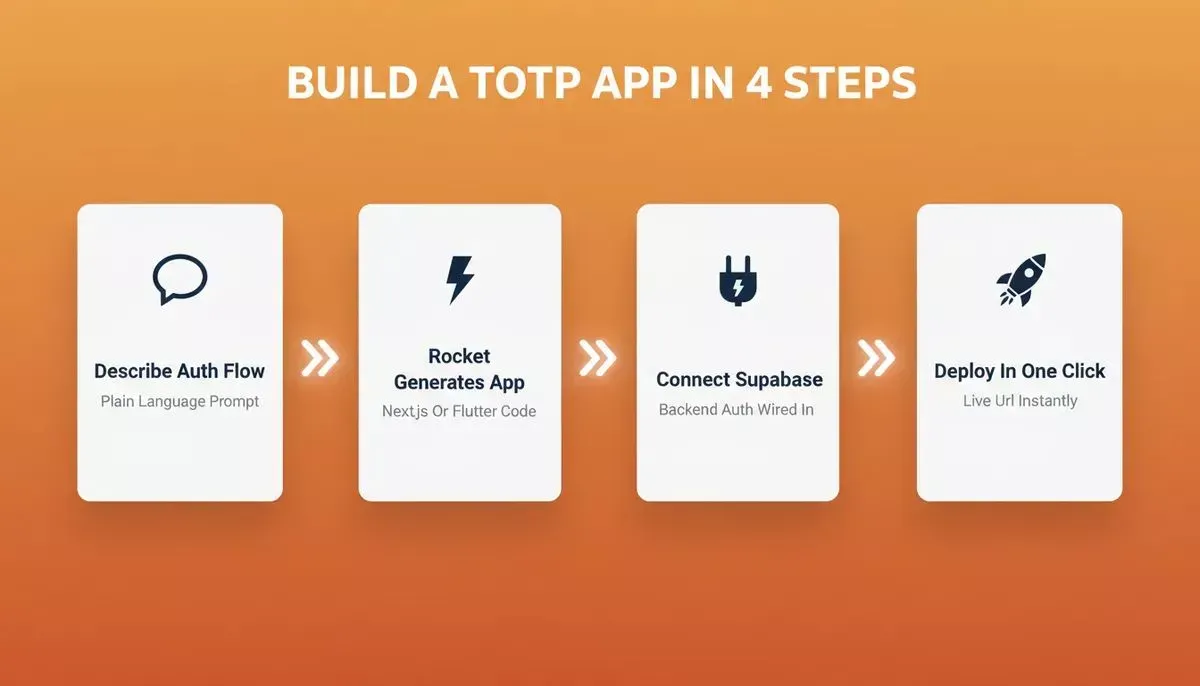
From plain-language description to deployed Next.js or Flutter app, Rocket handles the scaffolding so you focus on the product.
The result is a production-grade application with real Next.js or Flutter code, not a workflow abstraction, that you own, can extend, and can hand off to a developer if needed. For teams building mobile-first apps with authentication, Rocket's mobile app builder generates Flutter apps ready for App Store and Google Play submission.
Developers who want to go deeper on security architecture before building can use Rocket's Solve pillar to run a structured research report on authentication best practices, compliance requirements, or competitive analysis, and feed those findings directly into the Build task.
Ready to ship a production-ready app with TOTP two-factor authentication built in? Describe your login flow in plain language and Rocket generates a deployable Next.js web app or Flutter mobile app with the authentication scaffolding already in place. Start building for free on Rocket.new and launch your app today.
Table of contents
- -What Is TOTP And How Does It Work?
- -The Two Inputs Behind Every TOTP Code
- -Key Characteristics Of TOTP
- -TOTP vs HOTP
- -How A TOTP Code Is Generated
- -QR Code Setup
- -The otpauth:// URI Format
- -What Happens If You Scan The Same QR Code On Two Devices?
- -TOTP Authenticator Apps
- -Software Apps
- -Hardware Tokens
- -Software Tokens vs Hardware Tokens
- -Should You Store TOTP In A Password Manager?
- -Benefits Of TOTP Authentication
- -Phishing Resistance
- -No Network Dependency
- -Stronger Security Than SMS OTP
- -Limitations Of TOTP
- -Device Dependency And Recovery
- -Migrating TOTP Between Devices
- -Time Synchronization
- -Shared Secret Exposure
- -Implementing TOTP In Your Application
- -Step 1: Generate A Shared Secret
- -Step 2: Display A QR Code
- -Step 3: Verify The OTP Code
- -OATH TOTP Libraries By Language
- -Comparing TOTP With Other Authentication Methods
- -Building An App With TOTP Support Using Rocket
- -Step 1: Describe Your App And Auth Flow In Build
- -Step 2: Connect Supabase For Backend Auth
- -Step 3: Add The TOTP Library Server-Side
- -Step 4: Deploy