Advocate — Professional Legal Education Landing Page Template
The Counsel template is a single-page lead generation landing page built for legal and professional training providers. It features a three-stage intake form, a zigzag alternating layout with trainer profiles and seminar photography, testimonial pull-quotes with measurable outcomes, and a client logo grid. The Corporate Precision design uses a teal and amber palette with serif typography to communicate authority and approachability.
by Rocket studio
Quick summary
Counsel is a landing page template designed for legal and professional training firms. It opens with a three-step intake form set against a blurred training room photograph, then builds credibility through alternating trainer profiles, practice area sections, testimonial pull-quotes, and a chambers-directory-style client logo grid. Every section is structured to move qualified visitors toward one action: starting a training conversation.
Who this template is for
This template is built for training providers that serve law firms, compliance teams, and regulated financial institutions. If your firm puts barristers, compliance officers, or employment specialists in front of professional audiences, Counsel gives you the digital presence to match that authority.
- Law firm learning and development coordinators managing CPD quota requirements for their legal teams
- In-house legal teams and HR directors at financial institutions preparing for regulatory audits
- Legal consultants and training businesses that need a professional online presence to convert corporate clients
What problem this template solves
Law firms and corporate training providers often struggle to communicate depth of expertise on a single page. Generic website template options either look too corporate and cold, or too casual and unconvincing. Neither builds the client trust that a serious legal training firm needs.
Counsel solves that gap by combining structured lead generation with rich credibility signals, all on one focused landing page.
- Visitors leave generic pages without acting because the layout fails to engage them or communicate the firm's expertise clearly
- Law firms and training businesses lose potential clients when client inquiries hit a form that asks for details before it earns them
- Training providers serving regulated sectors need pages that communicate professionalism and authority without sacrificing warmth
What you get with this template
Counsel delivers a fully structured, single-page layout with every important section pre-built and positioned to guide visitors toward the primary desired action. The template is ready to populate with your own trainer content, testimonials, and firm logos.
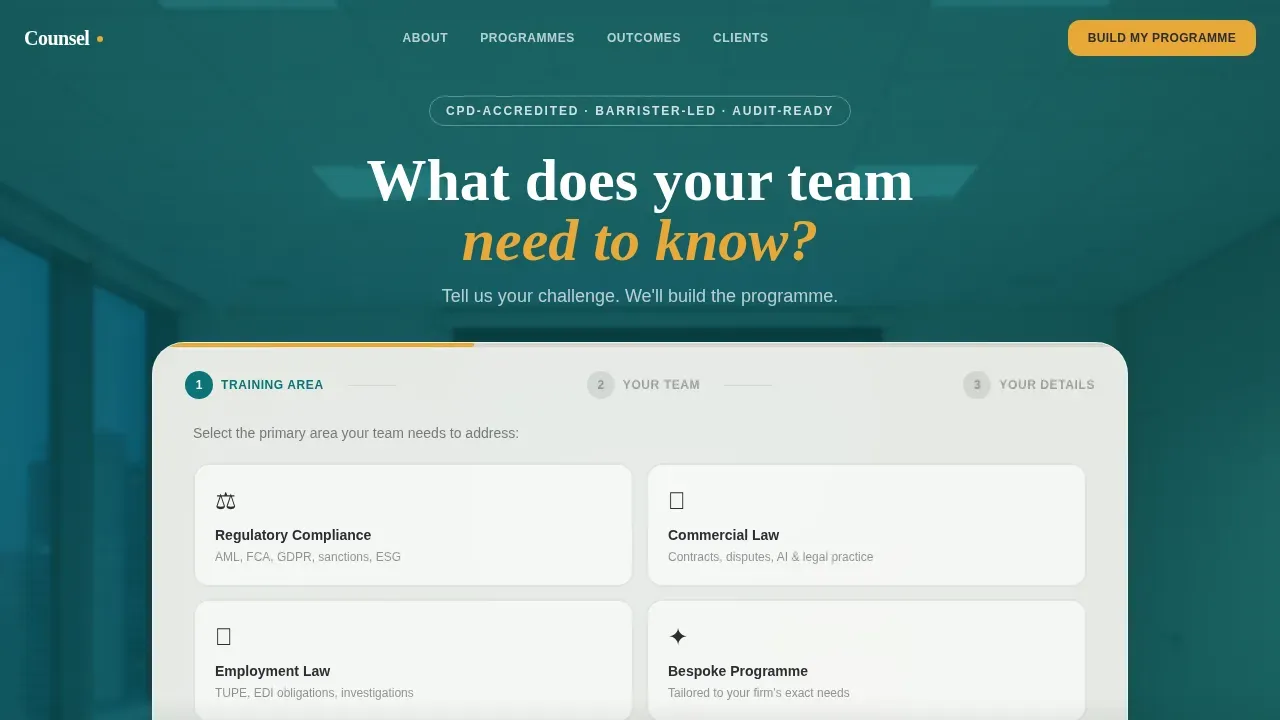
- A three-stage multi-step intake form with amber progress bar, four practice area tiles, and a blurred training room hero image
- A zigzag alternating section layout for trainer profiles, practice areas, and testimonial pull-quotes with measurable outcomes
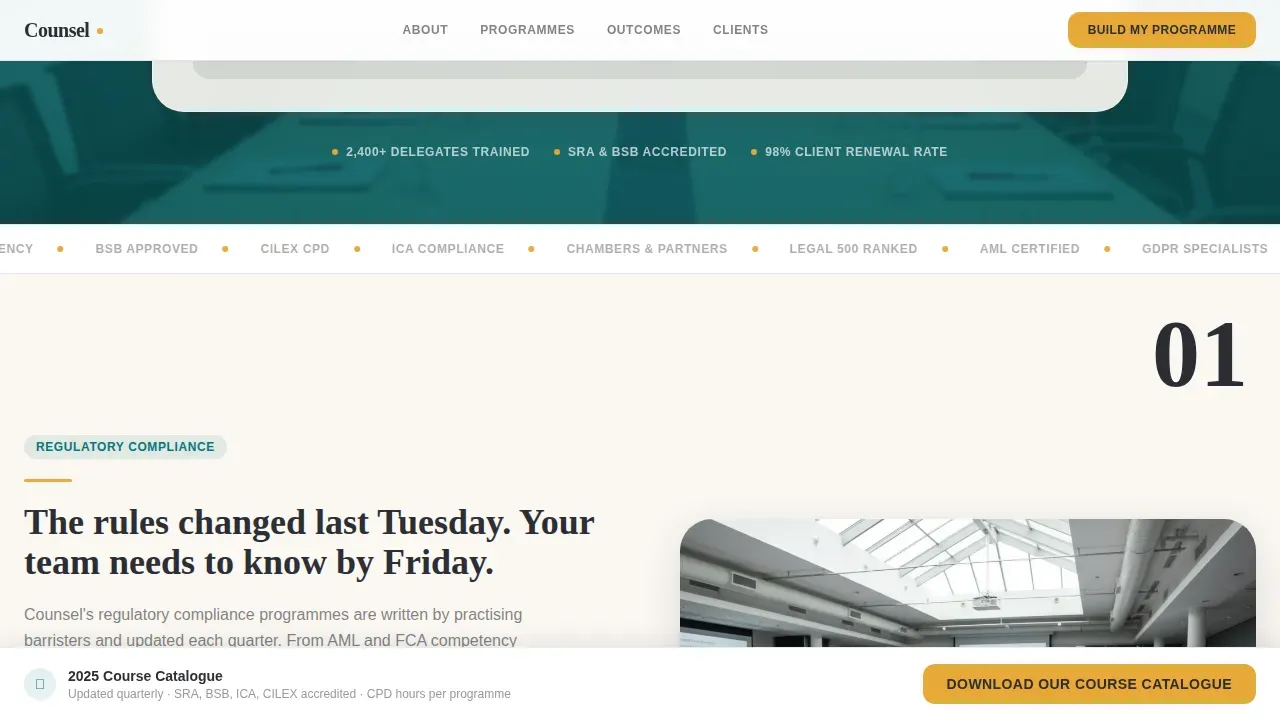
- A sticky bottom bar with a secondary call to action, and a chambers-style client logo grid to close the credibility loop
Feature list
The Counsel template is built around a set of core components that each serve a specific role in moving visitors from first impression to qualified lead.
Three-Stage Consultative Intake Form
The header form opens with a compelling headline in oversized serif type: "What does your team need to know?" Step one presents four clickable practice area tiles. Step two collects team size and preferred training format. Step three asks for name, organisation, and email. A thin amber progress bar tracks each stage. This structure frames the exchange as consultation rather than data collection, which reduces friction and improves submission rates.
Zigzag Alternating Trainer and Practice Area Layout
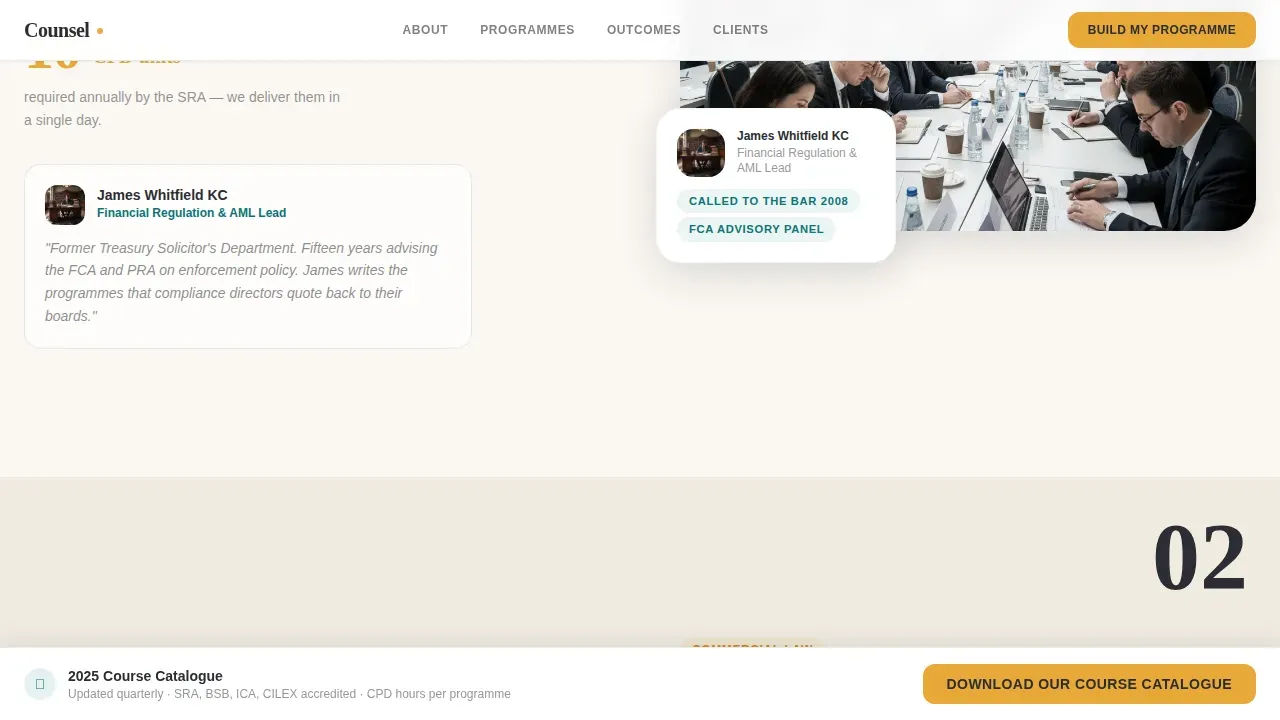
Each alternating section pairs a trainer portrait and credential bio on one side with candid seminar photography on the other. The layout shifts between barristers, compliance consultants, and employment specialists as visitors scroll. This rhythm builds the impression of a deep bench of expertise across multiple practice areas, making it easier to engage a broad audience of legal and corporate clients.
Testimonial Pull-Quotes with Measurable Outcomes
Testimonial sections are woven between the zigzag rows, each featuring a named learning and development manager from a recognisable firm alongside a specific, measurable case result. Outcome statistics such as pass rates and delegate counts appear in bold amber type. These trust signals build client trust in a way that generic testimonials cannot, because they showcase real evidence rather than vague praise.
Sticky Secondary Call-to-Action Bar
A persistent bottom bar fades in once visitors scroll past the header. It offers a secondary action: downloading the course catalogue, gated behind email capture. This ensures that visitors who are not yet ready to commit to the full intake form still have a lower-friction path to engage with the firm's services and resources.
Client Logo Grid
The final section of the page displays a grid of client firm logos in a chambers-directory style. This visual element reinforces authority at the moment when visitors are closest to making a decision. Showcasing recognisable corporate and law firm names signals that other serious organisations already trust this training provider.
Corporate Precision Typography System
The template uses Fraunces, a high-character serif, for display headings and Catalyst amber accents for statistics and buttons. DM Sans handles body copy and form interface text for clarity and readability. The combination gives the page a sleek design that feels like a freshly prepared legal brief: structured, modern, and precise.
Page sections overview
| Section | Purpose |
|---|---|
| Hero intake form | Captures lead intent through a three-step consultative form with amber progress bar |
| Trainer profile rows | Showcases barrister and specialist credentials using alternating portrait and bio layout |
| Practice area sections | Pairs seminar photography with outcome statistics for each training discipline |
| Testimonial pull-quotes | Builds client trust with named quotes and measurable case results from real clients |
| Client logo grid | Closes credibility loop with a chambers-style display of recognisable firm logos |
| Sticky bottom bar | Provides a secondary lead generation path via course catalogue email capture |
Design & branding system
Counsel follows a Corporate Precision theme. The palette is built to communicate authority without feeling cold, and approachability without losing rigour. Every colour has a specific role in the visual hierarchy.
- Deep chambers teal (#0D7377) for primary backgrounds and header sections; brief-paper cream (#FAF7F2) for content areas; cross-examination charcoal (#2B2D33) for body text
- Catalyst amber (#E8A838) reserved exclusively for buttons, progress indicators, and key statistics to draw attention at the right moments
- Fraunces serif for all display headings to signal legal weight and tradition; DM Sans for body copy and form elements to keep the page modern and readable
Mobile & speed optimization
The template is designed desktop-first to serve the primary audience of law firm learning and development coordinators and HR directors who predominantly work from desktop environments. The layout remains fully responsive so it functions well on mobile devices too.
- Responsive layout adjusts the zigzag sections, intake form, and sticky bottom bar for tablet and mobile devices without losing visual structure
- The page is structured to load efficiently, keeping the experience smooth and reducing the risk of losing visitors before the form appears
- High-quality images are used purposefully: the hero background is softly blurred to avoid competing with the intake form, keeping focus on the primary conversion element
How this template helps you convert
Counsel is built around a single conversion objective: get qualified legal and corporate training buyers to start a conversation. Every layout decision supports that goal.
- The three-stage intake form earns visitor trust by asking about their team's needs first, creating an emotional connection before requesting contact details, which lowers resistance and improves completion rates
- Testimonial pull-quotes with specific outcome statistics, trainer credential bios, and the client logo grid all work together to build client trust and validate the firm's legal expertise before visitors reach the bottom of the page
- The sticky bar ensures a seamless experience for visitors who scroll without converting on the first form, offering a lower-commitment secondary path that keeps lead generation active throughout the full scroll
Other information about this template
This template fits naturally into the broader category of law firm landing page templates designed to help legal services providers create a professional online presence quickly. It is particularly well-suited to legal training firms, but the layout logic applies across a range of legal and corporate contexts.
- The zigzag layout and consultative form structure reflect key elements found in high-converting landing pages for law firms: a compelling headline, social proof, a short contact form, and a professional uncluttered design
- Legal professional templates like Counsel help law firms, family law firm practices, and specialist compliance consultancies establish a credible web presence without building from scratch; a well-targeted law firm landing page can reach conversion rates of 8.33%, compared to the average of 5.81%
- The template supports a variety of use cases beyond its primary niche: a family law firm, a commercial law office, a legal training company, and corporate compliance teams can all adapt the layout to showcase their services and attract prospective clients
- Law firm website templates like this one are designed to streamline the process of building a professional online presence; this template focuses specifically on lead generation and credibility rather than general information delivery
- Counsel works as a standalone law firm landing page and can be adapted to sit alongside a broader law firm website; it does not include multi-page navigation by design, keeping visitor focus on one call to action
- Practitioners building landing pages for legal services can optimize pages over time by reviewing form completion rates and refining section copy to better communicate value to their audience
- The template is fully customisable: colours, typography, trainer portraits, testimonial quotes, logo grids, and practice area tiles can all be updated to match any firm's branding and services
- Additional features such as Continuing Legal Education (CLE) credit details and course format breakdowns can be incorporated into the practice area sections using the built-in text and layout components
- Resources like course catalogues, CPD guides, and case studies can be linked through the secondary sticky bar capture to provide information to visitors who need more context before committing

Theme
Corporate Precision
Creative direction
Team & People
Color system
Teal Catalyst
Direction
Lead Generation
Page Sections
Three-stage Consultative Intake Form
Zigzag Alternating Trainer Profiles
Testimonial Sections with Outcome Statistics
Sticky Secondary Lead Capture Bar
Chambers-style Client Logo Grid
Corporate Precision Visual System
Related questions
Can this template be used by firms outside legal training?
Does the three-step form help improve lead quality?
How do the testimonials and outcome statistics work within the layout?
Is the template desktop-first only, or does it work on mobile too?
Can I customise the practice area tiles, trainer profiles, and client logos?



