Smart Hospitality Landing Page Template
Concierge is a hub-and-spoke landing page template built for hospitality membership platforms. It opens with a live rate calculator as the hero, then unfolds into spoke sections covering revenue intelligence, comp-set tracking, forecasting, integrations, and pricing. The Electric Indigo color system and Data Command theme give it the feel of a live hotel back-office dashboard running through the night.
by Rocket studio
Quick summary
Concierge is a single-page, anchor-nav landing page template designed for members-only hotel intelligence platforms. The page leads with an embedded rate calculator, not a hero image. From there, it radiates into five spoke sections, a split-panel comparison, and a gated membership modal. The Electric Indigo palette and Data Command theme make every section feel like a live operations dashboard.
Who this template is for
This template was built for hospitality technology companies and SaaS operators selling data-driven pricing tools to the hotel industry. If your platform delivers real-time rate data, comp-set benchmarks, or occupancy forecasts to hotel operators, this page was made for you.
- Independent hoteliers and boutique hotel operators watching RevPAR slip against chain competitors
- Resort general managers preparing budget season without reliable data tools
- Regional hospitality groups managing pricing consistency across multiple properties
What problem this template solves
Independent hotel operators often price rooms on instinct while competing against chains and online travel agencies with sophisticated revenue tools. This template is built to close that credibility gap fast, by proving platform value before the visitor even scrolls past the fold.
- The calculator hero eliminates the "why should I trust this?" hesitation by delivering a real number immediately
- The split-panel comparison section makes the cost of inaction concrete, using actual scenario math
- The anchor nav and spoke structure let visitors jump directly to the capability they care about most
What you get with this template
You get a fully structured, single-page layout that guides a hotel operator from curiosity to conversion without friction. Every section is purpose-built for a revenue-focused audience that responds to data, not decoration.
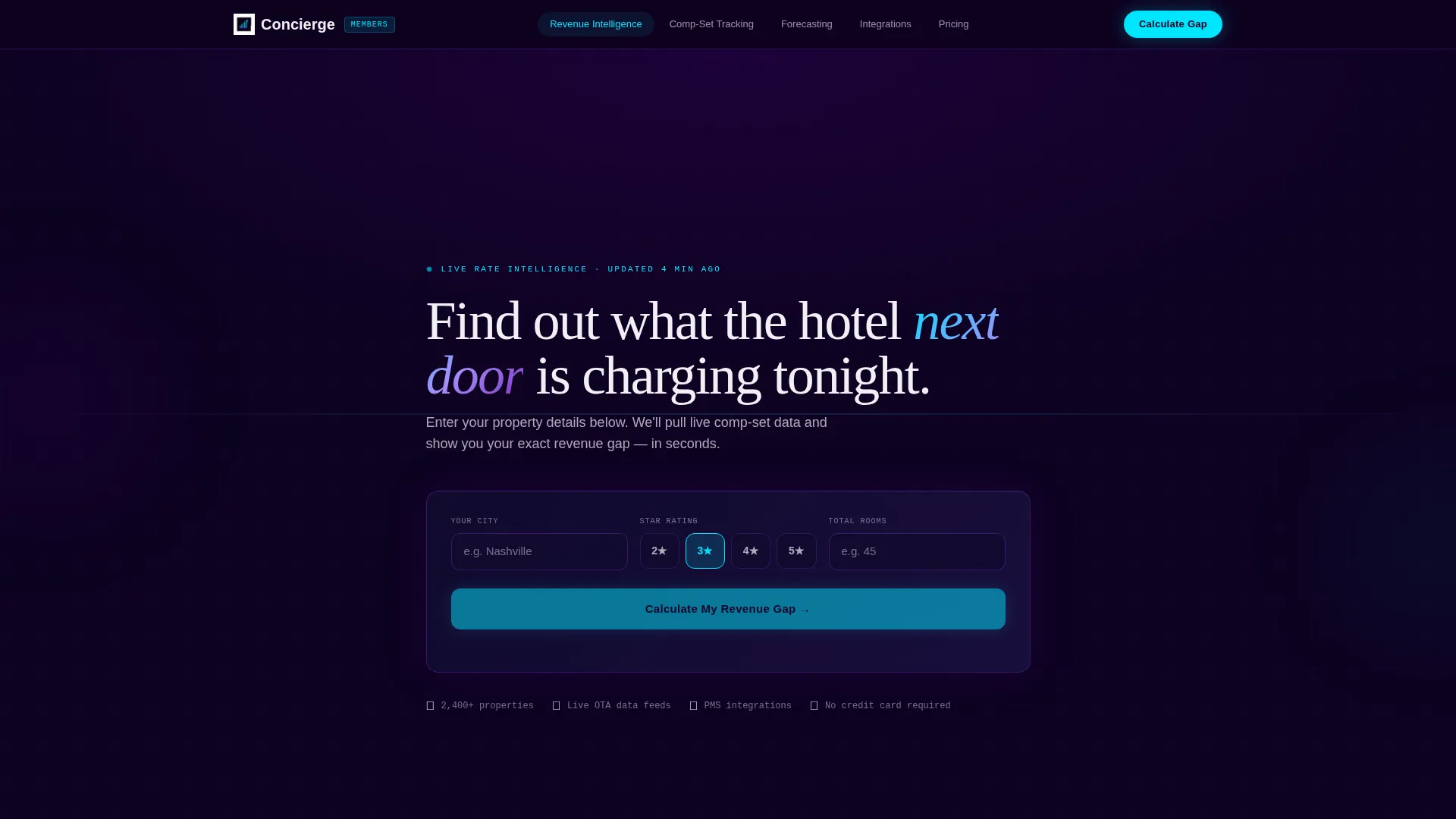
- An interactive rate calculator section above the fold that simulates comp-set analysis with animated counters and a miniature heat map
- Five spoke sections covering Revenue Intelligence, Comp-Set Tracking, Forecasting, Integrations, and Pricing, each accessible via a pinned anchor navigation bar
- A gated membership modal that collects property name, email, and PMS provider after the free calculation is delivered
Feature list
This template is packed with purpose-built components that mirror the workflow of a hotel revenue manager. Each section earns its place by deepening the value the calculator already hinted at.
Interactive Rate Calculator Hero
The header embeds a functioning rate calculator where visitors enter their city, star rating, and room count. The tool returns a simulated comp-set analysis showing average daily rate, occupancy percentage, and a revenue gap estimate, rendered with animated counters and a miniature heat map. No stock photography, no generic hero image. The tool is the proof.
Pinned Anchor Navigation Bar
A sticky navigation bar pins to the top of the page and links to each spoke section: Revenue Intelligence, Comp-Set Tracking, Forecasting, Integrations, and Pricing. Visitors can jump directly to the capability most relevant to their role without scrolling through the full page.
Split-Panel Comparison Section
A persistent side-by-side panel contrasts "Without Membership" against "With Membership" using real scenario math. The example shows manual rate-setting losing $14,200 per month versus data-driven pricing capturing that same revenue. This section includes a secondary comparison table stacking the platform against named competitors across twelve feature rows with honest checkmarks and honest gaps.
Gated Membership Modal
After the free calculation runs, a slide-up modal requests property name, email, and PMS provider to unlock the full comp-set report. This converts a curious visitor into a qualified lead at the exact moment they hold a number that motivates action.
Simulated Dashboard Tour
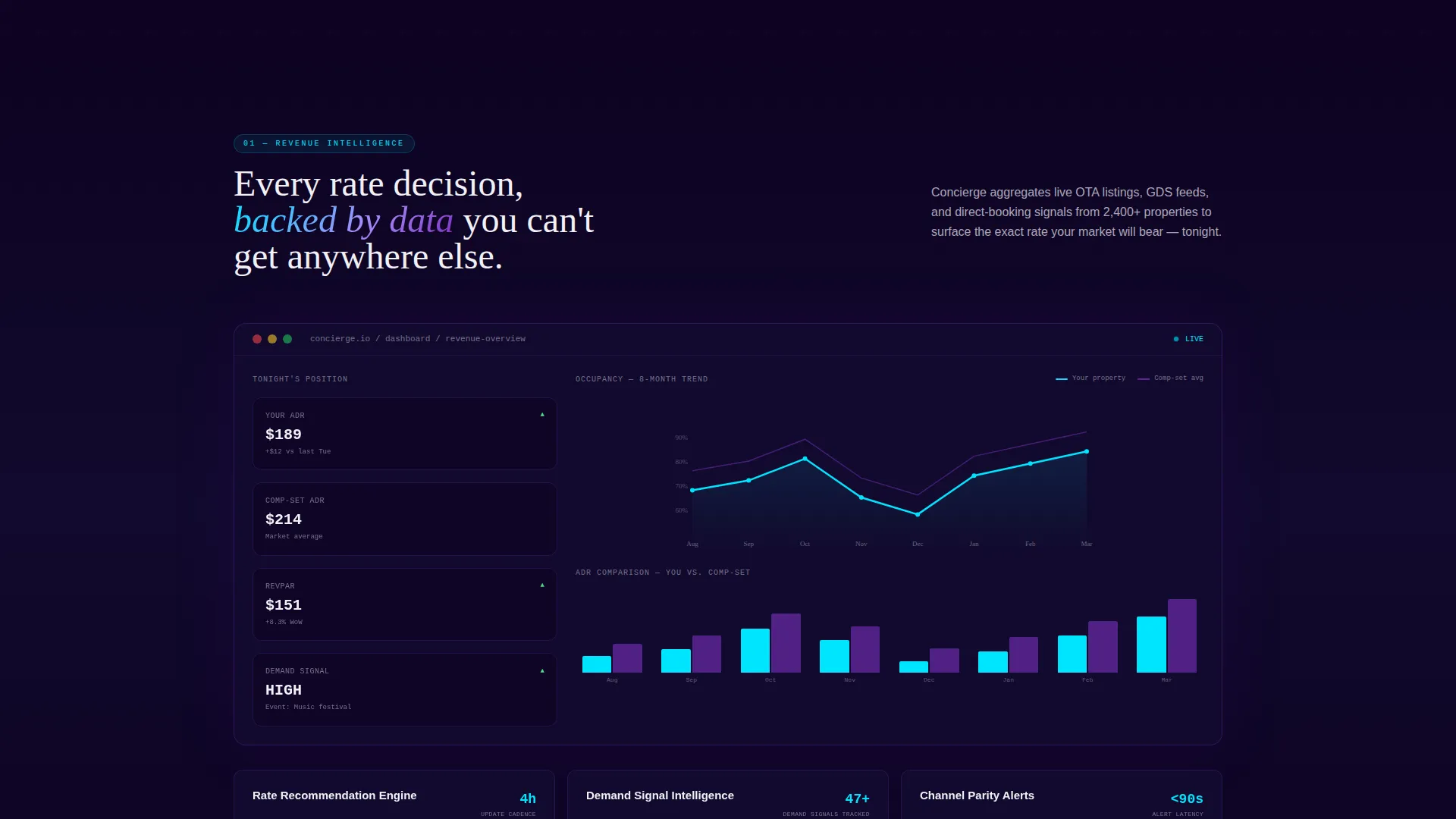
By the midpoint of the page, the visitor enters a full simulated dashboard experience with animated occupancy curves and rate-recommendation timelines. Data visualizations grow denser as the page scrolls, and the cyan accent appears more frequently to mark live data points and primary call-to-action elements.
Dual Call-to-Action Strategy
The primary call to action, "Calculate Your Revenue Gap," links back to the header tool with a membership gate attached. The secondary call to action, "See Full Platform Demo," sits inside the comparison section for prospects who are further along in their decision. Both actions are tied to specific funnel stages, not generic button placements.
Page sections overview
| Section | Purpose |
|---|---|
| Rate Calculator Header | Prove platform value above the fold with a simulated comp-set result |
| Pinned Anchor Nav | Let visitors jump to any spoke section instantly |
| Revenue Intelligence Spoke | Explain how real-time rate data is sourced and applied |
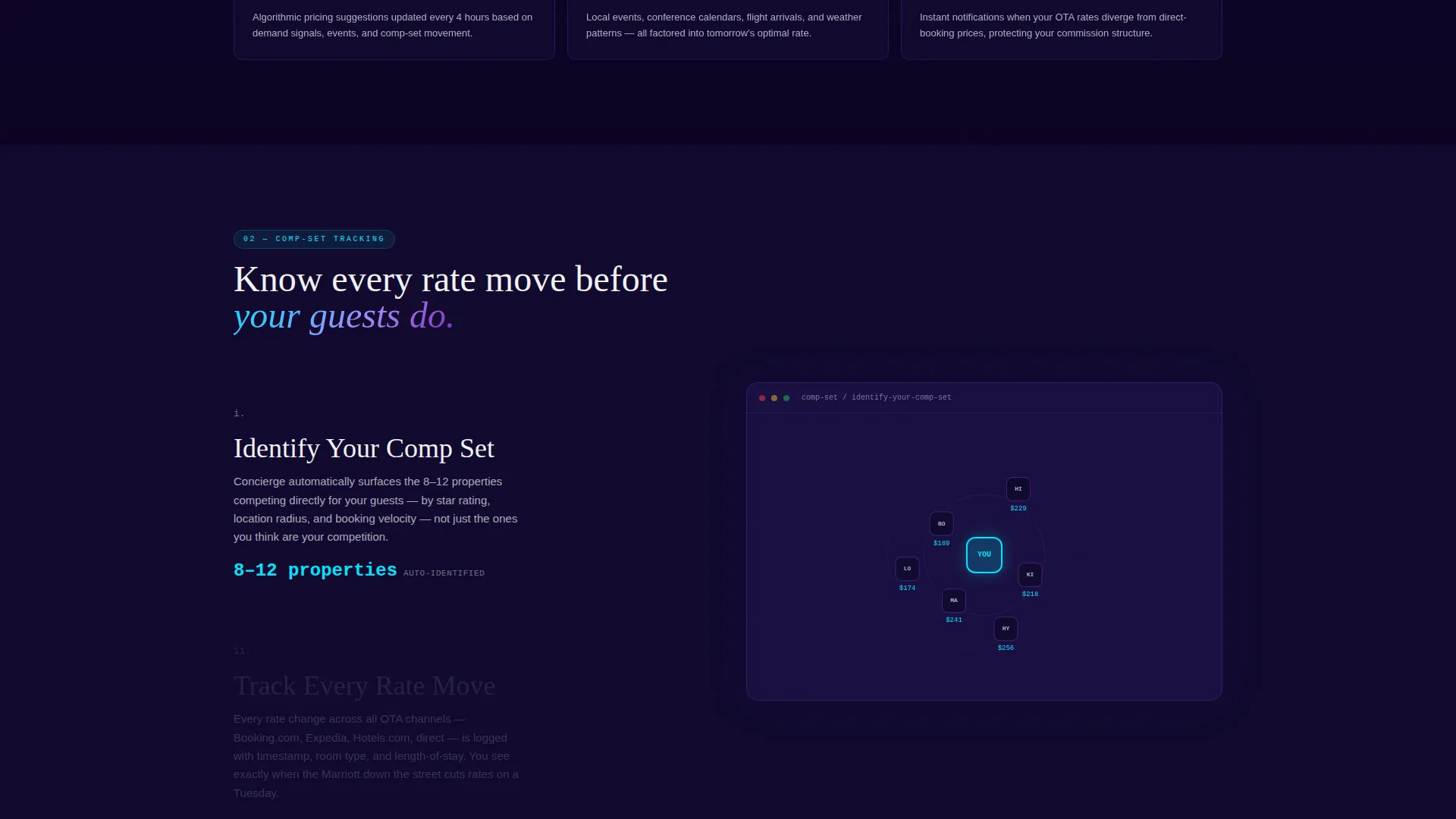
| Comp-Set Tracking Spoke | Show how competitor pricing is monitored and benchmarked |
| Forecasting Spoke | Demonstrate occupancy forecast capabilities and timeline views |
| Integrations Spoke | Address PMS compatibility and data connection context |
| Pricing Spoke | Present membership tiers and plan structure |
| Split-Panel Comparison | Contrast manual pricing loss against membership gains with scenario math |
| Competitor Feature Table | Stack platform features against rival tools across twelve rows |
| Simulated Dashboard Tour | Walk visitors through animated occupancy curves and rate timelines |
| Membership Gate Modal | Collect lead data after the free calculation is delivered |
Design & branding system
The Electric Indigo color system anchors every visual decision in this template. The palette was chosen to evoke a hotel back office at 2 AM, where only the night auditor is awake and every screen glows with live data.
- Deep terminal black (#0D0221) dominates backgrounds, charged indigo (#4B0082) anchors section dividers and navigation states, live-wire violet (#7B2FBE) washes over cards and hover interactions, electric pulse cyan (#00E5FF) fires on live data points and primary calls to action, and crisp keycard white (#F0F0F5) is reserved for typography and input fields
- The Data Command theme ensures visual density increases as the visitor scrolls deeper, with cyan accents appearing more frequently toward the midpoint and beyond
- Typography stays razor-clean against dark backgrounds so every rate figure and percentage reads without strain
Mobile & speed optimization
The layout is designed to translate the command-center feel of a desktop dashboard into a tight, readable mobile experience. The anchor nav collapses cleanly, and the calculator inputs remain prominent and easy to interact with on smaller screens.
- The hub-and-spoke structure allows each spoke section to stack vertically on mobile without losing its narrative connection to the calculator that opened the page
- Animated counters, heat maps, and occupancy curves are scoped to remain visually effective on smaller viewports without overwhelming the layout
How this template helps you convert
The entire page is structured around giving value before asking for anything. A visitor who runs the calculator already holds a personalized revenue gap number before they see a single pricing tier.
- The calculator hero creates an immediate emotional stake by surfacing a concrete dollar figure the visitor did not have before arriving, making membership the obvious next move rather than a speculative investment
- The split-panel comparison and competitor feature table remove the final objections by showing exactly what the platform does that manual methods and rival tools do not, closing the gap between interest and sign-up
Other information about this template
This template is built for the hospitality technology niche where buyer trust depends entirely on demonstrating data fluency before asking for a commitment. The page structure reflects that reality at every scroll depth.
- The template style is Hub and Spoke with Anchor Navigation, meaning each spoke section is self-contained but tied back to the central calculator interaction that started the session
- The creative direction is Calculator and Tool First, a pattern that works especially well for platforms competing against established names such as STR, OTA Insight, and RateGain, where feature differentiation matters and trust must be earned quickly
- The lp direction is Comparison and Versus, which means the page is designed to win the evaluation stage, not just attract attention

Theme
Data Command
Creative direction
Calculator/Tool First
Color system
Electric Indigo
Style
Hub & Spoke (Anchor Nav)
Direction
Comparison/Versus
Page Sections
Interactive Rate Calculator Hero
Pinned Hub-and-spoke Navigation
Split-panel Comparison Section
Gated Membership Conversion Modal
Simulated Dashboard Tour
Dual Call-to-action Architecture
Related questions
Can I customize the rate calculator inputs and output labels?
Does the anchor navigation work on mobile devices?
Is the membership gate modal connected to a real backend?
How many spoke sections does this template include?
Who is this landing page best suited for?



