Agriculture Training Platform Landing Page Template
Cultivate is a hub-and-spoke landing page template built for agriculture training platforms. It leads with live-stat dashboard cards, a logo bar of institutional partners, and a fixed anchor navigation that smooth-scrolls visitors through four proof-heavy spokes. The layout is designed to convert farm operators, extension officers, and agribusiness HR teams into course explorers before they reach the bottom of the page.
by Rocket studio
Quick summary
Cultivate is a single-page, stats-first landing page template for precision agriculture training platforms. It opens with an oversized headline stat, a logo ribbon of certifying institutions, and a fixed hub navigation. Each spoke section unlocks a deeper layer of proof, guiding learners and training directors toward a course library click without ever asking for a form submission.
Who this template is for
This template is built for teams running professional training programs in the agriculture sector. It works best when the audience includes people who make decisions based on outcomes, not just features.
- Mid-career farm operators scaling from family plots to commercial acreage who need structured, region-specific training modules
- Extension officers managing certification renewals across multiple counties who need clear proof of platform credibility
- Agribusiness human resources directors onboarding seasonal crews who require safety and compliance fluency before field deployment
What problem this template solves
Agriculture training platforms often struggle to communicate credibility quickly. Visitors land on generic pages, see walls of text, and leave before understanding what the platform actually delivers.
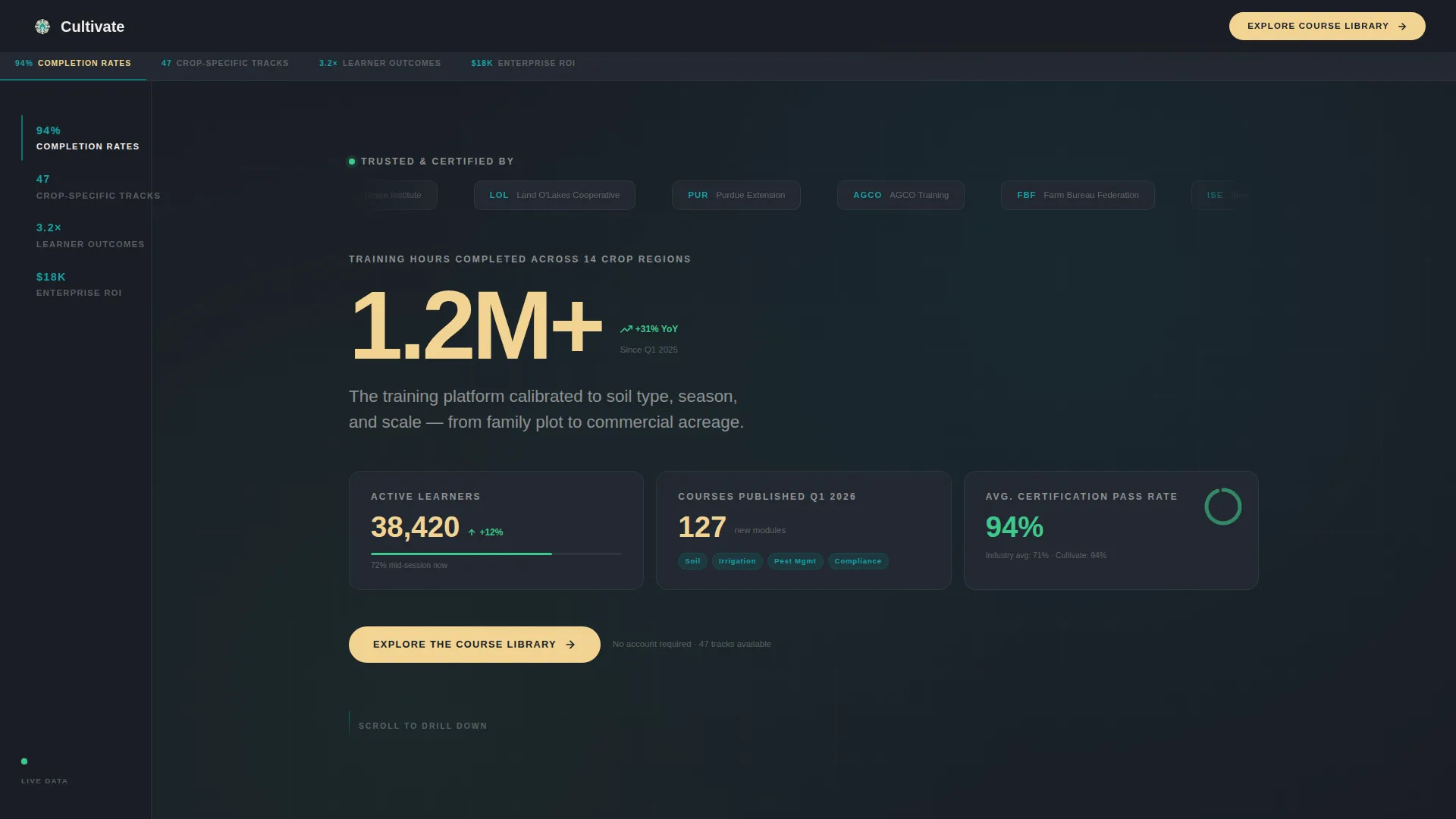
- The page replaces passive copy with live-feeling stat counters that show active learners, courses published, and average certification pass rates at a glance
- The hub navigation removes guesswork by labeling each section with a metric category, so visitors know exactly what proof they are about to read
- The click-through flow removes friction entirely by skipping forms and routing visitors straight to a pre-filtered course library
What you get with this template
You get a fully structured, single-page layout with every section pre-built for an agriculture training use case. The template is ready to populate with your platform's real numbers and course details.
- A fixed hub navigation bar with four labeled spokes: Completion Rates, Crop-Specific Tracks, Learner Outcomes, and Enterprise Return on Investment
- A header cluster combining a logo bar, one dominant stat, and three live-counter dashboard cards alongside a primary call-to-action button
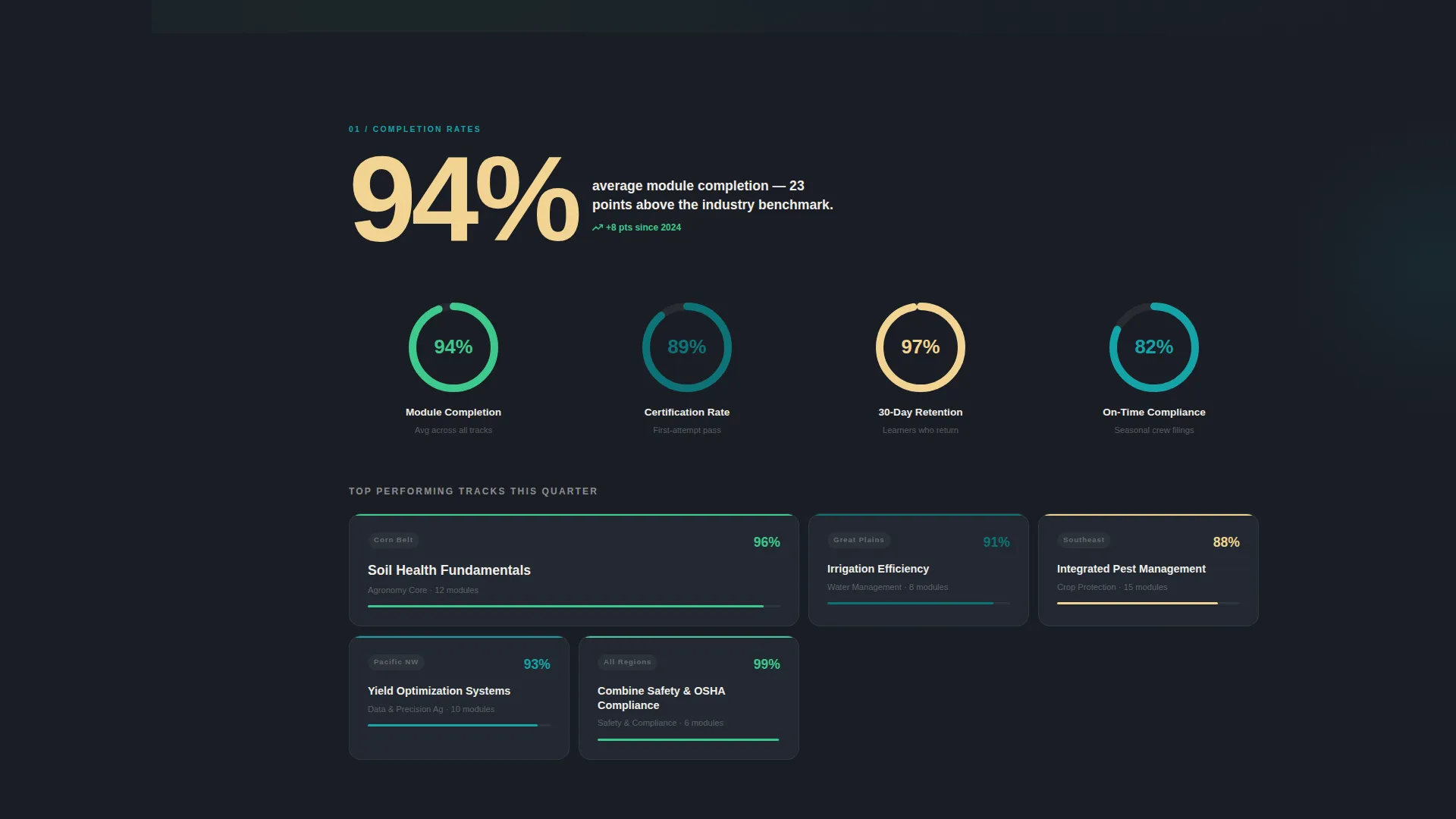
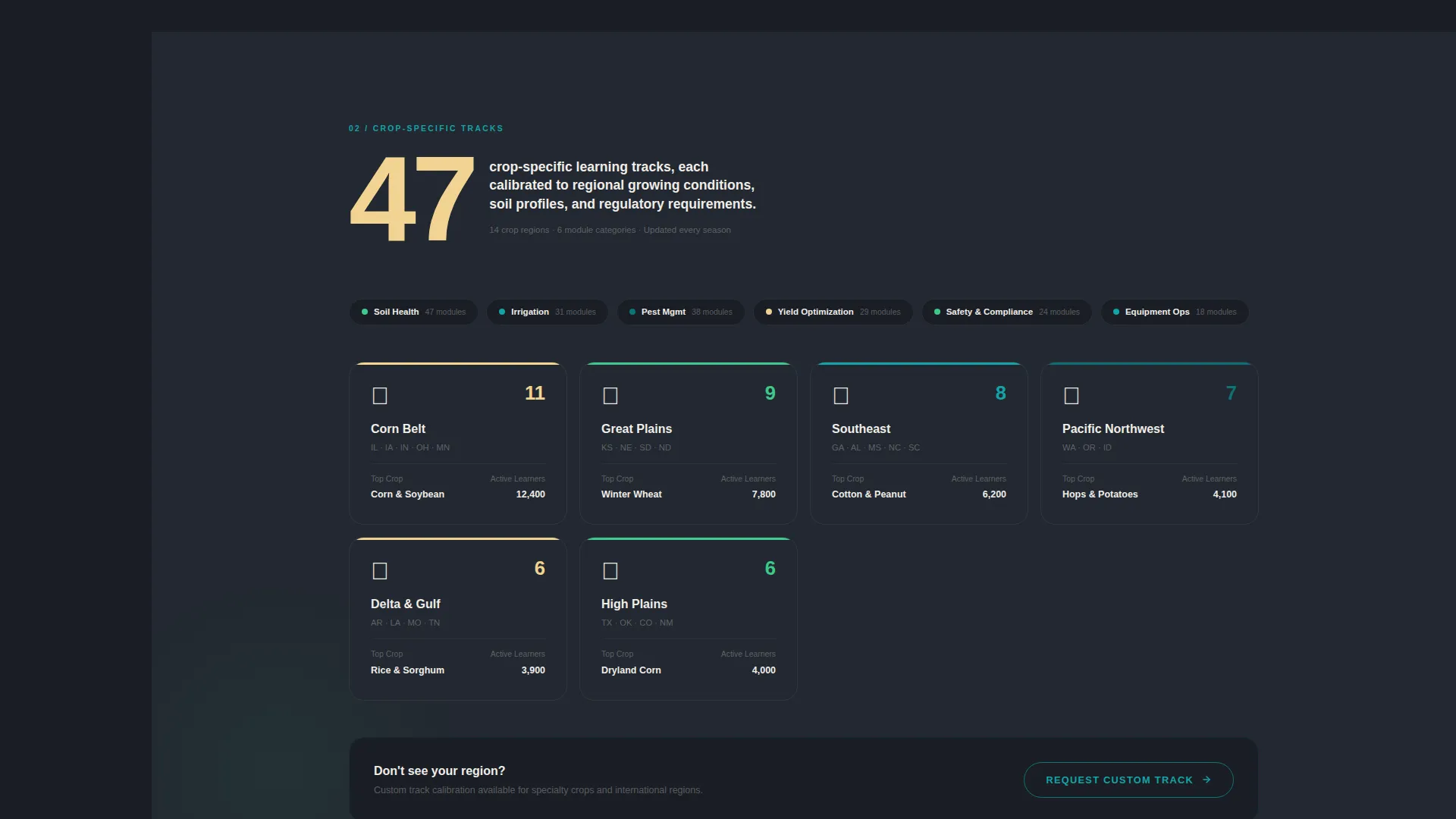
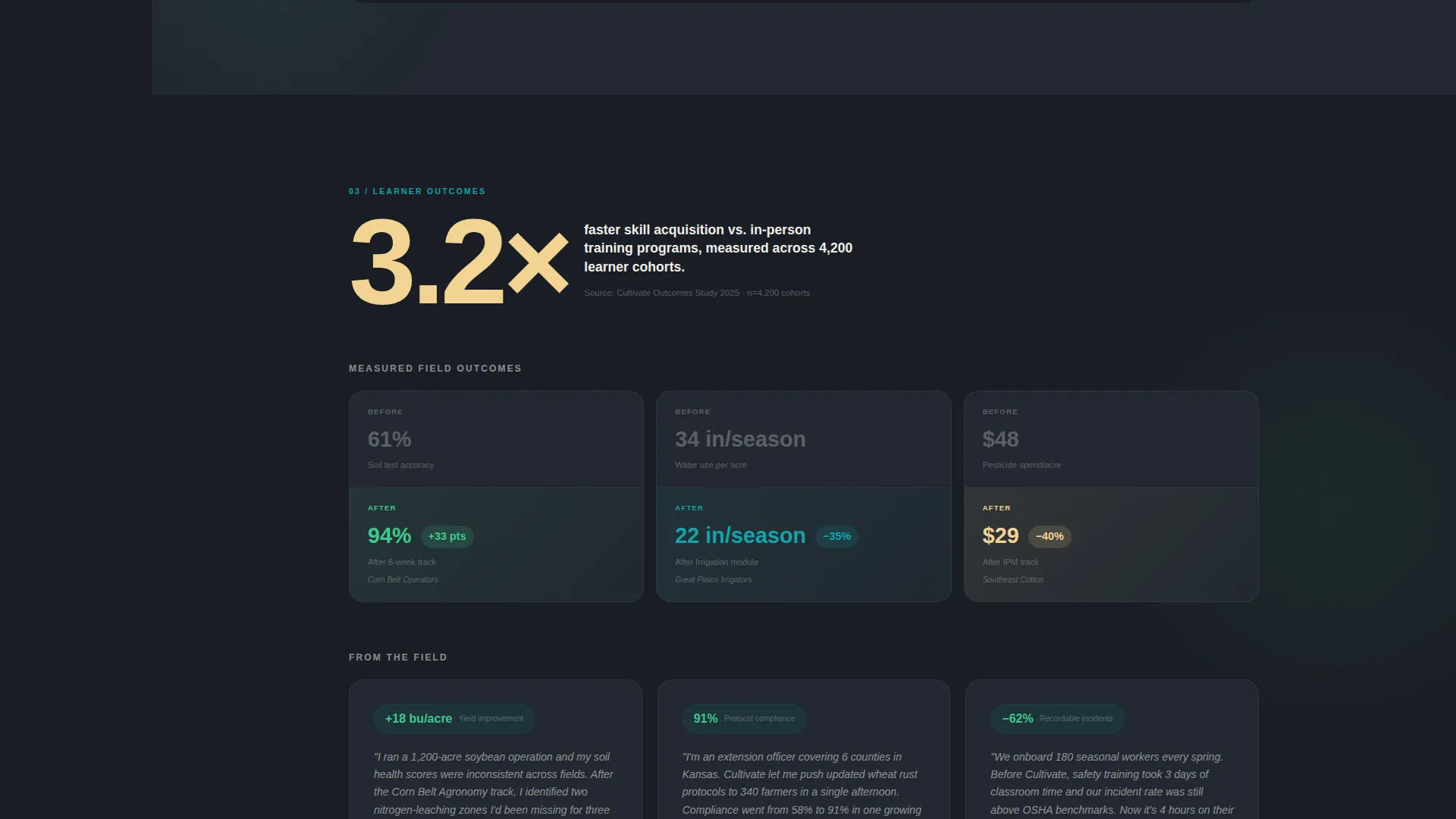
- Four proof-driven spoke sections, each opening with an oversized animated number before context, testimonials, or module previews fill in around it
Feature list
This template ships with purpose-built components designed for data-heavy agriculture training content. Each feature is drawn directly from the platform brief and serves a specific conversion or credibility function.
Stats-First Hero Dashboard
The header replaces a traditional hero image with a dominant stat display. One oversized number anchors the viewport, flanked by three smaller dashboard cards showing live counters for active learners, courses published this quarter, and average certification pass rate. The numbers themselves are the hero.
Fixed Hub Navigation Bar
A loam-black navigation rail stays fixed on the left side of the screen on desktop and collapses to a sticky top bar on mobile. Each of the four spoke labels is a metric category. Clicking any label smooth-scrolls the visitor to the corresponding section without a page reload.
Animated Spoke Sections
Each of the four spoke sections opens with a single oversized number that animates into view on scroll. Supporting content including context, testimonials, and module previews builds around that anchor number, creating a layered evidence experience that deepens with every section.
Institutional Logo Bar
A horizontal ribbon at the top of the page displays logos from recognizing agriculture institutions, equipment manufacturers, and cooperatives. This social proof component establishes platform credibility before a visitor reads a single line of body copy.
Dual Call-to-Action System
The primary call-to-action, "Explore the Course Library," appears in the header cluster and repeats as a persistent floating button after the second spoke. A secondary call-to-action, "Request Enterprise Demo," appears only inside the Enterprise Return on Investment spoke, targeting volume licensing buyers without cluttering the learner flow.
No-Form Click-Through Flow
There is no lead capture form on this page. Every primary call-to-action click routes visitors directly to the full course catalog with filters pre-applied. This removes commitment anxiety and shortens the path from interest to browsing.
Page sections overview
| Section | Purpose |
|---|---|
| Institutional Logo Bar | Establishes platform credibility through partner recognition |
| Header Stat Dashboard | Anchors attention with a dominant platform-wide training stat |
| Dashboard Metric Cards | Shows live counters for learners, courses, and pass rates |
| Hub Navigation Rail | Provides fixed anchor links to all four spoke sections |
| Completion Rates Spoke | Opens with an animated pass-rate stat and supporting proof |
| Crop-Specific Tracks Spoke | Highlights region-calibrated modules and subject coverage |
| Learner Outcomes Spoke | Presents testimonials and outcome data for individual learners |
| Enterprise ROI Spoke | Targets HR and agribusiness buyers with volume licensing context |
| Floating call to action Button | Keeps the primary course library link visible after spoke two |
Design & branding system
The template uses the Teal Catalyst color system inside a Dashboard Pro theme. The visual identity is designed to feel like a weather station interface mounted in a working barn: technical enough to be trusted, organic enough to feel at home outdoors.
- Deep field teal (#0D7377) dominates section headers and data containers; rich loam black (#1A1E25) grounds the fixed navigation rail and backgrounds; germination green (#3EC98C) pulses on completion percentages and upward-trend indicators
- Dry-season wheat (#F2D492) warms every call-to-action button and highlight badge, drawing the eye to each clickable moment without competing with teal
- Typography and spacing follow a dashboard-style layout where data readability comes first, giving numbers room to breathe and supporting copy room to stay scannable
Mobile & speed optimization
The layout adapts cleanly from a wide desktop dashboard view to a single-column mobile flow. The fixed left navigation collapses to a sticky top bar so the anchor links remain accessible on smaller screens without blocking content.
- Section-by-section scroll transitions keep page load efficient by bringing animated numbers into view only when the relevant section enters the viewport
- The no-form architecture reduces interactive element overhead, keeping the mobile experience fast and tap-friendly with large call-to-action targets
- Dashboard cards and stat displays restack vertically on narrow viewports, preserving readability without losing the data-forward visual hierarchy
How this template helps you convert
The entire page is sequenced to build evidence density before asking for any action. By the time a visitor reaches the third spoke, they have already seen institutional endorsement, platform-wide statistics, and outcome proof.
- The logo bar and header dashboard front-load credibility so that the first call-to-action button appears after trust is already established, not before it
- Each spoke section deepens the proof layer with a more specific stat than the last, creating a rational momentum that makes clicking through to the course library feel like the obvious next step rather than a commitment
- The secondary "Request Enterprise Demo" call-to-action surfaces only in the final Enterprise Return on Investment spoke, reaching volume buyers at exactly the moment they are evaluating cost and scale
Other information about this template
This template is categorized under Technology, specifically within the Agriculture Software and Software as a Service subcategory. It is designed for the agriculture training platform niche and was built to match the intersection of Dashboard Pro theming, Teal Catalyst color identity, Stats-First Impact creative direction, and Click-Through landing page strategy.
- The template style is Hub and Spoke with anchor navigation, meaning all sections live on a single page and the navigation rail links directly to each spoke rather than loading new pages
- It is well suited for platforms covering soil health, irrigation efficiency, pest management, and yield optimization training across regional crop conditions
- The Intersection Match Score for this template is 13, indicating a strong alignment between the template's design system, structural pattern, and the agriculture training platform use case
Theme
Dashboard Pro
Creative direction
Stats-First Impact
Color system
Teal Catalyst
Style
Hub & Spoke (Anchor Nav)
Direction
Click-Through
Page Sections
Stats-first Hero Dashboard
Fixed Hub Navigation Rail
Animated Spoke Sections
Institutional Logo Bar
Dual Call-to-action System
No-form Click-through Architecture
Related questions
Does this template include a lead capture form?
Can I update the stat numbers and dashboard cards with my platform's real data?
Is this template suitable for platforms covering multiple crop types or regions?
Who is the Enterprise ROI spoke aimed at?
What makes this different from a standard course catalog page?



